ASUS ROG Zephyrus G14


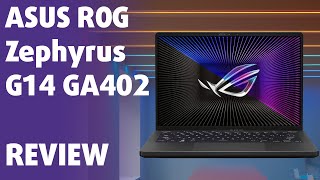


- Publicatiedatum: 26 Apr 2023
- AMD Ryzen 9 6900HS
- AMD Radeon RX 6700S
- 14.0”, WQXGA (2560 x 1600), 120 Hz, IPS + FreeSync
- 2000GB SSD
- 16GB DDR5
- 1.65 kg (3.6 lbs)
ASUS ROG Zephyrus G14 GA402 uitgebreide review
For the past couple of years, ASUS has proven to be the most active player in the innovation field of the mobile market. This year marked another milestone for the brand, as it introduced the tablet for gaming purists - ROG Flow Z13. While it is amazing for what it really is, we can't help but feel [...]
Lees de volledige review
Review
ASUS ROG Zephyrus G14 uitgebreide review
For the past couple of years, ASUS has proven to be the most active player in the innovation field of the mobile market. This year marked another milestone for the brand, as it introduced the tablet for gaming purists - ROG Flow Z13. While it is amazing for what it really is, we can't help but feel that we want a more orthodox gaming experience.And if you are in the market for a small form factor gaming device - the ROG Zephyrus G14 G402 is as good as it gets. You see, the design was so ahead of its time that ASUS decided to retain most of it. You still get the AniMe Matrix external display, which now has more functionality than ever. This means you can get the Virtual Pet OMNI, which offers some mini-games, which unlock more animations.However, this additional display is nothing [...]
Lees de volledige reviewPros
- Good battery life
- Gen 4 SSD support
- Covers 99% of the DCI-P3 color gamut and has accurate color representation with our Gaming and Web design profile (BOE NE140QDM-NX1 (BOE0A1D))
- Snappy panel with quick response times (BOE NE140QDM-NX1 (BOE0A1D))
- AniMe Matrix
- Great input devices
- Noise cancellation
- The keyboard remains relatively cool after long gaming sessions
- Good build quality
- Decent performance jump from last year
Minpunten
- No Thunderbolt 4
Demontage, onderhoud en upgrade-opties
Even though it is a slim 14-incher, you are still able to upgrade it thanks to one SODIMM slot for memory, and one M.2 PCIe x4 slot for storage.Check out all ASUS ROG Zephyrus G14 GA402 prices and configurations in our Specs System, or read more in our In-Depth review.1. Remove the bottom plate There is a total of 11 Phillips-head screws you need to undo to get inside this notebook. The one in the bottom right corner is captive, and will gently pop the bottom panel so you can start the prying process from there.2. Battery Inside, you will find a 76Wh battery pack. It last[...]
Lees meer
Scherm: 14.0-inch, 2560 x 1600, IPS + FreeSync
- Naam
- BOE NE140QDM-NX1 (BOE0A1D)
- Diagonaal
- 14.0"
- Pixeldichtheid
- 215.63 ppi
- Helderheid
- 564 cd/m2
- sRGB
- 100%
- Paneeltype
- IPS
- Resolutie
- 2560 x 1600
- Wordt "Retina" vanaf
- 16 inches (41 cm)
- Contrast
- 1040:1
- dE Color Checker
- 3.7 2.0

Koop onze profielen voor BOE NE140QDM-NX1 (BOE0A1D)
Naast het ontvangen van efficiënte en gezondheidsvriendelijke profielen, ondersteunt u door het kopen van LaptopMedia's producten ook de ontwikkeling van onze labs, waar we apparaten testen om zo objectief mogelijke reviews te produceren.

Office Work
Office Work is voornamelijk bedoeld voor gebruikers die de meeste tijd besteden aan het bekijken van teksten, tabellen of gewoon surfen. Dit profiel streeft naar een betere onderscheidbaarheid en helderheid door een vlakke gammacurve (2.20), native kleurtemperatuur en perceptueel accurate kleuren te behouden.

Design and Gaming
Dit profiel is bedoeld voor ontwerpers die professioneel met kleuren werken, maar ook voor games en films. Design and Gaming haalt het uiterste uit beeldschermen, waardoor ze zo nauwkeurig mogelijk zijn in de sRGB IEC61966-2-1 norm voor Web en HDTV, met witpunt D65.

Health-Guard
Health-Guard elimineert de schadelijke Pulsbreedtemodulatie (PWM) en vermindert het negatieve Blauwe Licht dat onze ogen en lichaam beïnvloedt. Omdat het op maat gemaakt is voor elk paneel, slaagt het erin de kleuren perceptueel accuraat te houden. Health-Guard simuleert papier zodat de druk op de ogen sterk wordt verminderd.





