HP ZBook Fury 16 G10 review – bijna geruisloos krachtig workstation dat is gebouwd als een tank
Prestaties: CPU, GPU, gamingtests
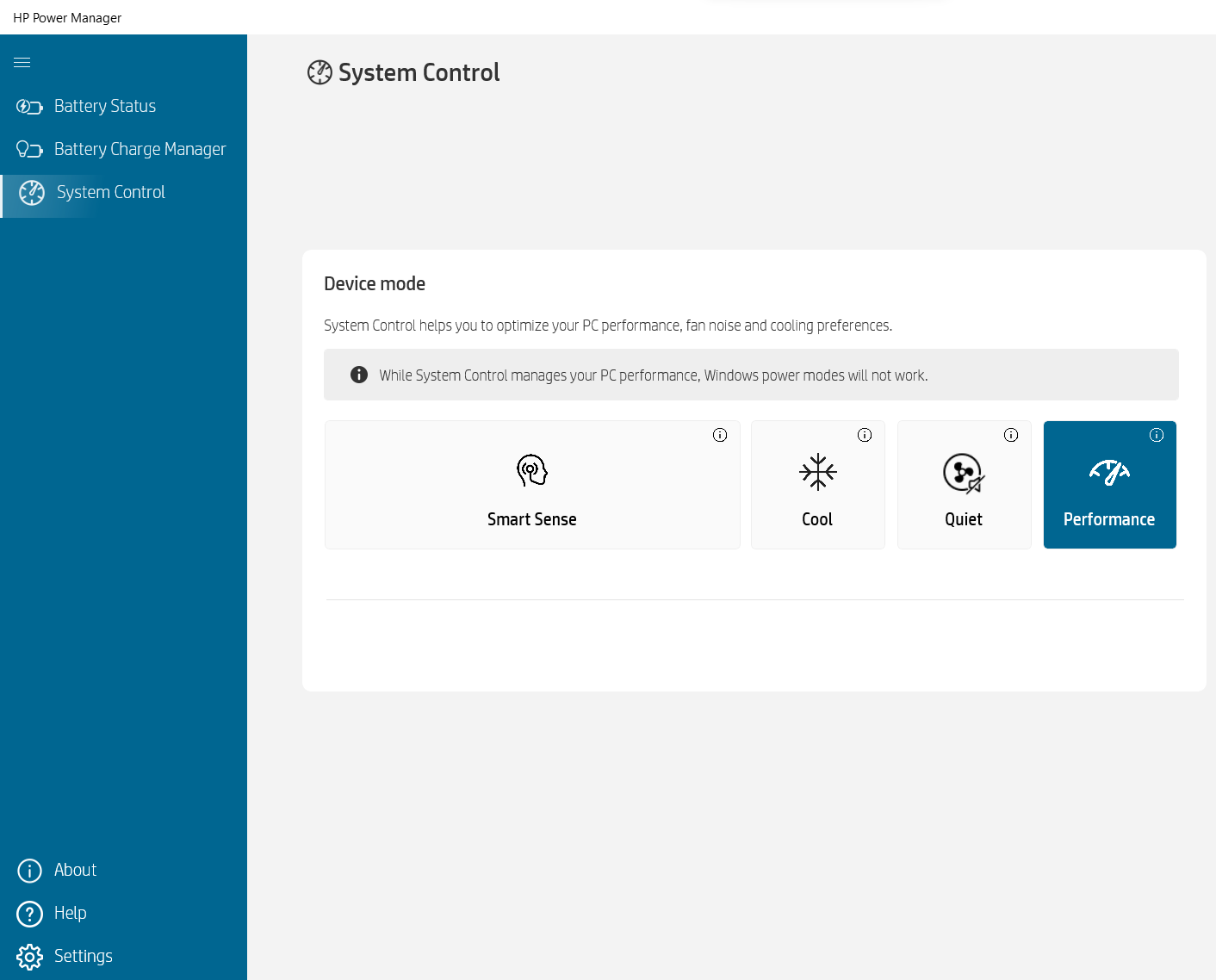
Alle benchmarks en tests zijn uitgevoerd met het “Performance” profiel geactiveerd in de HP Power Manager app. Ook is de “Discrete Graphics Mode” (alleen dGPU) ingeschakeld in het BIOS, evenals de “Fan Always on while on AC Power” functie.


CPU opties
Dit apparaat is verkrijgbaar met Intel Core i5-13600HX, Core i7-13700HX, Core i7-13850HX of Core i9-13950HX.
Hier evalueren we de prestaties van de CPU met een real-world 3D-renderingtaak, waarbij we het vermogen beoordelen om complexe berekeningen en rendering-workloads efficiënt af te handelen.
De resultaten zijn van de Cinebench 2024 Multi-Core test (hoger is beter)
GPU-opties
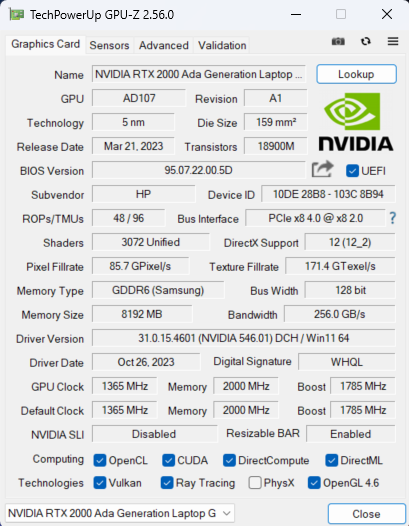
Interessant is dat er alleen iGPU-configuraties zijn. Je kunt ook kiezen uit vijf dGPU-opties: NVIDIA RTX A1000 (laptop), RTX 2000 Ada Generation (65W), RTX 3500 Ada Generation, RTX 4000 Ada Generation en RTX 5000 Ada Generation.
De resultaten zijn van 3DMark Time Spy (Graphics). Hoger is beter.
De resultaten zijn van de 3DMark Fire Strike (Graphics) benchmark (hoe hoger de score, hoe beter)
De resultaten zijn van 3DMark Wild Life Extreme Unlimited. Hoger is beter.
De resultaten zijn van de Unigine Superposition benchmark (hoe hoger de score, hoe beter)
HP ZBook Fury 16 G10 GPU-varianten
Hier ziet u bij benadering een vergelijking tussen de GPU's die in de [serie] modellen op de markt te vinden zijn. Op deze manier kunt u voor uzelf beslissen welk [serie] model het beste is voor uw geld.
Note: The chart shows the cheapest different GPU configurations so you should check what the other specifications of these laptops are by clicking on the laptop’s name / GPU.
De resultaten zijn van 3DMark Time Spy (Graphics). Hoger is beter.
De resultaten zijn van de 3DMark: Fire Strike (Graphics) benchmark (hoe hoger de score, hoe beter)
De resultaten zijn afkomstig van de 3DMark: Wild Life (Graphics) benchmark (hoe hoger de score, hoe beter)
De resultaten zijn van de Unigine Superposition benchmark (hoe hoger de score, hoe beter)
Gaming tests


| Assassin’s Creed Walhalla | Full HD, Laag(Controleer instellingen) | Full HD, Medium(instellingen controleren) | Full HD, High(instellingen controleren) | Full HD, Ultra(instellingen controleren) |
|---|---|---|---|---|
| Gemiddelde FPS | 158 fps | 131 fps | 108 fps | 92 bps |

| Borderlands 3 | Full HD, V.Low(instellingen controleren) | Full HD, Medium (instellingen controleren) | Full HD, High(instellingen controleren) | Full HD, Badass(instellingen controleren) |
|---|---|---|---|---|
| Gemiddelde FPS | 188 fps | 146 fps | 101 bps | 77 fps |

| Far Cry 6 | Full HD, laag(instellingen controleren) | Full HD, High(instellingen controleren) | Full HD, Ultra(instellingen controleren) |
|---|---|---|---|
| Gemiddelde FPS | 143 fps | 115 fps | 101 bps |

| Versnelling 5 | Full HD, laag(instellingen controleren) | Full HD, Medium (instellingencontroleren) | Full HD, hoog (instellingen controleren) | Full HD, Ultra(instellingen controleren) |
|---|---|---|---|---|
| Gemiddelde FPS | 218 fps | 159 fps | 137 fps | 110 bps |
De 65W RTX 2000 Ada Generation GPU presteert erg goed in de vier geteste titels. Als we Borderlands 3 op Badass kwaliteit niet meetellen, zijn de andere scores beter in vergelijking met die van de 60W NVIDIA RTX 3000 Ada Generation GPU in de HP ZBook Studio 16 G10. Dit laat zien hoe capabel de HP ZBook Fury 16 G10 is en dat het een goed afgestelde machine is.
 Author: Nikolay Palaozov
 Author: eng. Kroum NikolovHead of Engineering at LaptopMedia.com, inventor and innovator with 40+ years of experience in electronics and high technology.

![[augustus 2026] Wereldwijde ranglijst van bestverkochte laptop-GPU’s op Amazon – Apple is onbetwist nummer één, NVIDIA’s RTX 5060 staat bovenaan de ranglijst voor dedicated GPU’s](https://laptopmedia.com/wp-content/uploads/2026/09/Best-Selling-GPUs-GLOBAL-Top-10-400x225.jpg)
![[augustus 2026] Wereldwijde ranglijst van bestverkochte laptop-CPU’s op Amazon – Apple domineert zowel het budget- als het premiumsegment: A18 Pro en M5 verslaan Intel en AMD in augustus 2026](https://laptopmedia.com/wp-content/uploads/2026/09/Best-Selling-CPUs-GLOBAL-Top-10-400x225.jpg)
![[augustus 2026] Amazon Global: Top 10 van best verkochte laptops – De Apple MacBook Neo domineert de hitlijsten, terwijl goedkope en middenklasse Windows-laptops strijden om het verkoopvolume](https://laptopmedia.com/wp-content/uploads/2026/09/Best-Selling-Laptops-GLOBAL-Top-10-400x225.jpg)
![[augustus 2026] Bestverkochte laptopmerken op Amazon Global – Apple domineert qua omzet, terwijl HP koploper is qua modelvariëteit](https://laptopmedia.com/wp-content/uploads/2026/09/GLOBAL-Best-Brands-400x225.jpg)
![[augustus 2026] Amazon Global: Top 10 bestverkochte gaminglaptops – HP Victus 15 pakt de eerste plaats terwijl budgetvriendelijke modellen de hitlijsten domineren](https://laptopmedia.com/wp-content/uploads/2026/09/Best-Selling-Gaming-Laptops-GLOBAL-Top-10-400x225.jpg)

Thanks for the comprehensive review, it’s one of the few quality reviews out there. I’m glad HP kept the physical touchpad buttons. I suppose the laptop designers have no idea how IMPORTANT these physical buttons can be to the design & engineering industries (e.g. architectural and urban design, and perhaps the entire creative industry). We need the middle button to quickly pan/rotate views in 3D modelling / simulation software, and the physical left/right keys for fast, precise clicking without any sluggishness / accidental clicking and dragging. Not everyone wants to carry around a mouse and separate keyboard. After all, this is… Read more »
I don´t think people are doing 3d modeling at a café or in a plane, and need full control of the camera all the time. They have a standard usb mouse or a 3d connexion if they need that feature. I get it, I’use middle mouse drag and even more complex gestures in SideFX Houdini, but when you’re on your laptop on the go, you do with what you have.