Lenovo IdeaPad Slim 3 (16″, 2023) review – betaalbaar en superefficiënt
Temperaturen en comfort, batterijduur
Max CPU-belasting
In deze test gebruiken we 100% op de CPU-kernen en controleren we hun frequenties en chip temperatuur. De eerste kolom toont de reactie van een computer op een korte belasting (2-10 seconden), de tweede kolom simuleert een serieuze taak (tussen 15 en 30 seconden), en de derde kolom is een goede indicator van hoe goed de laptop is voor lange belastingen zoals video rendering.

Gemiddelde kernfrequentie (basisfrequentie + X); CPU temp.
| AMD Ryzen 3 7330U (15W TDP) | 0:02 – 0:10 sec | 0:15 – 0:30 sec | 10:00 – 15:00 min |
|---|---|---|---|
| Lenovo IdeaPad Slim 3 (16″, 2023) | 3,58 GHz @ 78°C @ 29W | 3,40 GHz @ 78°C @ 25W | 3,21 GHz @ 100°C @ 22W |
De Ryzen 3 7330U van deze notebook is in staat om op frequenties te draaien die aanzienlijk hoger zijn dan de basisklokken van deze CPU. Bovendien is hij niet bang om de processor langdurig op 100°C te laten draaien.
Comfort tijdens volledige belasting
Interessant is dat de koelventilator niet te snel draait, wat resulteert in lage geluidsniveaus, zelfs bij extreme werkbelasting. Bovendien is de warmste plek op het toetsenbord ongeveer 40°C, wat ook niet te heet is.

Batterij
Nu voeren we de batterijtests uit met de Windows Better performance instelling ingeschakeld, schermhelderheid ingesteld op 120 nits en alle andere programma’s uitgeschakeld behalve het programma waarmee we de notebook testen. Dit model wordt aangeboden met een 47Wh accu. Deze gaat 11 uur en 53 minuten mee met surfen op het web, of 11 uur en 15 minuten met het afspelen van video.
Helderheid: 180 nits; Weergavemodus: SDR
Tijd tot Volledige Ontlading: Hoger is Beter
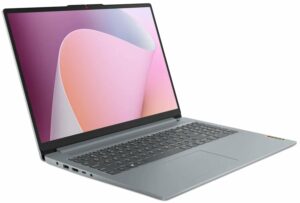

Om realistische omstandigheden te simuleren, hebben we ons eigen script gebruikt voor automatisch surfen op meer dan 70 websites.
 Author: Alex Iliev
 Author: eng. Kroum NikolovHead of Engineering at LaptopMedia.com, inventor and innovator with 40+ years of experience in electronics and high technology.

![[juni 2026] Bestverkochte laptopmerken op Amazon Global – Apple’s ongeëvenaarde dominantie in aantal verkochte exemplaren en omzet](https://laptopmedia.com/wp-content/uploads/2026/07/GLOBAL-Best-Brands-400x225.jpg)
![[juni 2026] Amazon Global: Top 10 bestverkochte laptops – De nieuwe MacBook Neo van Apple stormt naar de eerste plaats en zet de markt op zijn kop dankzij zijn betaalbaarheid](https://laptopmedia.com/wp-content/uploads/2026/07/Best-Selling-Laptops-GLOBAL-Top-10-400x225.jpg)
![[juni 2026] Amazon Global: Top 10 van best verkochte gaminglaptops – De Nitro V 16S AI van Acer domineert de verkoopcijfers, terwijl ASUS qua totale omzet aan kop gaat](https://laptopmedia.com/wp-content/uploads/2026/07/Best-Selling-Gaming-Laptops-GLOBAL-Top-10-400x225.jpg)
![[juni 2026] Wereldwijde ranglijst van bestverkochte laptop-GPU’s op Amazon – De NVIDIA RTX 5060 is de bestverkochte speciale GPU](https://laptopmedia.com/wp-content/uploads/2026/07/Best-Selling-GPUs-GLOBAL-Top-10-400x225.jpg)
![[juni 2026] Wereldwijde ranglijst van bestverkochte laptop-CPU’s op Amazon – Apple M5 domineert, AMD Ryzen 7 260 verovert een stevig aandeel in het premiumsegment](https://laptopmedia.com/wp-content/uploads/2026/07/Best-Selling-CPUs-GLOBAL-Top-10-400x225.jpg)

BUYER BEWARE. The touchpad is placed very far to the left of center and is VERY uncomfortable. I have also had too many times where the cursor scrolls over something and either opens or closes the page. I have adjusted the settings without any help. Very annoying when something you are working on closes or a website closes and you need to try to go back and figure out where you were. I have had this over 6 months and plan on looking for another brand during the after xmas sales. Too bad as this is my 3rd Lenovo laptop… Read more »
If your work is important, turn on the radio mouse and don’t bother with touchpads. especially in the initial series of laptops, where all the components are entry-level. I basically don’t use them, except for rare cases when I find myself somewhere with a laptop without a radio mouse.
It’s much worse that there is no RJ45 here; it’s simply impossible to get a stable and fast network without buying an external usb2lan adapter (with which there are often various problems, unlike built-in rj45). And this is especially strange for a business/office series. And in reality, bringing this port outside costs a penny – +$5. The second significant problem is the poor video ports. Lenovo claims Display Port v1.2 Alt Mode in usb-c is outdated 15 years ago and HDMI 1.4b is 13 years outdated. You will not be able to display HDR images on TV/projectors/monitors from this laptop… Read more »
The third, possible problem – in the review checked the screen panel from BOE, but Lenovo often imstall Innolux n160jce-ell in this series, which may have low-frequency PWM. And Lenovo does not indicate Flicker Free panels for this series in psref, as for other series. Therefore, you need to be careful with this, especially when buying a model without Windows, because if there is no OS included, you can check the flickering only by booting from a WinPE flash drive with pre-integrated video drivers for this series or from some Linux distribution that understands the SoC of this series and… Read more »