Вътрешност на Lenovo Yoga 710 (11-инчов) – разглобяване, вътрешни снимки и ръководство за ъпгрейд
Показахме ви новите преносими компютри Yoga 510/710 на MWC 2016 в Барселона и може би вече сте прочели първите ни впечатления от по-малкия – 11-инчовия Yoga 710. Сега е време да надникнем под капака и да видим какво е успяла да натъпче Lenovo в малката машина. Напомняме ви, че новата Yoga е оборудвана с Full HD IPS панел, процесор Intel Skylake, 8 GB RAM и 256 GB SSD памет. Всичко това е придружено от 40Wh батерия, която според Lenovo издържа до 8 часа с едно зареждане. Как китайският производител е успял да вкара това в шаси с тегло 1024 г / 14,9 мм?
Можете да проверите наличността на Lenovo Yoga 710 и неговата цена тук: http://amzn.to/1L74D6e
1. Отстраняване на долния капак
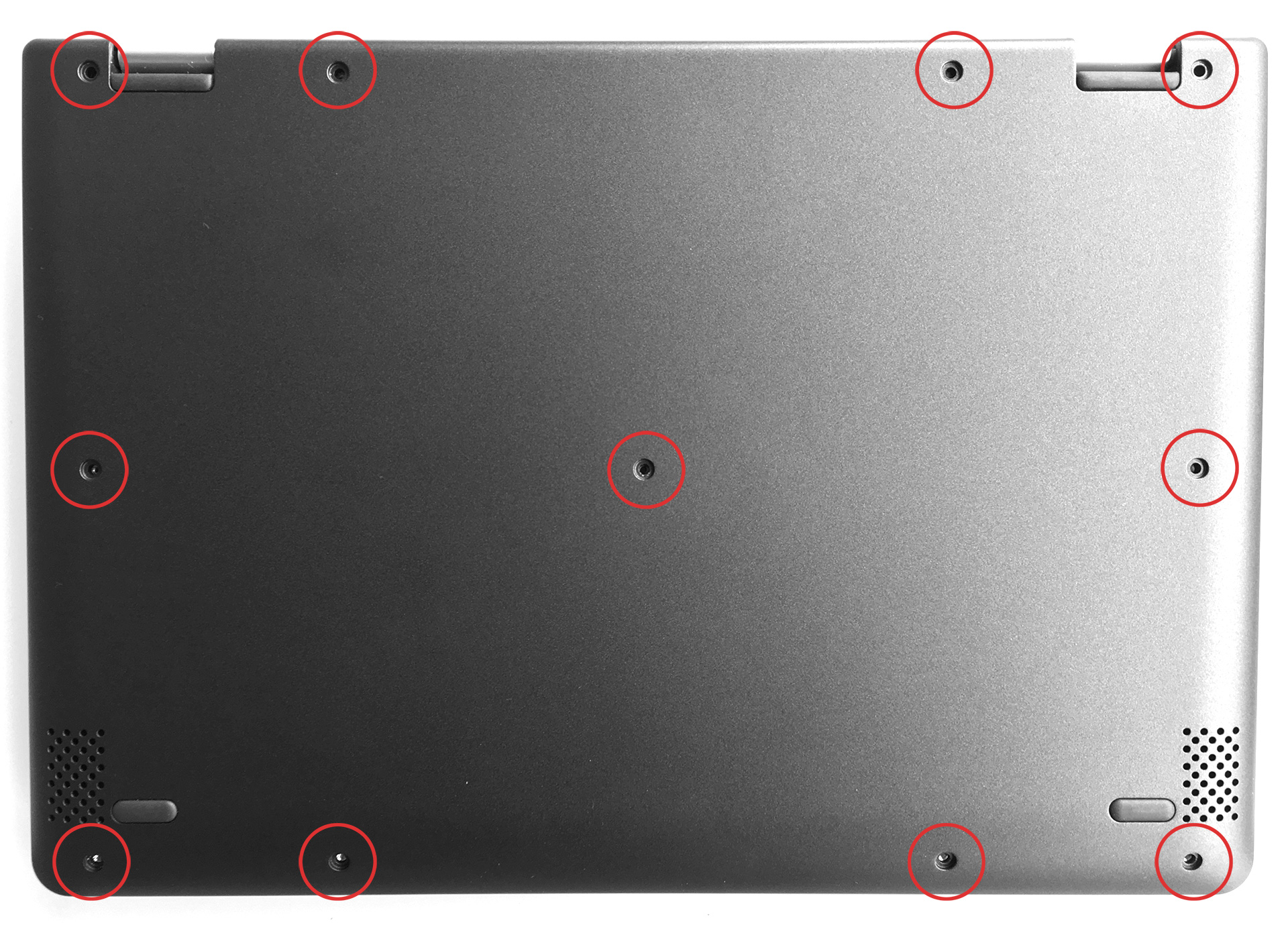
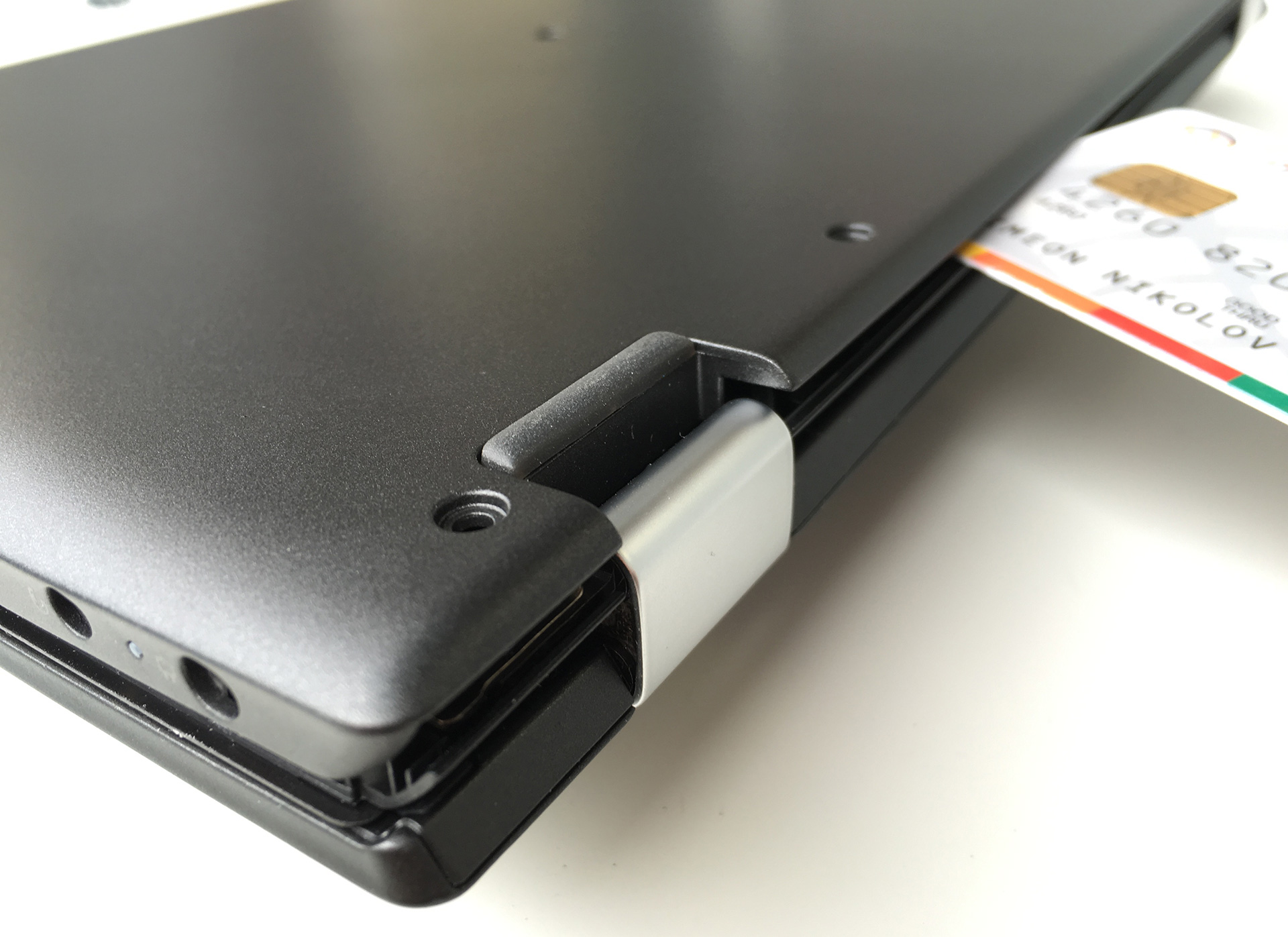
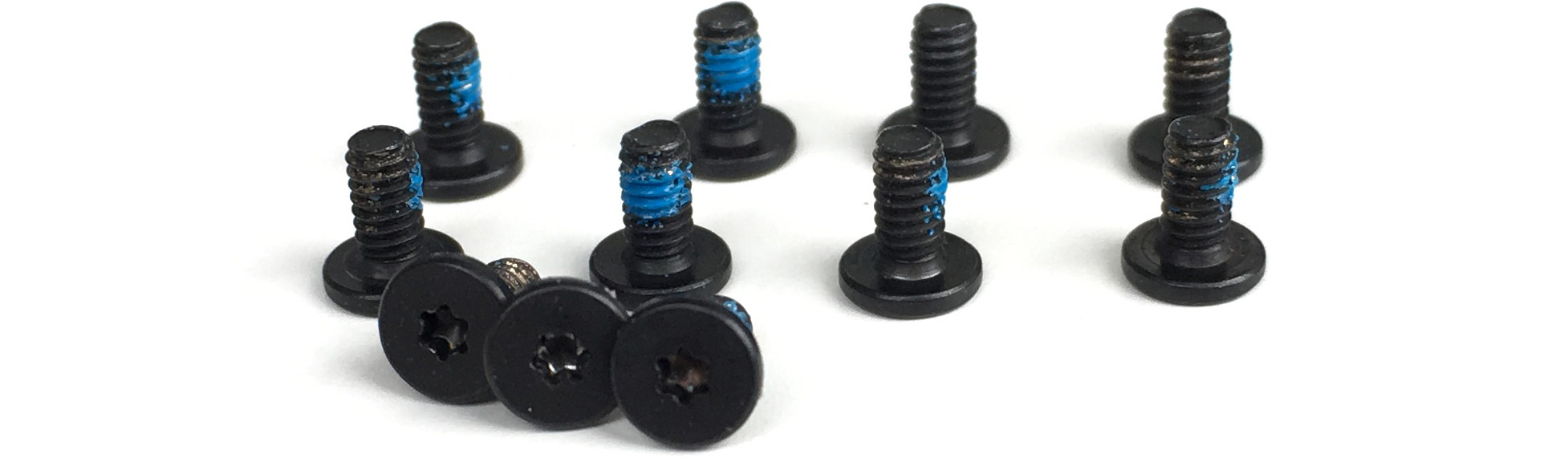
Не очакваме много възможности за ъпгрейд от Yoga 710, но изглежда, че той може да бъде лесно отворен, така че естествено ще погледнем вътре. Просто трябва да отстраните 11 винта Torx и с помощта на произволен пластмасов инструмент, с който разполагате, да изкъртите дъното.
2. Получете достъп до всичко, което може да ви е необходимо
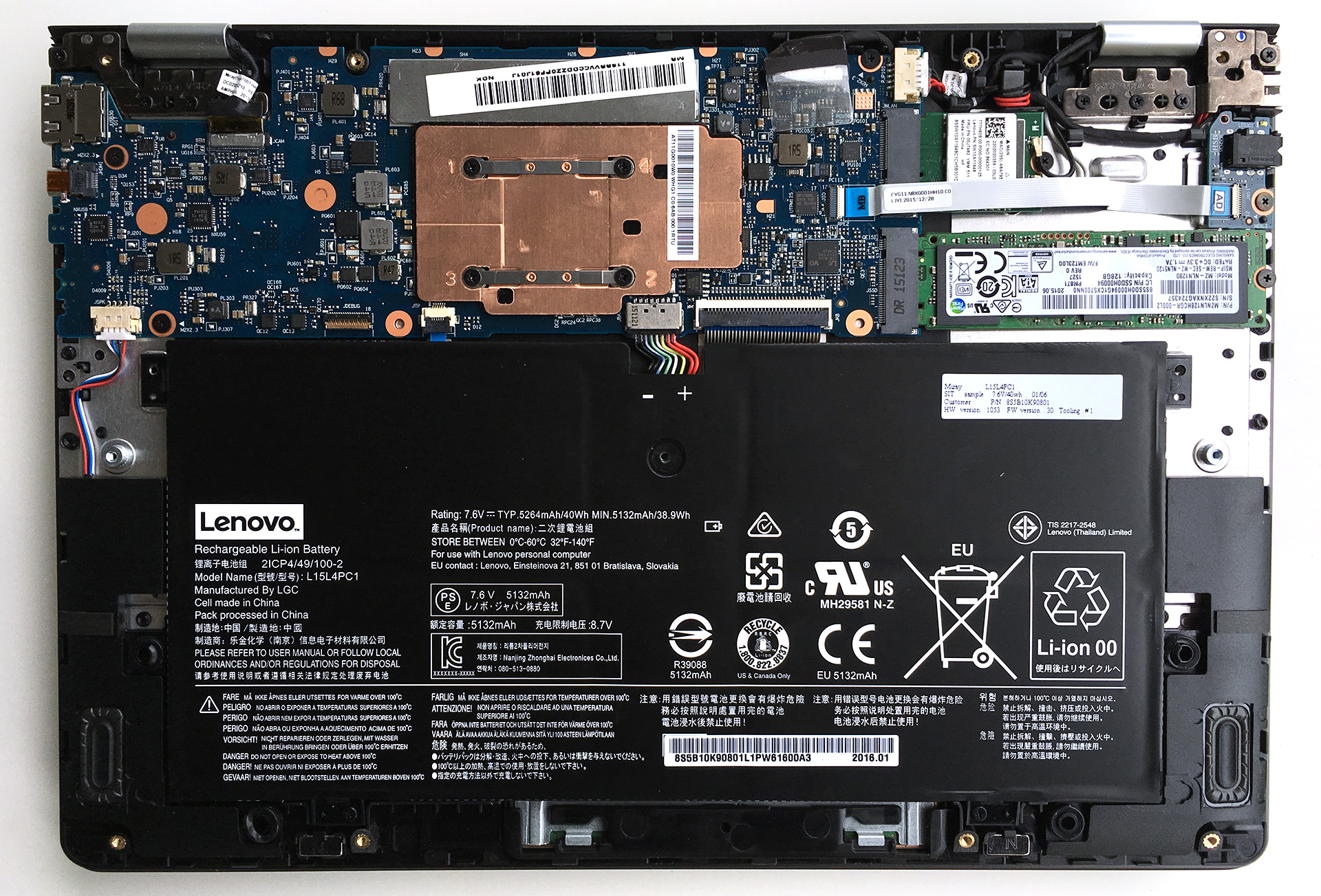
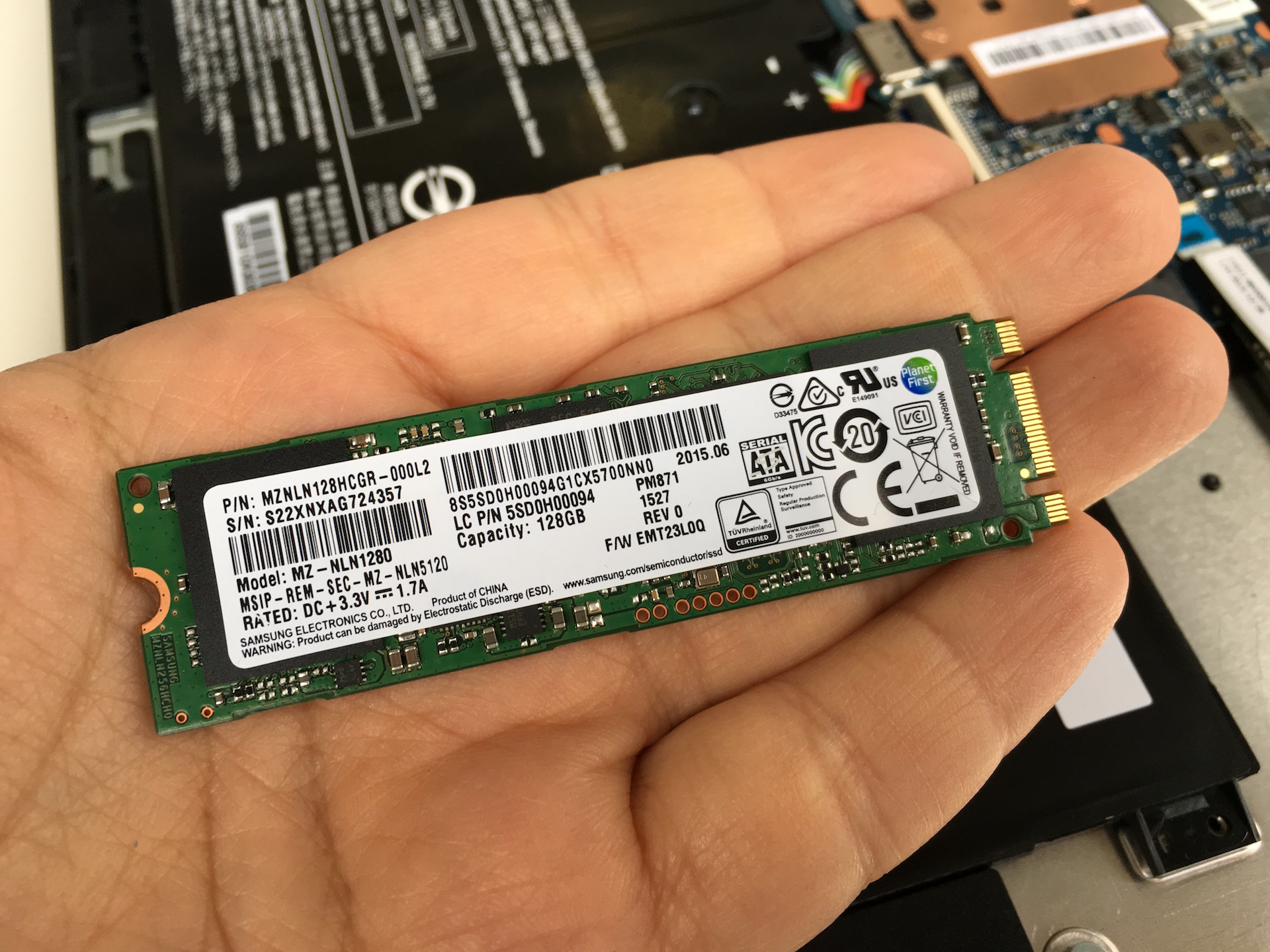
Сега можете да достигнете до всичко, което може да ви е необходимо, но това не означава, че можете да го надградите. Можете да замените батерията или да смените Wi-Fi модула и SSD паметта. За съжаление последното не е PCIe, а SATA, така че не очакваме големи скорости на трансфер.
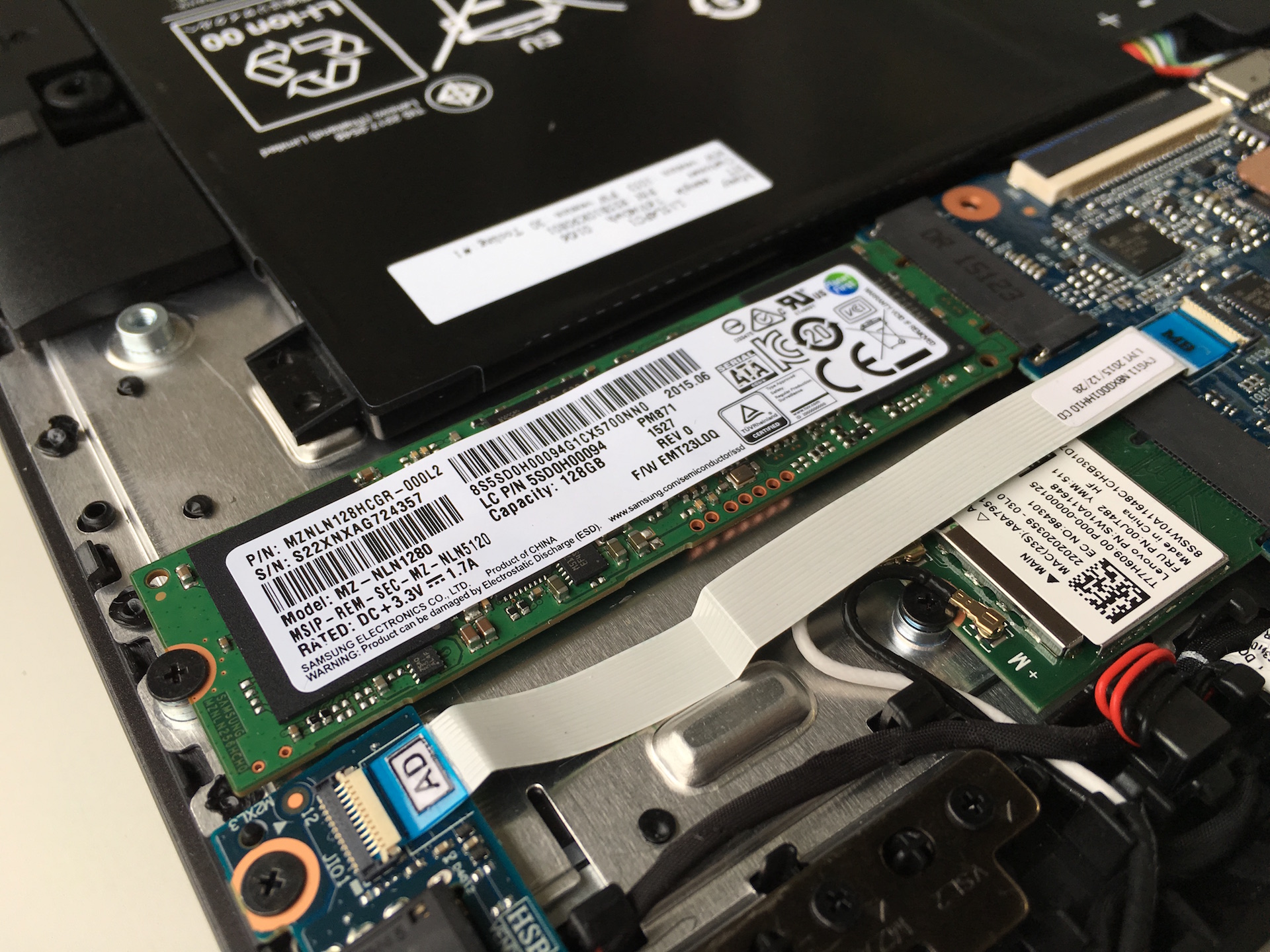

Батерията заема по-голямата част от пространството от вътрешната страна и, както казахме в статията ни за първите впечатления, няма никакви вентилатори – процесорът Intel Core M не изисква активно охлаждане. Той има TDP от 4,5 W, така че охладителната система може да върши работата си без движещи се части, което прави Yoga 710 по-надежден за работа в движение.
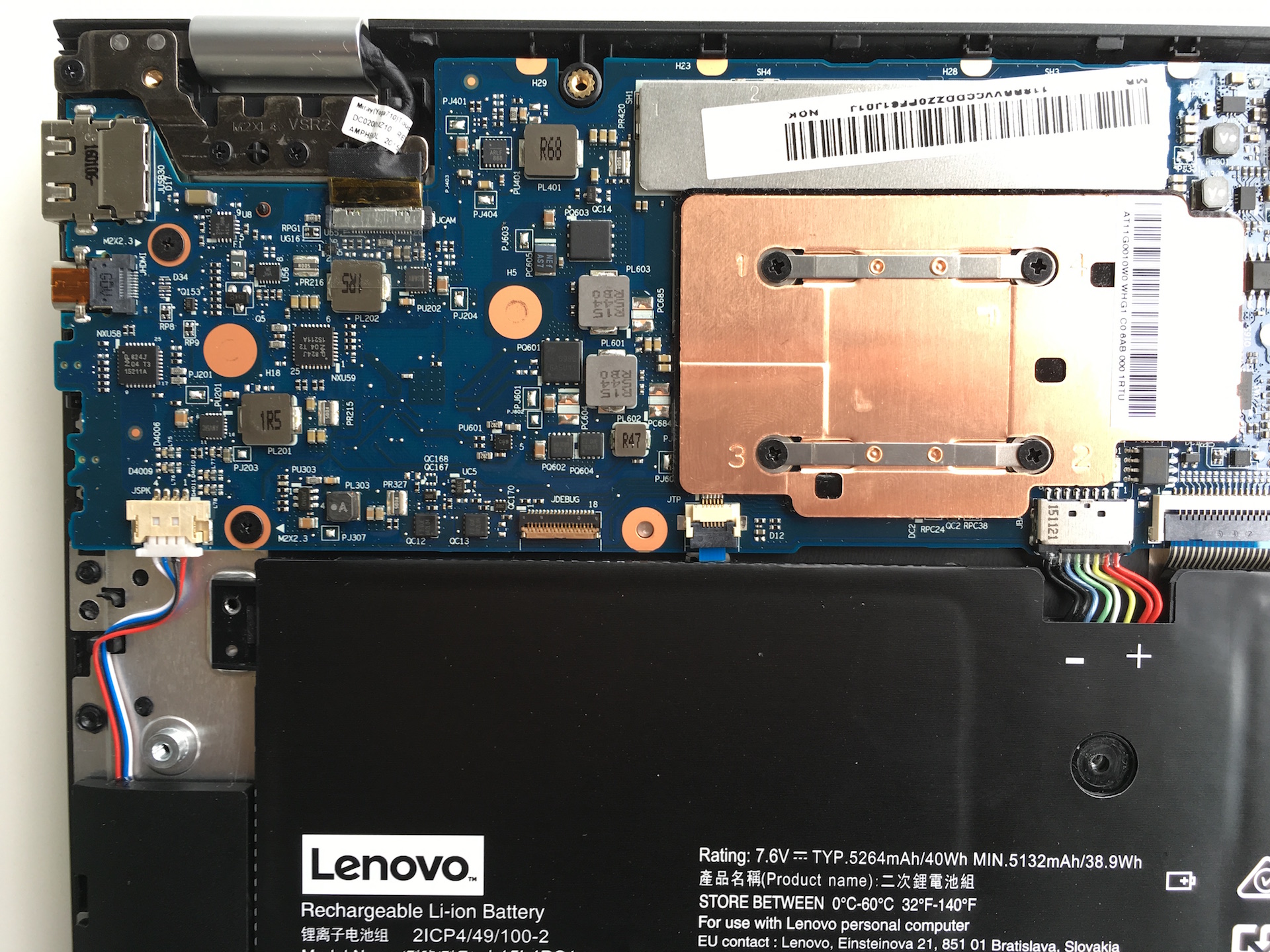

Ето и основните компоненти, които открихме в нашия Lenovo Yoga 710:
- Съхранение: 128GB Samsung M.2 SSD MZ-NLN1280 (SATA)
- Батерия: 40 Wh / 5264 mAh LGC L15L4PC1
- Wi-Fi: Realtek RTL8821AE 1x1AC + BT4.0
Лист с характеристики
| ПРОЦЕСОР | Intel Core M Skylake |
|---|---|
| ОПЕРАТИВНА ПАМЕТ | 8GB (1x 8192MB) – DDR3 |
| ГРАФИЧЕН ПРОЦЕСОР | Intel HD Graphics 5300 |
| HDD/SSD | 128GB SSD (M.2 Samsung) |
| Дисплей | 11,6-инчов IPS мултитъч, Full HD (1920×1080) резолюция, гланцов |
| Оптично устройство | – |
| Свързване | 1×1 Wi-Fi 802.11ac, Bluetooth 4.0 |
| Други функции |
|
| Батерия | 40Wh |
| Дебелина | 14,9 мм (0,59″) |
| Тегло | 1042 g (2,3 lbs) |
 Author: Simeon NikolovEditor-in-Chief at LaptopMedia.com with 20+ years of experience in testing and analyzing laptops and mobile devices.

![[Август 2026 г.] Amazon Global: Топ 10 на най-продаваните лаптопи – Apple MacBook Neo оглавява класацията, докато бюджетните и среднокласовите лаптопи с Windows се борят за пазарен дял](https://laptopmedia.com/wp-content/uploads/2026/09/Best-Selling-Laptops-GLOBAL-Top-10-400x225.jpg)
![[август 2026 г.] Най-продаваните марки лаптопи в Amazon Global – Apple доминира по приходи, докато HP е лидер по разнообразие на моделите](https://laptopmedia.com/wp-content/uploads/2026/09/GLOBAL-Best-Brands-400x225.jpg)
![[август 2026 г.] Amazon Global: Топ 10 на най-продаваните геймърски лаптопи – HP Victus 15 заема първото място, докато класацията се доминира от достъпни модели](https://laptopmedia.com/wp-content/uploads/2026/09/Best-Selling-Gaming-Laptops-GLOBAL-Top-10-400x225.jpg)
![[August 2026] Best-Selling Laptop Brands on Amazon Japan – Apple Dominates Market Share and Revenue Led by Strong Unit Sales](https://laptopmedia.com/wp-content/uploads/2026/09/CO.JP-Best-Brands-1-400x225.jpg)
![[August 2026] Best-Selling Laptop Brands on Amazon USA – Apple Dominates Market Revenue and Volume Despite Lower Model Diversity](https://laptopmedia.com/wp-content/uploads/2026/09/COM-Best-Brands-1-400x225.jpg)

The 256GB SSD is a Hynix drive, specifically the HFS256G39MND-3310A
But how do I access the RAM?
Any idea how to add RAM? Everything I have read says it is upgradeable to 16GB.
It’s not possible to add RAM, in the photos above it is very clear that the RAM is soldered to the motherboard (and covered by a metal plate) and there’s no extra RAM slot.
Can you switch the processor?
it is soldered
So… The Lenovo yoga 710 15′ with 7th generation Intel proccesors, won’t support an nvme ssd like the Samsung 950 pro ????????
what torx screw is it
its a T5
My screen goes blank when I am using my Lenovo in laptop mode and close it to less than a 90-degree angle. can get it to come back on when I flatten the screen out. I am in Mexico for a month and just had it looked at here since it is under warranty. The technician thinks it is something called a flexor, which is a flat piece that folds in the middle and lets the laptop know when it is open or closed. But he can’t fix it because it would take him at least 3 weeks to get… Прочети още »
I am having the same Problem Suzanne, also happened to me on vacation, sometimes it works properly sometimes it doesn’t
Mine went from being occasionally blank to totally blank, so I returned it to Lenovo when I got back to th U.S. I received it back with a note that said, “Repair Operation: Updated Component Drivers to Most Current,” which seemed very strange to me because I have everything set to auto update and had updated all my drivers from the Lenovo website. But my laptop worked perfectly and still had all of my personal settings and files, so I was a happy camper.
Good luck.
i noticed other pictures of this motherboard and it has the metal frame taken off so what is really going on? i tried to unscrew the metal frame which i did but nothing happend either… so the piece of metal with COPPER COLOUR did NOT come out. I thought it would be taken out normally but it didnt so is there a way to LOCATE THE FREAKING RAM? BECAUSE I DISSEMBLE IT ALREADY but i couldnt find the RAM… so how in the other pictures they took out the ram? if its SOLDERED? IM NOT GONNA SOLDER ANYTHING.. JUST SWAPPING.
mbe i’m an idoit, i’ve been told b4, but what is so difficult about upgrading ram that is soldered? i’ve soldered solid state chips in the past… has anyone tried it for this Lenovo YOGA 710-11IKB ??