Lenovo IdeaPad Slim 5i 16″ (16IMH9) Review – Trying To Find the Best 16″ Laptop for Work
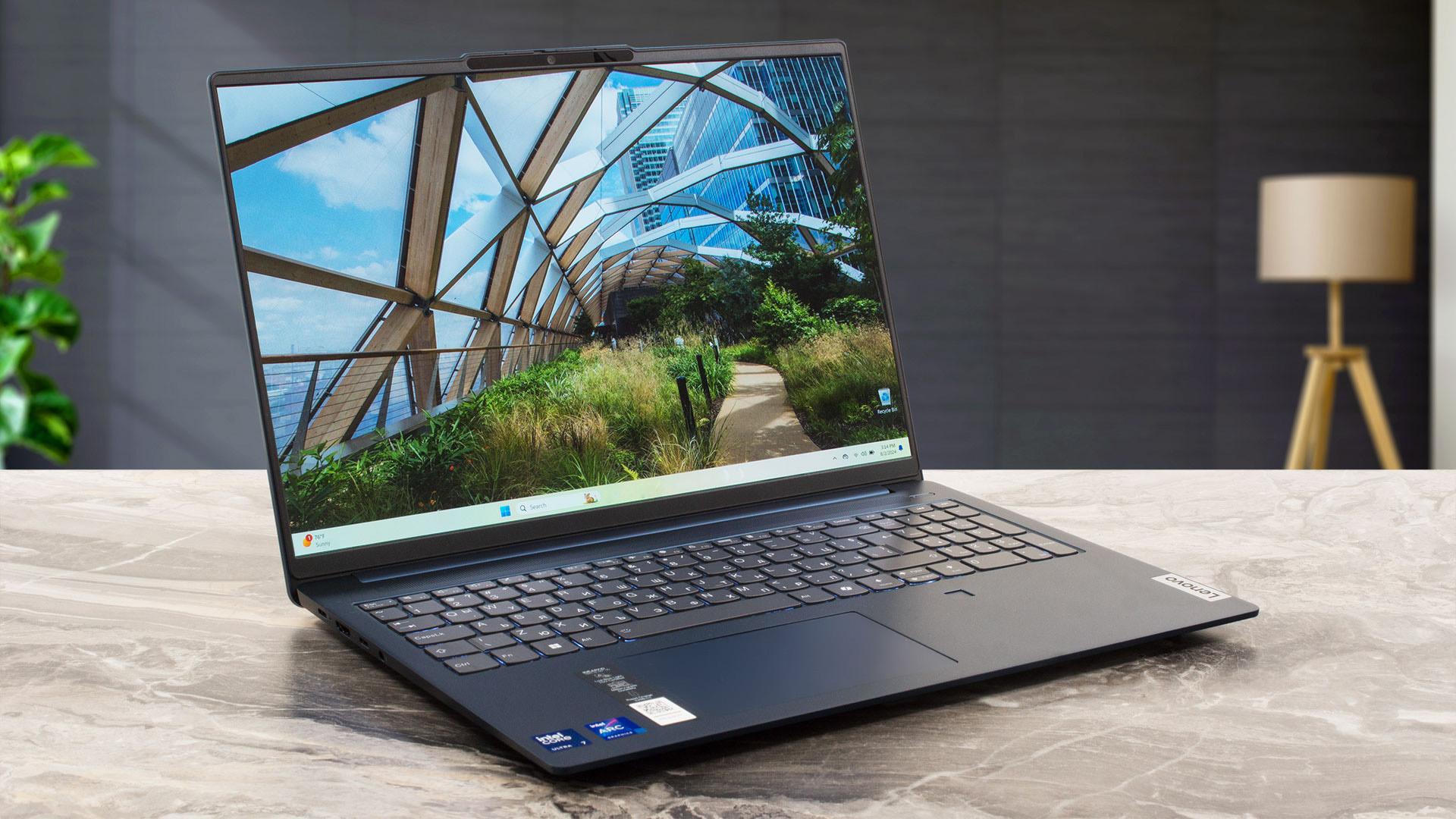 Lenovo’s IdeaPad lineup is a bit confusing with its plethora of different series that look very similar. The models are divided into three categories – Series 1, 3, and 5. The Series 5 category is the most interesting one as it offers powerful configurations at affordable prices. But there are a lot of different variants, so let’s break them down – there are 3 subcategories – 5 Series, Slim 5 Series, and Pro 5 Series.
Each of them has 14″, 15″, and 16″ models, with the 5 Series being more on the entertainment side with Chromebooks and 2-in-1 hybrids. Today, we’ll narrow the focus to 16-inch variants intended for work, so let’s have a look at the Slim 5 and Pro 5.
This isn’t an easy choice, so we decided to order them all and see which one is the best 16″ laptop for work. We’ve already reviewed the IdeaPad Slim 5 AMD (16AHP9), so let’s continue with its Intel counterpart, 16IMH9.
You can check the prices and configurations in our Specs System: Lenovo IdeaPad Slim 5i 16″ (16IMH9) series – Specs and Prices
Contents
Specs, Drivers, What’s in the box
Lenovo IdeaPad Slim 5 (16IMH9) - Specs

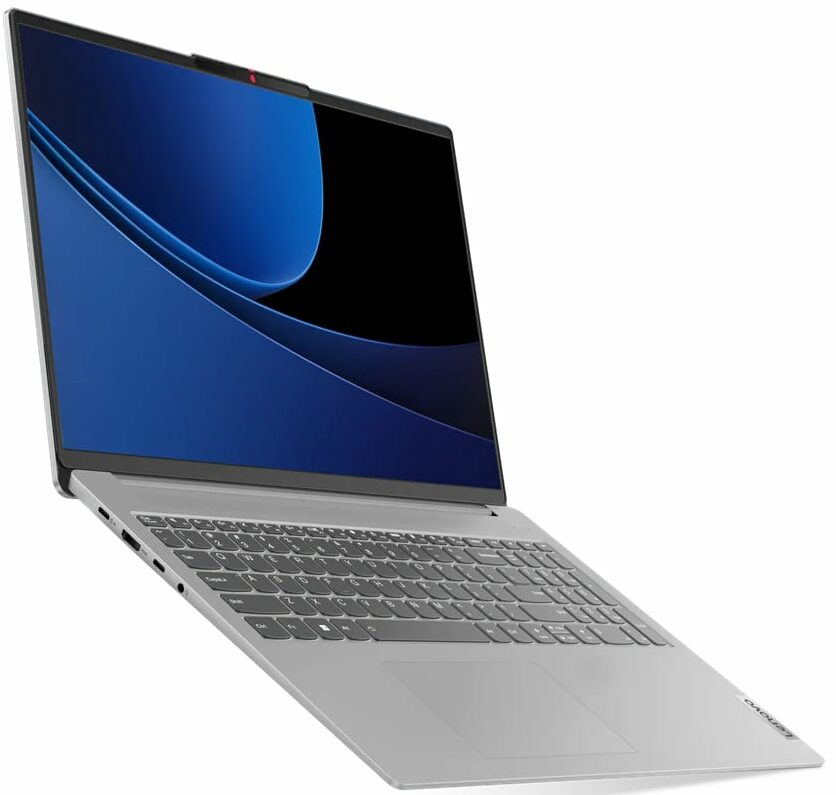
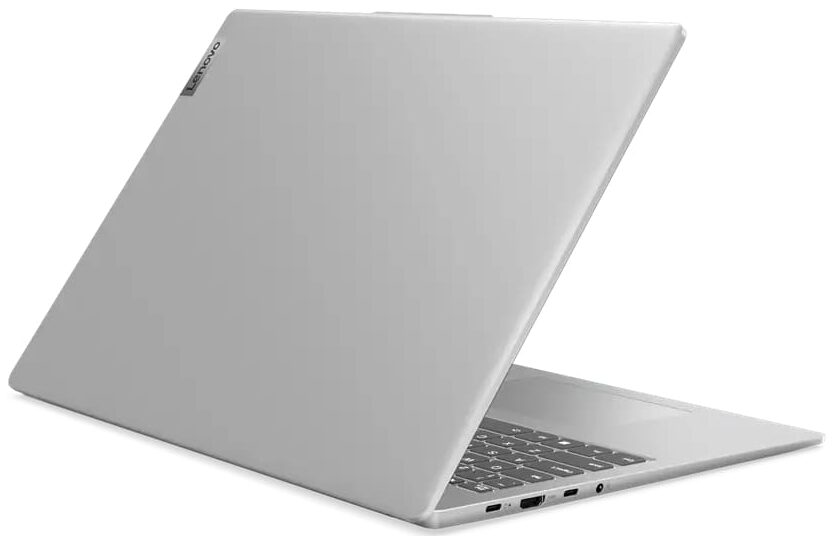
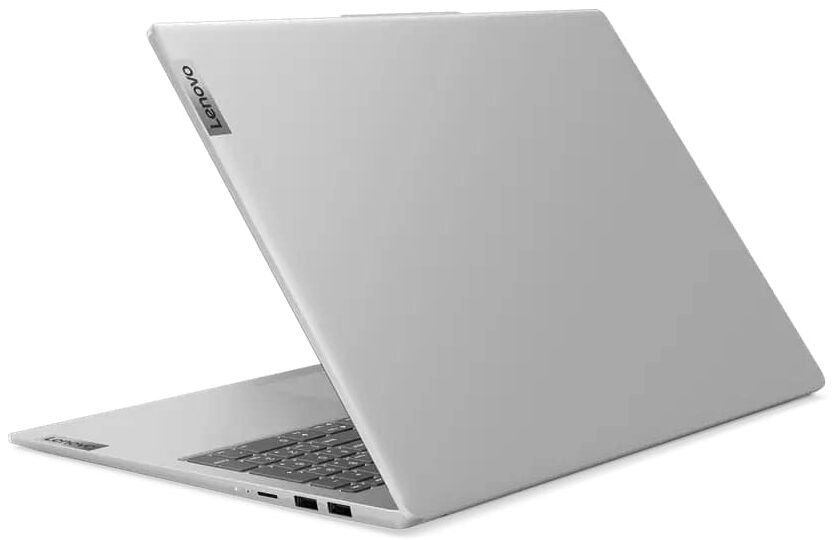

- HDD/SSD
- up to 4000GB SSD
- M.2 Slot
- 1x 2242 M.2 NVMe PCIe 4.0 x4 + 1x 2280 M.2 NVMe PCIe 4.0 x4
- RAM
- up to 32GB
- OS
- Windows 11 Home, Windows 10 Home, Windows 11 Pro, Windows 10 Pro, No OS
- Battery
- 76Wh, 57Wh, 47Wh
- Body material
- Plastic / Polycarbonate, Aluminum
- Dimensions
- 356 x 251 x 16.9 - 17.9 mm (14.02" x 9.88" x 0.67")
- Weight
- 1.89 kg (4.2 lbs)
- Ports and connectivity
- 1x USB Type-A
- 3.2 Gen 1 (5 Gbps)
- 1x USB Type-A
- 3.2 Gen 1 (5 Gbps), Sleep and Charge
- 2x USB Type-C
- 3.2 Gen 1 (5 Gbps), Power Delivery (PD), DisplayPort
- HDMI
- 1.4b
- Card reader
- microSD (microSD, microSDHC, microSDXC)
- Ethernet LAN
- Wi-Fi
- 802.11ax
- Bluetooth
- 5.3
- Audio jack
- 3.5mm Combo Jack
- Features
- Fingerprint reader
- optional
- Web camera
- FHD IR with privacy shutter, fixed focus, with ToF sensor
- Backlit keyboard
- optional
- Microphone
- Dual Microphone Array
- Speakers
- 2x 2W Stereo Speakers, Dolby Audio
- Optical drive
- Security Lock slot
All Lenovo IdeaPad Slim 5 (16IMH9) configurations
Drivers
You can find the official drivers for the Lenovo IdeaPad Slim 5i 16″ (16IMH9) here:
https://pcsupport.lenovo.com/us/en/products/laptops-and-netbooks/ideapad-s-series-netbooks/ideapad-slim-5-16imh9/downloads/driver-list
What’s in the box?
The charger looks more like one for a phone, not a Core Ultra-powered laptop, but that’s not bad as it won’t take much space in your bag. It’s a 65W adapter, which is possible thanks to the absence of a dedicated graphics card.
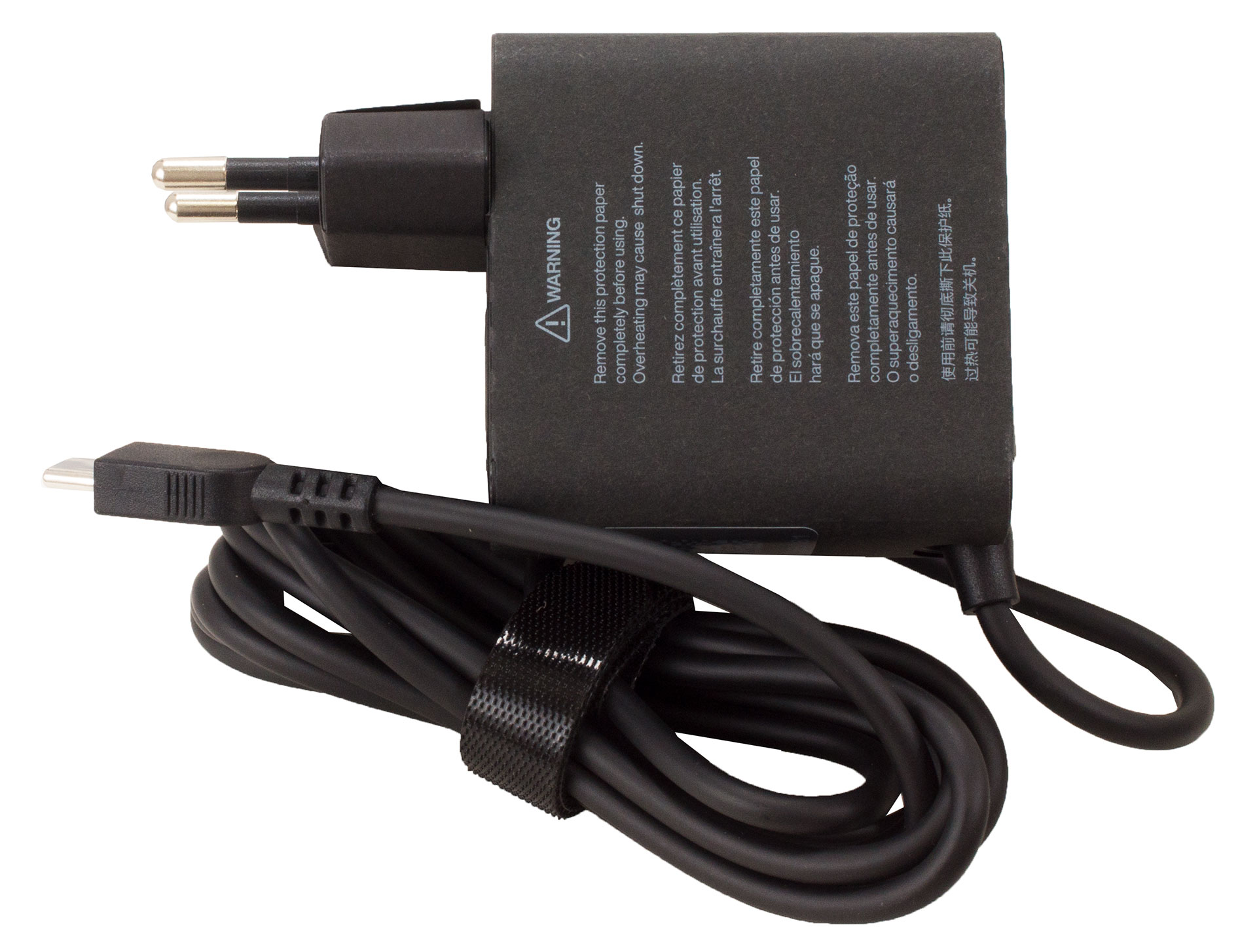
There’s nothing else in the package except for a couple of manuals.
Design and construction
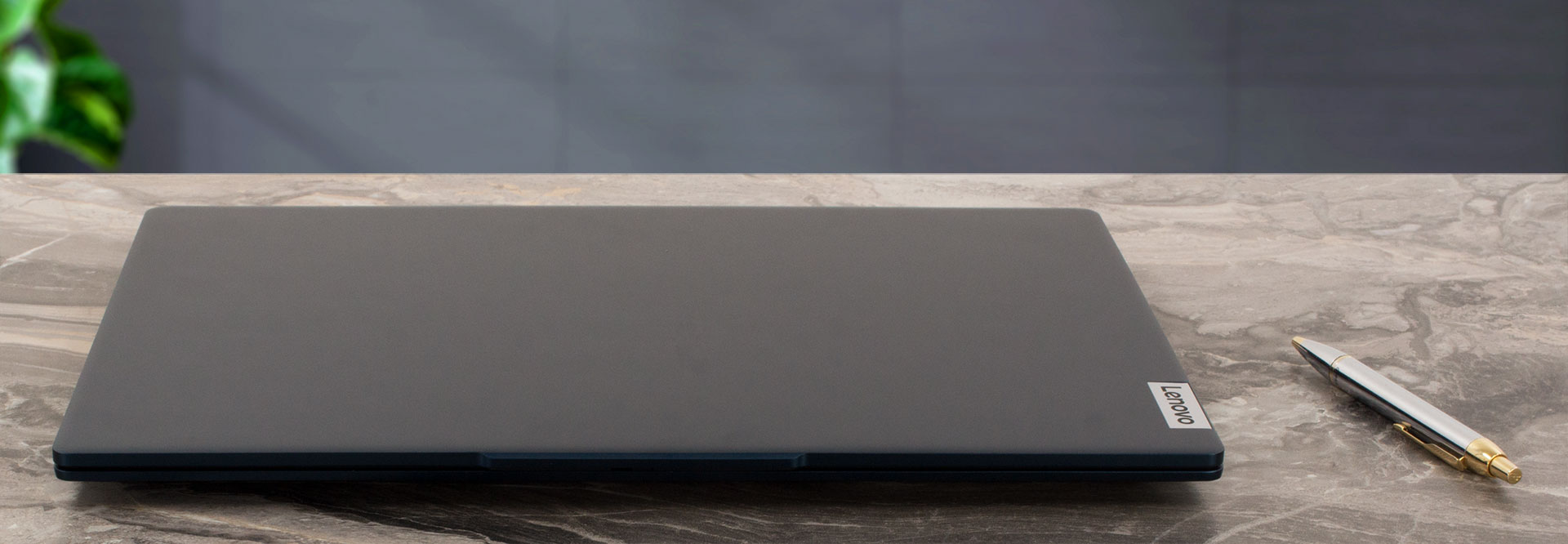
What’s interesting here is to check how much slimmer the Slim 5 is than the Pro 5 model, bearing in mind that both of them work with Core Ultra processors. The answer is – not much. The Slim 5 we’re reviewing today is 0.67 inches thick (16.9 mm), while the Pro model is 0.02 inches (0.6 mm) thicker – 0.69 inches (17.5 mm). However, the difference is noticeable because the side facing the user is distinctly slimmer than the Pro variant.
Also, the Slim 5 is 0.2 lbs (90g) lighter – 4.01 lbs/1.82 kg vs 4.21 lbs/1.91 kg, which is a bigger difference, so IdeaPad Light 5 would have been a better name. Actually, both laptops are rather light for 16-inchers, as the average weight for a 16″ laptop in our Specs System is 4.56 lbs (2.07 kg).
The IdeaPad Slim 5i has an aluminum chassis anodized with sandblasting for a premium feel and look. It meets the MIL-STD-810H military tests and definitely feels solid despite its thin-and-light nature.
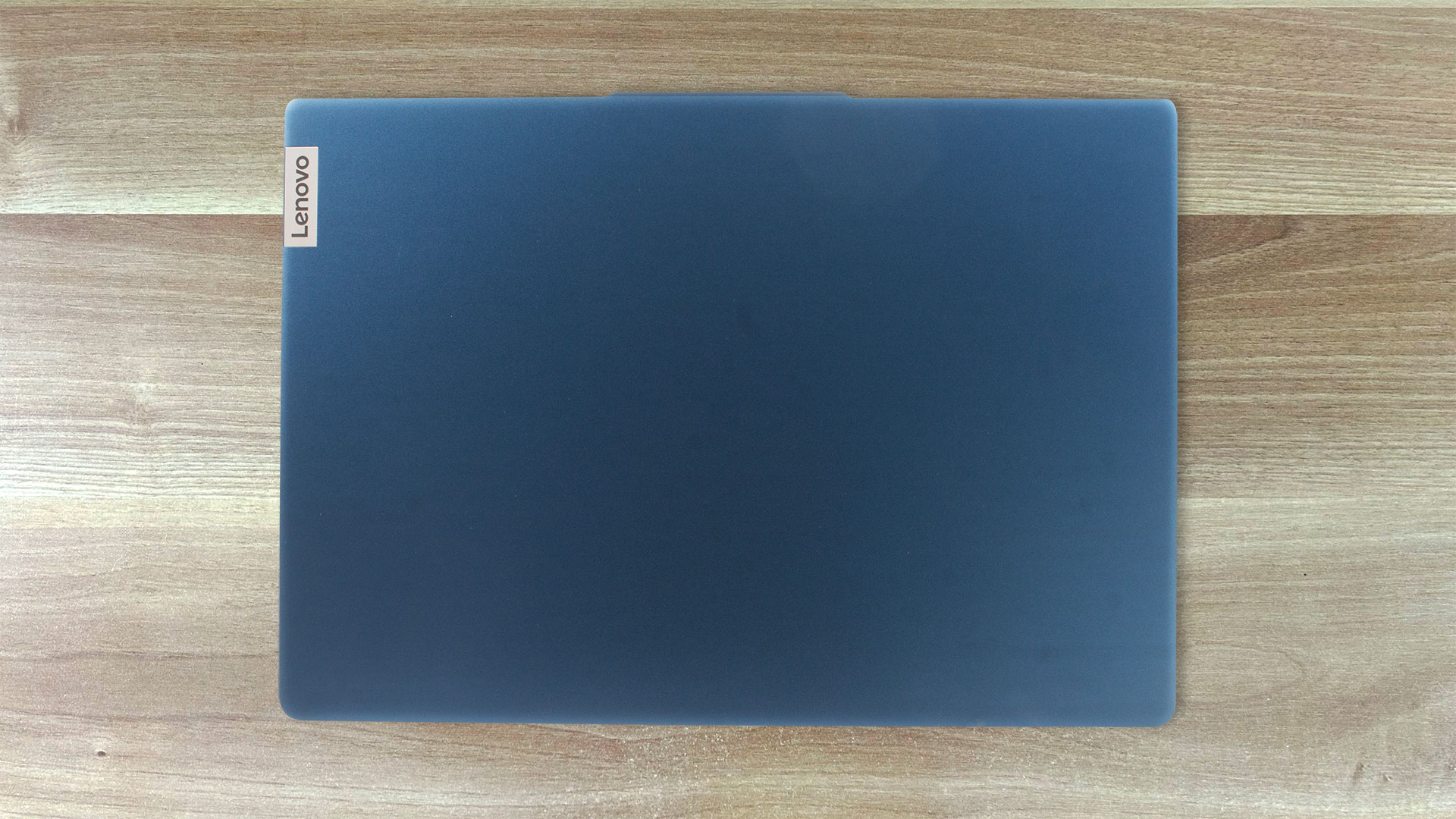
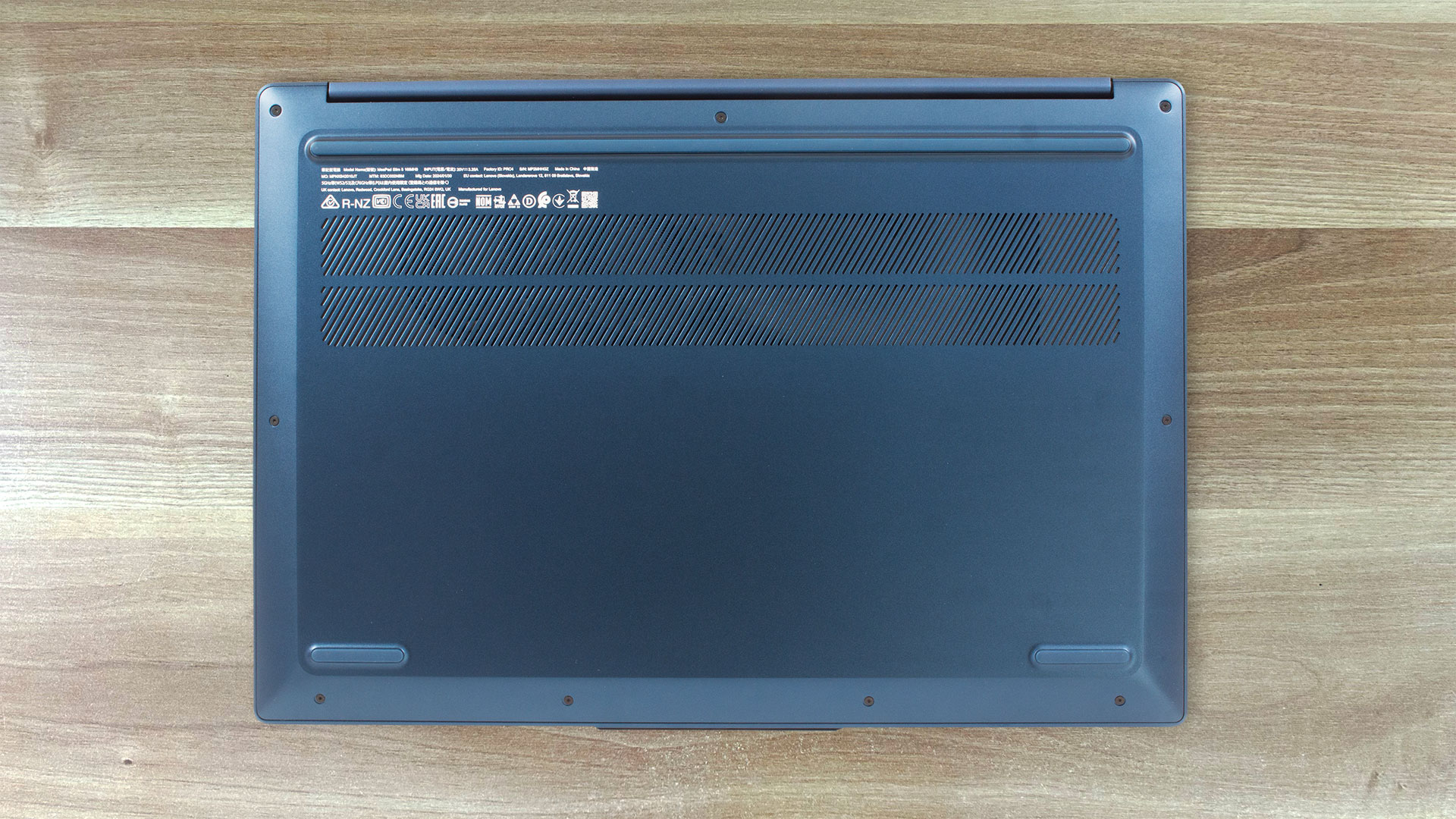
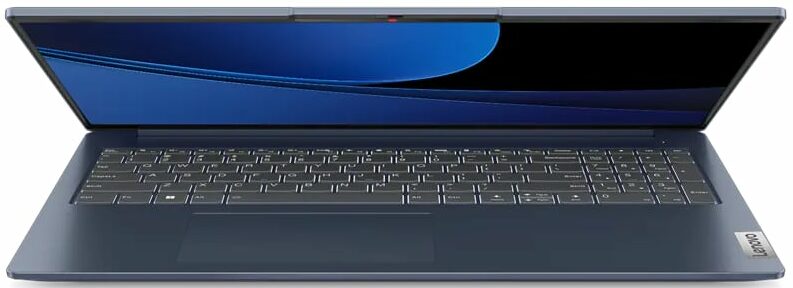
While not a fingerprint magnet, Slim 5 does leave smudges here and there, at least for the color option we chose – Abyss blue. Cloud grey is the other variant. You can see the difference below, as we’ve bought the Pro version of IdeaPad 5 in Gray.
The keyboard is very comfortable to use, except for the arrow keys, and more specifically – the Up and Down arrows, which are half-sized. Point for the Pro variant of the IdeaPad 5 here – it has the same comfortable keyboard, but the arrow keys are well-distanced from the other parts of the keyboard.

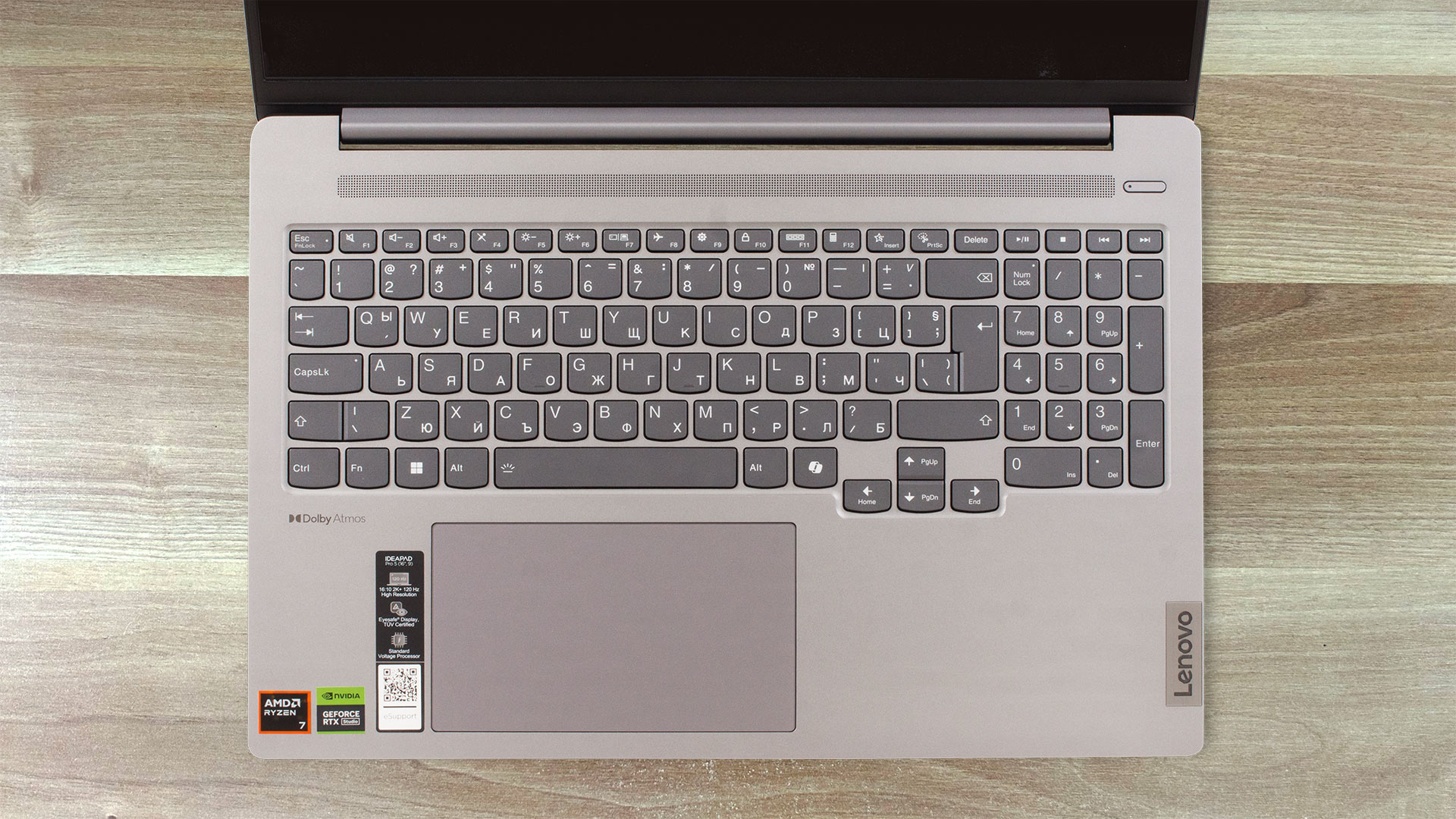
At least the Slim 5 has a dedicated NumPad section, so we won’t complain much.
The trackpad is smooth and precise, which is to be expected given the Mylar surface. The dimensions are large enough for comfortable use – 2.95″ x 4.72″ (75 x 120 mm).
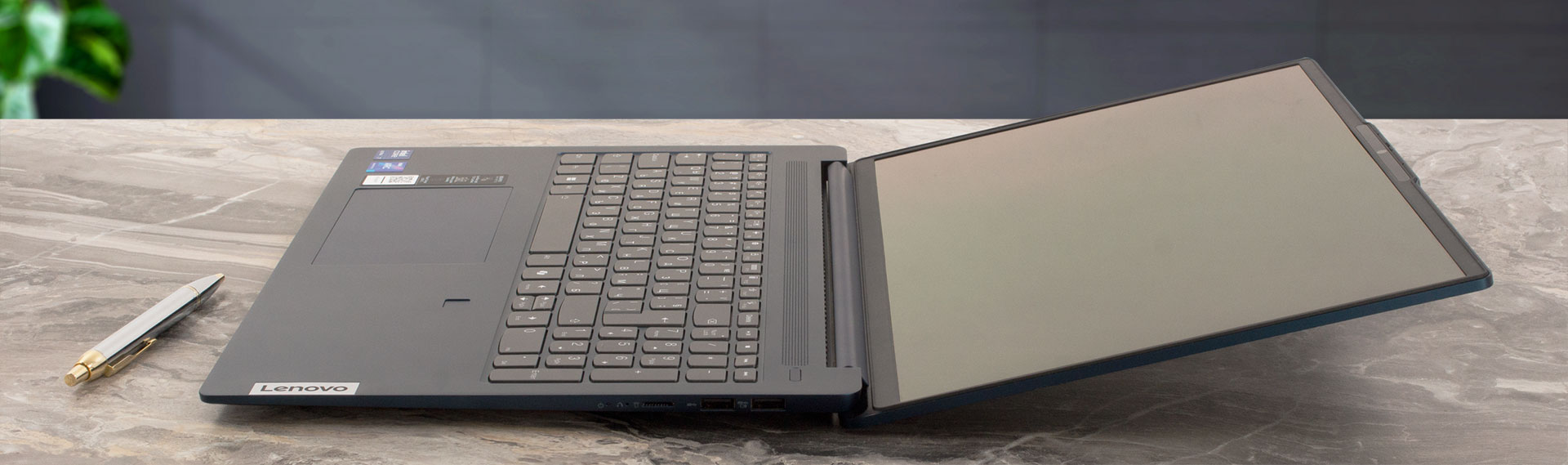
We’re also happy with the narrow bezels – only the top one has a little bump, but it is more of a feature since it makes it easier to open the lid with your thumb. It opens almost fully but please don’t try to push it to 180º.
Ports
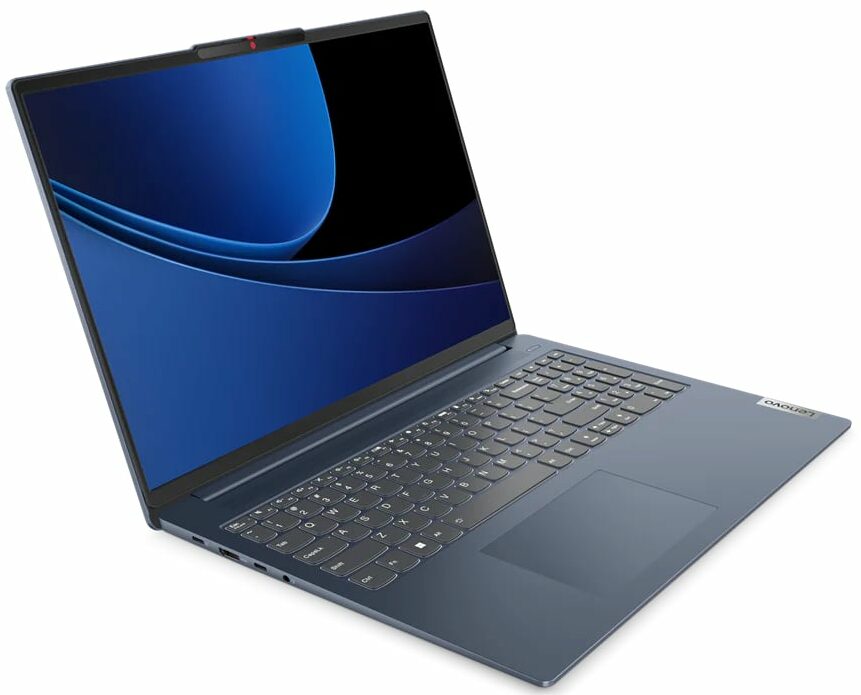
In terms of ports, you have the essentials – 2x 5Gbps USB Type-C (one of which is usually occupied by the charger cable) and two 5Gbps USB-A. This is another disadvantage compared to the Pro variant of the IdeaPad 5i, where you not only get 20 Gbps but also a 40 Gbps Thunderbolt connection.
It’s good to see a full-sized HDMI port as well (although 1.4b), as its height roughly matches the height of the laptop chassis. It’s just 1.4b, though, so it doesn’t have enough bandwidth for 4K@60Hz, but you can use the USB-C which also doubles as a DisplayPort 1.4, so it supports up to 8K@120Hz resolutions.
As a bonus, we get a microSD card reader and a 3.5mm audio jack.


Display and Sound Quality, Get our Profiles
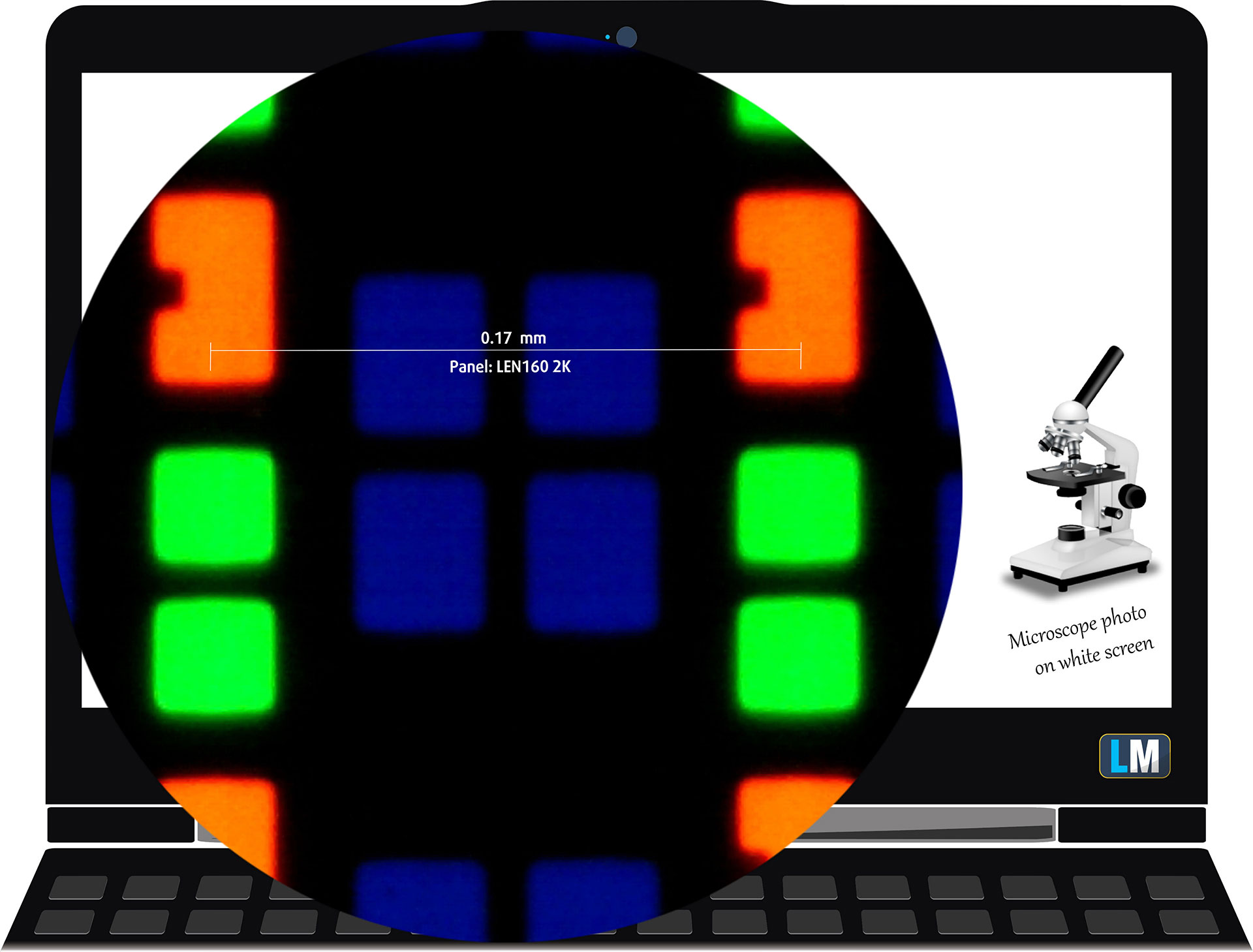
| Lenovo IdeaPad Slim 5i 16″ (16IMH9) | LEN160 2K (LEN8ABC) |
| Diagonal | 16.0 inches (40.6 cm) |
| Aspect Ratio | 16:10 |
| Panel Type | OLED |
| Resolution | 2048 x 1280 pixels |
| Pixel Density | 151 PPI |
| ‘Retina’ Distance | Greater than or equal to 58 cm |
| Max Refresh Rate | 120 Hz |
Viewing Angles
Viewing angles are good. We offer images from different angles to evaluate the quality.

Also, a video with locked focus and exposure.
Color Coverage
The whole “sail-shaped” map below (Fig. 1) consists of all the colors we can see, while the black crooked line shows all the colors from real-world scenes and nature around us.
Then, we’ve drawn some of the most important and interesting color spaces, compared to the colors the panel of Lenovo IdeaPad Slim 5i can show:
Standard/For Web: sRGB – widely used color space for most consumer devices, ideal for Web design and development
For Print: AdobeRGB – used in professional photo editing, graphic design, and print
For Photographers/Video Editors: DCI-P3 – used in high-end film production, post-production, and digital cinema
Premium HDR: Rec.2020 – the widest consumer ITU color standard, covering a massive 75.8% of the visible spectrum, a benchmark for premium HDR content
Lenovo IdeaPad Slim 5i: the yellow dashed triangle (– – – – – –) represents the range of colors this monitor can display.
In our tests, we calculated the total color coverage of the monitor at 100% of the sRGB color gamut and 100% of the DCI-P3 color gamut.
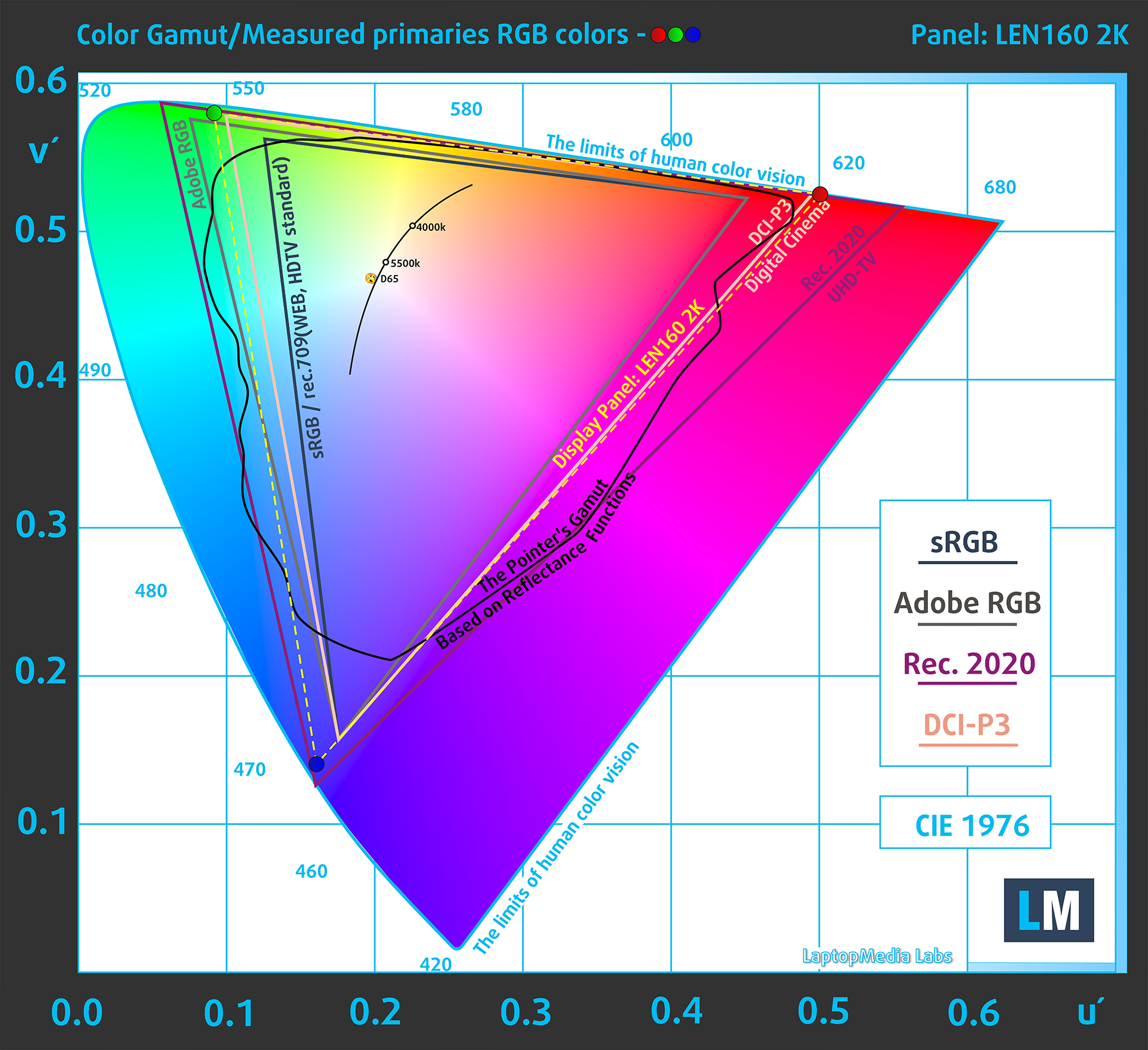
(Fig.1) IdeaPad Slim 5i covers 100% of the sRGB and 100% of the DCI-P3 gamut
Brightness and Contrast
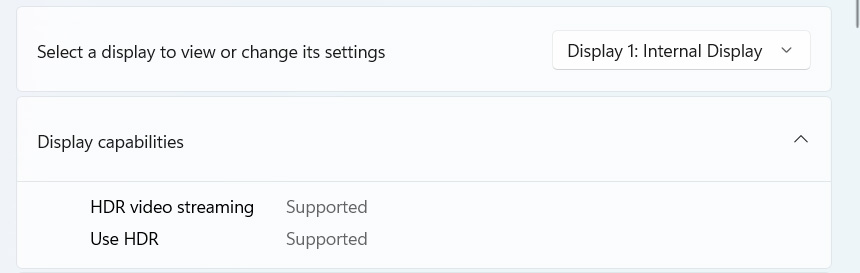
The maximum measured brightness in HDR mode is 611 cd/m² at 8% white fill and 405 cd/m² on a full white screen.
The maximum measured brightness in SDR mode is 397 cd/m² in the center of the screen and 394 cd/m² averaged across the surface with a maximum deviation of 4%.
The Correlated Color Temperature (CCT) on a white screen at maximum brightness is 6400K.
The contrast ratio in OLED displays is excellent because the diodes turn off when displaying black.
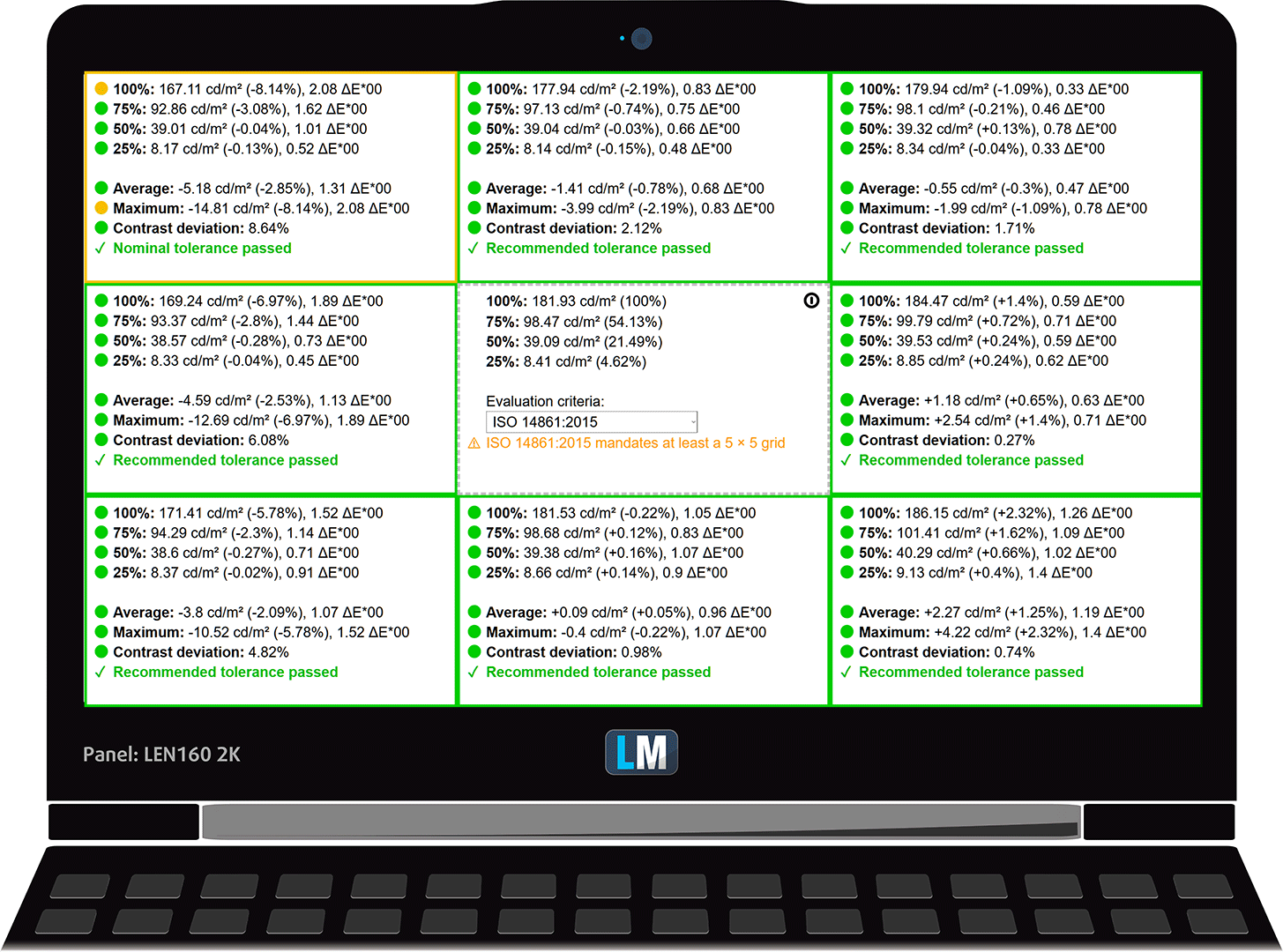
Uniformity: Luminance, Contrast, and Color Deviation
The figure below shows the results from our uniformity test across different sections of the screen. It’s measured at 180 nits (Windows slider = 61%) — a brightness level we consider typical for standard working conditions.
DeltaE values below 4.0 are acceptable for regular users. For those working with colors, screens with DeltaE values no higher than 2.0 are recommended.
Color Accuracy
Let’s check the difference between real colors and those you’ll see on the IdeaPad Slim 5i. We measure that distance in DeltaE – the higher the number, the more different they look.
Values below 4.0 are acceptable for regular users, while values below 2.0 are suitable for color-sensitive work. A value below 1.0 means the difference is indistinguishable to the naked eye.
For the next graph, we’ve selected 24 common colors, including dark/light skin, blue sky, green grass, etc.
Before our calibration of the IdeaPad Slim 5i, the Average color accuracy was 3.4 dE (Fig. 2), and with our Design and Gaming profile, it lowered to 3.0 dE (Fig. 3). Although the display is improved, it’s still not suitable for professional work with colors.
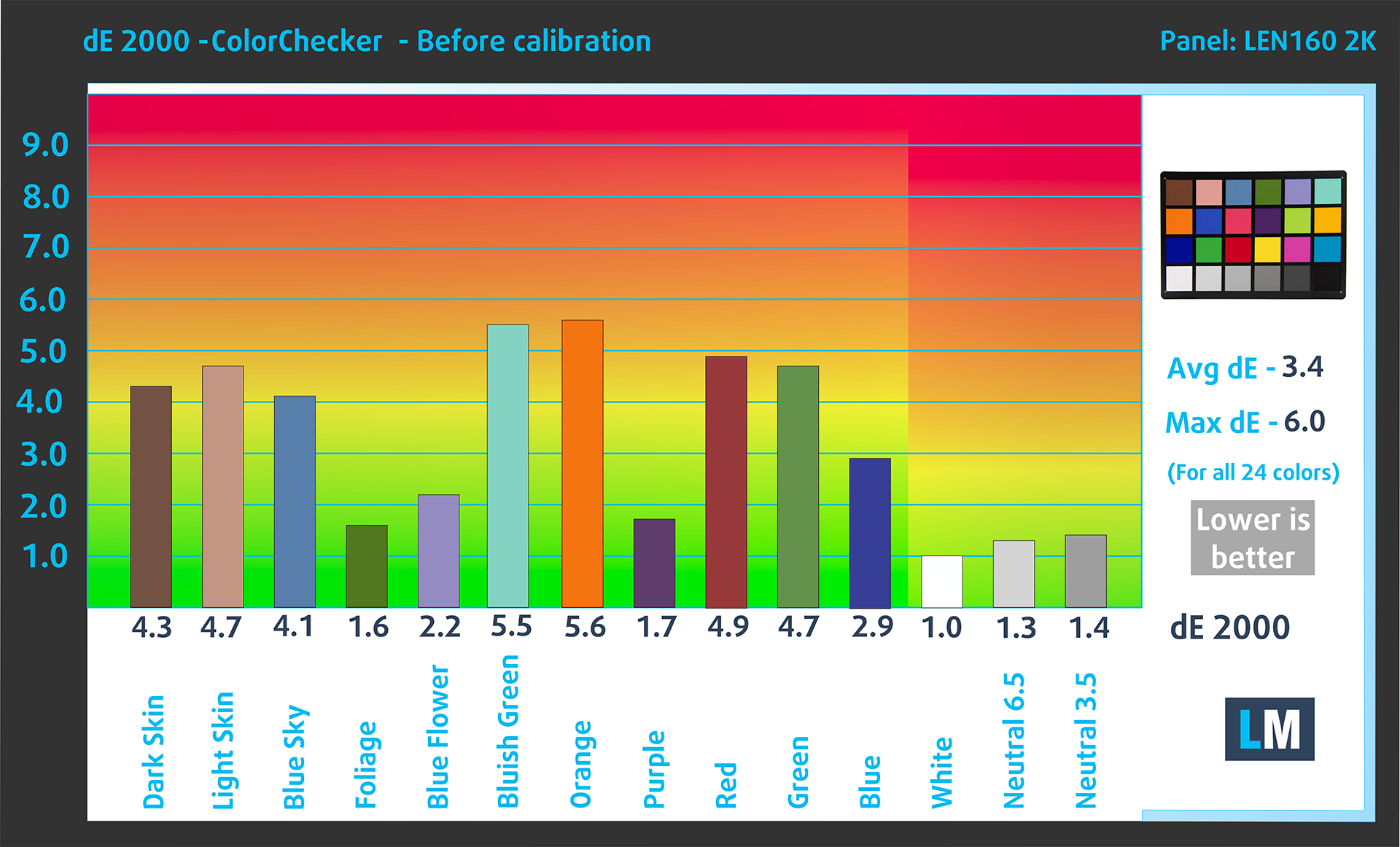
(Fig. 2) IdeaPad Slim 5i in its factory condition
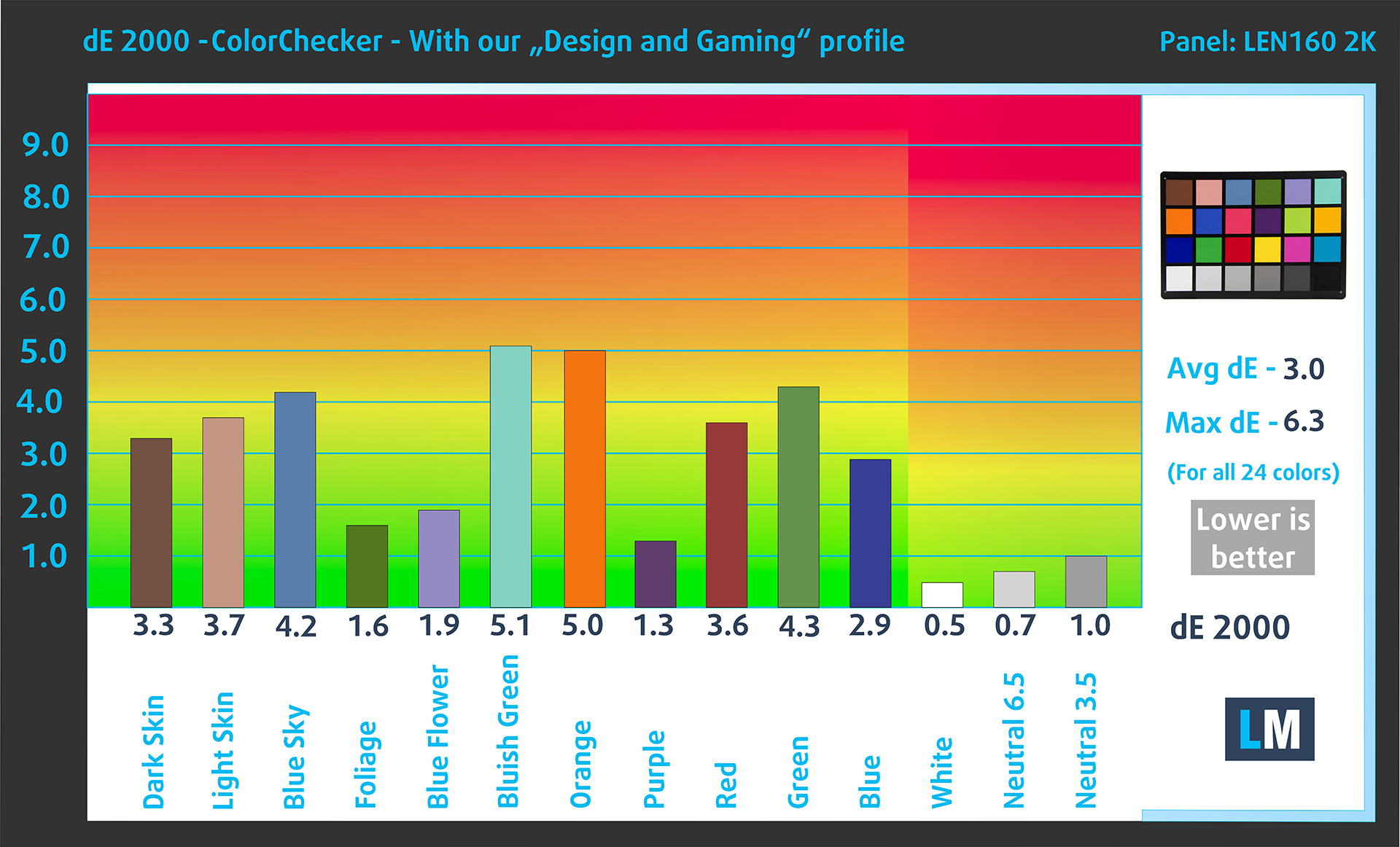
(Fig. 3) IdeaPad Slim 5i with our display profile
Comparison in the sRGB color space (primaries and D65 white point specified in ITU-R BT.709, sRGB encoding curve).
Here’s an illustration of what the Design and Gaming profile aims to deliver:
Left: No Profile | Drag the slider to see the difference | Right: Design & Gaming Profile


Visibility in dark scenes
Have you ever watched a movie with dark scenes where you could barely see anything? This often happens because many display panels struggle to differentiate the darkest nuances, making them appear the same.
The next figure illustrates how well the display reproduces these dark nuances. The left side of the image shows the display with stock settings, and the right side shows it with our Design and Gaming profile activated.
On the horizontal axis are the grayscale levels, and on the vertical axis – the corresponding display brightness.
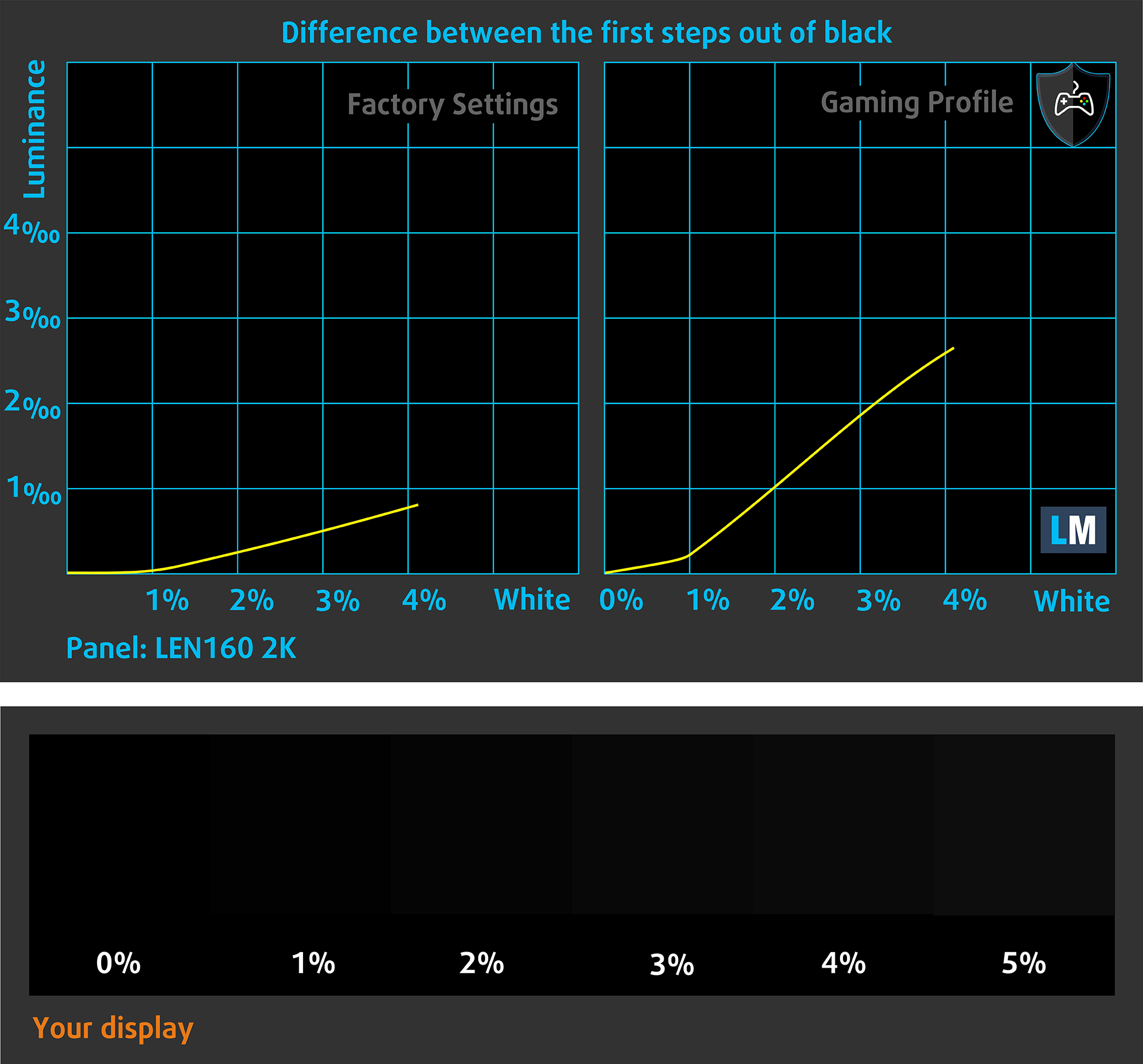
You can also check how your display handles the darkest nuances but keep in mind that this also depends on the settings of your current display and the surrounding light conditions.
Health Impact: PWM (Screen flickering)
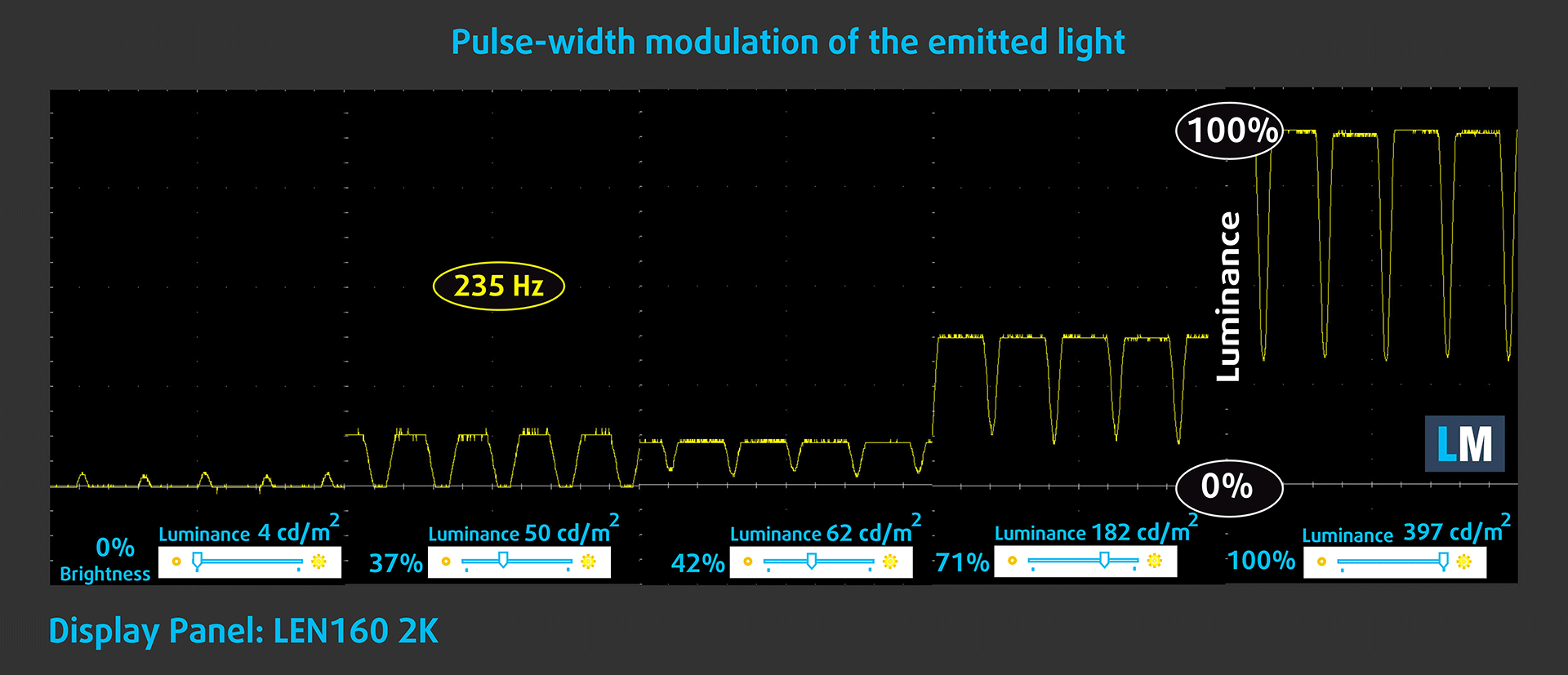
Some use PWM to regulate their brightness, which means that instead of reducing the light intensity, they pulse or flicker. Our brain merges the image, so it appears darker, but this strains both it and our vision, especially when the frequency of the pulses is low. You can read more about that in our dedicated article on PWM.
In the graph below, you see the intensity of light at different brightness levels—on the vertical axis is the brightness of the emitted light, and on the horizontal axis—time.
The luminance of the display on the Lenovo IdeaPad Slim 5i (16″, Gen 9) is controlled using PWM only up to around 60 cd/m2. Above this level, we detect pulsations with limited amplitude, making it relatively comfortable for extended use in this respect.
Health Impact: Blue light emissions
Installing our Health-Guard profile not only eliminates harmful PWM when the laptop uses it to control brightness but also reduces harmful Blue Light emissions while keeping the colors of the screen perceptually accurate.
If you’re not familiar with the Blue light, the TL;DR version is – emissions that negatively affect your eyes, skin, and your whole body. You can find more information about that in our dedicated article on Blue Light.
Health Impact: Screen Reflectance
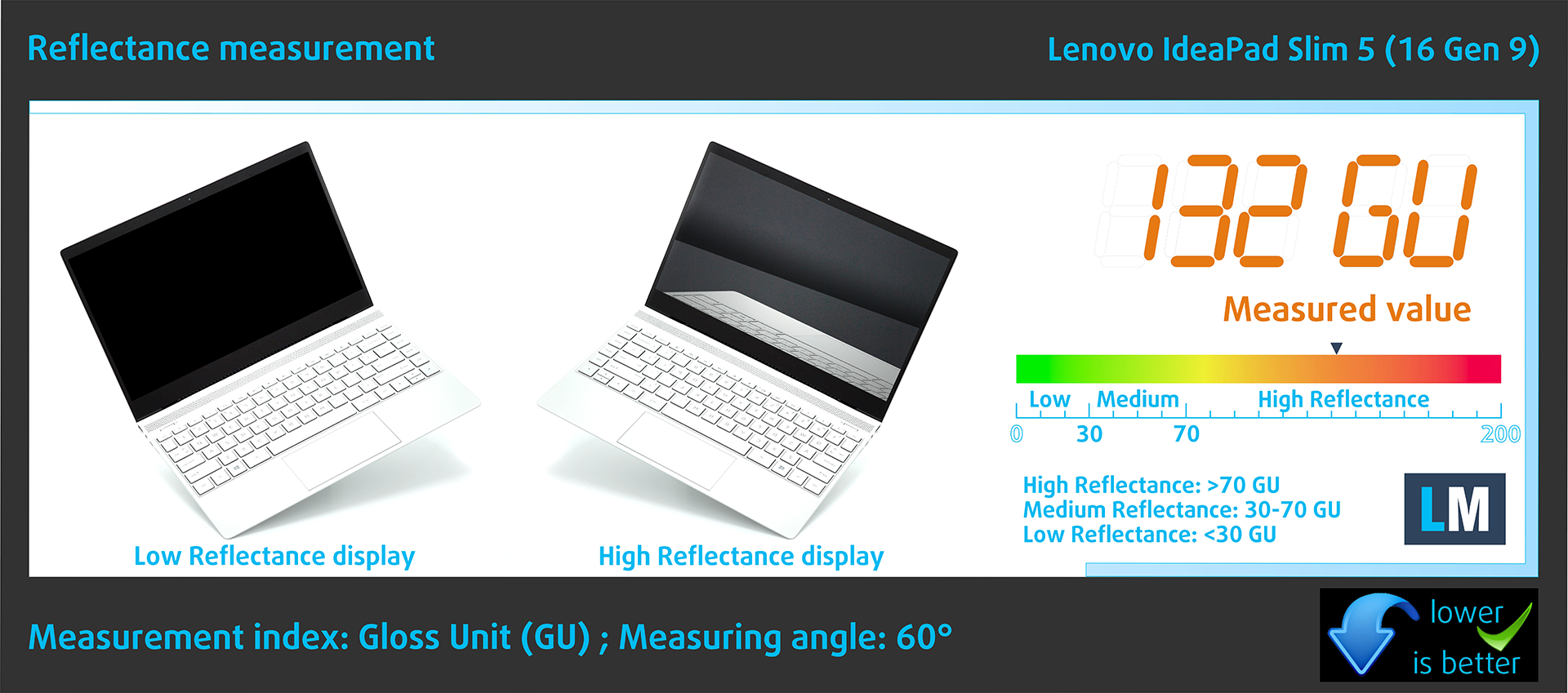
Glossy-coated displays can cause eye fatigue in high ambient light conditions due to reflections. We measure the level of screen reflection with the display turned off, at a 60° angle.
The reflectance of the Lenovo IdeaPad Slim 5i’s screen is 132 GU.
High Gloss: >70 GU
Medium Gloss: 30 – 70 GU
Low Gloss: <30 GU
Get our profiles
Since our profiles are tailored for each individual display model, this article and its respective profile package are meant for Lenovo IdeaPad Slim 5i 16″ (16IMH9) configurations with LEN160 2K (LEN8ABC), 2048 x 1280, OLED panel.
*Should you have problems with downloading the purchased file, try using a different browser to open the link you’ll receive via e-mail. If the download target is a .php file instead of an archive, change the file extension to .zip or contact us at [email protected].
Read more about the profiles HERE.
In addition to receiving efficient and health-friendly profiles, by buying LaptopMedia's products you also support the development of our labs, where we test devices in order to produce the most objective reviews possible.

Office Work
Office Work should be used mostly by users who spend most of the time looking at pieces of text, tables or just surfing. This profile aims to deliver better distinctness and clarity by keeping a flat gamma curve (2.20), native color temperature and perceptually accurate colors.

Design and Gaming
This profile is aimed at designers who work with colors professionally, and for games and movies as well. Design and Gaming takes display panels to their limits, making them as accurate as possible in the sRGB IEC61966-2-1 standard for Web and HDTV, at white point D65.

Health-Guard
Health-Guard eliminates the harmful Pulse-Width Modulation (PWM) and reduces the negative Blue Light which affects our eyes and body. Since it’s custom tailored for every panel, it manages to keep the colors perceptually accurate. Health-Guard simulates paper so the pressure on the eyes is greatly reduced.
Get all 3 profiles with 33% discount

Sound
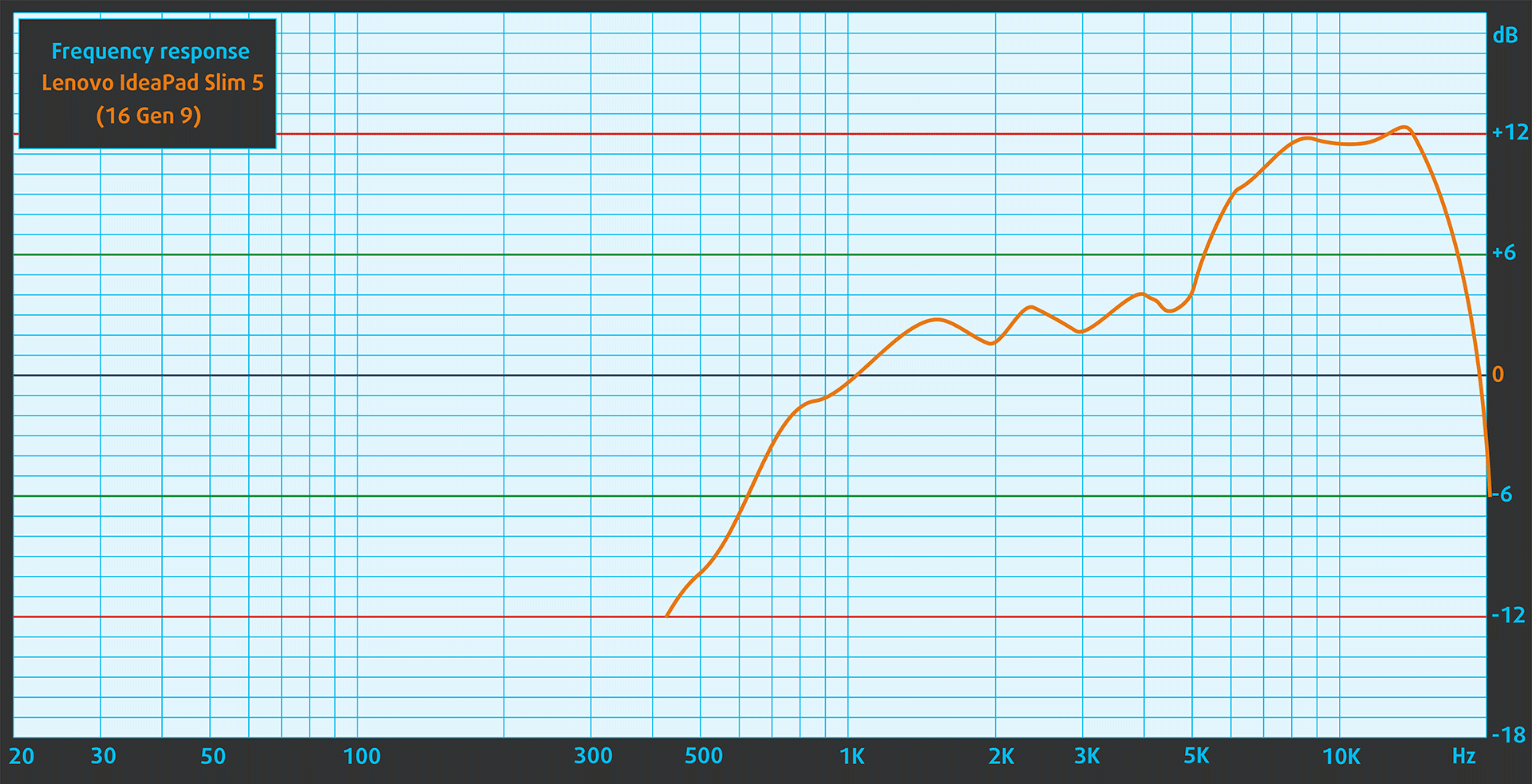
The speakers of the IdeaPad Slim 5i produce very high-quality sound. Its low, mid, and high tones are clear without any deviations.
Performance: CPU, GPU, Storage
CPU Options:
– Intel® Core™ Ultra 5 125H
– Intel® Core™ Ultra 7 155H
Both CPUs are standout options in Intel’s latest Meteor Lake-H lineup, designed to deliver exceptional performance in compact laptops. The Intel® Core™ Ultra 5 125H strikes a perfect balance for multitasking, productivity, and light creative work, offering impressive efficiency and speed for everyday use. Meanwhile, the Intel® Core™ Ultra 7 155H steps up with higher core and thread counts, making it ideal for more demanding workloads like video editing and graphic design. Both CPUs feature Intel’s Xe-LPG integrated graphics and built-in AI acceleration, ensuring smooth performance for a variety of modern applications.
We chose the Ultra 7 155H as it has 50% more performance cores – 6 vs. 4, a higher boost frequency – 4.8 vs. 4.5 GHz, and 33% more cache – 24 vs. 18MB.
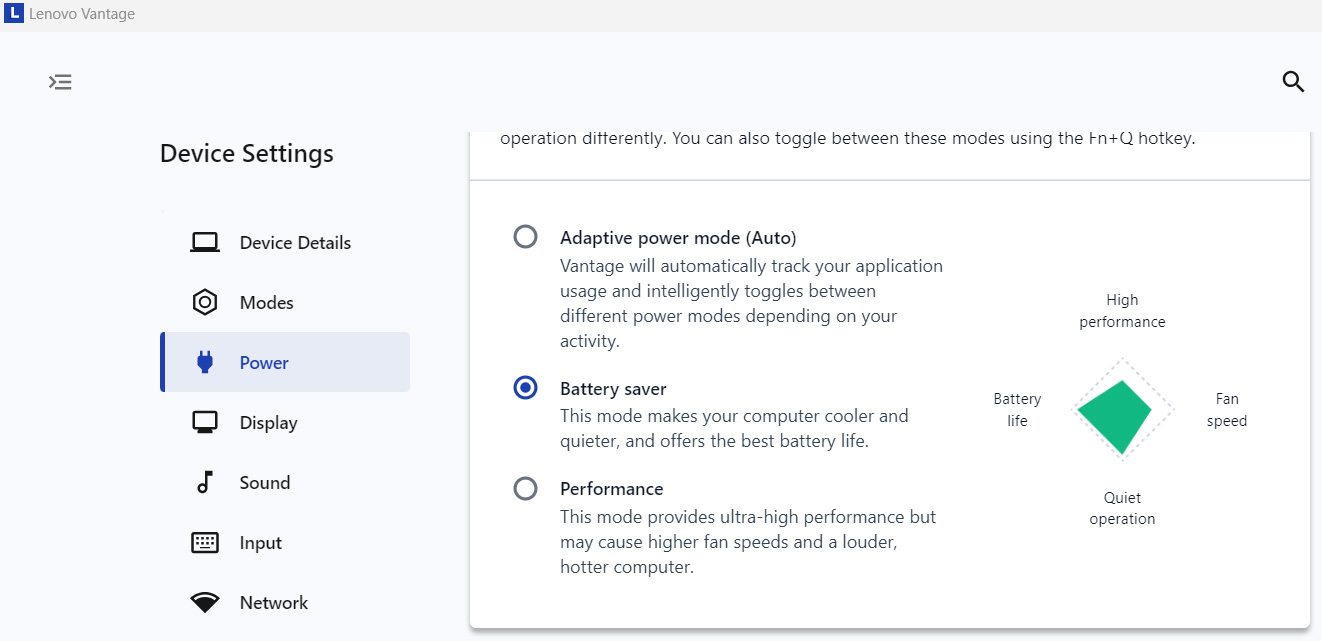
There are three pre-defined performance modes, and you can easily switch between them with the Fn+Q key – Adaptive power mode, Battery Saver, and Extreme Performance.
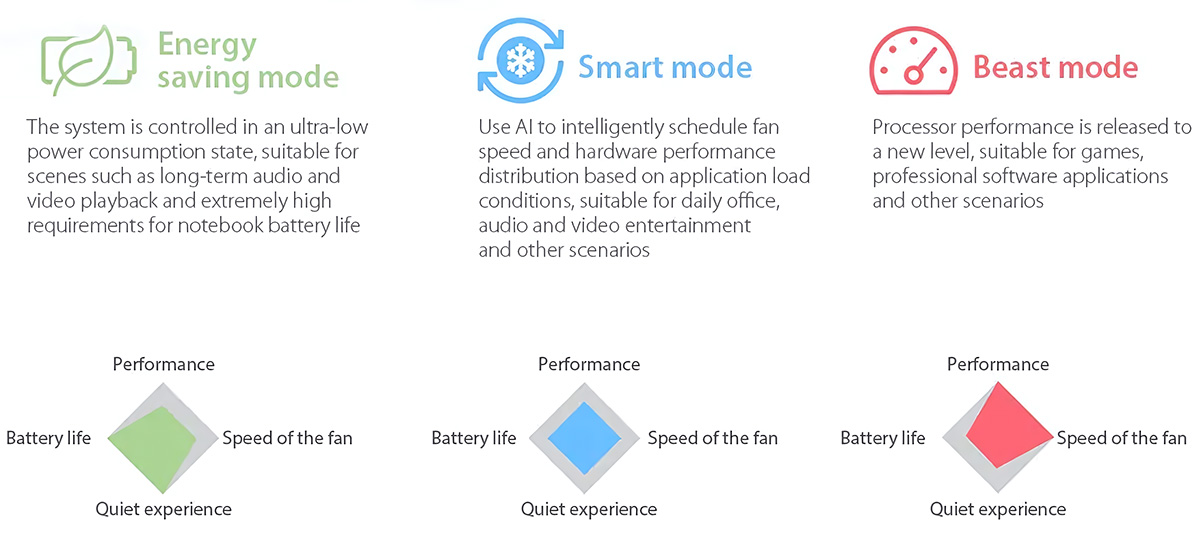
As seen below, the Extreme Performance mode is just 7% faster while also being slightly noisier.
| Adaptive power mode | Extreme Performance | |
|---|---|---|
| Cinebench 2024 | 769 | 823 (+7%) |
Traditionally, we choose the most powerful preset for our benchmarks, so all performance tests below are conducted with the Extreme Performance mode activated.
CPU Performance
Single-core performance ensures smooth operation and responsiveness in operating systems, providing a better user experience.
Results are from the Geekbench 6 Single-Core test (higher is better)
Multi-core performance is essential for handling complex and demanding tasks, such as Video editing, CAD, and Scientific simulations.
Results are from the Geekbench 6 Multi-Core test (higher is better)
Here, we evaluate the CPU's performance using a real-world 3D rendering task, assessing its ability to handle complex computations and rendering workloads efficiently.
Results are from the Cinebench 2024 Multi-Core test (higher is better)
GPU Performance
The IdeaPad 5 Slim doesn’t have any options in terms of graphics cards, so you’re stuck with the integrated Intel Arc. Nowadays, the iGPUs are more than powerful enough for everyday tasks, and even for light gaming.
Compared to 780M in the AMD variant, the 8-core Intel Arc GPU in IdeaPad 5i Slim is 11% to 22% faster.
The results are from 3DMark Time Spy (Graphics). Higher is better.
The results are from 3DMark Wild Life Extreme Unlimited. Higher is better.
Gaming tests
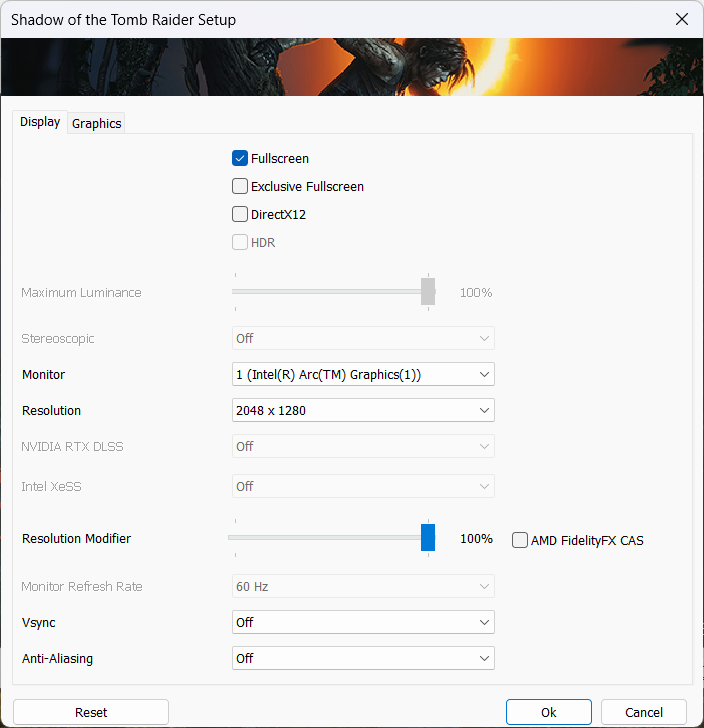
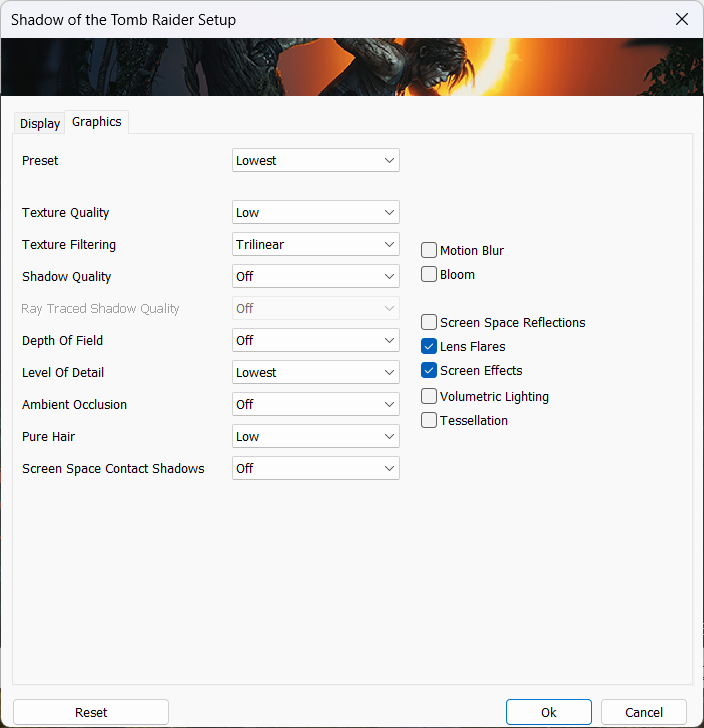
IdeaPad 5i Slim can’t be ordered with a dedicated GPU but we’re brave and we’ll test the Intel Arc in the native resolution (2048 x 1280), in Shadow of the Tomb Raider.
Good surprise – the 8-core Arc GPU runs it with almost 60 FPS! The graphics settings are the Lowest, but the game still looks good at native resolution.

| Shadow of the Tomb Raider | 2048 x 1280, Lowest |
|---|---|
| Average FPS | 55 fps |
CPU/GPU Performance: Plugged-in vs Battery
Unlike many other notebooks, detaching the charger doesn’t disable the Extreme Performance mode, so we did test the IdeaPad Slim 5i on battery.
The results show that when plugged in, Slim 5i has 24% higher CPU performance. However, the advantage in GPU performance is negligible.
| Cinebench 2024 | 3DMark Time Spy (Graphics) | |
| Performance Mode (on battery) | 665 | 3565 |
| Performance Mode (plugged in) | 823 (+24%) | 3667 (+3%) |
AI Performance
Both Core Ultra 7 155H and Ultra 5 125H have integrated NPUs with up to 11 TOPS peak INT8 performance.
This is far from the 40 TOPS required from Microsoft for participation in the Copilot AI program. Still, the Slim 5i covers the other requirements as it’s equipped with 32GBs of RAM and has the Copilot key.
For comparison, the NPU in the Ryzen 8000 CPUs is rated at 16 TOPS. However, there’s still no support for AMD NPUs in the benchmark apps, so we can’t compare them in real-world tests.
Storage performance
We’ve bought a configuration with a 1TB SSD. The model is SKHynix HFS001TEJ4X112N.
The sequential read speed is almost 5GB/s, while the sequential writing almost reaches 4GB/s. The maximum temps are a bit on the high side, going up to 64ºC during continuous load.

[eBook Guide + Tools] How to MAX OUT Your Laptop
You can make your laptop Faster. LaptopMedia has tested thousands of models in the last 15 years, and we have yet to see a notebook that couldn't be made more powerful through modifications.
That's why we decided to bundle everything we know about how to achieve this in an Easy-to-Follow, Step-by-Step, and Laboratory-Tested, all in one project.
Read more about it here:
[eBook Guide + Tools] How to MAX OUT Your Laptop
🛠️ GPU Modifications: vBIOS, Overclocking, Undervolting
⚙️ Building Fast/Reliable RAID configuration
💻 Hardware upgrade tips for best results
🖼 Display enhancing
💾 OS Optimization for best performance
Battery Life
We’ve tested the battery life of IdeaPad Slim 5i in Standard mode, Panel Self Refresh: On, Display Power Savings: Off.
Despite the power-hungry OLED screen, IdeaPad Slim 5i runs for 14 hours and 19 minutes on a single charge and this is a great result!
Slim 5i gets into the Top 30 of our Laptops with the best Battery Life rankings!
Brightness: 180 nits; Display Mode: SDR
Time to Full Discharge: Higher is Better
Conclusion
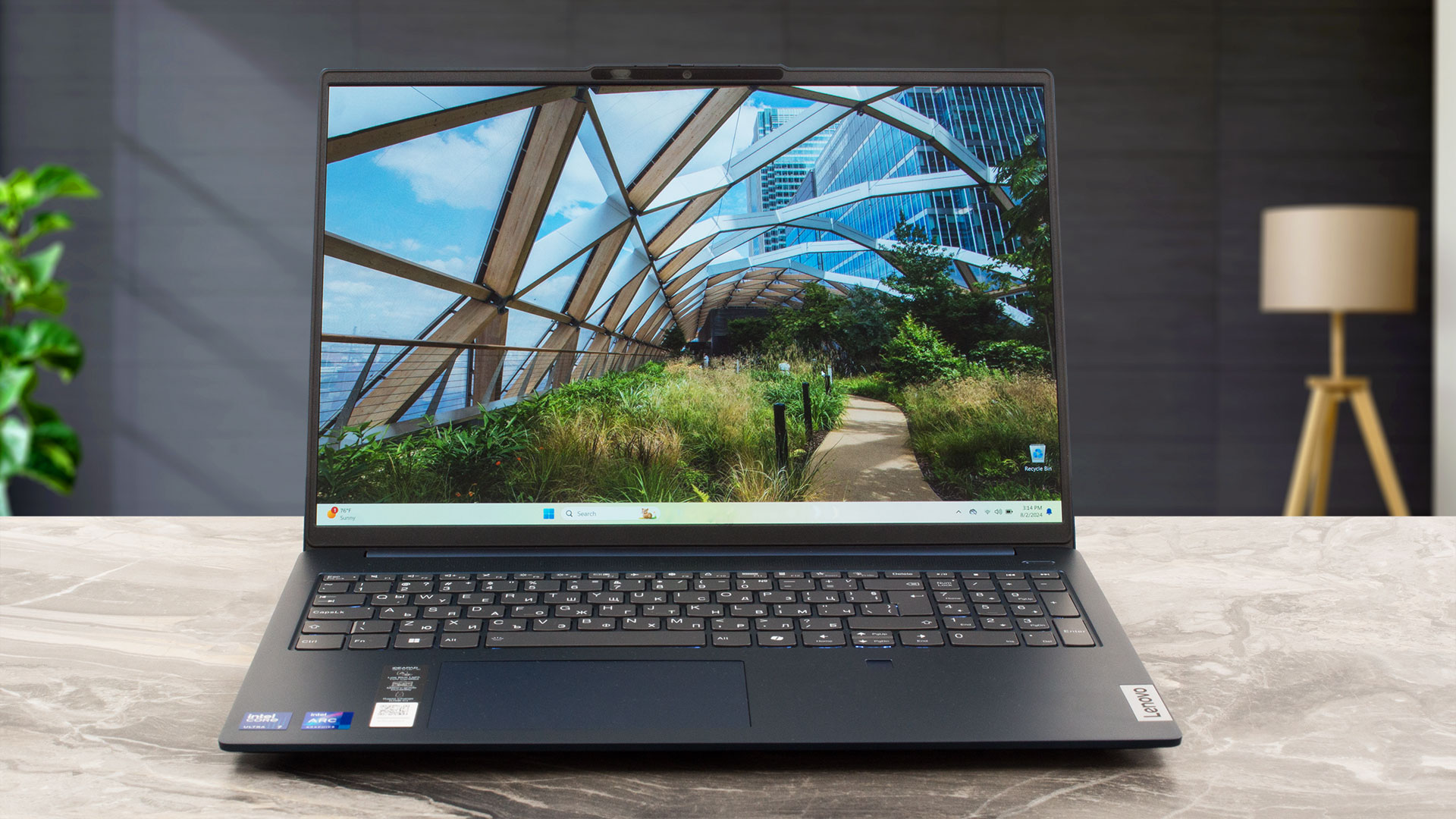 While it is not the perfect laptop for work, the Lenovo IdeaPad Slim 5i 16″ (16IMH9) is a great all-rounder. It’s fairly portable, thanks to its lightweight body and slim chassis, and features a punchy, vivid display alongside a comfortable keyboard and trackpad.
Performance-wise, the laptop strikes a balance between everyday usability and moderate multitasking. The Intel Core Ultra 7 155H provides solid performance for most daily tasks and can handle some creative workloads like light 3D rendering or video editing, although it may not be ideal for more demanding projects. While the lack of dedicated GPU options might seem limiting, the integrated Intel Arc graphics still deliver respectable capabilities, including support for light gaming—Shadow of the Tomb Raider, for example, runs smoothly at around 60 FPS on low settings.
For everyday computing needs, the IdeaPad Slim 5i is a solid choice. If you’re looking for a more robust workhorse, consider the Pro 5 or Pro 5i series.
You can check the prices and configurations in our Specs System: Lenovo IdeaPad Slim 5i 16″ (16IMH9) series – Specs and Prices
Pros
- Sleek aluminum body
- Thin (0.67″ / 16.9mm) and light (4.01 lbs / 1.82kg) chassis
- Solid build, passes the MIL-STD-810H military-grade tests
- 100% sRGB, 100% DCI-P3 color coverage
- High HDR brightness – 611 cd/m²
- High-quality speakers
Cons
- No dedicated GPU options
- Low color accuracy display
- PWM use
 Author: Simeon NikolovEditor-in-Chief at LaptopMedia.com with 20+ years of experience in testing and analyzing laptops and mobile devices.
 Author: eng. Kroum NikolovHead of Engineering at LaptopMedia.com, inventor and innovator with 40+ years of experience in electronics and high technology.
TOP 100 GAMING LAPTOPS


TOP LAPTOP RATINGS
HIGHLIGHTS view more
![[May 2026] Global Ranking of Best-Selling Laptop GPUs on Amazon – Apple Dominates with 45% Share, Sweeps Top 3 Spots; NVIDIA’s RTX 5060 Leads the Dedicated GPU Pack](https://laptopmedia.com/wp-content/uploads/2026/06/Best-Selling-GPUs-GLOBAL-Top-10-400x225.jpg)
[May 2026] Global Ranking of Best-Selling Laptop GPUs on Amazon – Apple Dominates with 45% Share, Sweeps Top 3 Spots; NVIDIA’s RTX 5060 Leads the Dedicated GPU Pack
Jun 04, 2026![[May 2026] Global Ranking of Best-Selling Laptop CPUs on Amazon – Apple Crushes Competition with 45.2% Market Share, M5 Dominates](https://laptopmedia.com/wp-content/uploads/2026/06/Best-Selling-CPUs-GLOBAL-Top-10-400x225.jpg)
[May 2026] Global Ranking of Best-Selling Laptop CPUs on Amazon – Apple Crushes Competition with 45.2% Market Share, M5 Dominates
Jun 04, 2026![[May 2026] Amazon Germany: Top 7 Best-Selling Gaming Laptops – Lenovo Legion 5i Crowned Champion Amidst Fierce Mid-Range Competition](https://laptopmedia.com/wp-content/uploads/2026/06/Best-Selling-Gaming-Laptops-DE-Top-10-1-400x225.jpg)
[May 2026] Amazon Germany: Top 7 Best-Selling Gaming Laptops – Lenovo Legion 5i Crowned Champion Amidst Fierce Mid-Range Competition
Jun 03, 2026![[May 2026] Amazon Italy: Top 10 Best-Selling Laptops – Apple MacBook Neo Reigns Supreme, Premium Models Capture Dominant Revenue Share](https://laptopmedia.com/wp-content/uploads/2026/06/Best-Selling-Laptops-IT-Top-10-400x225.jpg)
[May 2026] Amazon Italy: Top 10 Best-Selling Laptops – Apple MacBook Neo Reigns Supreme, Premium Models Capture Dominant Revenue Share
Jun 03, 2026![[May 2026] Best-Selling Laptop Brands on Amazon Italy – Apple Dominates Across All Metrics](https://laptopmedia.com/wp-content/uploads/2026/06/IT-Best-Brands-400x225.jpg)
[May 2026] Best-Selling Laptop Brands on Amazon Italy – Apple Dominates Across All Metrics
Jun 03, 2026
REVIEWS view more

Dell 15 (DC15250) review – Practical Office Laptop with Big Configuration Traps
Jun 05, 2026MSI Cyborg 17 B13W review – Big Screen, Low RTX Power
Jun 02, 2026Apple MacBook Air 15.3″ (M5) – The Best 15-Inch Laptop for Everyday Use?
May 30, 2026ASUS ROG Zephyrus G14 (GA403, Ryzen AI 300) review – RTX 5070 Ti, OLED, and True Portability
May 27, 2026ASUS Vivobook 18 (M1807) review – Huge Screen, Big Battery, Real Compromises
May 23, 2026