How to open Acer Predator Helios Neo 18 AI (PHN18-72) – disassembly and upgrade options

Before you start: Shut the laptop down completely, unplug the charger and peripherals, and hold the power button for a few seconds to discharge residual power. Use a plastic pry tool (not metal) and keep track of screw locations.
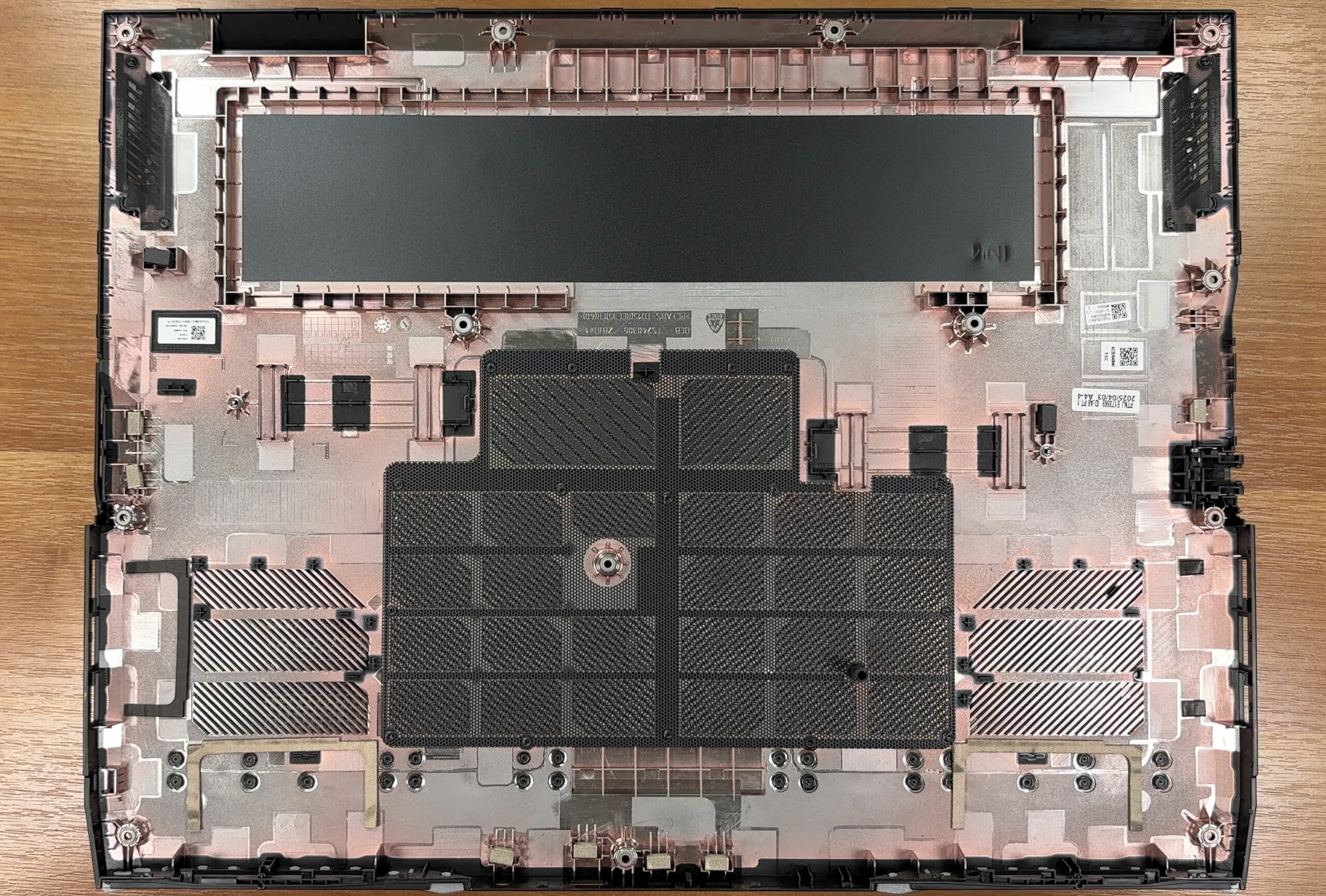
Opening the bottom panel
- Remove the 13 Torx T6 screws that secure the bottom cover.
- The panel is also held by clips. Use a thin plastic pry tool to work around the perimeter and release them gradually.
- Be careful around the heatsink/radiator zones—avoid pushing the tool too far inward to prevent accidental contact with fins or small components.
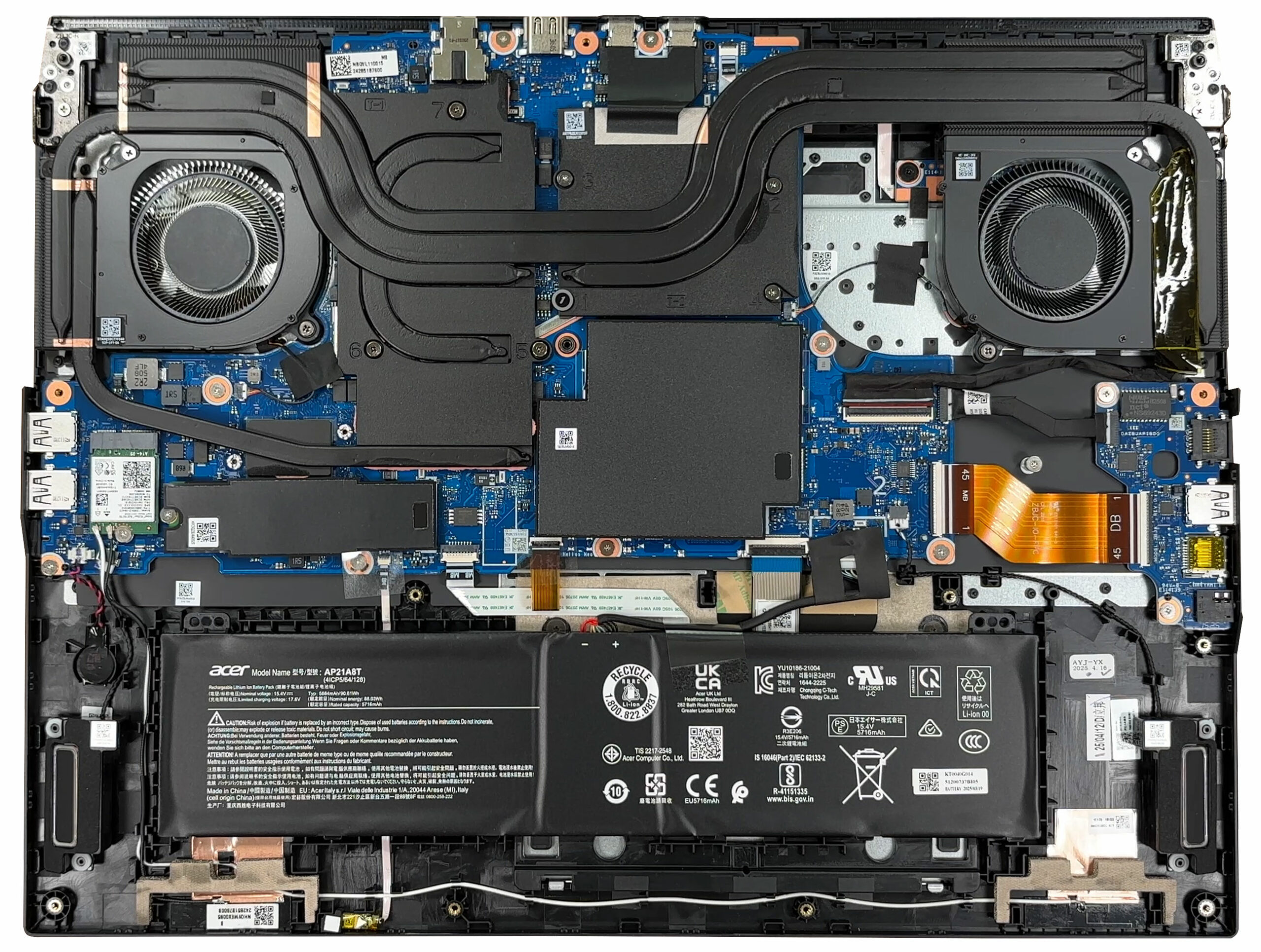
Internal layout overview
- Once inside, the layout is service-oriented: cooling hardware at the top, the motherboard centrally placed, and the battery spanning the front edge.
- Most upgrade points are accessible without removing the cooling assembly.
Cooling system
- The thermal module uses two fans and a large shared heatsink assembly over the CPU and dGPU.
- Multiple heat pipes route heat into fin stacks for each fan, supporting sustained gaming loads as long as the vents are kept clean.
- For routine maintenance, clean dust from the fins and fan intakes periodically; hold the fan blades in place if you use compressed air.
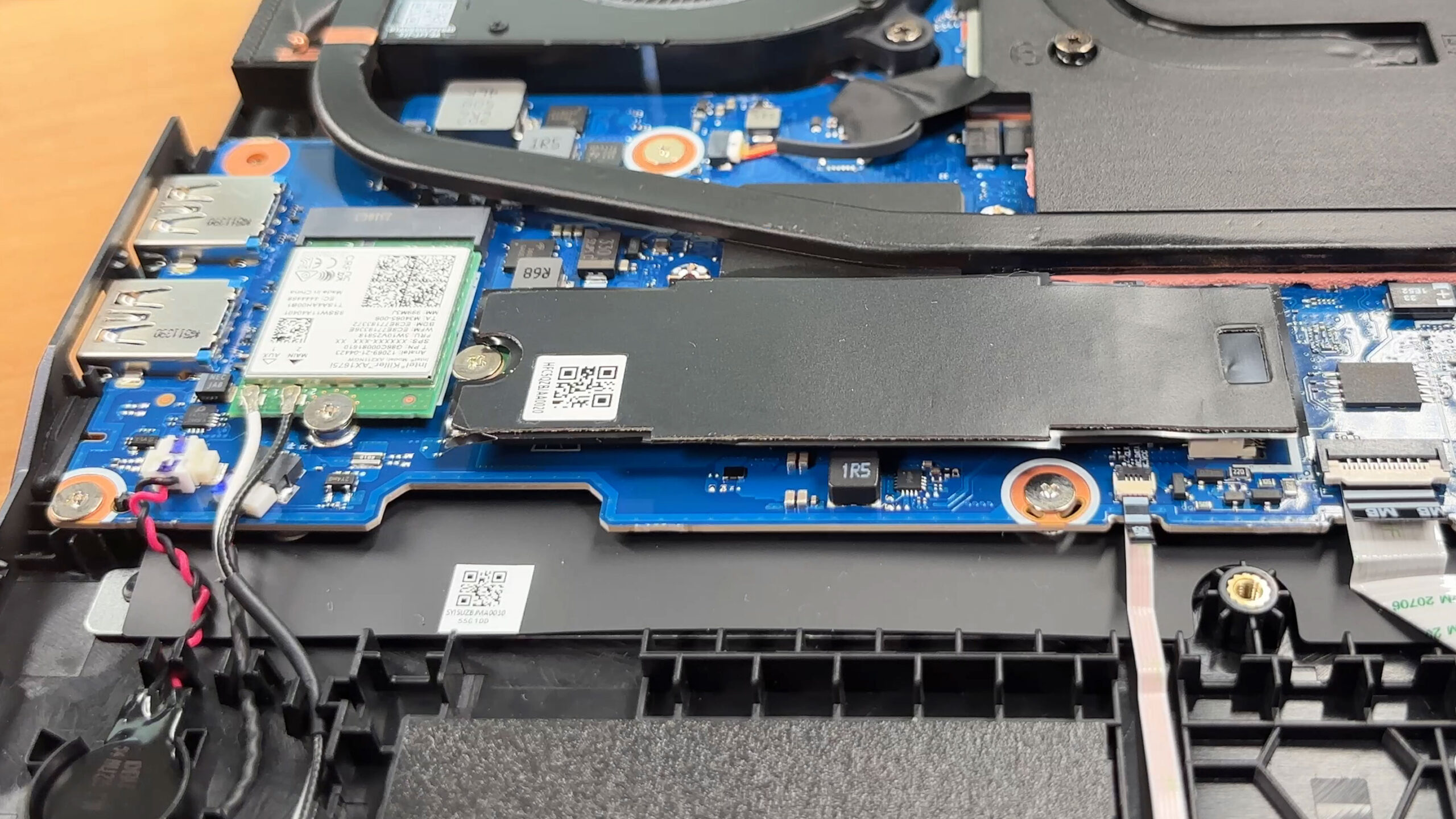
Storage upgrade
- You get two M.2 slots for PCIe 4.0 x4 NVMe SSDs.
- The primary slot in our unit is populated and sits under a protective cover that also acts as shielding; reinstall it exactly as found to preserve EMI control and SSD thermals.
- The second M.2 slot is open and ready for expansion, making a dual-SSD setup straightforward.
Hint: If you’re choosing a new drive, you can cross-check options in our Top M.2 SSDs Performance Rankings.
You can buy M.2 Gen4 SSDs here: Buy from Amazon.ca (#CommissionsEarned)
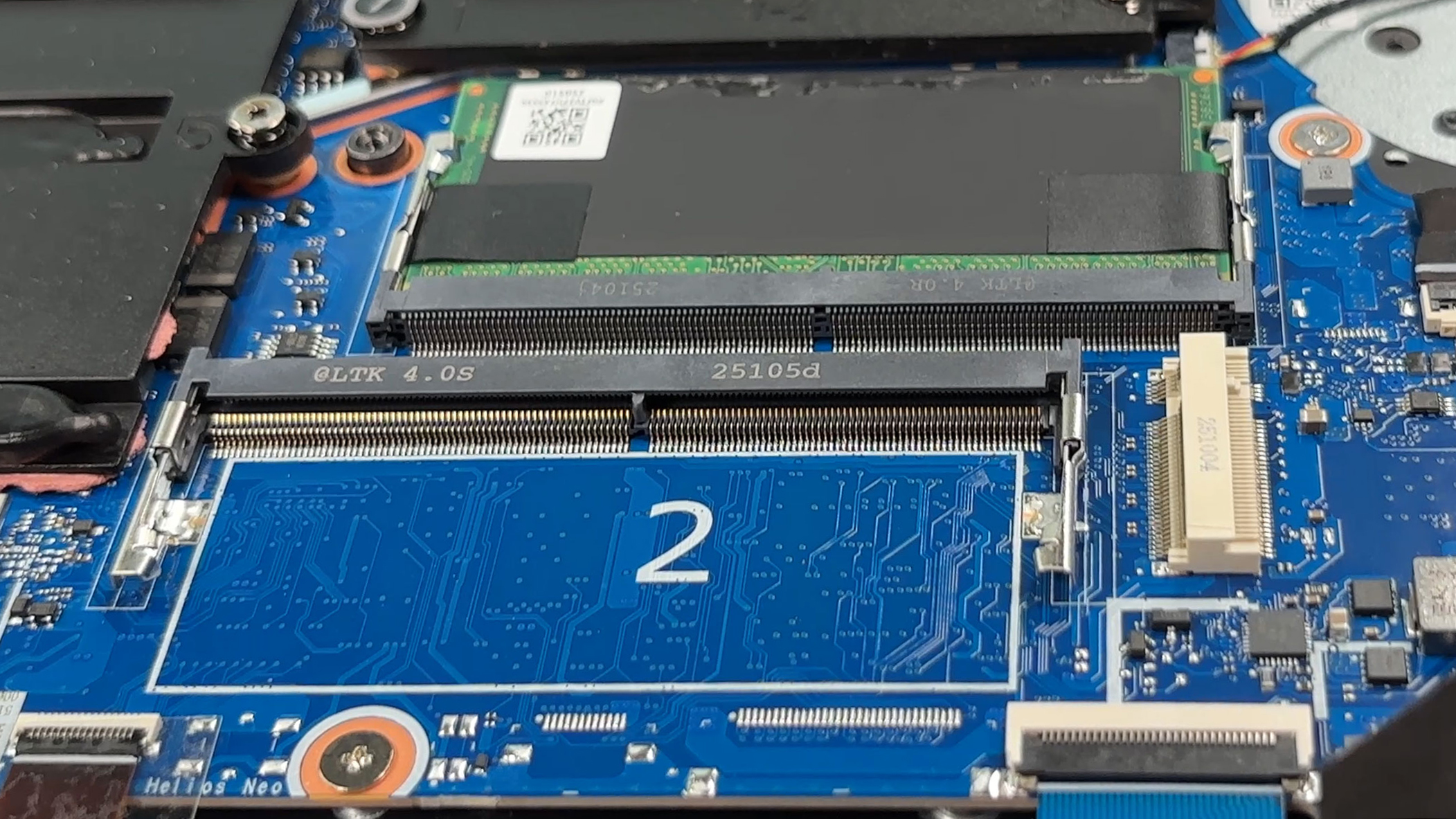
Memory upgrade
- Memory is user-replaceable via two DDR5 SO-DIMM slots.
- Our configuration has one slot occupied and one free for easy dual-channel upgrades.
- The platform supports up to 64 GB total and memory speeds up to 6400 MT/s (final speed depends on CPU support and module selection).
Wireless card
- The Wi-Fi module is socketed and replaceable. This series uses a Killer Wi-Fi 6E AX1675i card.
- To swap it, remove the single retaining screw, then lift the antennas straight up and press them back down cleanly during reassembly—misaligned antenna seating can reduce signal quality.
Battery removal
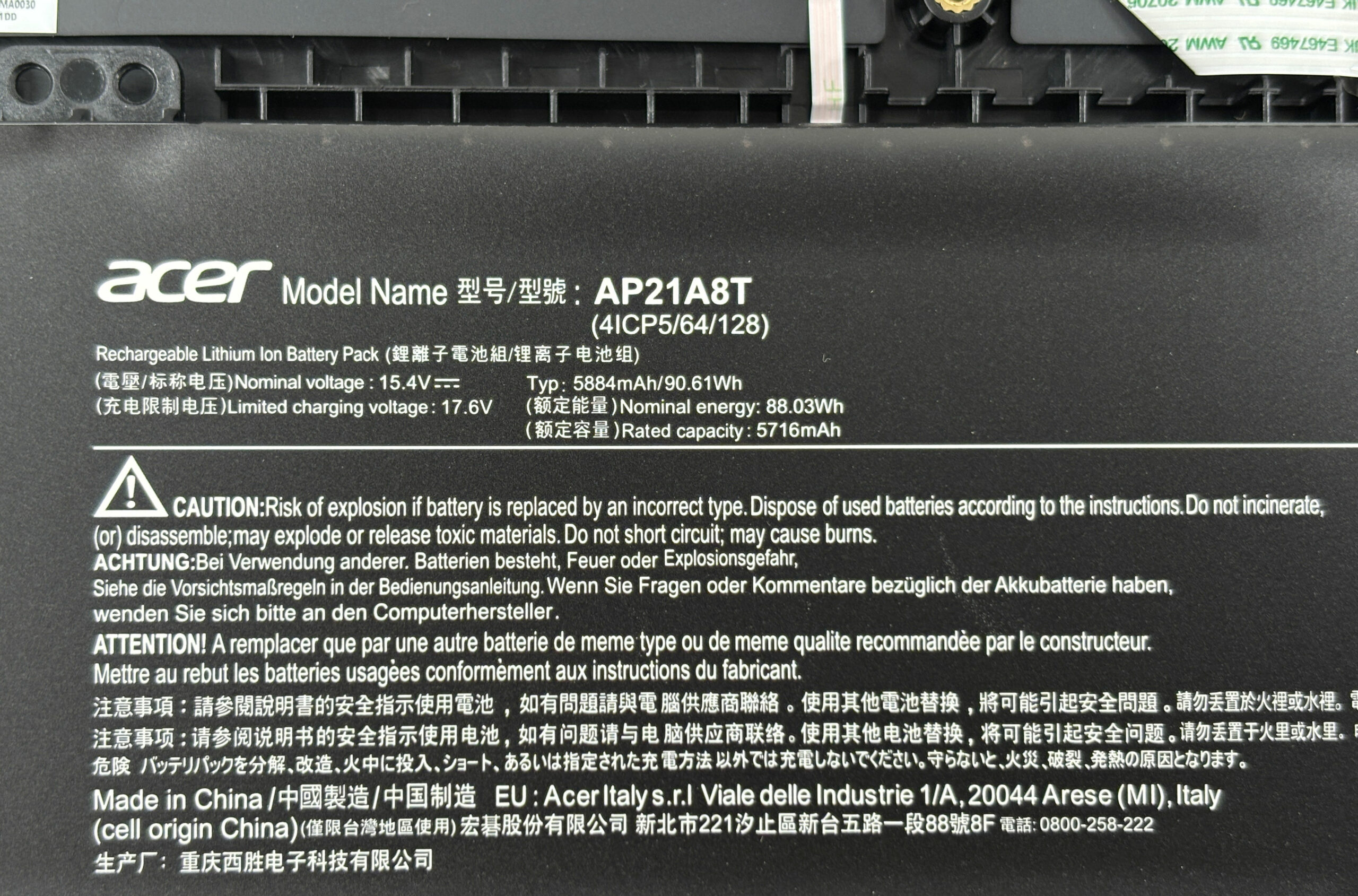
- The laptop uses a 4-cell lithium-ion pack rated at 90.61 Wh typical (88.03 Wh nominal).
- In our unit, the pack is not held down by visible screws; once you disconnect the battery cable, it lifts out without additional brackets.
- Always disconnect the battery before upgrading RAM, SSDs, or the wireless module.
Reassembly checklist
- Confirm the SSD shields/covers and thermal interfaces are seated flat.
- Confirm SO-DIMMs are fully inserted and latched.
- Confirm Wi-Fi antennas are snapped on and routed away from fan blades.
- Reconnect the battery, then press the bottom cover around the edges until all clips engage.
- Reinstall the Torx screws evenly—snug, not over-torqued.
Summary: The Predator Helios Neo 18 AI (PHN18-72) is easy to maintain, with straightforward bottom-cover removal and direct access to the two DDR5 SO-DIMM slots, dual PCIe 4.0 M.2 bays, the replaceable Wi-Fi card, and the high-capacity battery.
Acer Predator Helios Neo 18 AI (PHN18-72) in-depth review
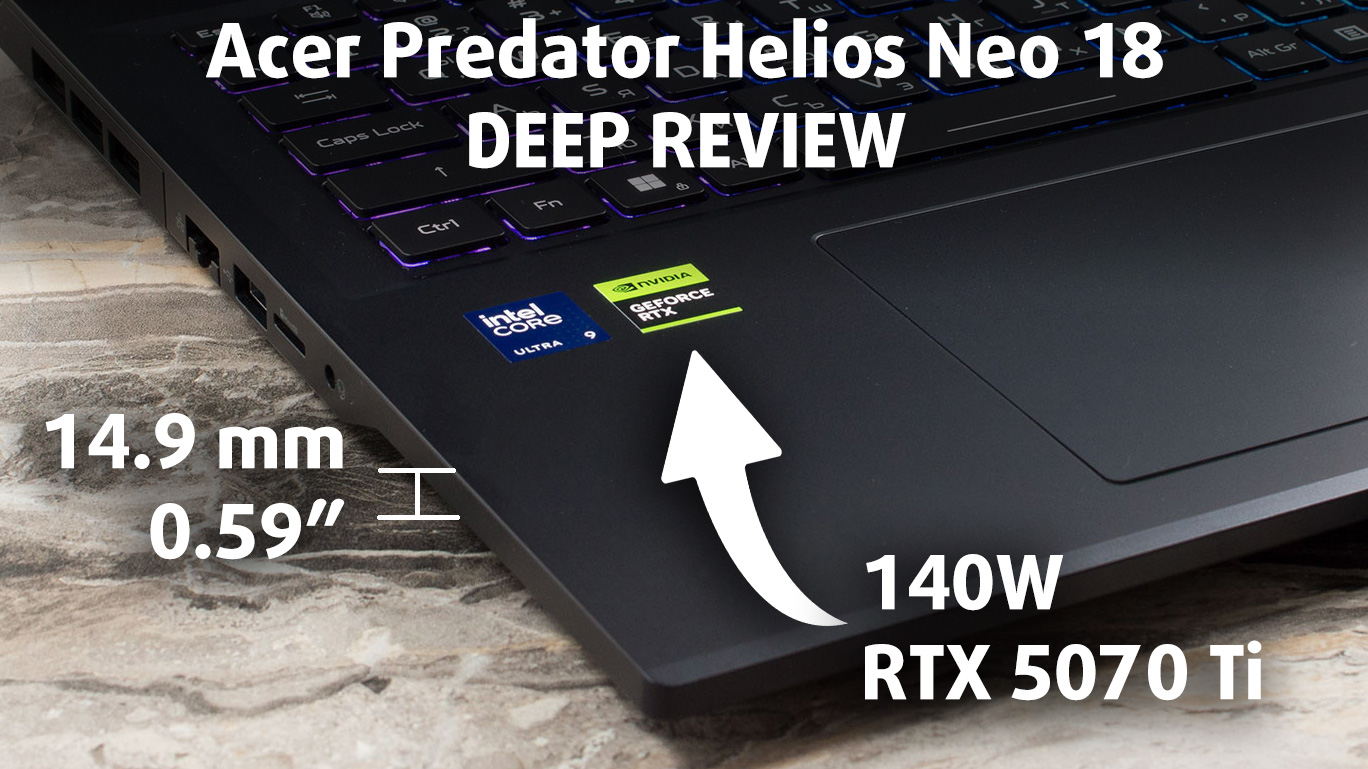
The Acer Predator Helios Neo 18 AI (PHN18-72) defies the stereotype that 18-inch gaming laptops have to be thick, cumbersome tanks. It arrives with a surprisingly svelte profile (it's 14.9 mm / 0.59" thick at the front!) that houses serious firepower, including a high-wattage RTX 5070 Ti. This machine aims to deliver the best of both worlds: the immersive, expansive screen real estate of a desktop replacement, packaged in a chassis that doesn't require a forklift to move. But has Acer sacrificed too much performance to achieve this slim design, or have they struck the perfect balance for b[...]
Pros
- Excellent 240Hz QHD+ display with accurate colors and no PWM
- Surprisingly slim and sleek design for an 18-inch laptop
- Solid gaming performance with good stability
- Great battery life for its class (nearly 6 hours)
- Fantastic upgradeability and dual Thunderbolt 4 ports
- Full-sized NumPad and arrow keys
Cons
- GPU clock speeds are lower than some thicker rivals
- No physical privacy shutter for the webcam
- Lid is a fingerprint magnet
 Author: Dimitar Stalev

![[May 2026] Global Ranking of Best-Selling Laptop GPUs on Amazon – Apple Dominates with 45% Share, Sweeps Top 3 Spots; NVIDIA’s RTX 5060 Leads the Dedicated GPU Pack](https://laptopmedia.com/wp-content/uploads/2026/06/Best-Selling-GPUs-GLOBAL-Top-10-400x225.jpg)
![[May 2026] Global Ranking of Best-Selling Laptop CPUs on Amazon – Apple Crushes Competition with 45.2% Market Share, M5 Dominates](https://laptopmedia.com/wp-content/uploads/2026/06/Best-Selling-CPUs-GLOBAL-Top-10-400x225.jpg)
![[May 2026] Amazon Germany: Top 7 Best-Selling Gaming Laptops – Lenovo Legion 5i Crowned Champion Amidst Fierce Mid-Range Competition](https://laptopmedia.com/wp-content/uploads/2026/06/Best-Selling-Gaming-Laptops-DE-Top-10-1-400x225.jpg)
![[May 2026] Amazon Italy: Top 10 Best-Selling Laptops – Apple MacBook Neo Reigns Supreme, Premium Models Capture Dominant Revenue Share](https://laptopmedia.com/wp-content/uploads/2026/06/Best-Selling-Laptops-IT-Top-10-400x225.jpg)
![[May 2026] Best-Selling Laptop Brands on Amazon Italy – Apple Dominates Across All Metrics](https://laptopmedia.com/wp-content/uploads/2026/06/IT-Best-Brands-400x225.jpg)
