Gigabyte Gaming A16 (GA63H, AMD) review – Stealthy Sleeper with Record Battery Life
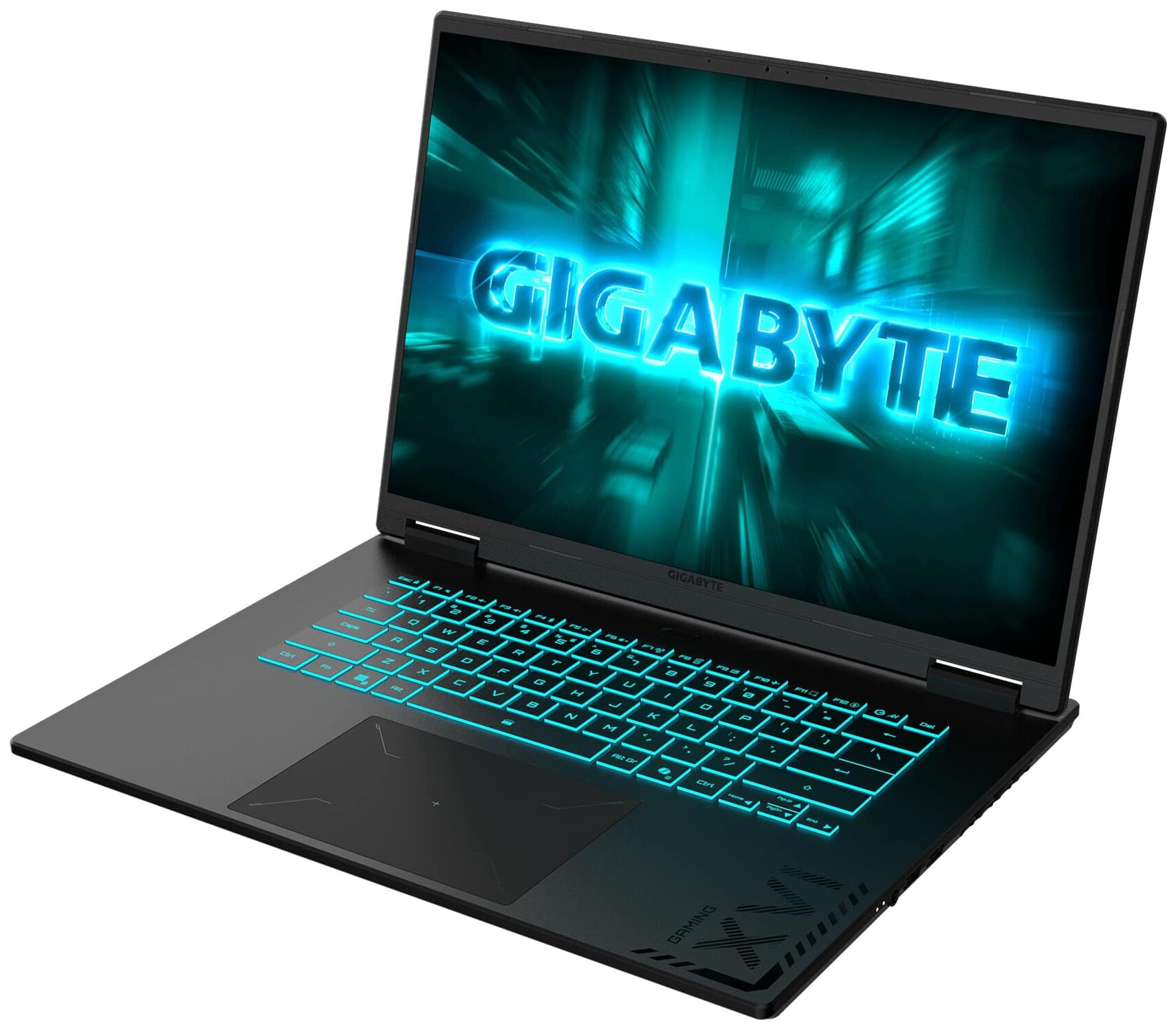
The 16-inch gaming laptop market is often dominated by bulky, max-TGP beasts designed to push the absolute limits of performance. The GIGABYTE GAMING A16 GA63H, however, takes a different path. It’s a relatively thin and light machine that opts for a more moderate, power-efficient approach to its graphics card rather than brute force. Wrapped in a stealthy, professional design, it aims to be a versatile daily driver rather than just a stationary gaming rig. Interestingly, this AMD-powered GA63H variant holds a significant hidden advantage over its Intel sibling (the GA6H) – the inclusion of a full-fledged USB4 port, adding a layer of future-proofing to its connectivity.
But does this balanced, endurance-focused philosophy pay off, or has Gigabyte sacrificed too much raw power in the name of efficiency?
You can check the prices and configurations in our Specs System: https://laptopmedia.com/series/gigabyte-gaming-a16-ga63h/
Contents
Specs, Drivers, What’s in the box
GIGABYTE GAMING A16 GA63H - Specs

- HDD/SSD
- up to 4000GB SSD
- M.2 Slot
- 2x 2280 M.2 NVMe PCIe 4.0 x4
- RAM
- up to 64GB
- OS
- Windows 11 Home, No OS, Windows 11 Pro
- Battery
- 76Wh
- Body material
- Plastic / Polycarbonate
- Dimensions
- 358.3 x 262.5 x 19.45 ~ 22.99 mm (14.11" x 10.33" x 0.77")
- Weight
- 2.20 kg (4.9 lbs)
- Ports and connectivity
- 1x USB Type-A
- 2.0
- 2x USB Type-A
- 3.2 Gen 1 (5 Gbps)
- 1x USB Type-C
- 4.0, Power Delivery (PD), DisplayPort
- HDMI
- 2.1
- Card reader
- Ethernet LAN
- 10, 100, 1000 Mbit/s
- Wi-Fi
- Wi-Fi 6E
- Bluetooth
- 5.2
- Audio jack
- 3.5mm Combo Jack
- Features
- Fingerprint reader
- Web camera
- FHD IR
- Backlit keyboard
- Microphone
- Array Microphone
- Speakers
- 2x Stereo Speakers, Dolby Atmos
- Security Lock slot
All GIGABYTE GAMING A16 GA63H configurations
Drivers
All drivers and utilities for this notebook can be found here: GIGABYTE GAMING A16 GA63H Support
What’s in the box?
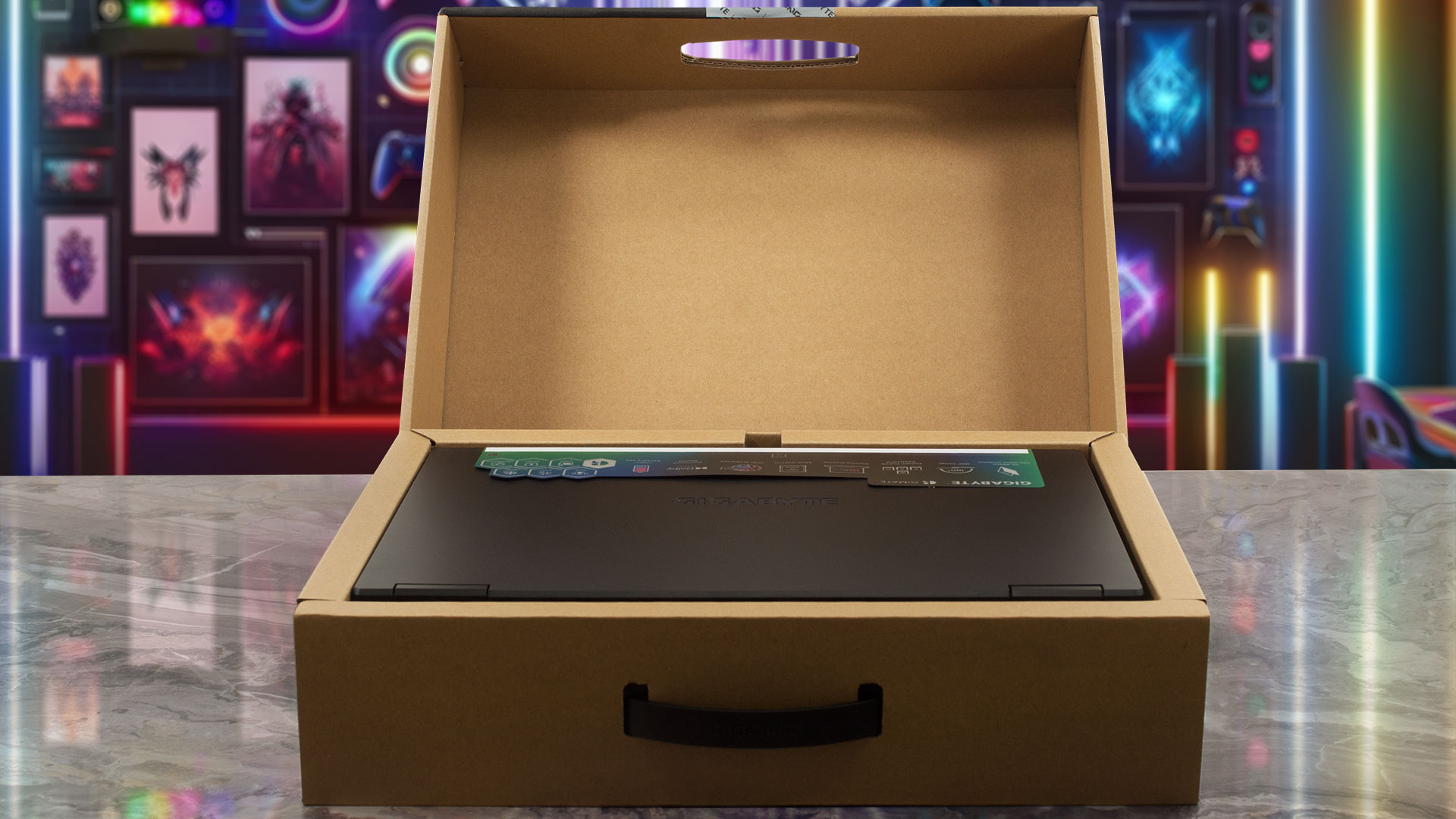
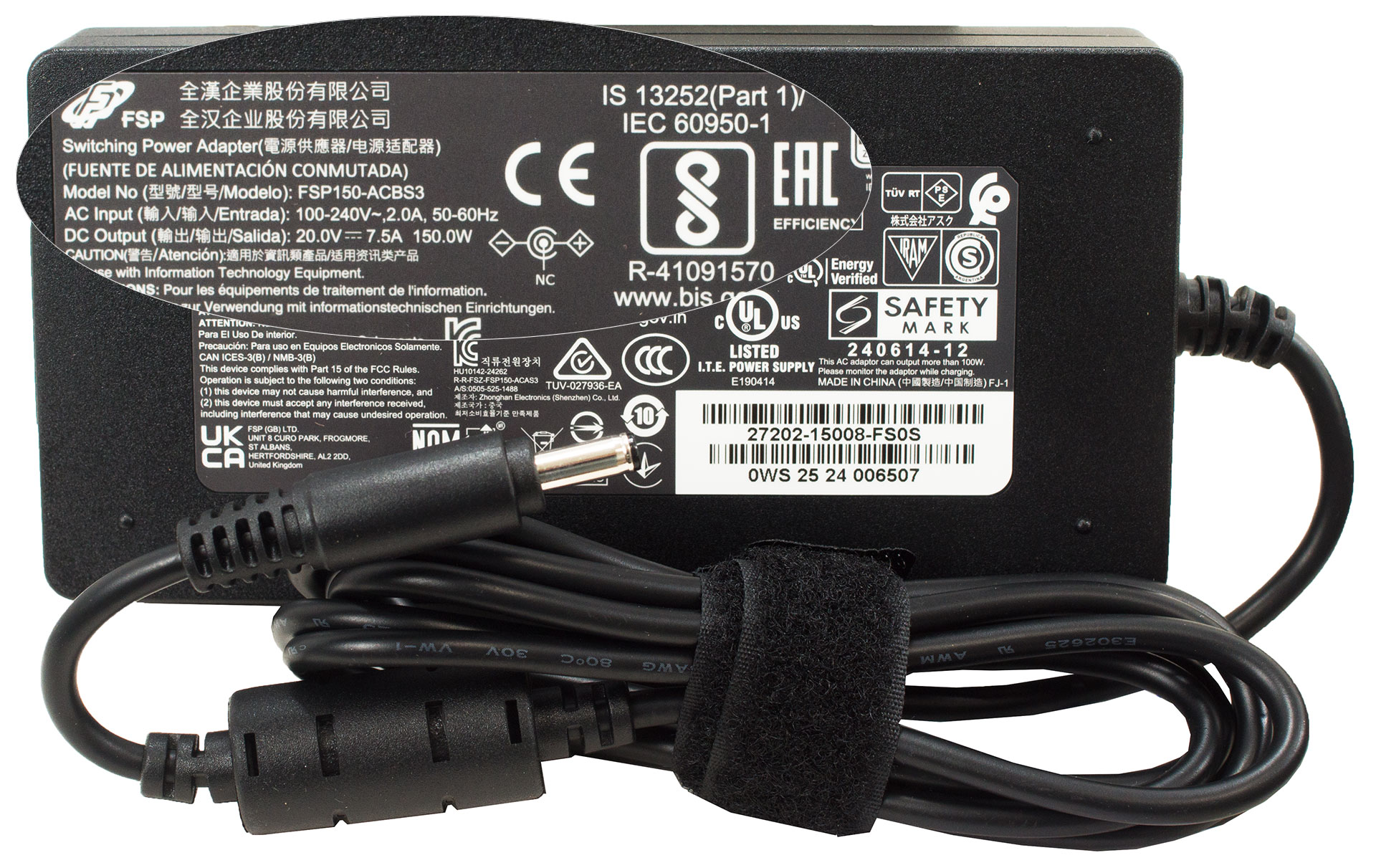
Unboxing the Gigabyte Gaming A16 is a straightforward. Alongside the laptop itself, the box contains the essential 150W power adapter needed to keep the machine juiced up for your sessions.
Design and construction
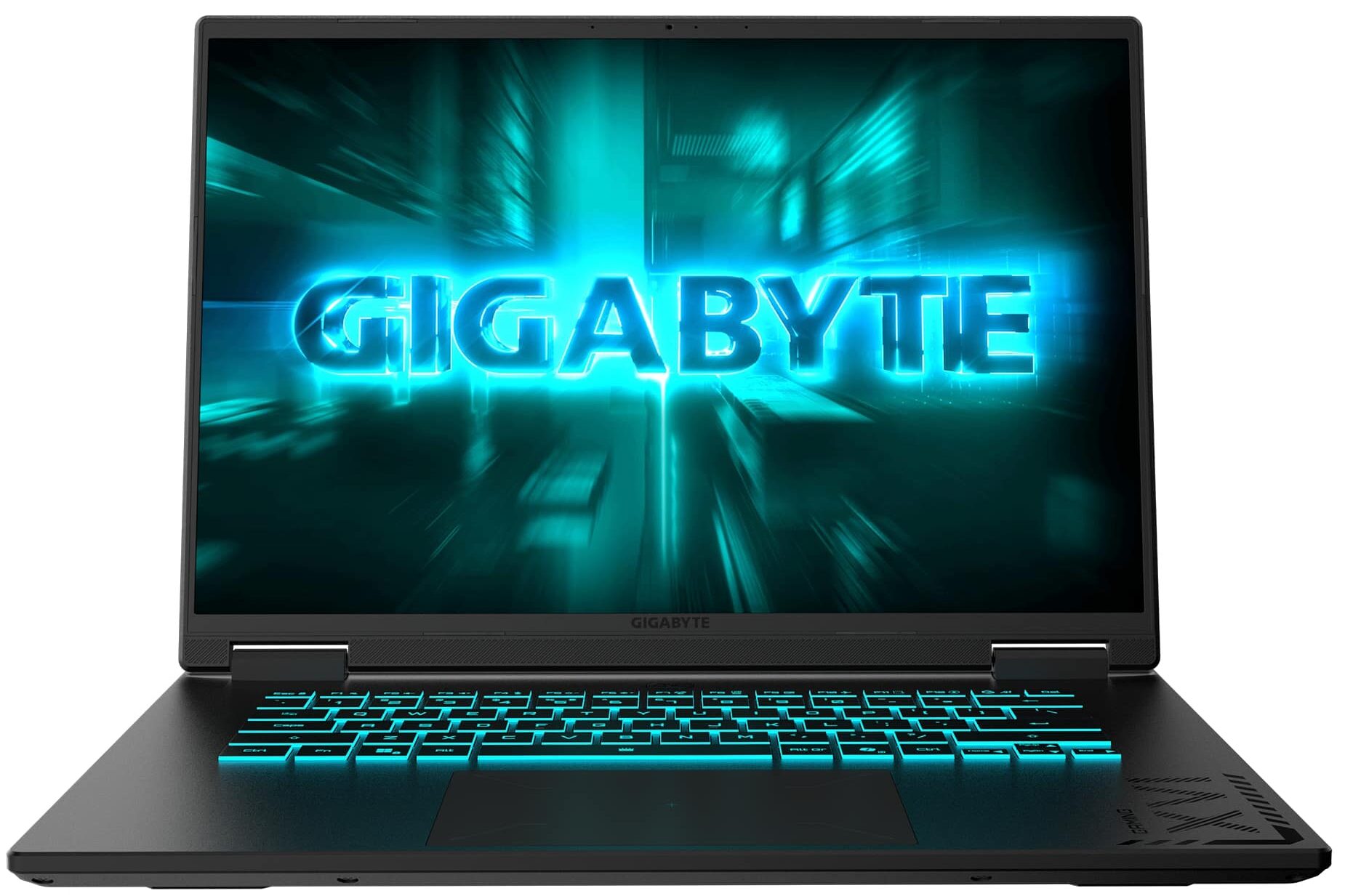
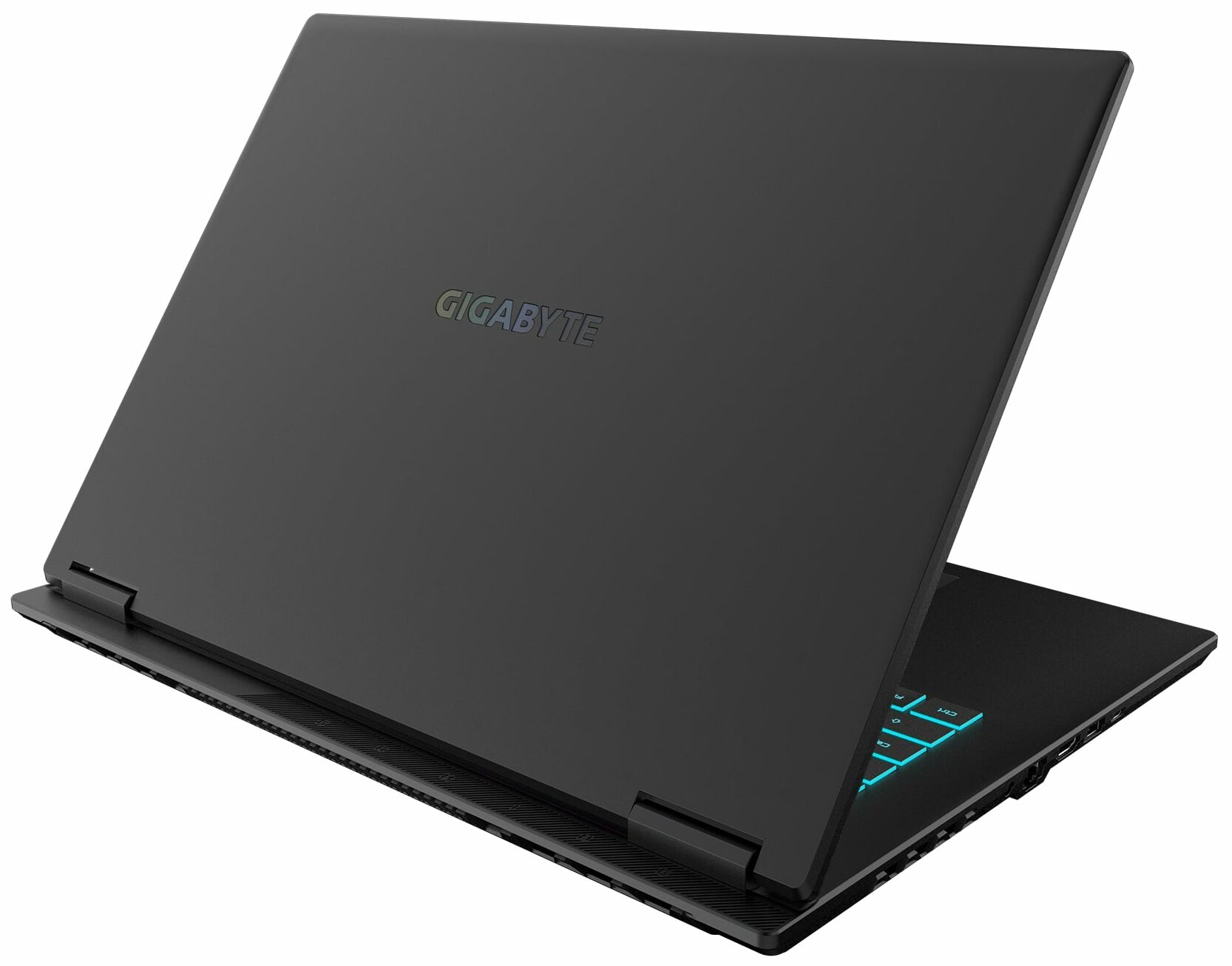
The Gigabyte Gaming A16 (GA63H, AMD) adopts a more restrained approach to gaming design, opting for stealth over flash. It’s presented exclusively in a matte “Black Steel” finish, which looks clean and professional.
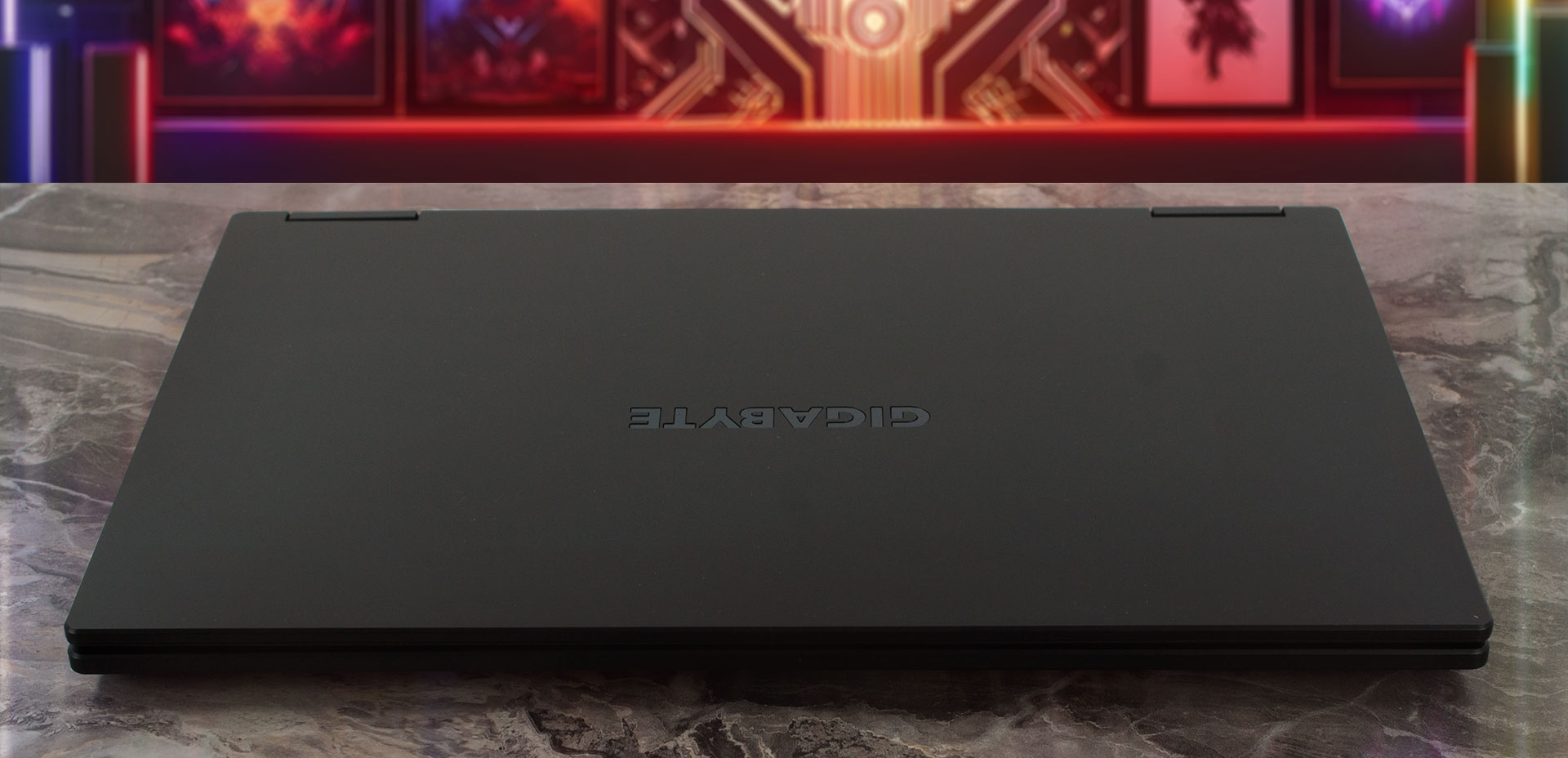
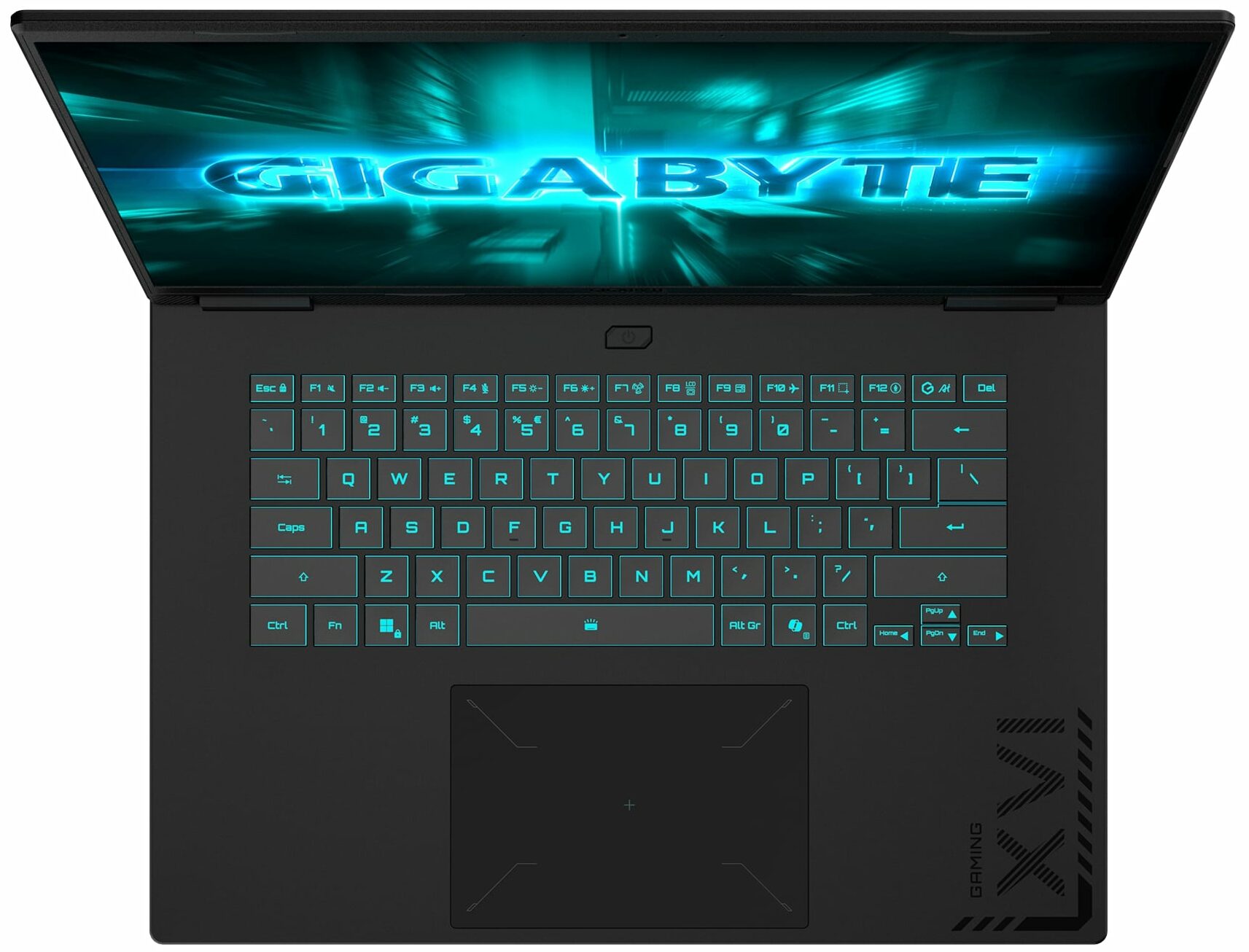
The lid is minimalist, adorned only with a discrete GIGABYTE logo, while the keyboard deck features some subtle gaming-inspired graphics and accents that hint at its capabilities without being loud or obnoxious. While the entire chassis is constructed from plastic, it feels relatively stable and well-put-together. However, that matte black finish does have a tendency to pick up fingerprints; they aren’t terribly offensive, but you will notice them if you’re looking.
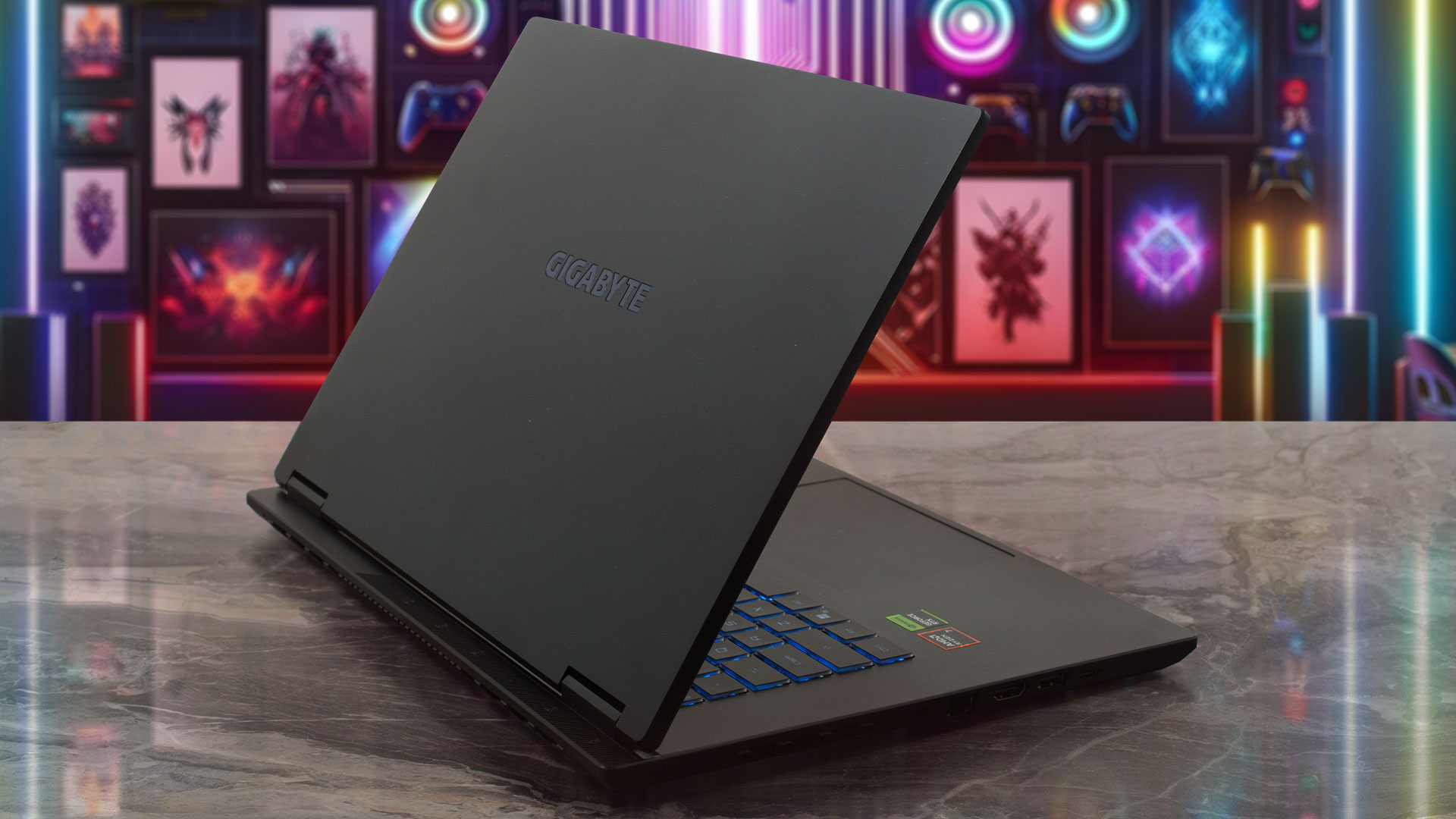
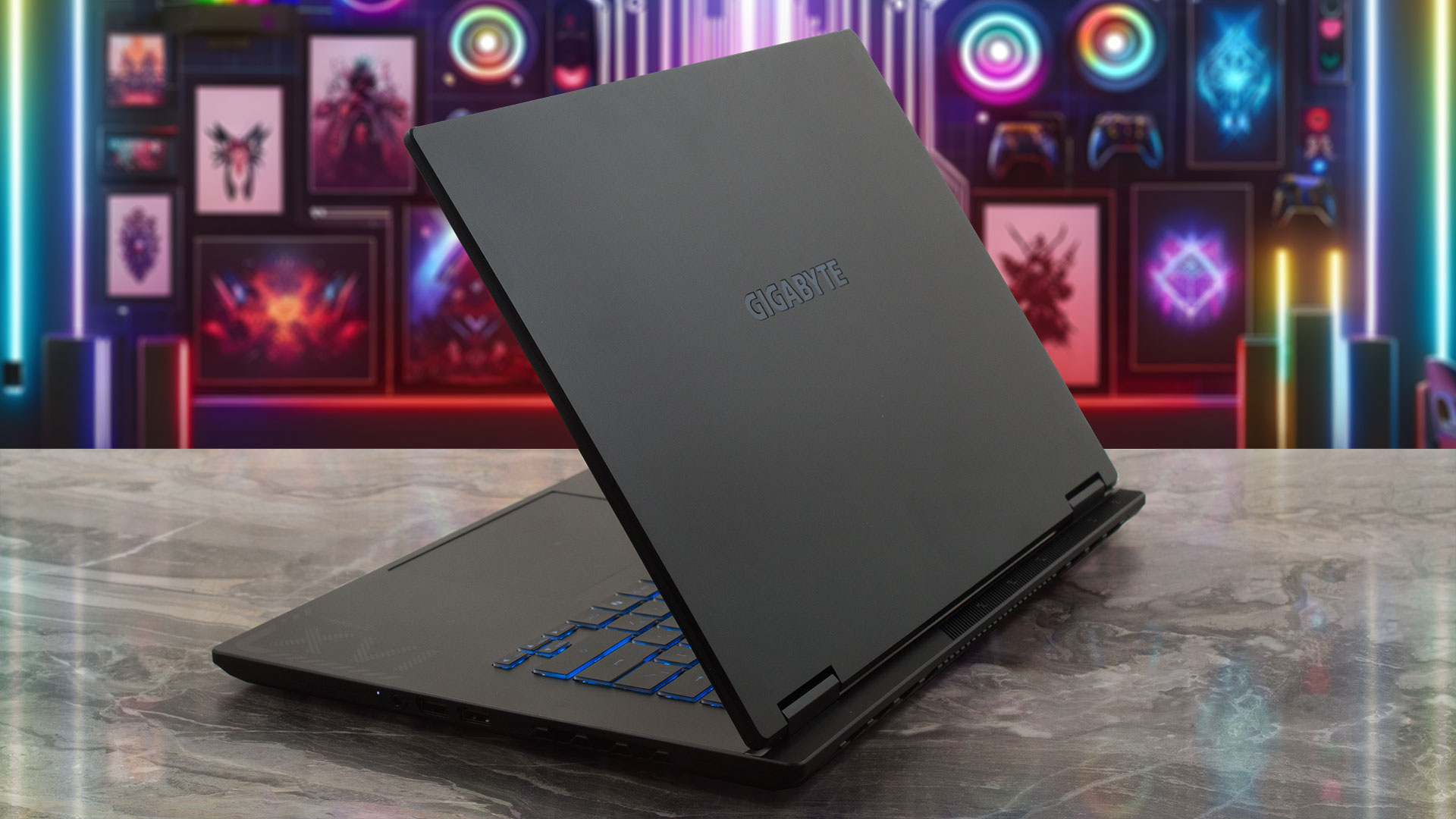
In terms of physical footprint, the Gaming A16 strikes a balance between performance and portability:
| Gigabyte Gaming A16 GA63H | Dimensions | Weight |
| Metric units | 358.3 x 262.5 x 19.45~22.99 mm | ~2.2 kg |
| U.S. customary | 14.11 x 10.33 x 0.77~0.91 in | ~4.85 lbs |
Opening the laptop is a smooth, one-handed operation, revealing a display with impressively thin bezels on all four sides. The top bezel manages to squeeze in an FHD (1080p) IR camera with support for Windows Hello facial recognition, though it lacks a physical privacy shutter.
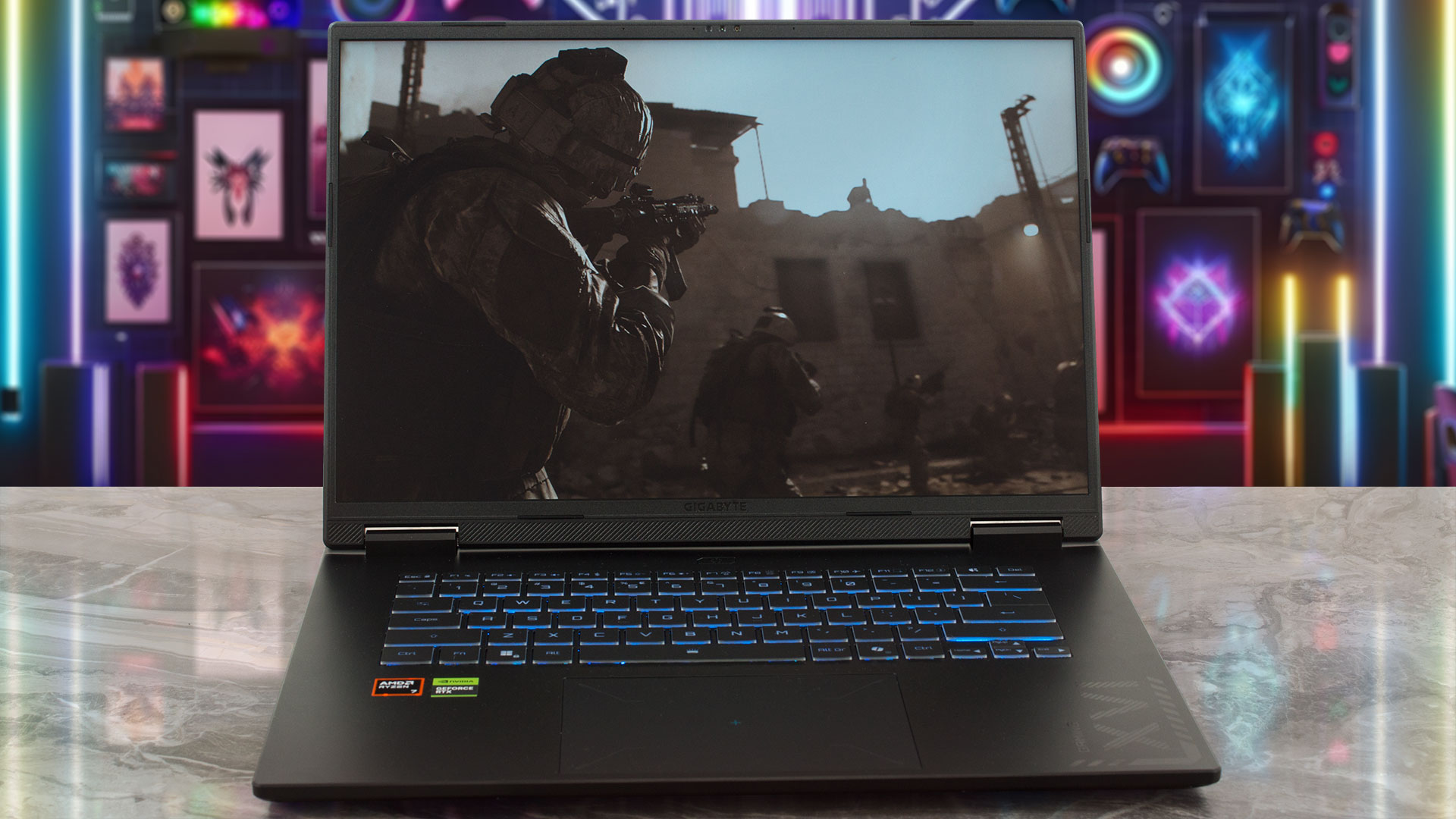
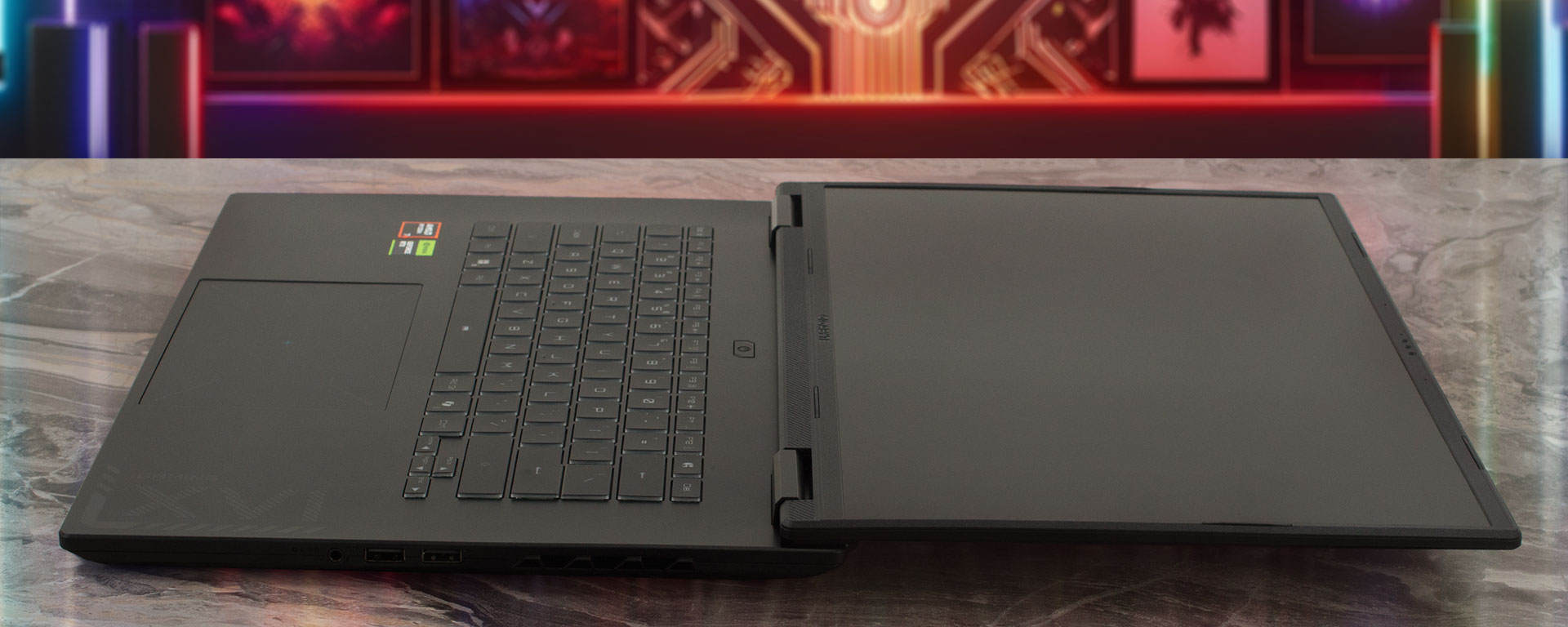
The classic dual-hinge design is robust and allows the screen to fold completely flat to 180 degrees.
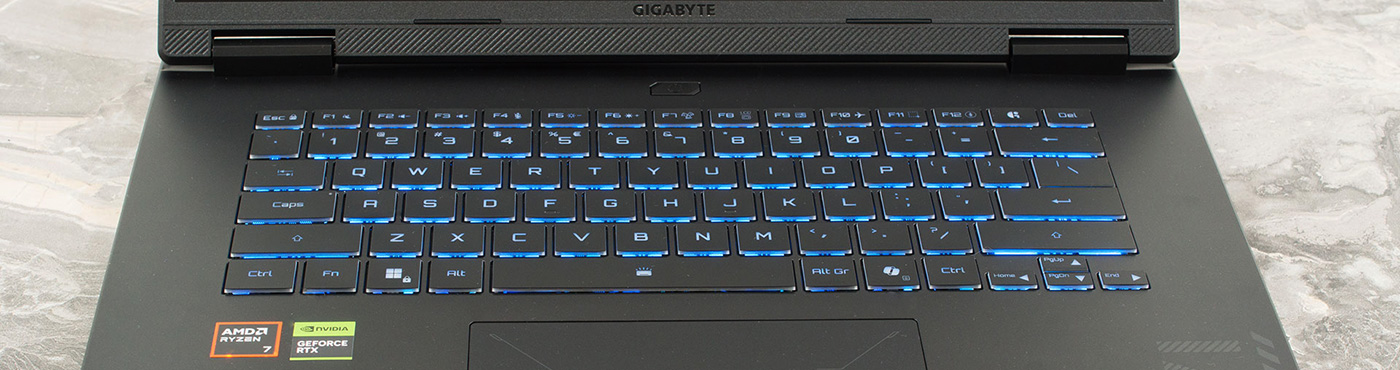
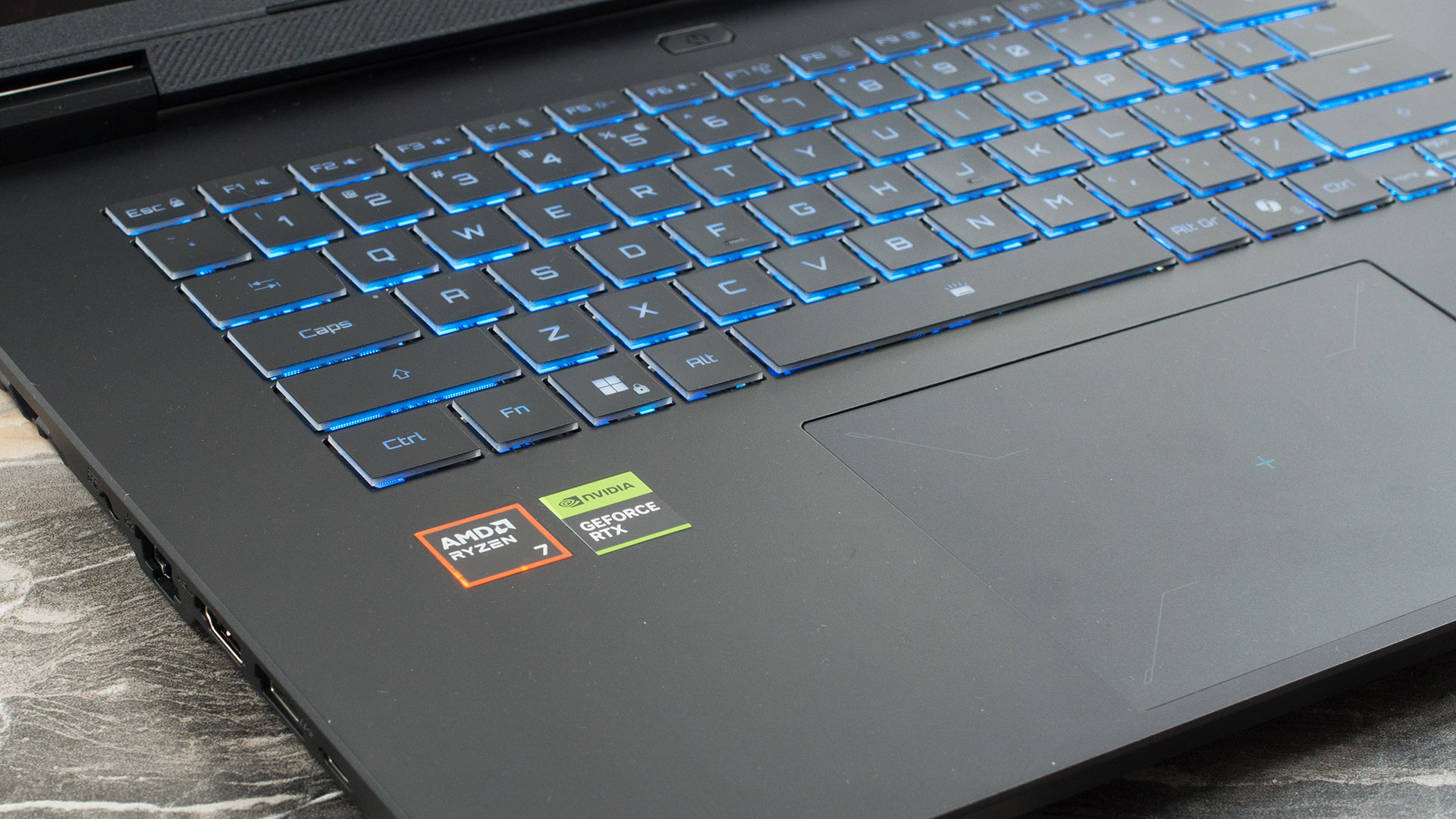
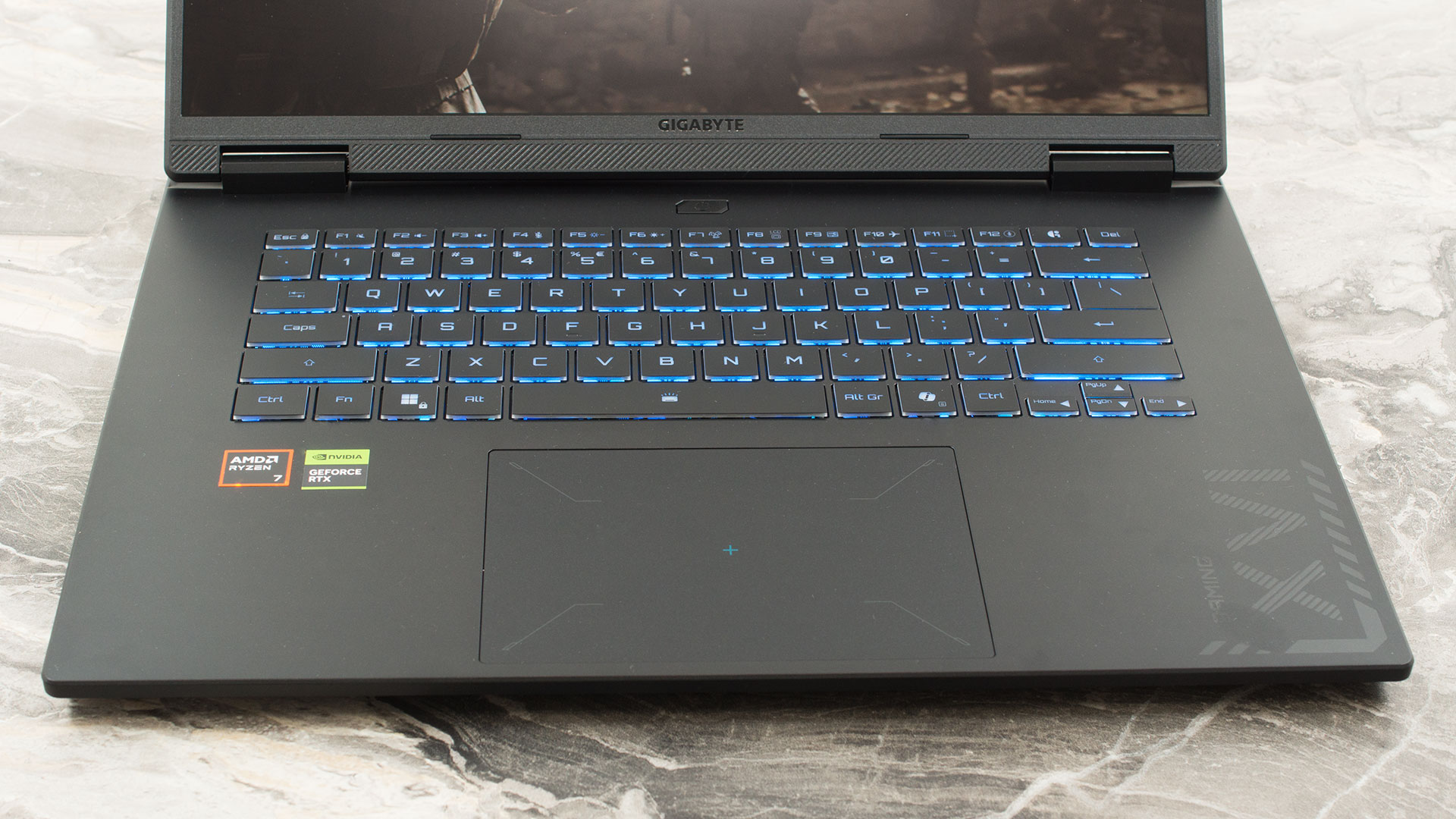
Gigabyte has chosen to omit a dedicated NumPad on the A16, which allows for a more centered and spacious main keyboard layout. The keyboard itself features a 1-zone RGB backlight and offers a comfortable typing experience with up to 1.7 mm of key travel. The arrow keys are neatly separated into their own cluster on the right side, though gamers should note that they are half-height keys.
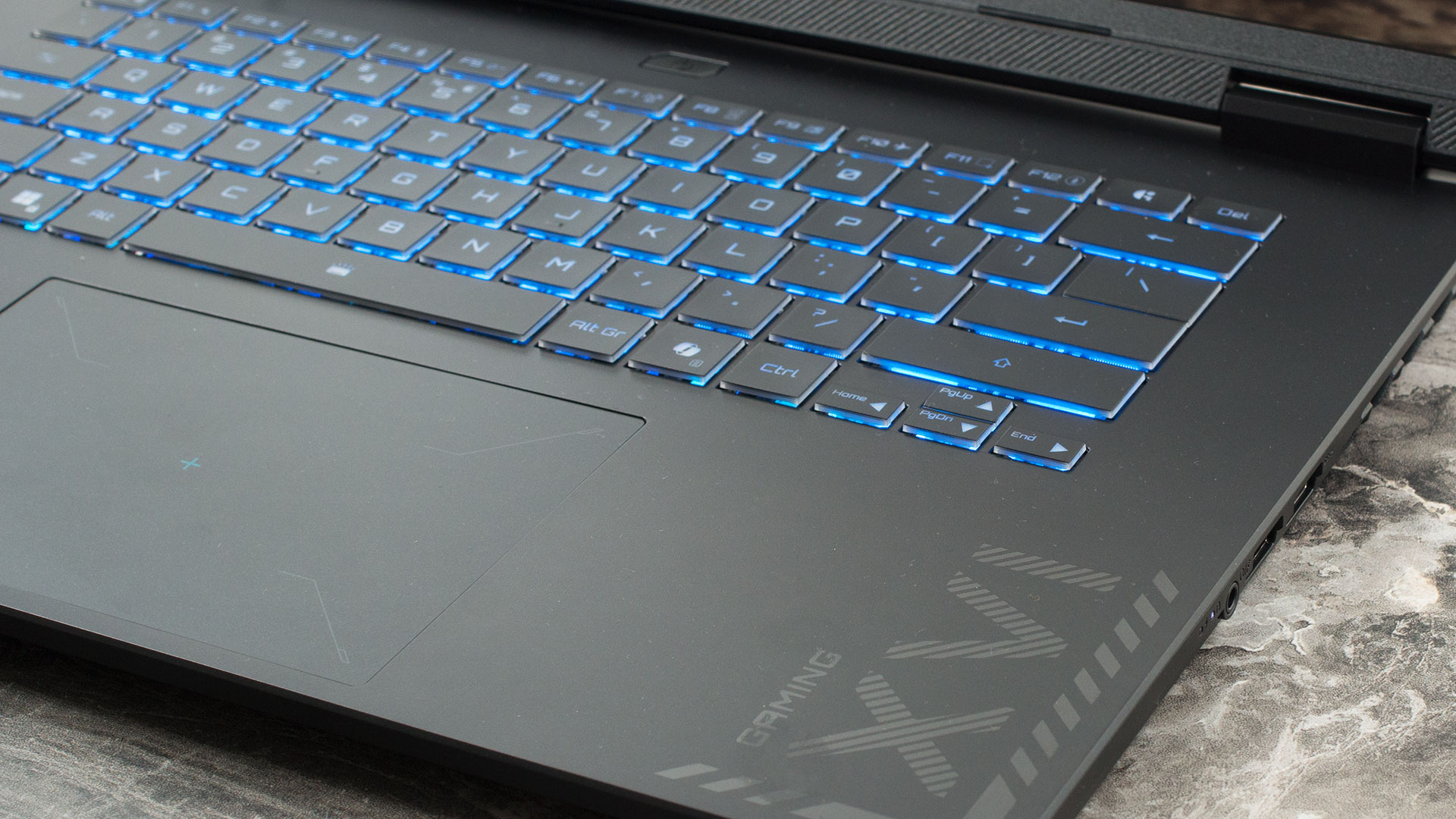
Biometric security is handled entirely by the IR camera, as there is no fingerprint reader. Below the keyboard, you’ll find a trackpad that is generously sized for its class, providing ample real estate for smooth everyday navigation.
Ports and Connectivity
The Gigabyte Gaming A16 (GA63H, AMD) concentrates its high-bandwidth connectivity on the left side of the chassis, acting as the primary hub for your cables. Here, you will find the dedicated DC-in power jack, a standard Gigabit Ethernet (RJ-45) port for stable, low-latency wired networking, and an HDMI 2.1 port capable of driving high-resolution, high-refresh-rate external monitors. This flank also houses a USB 3.2 Gen 1 Type-A port (operating at 5Gbps) and a highly versatile USB4 Type-C port. This USB4 connection provides data transfer speeds up to 40Gbps, supports DisplayPort 1.4 for additional video output, and features Power Delivery 3.0, allowing for alternative charging options with a compatible Type-C adapter.
This is also one of the noteworthy advantages of the AMD-based GA63H over the Intel-based GA6H, as the latter is equipped with a more basic USB 3.2 Gen 1 Type-C port instead of USB4.

The right side of the laptop is geared towards basic peripheral connectivity. It features a second USB 3.2 Gen 1 Type-A port (5Gbps), a standard 3.5mm audio combo jack for your headset, and a legacy USB 2.0 Type-A port. While the USB 2.0 port is too slow for modern external storage, it is perfectly suited for plugging in a dedicated mouse or keyboard dongle, saving the faster ports for data transfers.

The rear of the laptop is completely devoid of ports, with the space dedicated entirely to cooling exhaust vents.

For wireless networking, the system is equipped with a Wi-Fi 6E (802.11ax) module. Utilizing a 2×2 antenna configuration, this grants the laptop access to the less congested 6 GHz band, resulting in faster speeds and lower latency on compatible networks – a crucial feature for wireless gaming. This is paired with Bluetooth 5.2, ensuring a reliable and power-efficient connection for your wireless controllers, mice, and audio devices.
Display and Sound Quality, Display Profiles
We ordered the Gigabyte Gaming A16 (GA63H, AMD) with its more affordable 16-inch WUXGA (1920 × 1200) IPS panel at 165 Hz (BOE NE160WUM-NX6 / BOE0B77). If you want a sharper image and higher brightness, there’s also a 16-inch WQXGA (2560 × 1600) IPS option at 165 Hz, rated at 400 nits and listed with 100% sRGB coverage.
| Gigabyte Gaming A16 (GA63H, AMD) | 16″, WUXGA (1920 x 1200), 165 Hz, IPS (BOE NE160WUM-NX6 / BOE0B77) | 16″, WQXGA (2560 x 1600), 165 Hz, IPS (100% sRGB, 400 nits) |
| Diagonal | 16.0 inches (40.6 cm) | 16.0 inches (40.6 cm) |
| Panel Type | IPS | IPS |
| Resolution | 1920 x 1200 pixels | 2560 x 1600 pixels |
| Max Refresh Rate | 165 Hz | 165 Hz |
| Aspect Ratio | 16:10 | 16:10 |
| Pixel Density | 141 PPI | 189 PPI |
| ‘Retina’ Distance | Greater than or equal to 62 cm | Greater than or equal to 46 cm |
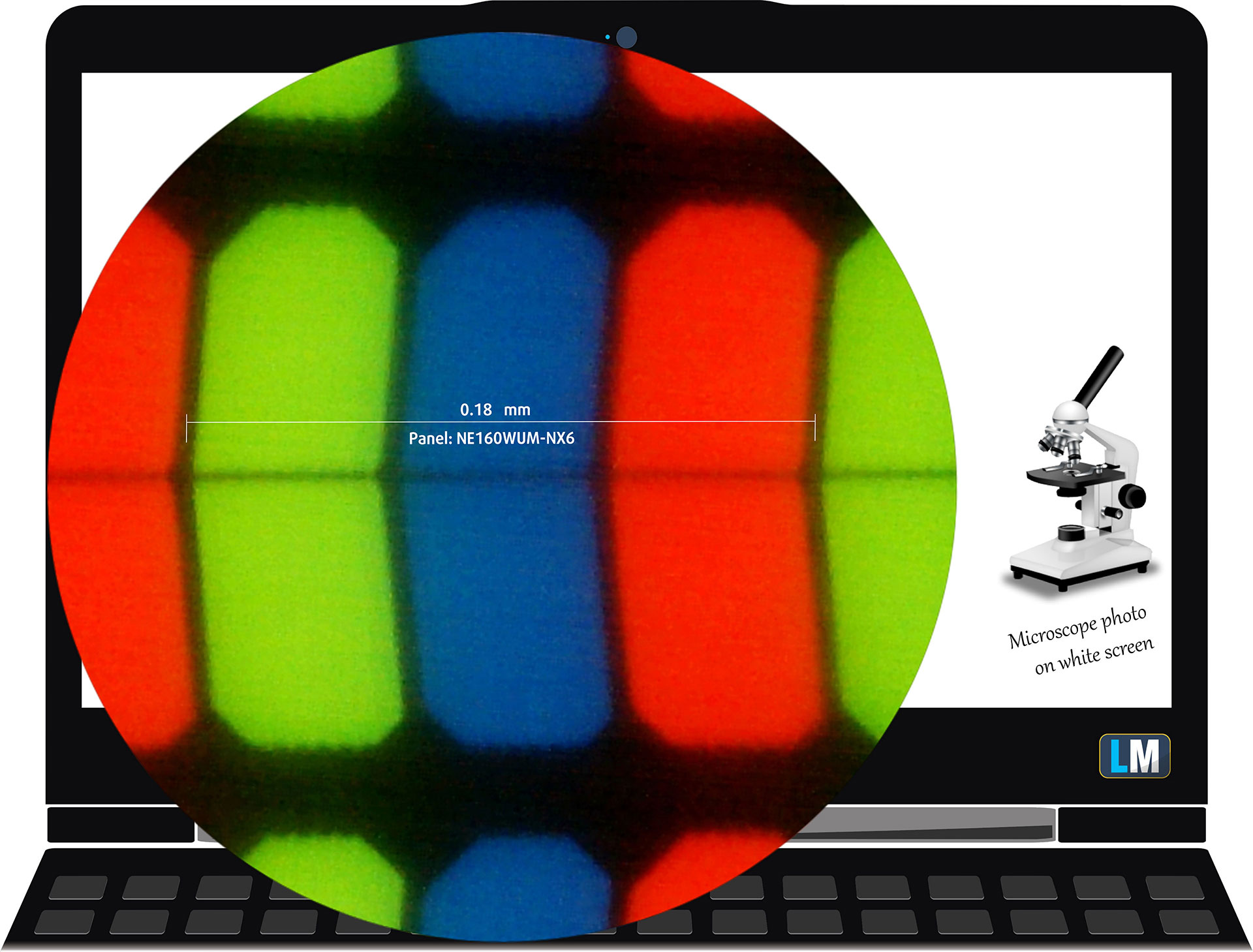
The WUXGA (1920 x 1200), 165 Hz, IPS display variant under our microscope
Viewing Angles
Viewing angles are good. We take photos from different angles to evaluate the quality.

Also, a video with locked focus and exposure.
Color Coverage
The whole “sail-shaped” map below (Fig. 1) consists of all the colors we can see, while the black crooked line shows all the colors from real-world scenes and nature around us.
Then, we’ve drawn some of the most important and interesting color spaces, compared to the colors the panel of Gigabyte Gaming A16 can show:
Standard/For Web: sRGB – widely used color space for most consumer devices, ideal for Web design and development
For Print: AdobeRGB – used in professional photo editing, graphic design, and print
For Photographers/Video Editors: DCI-P3 – used in high-end film production, post-production, and digital cinema
Premium HDR: Rec.2020 – the widest consumer ITU color standard, covering a massive 75.8% of the visible spectrum, a benchmark for premium HDR content.
Gigabyte Gaming A16: the yellow dashed triangle (– – – – – –) represents the range of colors this display can show.
In our tests, we calculated the total color coverage of the display at 52% of the sRGB color gamut and 43% of the DCI-P3 color gamut.
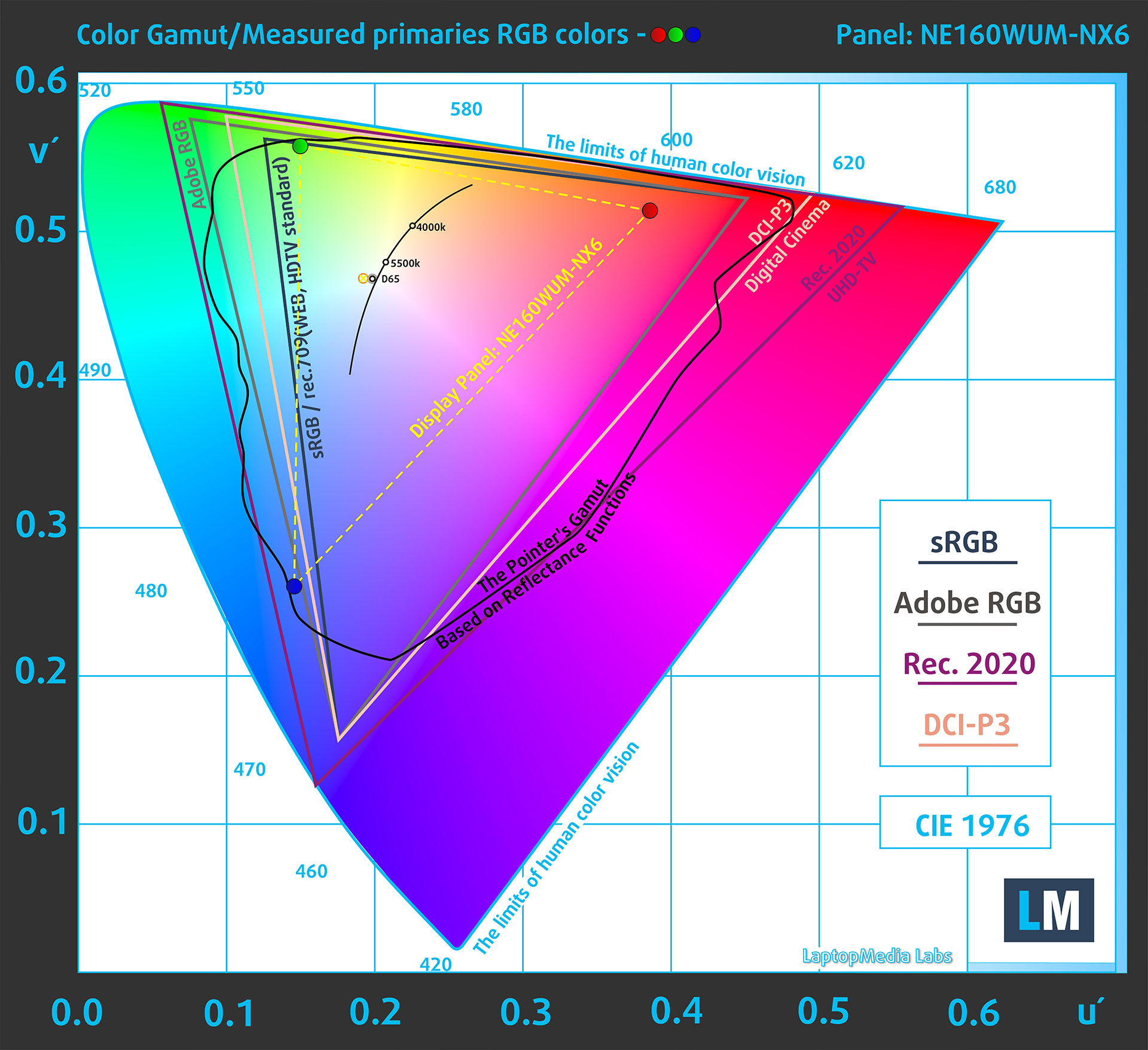
(Fig.1) Gigabyte Gaming A16 covers 52% of the sRGB gamut
Brightness and Contrast
The maximum brightness in SDR mode is 323 cd/m² in the center of the screen and 304 cd/m² averaged across the surface with a maximum deviation of 16%.
The Correlated Color Temperature (CCT) on a white screen at maximum brightness is 6920K.
The contrast ratio is 1650:1.

Uniformity: Luminance, Contrast, and Color Deviation
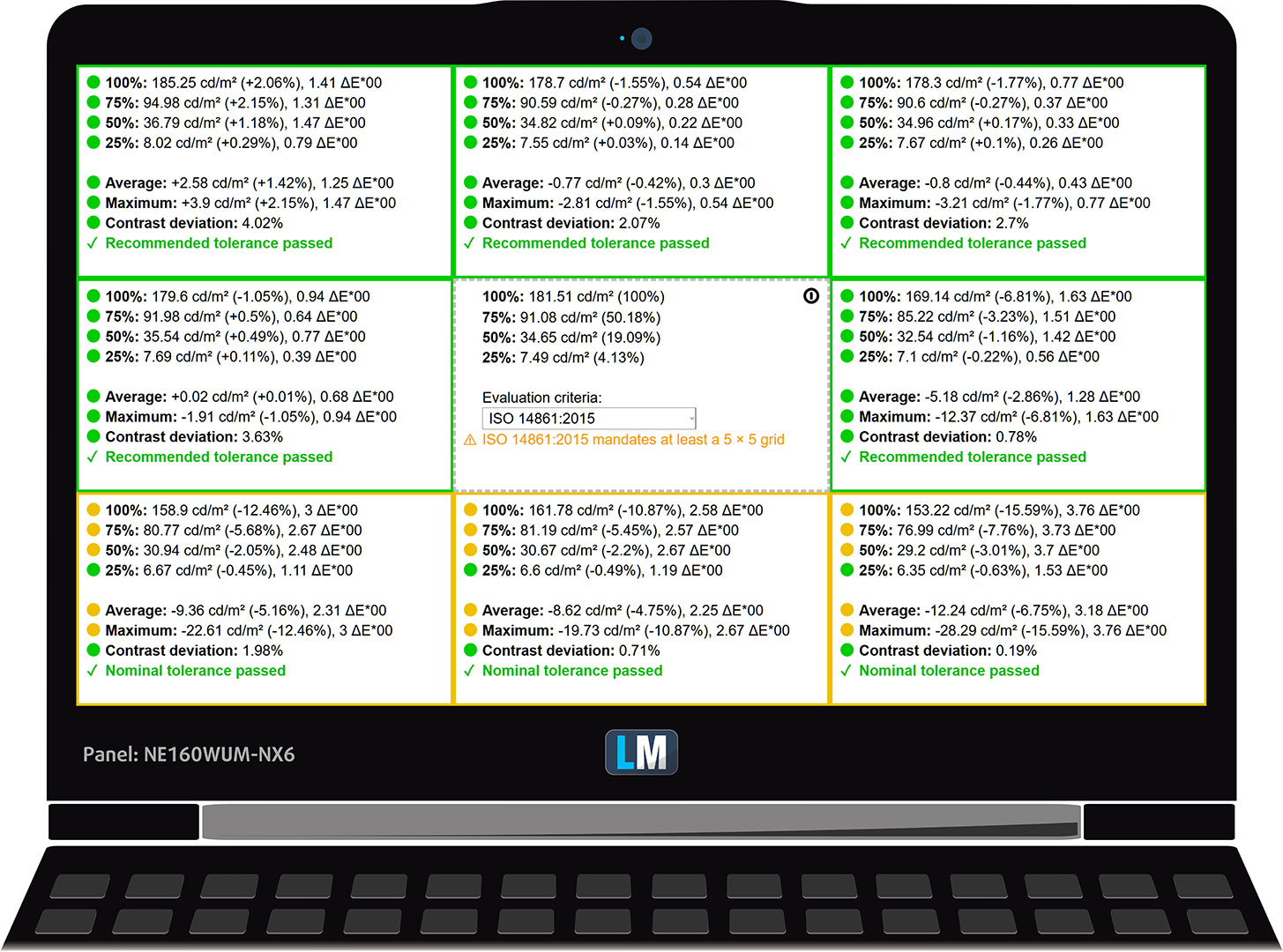
The figure below shows the results from our uniformity test across different sections of the screen. It’s measured at 180 nits (Windows slider = 67%) – a brightness level we consider typical for standard working conditions.
DeltaE values below 4.0 are acceptable for regular users. For those working with colors, screens with DeltaE values no higher than 2.0 are recommended.
Color Accuracy
Let’s check the difference between real colors and those you’ll see on the Gigabyte Gaming A16. We measure that distance in DeltaE – the higher the number, the more different they look.
Values below 4.0 are acceptable for regular users, while values below 2.0 are suitable for color-sensitive work. A value below 1.0 means the difference is indistinguishable to the naked eye.
For the next graph, we’ve selected 24 common colors, including dark/light skin, blue sky, green grass, etc.
Before our calibration of the Gigabyte Gaming A16, the Average color accuracy was 4.5 dE (Fig. 2), and with our Design and Office profile, it lowered to 3.4 dE (Fig. 3).
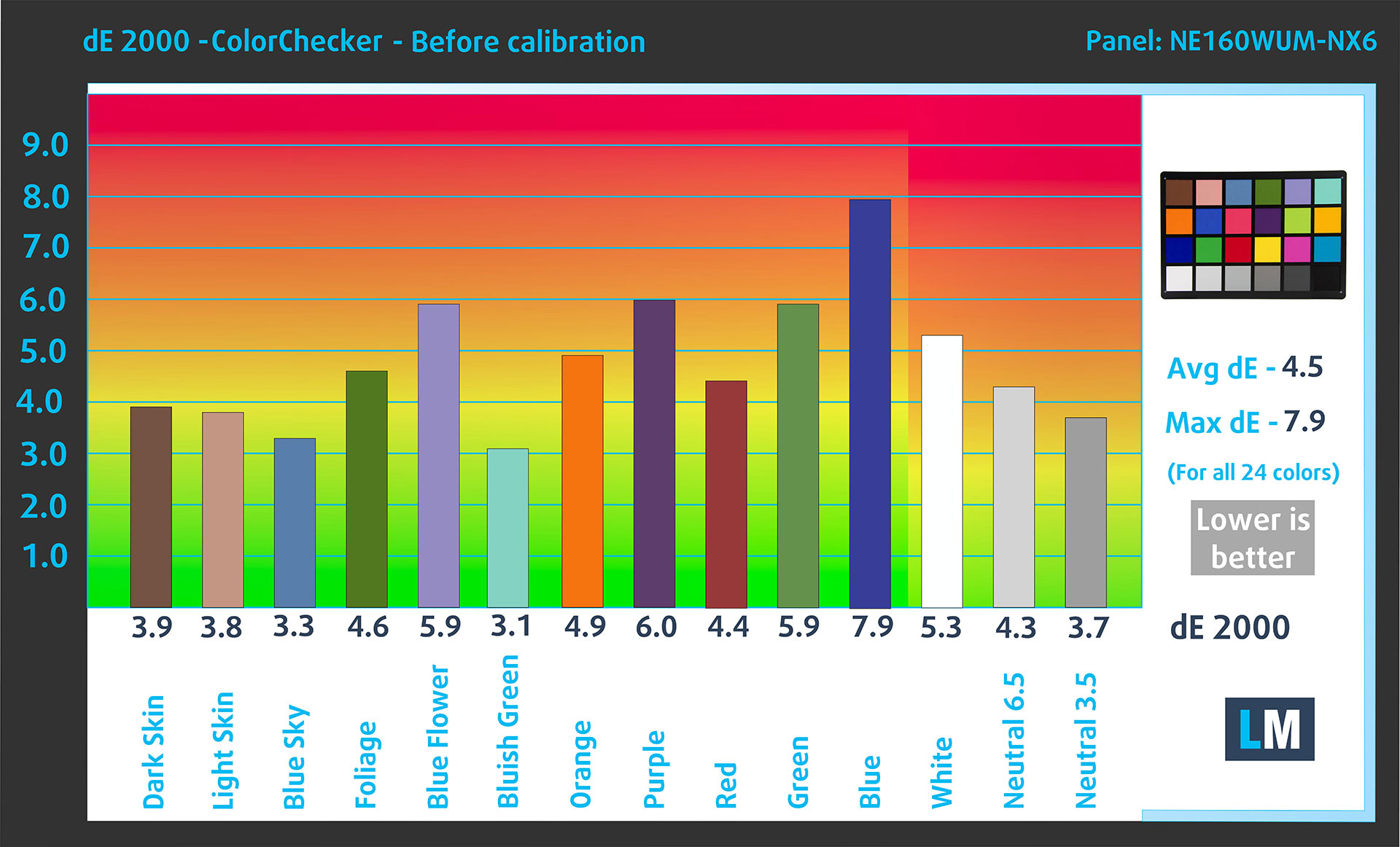
(Fig. 2) Gigabyte Gaming A16 in its factory condition
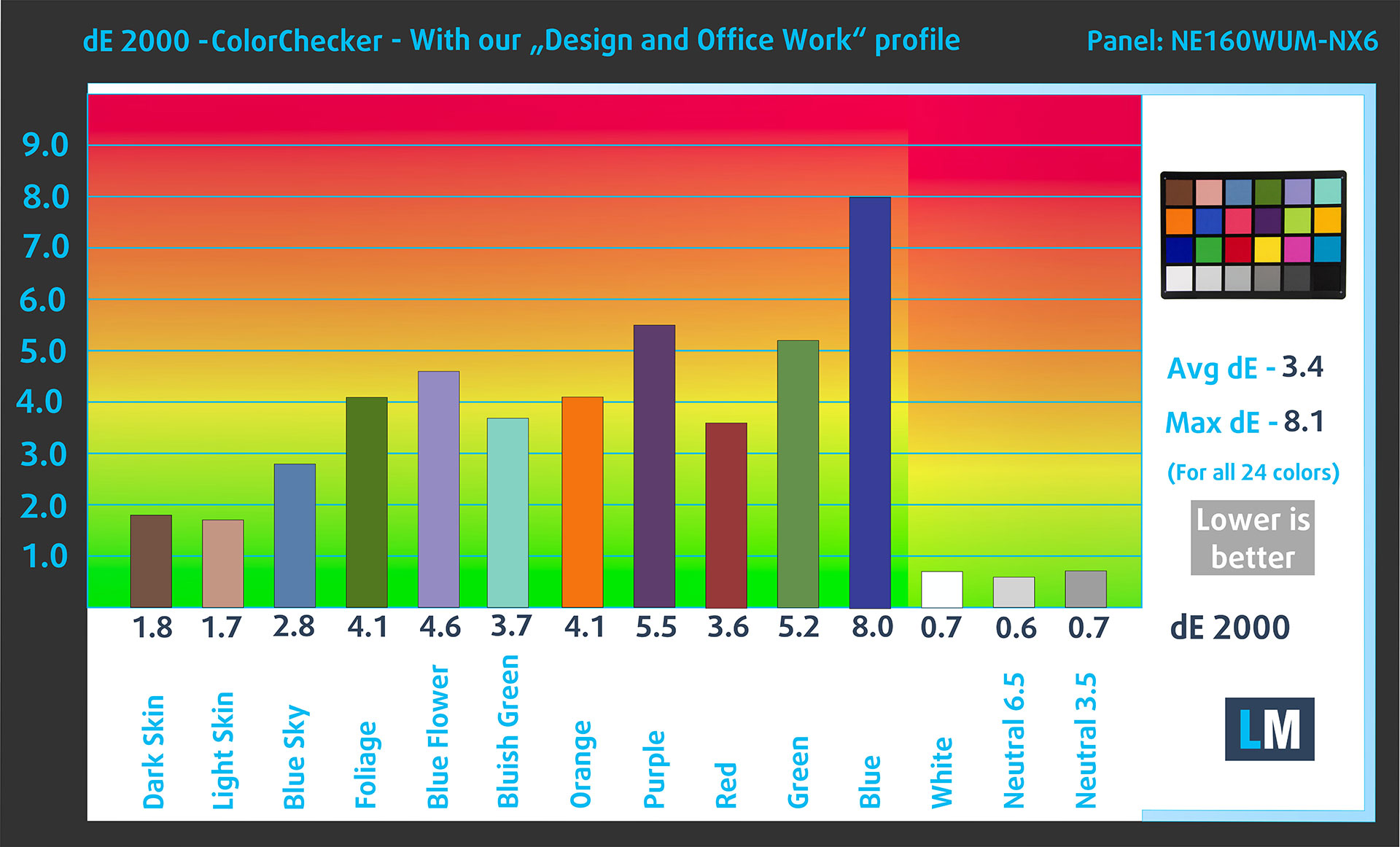
(Fig. 3) Gigabyte Gaming A16 with our display profile
Comparison in the sRGB color space.
Here’s an illustration of what the Design and Office profile aims to deliver:
Left: No Profile | Drag the slider to see the difference | Right: Design & Office Profile


Visibility in dark scenes
Have you ever watched a movie with dark scenes where you could barely see anything? This often happens because many display panels struggle to differentiate the darkest nuances, making them appear the same.
The next figure illustrates how well the display reproduces these dark nuances. The left side of the image shows the display with stock settings, and the right side shows it with our Gaming and movies profile activated.
On the horizontal axis are the grayscale levels, and on the vertical axis – the corresponding display brightness.
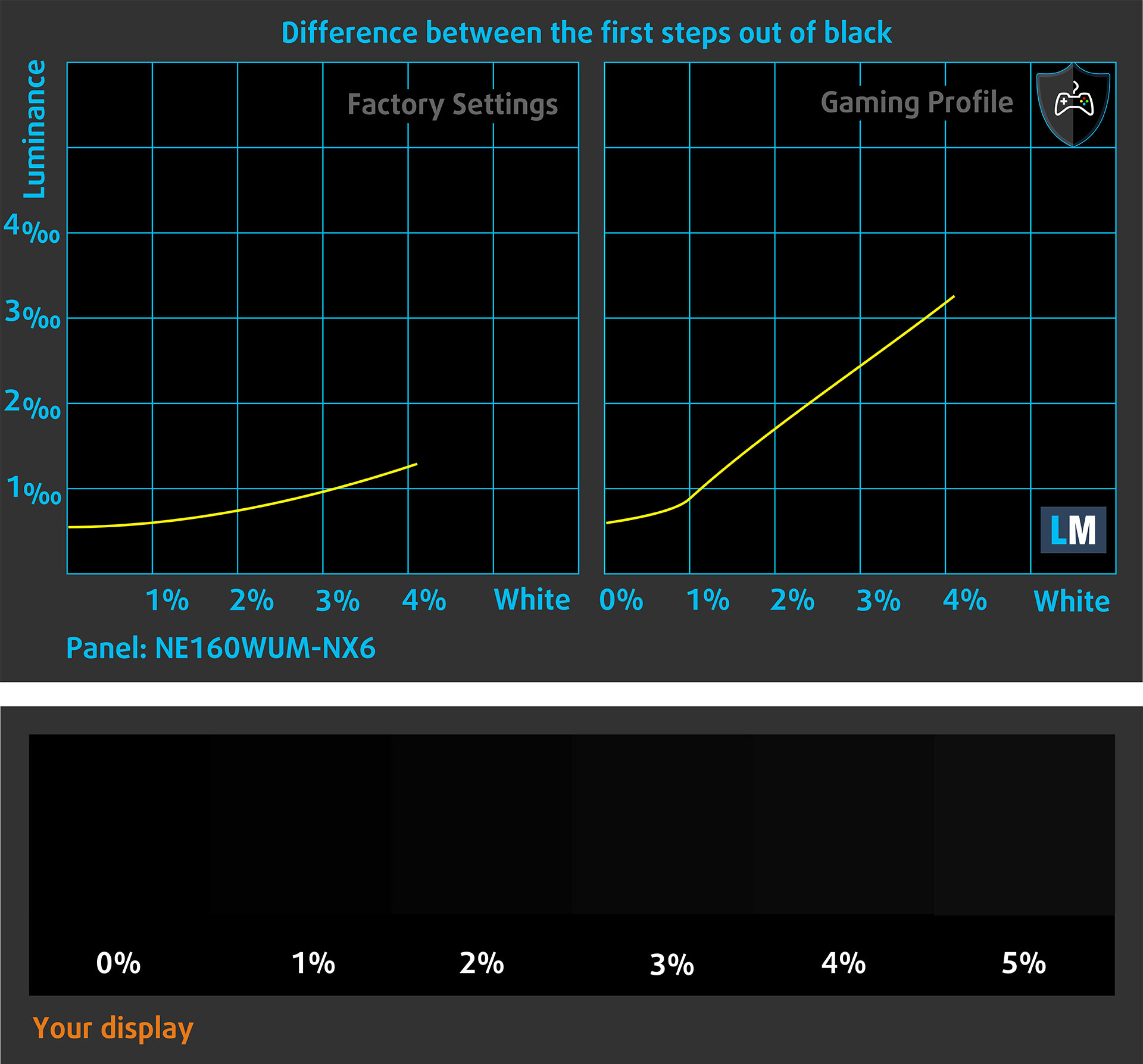
You can also check how your display handles the darkest nuances but keep in mind that this also depends on the settings of your current display and the surrounding light conditions.
Response time (Gaming capabilities)
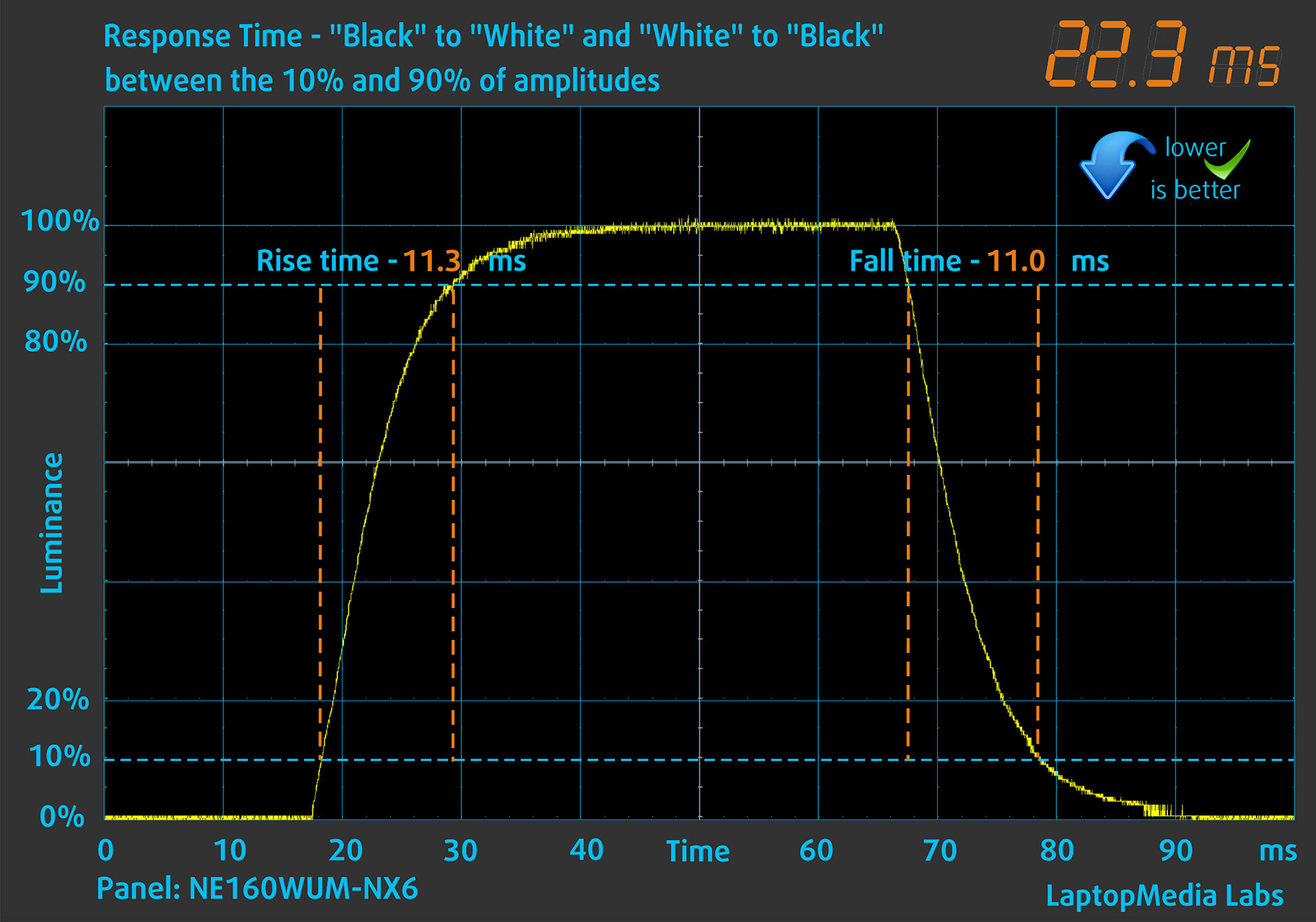
We test the reaction time of the pixels with the usual “black-to-white” and “white-to-black” method from 10% to 90% and vice versa.
We recorded Fall Time + Rise Time = 8.2 ms. Short pixel response time is a prerequisite for a smooth picture in dynamic scenes.
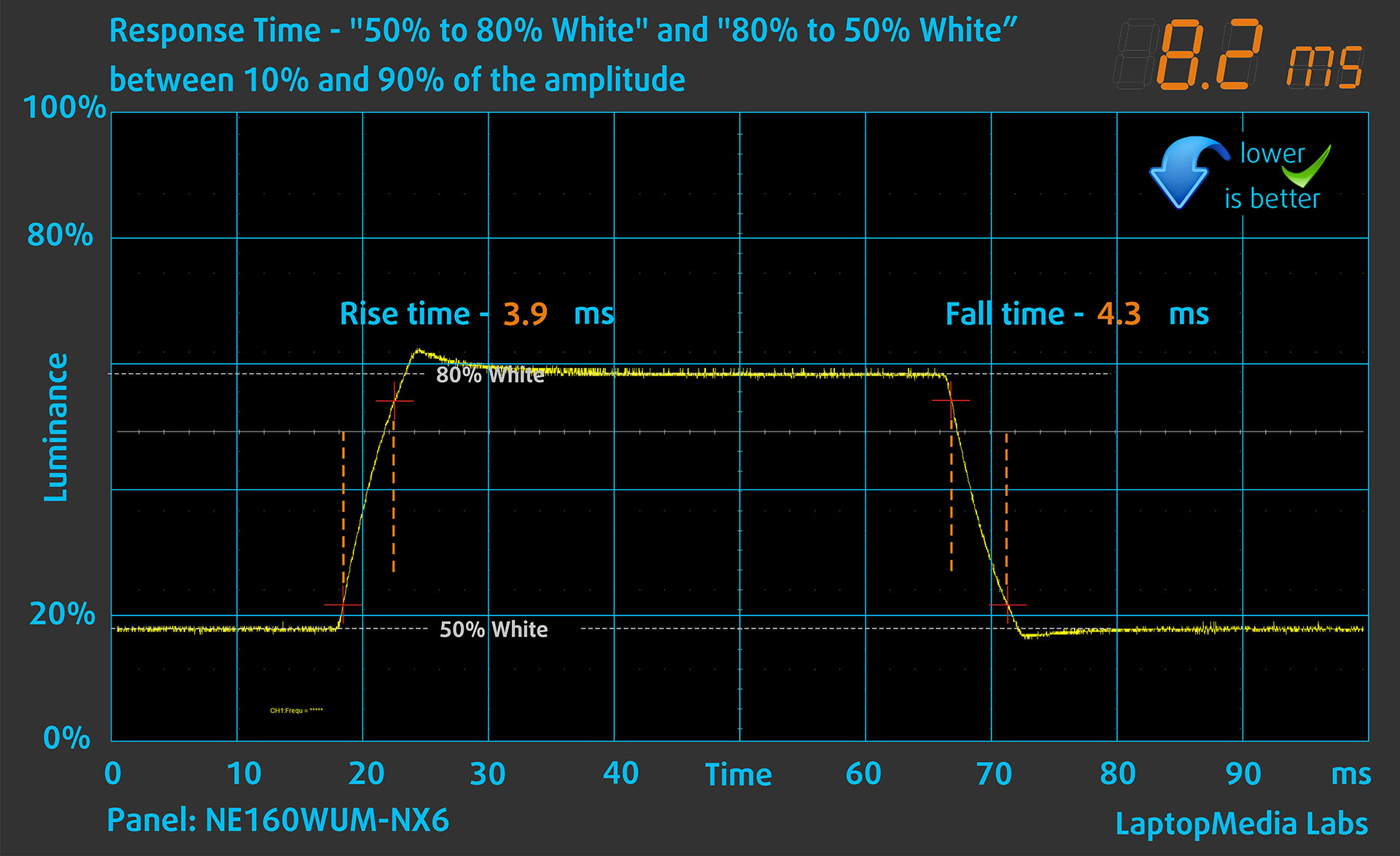
After that, we test the reaction time of the pixels with the usual “Gray-to-Gray” method from 50% White to 80% White and vice versa between 10% and 90% of the amplitude.
Health Impact: PWM (Screen flickering)
Some use PWM to regulate their brightness, which means that instead of reducing the light intensity, they pulse or flicker. Our brain merges the image, so it appears darker, but this strains both it and our vision, especially when the frequency of the pulses is low. You can read more about that in our dedicated article on PWM.
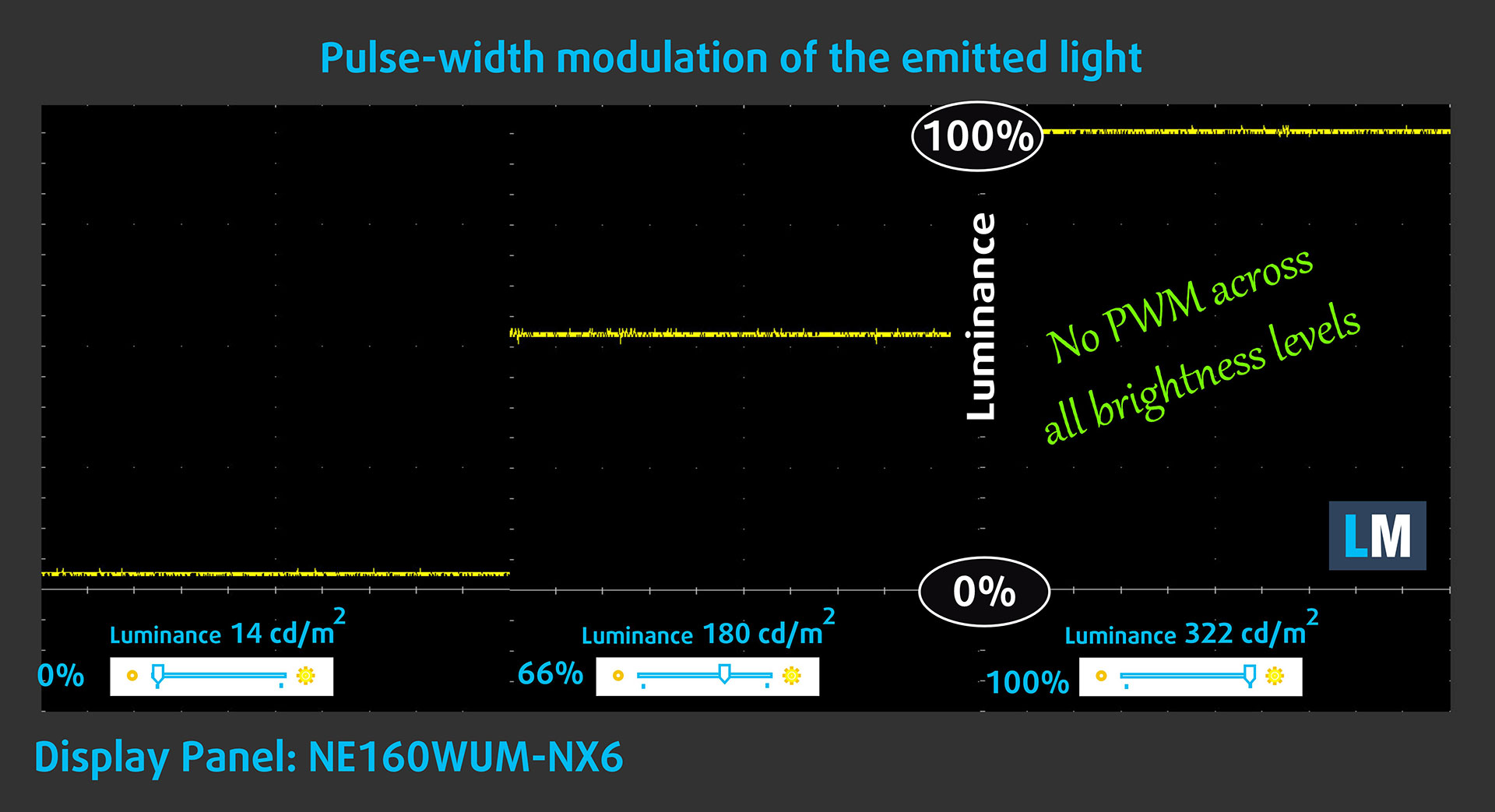
In the graph below, you see the intensity of light at different brightness levels—on the vertical axis is the brightness of the emitted light, and on the horizontal axis—time.
The light from the backlight of the Gigabyte Gaming A16 display is not pulse-width modulated, providing visual comfort in the discussed aspect.
Health Impact: Blue light emissions
Installing our Health-Guard profile reduces harmful Blue Light emissions while keeping the colors of the screen perceptually accurate.
If you’re not familiar with the Blue light, the TL;DR version is – emissions that negatively affect your eyes, skin, and your whole body. You can find more information about that in our dedicated article on Blue Light.
Health Impact: Screen Reflectance
Glossy-coated displays can cause eye fatigue in high ambient light conditions due to reflections. We measure the level of screen reflection with the display turned off, at a 60° angle.
The reflectance of the Gigabyte Gaming A16’s screen is 58.5 GU. This is a good result.
High Gloss: >70 GU
Medium Gloss: 30 – 70 GU
Low Gloss: <30 GU
Get our profiles
Since our profiles are tailored for each individual display model, this article and its respective profile package are meant for Gigabyte Gaming A16 configurations with NE160WUM-NX6 (BOE0B77), 1920 x 1200, IPS panel.
*Should you have problems with downloading the purchased file, try using a different browser to open the link you’ll receive via e-mail. If the download target is a .php file instead of an archive, change the file extension to .zip or contact us at [email protected].
Read more about the profiles HERE.
In addition to receiving efficient and health-friendly profiles, by buying LaptopMedia's products you also support the development of our labs, where we test devices in order to produce the most objective reviews possible.

Design and Office
The Design and Office profile makes display colors as close to real as possible.Ideal not only for professionals but also for everyday users, it meets sRGB standards (D65 white point, sRGB gamma) with minimal DeltaE for precise color reproduction on your panel.

Gaming and Movies
Have you ever watched a movie where, during dark scenes, you can barely see anything? Many displays fail to distinguish dark tones properly. Our Gaming and Movies profile enhances low-light performance, like HDR tech, using a gamma curve tailored to human perception — ideal for gamers seeking faster reactions and clearer visuals.

Health-Guard
Our Health-Guard profile protects your eyes by eliminating PWM flickering, reducing strain and fatigue, and minimizing harmful Blue light exposure that can disrupt sleep and health. It uses software dimming and a gamma curve tailored to human perception for comfort and safety during screen use.
Get All The Profiles With 33% Discount!

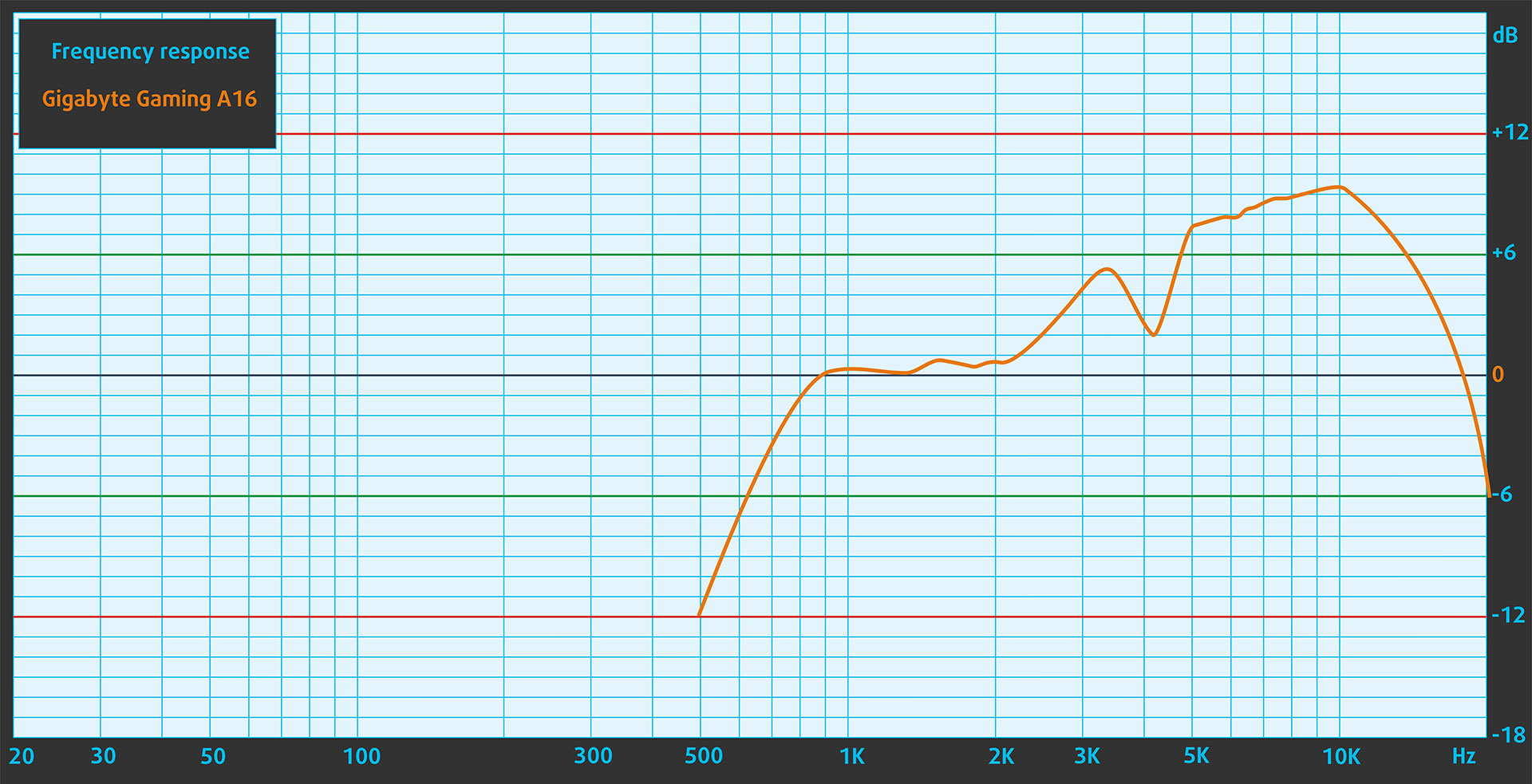
Sound
The sound quality of the Gigabyte Gaming A16, emitted by the built-in speakers, is very good. The low, mid, and high frequencies are clear.
Work Performance: CPU, Storage, AI

All performance and temperature tests are conducted with Performance (Game Mode) activated in GiMATE:
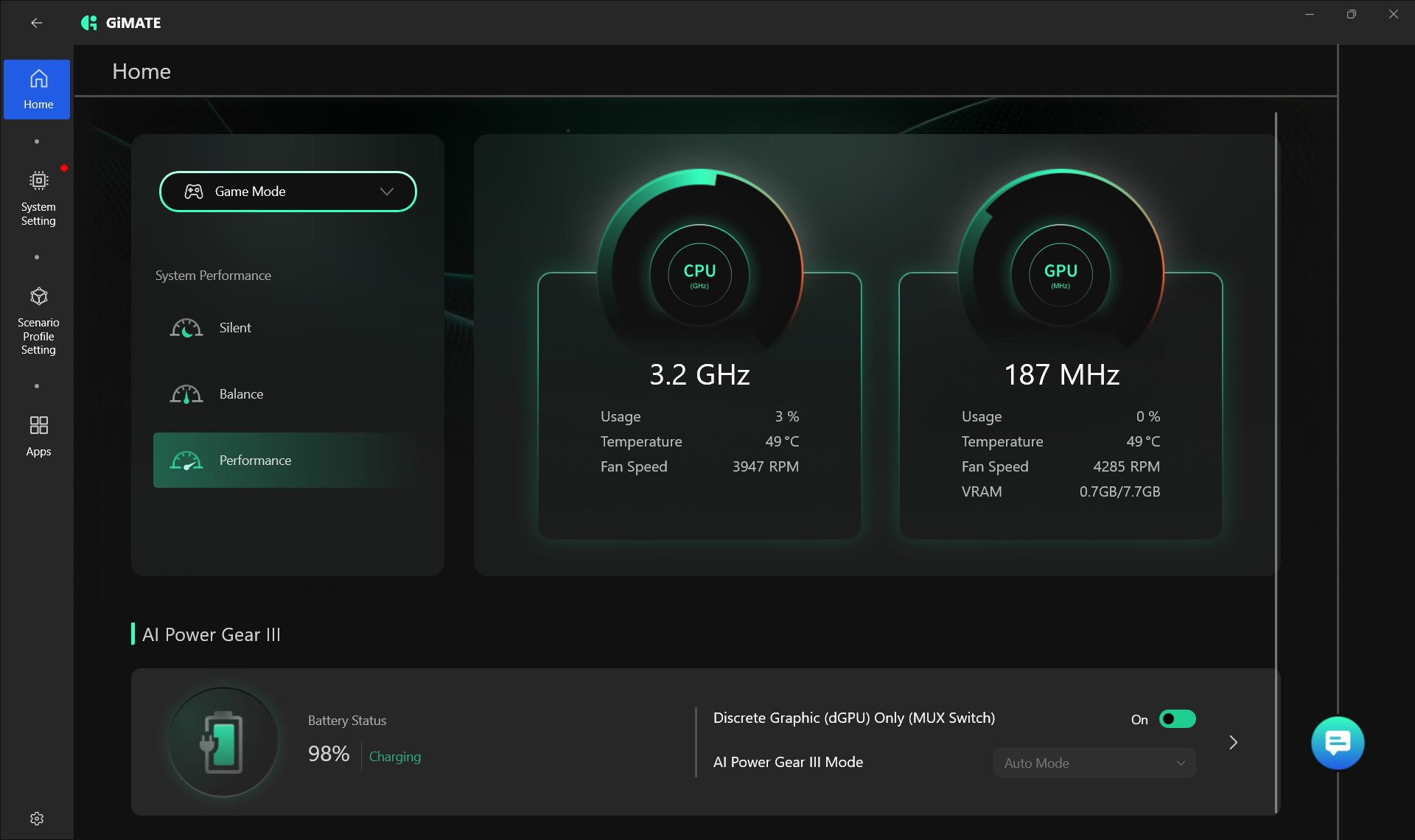
GiMATE may take a hefty 7GB of storage, but on the GIGABYTE Gaming A16 GA63H it clearly earns its place. In our testing, the newer app delivered consistently better GPU benchmark results than the older Gigabyte Control Center in Performance mode, with gains ranging from 9% to 11%:
| Benchmark | Gigabyte Control Center | GiMATE | % Difference |
|---|---|---|---|
| Steel Nomad Light Unlimited | 11697 | 12908 | +10.4% |
| Time Spy (Graphics) | 11709 | 12785 | +9.2% |
| Wild Life Extreme Unlimited | 20557 | 22858 | +11.2% |
CPU and Work Performance
The GIGABYTE GAMING A16 GA63H is configured with the AMD Ryzen 7 260, a processor aimed at users who need solid performance for gaming, everyday multitasking, and general productivity. In our Top Laptop CPU Ranking, it currently holds the #60 position, which places it in the upper mid-range segment. This makes the laptop a sensible option for buyers who want capable hardware without stepping into the most expensive configurations.
Compared to the other AMD Ryzen 7 260 laptops we’ve tested, Acer Nitro V 16 AI ANV16-42 (detailed review) and Acer Nitro V 17 AI ANV17-41 (detailed review), Gigabyte A16 matches the performance of the 17-inch Nitro in Cinebench 2024.
Single-core performance ensures smooth operation and responsiveness in operating systems, providing a better user experience.
Results are from the Geekbench 6 Single-Core test (higher is better)

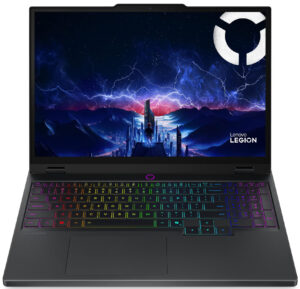
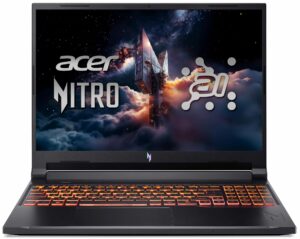
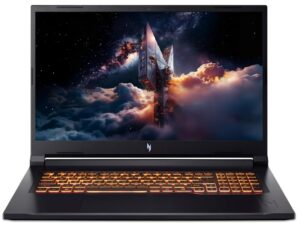
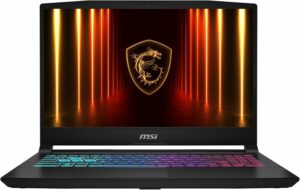
Multi-core performance is essential for handling complex and demanding tasks, such as Video editing, CAD, and Scientific simulations.
Results are from the Geekbench 6 Multi-Core test (higher is better)
Here, we evaluate the CPU's performance using a real-world 3D rendering task, assessing its ability to handle complex computations and rendering workloads efficiently.
Results are from the Cinebench 2024 Multi-Core test (higher is better)
Storage Performance
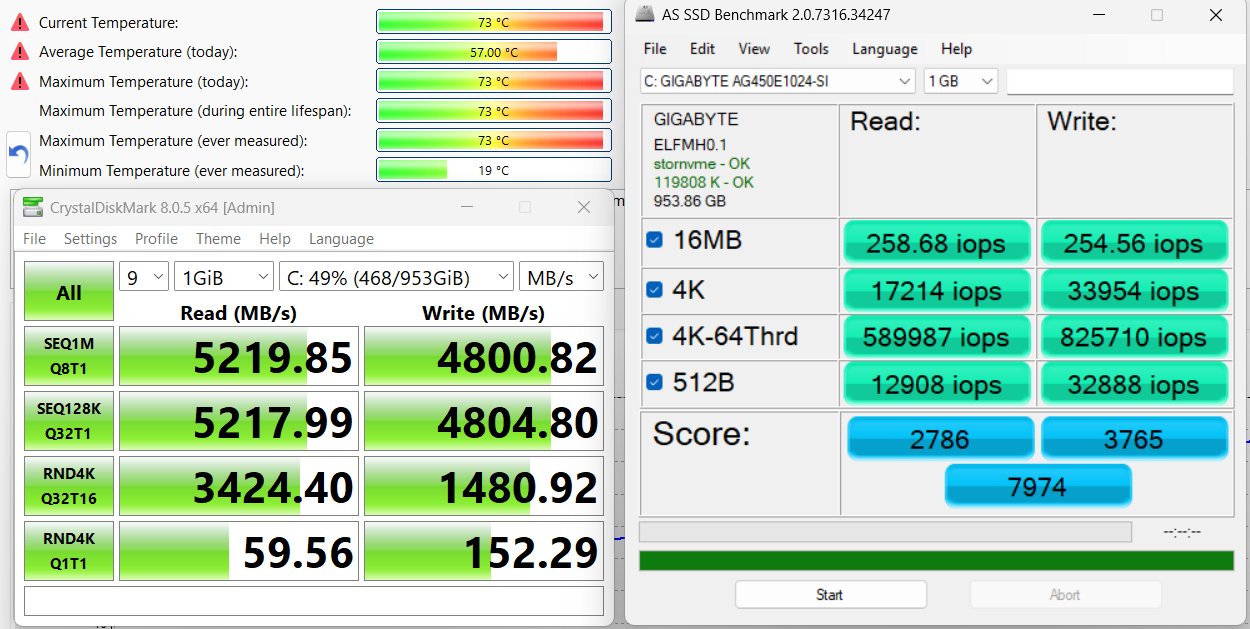
GIGABYTE GAMING A16 GA63H has two M.2 slots – one Gen4 x4 and one Gen4 x2. We ordered a configuration with 1TB of storage and it arrived with GIGABYTE AG450E1024-SI NVMe on the main slot.
This is a PCIe 4.0 NVMe drive, reaching 5.2GB/sec sequential read and 4.8GB/sec sequential write speeds in our benchmark, while keeping the temperatures acceptable.
AI Performance
Here you can see the position of the GPUs and CPUs (NPUs) found within the GIGABYTE GAMING A16 GA63H in our AI Hardware Performance Rankings based on their AI processing power, measured in TOPS (Tera Operations Per Second) - a critical metric indicating the computational throughput, particularly for AI tasks.
The first column shows peak performance for INT8/FP8 precision, which is the most widespread metric for evaluating AI inference capabilities. We exclude Sparsity to provide a more accurate reflection of AI performance in dense computation scenarios where sparsity optimizations may not be applicable. The second and third columns show the performance with Sparsity, and FP4 TFLOPS, when supported.
For SoCs, the results reflect the peak performance of the integrated NPU. Additionally, it’s important to note that, according to Microsoft, a NPU must have at least 40 TOPS of AI computing power for the PC to be considered “AI-capable.”
| # | GPU / CPU (NPU) | TOPS INT8/FP8 No Sparsity | TOPS INT8/FP8 Sparsity | TFLOPS FP4 Sparsity |
|---|---|---|---|---|
| 849. | NVIDIA GeForce RTX 5070 (Laptop) | 173 | 346 | 692 |
| 1015. | NVIDIA GeForce RTX 5060 (Laptop) | 133 | 266 | 532 |
| 1708. | AMD Ryzen 7 260 | 16 | — | — |
GPU and Gaming Performance
On the graphics side, the series is available with several NVIDIA laptop GPUs, including the GeForce RTX 5050, RTX 5060, and RTX 5070. The RTX 5070 is the fastest option of the three and ranks #27 in our Top Laptop Graphics Ranking, while the RTX 5060 and RTX 5050 sit at #60 and #85, respectively. This gives the lineup a fairly wide performance spread, depending on whether the focus is on better value or higher gaming headroom.
GIGABYTE GAMING A16 GA63H is not the fastest RTX 5070-equipped notebook but it’s a good contender, considering its budget price tag. It scores 6% below the average result for RTX 5070.
The results are from 3DMark Time Spy (Graphics). Higher is better.
The results are from 3DMark Wild Life Extreme Unlimited. Higher is better.
Gaming tests

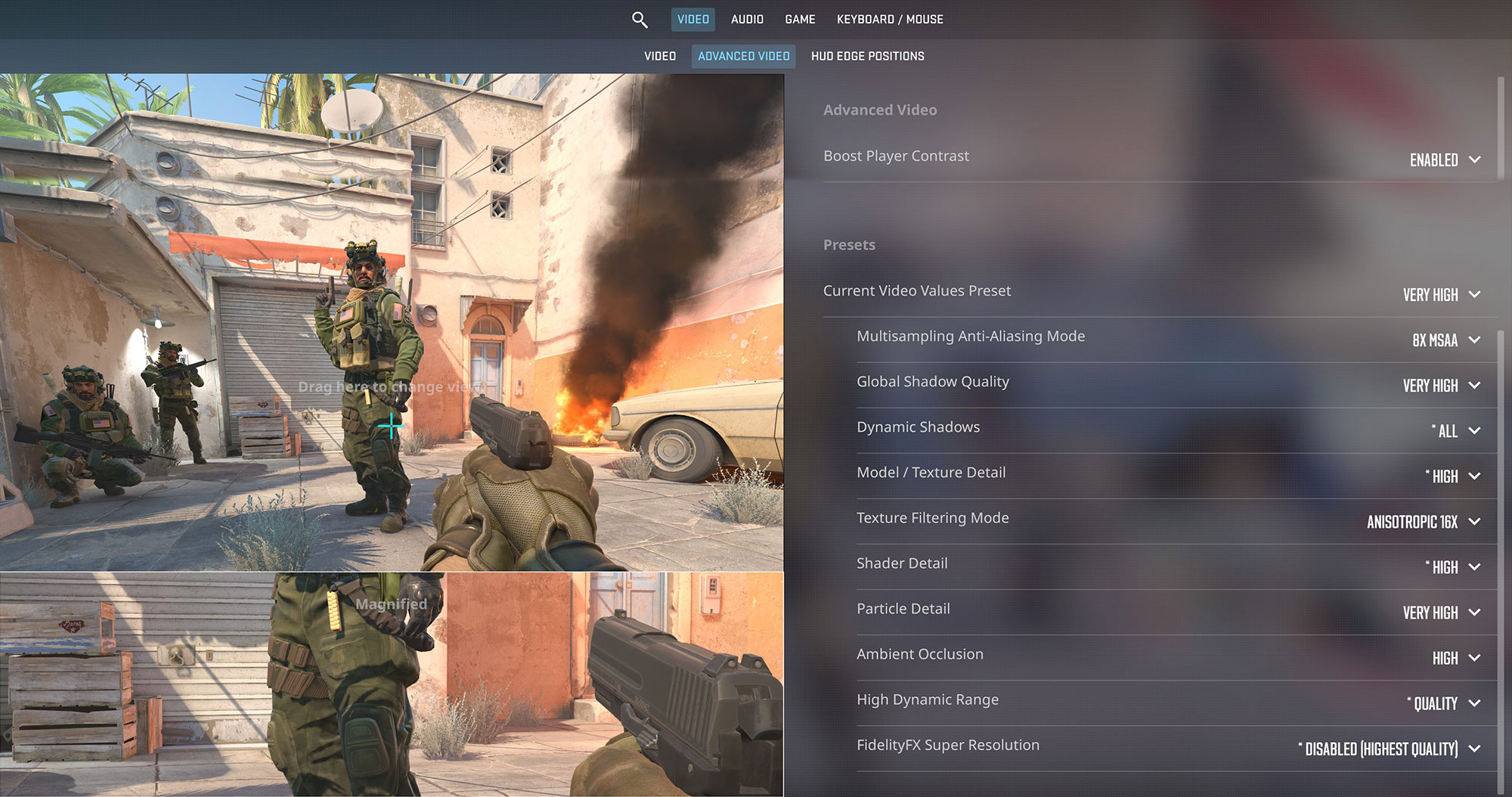
The GIGABYTE GAMING A16 GA63H is highly capable for competitive gaming. In Counter-Strike 2, it delivers a blistering 214 FPS at 1080p on Very High settings, taking full advantage of the laptop’s 165Hz display for a seamlessly fluid experience.
| Counter Strike 2 | 1080p, Very High (Check settings) |
| Average FPS | 214 FPS |

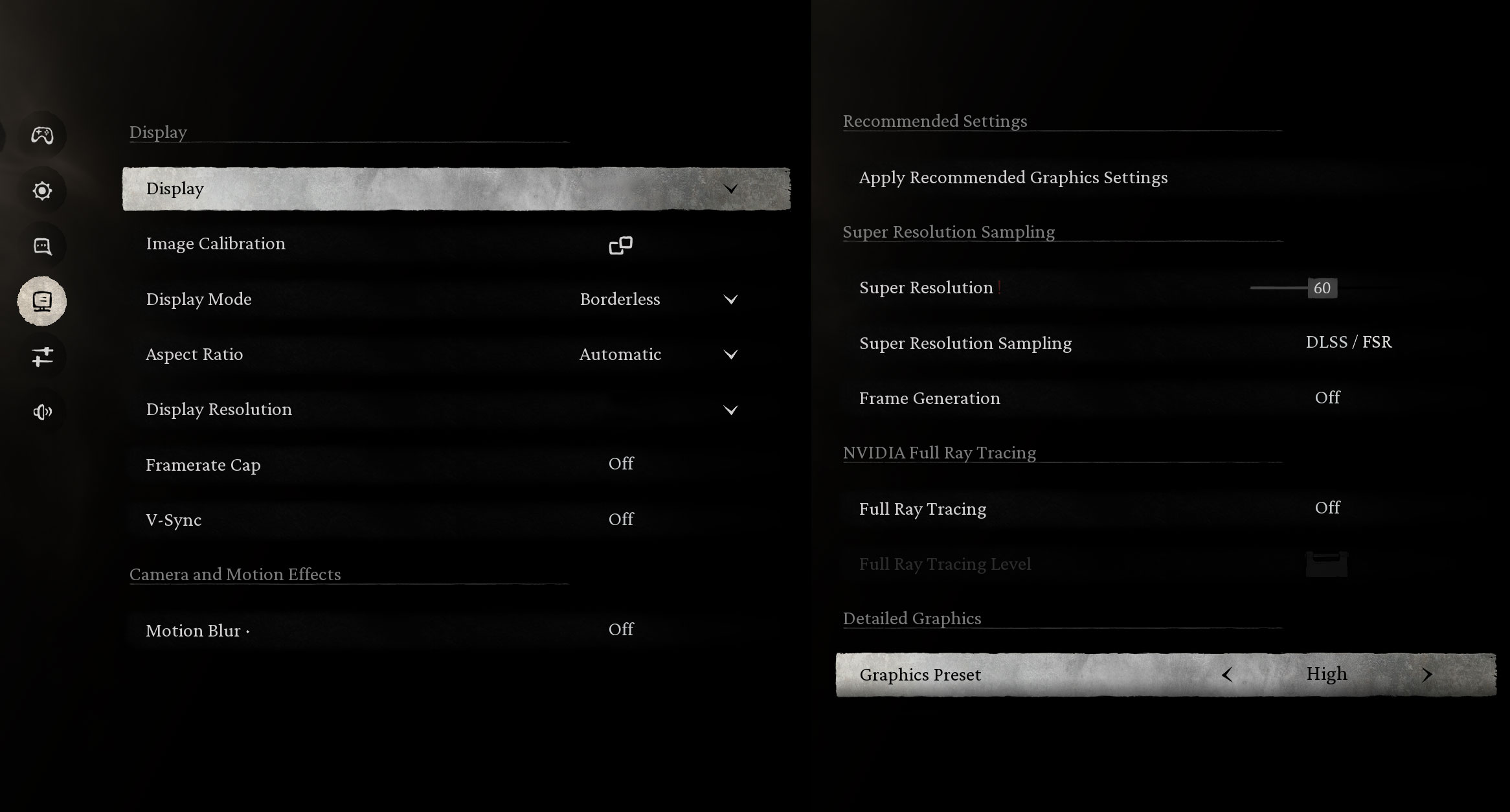
When dealing with graphically demanding titles like Black Myth: Wukong, the RTX 5070 shows its strength. It averages a very smooth 95 FPS at the native 1200p resolution on High settings, providing a visually rich and stutter-free experience.
| Black Myth: Wukong | 1200p, High (Check settings) |
| Average FPS | 95 FPS |

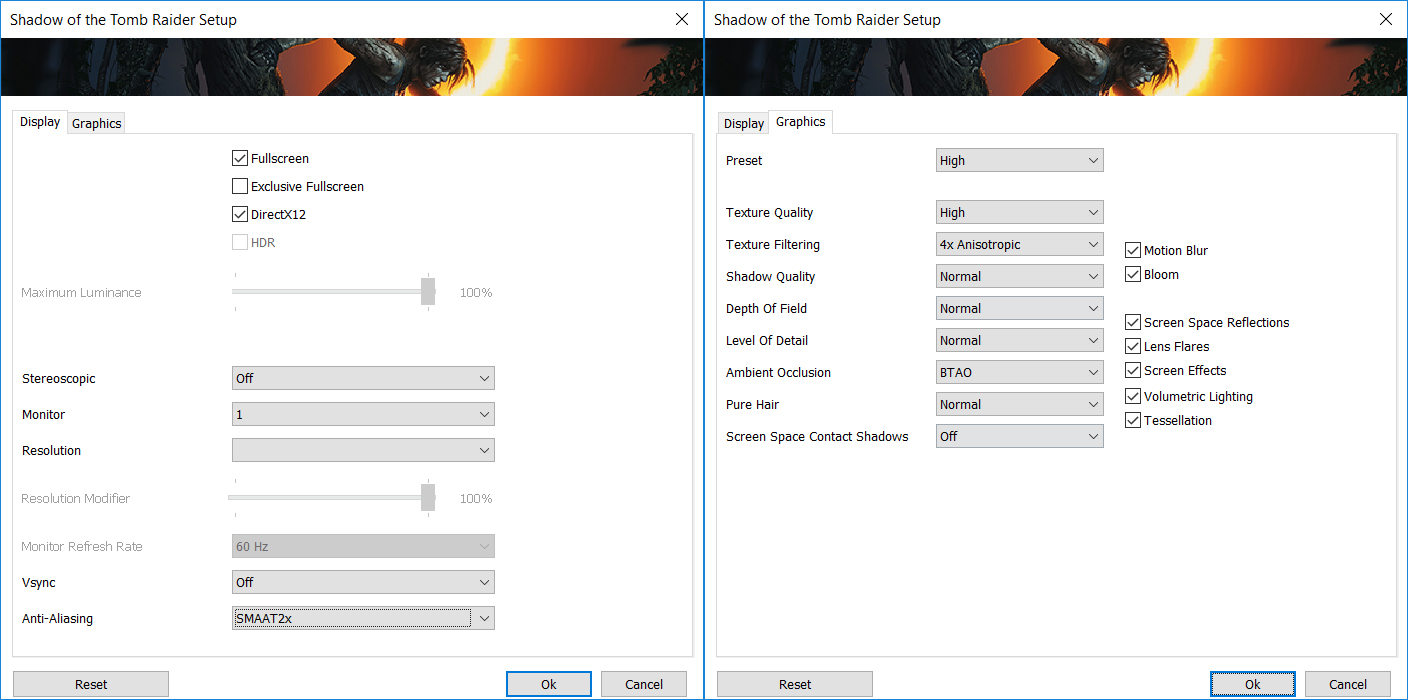
For action-adventure games, this machine runs flawlessly. Shadow of the Tomb Raider pushes a fantastic 131 FPS at 1200p on the High preset, ensuring smooth and responsive gameplay throughout your journey.
| Shadow of the Tomb Raider | 1200p, High (Check settings) |
| Average FPS | 131 FPS |

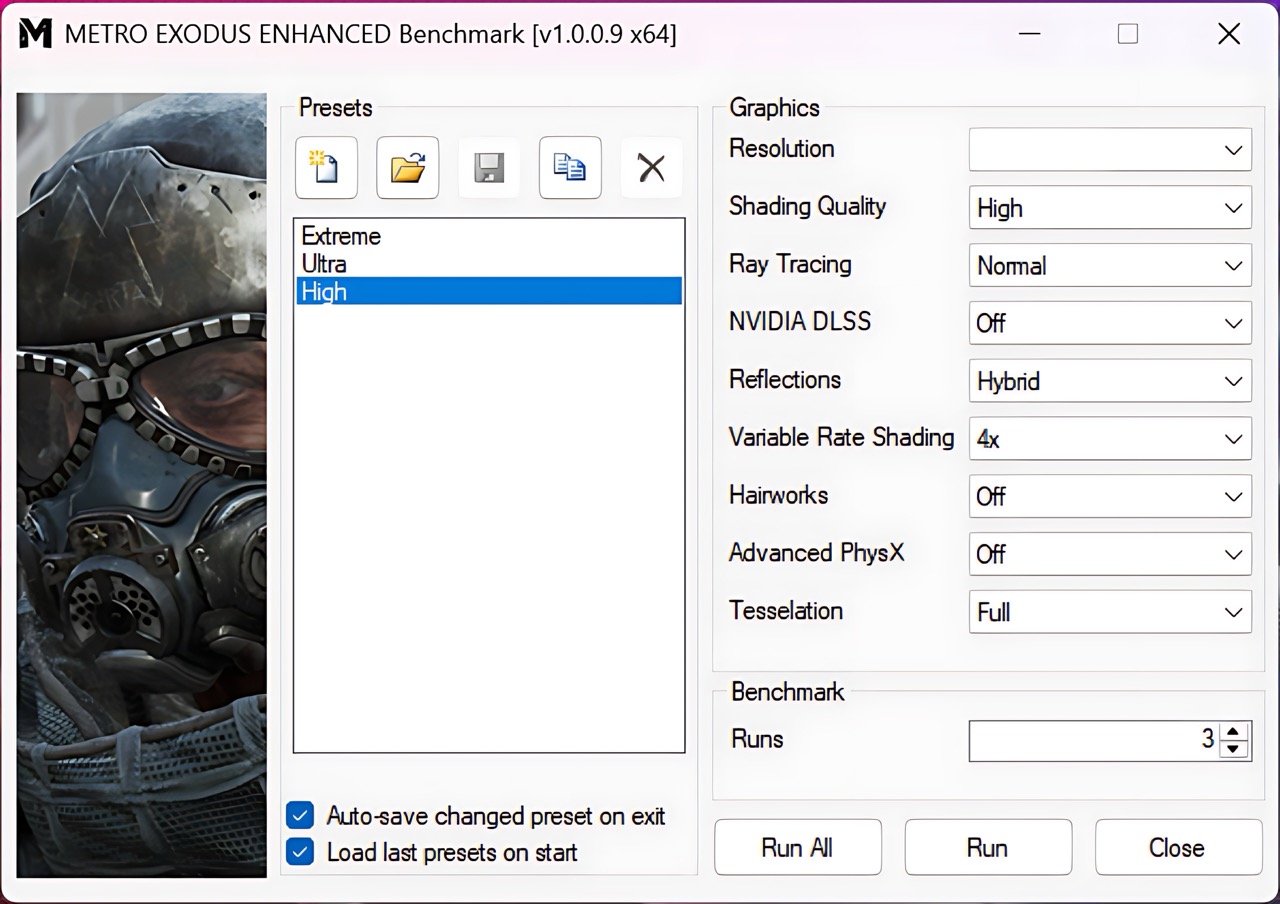
The laptop handles the heavy ray-tracing demands of Metro Exodus Enhanced Edition with ease. It maintains a solid 88 FPS on High settings at 1200p, keeping performance comfortably above the 60 FPS threshold for an immersive playthrough.
| Metro Exodus Enhanced Edition | 1200p, High (Check settings) |
| Average FPS | 88 FPS |
Temperatures and Comfort, Noise, Stability
At idle, the CPU package of the GIGABYTE GAMING A16 GA63H maintains a very cool temperature of 39ºC, and the notebook remains almost completely silent. The CPU fan is spinning at 1657 RPM, and the one for the GPU – at 1639 RPM.
Office Work, Web Development, Design
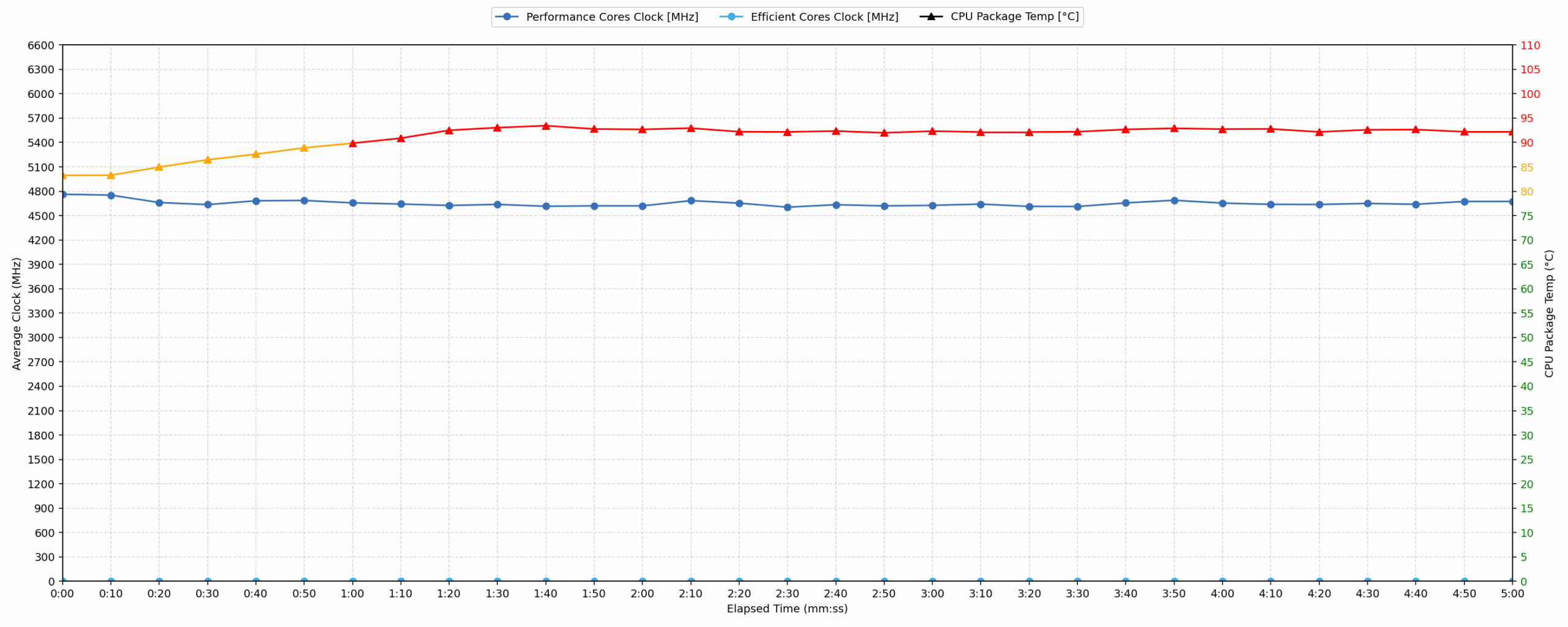
Short periods (0:00 – 0:10 s) of 100 % CPU load
This test shows the CPU behavior during short periods of serious load. It’s important for users who are looking for laptops suitable for tasks like Web Design and Programming.
| AMD Ryzen 7 260 | Avg. P-Core Clock | Avg. CPU Temp. | Avg. CPU Power |
| ASUS TUF Gaming A16 FA608 (2025) | 4879 MHz | 68 °C | 70 W |
| Lenovo Legion 5 (15″, Gen 10) | 4806 MHz | 90 °C | 84 W |
| GIGABYTE GAMING A16 GA63H | 4762 MHz | 83 °C | 71 W |
| Acer Nitro V 16 AI (ANV16-42) | 4547 MHz | 73 °C | 59 W |
| Acer Nitro V 17 AI (ANV17-41) | 4537 MHz | 76 °C | 59 W |
During short-burst tasks, the GIGABYTE GAMING A16 GA63H positions itself in the middle of the competitive field. With an average frequency of 4762 MHz, it comfortably outperforms both the Acer Nitro V 16 and V 17 AI models. However, it trails the ASUS TUF Gaming A16 and Lenovo Legion 5 in raw clock speed. Thermally, the CPU reaches an average of 83 °C, which is considered an acceptable temperature. While it operates significantly cooler than the Lenovo Legion 5’s 90 °C in this scenario, it cannot match the thermal efficiency of the ASUS TUF.
Video editing, Scientific computing, Software compilation, 3D rendering
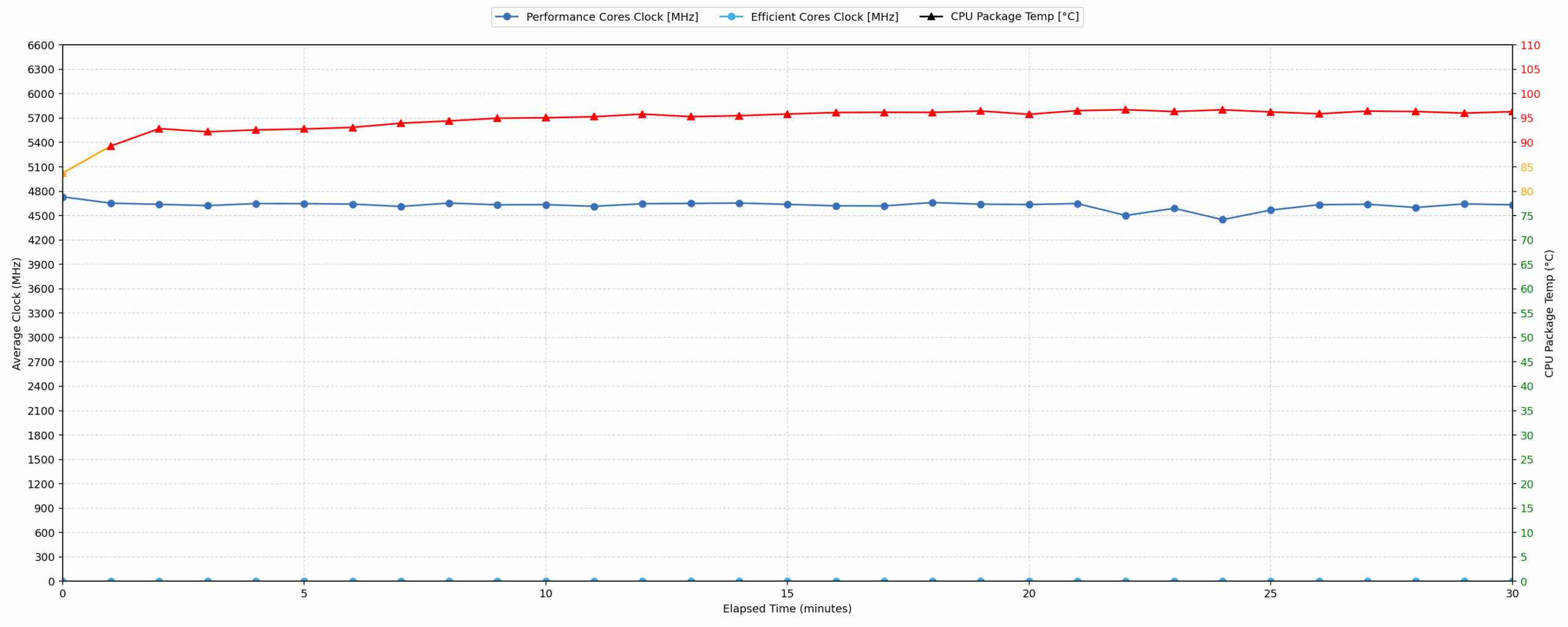
Long periods (0:00 – 30:00 min) of 100 % CPU load
This test shows the CPU behavior during long periods of serious load. It’s important for users who are looking for laptops suitable for tasks like Video Editing and 3D Rendering.
| AMD Ryzen 7 260 | Avg. P-Core Clock | Avg. CPU Temp. | Avg. CPU Power |
| ASUS TUF Gaming A16 FA608 (2025) | 4810 MHz | 84 °C | 77 W |
| Lenovo Legion 5 (15″, Gen 10) | 4674 MHz | 99 °C | 79 W |
| GIGABYTE GAMING A16 GA63H | 4624 MHz | 94 °C | 64 W |
| Acer Nitro V 17 AI (ANV17-41) | 4431 MHz | 82 °C | 53 W |
| Acer Nitro V 16 AI (ANV16-42) | 4418 MHz | 75 °C | 53 W |
Under sustained 100% CPU load, the Ryzen 7 260 in this GIGABYTE model maintains an average clock speed of 4624 MHz. While this is faster than the results from the Acer Nitro V 16 and V 17 AI, the thermal cost is significant. The average temperature reaches 94 °C, which is classified as high. This is notably better than the Lenovo Legion 5’s 99 °C but considerably warmer than the ASUS TUF Gaming A16, which runs 10 °C cooler while delivering higher frequencies. The power draw stabilizes at 64 W, indicating a balanced but hot performance profile.
Gaming Stability
Continuous gaming (1-hour test)
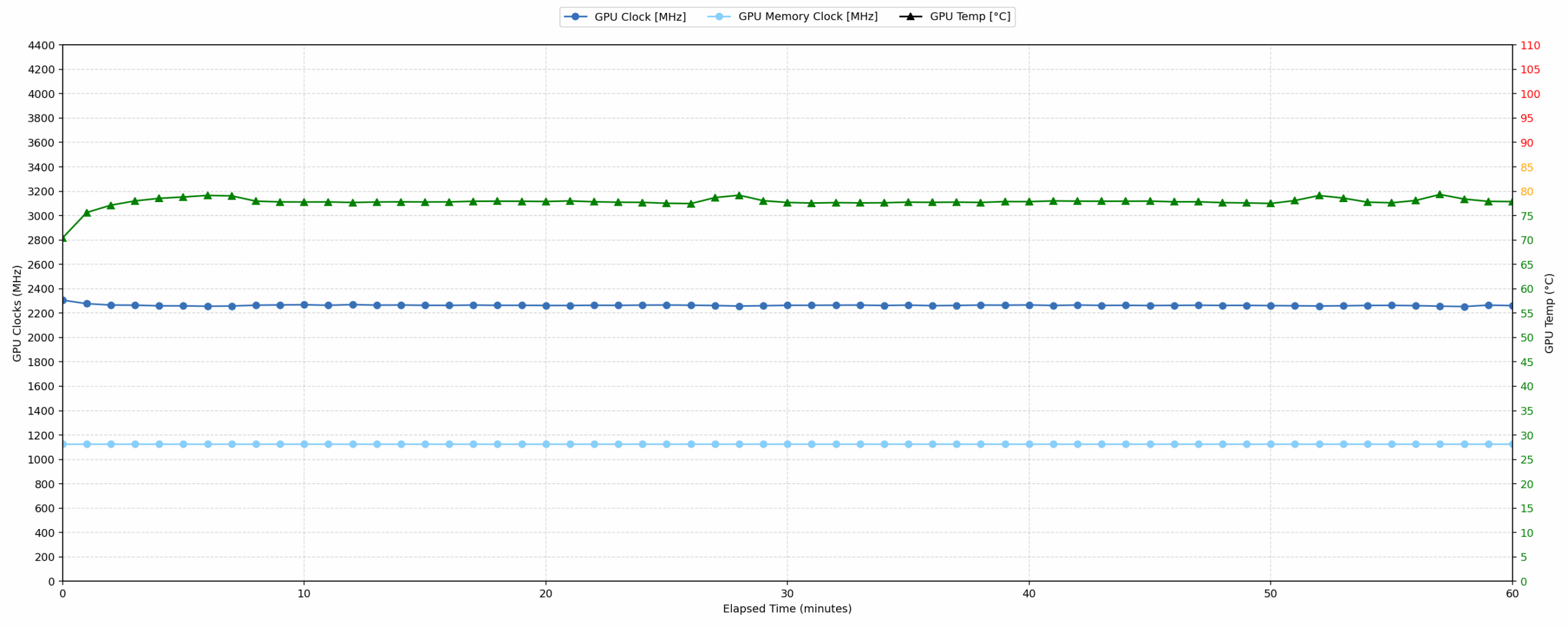
This test evaluates the laptop’s performance under sustained GPU load and high CPU usage.
| NVIDIA GeForce RTX 5070 | Avg. GPU Clock | Avg. GPU Temp. | Avg. Memory Clock | Avg. GPU Mem Temp. | Avg. GPU Power |
| Lenovo Legion 5i (15″, 15IRHX10, Gen 10) | 2700 MHz | 82 °C | 1125 MHz | 71 °C | 113 W |
| Acer Nitro 18 AI (AN18-61) | 2588 MHz | 79 °C | 1125 MHz | 75 °C | 113 W |
| ASUS ProArt P16 H7606 (2025) | 2553 MHz | 84 °C | 1125 MHz | 83 °C | 102 W |
| Alienware 16X Aurora (AC16251) | 2528 MHz | 86 °C | 1125 MHz | 81 °C | 111 W |
| HP OMEN 16 (16-ap0000) | 2510 MHz | 77 °C | 1125 MHz | 69 °C | 113 W |
| Acer Nitro V 17 AI (ANV17-41) | 2489 MHz | 82 °C | 1093 MHz | 77 °C | 93 W |
| Acer Predator Triton 14 AI (PT14-52T) | 2462 MHz | 81 °C | 1125 MHz | 75 °C | 107 W |
| Acer Nitro V 16 (ANV16-72) | 2460 MHz | 78 °C | 1125 MHz | 75 °C | 93 W |
| MSI Katana 17 HX B14W | 2452 MHz | 85 °C | 1125 MHz | 83 °C | 106 W |
| Lenovo Legion 7i (16”, Gen 10 / 16IAX10) | 2441 MHz | 83 °C | 1125 MHz | 75 °C | 104 W |
| MSI Katana 15 HX B14W | 2376 MHz | 85 °C | 1500 MHz | 85 °C | 112 W |
| GIGABYTE GAMING A16 GA63H | 2264 MHz | 77 °C | 1125 MHz | 80 °C | 83 W |
| Alienware 16 Aurora (AC16250) | 2114 MHz | 73 °C | 1125 MHz | 72 °C | 74 W |
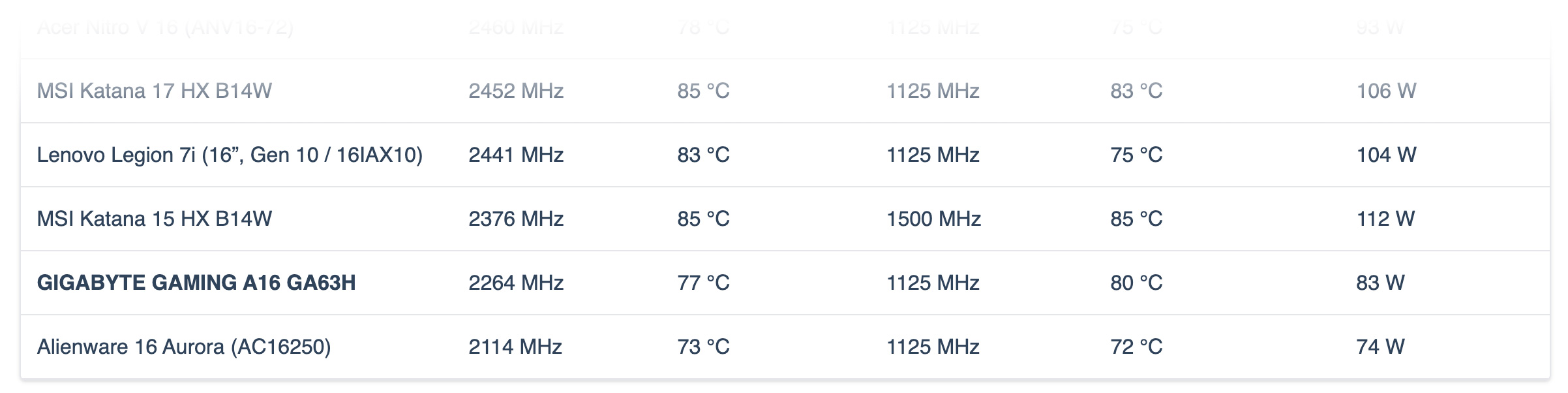
The gaming stability test reveals a conservative approach to GPU performance. The NVIDIA GeForce RTX 5070 operates at an average clock of 2264 MHz with a power draw of 83 W. These figures are among the lowest in the comparison group, trailing significantly behind the Lenovo Legion 5i’s 2700 MHz. On the positive side, thermal management is excellent. The GPU core average temperature stays at 77 °C and memory at 80 °C, both of which are firmly in the good range. It prioritizes low temperatures over the high clocks seen in competitors like the Acer Nitro 18 AI.
Battery Life
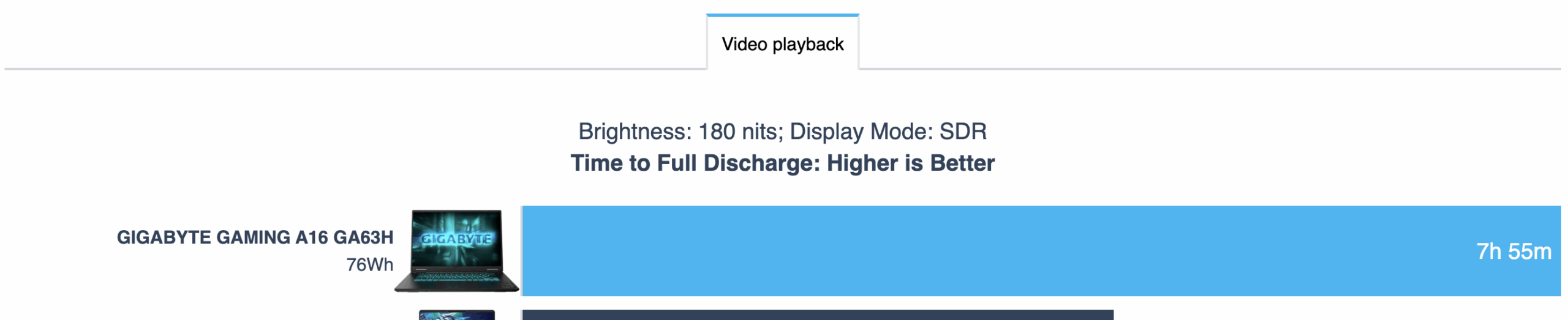
The battery of the Gigabyte Gaming A16 is a 4-cell Li-ion, model GAD640. Its nominal voltage is 15.56V and stores 76Wh of electrical energy.
We tested the laptop with Silent (Power Saving) mode selected in GiMATE, Best Power Efficiency in Windows Settings and Hybrid mode for the GPU.
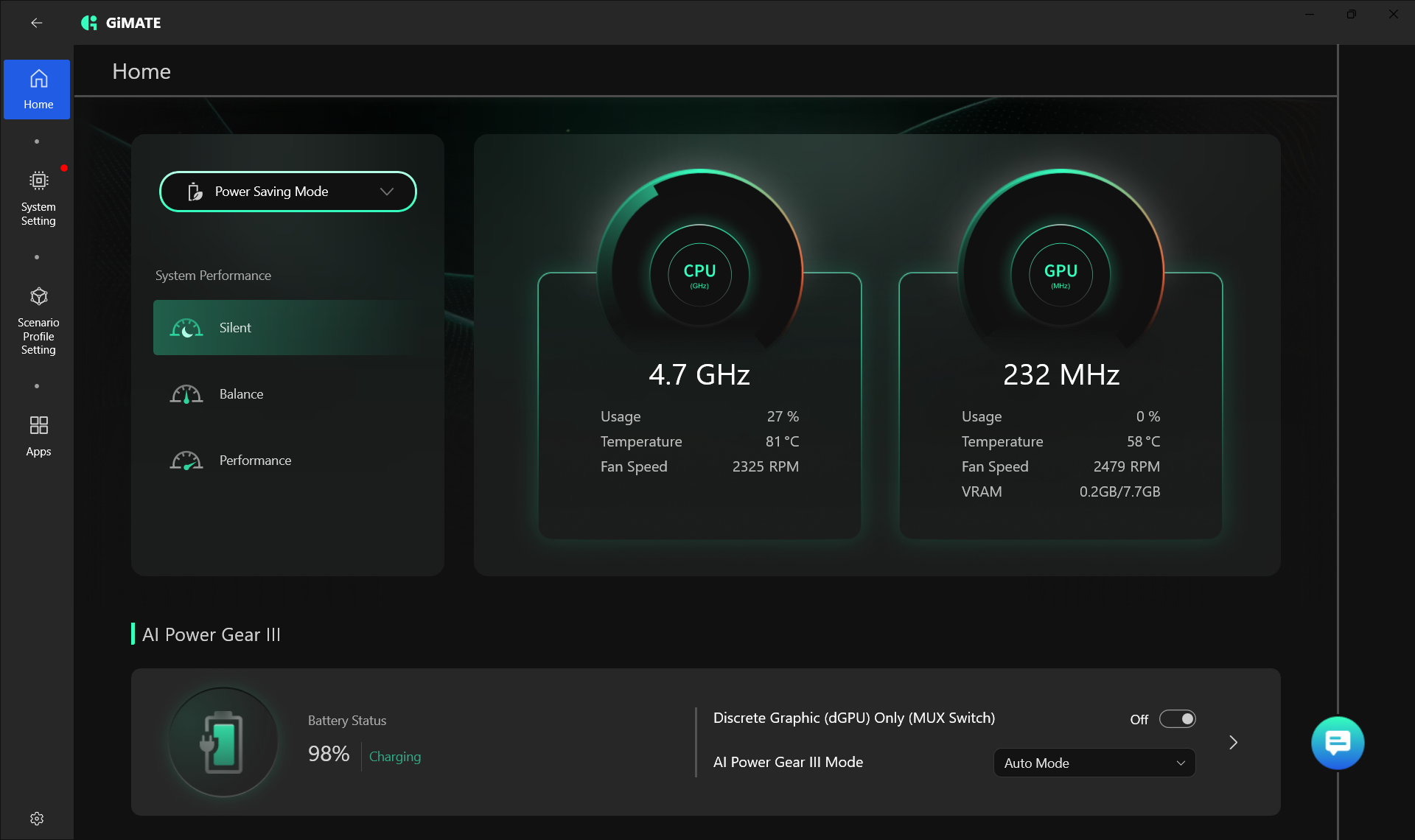
Almost 8 hours (7:55h) on a single charge is a great result and actually – the best among the tested laptops. Gigabyte A16 and its 76Wh battery surpasses even the Alienware Aurora 16 which is equipped with a huge 96Wh unit.
Brightness: 180 nits; Display Mode: SDR
Time to Full Discharge: Higher is Better
Disassembly, Upgrade options, and Maintenance
Getting inside the Gigabyte Gaming A16 is fairly straightforward, and once the bottom panel is off, the layout is easy to understand. The cooling system stretches across most of the upper half of the chassis and uses two fans connected by a shared heat pipe network over the main chips. Air is exhausted through the rear and the sides, while the battery and speakers occupy the lower section of the base.
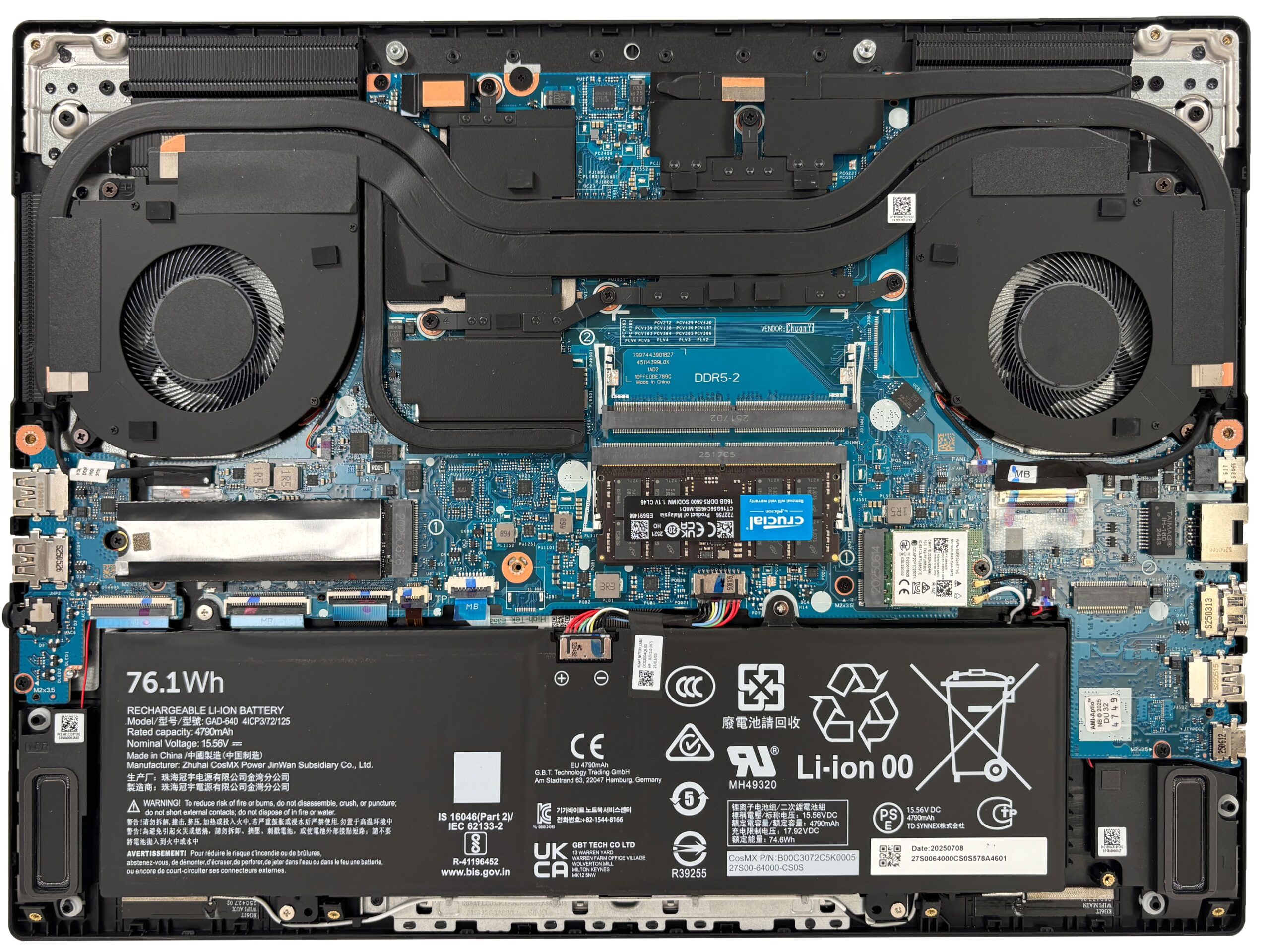
Memory is fully upgradeable here, which is always nice to see in a gaming machine. There are two DDR5 SO-DIMM slots, and Gigabyte’s official specs point to support for up to 64GB. In our configuration, one of the slots is populated with a 16GB Crucial DDR5-5600 module, leaving the second slot free for an easy capacity upgrade or a move to dual-channel operation if the system is sold in a single-stick setup.
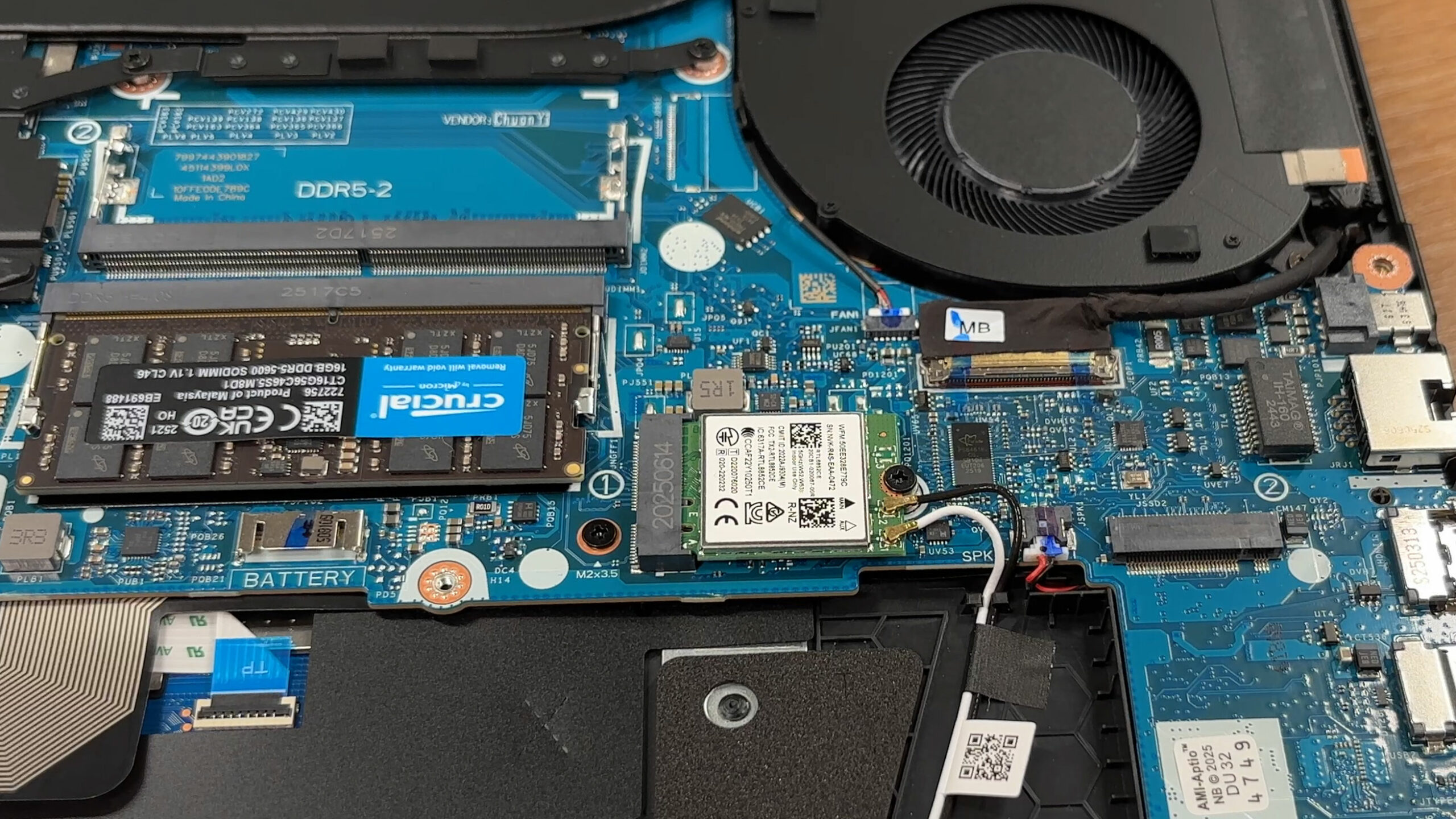
Storage is also user-friendly. The motherboard provides two M.2 slots for PCIe NVMe SSDs – PCIe4 x4, and PCIe4 x2. The main one is already occupied in our unit. The installed drive sits under a metal shield that helps with protection and interference control, and there is a second slot available for extra storage without sacrificing the original drive. Depending on the exact retail configuration, Gigabyte lists support for up to 4TB in total.
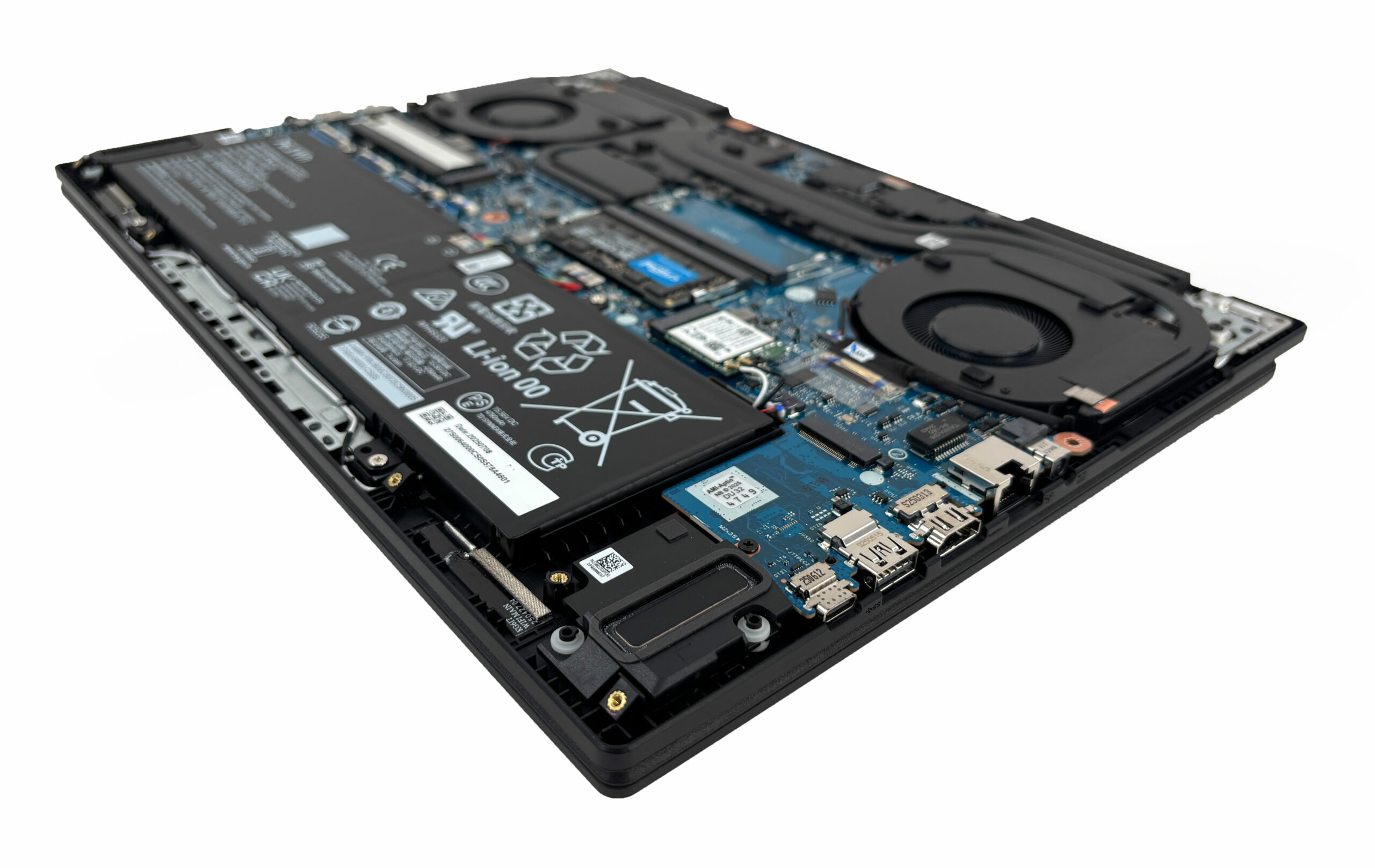
The battery is a 76.1Wh unit, and it is removable once its connector is disconnected from the motherboard. That is a healthy capacity for a 16-inch gaming laptop, and it takes up a large portion of the lower half of the chassis without getting in the way of the upgradeable memory and storage area.
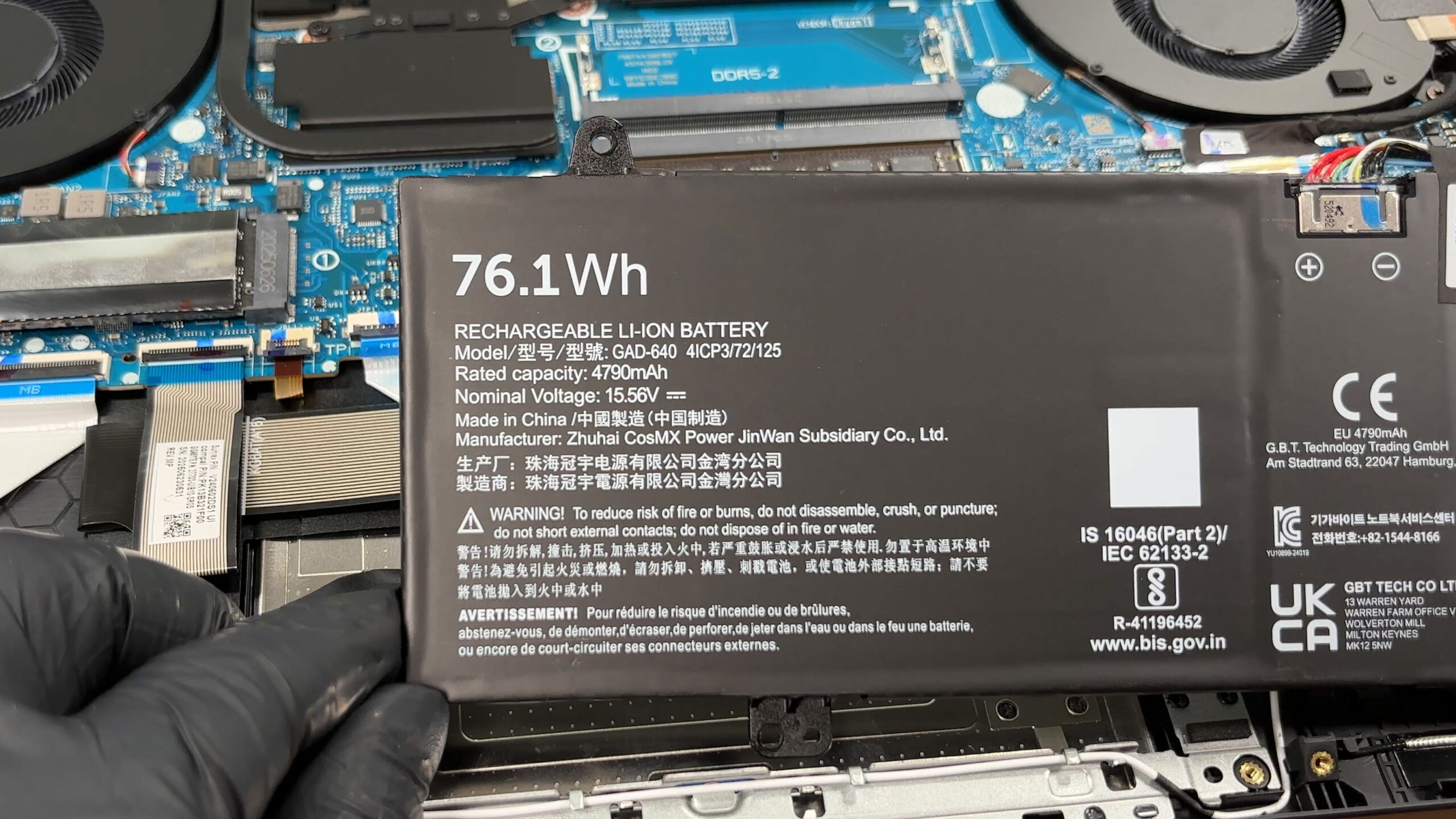
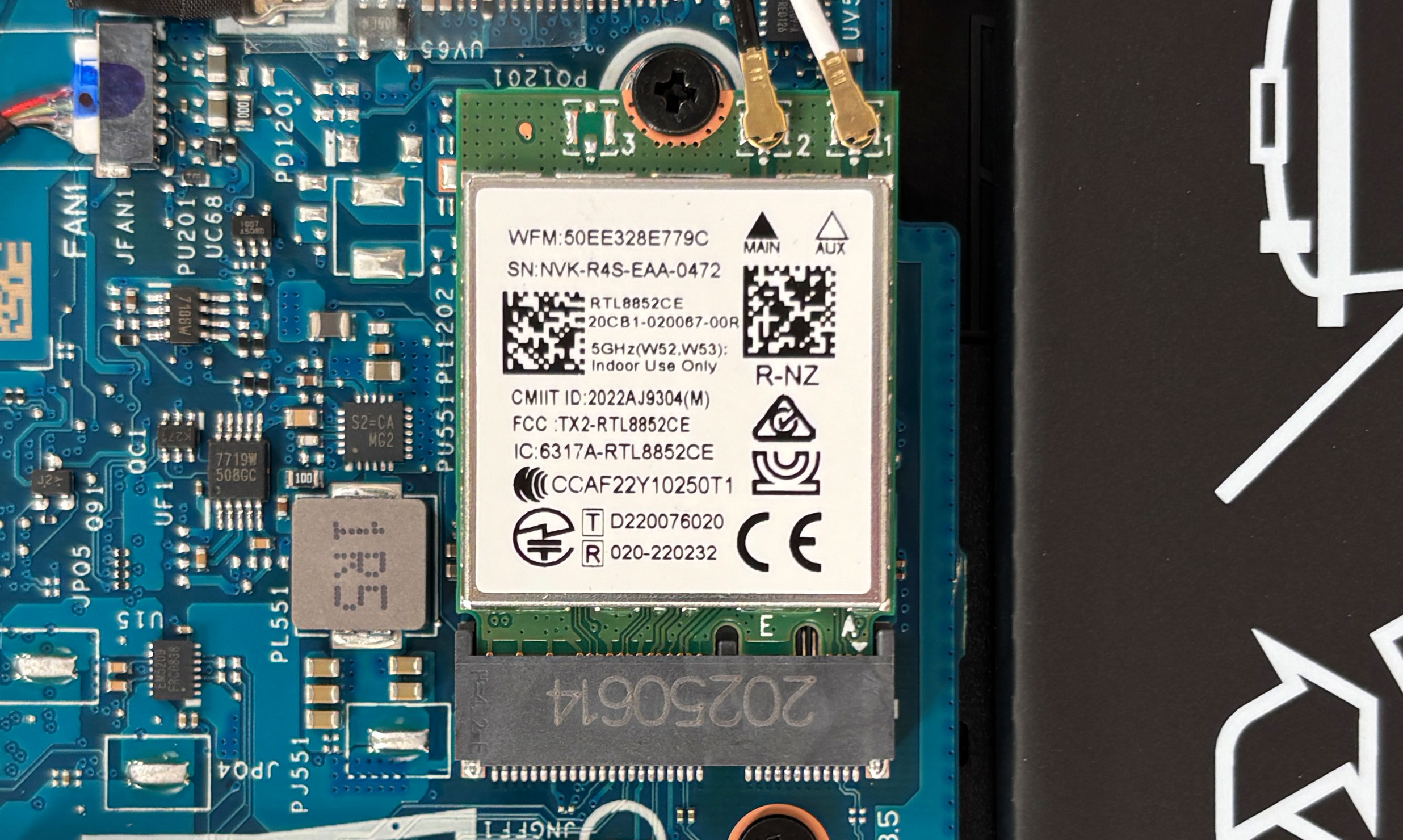
Wireless connectivity comes from a replaceable M.2 Wi-Fi card rather than a soldered solution, which is another plus for long-term serviceability. The reviewed machine uses a Realtek RTL8852CE module, and the speakers, battery, SSD, RAM, and wireless card are all accessible after opening the laptop. Taken as a whole, the Gigabyte Gaming A16 is pleasantly easy to maintain and upgrade for a modern gaming notebook.
Verdict
 The Gigabyte Gaming A16 (GA63H) is a practical gaming laptop that prioritizes steady, cool performance and exceptional endurance over flashy aesthetics or benchmark-breaking power. With a stealthy “Black Steel” finish that blends into professional environments, it appeals to users who want a versatile machine capable of handling both work and play without drawing unwanted attention. It’s a solid all-rounder that gets many of the fundamentals right.
However, achieving this balance and its impressive battery life required Gigabyte to make some deliberate and significant compromises, particularly concerning raw GPU power and display quality. It’s a laptop that demands you understand exactly what you are trading off before you buy.
You can check the prices and configurations in our Specs System: https://laptopmedia.com/series/gigabyte-gaming-a16-ga63h/
✅ The Good
The most pleasant surprise is the outstanding battery life. Lasting nearly 8 hours in our video playback test, it is the best performer in its class, beating out rivals with much larger batteries. This makes it a genuinely portable option for a 16-inch gaming rig. We also applaud the excellent thermal management of the GPU; the cooling system keeps the RTX 5070 running very cool and stable during long gaming sessions, prioritizing component health over maximum wattage.
The upgradeability is top-notch, offering two user-accessible RAM slots and two M.2 slots for storage expansion. The port selection is modern and versatile, featuring a powerful USB4 port and HDMI 2.1. The keyboard is comfortable for typing, and the display, while lacking in color, is completely PWM-free, which is a huge benefit for eye comfort during extended use.
Finally, the build quality, despite being plastic, feels stable and robust, and the hinge allows for a full 180-degree opening.
❌ The Bad
The most significant compromise is the severely power-limited GPU. To maintain those cool temperatures, the RTX 5070 is heavily restrained, resulting in gaming performance that is among the lowest we’ve tested for this specific graphics card. It is outperformed by almost every direct competitor in raw frame rates.
The display is another major (optional) letdown. With very poor color coverage at just 52% sRGB, the screen looks dull and washed out, making it unsuitable for any color-critical work and detracting from the gaming experience. However, there’s an option for a better screen so we can’t complain much as we did order the budget one. Furthermore, while the GPU stays cool, the CPU runs hot under sustained load, reaching 94°C.
🆚 The Competitors
When compared to the Lenovo Legion 5i (15″, Gen 10) (detailed review), the Gigabyte A16’s weakness is clear. The Lenovo delivers massively superior gaming performance, pushing the RTX 5070 to its limits. However, the Gigabyte counters with vastly better battery life, lasting more than twice as long as the Legion, making it the better choice for users who need mobility.
Against a balanced competitor like the Acer Nitro V 16 AI (detailed review), the Gigabyte still struggles in raw GPU performance but holds its own in endurance. The choice comes down to priorities: if you want the absolute highest frame rates for your money, look elsewhere. If you value a cool-running, long-lasting, and upgradeable machine with a stealthy design, the Gigabyte Gaming A16 is a very capable option.
Pros
- Class-leading battery life for a gaming laptop (nearly 8 hours)
- Excellent GPU thermal management keeps the system cool and stable
- Fantastic upgradeability with two RAM and two M.2 slots
- PWM-free display is great for eye comfort
- Modern port selection including a versatile USB4 port
- Stealthy, professional design that blends in anywhere
Cons
- Severely power-limited GPU results in lower gaming performance
- Base model display has very poor color coverage (52% sRGB)
- CPU runs hot (94°C) under sustained heavy load
- Second M.2 slot is limited to slower PCIe 4.0 x2 speeds
 Author: Simeon NikolovEditor-in-Chief at LaptopMedia.com with 20+ years of experience in testing and analyzing laptops and mobile devices.
 Author: eng. Kroum NikolovHead of Engineering at LaptopMedia.com, inventor and innovator with 40+ years of experience in electronics and high technology.

![[May 2026] Global Ranking of Best-Selling Laptop GPUs on Amazon – Apple Dominates with 45% Share, Sweeps Top 3 Spots; NVIDIA’s RTX 5060 Leads the Dedicated GPU Pack](https://laptopmedia.com/wp-content/uploads/2026/06/Best-Selling-GPUs-GLOBAL-Top-10-400x225.jpg)
![[May 2026] Global Ranking of Best-Selling Laptop CPUs on Amazon – Apple Crushes Competition with 45.2% Market Share, M5 Dominates](https://laptopmedia.com/wp-content/uploads/2026/06/Best-Selling-CPUs-GLOBAL-Top-10-400x225.jpg)
![[May 2026] Amazon Germany: Top 7 Best-Selling Gaming Laptops – Lenovo Legion 5i Crowned Champion Amidst Fierce Mid-Range Competition](https://laptopmedia.com/wp-content/uploads/2026/06/Best-Selling-Gaming-Laptops-DE-Top-10-1-400x225.jpg)
![[May 2026] Amazon Italy: Top 10 Best-Selling Laptops – Apple MacBook Neo Reigns Supreme, Premium Models Capture Dominant Revenue Share](https://laptopmedia.com/wp-content/uploads/2026/06/Best-Selling-Laptops-IT-Top-10-400x225.jpg)
![[May 2026] Best-Selling Laptop Brands on Amazon Italy – Apple Dominates Across All Metrics](https://laptopmedia.com/wp-content/uploads/2026/06/IT-Best-Brands-400x225.jpg)