Inside HP 250 G7 – disassembly and upgrade options
HP 250 G7 is one of the many budget options on the market. However, a lot of people view it as a cheap alternative to the ProBook series of HP. However, does it offer some of the most significant features of a ProBook – upgradability? Let’s find out.
Check out all HP 250 G7 prices and configurations in our Specs System or read more in our In-depth Review.
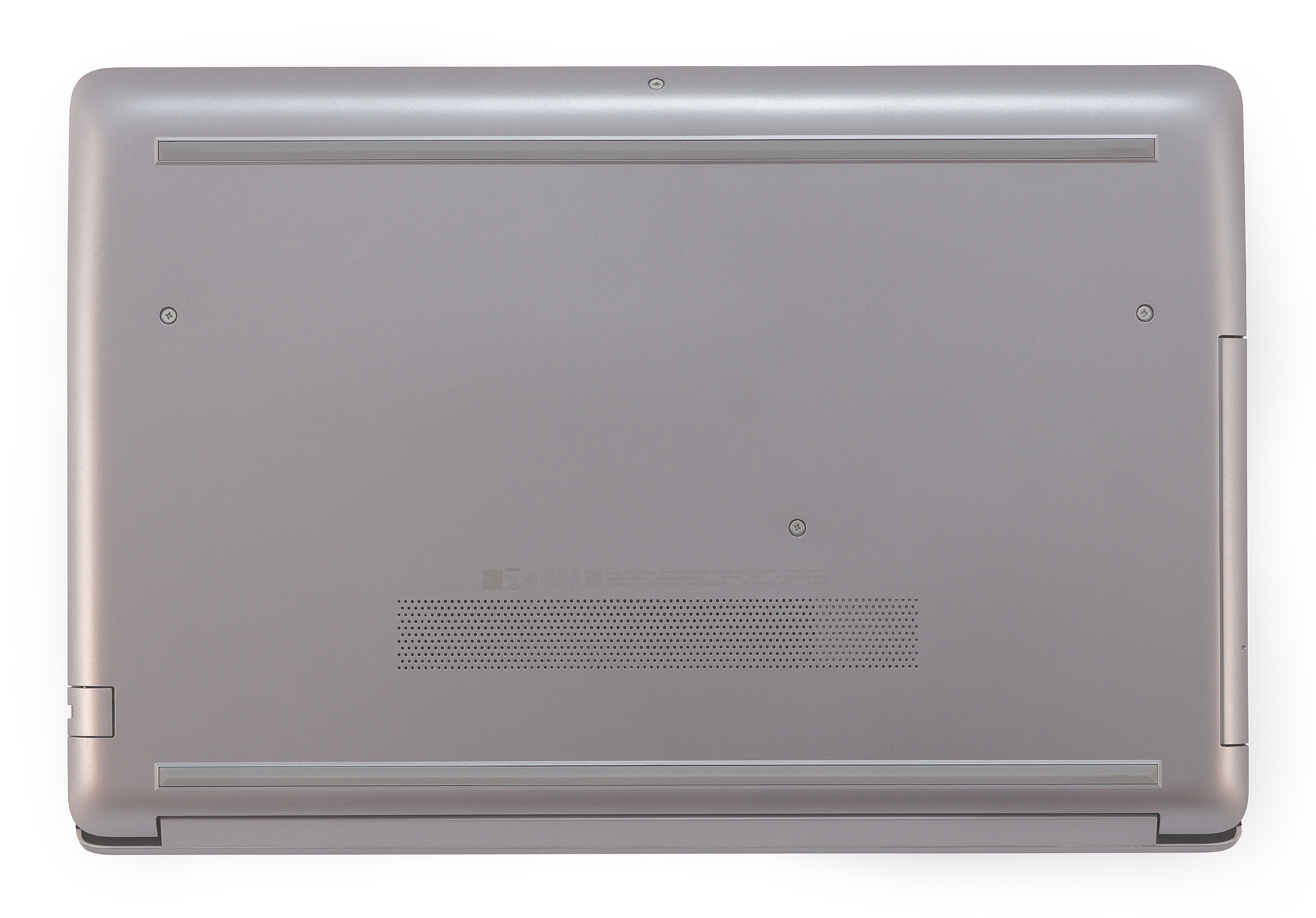
1. Remove the bottom plate
HP didn’t miss the opportunity to hide most of the screws of this laptop. However, unlike with the Spectre x360 15 (15-df0000) – we found it easier to remove the rubber feet, thus to reveal 7 more screws. They sum up to a total of 11 when we add the already visible ones. By the way, the middle one is holding the optical drive in place, so don’t forget to remove that first, before you try prying up the bottom plate.
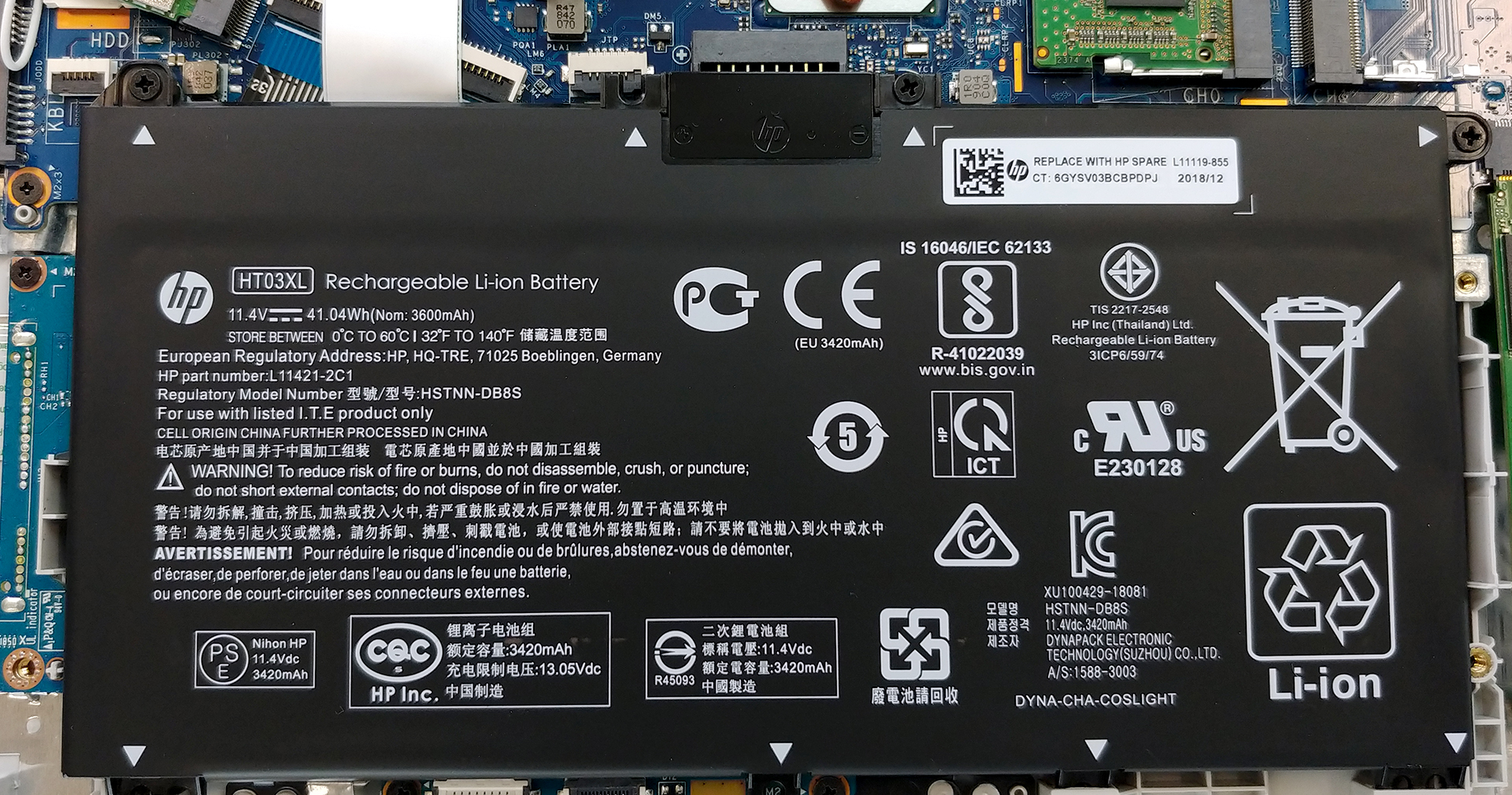
2. Battery
Remember, that the first thing you have to do when you are upgrading your hardware is to disconnect the power – in this case – the battery. It uses a plug-in connector, which means that the moment you lift it up, it disconnects from the motherboard. So, in order to remove it, you just need to unscrew three Phillips-head screws – that’s it. In terms of capacity, we are talking about a 41Wh 3-cell unit. It is capable of going through more than 7 hours of web browsing and 6 hours of video playback.
3. Memory and storage
Memory-wise there are two RAM DIMMs that support up to 32GB of RAM (depending on the CPU) with speeds of up to 2400 MHz. On the storage department, there is an M.2 PCIe x2 slot on the right of the battery and some space for a SATA drive on the left. Interestingly, the bracket that is used to mount the SATA device on is moving freely once you remove the bottom plate since it sharing a screw with the plate itself.
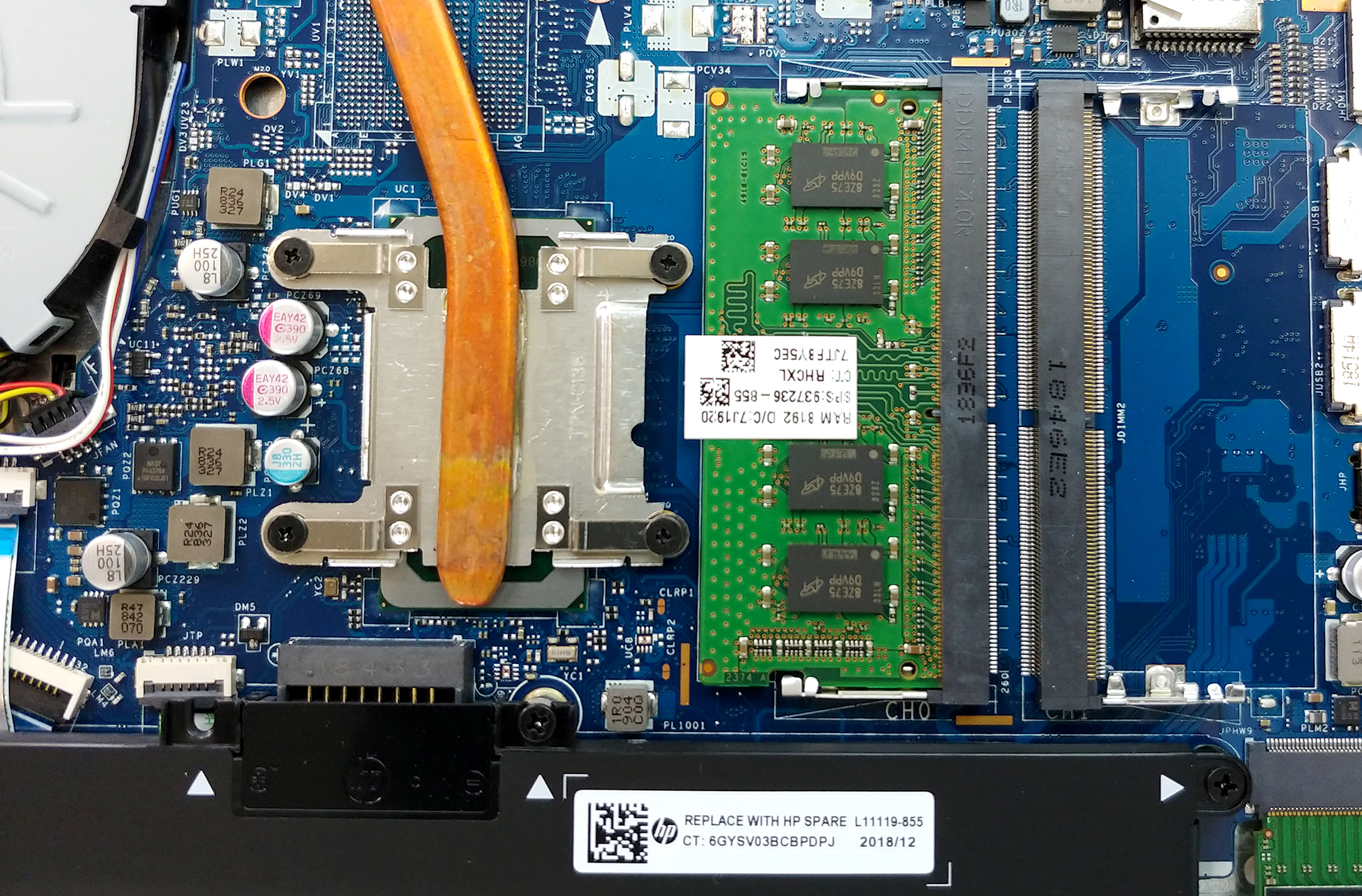
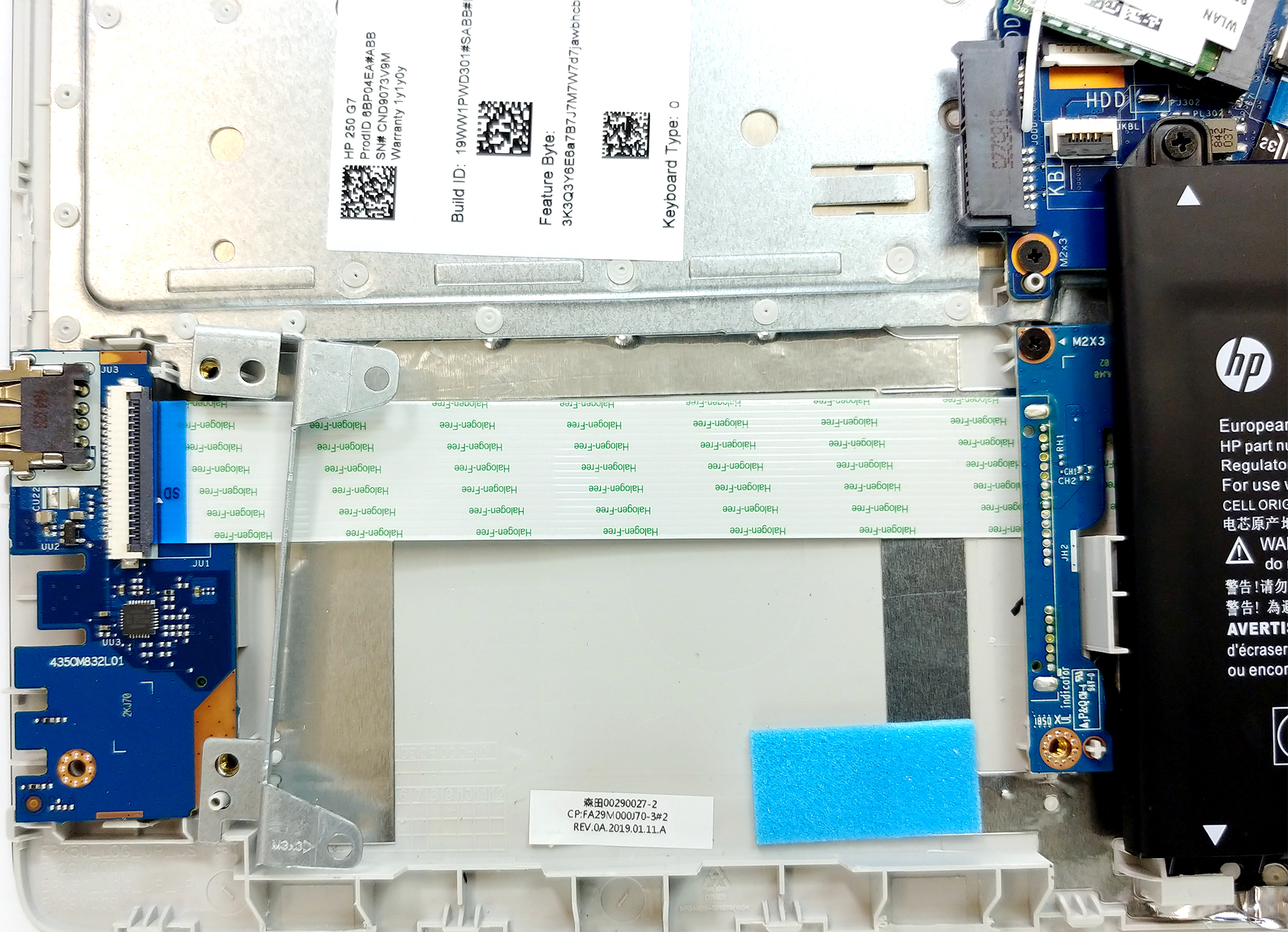
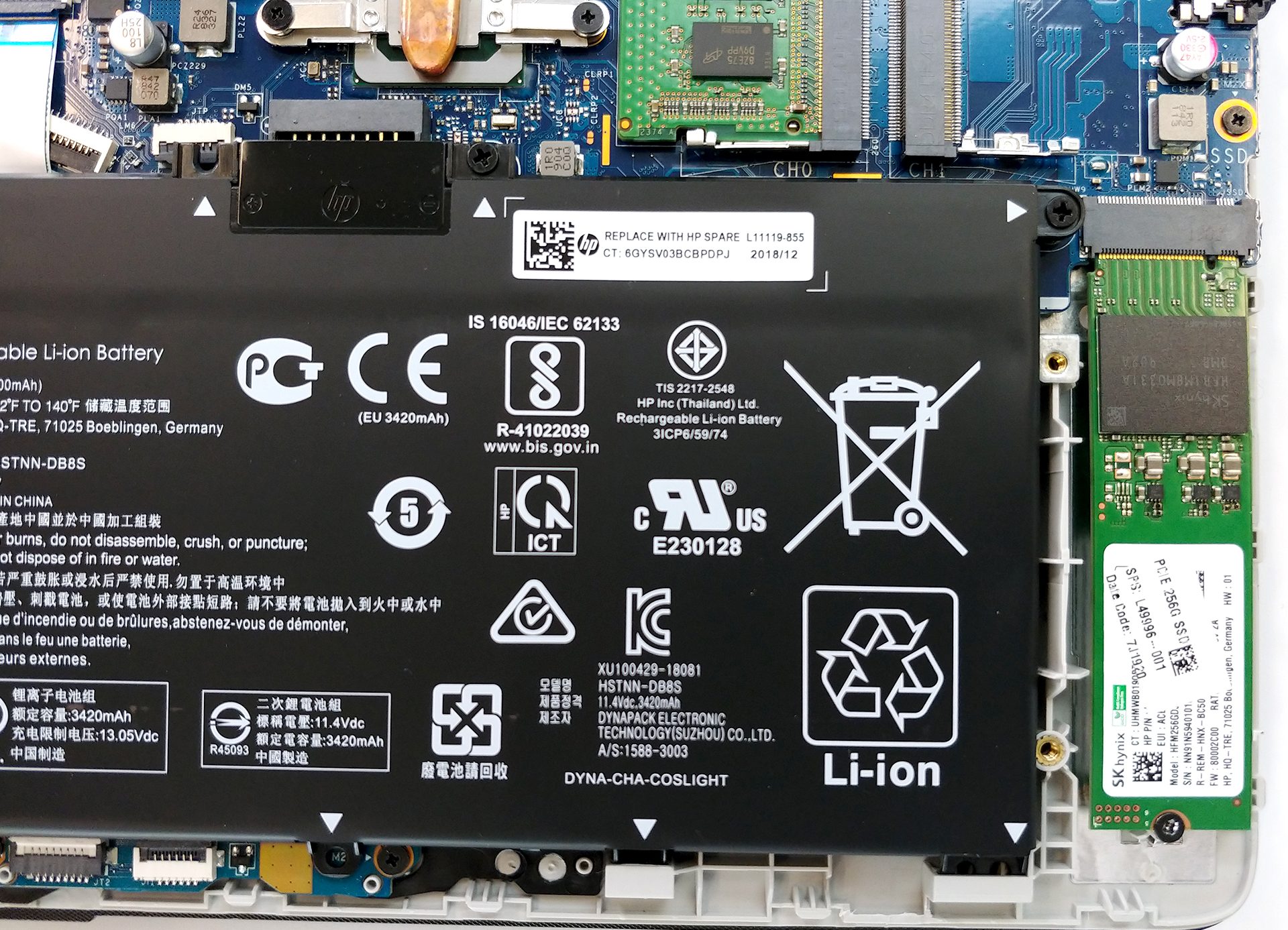
4. Cooling system
Nothing too amusing here – a single heat pipe, connected to a single heat spreader, cooled off by a single fan. In our review, we saw the device to be extremely quiet and to achieve a reasonable temperature from a Core i5-8265U.

| Intel Core i5-8265U (15W TDP) | 0:02 – 0:10 sec | 0:15 – 0:30 sec | 10:00 – 15:00 min |
|---|---|---|---|
| HP 250 G7 | 2.32 GHz (B+45%)@ 68°C | 2.32 GHz (B+45%)@ 77°C | 1.89 GHz (B+18%)@ 71°C |
Check out all HP 250 G7 prices and configurations in our Specs System or read more in our In-depth Review.
 Author: Alex Iliev

![[2026年6月] 亚马逊全球畅销笔记本电脑品牌——苹果在销量和营收方面均占据无可匹敌的统治地位](https://laptopmedia.com/wp-content/uploads/2026/07/GLOBAL-Best-Brands-400x225.jpg)
![[2026年6月] 亚马逊全球:笔记本电脑销量前十名——苹果新款MacBook Neo强势登顶,以亲民价格重塑市场格局](https://laptopmedia.com/wp-content/uploads/2026/07/Best-Selling-Laptops-GLOBAL-Top-10-400x225.jpg)
![[2026年6月] 亚马逊全球:十大畅销游戏笔记本电脑——宏碁Nitro V 16S AI销量领跑,华硕总营收居首](https://laptopmedia.com/wp-content/uploads/2026/07/Best-Selling-Gaming-Laptops-GLOBAL-Top-10-400x225.jpg)
![[2026年6月] 亚马逊全球畅销笔记本电脑显卡排行榜——NVIDIA RTX 5060 位居专用显卡销量榜首](https://laptopmedia.com/wp-content/uploads/2026/07/Best-Selling-GPUs-GLOBAL-Top-10-400x225.jpg)
![[2026年6月] 亚马逊全球畅销笔记本电脑CPU排行榜——苹果M5占据主导地位,AMD锐龙7 260在高端市场占据稳固份额](https://laptopmedia.com/wp-content/uploads/2026/07/Best-Selling-CPUs-GLOBAL-Top-10-400x225.jpg)
