Top 5 reasons to BUY or NOT to buy the ASUS ROG Strix G15 G513
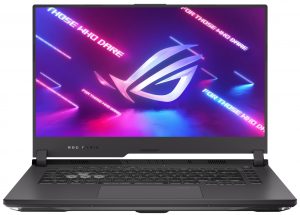
 While its launch was a bit overlooked, as many people focused on its bigger 17-inch sibling, the ASUS ROG Strix G15 G513 is in some ways, the better laptop, as it has all of the same features and hardware, but comes in a smaller size, which for some people might be the better option. This includes the highly coveted Ryzen 5000-series Zen 3 chips as well as the RTX 3000-series Ampere graphics cards, with the 130W RTX 3070 being the highest you can go.
And that’s not even all, with the display choices all having a high refresh rate and resolution, with the sweet spot 1440p 165Hz panel being the most wanted of the bunch.
Today we are presenting you with LaptopMedia’s top 5 picks about the ASUS ROG Strix G15 G513.
ASUS ROG Strix G15 G513: Full Specs / In-depth Review
4 reasons to BUY the ASUS ROG Strix G15 G513
1. The Design and Build quality
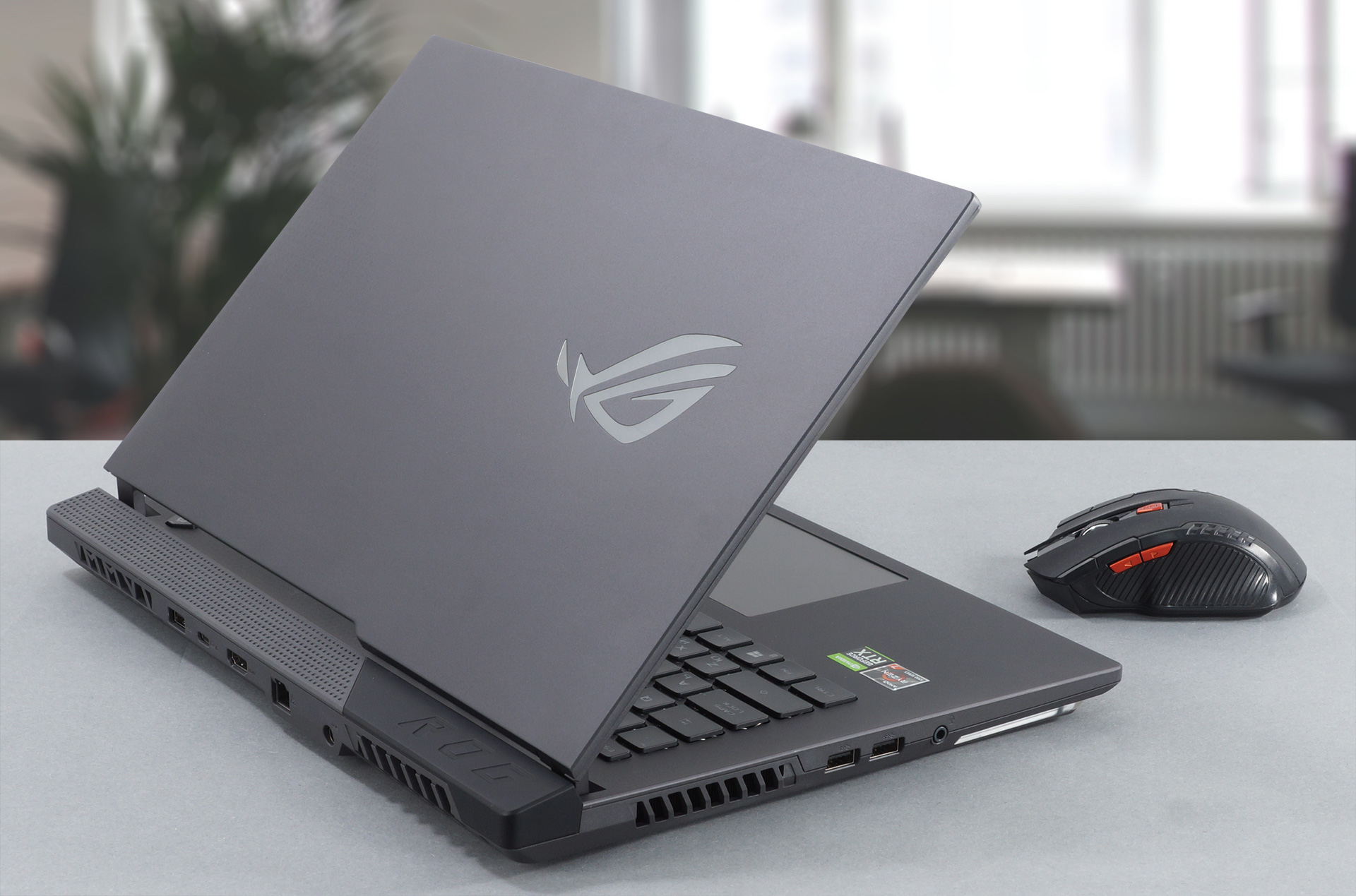
The laptop uses an identical design to its bigger brother, with an aluminum lid and a plastic base. However, due to its sheer size, the base is quite solid, while the lid is a bit bendy, but it does open with a single hand. It has very thin bezels, as it lacks a webcam. The design on the lid uses a diagonal to split it in two, with one side being clear with an off-centered ROG logo and the other utilizing a dotted pattern. The base is good-looking as well, and as this is a gaming laptop, you get RGB all over the place.
2. The Upgradeability
Being a device for gamers, the upgradability is on point. Both the RAM and SSD storage are upgradeable. You can expand the RAM through the two SODIMM slots which support up to 64GB of DDR4 memory. The storage is expandable as well thanks to the two M.2 PCIe X4 drives.
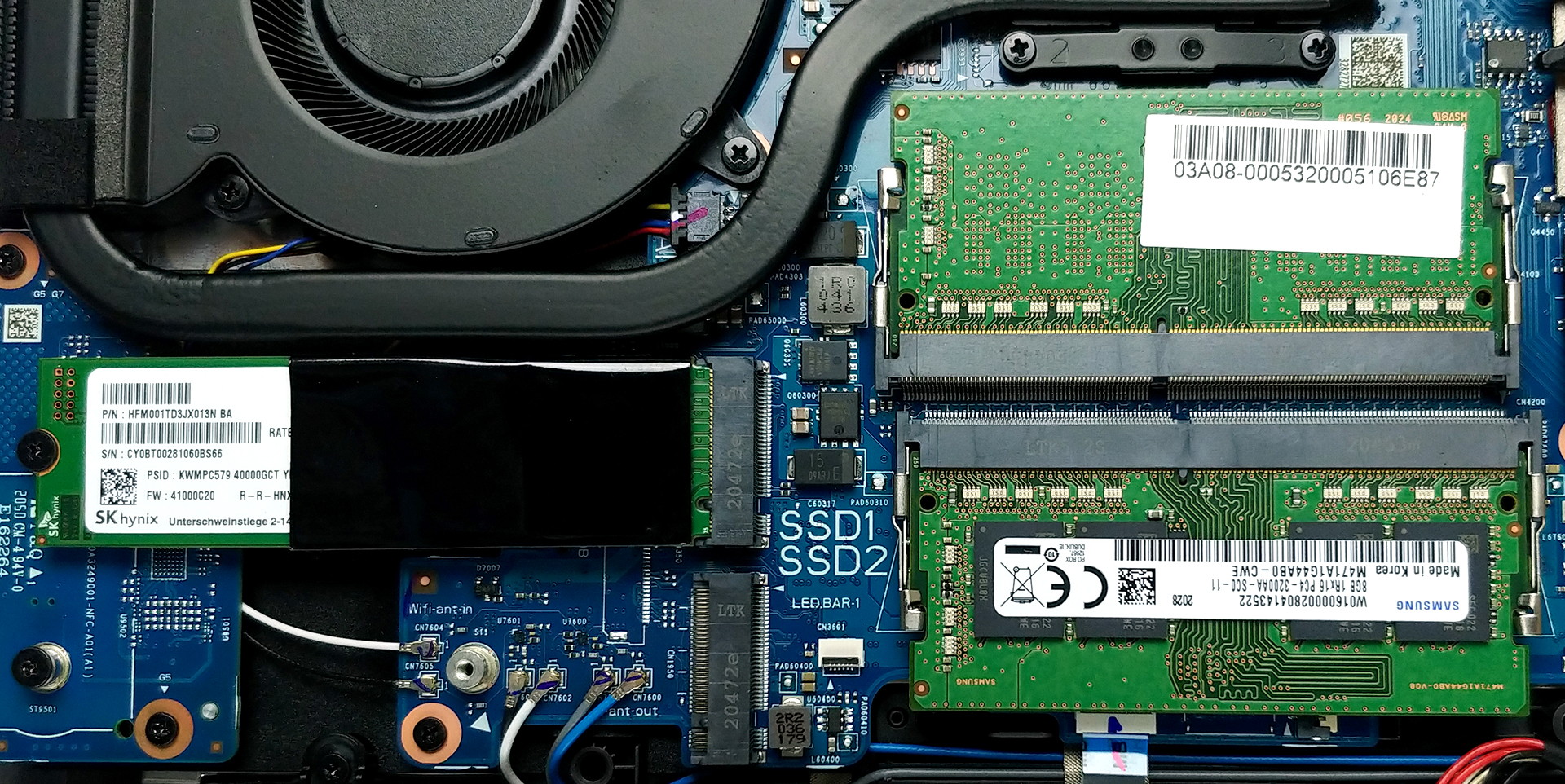
You can check our teardown video, which goes in-depth about how to get access to both the M.2 and SODIMM slots.
3. The Display
The configuration which was at our disposal was the one featuring the 15.6-inch Full HD IPS panel with a 300Hz refresh rate. The panel has comfortable viewing angles and a good contrast ratio. Color coverage is among the best, with a 98% coverage of the sRGB color gamut. The non-flickering backlight ensures a comfortable experience even after hours of use. But what is more important for gamers, the pixel response times are very fast, ensuring a smooth image, even in high-paced scenes.
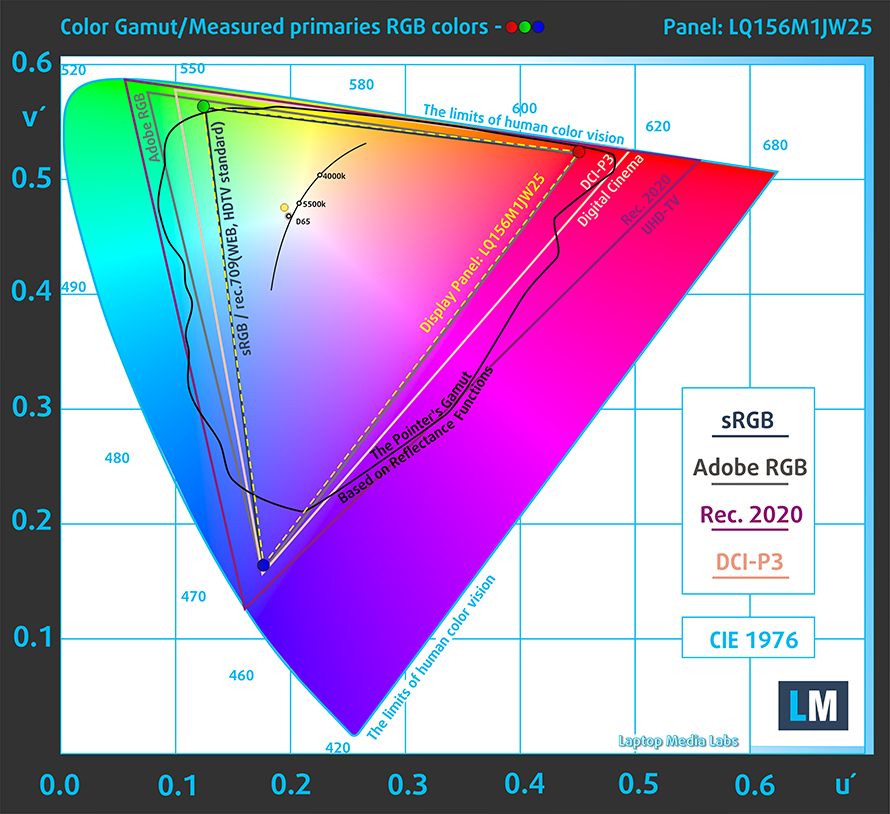
Color accuracy was great as well, especially when using our “Gaming and web design” profile was applied. Below you can see the results of our tests with both the factory settings (left) and with our “Gaming and web design” profile applied (right).
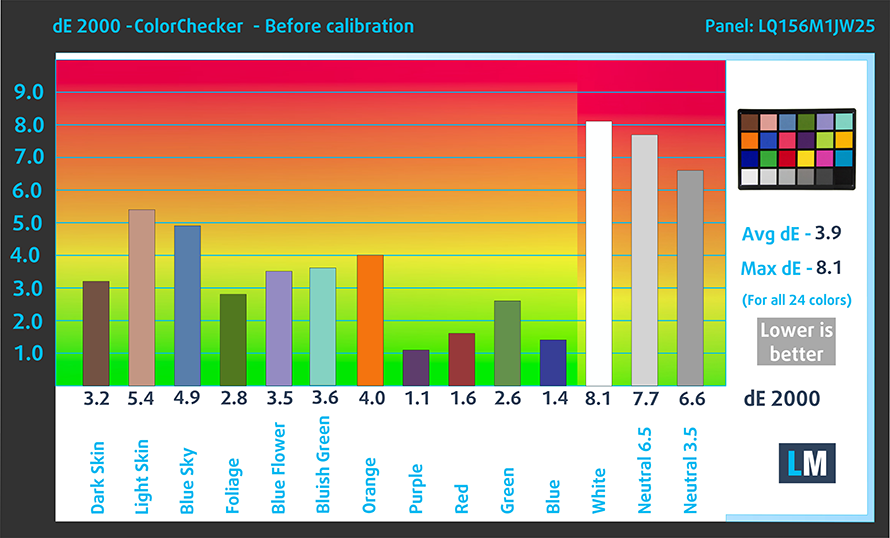
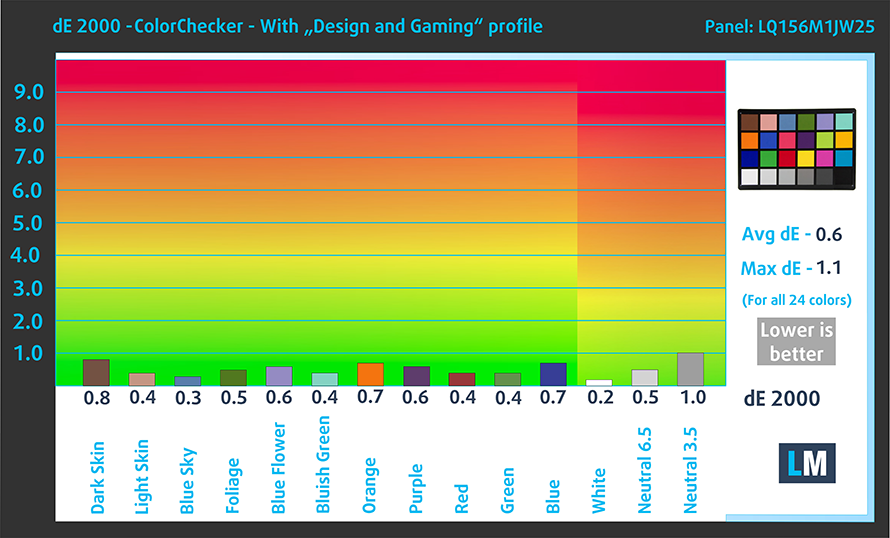
Buy our profiles
Since our profiles are tailored for each individual display model, this article and its respective profile package are meant for ASUS ROG Zephyrus Duo 15 SE (GX551) configurations with 15.6″ FHD IPS Sharp LQ156M1JW25 (SHP152C).
*Should you have problems with downloading the purchased file, try using a different browser to open the link you’ll receive via e-mail. If the download target is a .php file instead of an archive, change the file extension to .zip or contact us at [email protected].
Read more about the profiles HERE.
除了获得高效且有益健康的配置文件外,购买 LaptopMedia 的产品也是对我们实验室发展的支持,我们在实验室中测试设备,以提供最客观的评测。

办公工作
Office Work 主要适用于大部分时间在查看文本、表格或上网的用户。此配置文件旨在通过保持平坦的伽马曲线 (2.20)、原始色温和感知上准确的颜色来提供更好的清晰度。

设计和游戏
此配置文件适用于专业处理色彩的设计师,以及游戏和电影。Design and Gaming 将显示面板推向极限,使其在 Web 和 HDTV 的 sRGB IEC61966-2-1 标准中尽可能准确,白点为 D65。

以 33% 的折扣获取所有 3 个配置文件

4. The Battery life
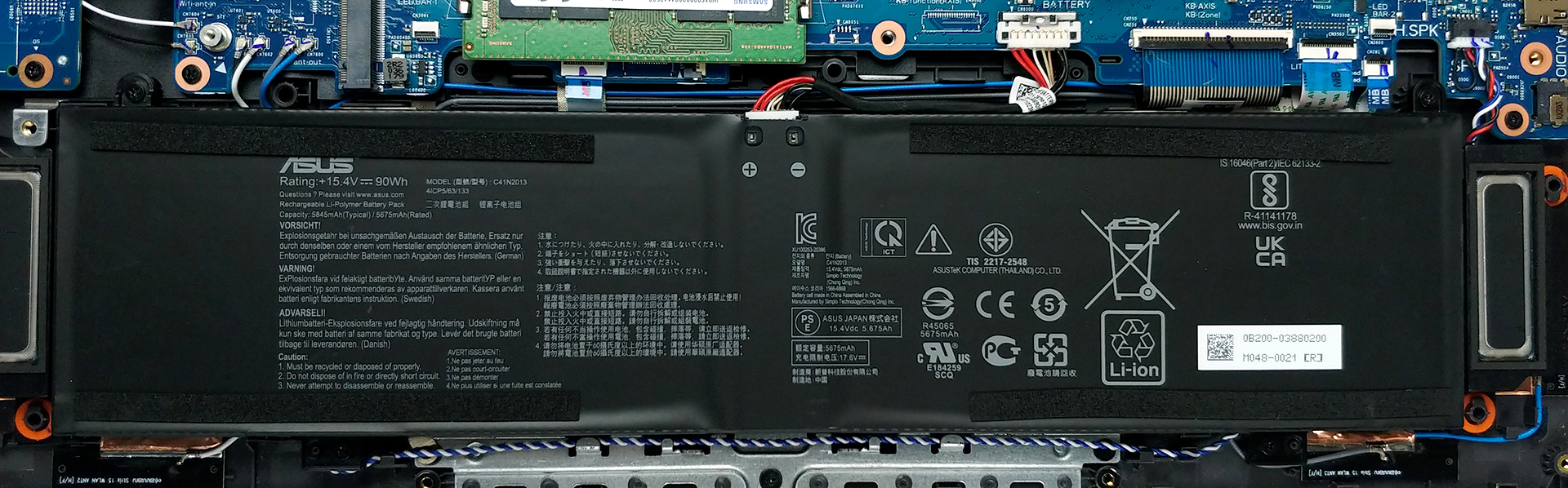
The laptop has the same 90Wh battery unit that is found inside the bigger 17-inch model which lasts for 11 hours and 30 minutes of Web browsing and 9 hours and 15 minutes of video playback. This is done with the Windows Better performance setting turned on, screen brightness adjusted to 120 nits, and all other programs turned off except for the one we are testing the notebook with.
1 reason NOT to buy the ASUS ROG Strix G15 G513
1. The Cooling
The ASUS ROG Strix G15 G513 has a pretty robust cooling solution that consists of six heat pipes, one shared between the CPU and GPU, two more for each of them, and one more to cool the VRMs and memory. All of them go to four heat spreaders and two fans.

While the CPU maintains a reasonable temperature even after a heavy workload, we can’t say the same about the GPU. The RTX 3070 that is inside it quickly reaches a temperature of about 84°C which is a bit high.
| NVIDIA GeForce RTX 3070 | GPU frequency/ Core temp (after 2 min) | GPU frequency/ Core temp (after 30 min) |
|---|---|---|
| ASUS ROG Strix G15 G513 | 1632 MHz @ 84°C @ 130W | 1617 MHz @ 86°C @ 128W |
| ASUS ROG Zephyrus Duo 15 SE (GX551) | 1689 MHz @ 71°C @ 131W | 1676 MHz @ 72°C @ 129W |
| ASUS ROG Strix G17 G713 | 1649 MHz @ 83°C @ 130W | 1646 MHz @ 84°C @ 130W |
| ASUS TUF A17 (FA706) 2021 | 1440 MHz @ 74°C @ 95W | 1465 MHz @ 77°C @ 95W |
| ASUS TUF Dash F15 (FX516) | 1389 MHz @ 69°C @ 84W | 1377 MHz @ 74°C @ 84W |
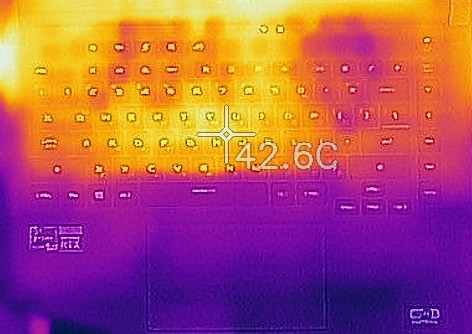
Thankfully, the outside temperature doesn’t reach that high, so you’ll have a pleasant gaming experience., except for the noise, with the laptop getting quite loud, especially when using the “Turbo” fan preset.
All ASUS ROG Strix G15 G513 configurations:
 Author: Severin Kolakov

![[2026年6月] 亚马逊全球畅销笔记本电脑品牌——苹果在销量和营收方面均占据无可匹敌的统治地位](https://laptopmedia.com/wp-content/uploads/2026/07/GLOBAL-Best-Brands-400x225.jpg)
![[2026年6月] 亚马逊全球:笔记本电脑销量前十名——苹果新款MacBook Neo强势登顶,以亲民价格重塑市场格局](https://laptopmedia.com/wp-content/uploads/2026/07/Best-Selling-Laptops-GLOBAL-Top-10-400x225.jpg)
![[2026年6月] 亚马逊全球:十大畅销游戏笔记本电脑——宏碁Nitro V 16S AI销量领跑,华硕总营收居首](https://laptopmedia.com/wp-content/uploads/2026/07/Best-Selling-Gaming-Laptops-GLOBAL-Top-10-400x225.jpg)
![[2026年6月] 亚马逊全球畅销笔记本电脑显卡排行榜——NVIDIA RTX 5060 位居专用显卡销量榜首](https://laptopmedia.com/wp-content/uploads/2026/07/Best-Selling-GPUs-GLOBAL-Top-10-400x225.jpg)
![[2026年6月] 亚马逊全球畅销笔记本电脑CPU排行榜——苹果M5占据主导地位,AMD锐龙7 260在高端市场占据稳固份额](https://laptopmedia.com/wp-content/uploads/2026/07/Best-Selling-CPUs-GLOBAL-Top-10-400x225.jpg)
