Inside ASUS ROG Strix SCAR 15 G533 – disassembly and upgrade options
This is one of ASUS’s most powerful notebooks of 2021. It has everything you need – from sheer performance to upgradability and even battery life.
Check out all ASUS ROG Strix SCAR 15 G533 prices and configurations in our Specs System or read more in our In-Depth review.

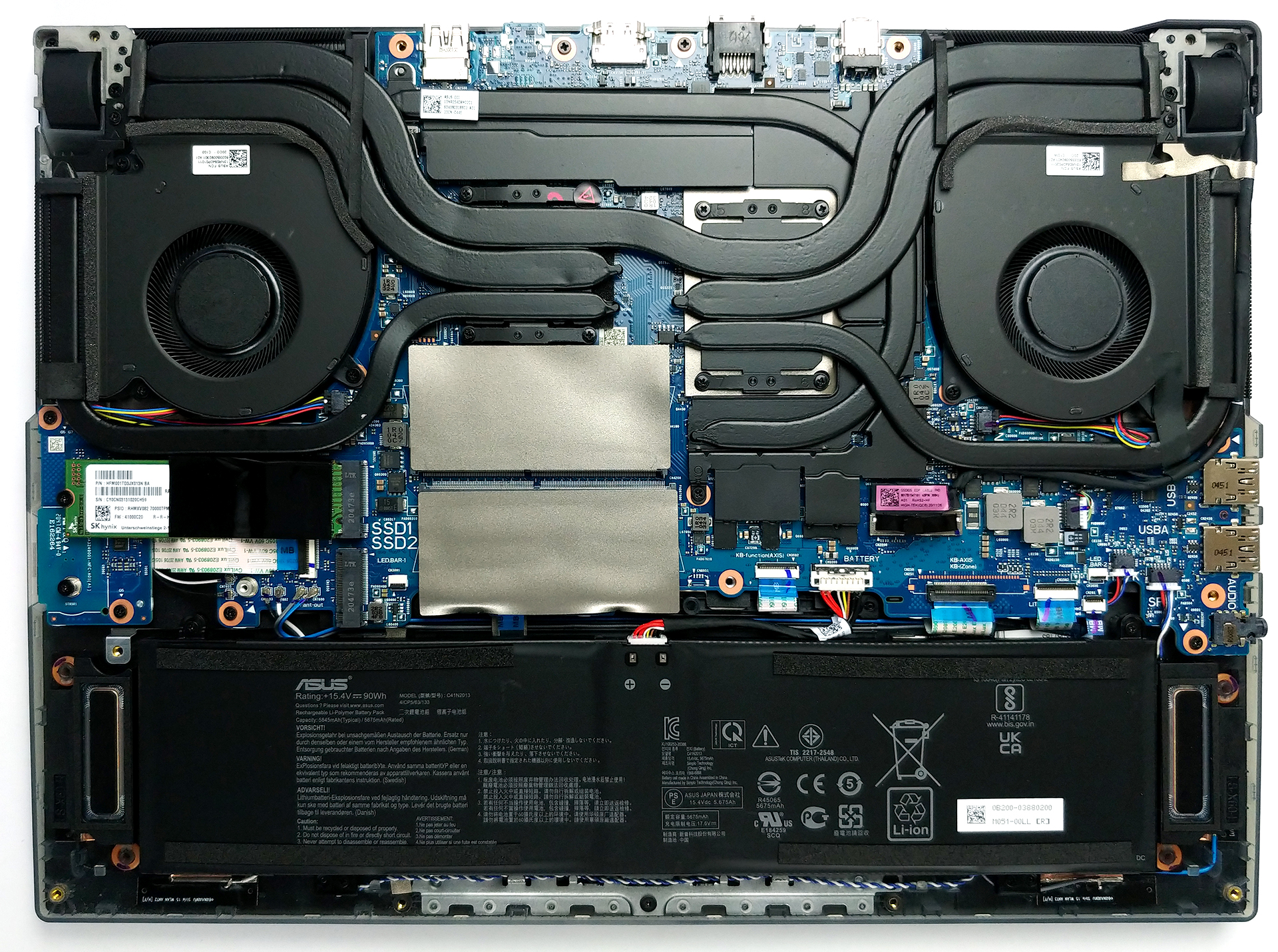
1. Remove the bottom plate
To take this laptop apart, you have to start by undoing 11 Phillips-head screws. One of them remains attached and lifts the edge of the bottom panel so that you can start prying from there.
2. Battery
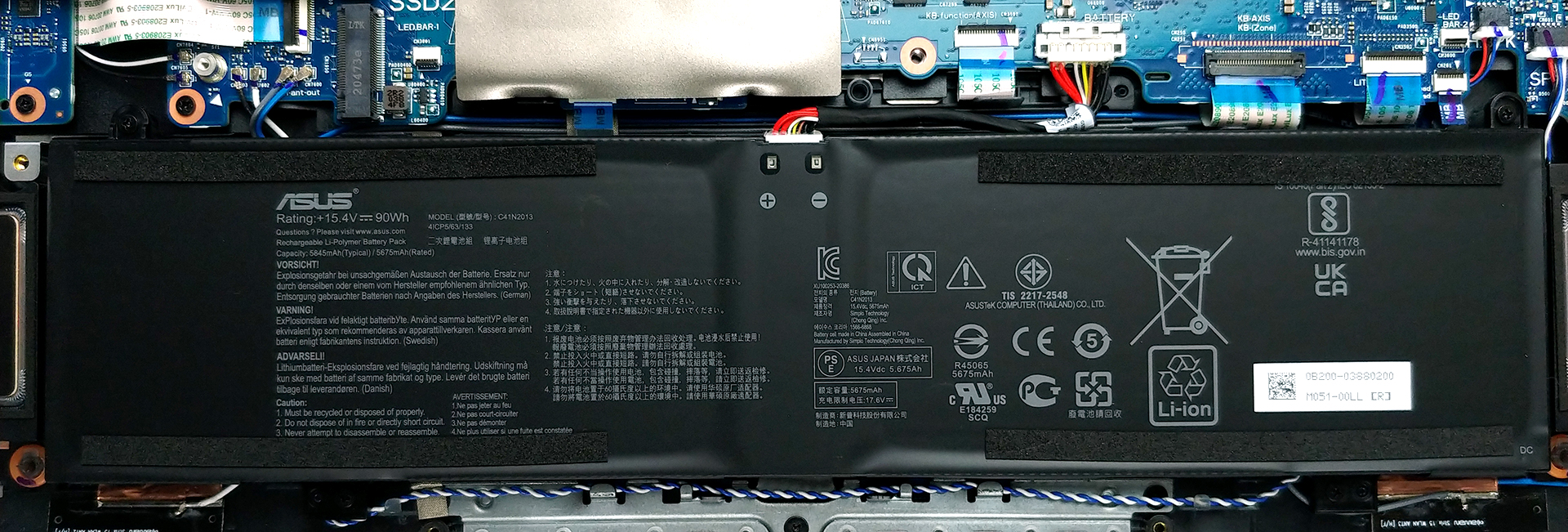
Once again, we see a huge 90Wh battery pack, powering the laptop when it’s away from the wall.
3. Мemory and storage
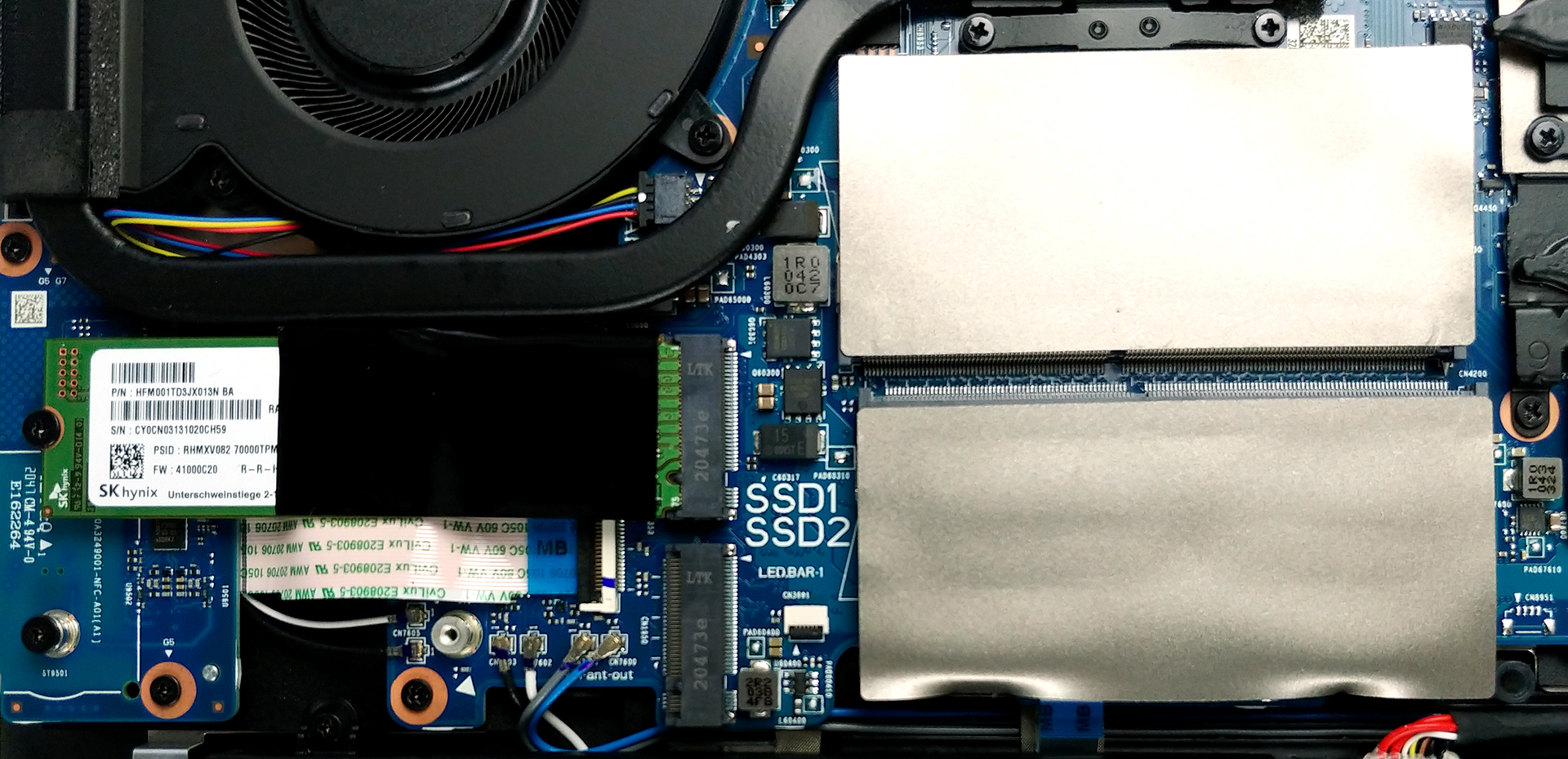
Memory-wise, there are two SODIMM slots, which support up to 64GB of DDR4 RAM in dual-channel mode. As for the storage, you get two M.2 PCIe x4 slots.
4. Cooling system
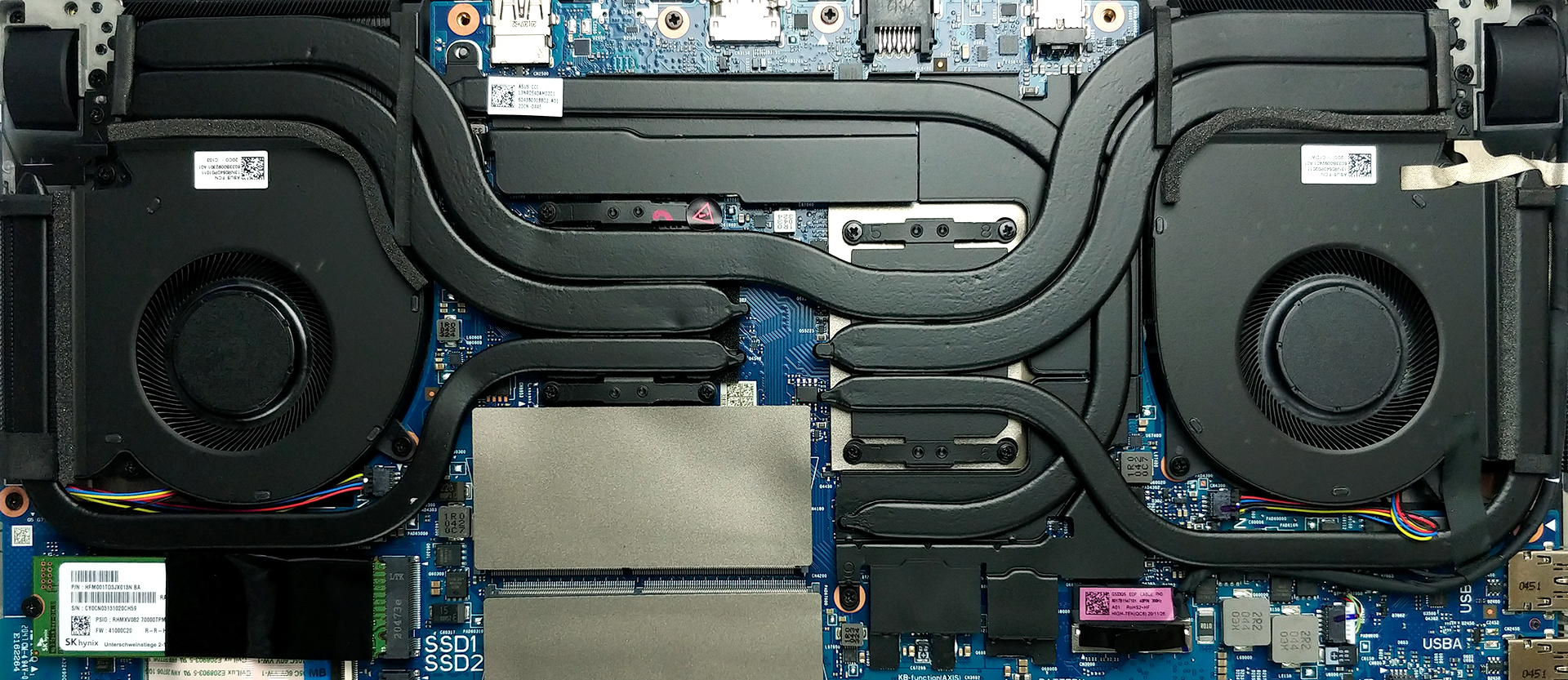
Another important aspect here is the cooling solution. It comprises a total of six heat pipes, including one that cools the VRM and the graphics memory. Additionally, ASUS has supplied four heat spreaders.
Check out all ASUS ROG Strix SCAR 15 G533 prices and configurations in our Specs System or read more in our In-Depth review.
ASUS ROG Strix SCAR 15 G533 reseña en profundidad
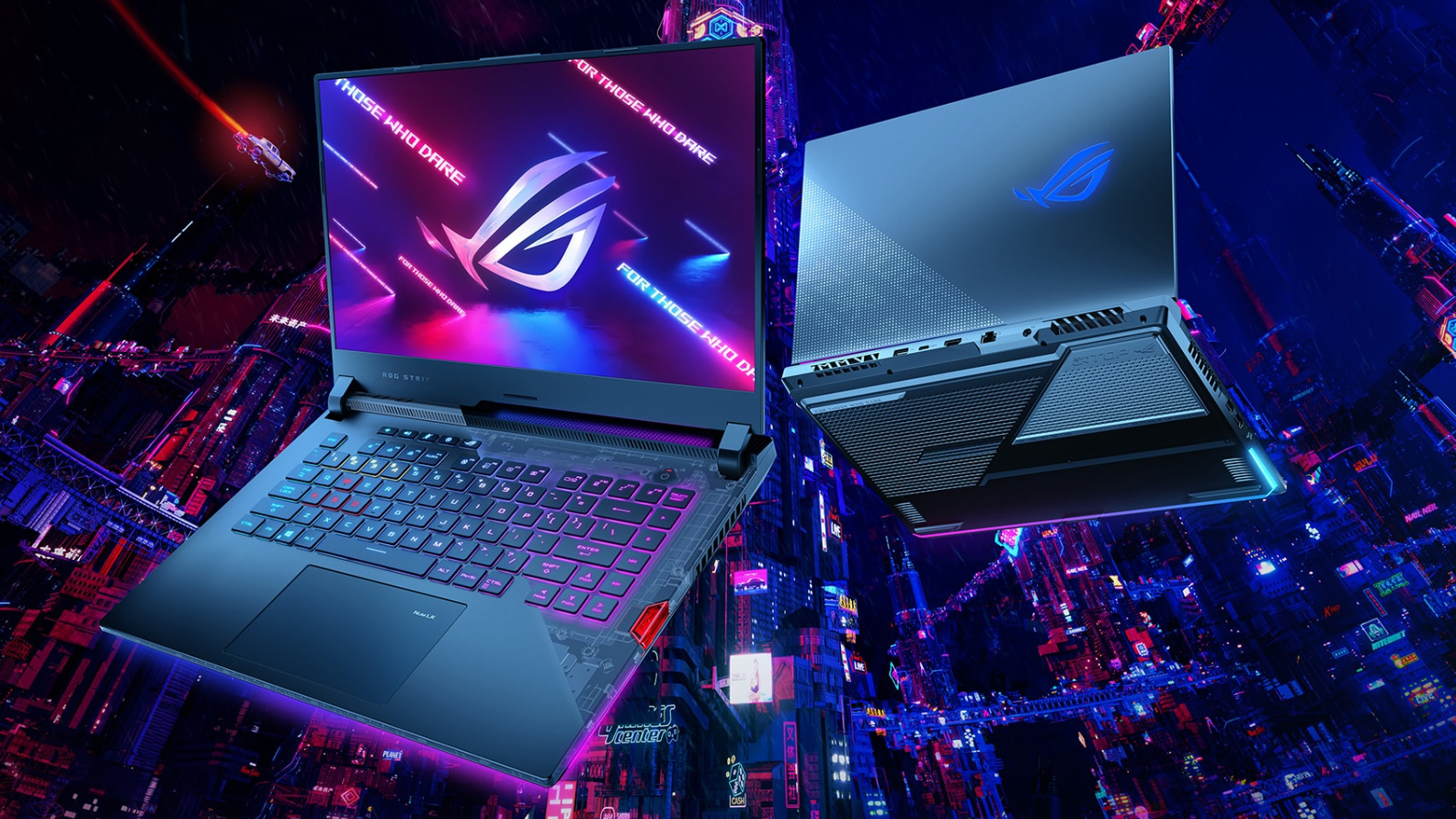
We are almost done with the entire lineup of Republic of Gamers devices revealed in this year's CES event. And today, we are going to show you the ROG Strix SCAR 15 G533. A laptop that promises to deliver extreme performance levels, thanks to the Zen 3 processors from AMD, and the new Ampere graphics cards from NVIDIA. More importantly, it is particularly interesting to see how would it perform against the competitions, since currently, the notebooks are probably the best way you can get your hands on the latest and greatest from team Green.In order to try to be the best in a very competi[...]
Pros
- Loaded with RGB
- 1080p 360Hz, and 1440p 165Hz IPS panel options
- Covers 97% of the sRGB color gamut and has an accurate color representation thanks to our Gaming and Web design profile (Sharp LQ173M1JW04)
- Doesn't use PWM for brightness adjustment (Sharp LQ173M1JW04)
- Very quick pixel response times (Sharp LQ173M1JW04)
- One of the best hardware combinations up to this day
- Liquid metal thermal compound on the CPU
- Wi-Fi 6 support and two M.2 PCIe x4 drives
- Optically mechanical keyboard with very low latency and big Arrow keys
- Great battery life
Contras
- No Thunderbolt support (due to chipset limitations)
- No SD card reader
 Author: Alex Iliev

![[Junio de 2026] Las marcas de ordenadores portátiles más vendidas en Amazon Global: el dominio sin rival de Apple en unidades y facturación](https://laptopmedia.com/wp-content/uploads/2026/07/GLOBAL-Best-Brands-400x225.jpg)
![[Junio de 2026] Amazon Global: Las 10 portátiles más vendidas – El nuevo MacBook Neo de Apple se aupó al número 1 y está revolucionando el mercado gracias a su precio asequible](https://laptopmedia.com/wp-content/uploads/2026/07/Best-Selling-Laptops-GLOBAL-Top-10-400x225.jpg)
![[Junio de 2026] Amazon Global: Las 10 portátiles para videojuegos más vendidas – La Nitro V 16S AI de Acer domina las ventas, mientras que ASUS lidera los ingresos totales](https://laptopmedia.com/wp-content/uploads/2026/07/Best-Selling-Gaming-Laptops-GLOBAL-Top-10-400x225.jpg)
![[Junio de 2026] Clasificación mundial de las GPU para portátiles más vendidas en Amazon: la NVIDIA RTX 5060 es la GPU dedicada más vendida](https://laptopmedia.com/wp-content/uploads/2026/07/Best-Selling-GPUs-GLOBAL-Top-10-400x225.jpg)
![[Junio de 2026] Clasificación mundial de las CPU para portátiles más vendidas en Amazon: el Apple M5 domina el mercado, mientras que el AMD Ryzen 7 260 consigue una sólida cuota en el segmento de gama alta](https://laptopmedia.com/wp-content/uploads/2026/07/Best-Selling-CPUs-GLOBAL-Top-10-400x225.jpg)

What’s motherboard name of this model??