Inside Dell G3 15 3590 – disassembly and upgrade options
Dell G3 15 3590 is the budget gaming offering from the colossal company. Finally, they have brought a new fresh look to their bottom gaming range, as well, which in our opinion, makes the device a lot more appealing for the users.
Check out all Dell G3 15 3590 prices and configurations in our Specs System or read more in our In-Depth review.

1. Remove the bottom plate
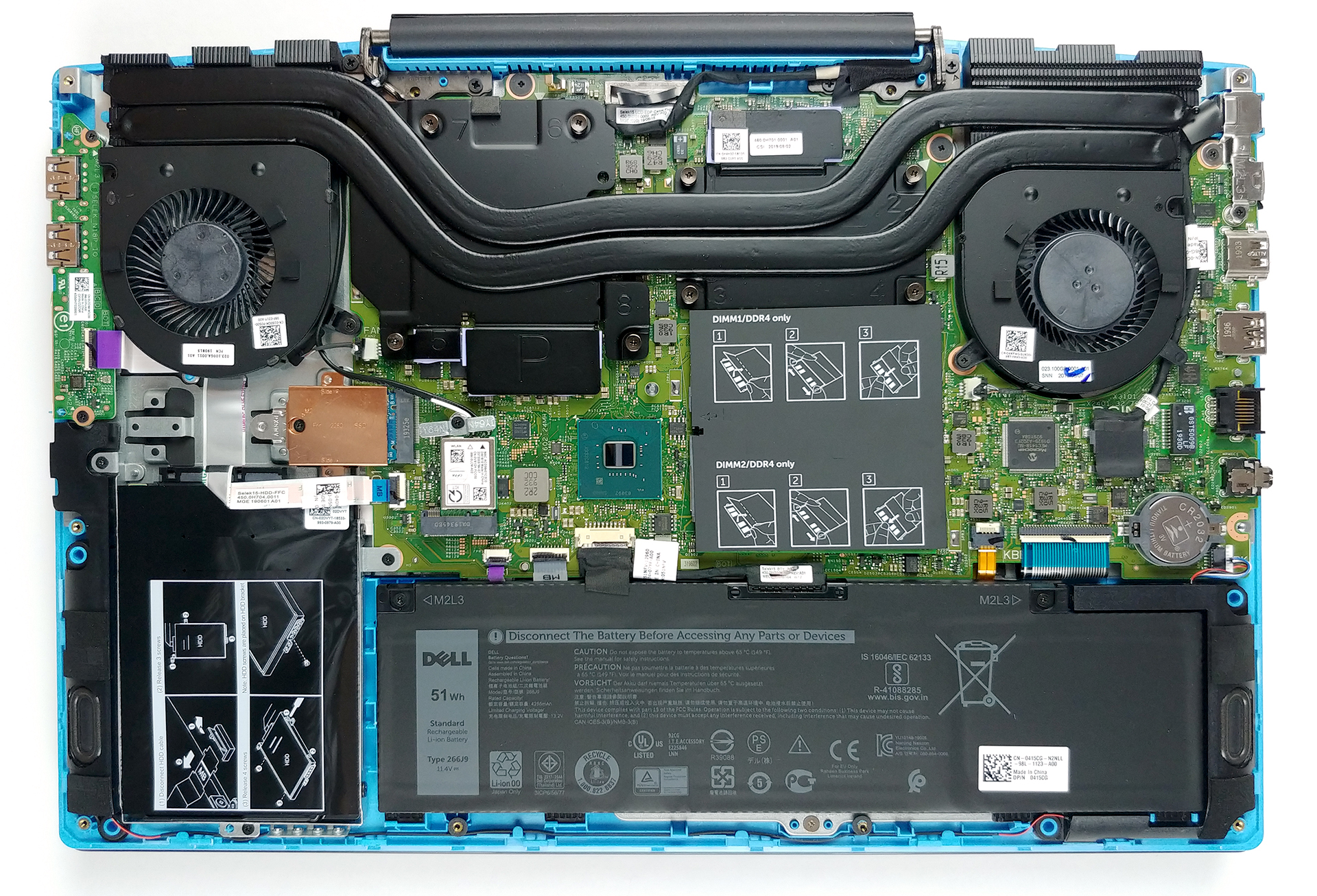
First things first – you need to remove the bottom panel. There are a total of 10 Phillips-head screws, and four of them (the closest to the display) stay attached to the bottom plate after you unscrew them. Then, gently pry the plate with a plastic tool and now you have access to all of the internals of this laptop.
2. Battery
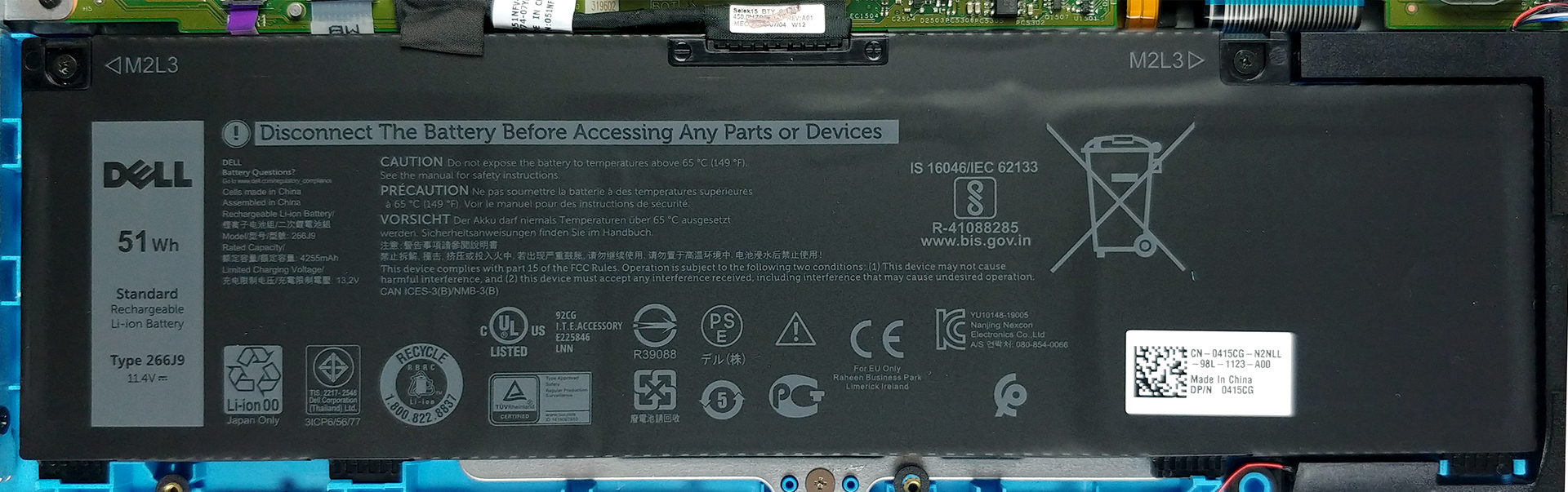
Before you continue, unplug the battery connector from the motherboard. This way, you remove all of the current from the machine. Additionally, you can remove the 51Wh unit by unscrewing only two Phillips-head screws.
3. Memory and storage
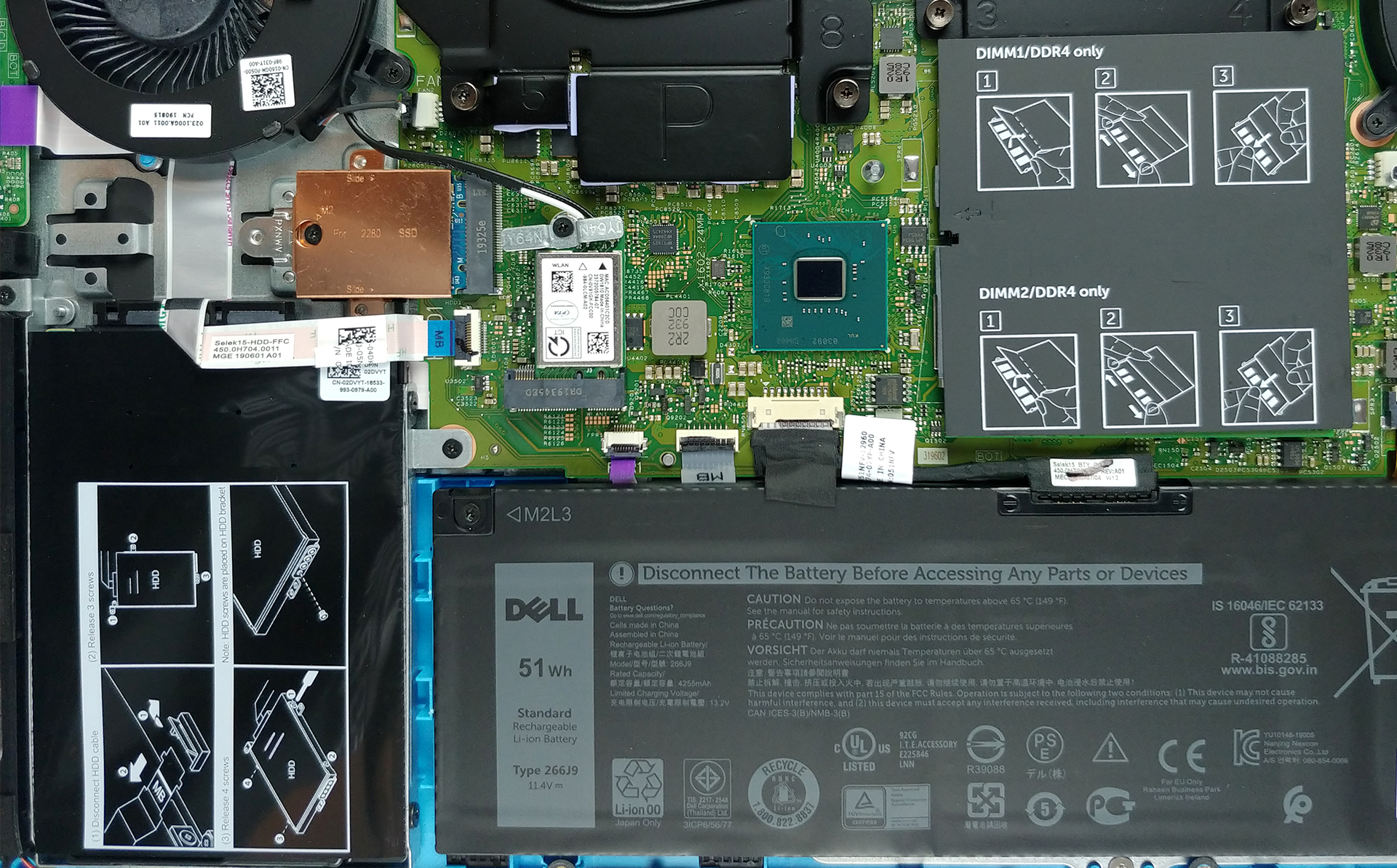
Next, you have two RAM DIMMs that support up to 32GB of DDR4 memory in total. Moreover, you can put NVMe drives that support PCIe x4, as the M.2 slot supports it as well. Then, there is a 2.5″ SATA slot that can fit up to 2TB of HDD storage.
4. Cooling system
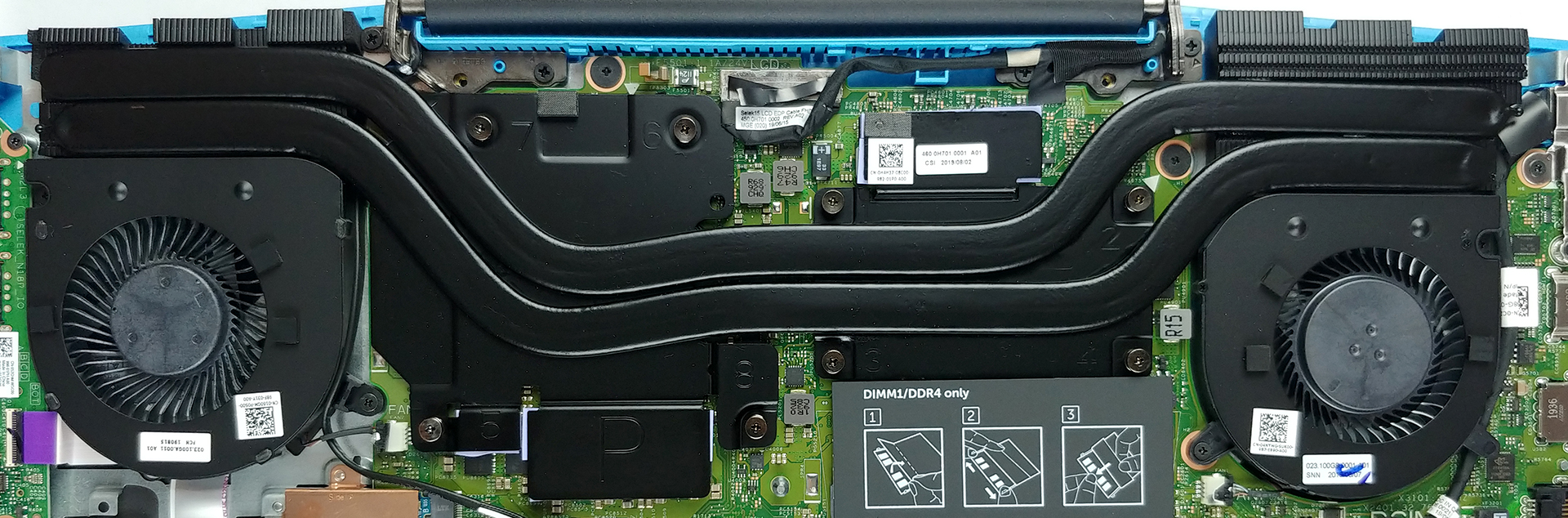
This laptop’s cooling features two heat pipes, placed above two large plates. It is a pretty standard setup for a gaming notebook, as there are two fans that dissipate the heat from the heat spreaders. One of them is slightly larger than the other one (or at least it seems so).
Check out all Dell G3 15 3590 prices and configurations in our Specs System or read more in our In-Depth review.
 Author: Alex Iliev

![[Junio de 2026] Las marcas de ordenadores portátiles más vendidas en Amazon Global: el dominio sin rival de Apple en unidades y facturación](https://laptopmedia.com/wp-content/uploads/2026/07/GLOBAL-Best-Brands-400x225.jpg)
![[Junio de 2026] Amazon Global: Las 10 portátiles más vendidas – El nuevo MacBook Neo de Apple se aupó al número 1 y está revolucionando el mercado gracias a su precio asequible](https://laptopmedia.com/wp-content/uploads/2026/07/Best-Selling-Laptops-GLOBAL-Top-10-400x225.jpg)
![[Junio de 2026] Amazon Global: Las 10 portátiles para videojuegos más vendidas – La Nitro V 16S AI de Acer domina las ventas, mientras que ASUS lidera los ingresos totales](https://laptopmedia.com/wp-content/uploads/2026/07/Best-Selling-Gaming-Laptops-GLOBAL-Top-10-400x225.jpg)
![[Junio de 2026] Clasificación mundial de las GPU para portátiles más vendidas en Amazon: la NVIDIA RTX 5060 es la GPU dedicada más vendida](https://laptopmedia.com/wp-content/uploads/2026/07/Best-Selling-GPUs-GLOBAL-Top-10-400x225.jpg)
![[Junio de 2026] Clasificación mundial de las CPU para portátiles más vendidas en Amazon: el Apple M5 domina el mercado, mientras que el AMD Ryzen 7 260 consigue una sólida cuota en el segmento de gama alta](https://laptopmedia.com/wp-content/uploads/2026/07/Best-Selling-CPUs-GLOBAL-Top-10-400x225.jpg)

If I get the version with 256 GB SSD will I be able to add an internal 2.5 inch HDD for storage?
Yes, in mine there was a normal 2.5″ bracket with cables
Can you install a full length nvme ssd in the g3 3590?
Yes, it has mounts for both sizes.
Cual es la capacidad maxima que puedo colocar de SSD?
What is the maximum M.2 SSD capacity that this laptop supports?
Видюху можно апгрейдить?