Inside Dell Latitude 14 7420 – disassembly and upgrade options
As one of the best business notebooks of the year, the Latitude 14 7420 delivers on every front. Well, except for memory upgradability.
Check out all Dell Latitude 14 7420 prices and configurations in our Specs System or read more in our In-Depth review.
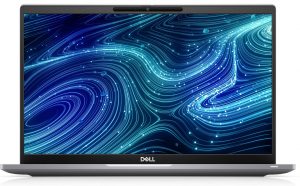
1. Remove the bottom plate
Before you remove the bottom panel of this laptop, you should remove the SIM card tray. Then, undo all 8 Phillips-head screws, and pry the panel, starting from the hinge gaps.
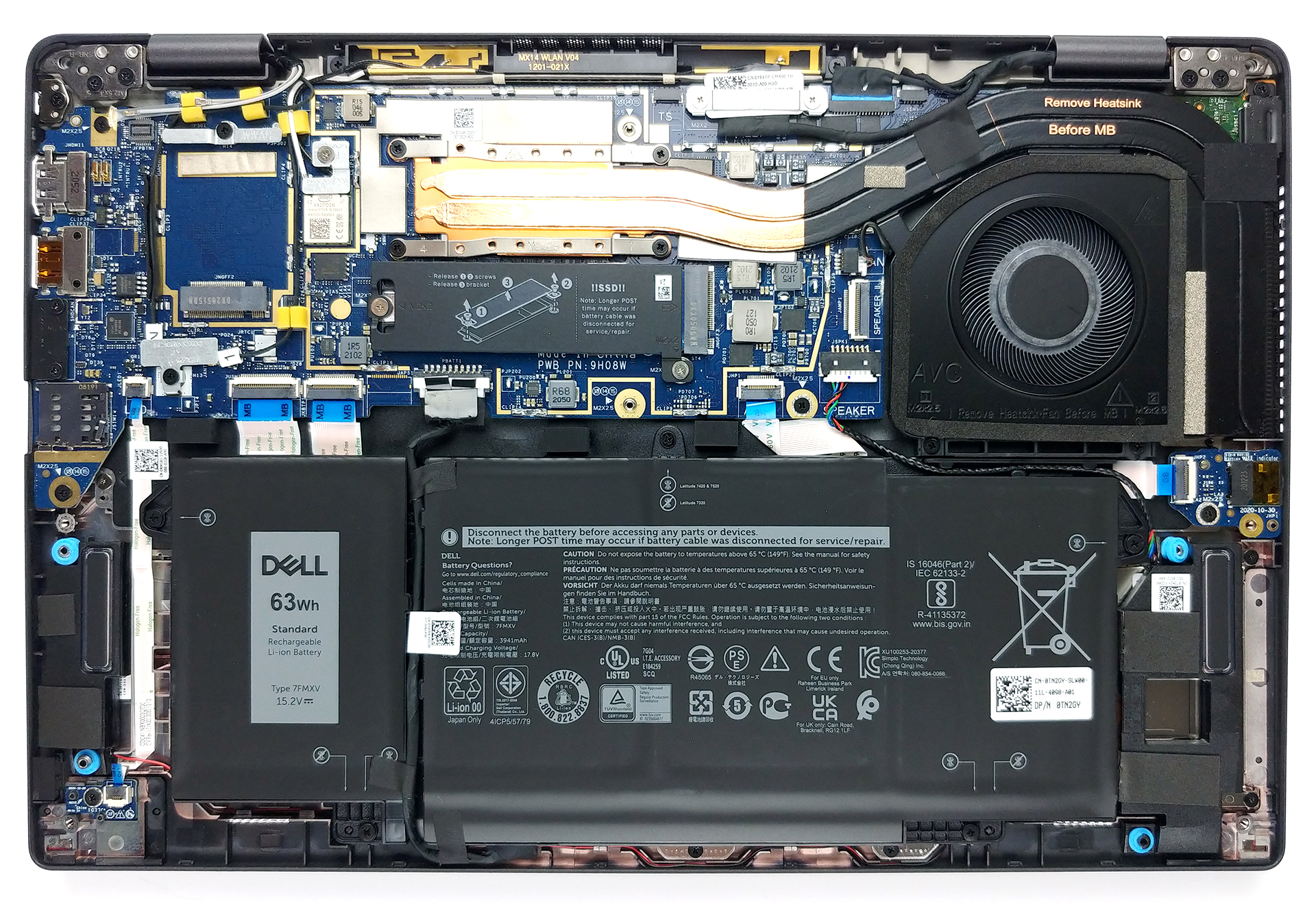
2. Battery
The first thing we see inside is the battery pack. This model comes equipped either with a 42Wh unit or a 63Wh one.
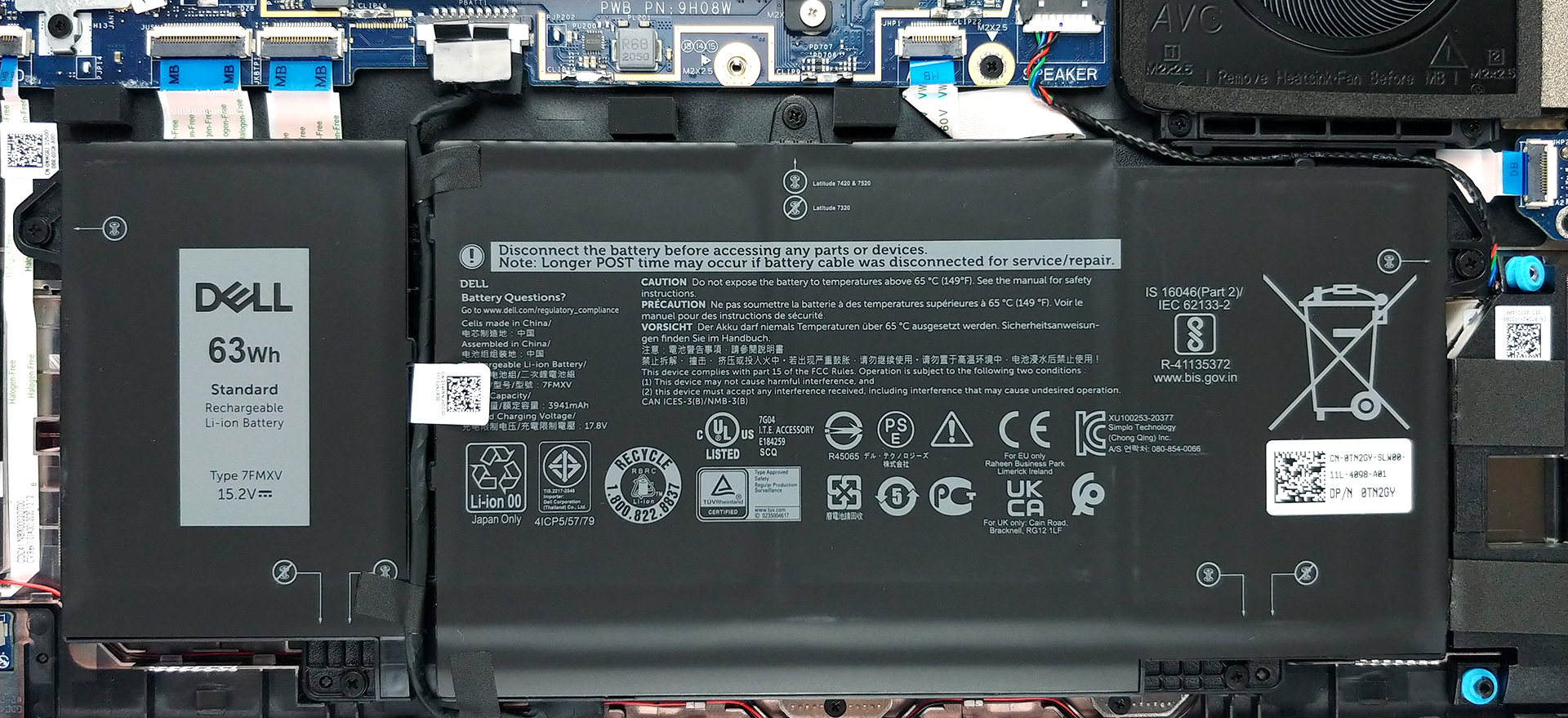
3. Мemory and storage
Unfortunately, the memory chips are soldered onto the motherboard. On the bright side, the available configurations include 8, 16, or 32GB of LPDDR4x RAM, all working in dual-channel mode. Storage-wise, there is one M.2 slot, that supports PCIe x4 drives.
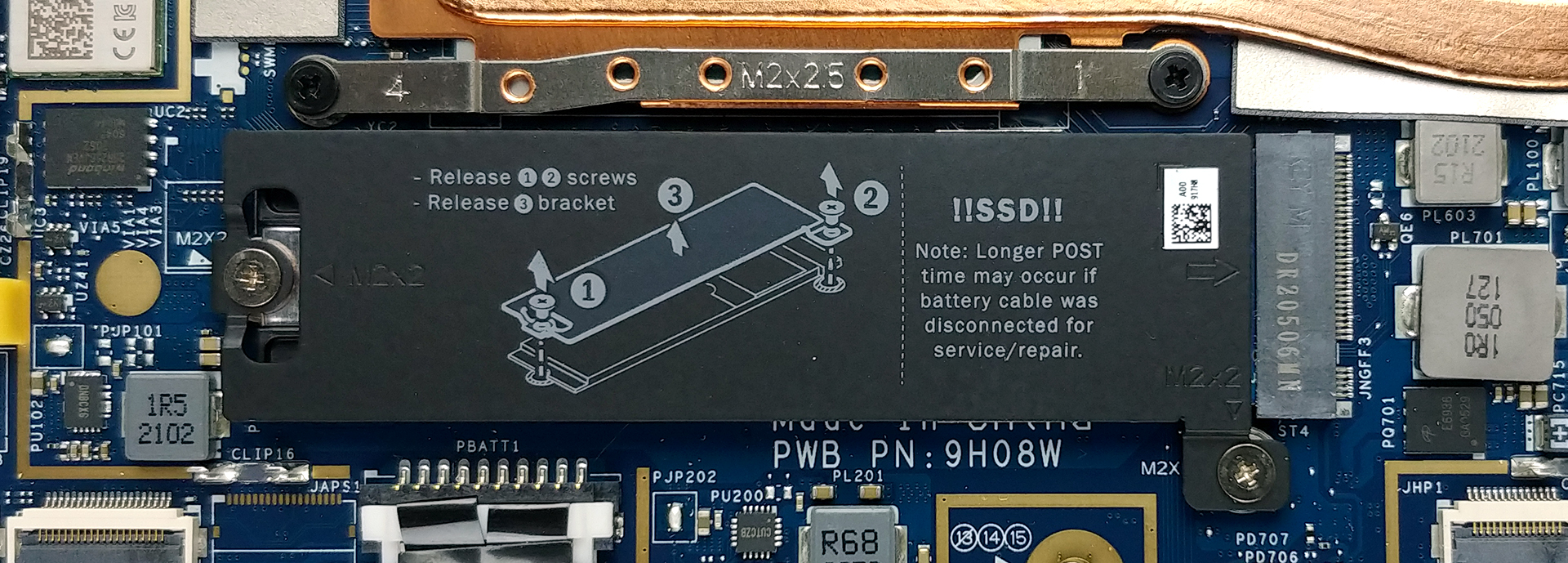
4. Cooling system
As for the cooling, the temperatures inside are managed by two heat pipes, which lead to a side-mounted heat sink.
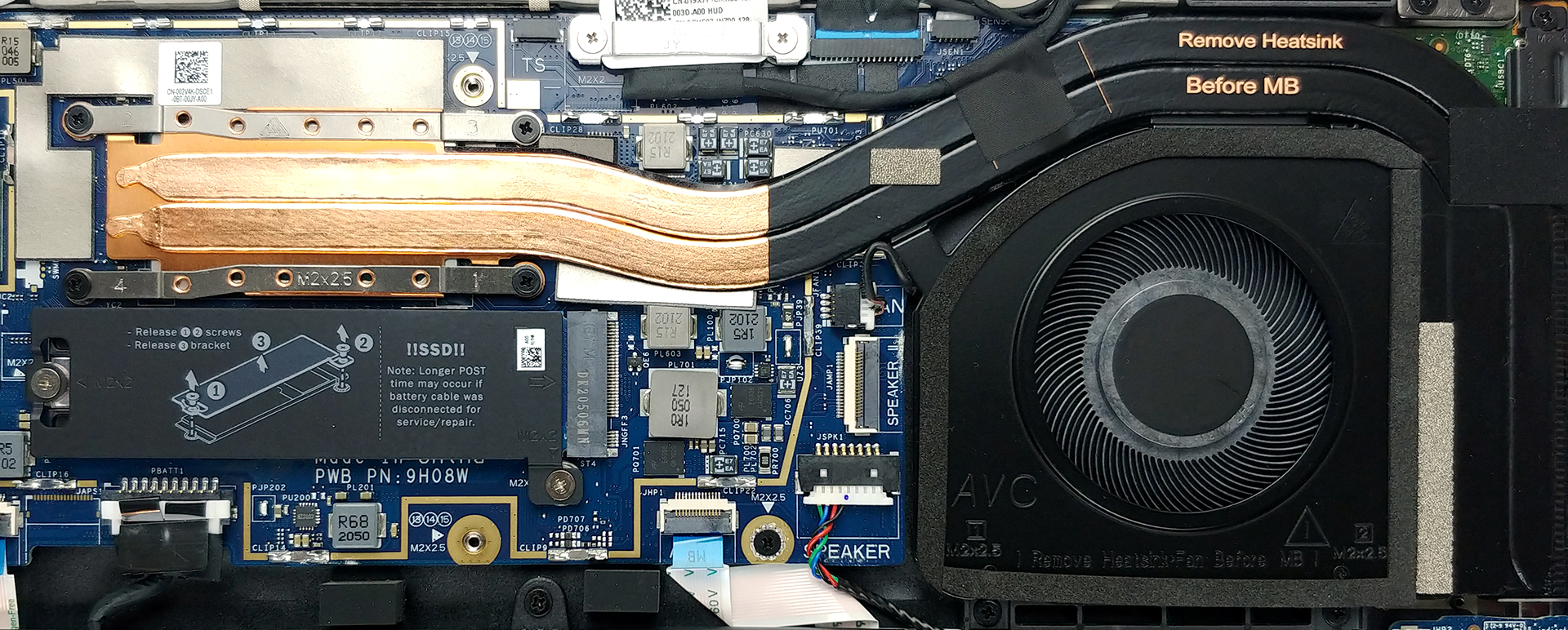
Check out all Dell Latitude 14 7420 prices and configurations in our Specs System or read more in our In-Depth review.
Dell Latitude 14 7420 reseña en profundidad
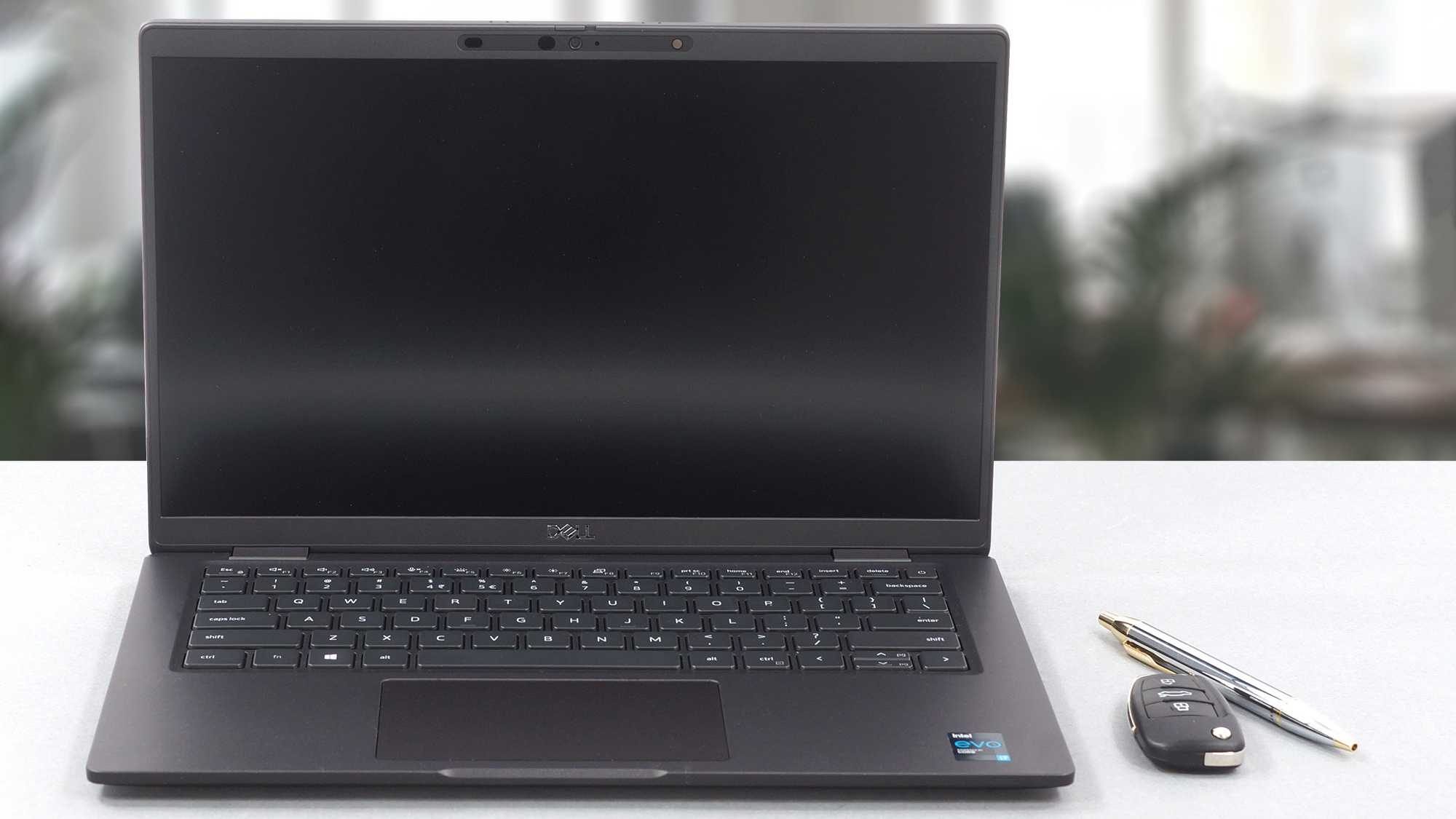
The premium business laptop niche is a market full of high-demand users. And rightfully so, because they need a device that is secure, stable, and won't let them down at any time.Well, the Latitude 14 7420 comes in time to provide all of the aforementioned and more. Given the fact that pretty much all of the previous Latitude 7000 series notebooks were pretty capable in terms of performance, we expect nothing less from this model. Especially considered the Tiger Lake CPUs that it packs, which are the best effort from Intel in years.In addition to that, you get an optional WWAN card fo[...]
Pros
- A ton of security software + a human detecting proximity sensor
- Doesn't use PWM for brightness adjustment (LG V0GPY-133WF7)
- Wi-Fi 6 support, optional LTE connectivity, and an optional Smart Card reader
- Great battery life
- Choice of carbon and aluminum for build materials
- Comfortable keyboard (but suffers from deck flex)
- Optional fingerprint reader and IR face recognition systems
- Wide I/O, including two Thunderbolt 4 connectors, and a MicroSD card reader
- Covers 90% of sRGB colors and offers accurate color representation thanks to our Gaming and Web design profile (LG V0GPY-133WF7)
Contras
- Premium price tag
- Memory is soldered to the motherboard
 Author: Alex Iliev

![[Junio de 2026] Las marcas de ordenadores portátiles más vendidas en Amazon Global: el dominio sin rival de Apple en unidades y facturación](https://laptopmedia.com/wp-content/uploads/2026/07/GLOBAL-Best-Brands-400x225.jpg)
![[Junio de 2026] Amazon Global: Las 10 portátiles más vendidas – El nuevo MacBook Neo de Apple se aupó al número 1 y está revolucionando el mercado gracias a su precio asequible](https://laptopmedia.com/wp-content/uploads/2026/07/Best-Selling-Laptops-GLOBAL-Top-10-400x225.jpg)
![[Junio de 2026] Amazon Global: Las 10 portátiles para videojuegos más vendidas – La Nitro V 16S AI de Acer domina las ventas, mientras que ASUS lidera los ingresos totales](https://laptopmedia.com/wp-content/uploads/2026/07/Best-Selling-Gaming-Laptops-GLOBAL-Top-10-400x225.jpg)
![[Junio de 2026] Clasificación mundial de las GPU para portátiles más vendidas en Amazon: la NVIDIA RTX 5060 es la GPU dedicada más vendida](https://laptopmedia.com/wp-content/uploads/2026/07/Best-Selling-GPUs-GLOBAL-Top-10-400x225.jpg)
![[Junio de 2026] Clasificación mundial de las CPU para portátiles más vendidas en Amazon: el Apple M5 domina el mercado, mientras que el AMD Ryzen 7 260 consigue una sólida cuota en el segmento de gama alta](https://laptopmedia.com/wp-content/uploads/2026/07/Best-Selling-CPUs-GLOBAL-Top-10-400x225.jpg)
