Inside HP Pavilion 17 (2016) – disassembly, internal photos and upgrade options
It’s time for that disassembly article again and this time, we are looking at the newly announced HP Pavilion 17 notebook. We are expecting some revamped cooling system in order to accommodate the high-performance Core i5 or i7 CPU along with the powerful NVIDIA GeForce GTX 960M GPU.
You can find the notebook’s price and configurations here: http://amzn.to/29nk9NA
1. Removing the bottom cover
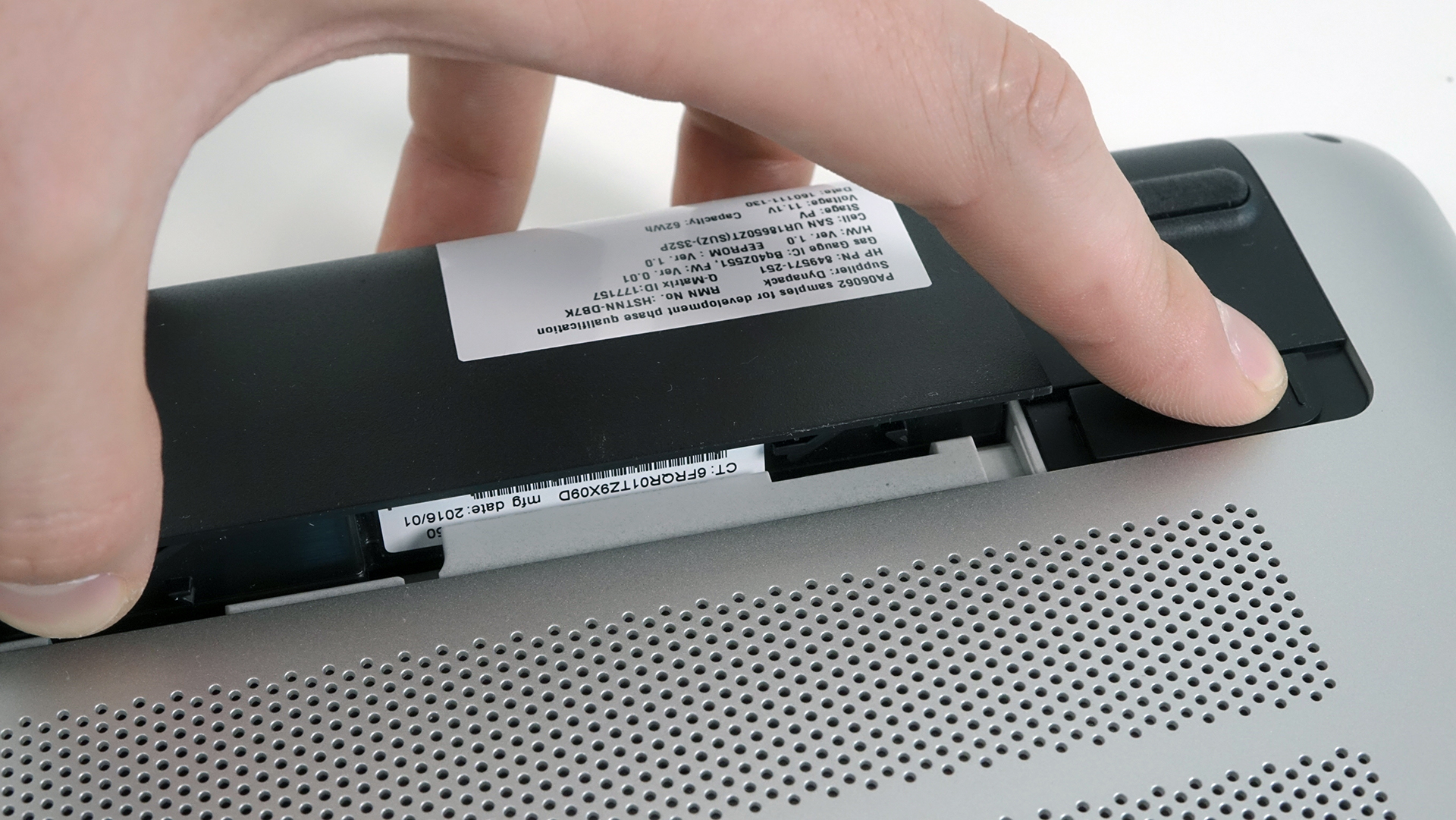
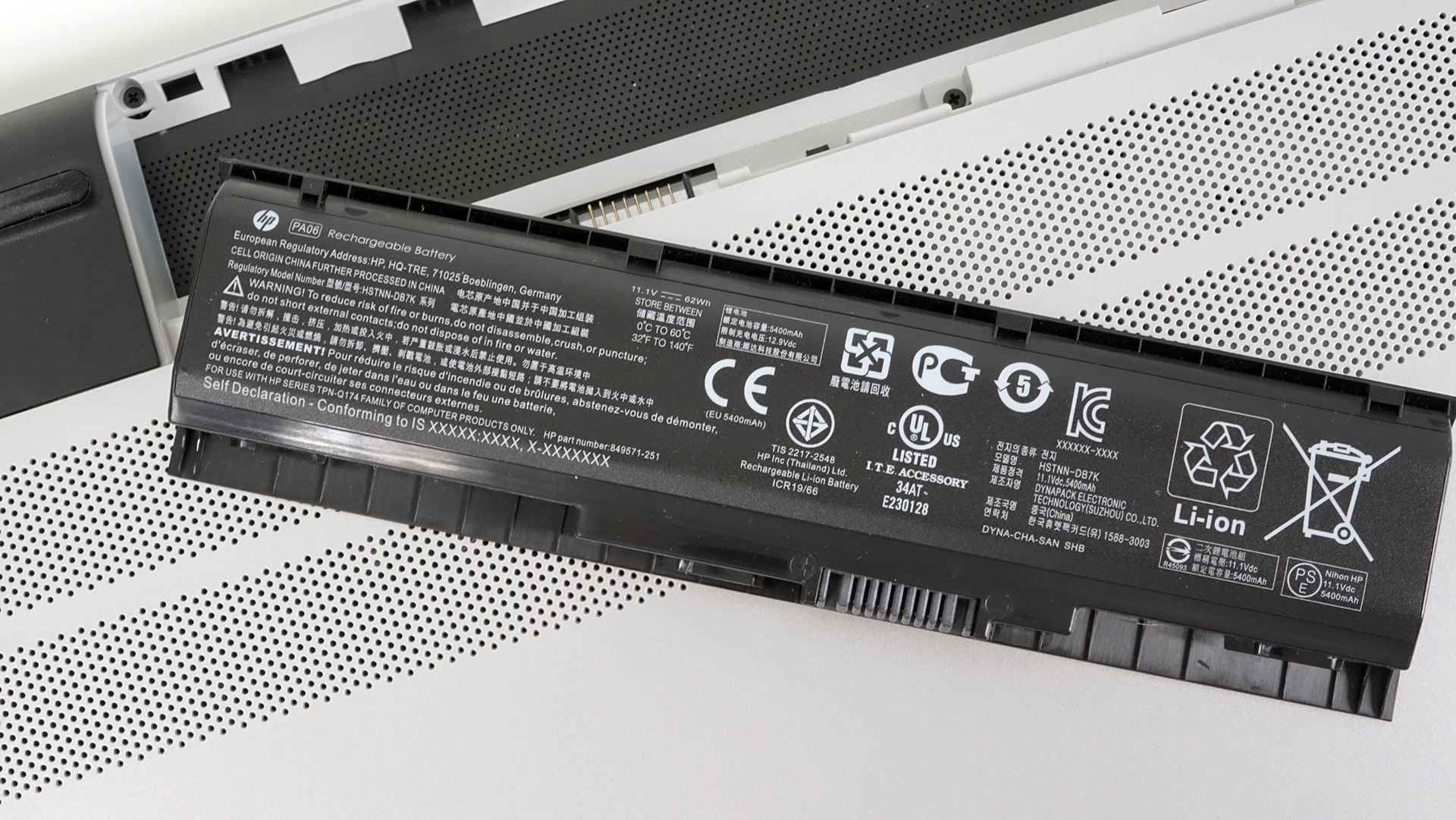
Removing the bottom cover isn’t much of a hassle. In fact, on contrary to other HP laptops we’ve disassembled, this one is easy to maintain with only a few screws holding the bottom. First, you have to
remove the battery, which is user-accessible and rated at 62Wh, as shown in the photo below.
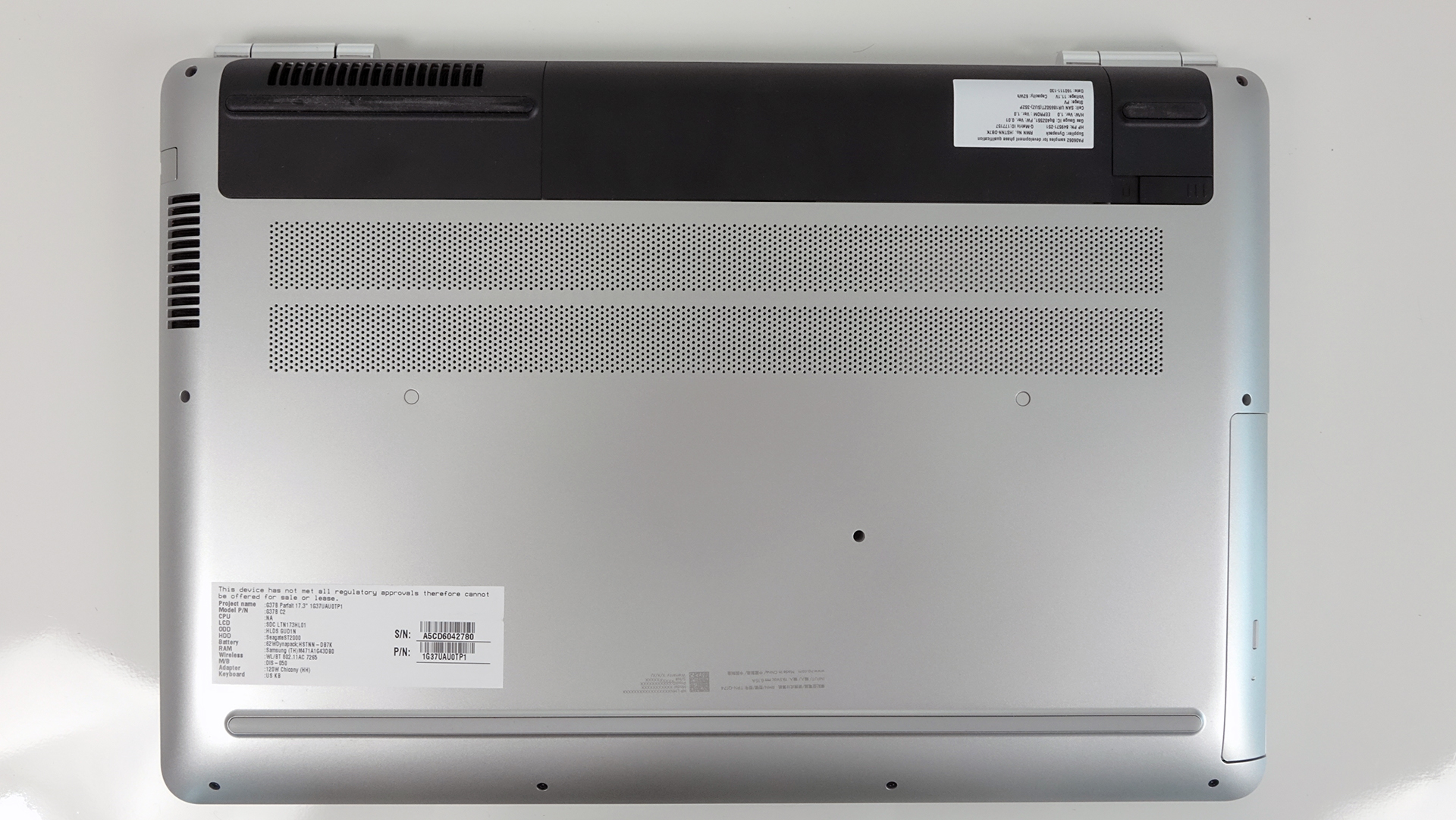
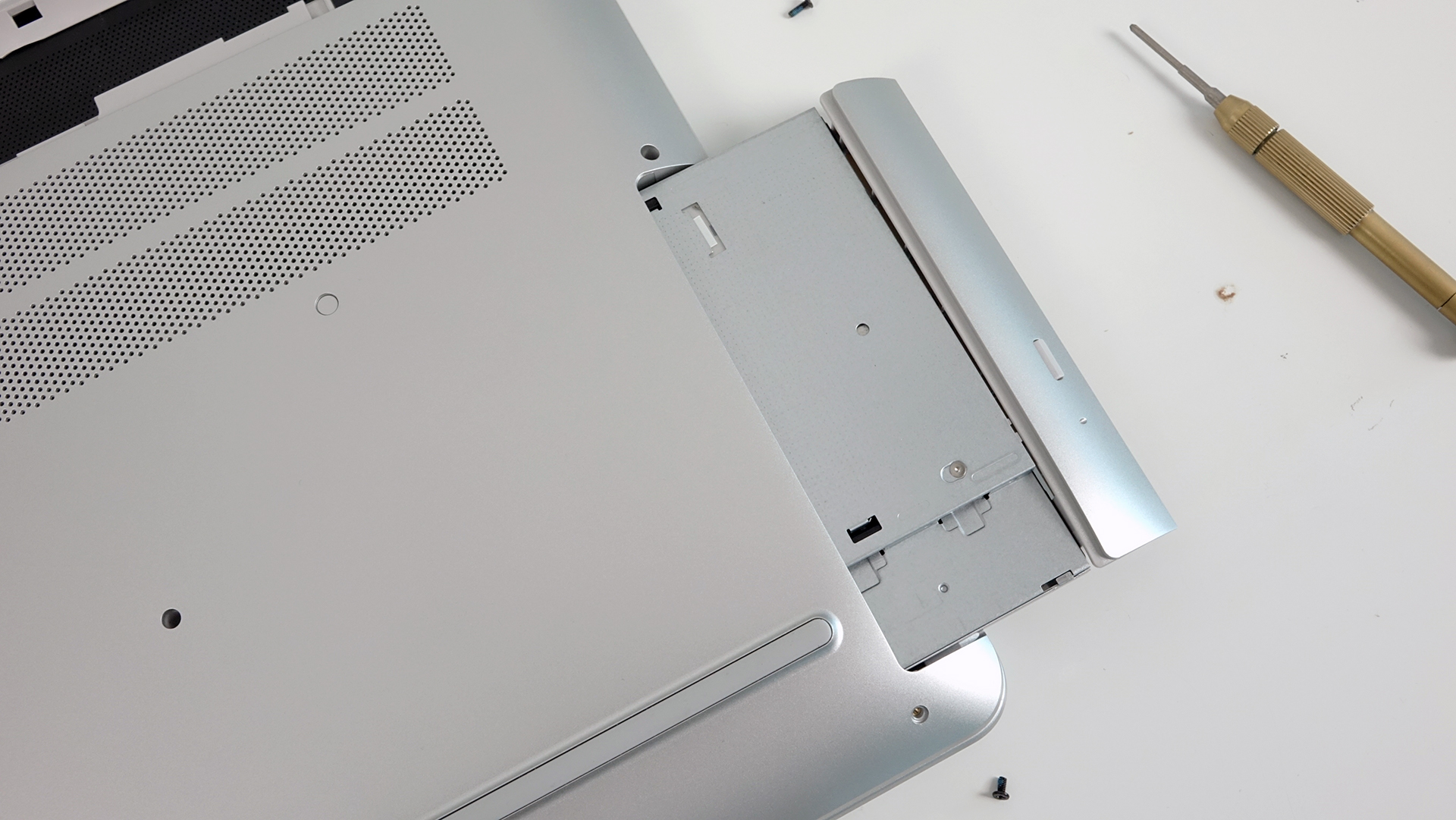
After the battery is out of the way, make sure you’ve removed the screws hiding beneath as well. Then, proceed with removing the rest of bolts around the chassis and the optical drive. Get yourself a thin plastic tool to pry up the keyboard tray and remove the bottom piece.
2. Storage devices and other hardware – 2.5-inch HDD and M.2 SSD slot
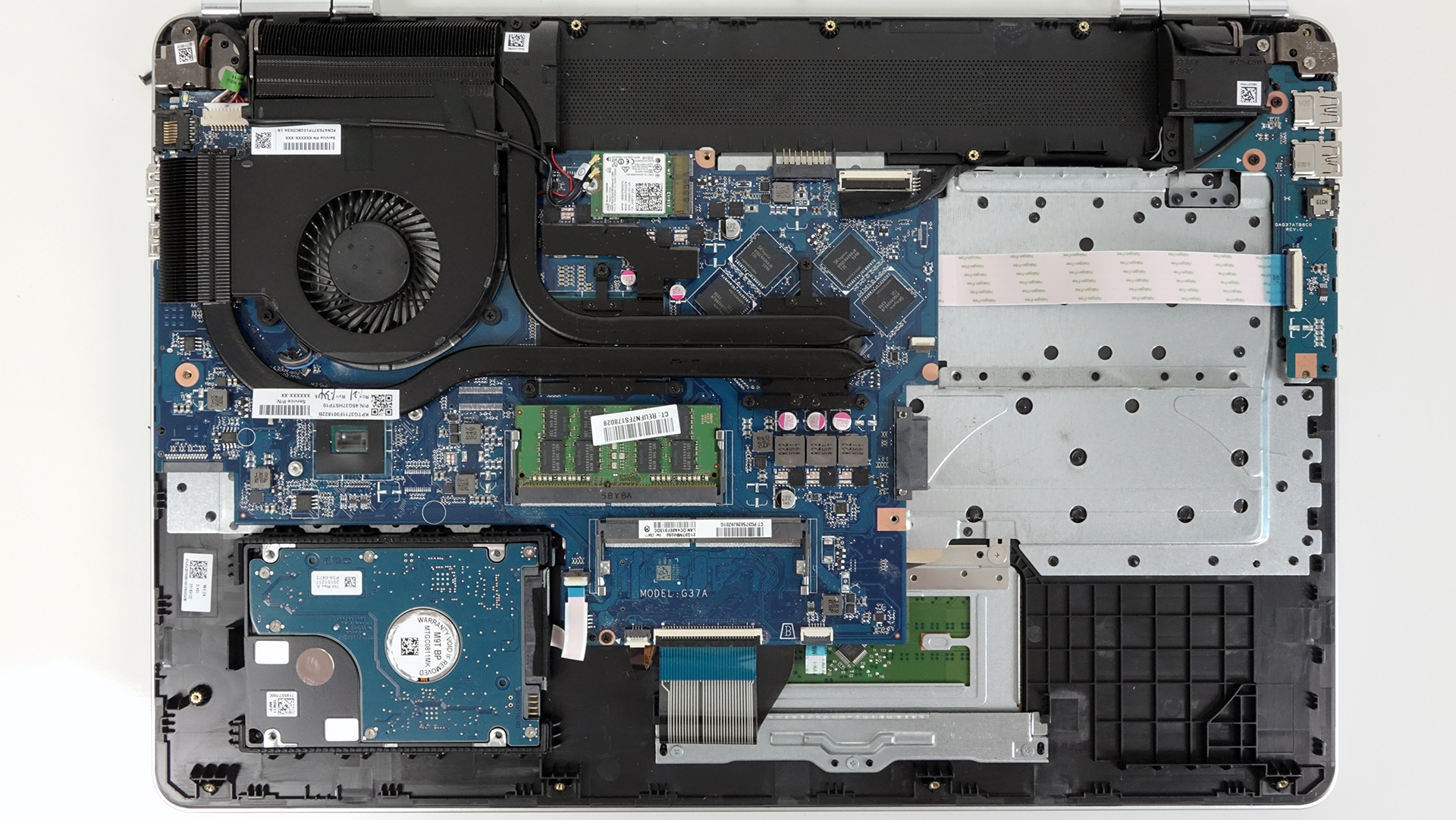
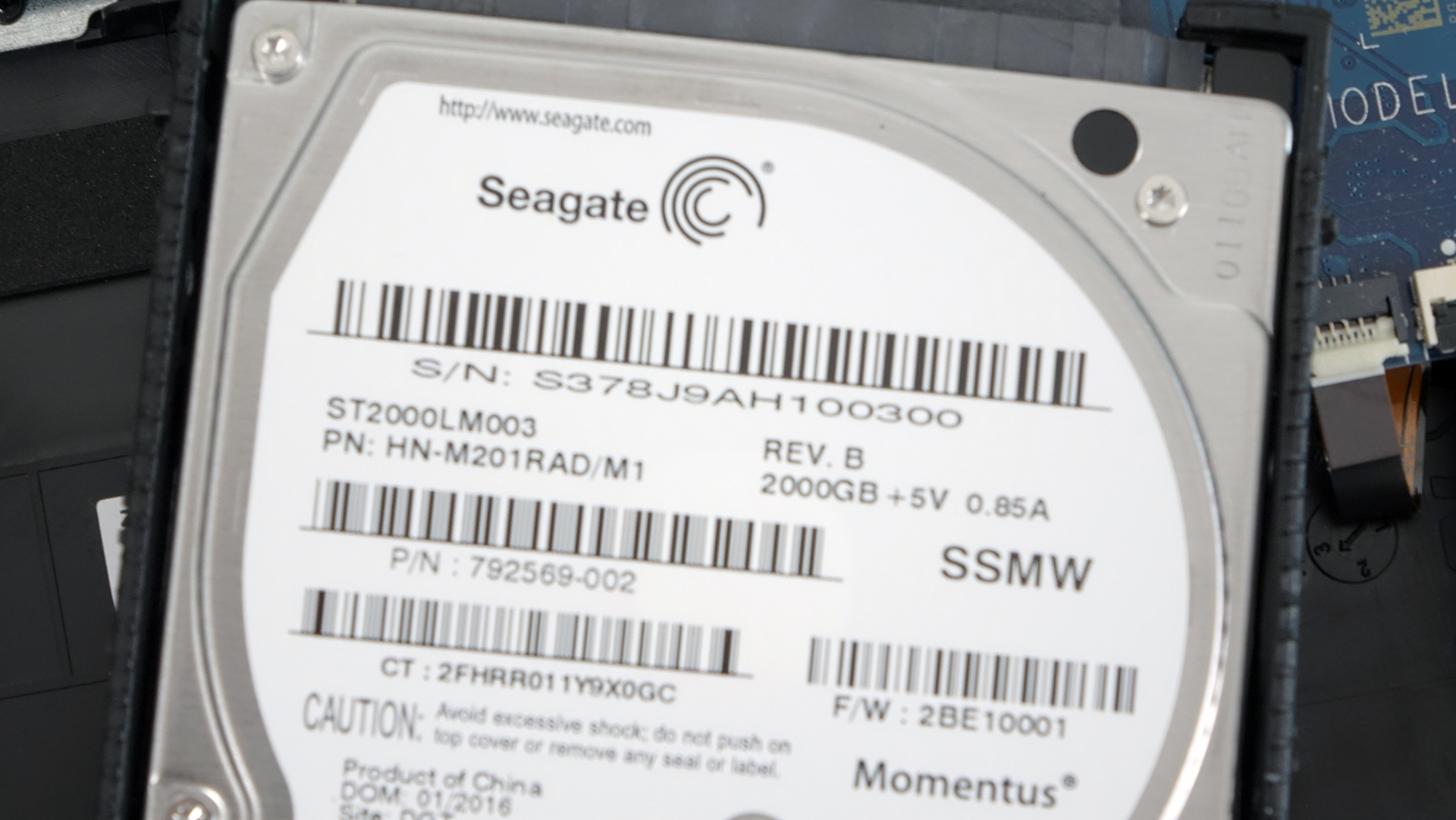
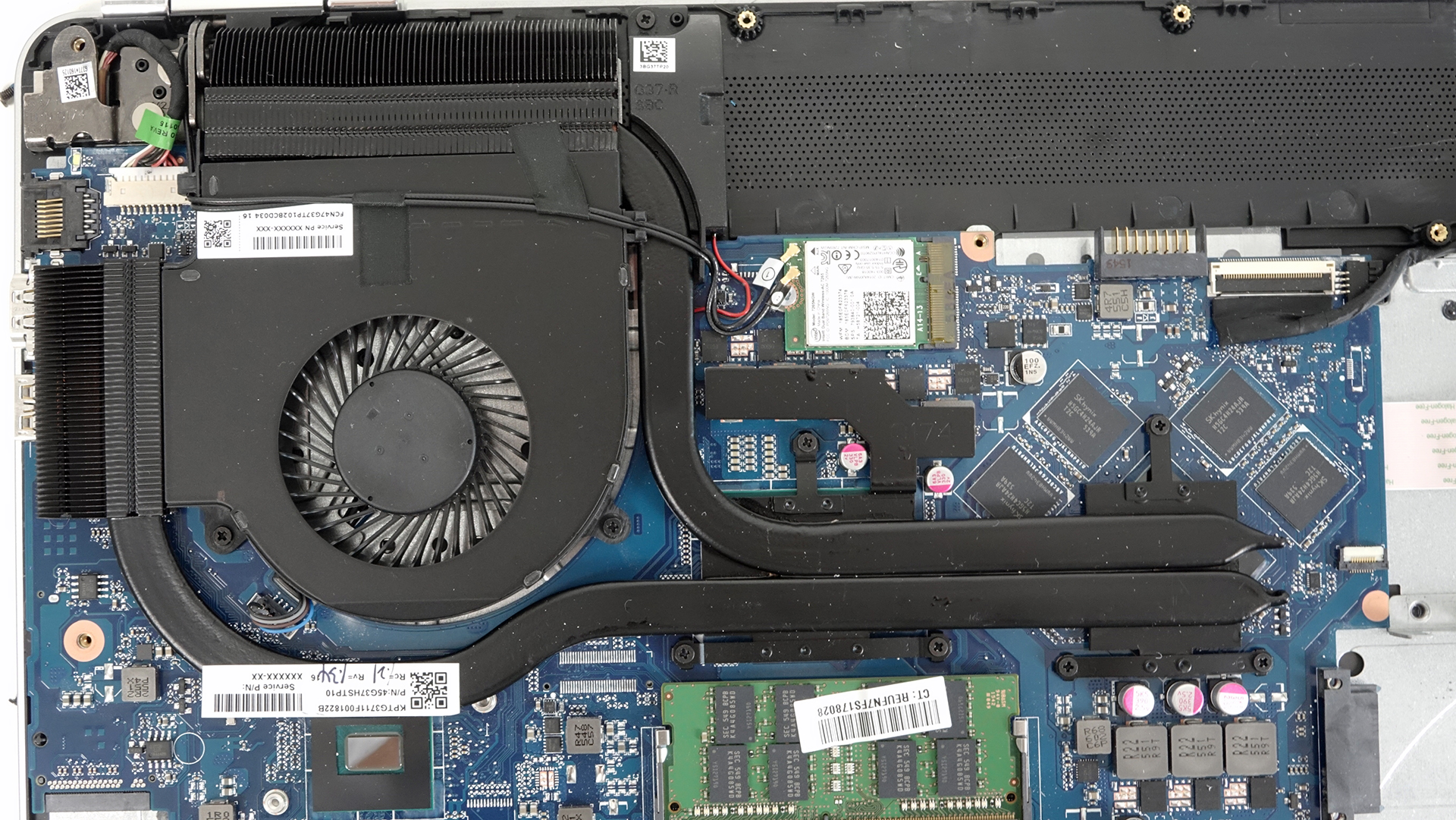
Removing the bottom reveals all the internals you might want to upgrade, maintain or change. You can see the 2.5-inch HDD placed near the bottom left corner – 2TB Seagate spinning at 5400rpm.
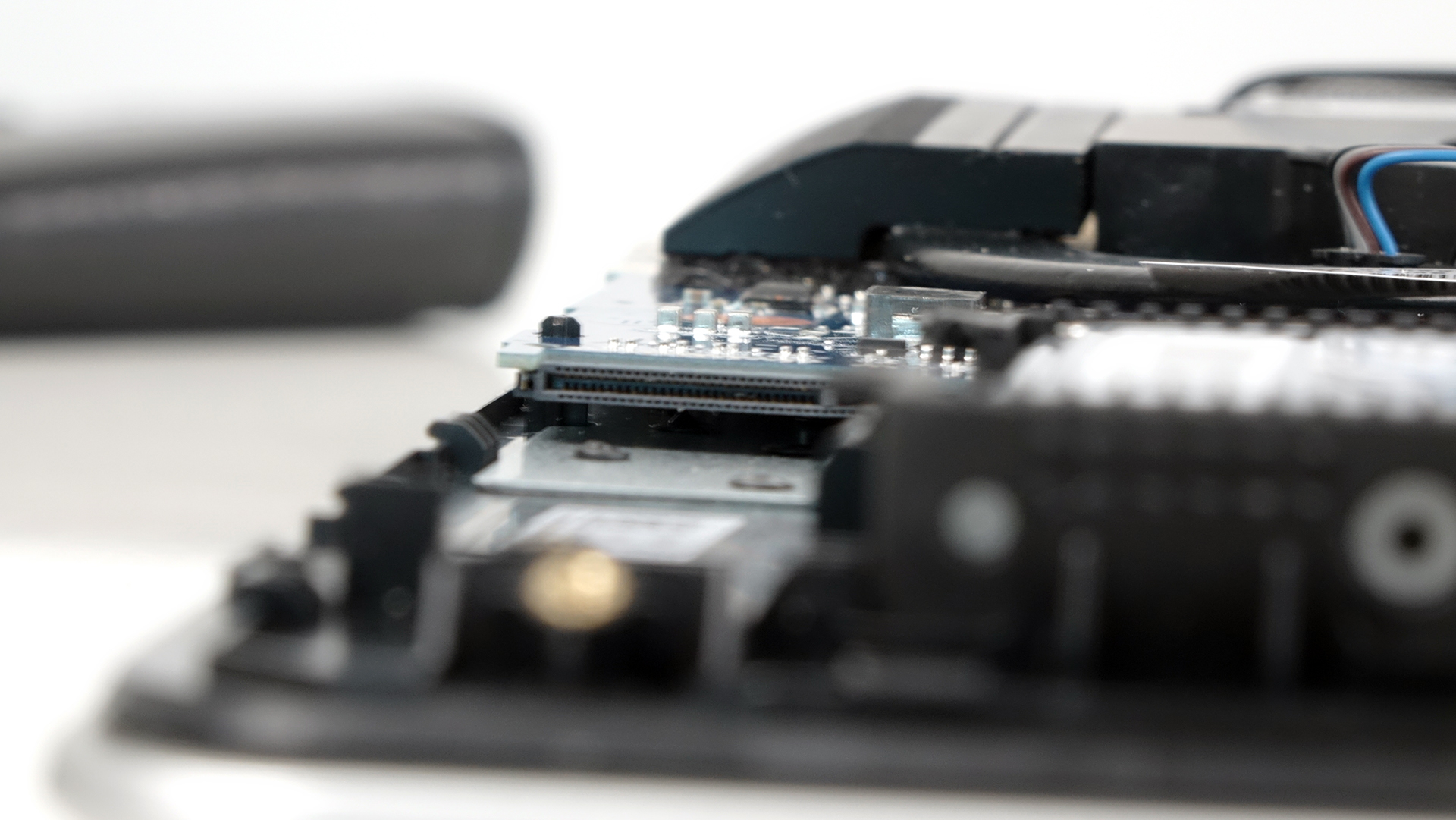
Right next to the 2.5-inch drive, you can see the M.2 SSD slot supporting 2280 standard with M-edge key connector.
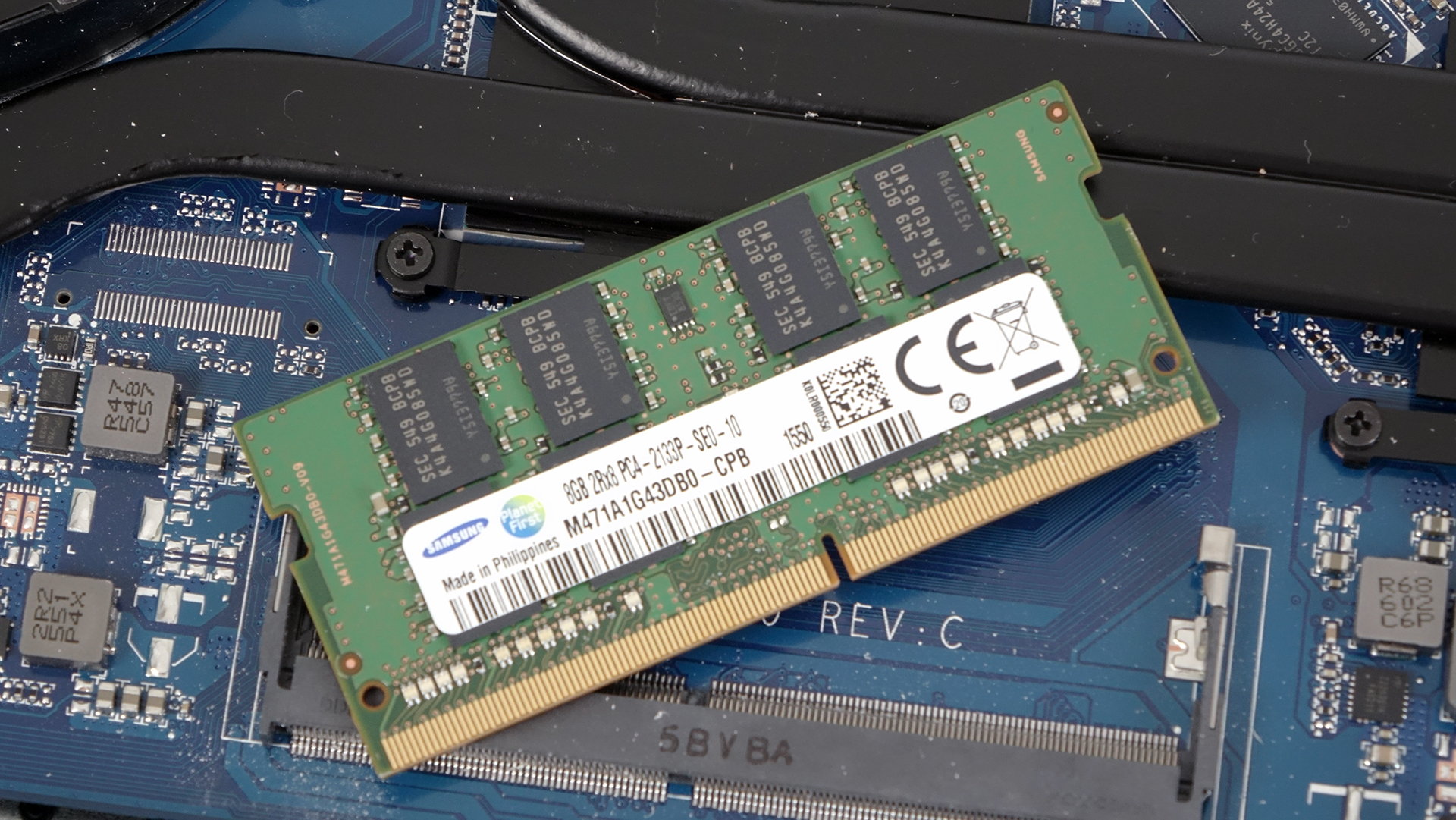
As you have already noticed, the motherboard supports up to two DDR4 RAM chips. Our unit came with only one Samsung 8GB DDR4-2133 stick.
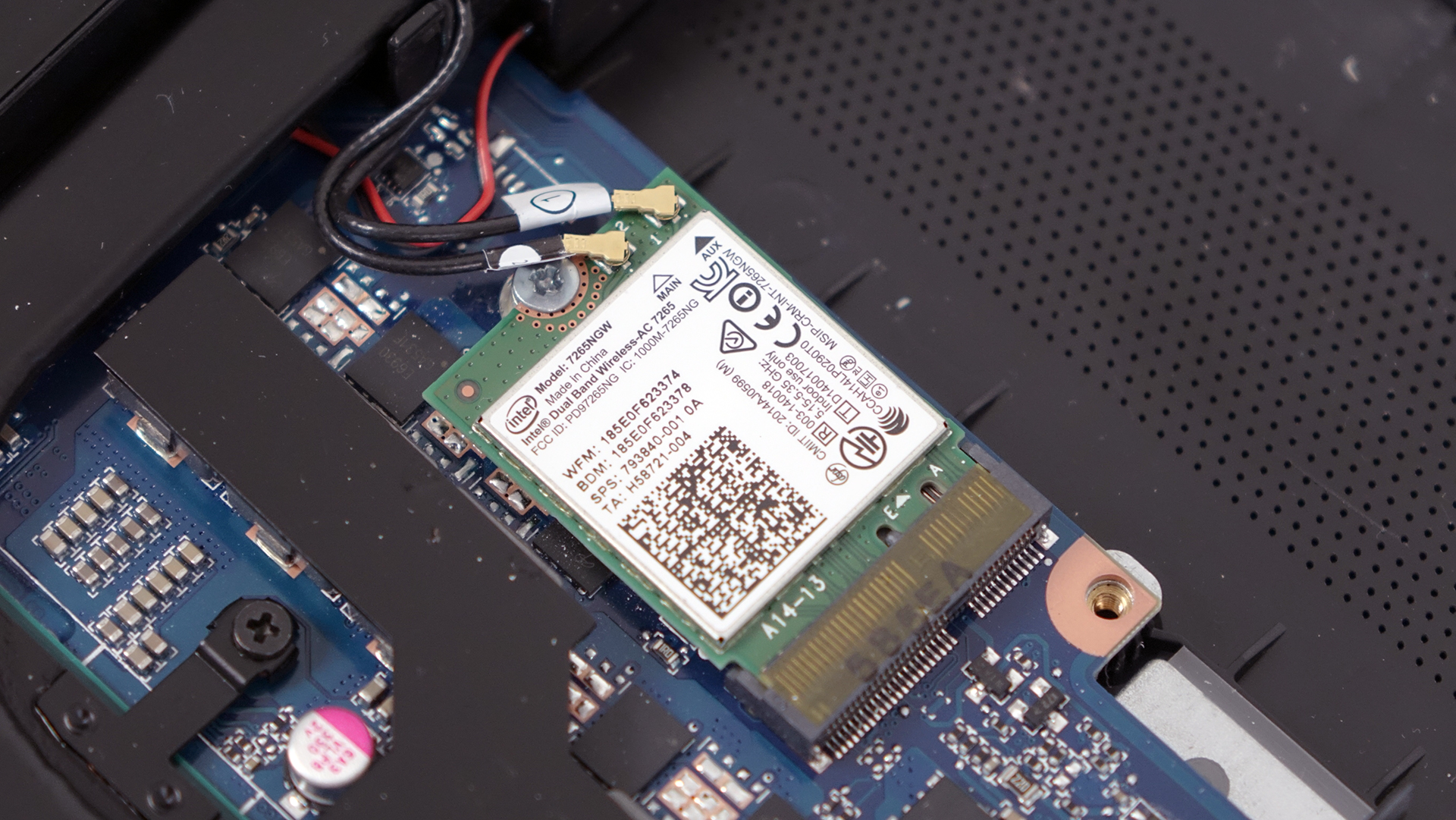
The Wi-Fi module is placed near the fan. It’s Intel Dual Band Wireless-AC 7265.
3. Cooling system
The cooling system consists of just one big fan dispersing heat through two vent openings at the same time, which are connected to two heat pipes going straight to the CPU and GPU. At first glance, the design isn’t sufficient for supporting the unit’s Core i5-6300HQ and GTX 960M GPU but our tests will confirm or disprove this claim. Stay tuned for our full review.
You can find the notebook’s price and configurations here: http://amzn.to/29nk9NA
 Author: LaptopMedia Team

![[Junio de 2026] Las marcas de ordenadores portátiles más vendidas en Amazon Global: el dominio sin rival de Apple en unidades y facturación](https://laptopmedia.com/wp-content/uploads/2026/07/GLOBAL-Best-Brands-400x225.jpg)
![[Junio de 2026] Amazon Global: Las 10 portátiles más vendidas – El nuevo MacBook Neo de Apple se aupó al número 1 y está revolucionando el mercado gracias a su precio asequible](https://laptopmedia.com/wp-content/uploads/2026/07/Best-Selling-Laptops-GLOBAL-Top-10-400x225.jpg)
![[Junio de 2026] Amazon Global: Las 10 portátiles para videojuegos más vendidas – La Nitro V 16S AI de Acer domina las ventas, mientras que ASUS lidera los ingresos totales](https://laptopmedia.com/wp-content/uploads/2026/07/Best-Selling-Gaming-Laptops-GLOBAL-Top-10-400x225.jpg)
![[Junio de 2026] Clasificación mundial de las GPU para portátiles más vendidas en Amazon: la NVIDIA RTX 5060 es la GPU dedicada más vendida](https://laptopmedia.com/wp-content/uploads/2026/07/Best-Selling-GPUs-GLOBAL-Top-10-400x225.jpg)
![[Junio de 2026] Clasificación mundial de las CPU para portátiles más vendidas en Amazon: el Apple M5 domina el mercado, mientras que el AMD Ryzen 7 260 consigue una sólida cuota en el segmento de gama alta](https://laptopmedia.com/wp-content/uploads/2026/07/Best-Selling-CPUs-GLOBAL-Top-10-400x225.jpg)

What about stress tests results? Max temperature? Keyboard quality?
We’ve got full review here: http://laptopmedia.com/review/hp-pavilion-17-2016-review-affordable-powerful-distant-from-its-predecessor/