Lenovo Flex 5 (Yoga 520) (14″) display profiles – Quality and Health impact results
 The Lenovo Flex 5 doesn’t have the greates IPS panel out there but it proved to be well-suited for lowe-end configurations and with a little adjusting, it gets sensible better. The packages contain the usual Office work, Design & Gaming and Health-Guard profiles, each of which will improve the overall image quality in certain aspects. You can read more about them here and how to use them. We also suggest reading our dedicated article regarding blue light emissions and PWM and how our custom Health-Guard profile reduces Blue Light’s impact and eliminates the harmful PWM.
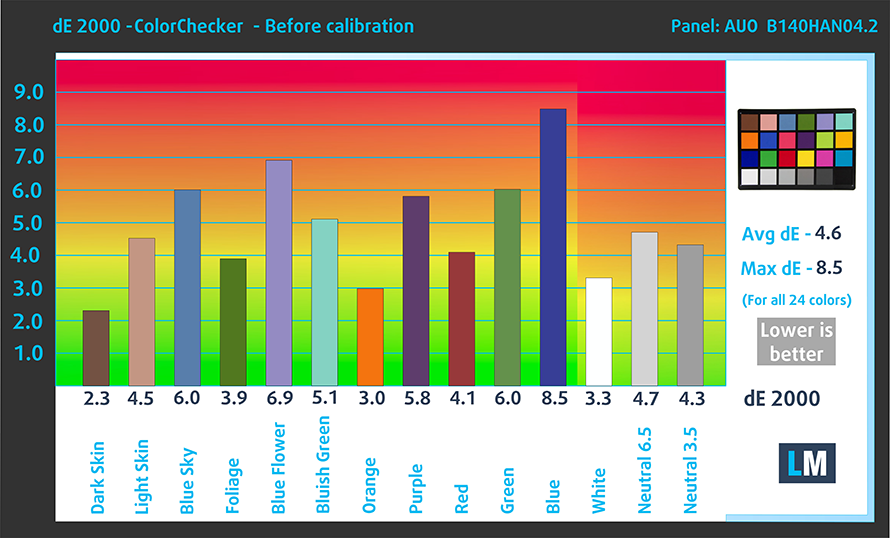
The Lenovo Yoga 520 (Flex 5) (14″) has a Full HD IPS panel with 50% sRGB color gamut coverage, really high contrast ratio (1350:1), relatively low maximum brightness (270 cd/m2) and a tad colder than the optimal color temperature – 6720K.
Since our profiles are tailored for each individual display model, this article and its respective profile package are meant for the Lenovo Flex 5 (Yoga 520) with 14.0″ panel manufactured by AU Optronics with model number B140HAN04.2 featuring FHD (1920 x 1080) resolution and the machine can be found at Amazon.com: Lenovo Flex 5 (Yoga 520).
*Should you have problems with downloading the purchased file, try using a different browser to open the link you’ll receive via e-mail. If the download target is a .php file instead of an archive, change the file extension to .zip or contact us at [email protected].
Además de recibir perfiles eficientes y saludables, al comprar los productos de LaptopMedia también apoyas el desarrollo de nuestros laboratorios, donde probamos los dispositivos para producir las reseñas más objetivas posibles.

Trabajo de Oficina
Office Work debe ser utilizado principalmente por usuarios que pasan la mayor parte del tiempo mirando textos, tablas o simplemente navegando. Este perfil tiene como objetivo ofrecer una mejor distinción y claridad manteniendo una curva gamma plana (2.20), una temperatura de color nativa y colores perceptualmente precisos.

Diseño y Juegos
Este perfil está dirigido a diseñadores que trabajan con colores profesionalmente, así como para juegos y películas. Design and Gaming lleva los paneles de visualización a sus límites, haciéndolos tan precisos como sea posible en el estándar sRGB IEC61966-2-1 para Web y HDTV, en el punto blanco D65.

Health-Guard
Health-Guard elimina la dañina Modulación por Ancho de Pulsos (PWM) y reduce la Luz Azul negativa que afecta a nuestros ojos y cuerpo. Al estar hecho a medida para cada panel, consigue mantener los colores perceptualmente precisos. Health-Guard simula el papel, por lo que la presión sobre los ojos se reduce considerablemente.
Consigue los 3 perfiles con un 33% de descuento

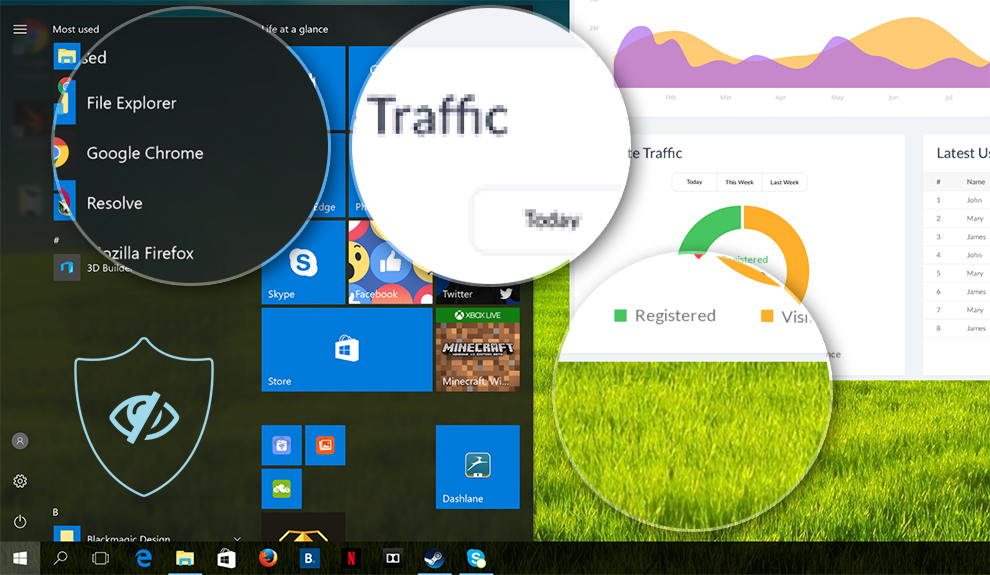
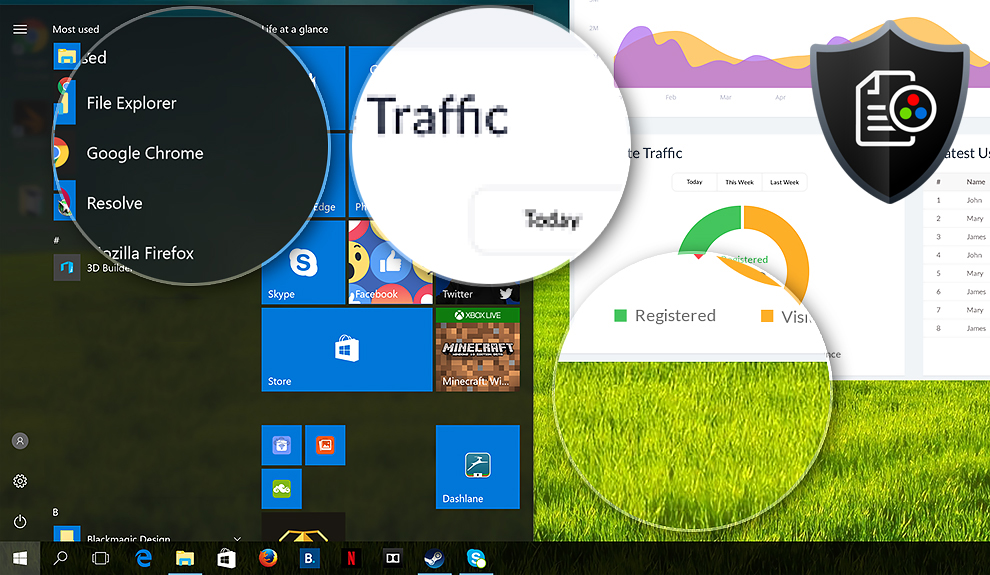
Office Work
This profile aims to deliver better distinctness and clarity by keeping a flat gamma curve (2.20), native color temperature and perceptually accurate colors.
Left: No Profile | Drag the slider to see the difference | Right: Office Work Profile
Design and Gaming
Left: No Profile | Drag the slider to see the difference | Right: Design & Gaming Profile


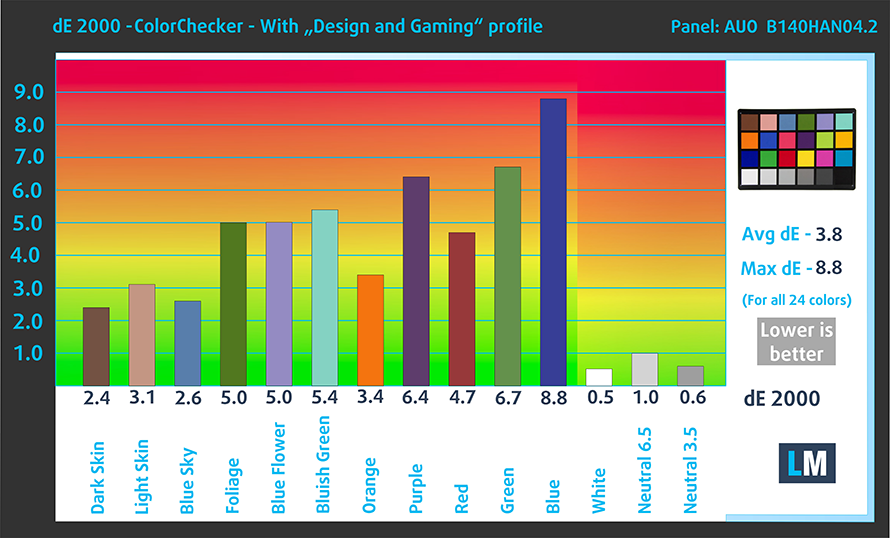
This profile is aimed at designers who work with colors professionally, and for games and movies as well. “Design and Gaming” takes display panels to their limits, making them as accurate as possible in the sRGB IEC61966-2-1 standard for Web and HDTV, at white point D65.
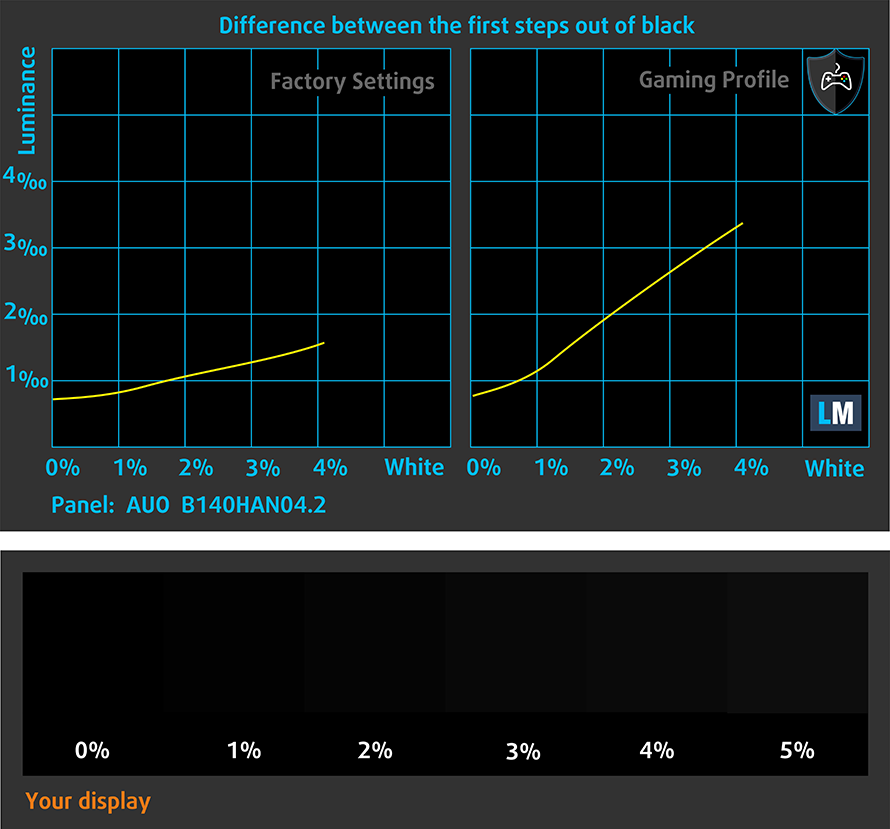
It also regulates the first steps out of black so you can have even faster reflexes when playing in dark virtual environments…or just see everything in the darkest scenes in movies.
Left: No Profile | Drag the slider to see the difference | Right: Design & Gaming Profile


Health-Guard profile
Left: No Profile | Drag the slider to see the difference | Right: Health-Guard Profile


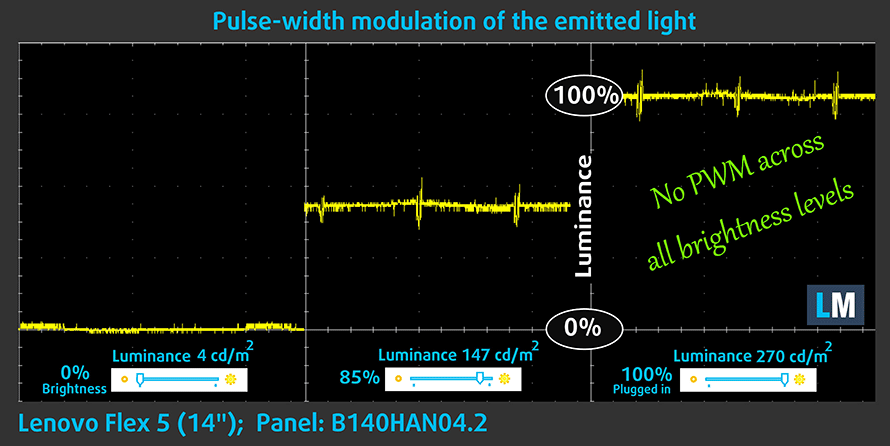
As for the Health-Guard profile, it reduces the blue light impact and eliminates the PWM.
Pro Tip: As the Health-Guard profile simulates paper and has as accurate as possible colors, it could be a great tool for prepress designers!

Installing and using the profiles
You can find a guide for installing and using the profiles HERE.
You can find the available configurations and their prices here: http://amzn.to/2xaEZal
And here you can find the full review of the Dell XPS 13 9365.
Lenovo Flex 5 configurations
 Author: Rossen Pandev

![[Junio de 2026] Las marcas de ordenadores portátiles más vendidas en Amazon Global: el dominio sin rival de Apple en unidades y facturación](https://laptopmedia.com/wp-content/uploads/2026/07/GLOBAL-Best-Brands-400x225.jpg)
![[Junio de 2026] Amazon Global: Las 10 portátiles más vendidas – El nuevo MacBook Neo de Apple se aupó al número 1 y está revolucionando el mercado gracias a su precio asequible](https://laptopmedia.com/wp-content/uploads/2026/07/Best-Selling-Laptops-GLOBAL-Top-10-400x225.jpg)
![[Junio de 2026] Amazon Global: Las 10 portátiles para videojuegos más vendidas – La Nitro V 16S AI de Acer domina las ventas, mientras que ASUS lidera los ingresos totales](https://laptopmedia.com/wp-content/uploads/2026/07/Best-Selling-Gaming-Laptops-GLOBAL-Top-10-400x225.jpg)
![[Junio de 2026] Clasificación mundial de las GPU para portátiles más vendidas en Amazon: la NVIDIA RTX 5060 es la GPU dedicada más vendida](https://laptopmedia.com/wp-content/uploads/2026/07/Best-Selling-GPUs-GLOBAL-Top-10-400x225.jpg)
![[Junio de 2026] Clasificación mundial de las CPU para portátiles más vendidas en Amazon: el Apple M5 domina el mercado, mientras que el AMD Ryzen 7 260 consigue una sólida cuota en el segmento de gama alta](https://laptopmedia.com/wp-content/uploads/2026/07/Best-Selling-CPUs-GLOBAL-Top-10-400x225.jpg)
