Inside Acer Predator 15 (G9-593) – disassembly, internal photos and upgrade options
While you’re waiting for our in-depth review of the new Acer Predator 15 (G9-593) monster with GTX 1070, we’ll show you how it looks on the inside. The internals of the aggressive body can be relatively easy to access in just several minutes.
You can check Predator 15 (G9-593)’s price and availability by following this link: http://amzn.to/2ccAYet
1. Remove the optical drive
It’s not a bad idea to start with the optical drive since it can be taken off in a second and it has hidden screws underneath. However, if you want to upgrade the RAM, M.2 or HDD, this step isn’t necessary.

2. Remove the service lid
The memory and storage are covered by a service lid which is very convenient since you don’t need to remove the whole bottom for a quick upgrade. The lid is held by two captive screws and there you’ll find two M.2 slots (1x 2280 with “M” key and 1x 22110 with “B” key), one 2.5-inch slot for the hard drive and two memory slots. There are also two more RAM slots placed on the other side of the motherboard.
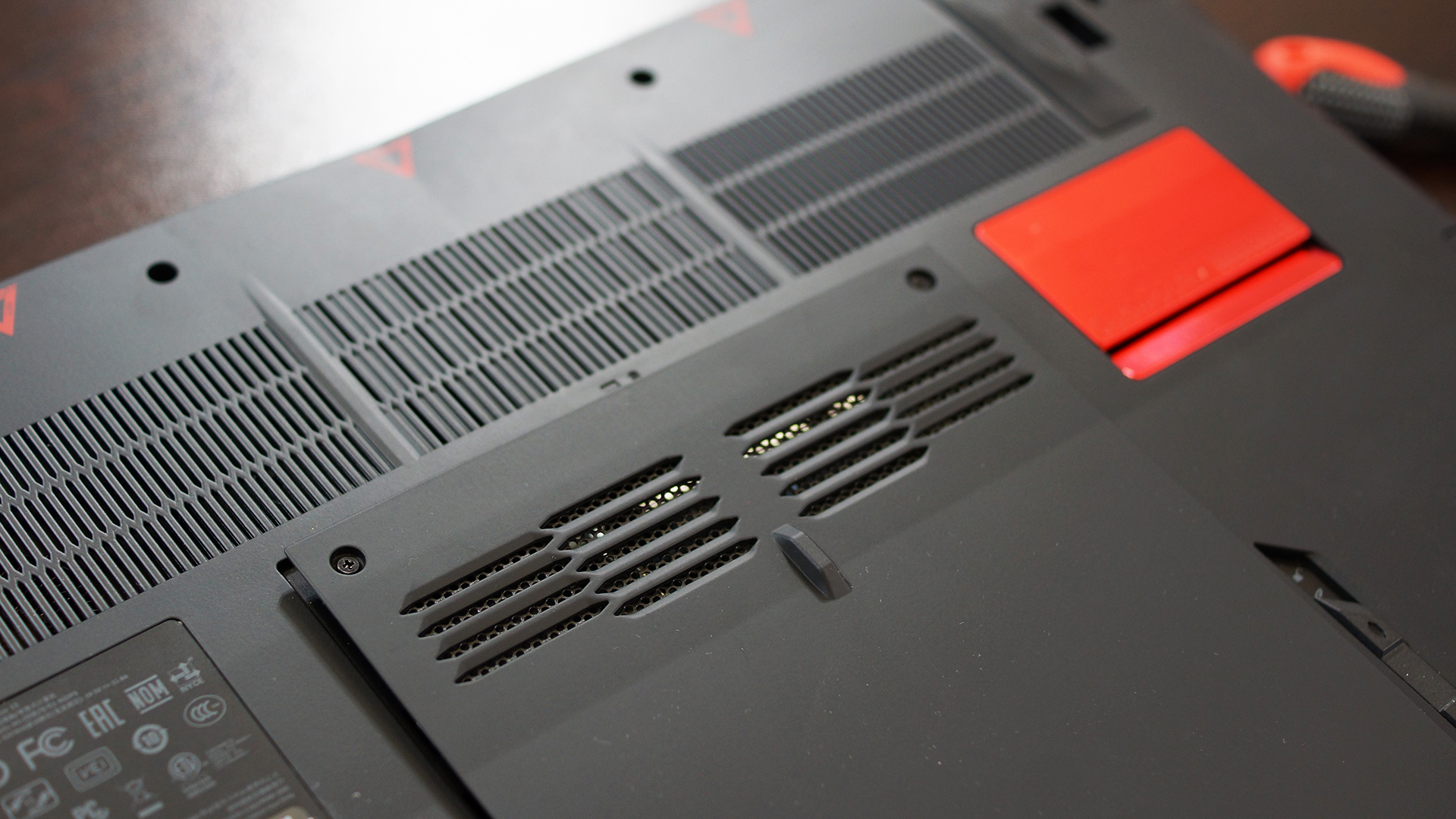
3. Remove all the screws
Here comes the “hard work”. You have to remove 18 screws – two below the optical drive, 6 under the service lid and 10 near the bottom edges.
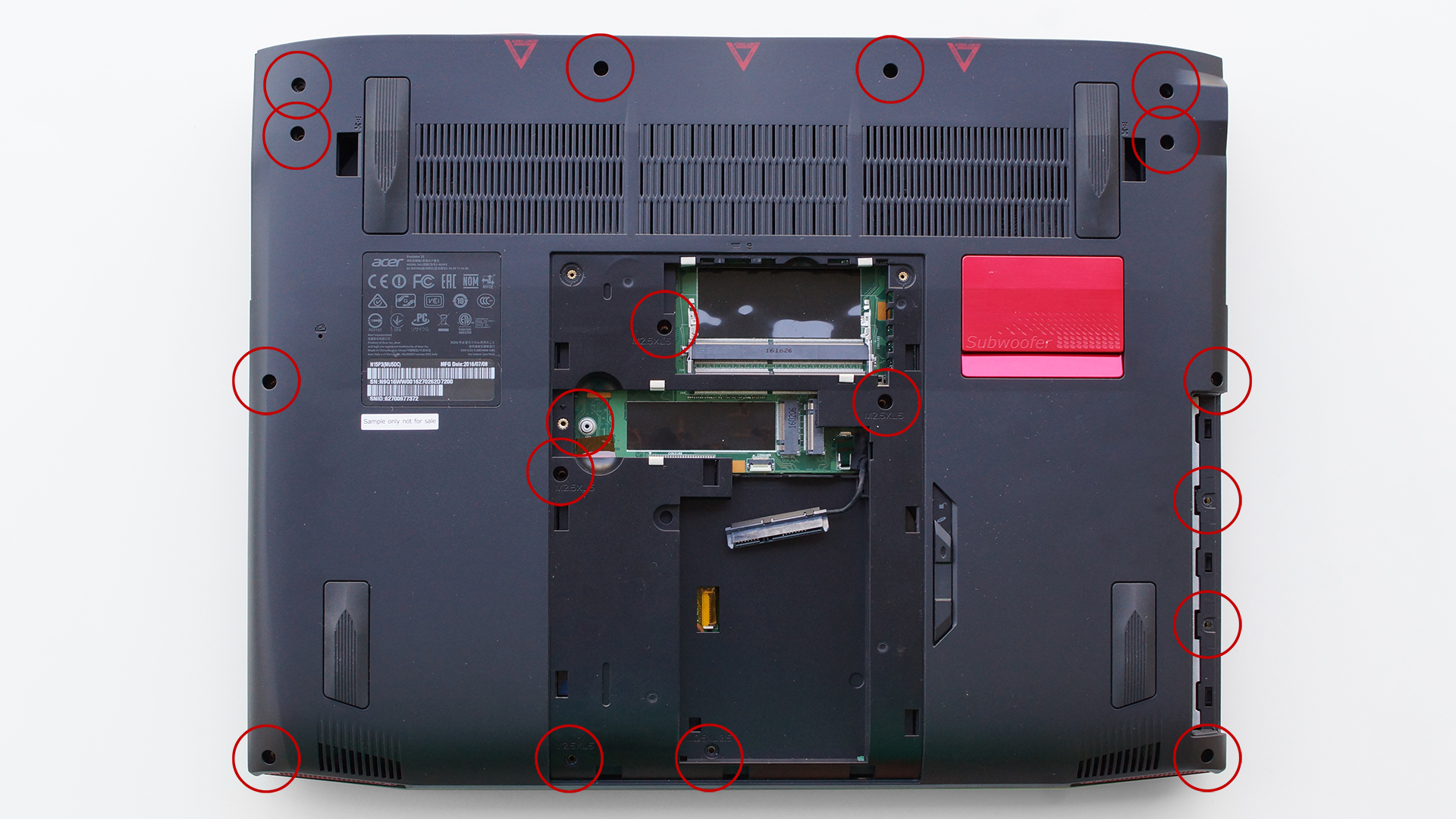
4. Take off the bottom
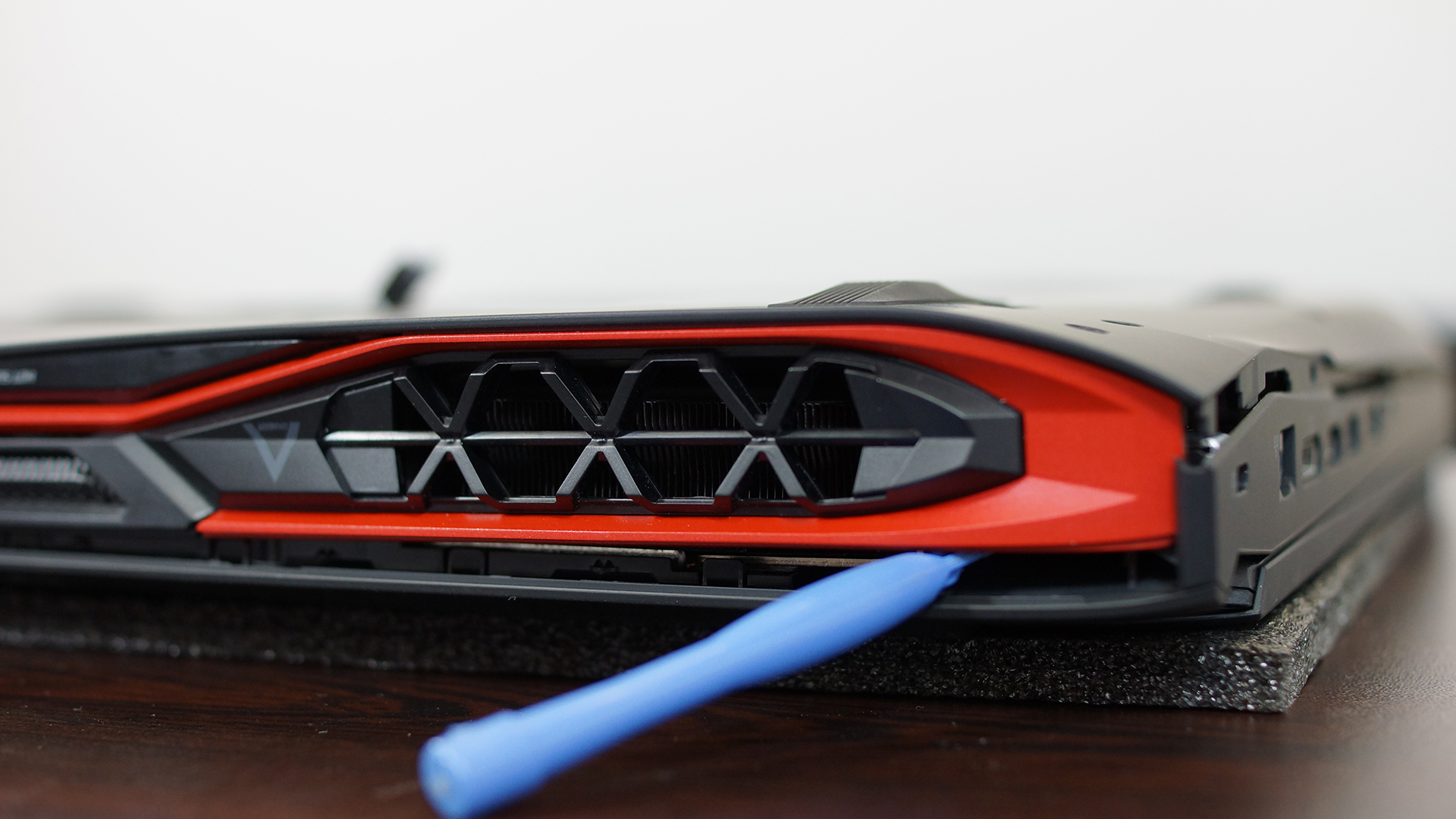
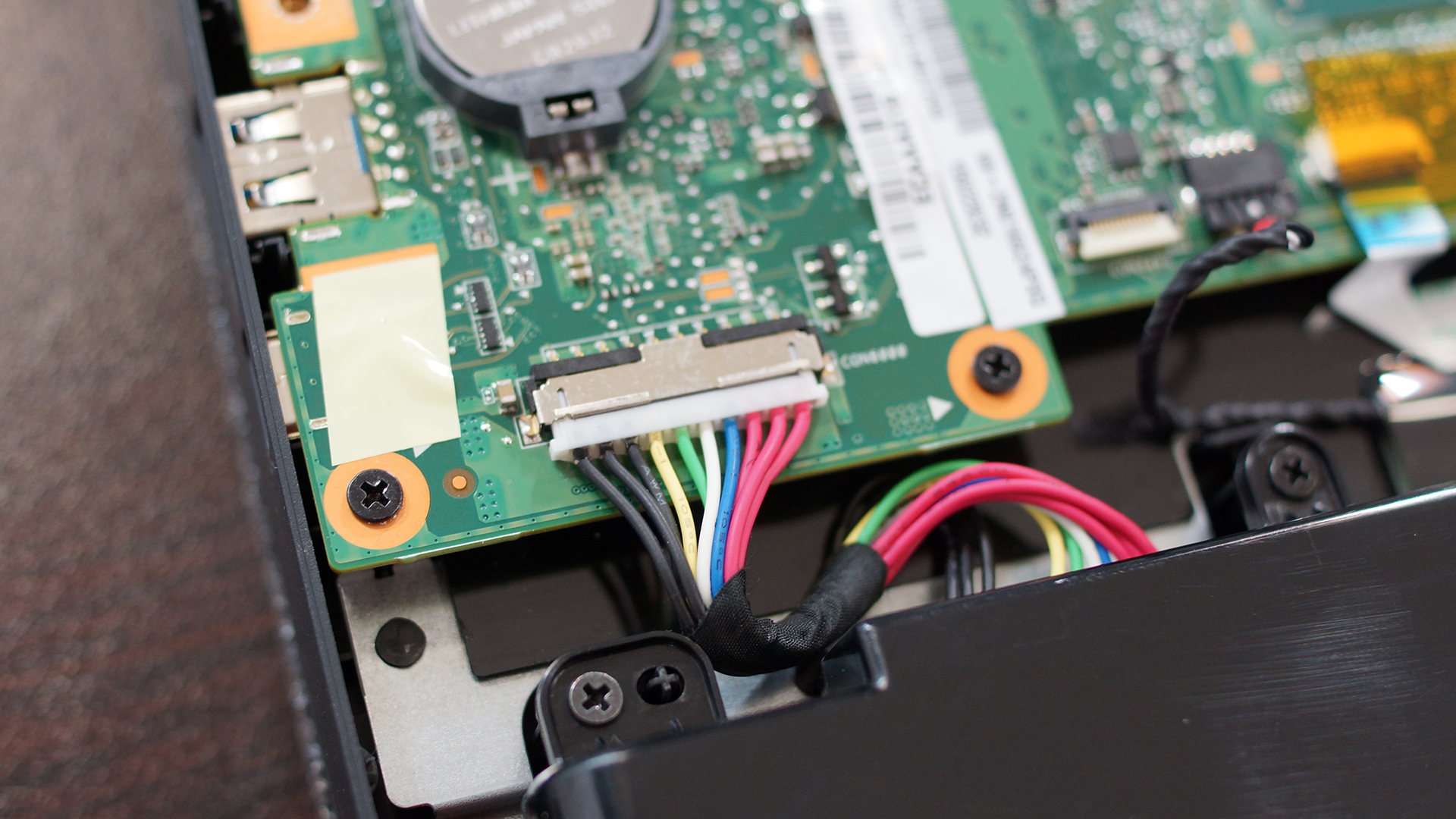
Now you can carefully take off the bottom – we recommend using a plastic pry tool (credit card will do the job as well) and start from the air vents on the back. Before doing anything, disconnect the battery cable so you can be sure that you won’t accidentally turn on your computer.

5. Assembly
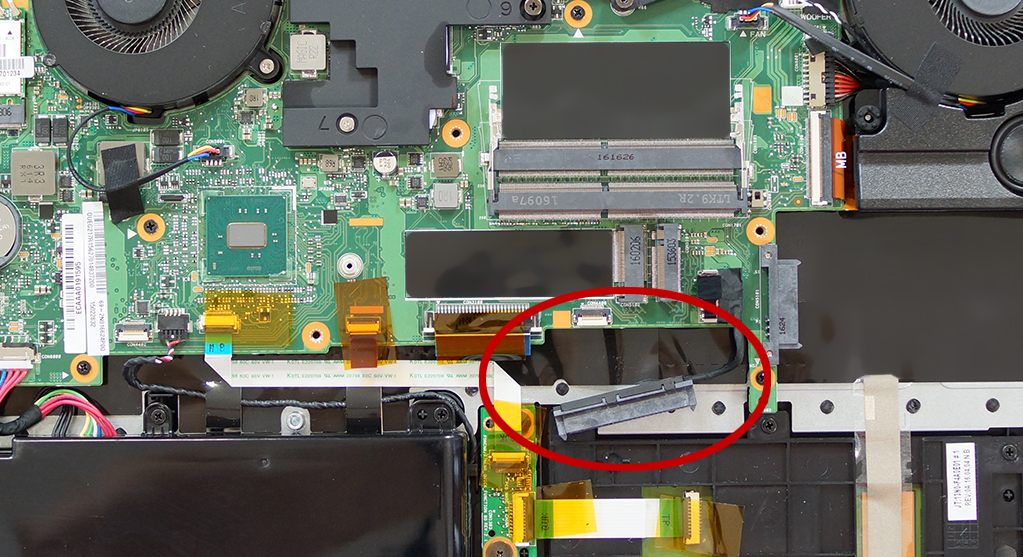
Be careful when you’re placing the bottom back on the notebook – you could damage the HDD connector if you forget to put it through the hole in the center of the panel, before pushing it down.
You can check Predator 15 (G9-593)’s price and availability through this link: http://amzn.to/2ccAYet
 Author: Simeon NikolovEditor-in-Chief at LaptopMedia.com with 20+ years of experience in testing and analyzing laptops and mobile devices.

![[Juin 2026] Les marques d’ordinateurs portables les plus vendues sur Amazon Global – La domination sans égale d’Apple en termes de volume de ventes et de chiffre d’affaires](https://laptopmedia.com/wp-content/uploads/2026/07/GLOBAL-Best-Brands-400x225.jpg)
![[Juin 2026] Amazon Global : le top 10 des ordinateurs portables les plus vendus – Le nouveau MacBook Neo d’Apple s’empare de la première place et redéfinit le marché grâce à son prix abordable](https://laptopmedia.com/wp-content/uploads/2026/07/Best-Selling-Laptops-GLOBAL-Top-10-400x225.jpg)
![[Juin 2026] Amazon Global : le top 10 des ordinateurs portables de jeu les plus vendus – Le Nitro V 16S AI d’Acer domine les ventes, tandis qu’ASUS arrive en tête en termes de chiffre d’affaires global](https://laptopmedia.com/wp-content/uploads/2026/07/Best-Selling-Gaming-Laptops-GLOBAL-Top-10-400x225.jpg)
![[Juin 2026] Classement mondial des cartes graphiques pour ordinateurs portables les plus vendues sur Amazon – La NVIDIA RTX 5060 est la carte graphique dédiée la plus vendue](https://laptopmedia.com/wp-content/uploads/2026/07/Best-Selling-GPUs-GLOBAL-Top-10-400x225.jpg)
![[Juin 2026] Classement mondial des processeurs d’ordinateurs portables les plus vendus sur Amazon : l’Apple M5 domine, tandis que l’AMD Ryzen 7 260 s’impose dans le segment haut de gamme](https://laptopmedia.com/wp-content/uploads/2026/07/Best-Selling-CPUs-GLOBAL-Top-10-400x225.jpg)

Does anyone know of any M.2 SSDs on the market with the 22110 profile? All I can find is 2280s