Inside ASUS TUF Dash F15 (FX516) – disassembly and upgrade options
Apparently, this laptop is a ROG Zephyrus M GU502 clone, and we saw pretty much what we expected on the inside.
Check out all ASUS TUF Dash F15 (FX516) prices and configurations in our Specs System or read more in our In-Depth review.

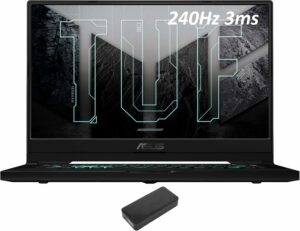
1. Remove the bottom plate
To get inside of this laptop, you have to undo 15 Phillips head screws. Keep in mind that one of them is captive and will remain attached to the bottom panel, thus lifting it ever so slightly, so you can start the prying process from there.
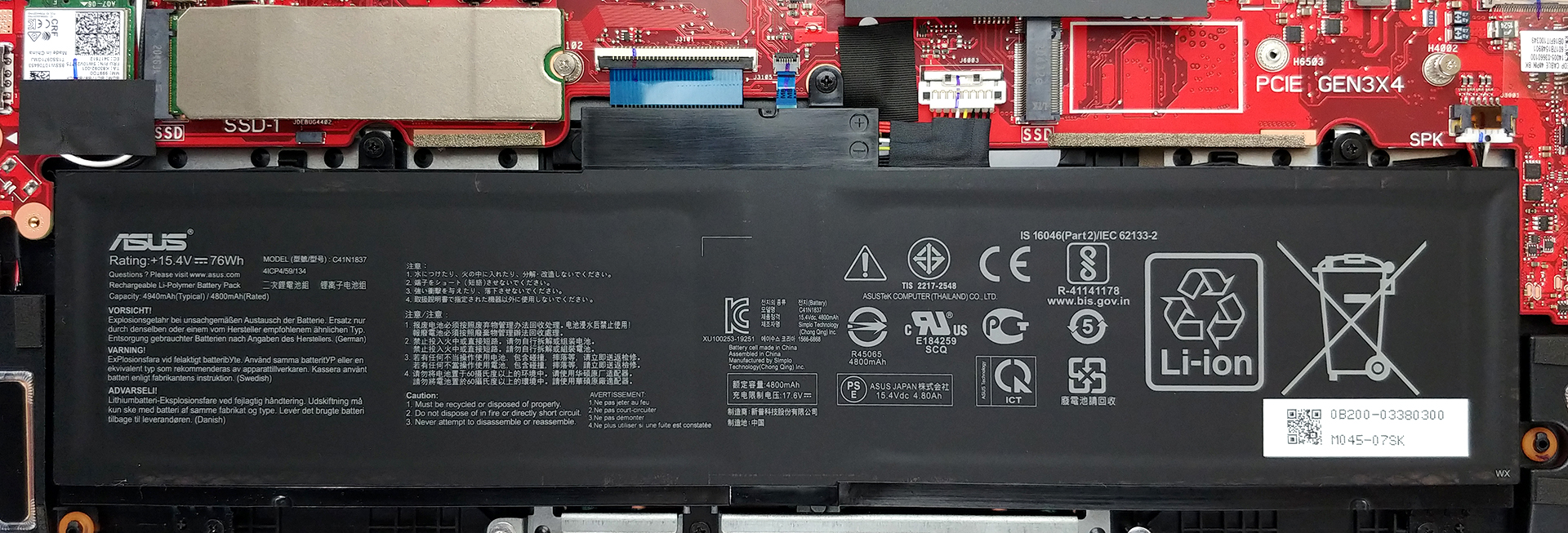
2. Battery
A huge improvement over last year’s TUF A15 is the battery. Our unit came equipped with a 76Wh package.
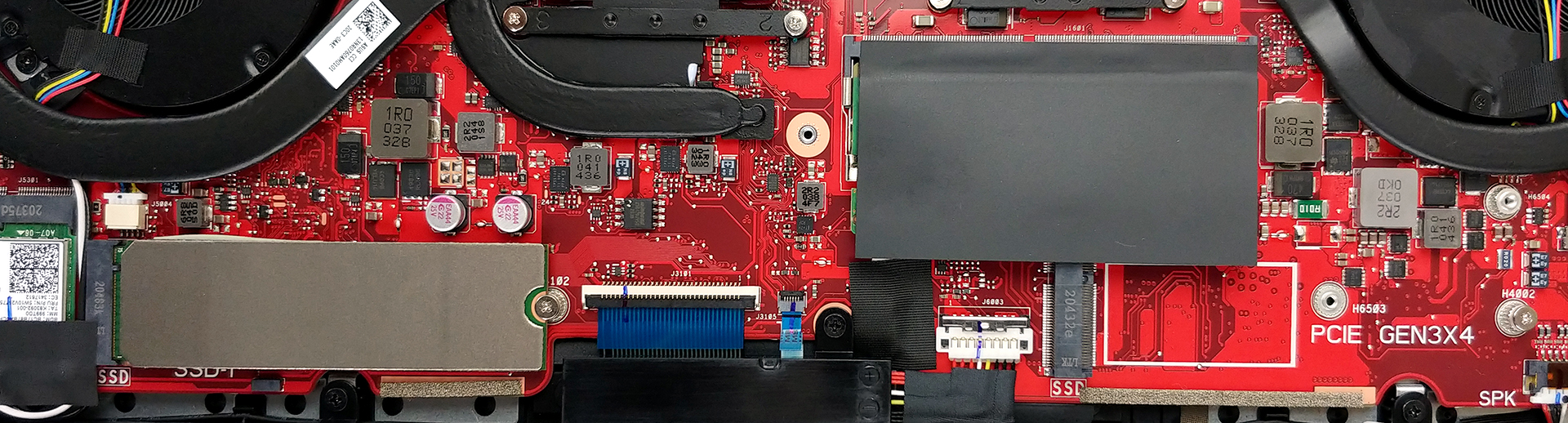
3. Memory and storage
As you can see, there is only one SODIMM slot for memory upgrades. Depending on the configuration, you get either 8GB or 16GB of soldered RAM, which can be expanded up to 32GB via the aforementioned slot. Storage-wise, there are two M.2 PCIe x4 slots.
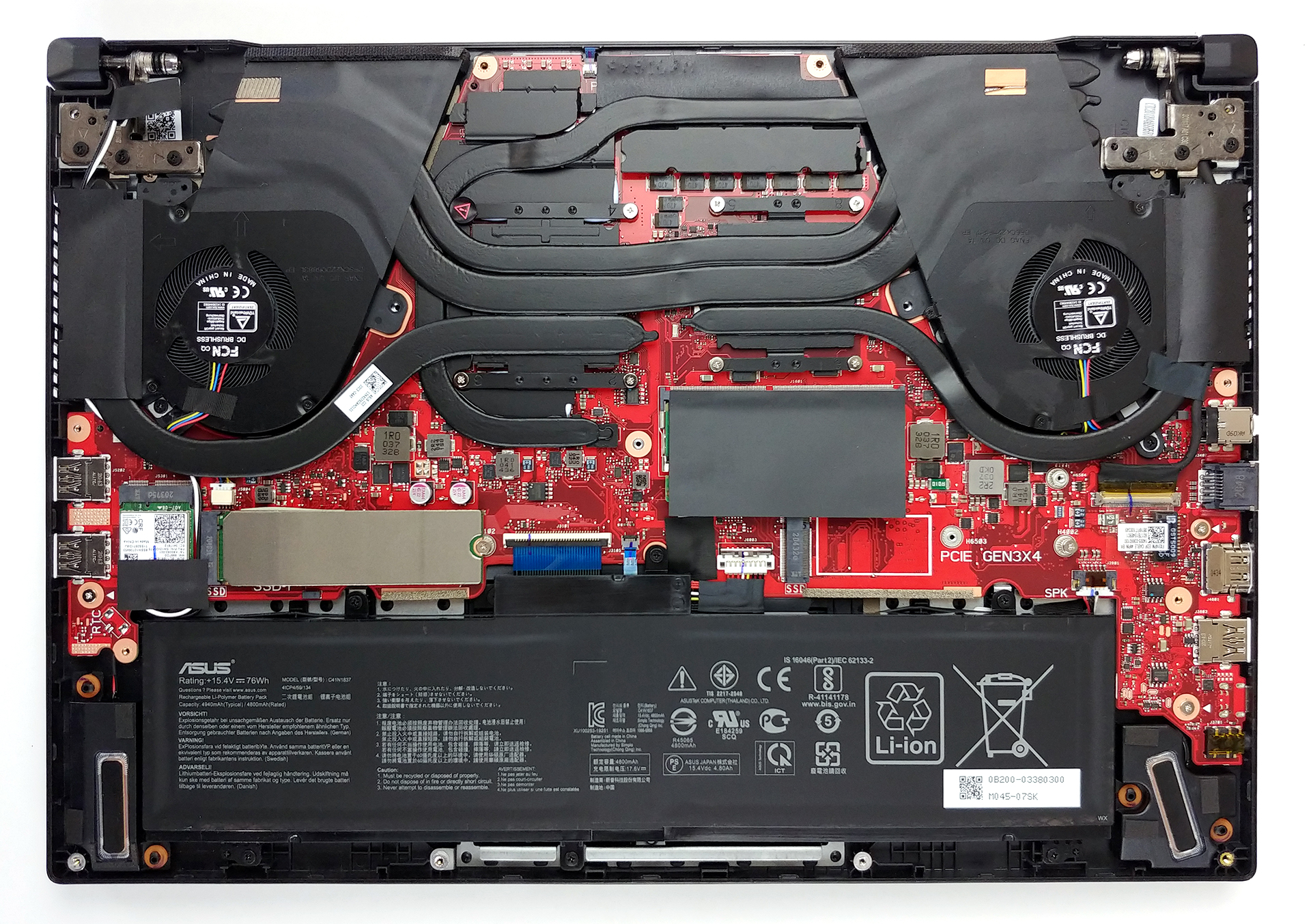
4. Cooling system
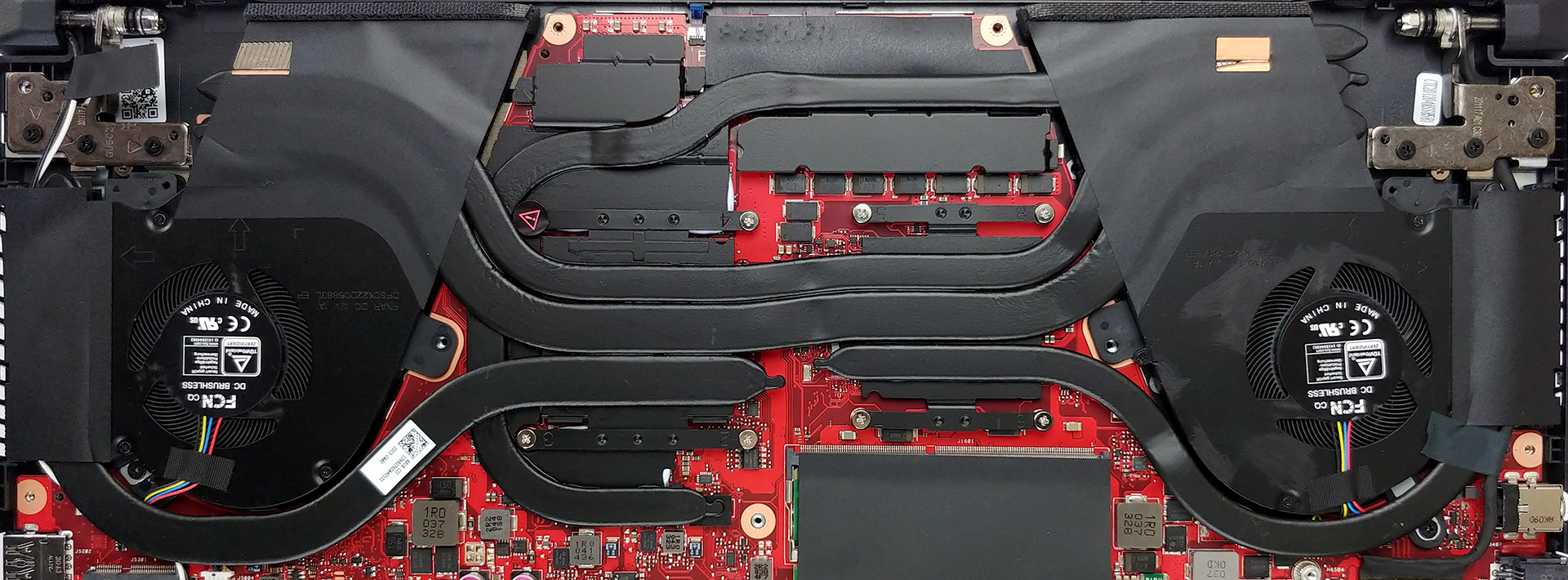
After you remove the panel, you’ll see the cooling solution. It comprises five heat pipes – two common for the processor and the graphics card, and one more for each of them. Then, there is the last one, which cools the VRMs and the graphics memory.
Check out all ASUS TUF Dash F15 (FX516) prices and configurations in our Specs System or read more in our In-Depth review.
ASUS TUF Dash F15 (FX516) critique approfondie
L'année dernière, ASUS a été l'un des premiers fabricants (si ce n'est le premier) à faire confiance à AMD et à ses processeurs Ryzen 4000. Et cela s'est avéré être un succès. Vous avez pu arracher un appareil plutôt abordable avec des performances de calcul suprêmes, ce qui était quelque chose d'inédit à ce jour. Et comme ils continuent à le faire en 2021, avec les processeurs Ryzen 5000H d'AMD encore plus puissants, ils ont fait un léger détour.C'est ainsi qu'est né le TUF Dash F15 (FX516). Au lieu des processeurs AMD extrêmement puissants, il inclut quelque chose d[...]
Pour
- Bon clavier avec une course décente, un retour cliquable, et un rétro-éclairage RGB.
- Combinaison CPU/GPU intéressante et efficace
- Mémoire à 3200 MHz en double canal, support RAID via deux emplacements PCIe x4 M.2, et support Thunderbolt 4 + Wi-Fi 6
- L'écran ne scintille pas, quel que soit le niveau de luminosité (LM156LF-2F03)
- Bon taux de contraste et angles de vision confortables (LM156LF-2F03)
- Peut être acheté avec un panneau 1440p 165Hz
Cons
- Manque un lecteur de carte SD
- Il devient assez bruyant et chaud à l'extérieur lors des jeux.
- Ne couvre que la moitié de sRGB et a des temps de réponse lents (malgré la fréquence de rafraîchissement rapide) (LM156LF-2F03)
- Absence de caméra Web
 Author: Alex Iliev

![[Août 2026] Classement mondial des cartes graphiques pour ordinateurs portables les plus vendues sur Amazon : Apple règne en maître, la RTX 5060 de NVIDIA arrive en tête du classement des cartes dédiées](https://laptopmedia.com/wp-content/uploads/2026/09/Best-Selling-GPUs-GLOBAL-Top-10-400x225.jpg)
![[Août 2026] Classement mondial des processeurs d’ordinateurs portables les plus vendus sur Amazon : Apple domine aussi bien le segment économique que le segment haut de gamme. Les modèles A18 Pro et M5 écrasent Intel et AMD en août 2026](https://laptopmedia.com/wp-content/uploads/2026/09/Best-Selling-CPUs-GLOBAL-Top-10-400x225.jpg)
![[Août 2026] Amazon Global : le top 10 des ordinateurs portables les plus vendus – L’Apple MacBook Neo domine le classement tandis que les portables Windows d’entrée et de milieu de gamme se disputent les parts de marché](https://laptopmedia.com/wp-content/uploads/2026/09/Best-Selling-Laptops-GLOBAL-Top-10-400x225.jpg)
![[Août 2026] Les marques d’ordinateurs portables les plus vendues sur Amazon Global : Apple domine en termes de chiffre d’affaires tandis que HP se distingue par la diversité de ses modèles](https://laptopmedia.com/wp-content/uploads/2026/09/GLOBAL-Best-Brands-400x225.jpg)
![[Août 2026] Amazon Global : le top 10 des ordinateurs portables de jeu les plus vendus – Le HP Victus 15 s’empare de la première place alors que les modèles abordables dominent le classement](https://laptopmedia.com/wp-content/uploads/2026/09/Best-Selling-Gaming-Laptops-GLOBAL-Top-10-400x225.jpg)

This laptop is terrible for a 2021 model that even has “Gaming” in the ad. Companies need to stop soldering everything to the board. This limits every single user out there. Because you have to match what is soldered on. You can’t just remove the single soldered-on ram stick and buy a matched set. Everything we do today involves camera use. Whoever is at Asus should be fired. They have been doing this stupid stuff for far too long now. And people still defend themselves about it. I bought one and had no problems. You see they are fixing all… Lire la suite »
Wah wah, then don’t buy it
I bought 2 skill ripjaws 16gb*2 today. I could only install one. On it’s official website it says that it has 2 slot. I feel kinda scammed.