Inside ASUS VivoBook K571 (X571) – disassembly and upgrade options
This device’s key purpose is to give people that don’t want to spend their last money on a laptop, some light in the tunnel. It has great specs and is capable of a great performance.
Check out all ASUS VivoBook K571 (X571) prices and configurations in our Specs System or read more in our In-Depth review.
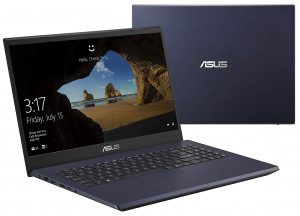
1. Remove the bottom plate
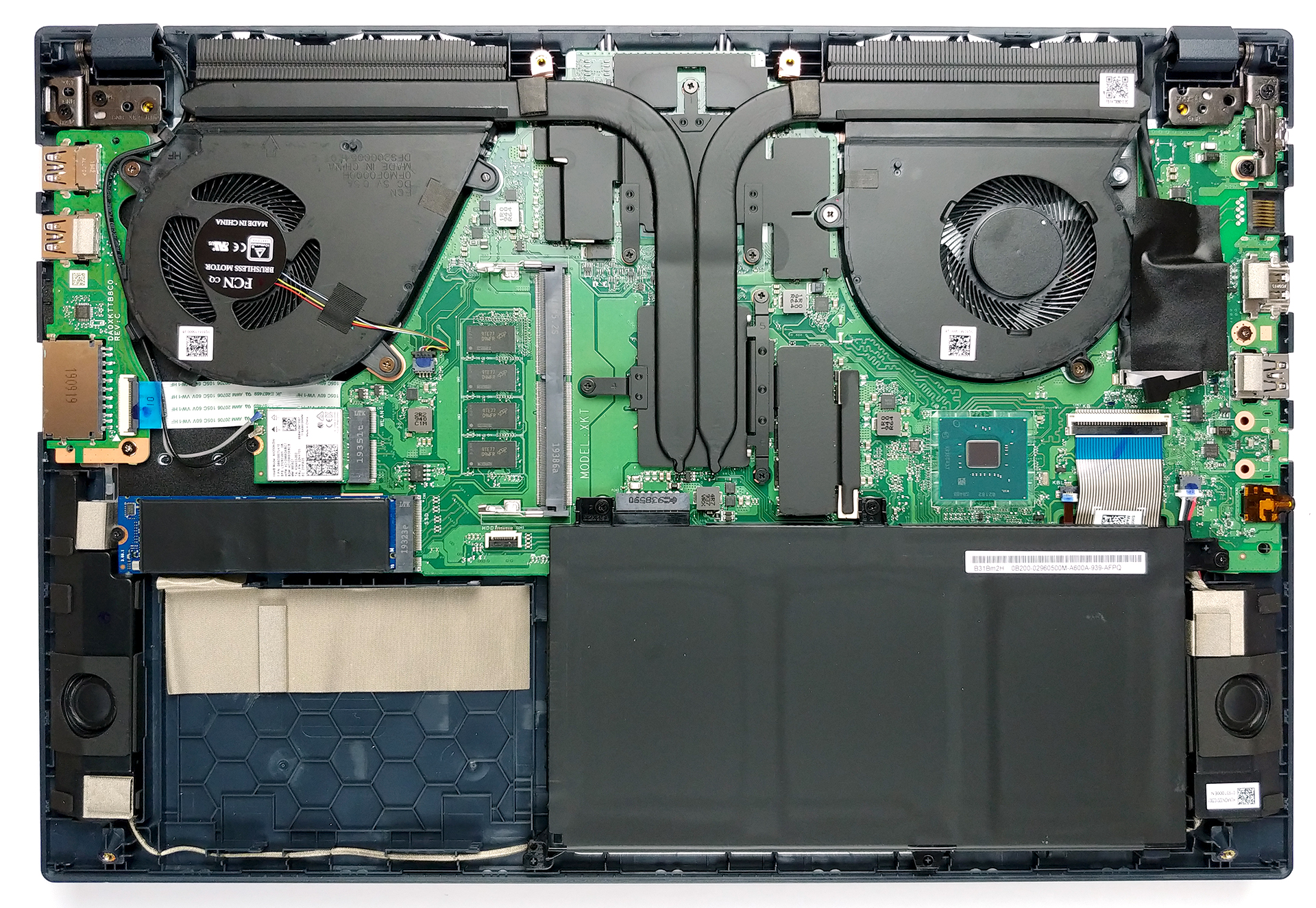
Should you need to remove the bottom panel of the device, you will be met with a rather interesting type of “innovation”. You are going to see only four screws, holding the entire bottom plate to the chassis. Don’t let ASUS fool you, though – there are two more hidden beneath the back feet. Cheeky job, ASUS. This totals the number of screws to six, which is still impressive, given the fact that most of the modern gaming laptops feature 10 or more.

2. Battery
ASUS didn’t really bother putting a big battery on their VivoBook K571 (X571). It has 42Wh capacity, and you should really remember to disconnect it from the motherboard when you are upgrading your machine.

3. Memory and storage
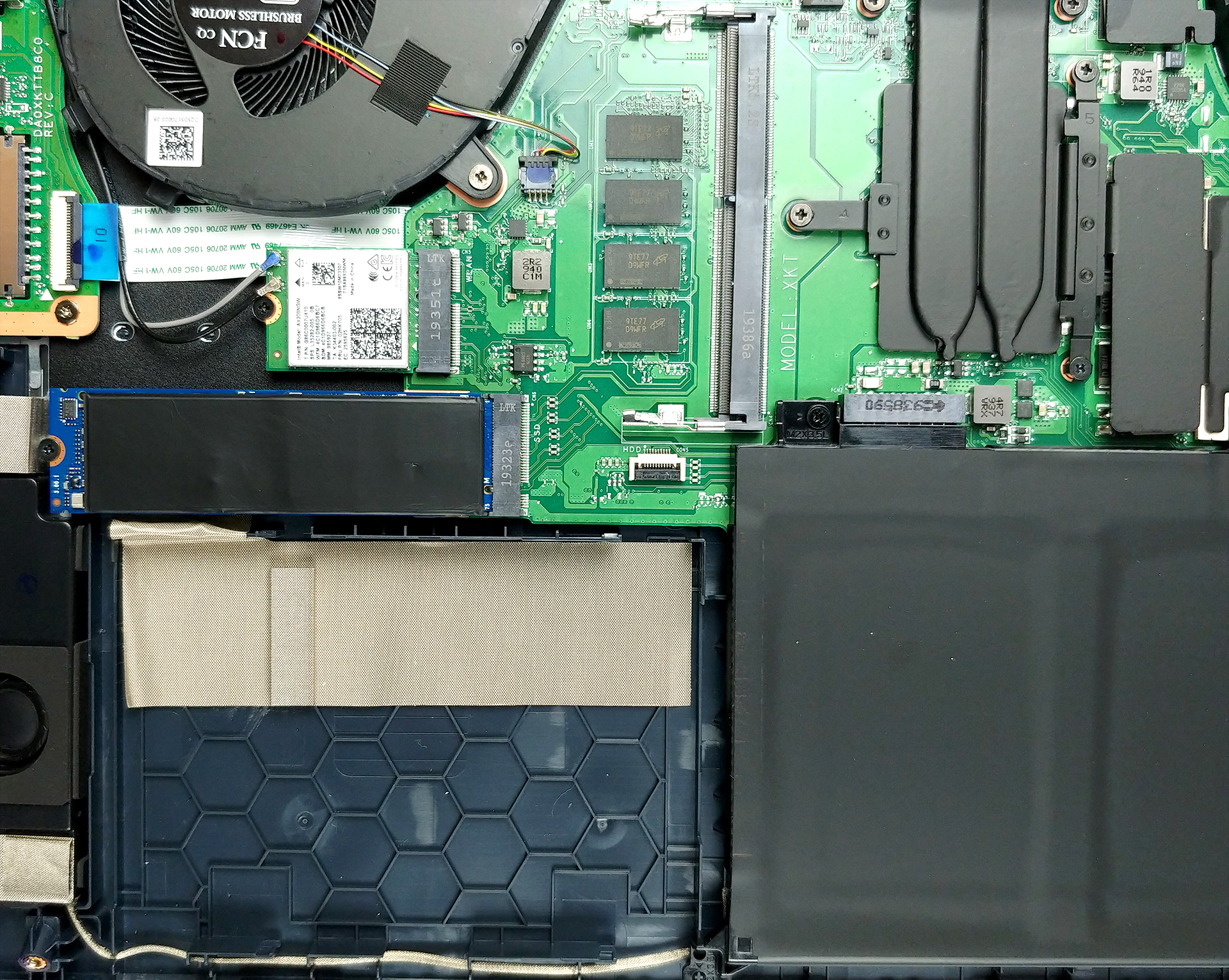
In terms of memory, there are 8GB soldered to the motherboard, and you are given a single RAM DIMM for upgrades. The machine supports up to 16GB of DDR4 memory. On the storage side, there is a 2.5″ SATA drive slot, and an M.2 PCIe x2 slot placed just above it.
4. Cooling system
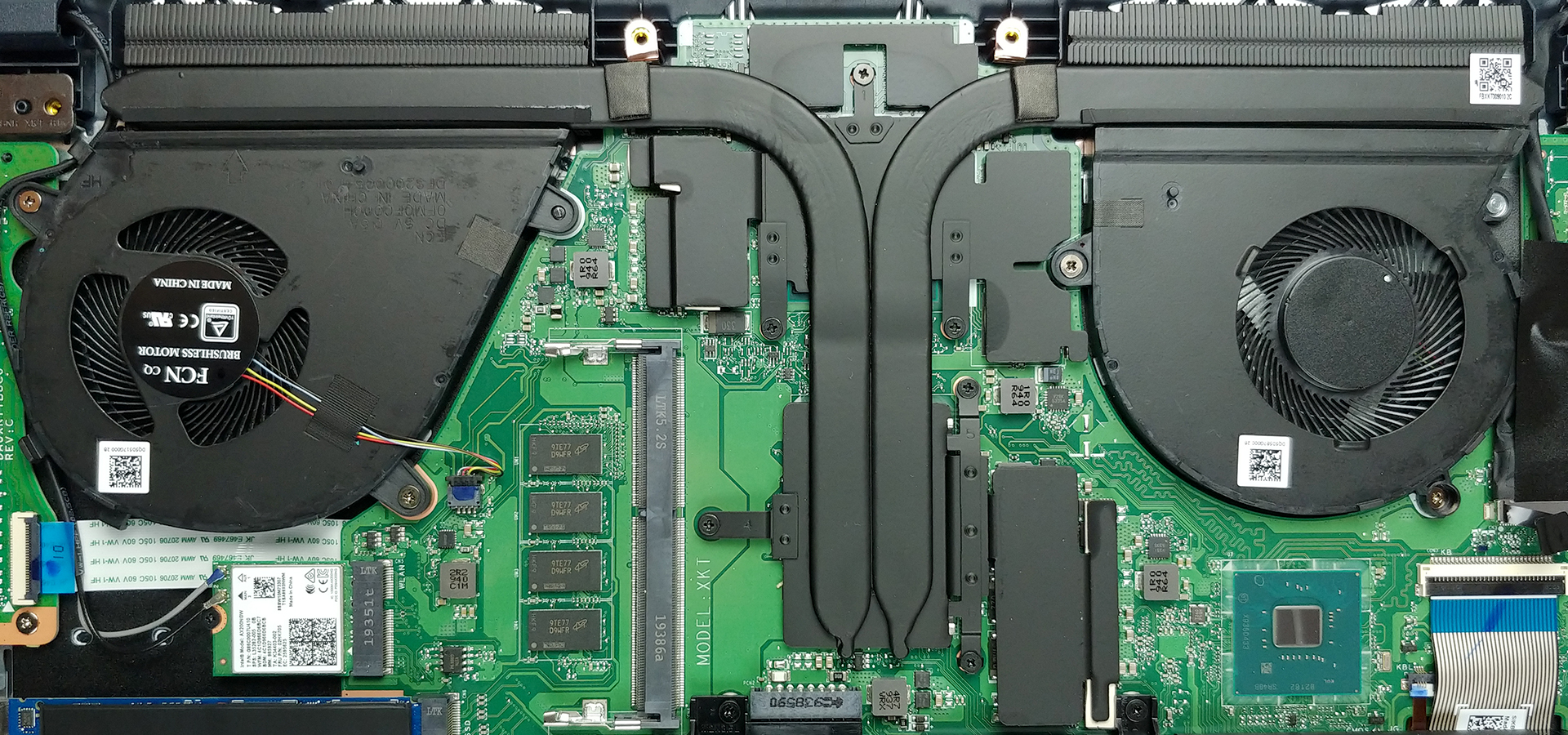
Interestingly, the configuration of the CPU and the GPU is vertical, rather than horizontal, as seen on almost every gaming laptop out there. This results in a 90-degree bend on the heat pipes, in order to drive the heat away to the heat sinks. There are two heat pipes, which are shared between the CPU and the GPU but what is interesting is that each one of them is allocated to a separate fan. Soon, we are going to see how (or if) this affects temperatures and performance.
Check out all ASUS VivoBook K571 (X571) prices and configurations in our Specs System or read more in our In-Depth review.
 Author: Alex Iliev

![[Août 2026] Classement mondial des cartes graphiques pour ordinateurs portables les plus vendues sur Amazon : Apple règne en maître, la RTX 5060 de NVIDIA arrive en tête du classement des cartes dédiées](https://laptopmedia.com/wp-content/uploads/2026/09/Best-Selling-GPUs-GLOBAL-Top-10-400x225.jpg)
![[Août 2026] Classement mondial des processeurs d’ordinateurs portables les plus vendus sur Amazon : Apple domine aussi bien le segment économique que le segment haut de gamme. Les modèles A18 Pro et M5 écrasent Intel et AMD en août 2026](https://laptopmedia.com/wp-content/uploads/2026/09/Best-Selling-CPUs-GLOBAL-Top-10-400x225.jpg)
![[Août 2026] Amazon Global : le top 10 des ordinateurs portables les plus vendus – L’Apple MacBook Neo domine le classement tandis que les portables Windows d’entrée et de milieu de gamme se disputent les parts de marché](https://laptopmedia.com/wp-content/uploads/2026/09/Best-Selling-Laptops-GLOBAL-Top-10-400x225.jpg)
![[Août 2026] Les marques d’ordinateurs portables les plus vendues sur Amazon Global : Apple domine en termes de chiffre d’affaires tandis que HP se distingue par la diversité de ses modèles](https://laptopmedia.com/wp-content/uploads/2026/09/GLOBAL-Best-Brands-400x225.jpg)
![[Août 2026] Amazon Global : le top 10 des ordinateurs portables de jeu les plus vendus – Le HP Victus 15 s’empare de la première place alors que les modèles abordables dominent le classement](https://laptopmedia.com/wp-content/uploads/2026/09/Best-Selling-Gaming-Laptops-GLOBAL-Top-10-400x225.jpg)

which one is better?
n580 gd with 1tb HDD.512 SSD.i7 8750H.4g 1050.16 ram
or
k571 gt with 1tb HDD.512 SSD.i7 9750H.4g 1650.16 ram
Hello does anyone please know what HDD caddy (frame) t obuy to fit in there for e.g 500 gb ssd sata ?
Thanx a lot to all
Vojta
THIS PC IS SHIT! DO NOT BUY IT! THANKS!
I agree with you pal, i bought it roughly 4 months ago, 3 weeks after the buy the cpu fan started to make cracking noises, i sent it to warranty, they kept it for 3 weeks only to send it back fully formated and no replace of the faulty fan. its a pity bc the laptop set up is not that bad, but you have to spend some more money to tune it up with a few upgrades. also mine came with 4gb ram soldered to the board, so… good bye to the 16gb expanse.
cheers mate