Inside Dell Inspiron 3552 – disassembly, internal photos and upgrade options
We already did a piece regarding our initial impressions of the ultra-budget Dell Inspiron 3552 and now we are going to take a closer look on the inside. This article would be also helpful to people who are planning to buy the notebook but are unsure what upgrade options the machine offers. But keep in mind that if you are planning on cleaning and changing the thermal paste, you are in for some massive disassembly. Here’s why…
You can check the following link for more information about prices and availability: http://amzn.to/1ou80tC
1. Removing the service cover
Luckily, if you are planning a simple RAM or storage upgrade, the laptop offers pretty easy access to those two. You will just need to remove the two screws holding the lid and then pry it up.
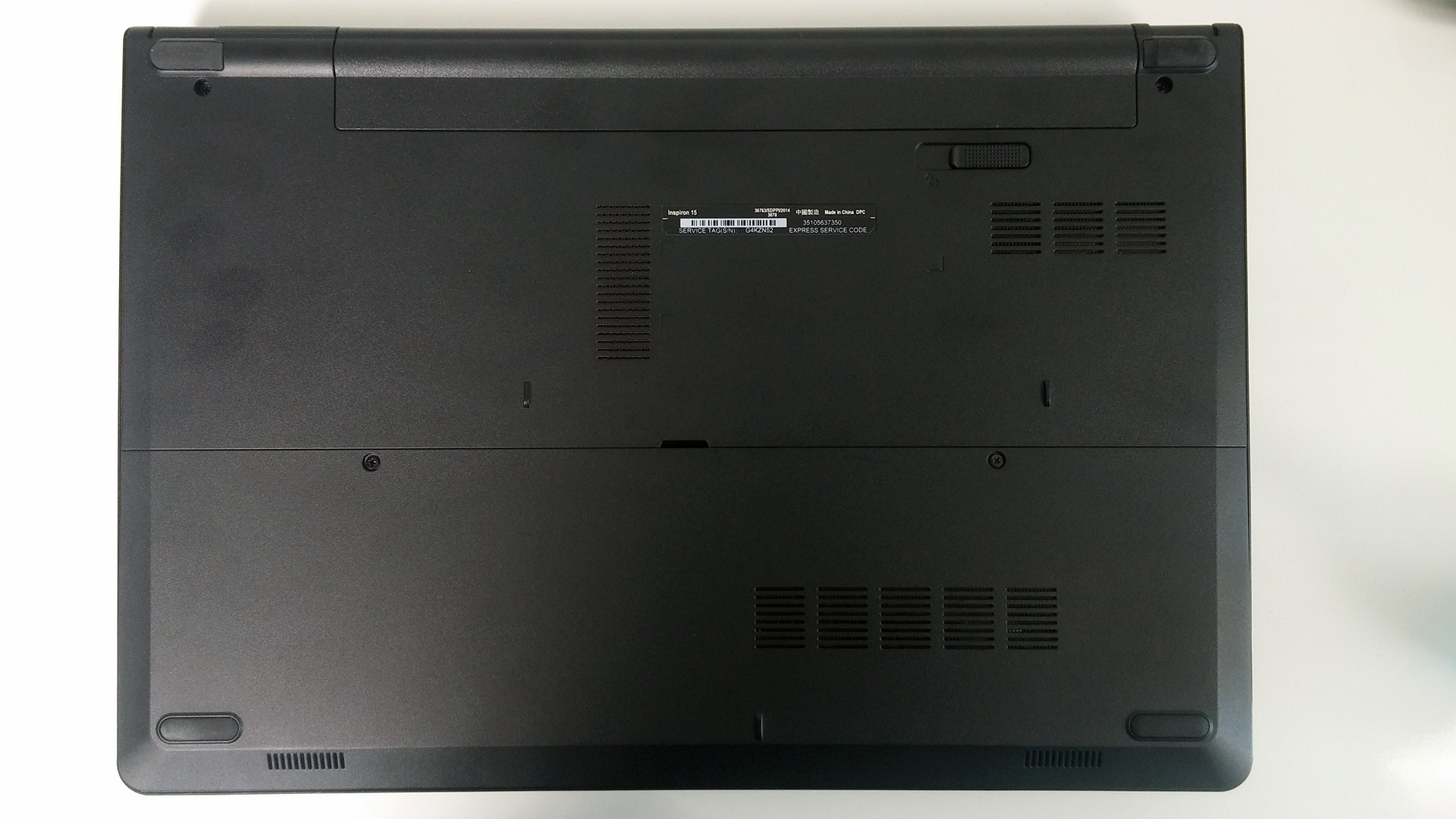
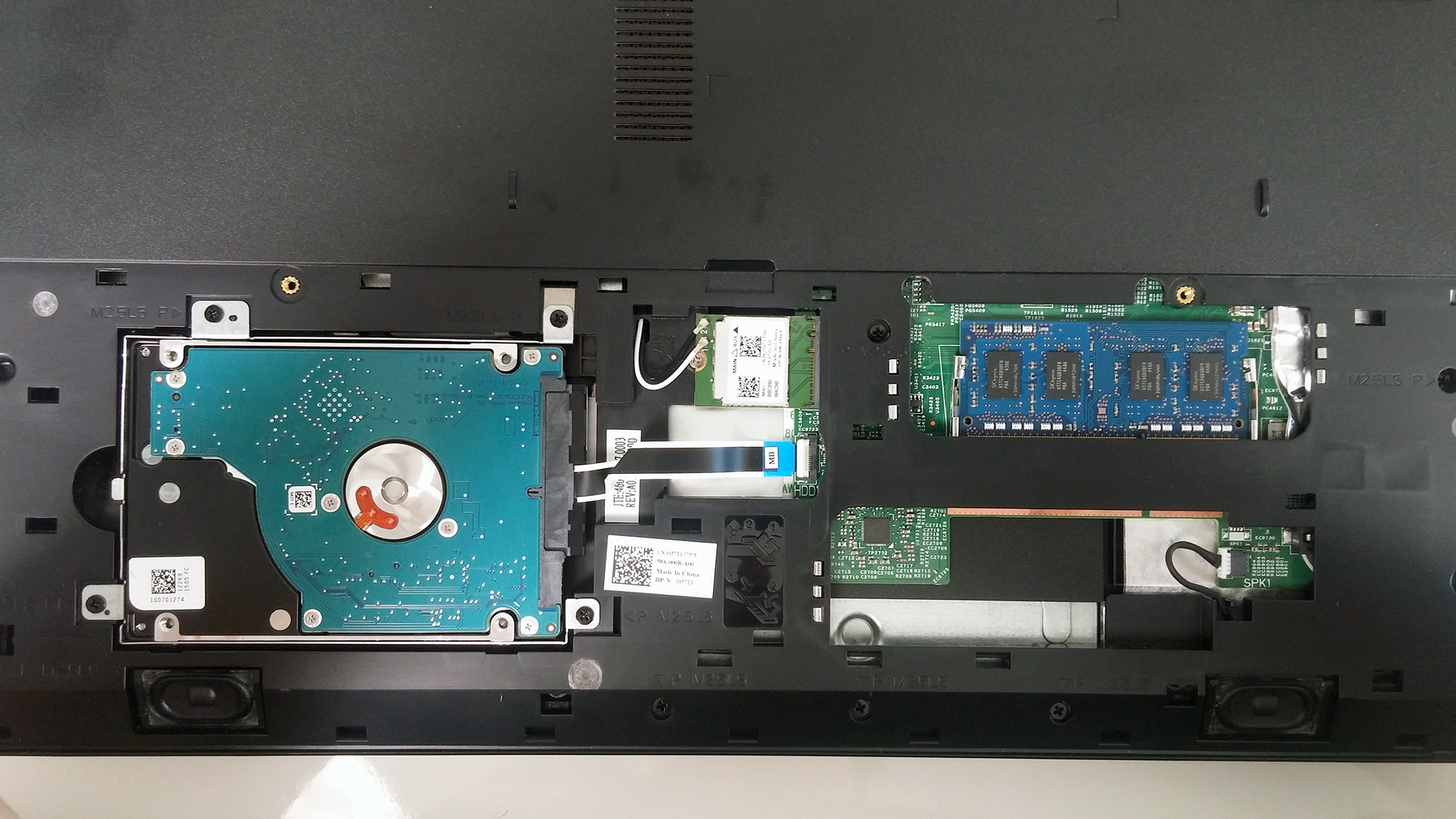
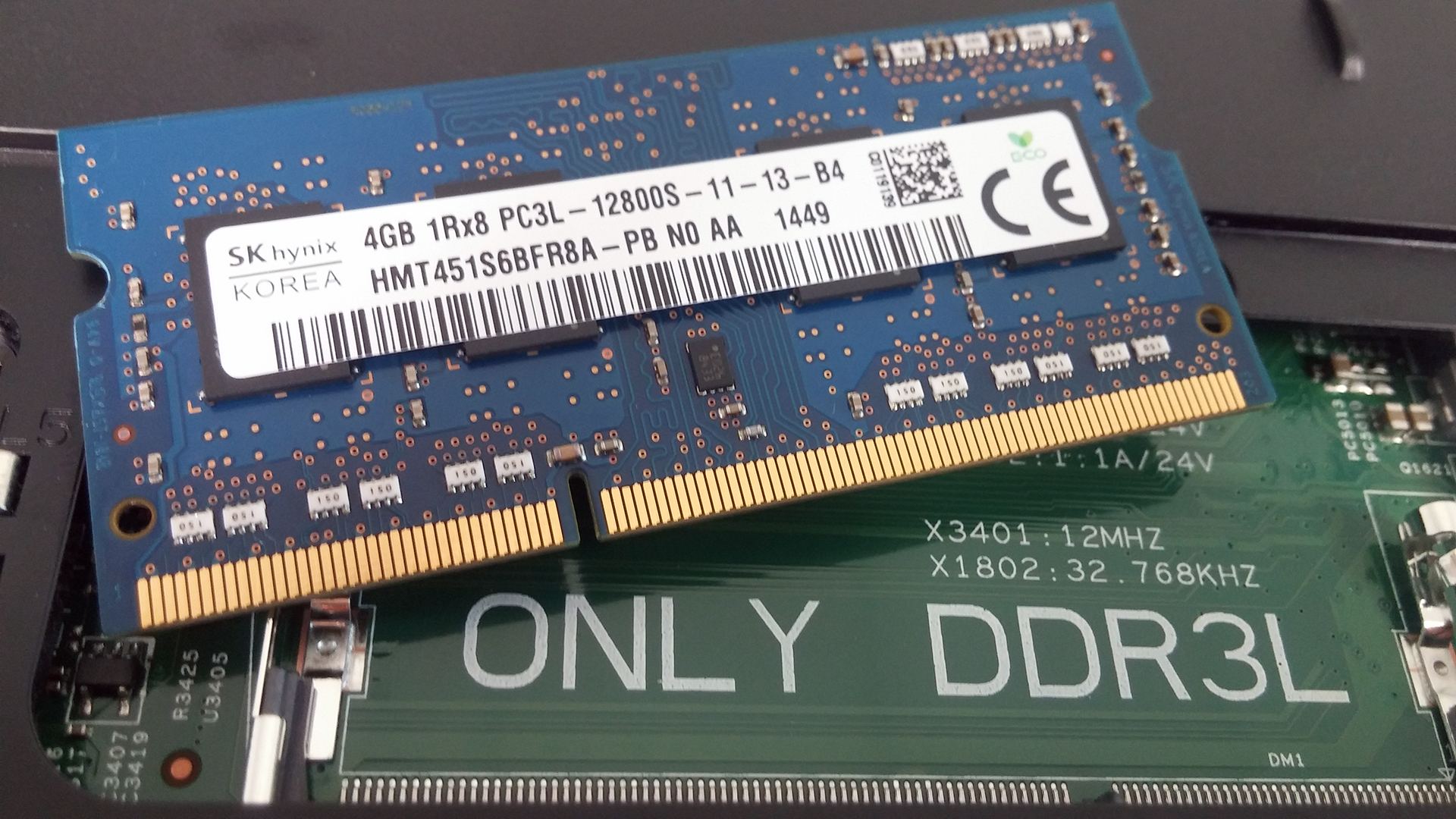
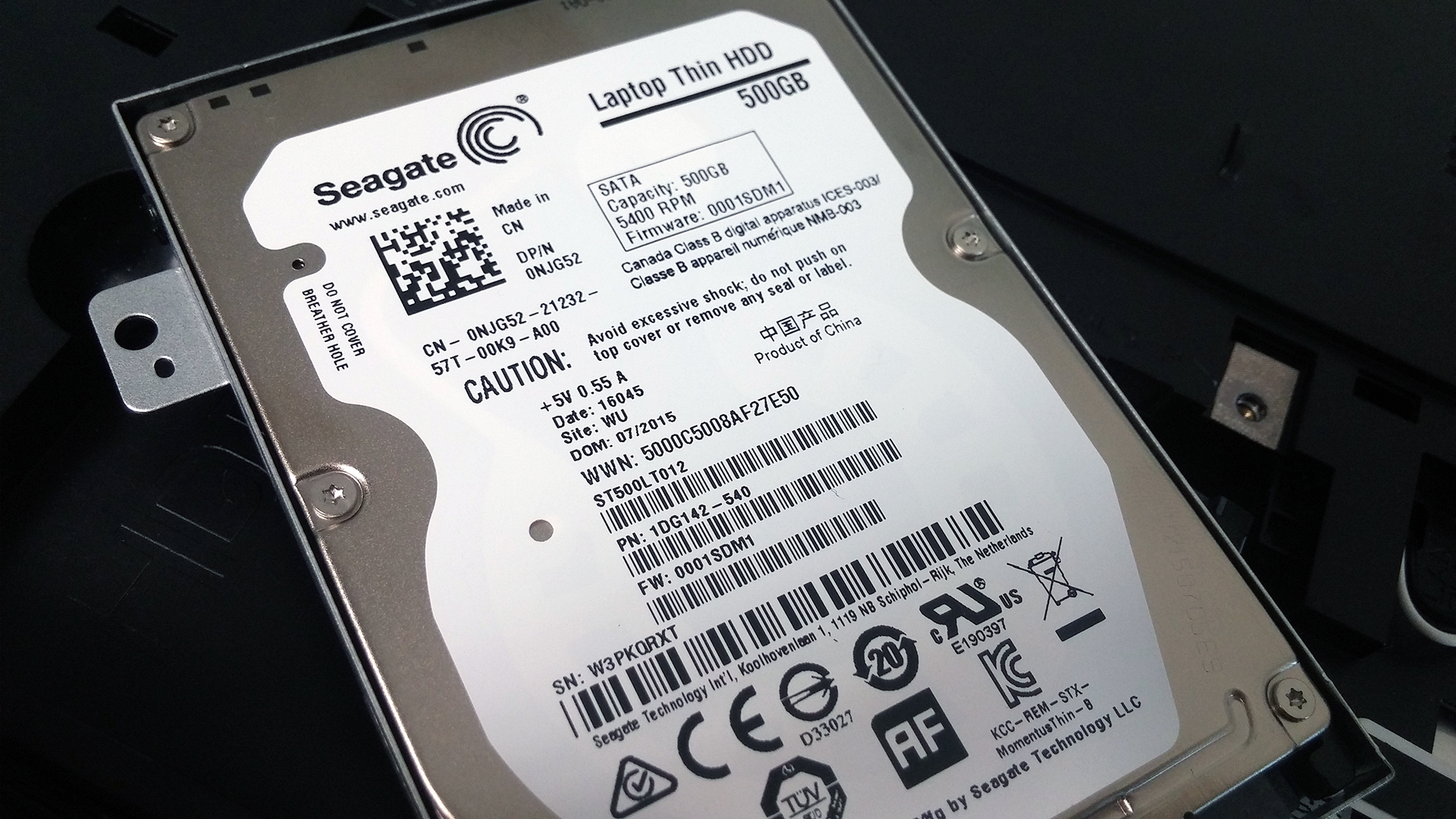
The cover revealed a 500GB Seagate HDD spinning at 5400 rpm and a single RAM slot occupied by an SK hynix 4GB DDR3L-1600 chip. M.2 SSD slot is nowhere to be found and that’s quite acceptable given the asking price. You also have easy access to the Wi-Fi module, which is manufactured by Realtek with model number RTL8723BE. Oh, and don’t forget to remove the battery before you do anything else – it is easily accessible and can be removed just by pushing two lever buttons. It’s rated at 40Wh, which is pretty high for a laptop at this price range.


2. Removing the keyboard
If you still need to perform a full disassembly, we suggest starting with the keyboard. You need to pry it up with a plastic tool of some sort and start with the upper left or upper right corner. Once you’ve removed the keyboard, disconnect the cables and unscrew the remaining bolts that are located beneath the keyboard.


3. Full disassembly
Then turn the laptop around, remove all the screws holding the chassis and pry up the whole bottom. Be careful when doing so because it’s pretty easy to damage the sides of the chassis. Also, we suggest removing the keyboard tray instead of just forcing the bottom plate, just like it’s shown on the photos below.
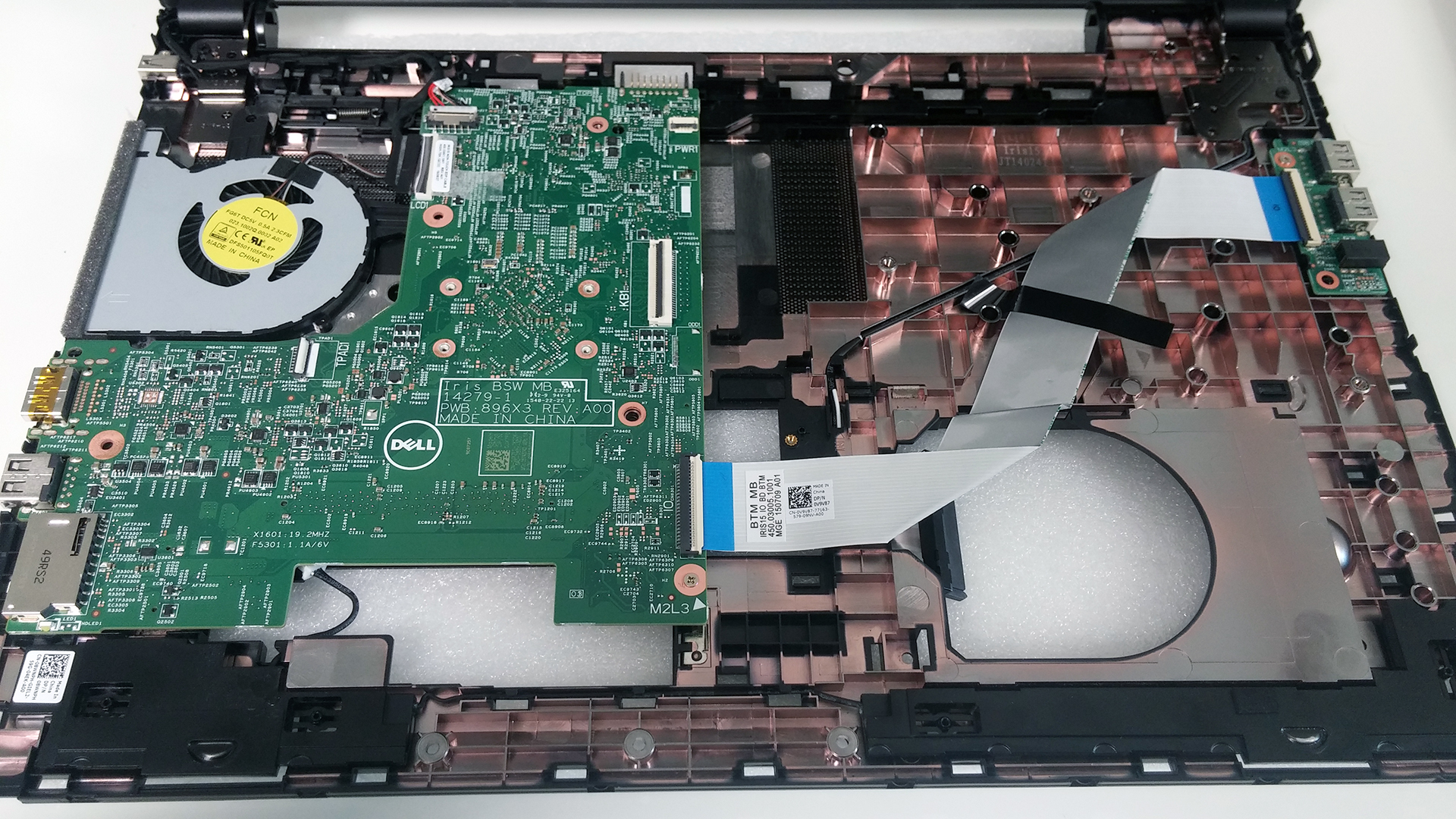
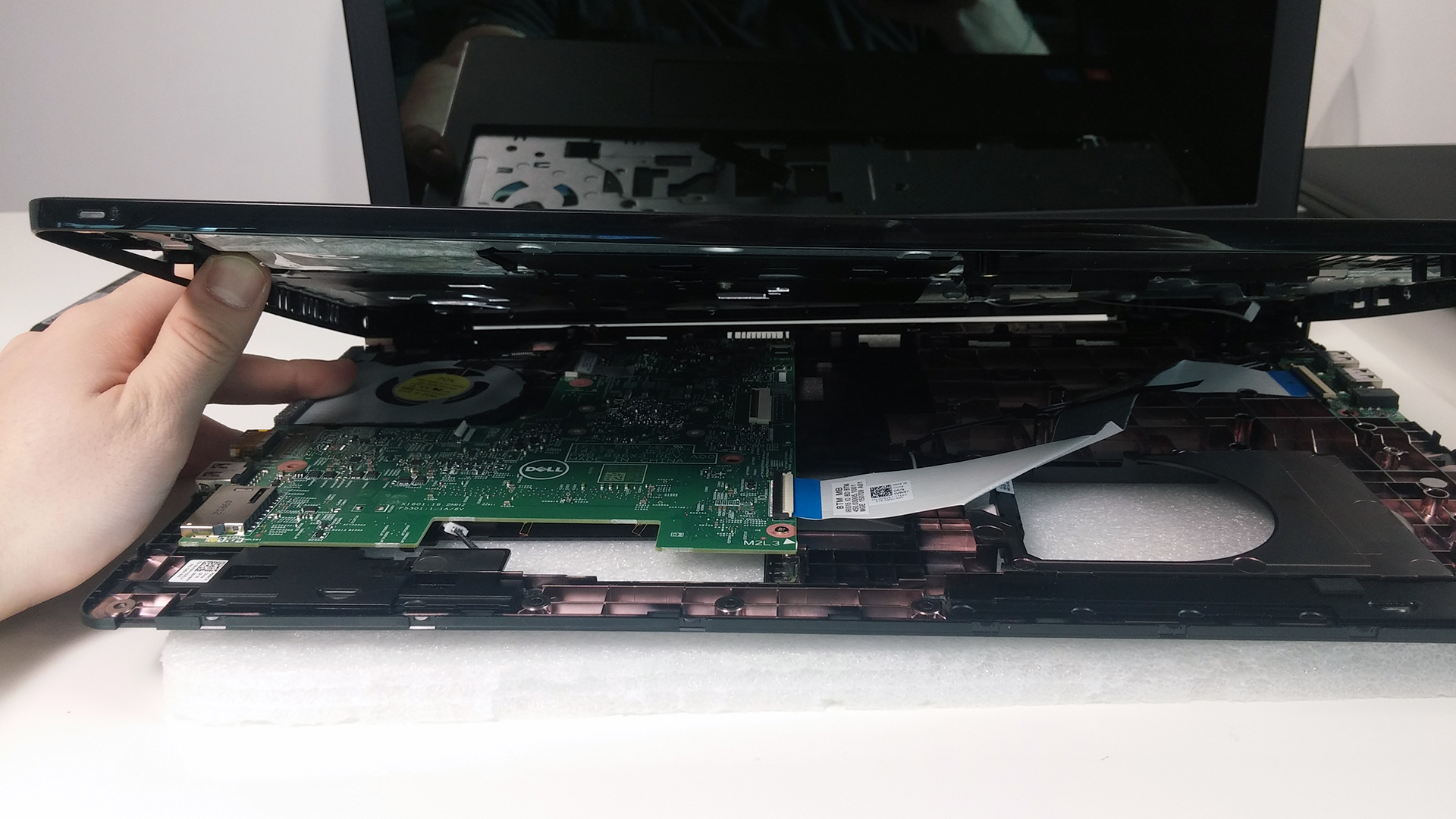
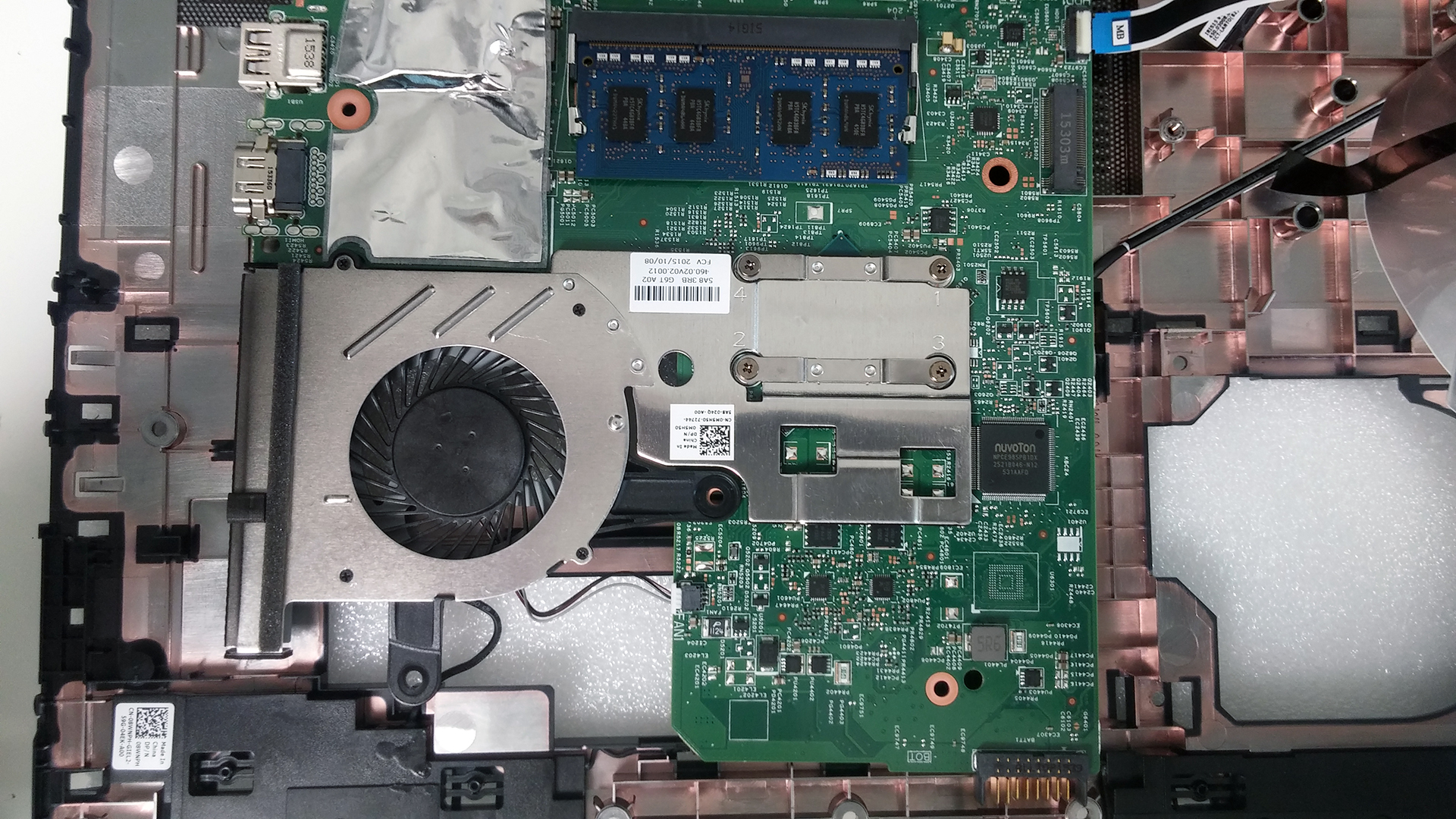
The motherboard is attached with only one screw to the bottom, but there are a couple of cables that need to be removed also. After that, you can flip the motherboard around and you can see the cooling design on the close-up photo below. It might not seem much, but it should be sufficient for a good cooling since we are dealing with a quad-core Pentium N3700 CPU from the Broadwell generation.
You can check the following link for more information about prices and availability: http://amzn.to/1ou80tC
 Author: LaptopMedia Team

![[Juin 2026] Les marques d’ordinateurs portables les plus vendues sur Amazon Global – La domination sans égale d’Apple en termes de volume de ventes et de chiffre d’affaires](https://laptopmedia.com/wp-content/uploads/2026/07/GLOBAL-Best-Brands-400x225.jpg)
![[Juin 2026] Amazon Global : le top 10 des ordinateurs portables les plus vendus – Le nouveau MacBook Neo d’Apple s’empare de la première place et redéfinit le marché grâce à son prix abordable](https://laptopmedia.com/wp-content/uploads/2026/07/Best-Selling-Laptops-GLOBAL-Top-10-400x225.jpg)
![[Juin 2026] Amazon Global : le top 10 des ordinateurs portables de jeu les plus vendus – Le Nitro V 16S AI d’Acer domine les ventes, tandis qu’ASUS arrive en tête en termes de chiffre d’affaires global](https://laptopmedia.com/wp-content/uploads/2026/07/Best-Selling-Gaming-Laptops-GLOBAL-Top-10-400x225.jpg)
![[Juin 2026] Classement mondial des cartes graphiques pour ordinateurs portables les plus vendues sur Amazon – La NVIDIA RTX 5060 est la carte graphique dédiée la plus vendue](https://laptopmedia.com/wp-content/uploads/2026/07/Best-Selling-GPUs-GLOBAL-Top-10-400x225.jpg)
![[Juin 2026] Classement mondial des processeurs d’ordinateurs portables les plus vendus sur Amazon : l’Apple M5 domine, tandis que l’AMD Ryzen 7 260 s’impose dans le segment haut de gamme](https://laptopmedia.com/wp-content/uploads/2026/07/Best-Selling-CPUs-GLOBAL-Top-10-400x225.jpg)
