Top 5 reasons to BUY or NOT to buy the Dell Latitude 14 5411
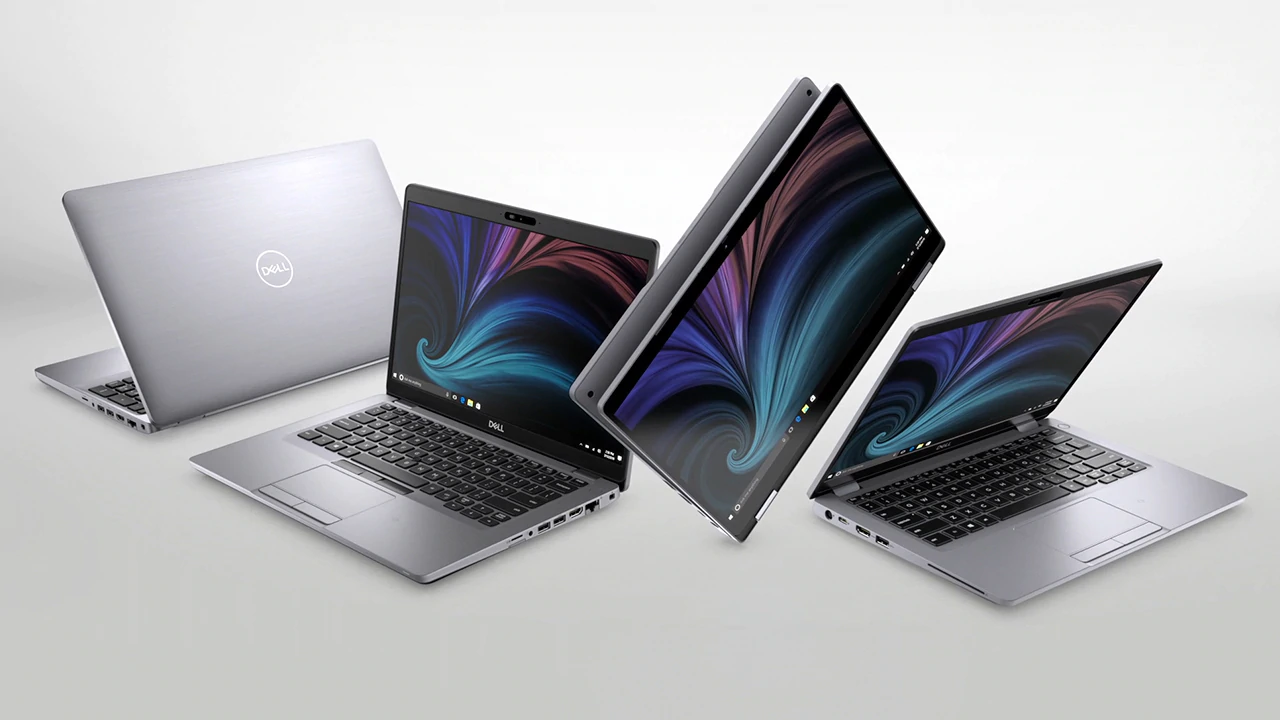 Business notebooks by definition should be secure, perform well, and have good battery life. Usually, most business devices focus mainly on the first quality that we mentioned and tend to skip out or not pay as much attention to the rest.
Well, today we have a laptop that does everything from having all of the great security features to packing a full-fledged H-series CPUs from Intel, which offers great performance during prolonged and intensive workloads. With the specs that it has, it can be a great companion to an on-the-go developer or IT specialist.
Today we are presenting you with LaptopMedia’s Top 5 picks about the Dell Latitude 14 5411.
Dell Latitude 14 5411: Full Specs / In-depth Review
4 reasons to BUY the Dell Latitude 14 5411
1. The Design and Build quality
If you expected a thin laptop, well you’re out of luck today. The Dell Latitude 14 5411 is quite the thick boy, with a profile starting from 21 mm at the front and going all the way to 23 mm at the back. Despite that, the device manages to weigh only 1.54 kg. This mainly comes from the build materials, which misses any metal on it, but gives a more durable and lighter material: carbon fiber that is fused with plastics. Carbon fiber is one of the best materials when it comes to durability to weight ratio, and it’s no coincidence that it is used in many industries where weight has to be kept to a minimum. The body has minimal flexes when it’s twisted.
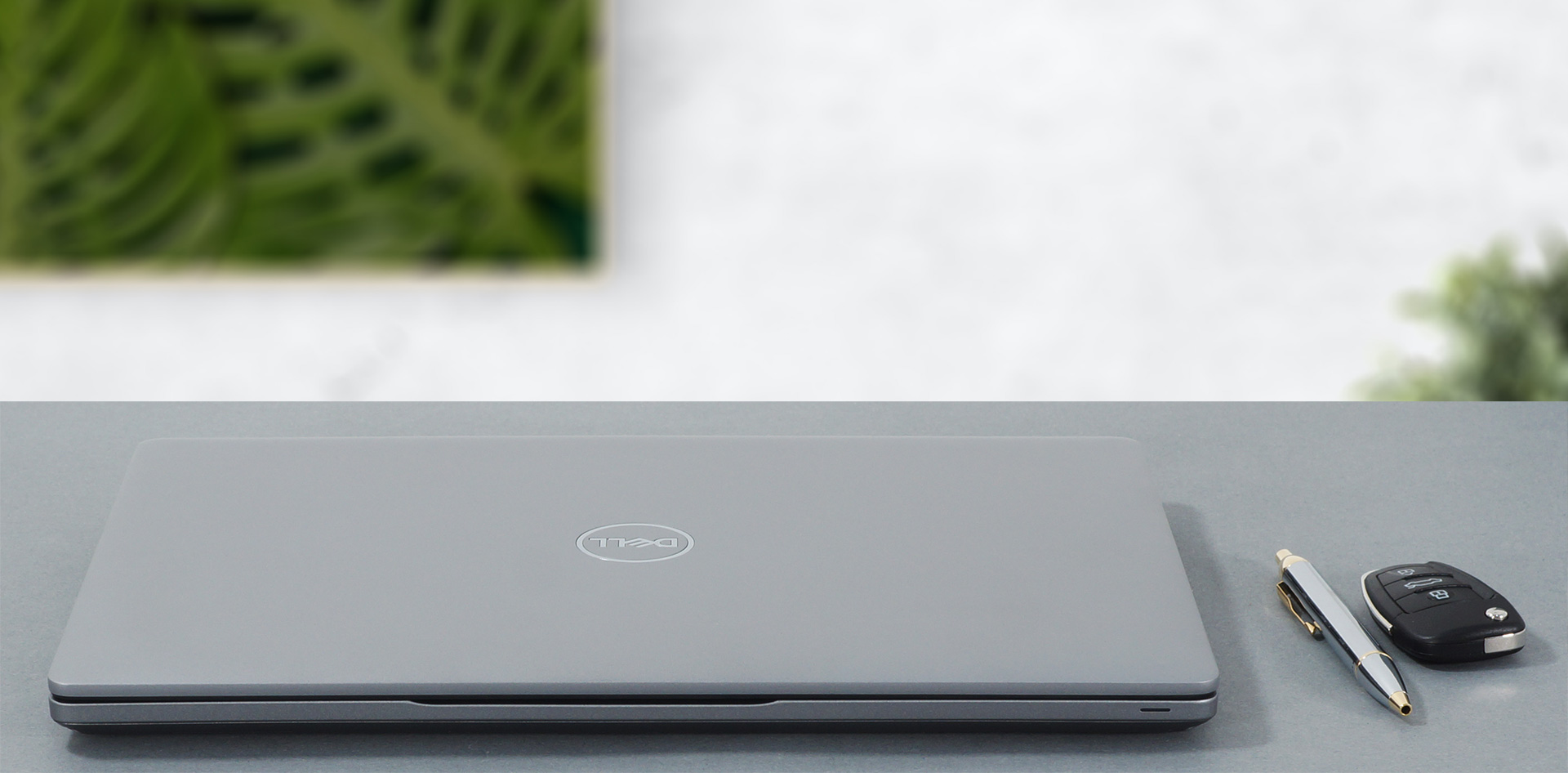
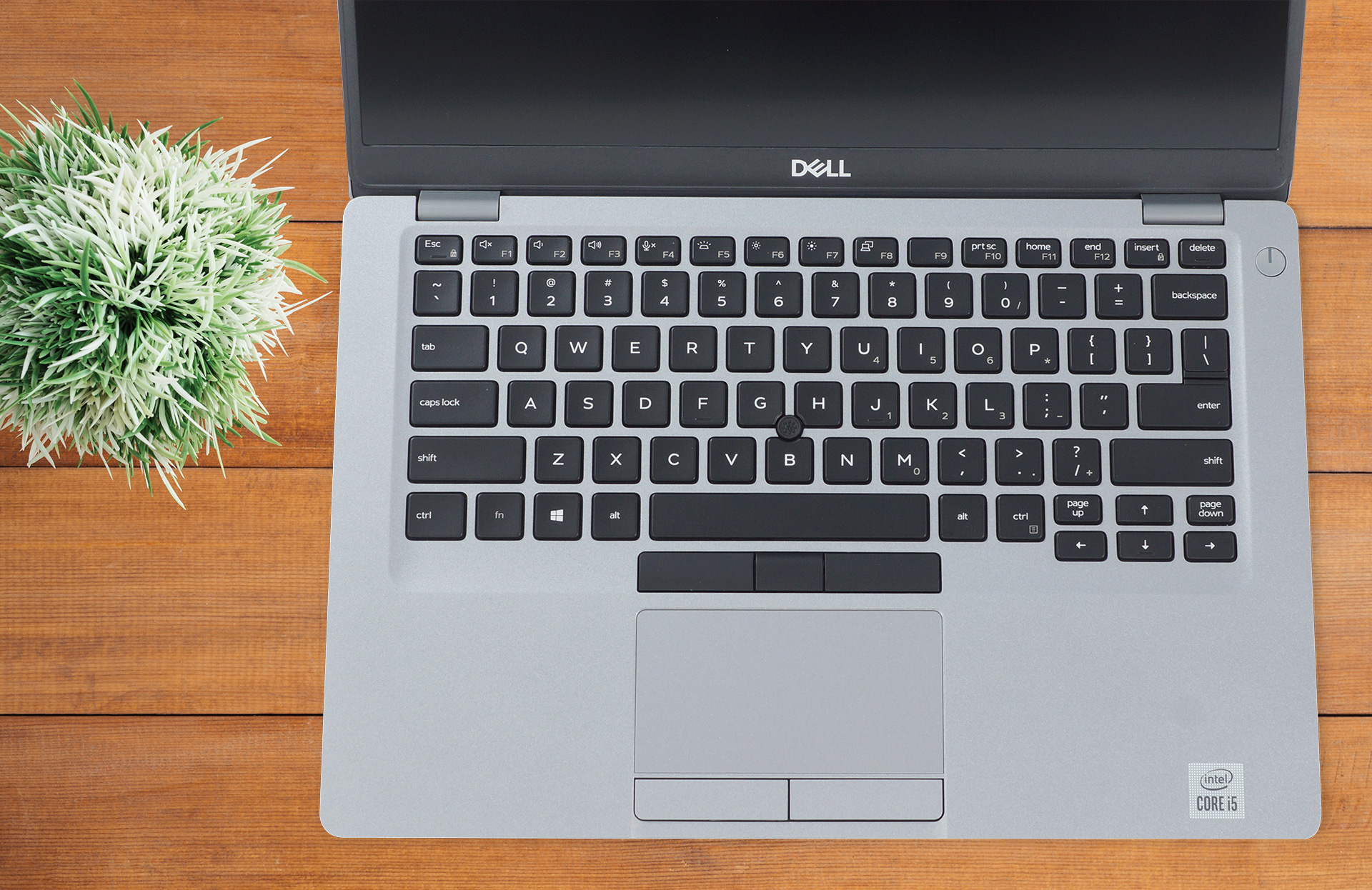
The lid can barely be opened with a single hand, and the base lifts off when you do it. After opening the lid, you are greeted by a very good and comfortable keyboard with decent key travel, and feedback that manages to be both clicky and quiet. The touchpad is very accurate, but it lacks in size. Thankfully it has physical buttons.
2. The Battery life
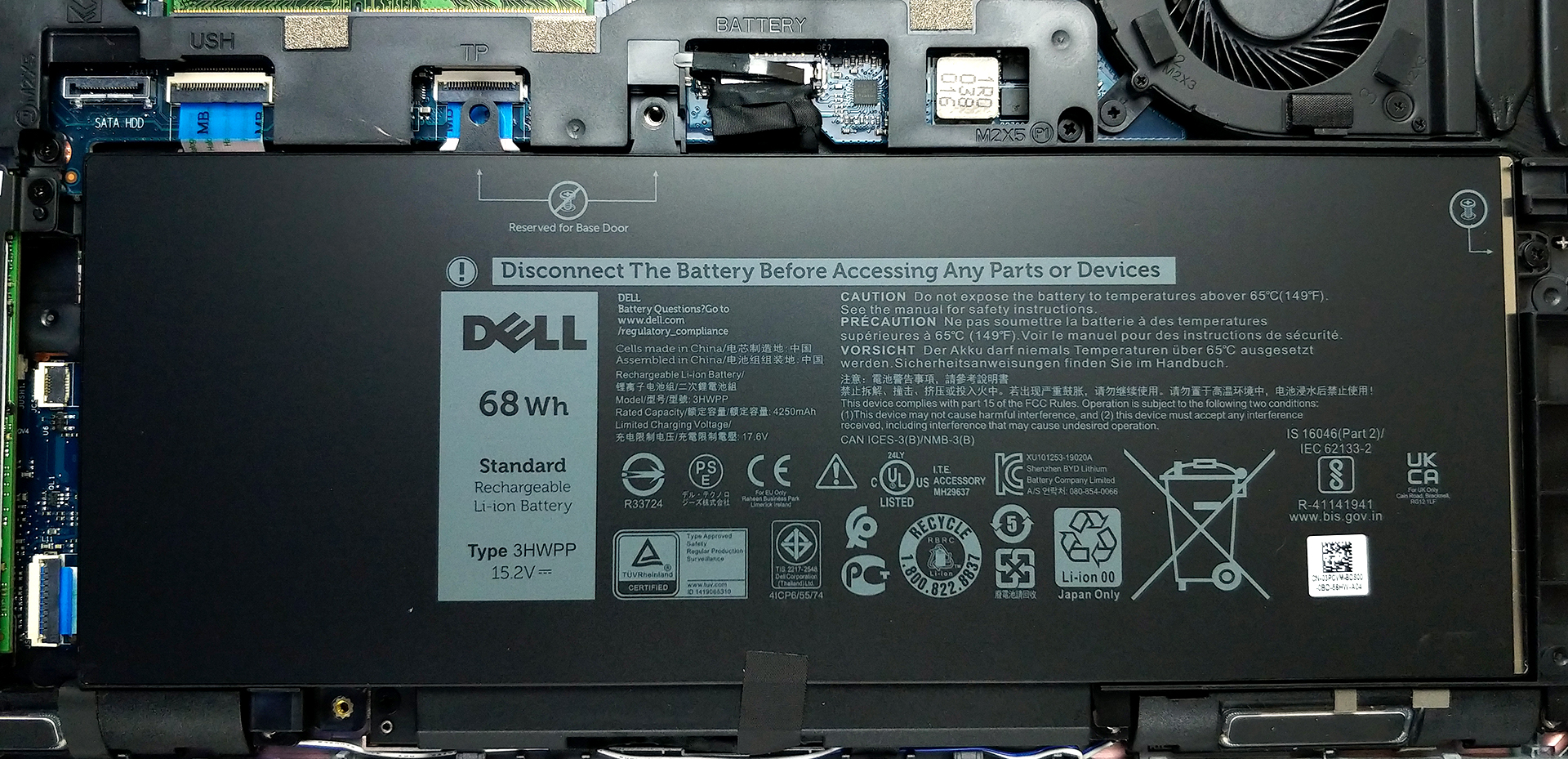
The laptop comes with two options for battery packs, one unit has 51Wh and the second, 68Wh. Our unit came with the beefier 68Wh battery pack that managed to last through 14 hours and 17 minutes of Web browsing and 11 hours and 4 minutes of video playback.
3. The Display
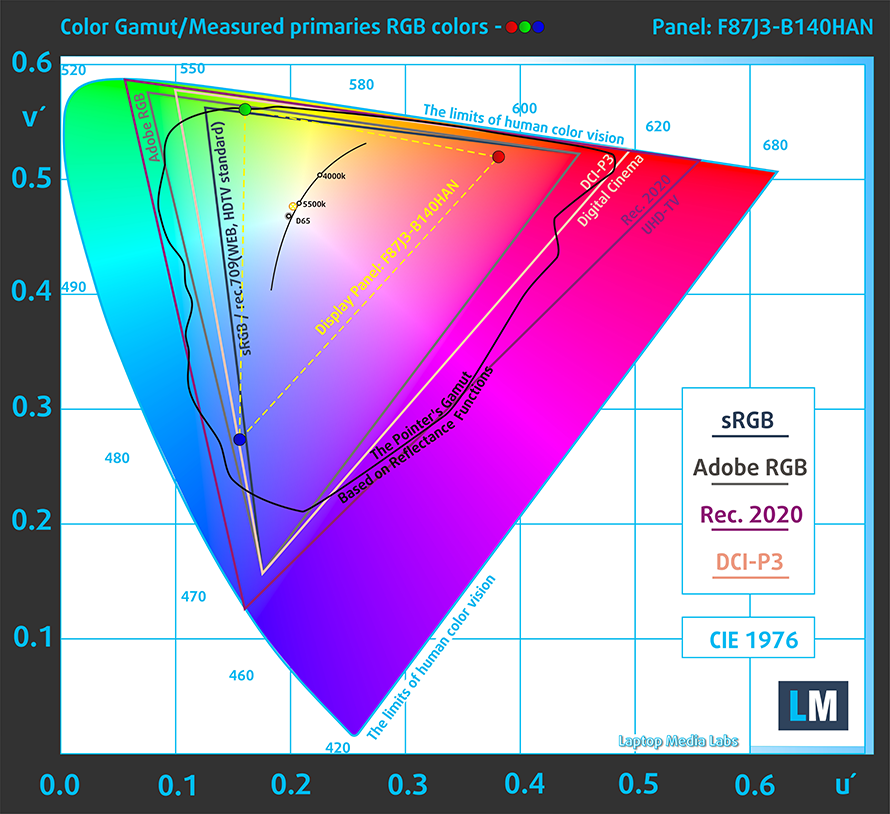
The Dell Latitude 14 5411 comes with two options for display, one HD, and one Full HD panel. We will skip the HD panel and go straight to the panel that most people will probably go for. The panel has a good contrast ratio, comfortable viewing angles, and decent default settings. Its color coverage is quite poor, covering only 50% of the sRGB color gamut. Additionally, the panel doesn’t use PWM to adjust its brightness at any level, making it safe for prolonged use.
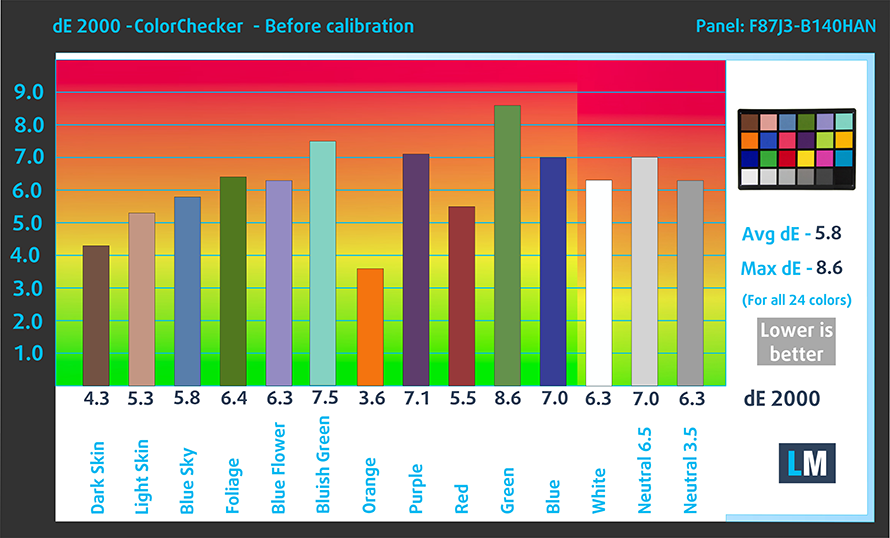
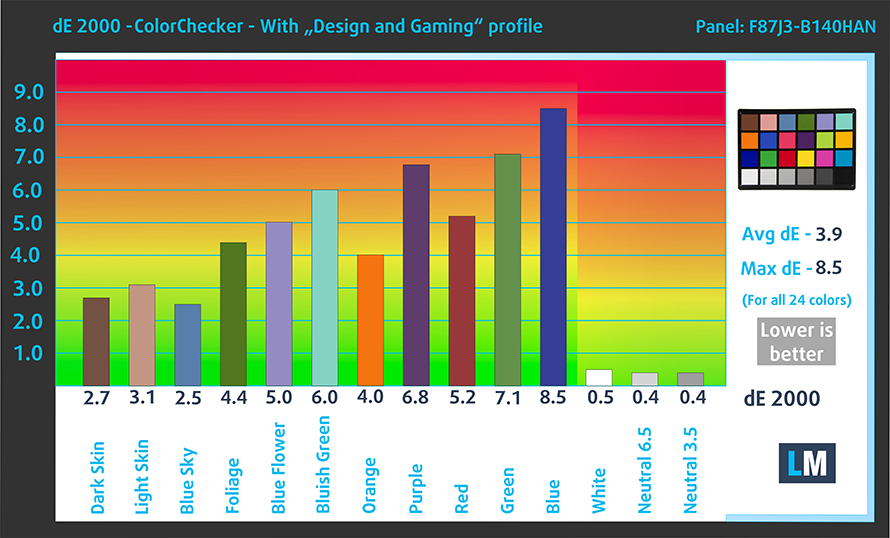
As for the color accuracy, even with our “Gaming and web design profile” we couldn’t get it to a workable value. Below you can compare the scores of Dell Latitude 14 5411 with the default settings (left), and with the “Gaming and Web design” profile (right).
Buy our profiles
Since our profiles are tailored for each display model, this article and its respective profile package are meant for Dell Latitude 14 5411 configurations with 14.0″ AUO B140HAN-F87J3 (AUO0463D) (FHD, 1920 × 1080) IPS panel.
*Should you have problems with downloading the purchased file, try using a different browser to open the link you’ll receive via e-mail. If the download target is a .php file instead of an archive, change the file extension to .zip or contact us at [email protected].
Read more about the profiles HERE.
En plus de recevoir des profils efficaces et respectueux de la santé, en achetant les produits de LaptopMedia, vous soutenez également le développement de nos laboratoires, où nous testons des appareils afin de produire les critiques les plus objectives possibles.

Travail de bureau
Office Work devrait être utilisé principalement par les utilisateurs qui passent la plupart de leur temps à regarder des textes, des tableaux ou simplement à naviguer. Ce profil vise à offrir une meilleure distinction et clarté en maintenant une courbe gamma plate (2.20), une température de couleur native et des couleurs fidèles à la perception.

Design et Gaming
Ce profil s'adresse aux designers qui travaillent avec les couleurs de manière professionnelle, ainsi qu'aux jeux et aux films. Design and Gaming pousse les dalles d'affichage à leurs limites, les rendant aussi précises que possible dans la norme sRGB IEC61966-2-1 pour le Web et la TVHD, au point blanc D65.

Health-Guard
Health-Guard élimine la Modulation de Largeur d'Impulsion (PWM) nocive et réduit la lumière bleue négative qui affecte nos yeux et notre corps. Comme il est adapté à chaque dalle, il parvient à conserver des couleurs fidèles à la perception. Health-Guard simule le papier, ce qui réduit considérablement la pression sur les yeux.
Obtenez les 3 profils avec 33% de réduction

4. The Upgradeability
The upgradability here is on point, with both RAM and storage slots being available. After you remove the bottom panel, which takes 8 Phillips-head screws, you are greeted by two SODIMM slots, that support up to 64GB of DDR4 memory. For the storage, you get one M.2 PCIe x4 drive, and if you get the model with the smaller battery pack, you even get a 2.5-inch SATA drive.
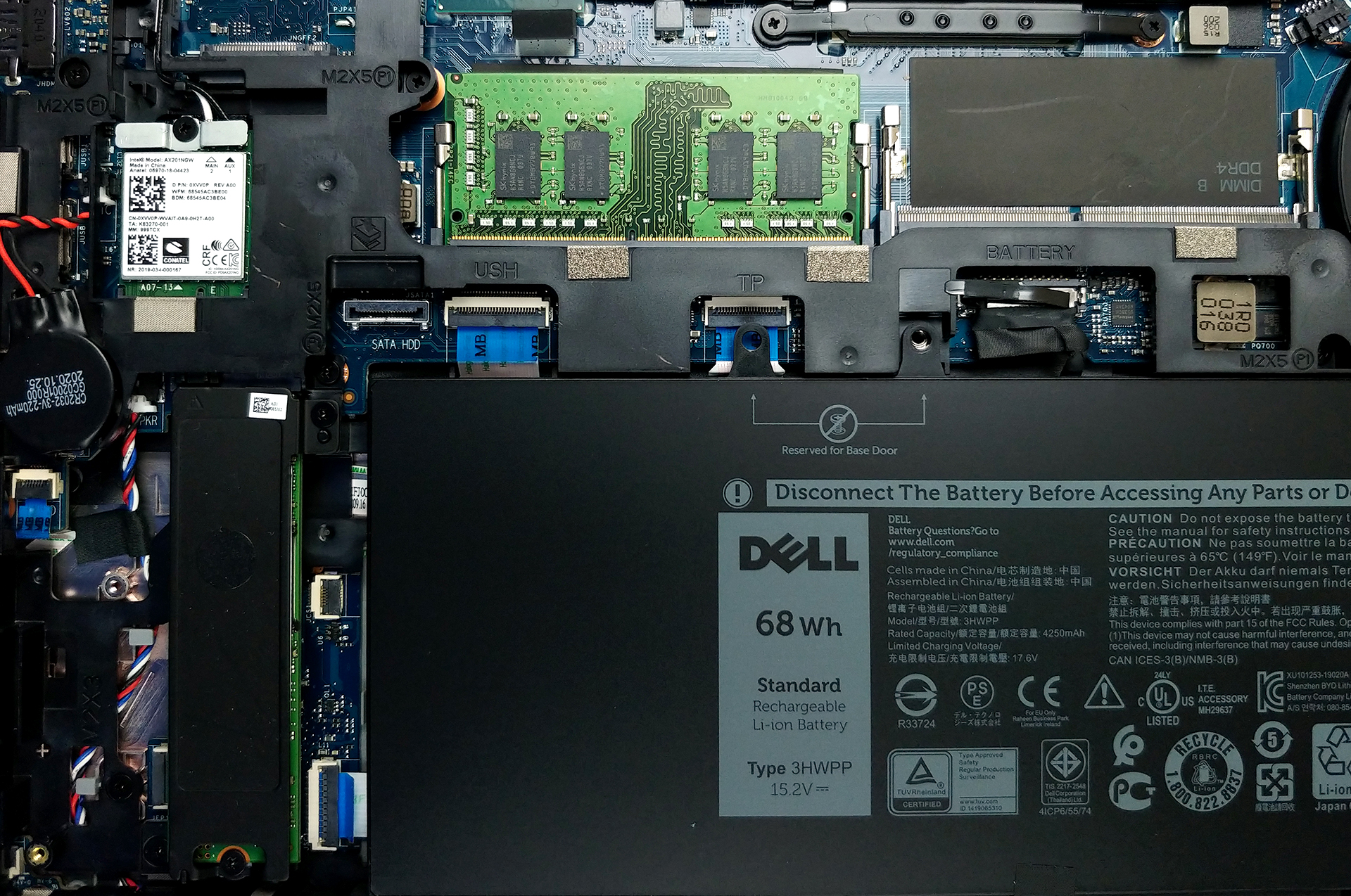
If you need help figuring out how to disassemble the laptop, feel free to watch our detailed teardown video, which explains all the steps that you have to go through.
1 reason NOT to buy the Dell Latitude 14 5411
1. The Cooling
The cooling solution that Dell has implemented here is quite decent and it has to be, considering the H-series processors that are available. The device has two heat pipes, one thick and one thin, and one fan, that might seem small, but has a tall enough profile to provide ample airflow.
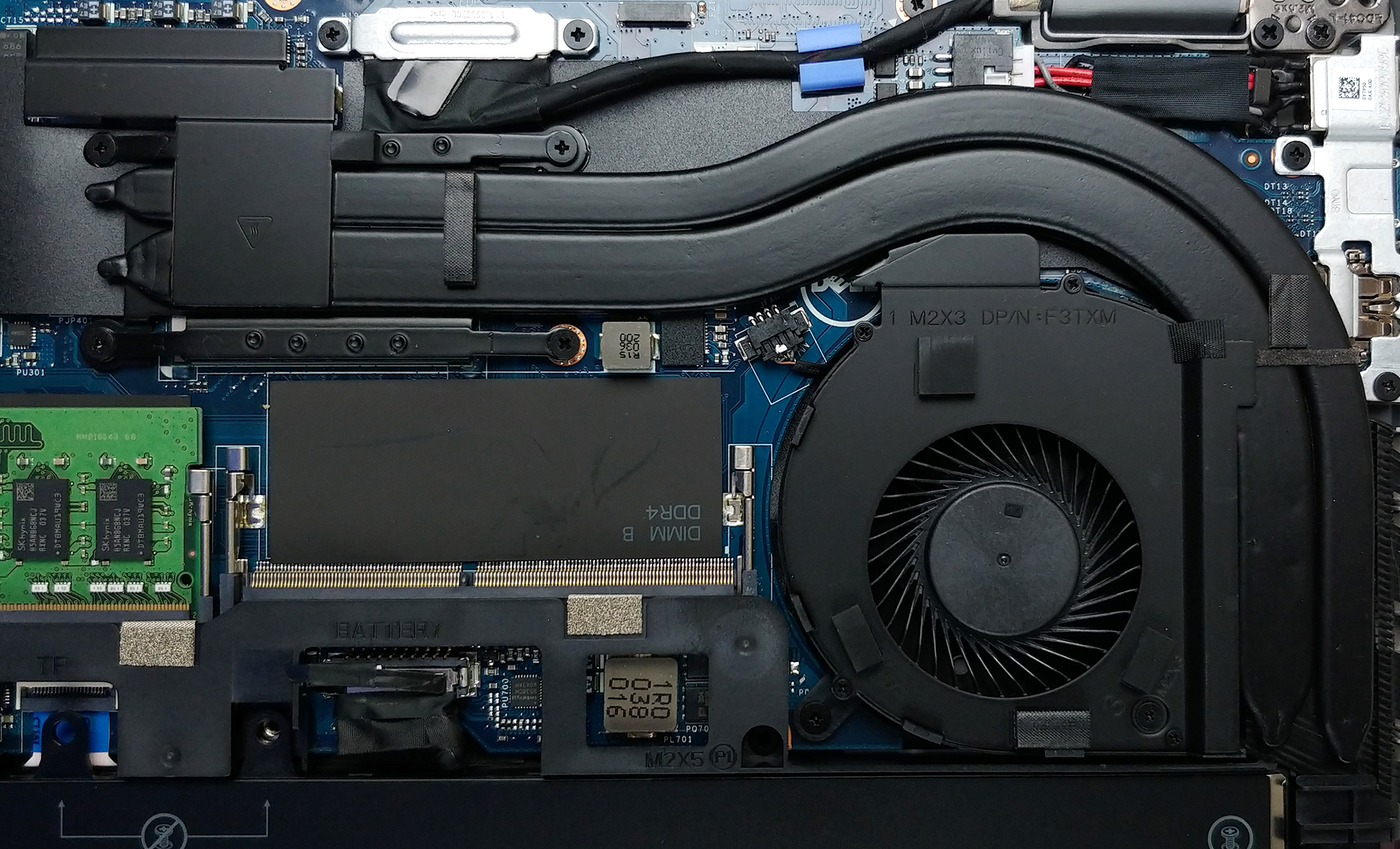
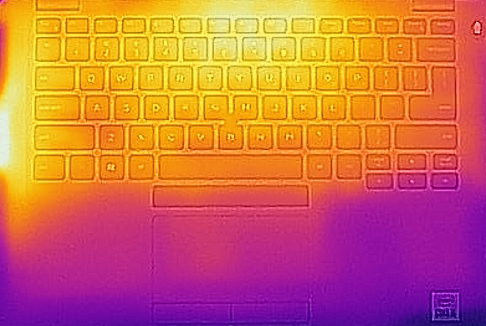
As far as temperatures are concerned, the laptop runs pretty hot and the cooling solution is limited, due to the laptop’s small size.
| Intel Core i5-10400H (45W TDP) | 0:02 – 0:10 sec | 0:15 – 0:30 sec | 10:00 – 15:00 min |
|---|---|---|---|
| Dell Latitude 14 5411 | 3.64 GHz (B+40%) @ 98°C | 3.33 GHz (B+36%) @ 98°C | 2.93 GHz (B+13%) @ 98°C |
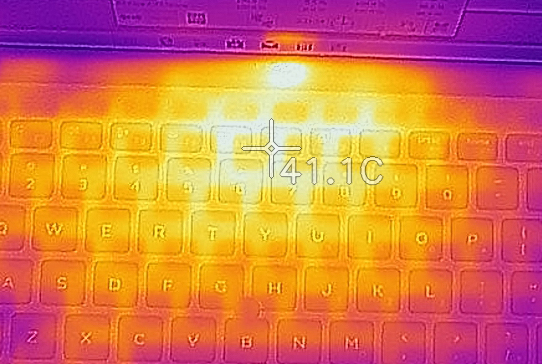
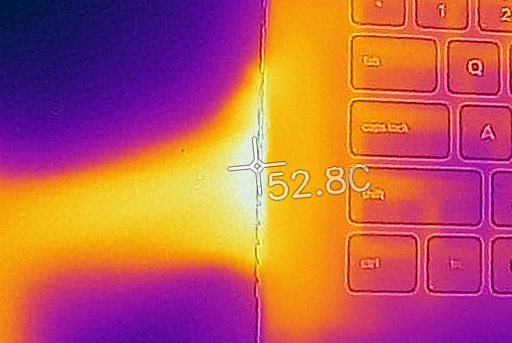
All Dell Latitude 14 5411 configurations:
 Author: Severin Kolakov

![[Juillet 2026] Classement mondial des cartes graphiques pour ordinateurs portables les plus vendues sur Amazon : la RTX 5060 domine le segment haut de gamme, tandis qu’Intel reste en tête du segment économique](https://laptopmedia.com/wp-content/uploads/2026/08/Best-Selling-GPUs-GLOBAL-Top-10-400x225.jpg)
![[Juillet 2026] Classement mondial des processeurs d’ordinateurs portables les plus vendus sur Amazon : Apple domine le segment haut de gamme, Intel conserve la première place au classement général](https://laptopmedia.com/wp-content/uploads/2026/08/Best-Selling-CPUs-GLOBAL-Top-10-400x225.jpg)
![[July 2026] Amazon Canada: Top 10 Best-Selling Laptops – Apple MacBook Neo Dominates the Market to Claim the #1 Spot](https://laptopmedia.com/wp-content/uploads/2026/08/Best-Selling-Laptops-CA-Top-10-2-400x225.jpg)
![[July 2026] Best-Selling Laptop Brands on Amazon Japan – HP and Lenovo Dominate Units and Revenue Amid Fierce Competition](https://laptopmedia.com/wp-content/uploads/2026/08/CO.JP-Best-Brands-2-400x225.jpg)
![[July 2026] Amazon Italy: Top 10 Best-Selling Laptops – Apple MacBook Neo Claims the #1 Spot Amid Budget-Friendly Dominance](https://laptopmedia.com/wp-content/uploads/2026/08/Best-Selling-Laptops-IT-Top-10-400x225.jpg)
