Top 5 reasons to BUY or NOT to buy the HP EliteBook 830 G8
 If you’re in the market for a business laptop, you’ll frequently hear about ThinkPad, Latitude, and EliteBook devices. These are some of the most well-known business brands, which have made a good name for themselves, for bringing the best in the field when it comes to security and features.
Now we have the latest EliteBook from HP, the 830 G8, which brings the same build quality and features as its predecessor while featuring big upgrades on the hardware front, in the face of the Tiger Lake family of CPUs.
Today we are presenting you with LaptopMedia’s top 5 picks about the HP EliteBook 830 G8.
HP EliteBook 830 G8: Full Specs / In-depth Review
4 reasons to BUY the HP EliteBook 830 G8
1. Design and build quality
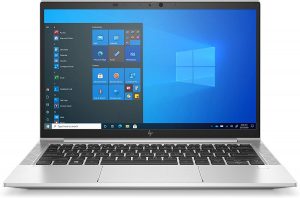
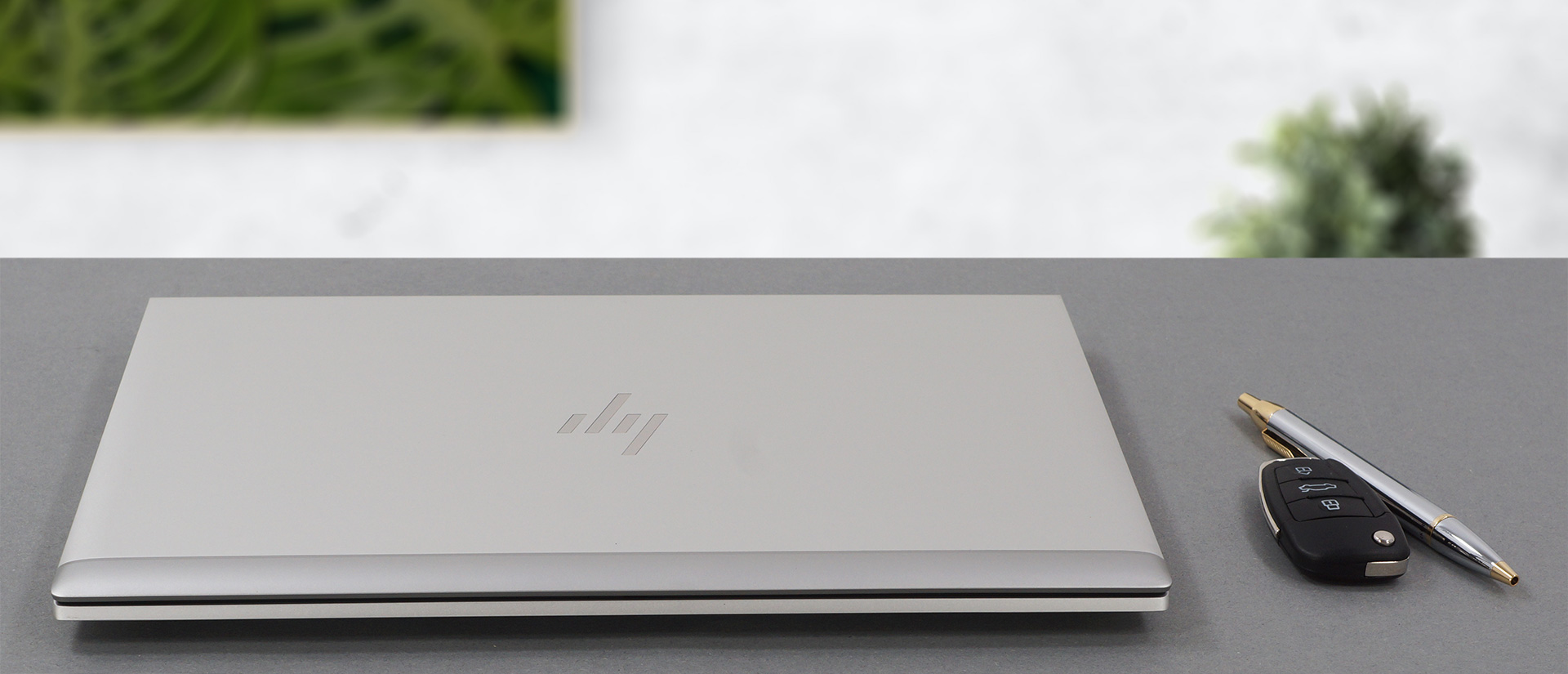
The laptop uses aluminum alloy for most of its construction, with some plastic used here and there for the antenna lines, which are needed since the device has optional 5G connectivity. The EliteBook 830 G8 is relatively sturdy, as its lid opens with a single hand, which is nice to see. The lid is also relatively sturdy, as it didn’t flex that much. The same could be said about the base, which houses a lot of stuff. As the laptop is offered with both a touchscreen and a non-touchscreen display, its weight is different, according to which of the two displays you pick. Still, the laptop is quite portable, weighing 1.24 kg with the non-touch display and 1.35 kg for the touch-enabled display, and being 17.9 mm tall.
2. Input devices
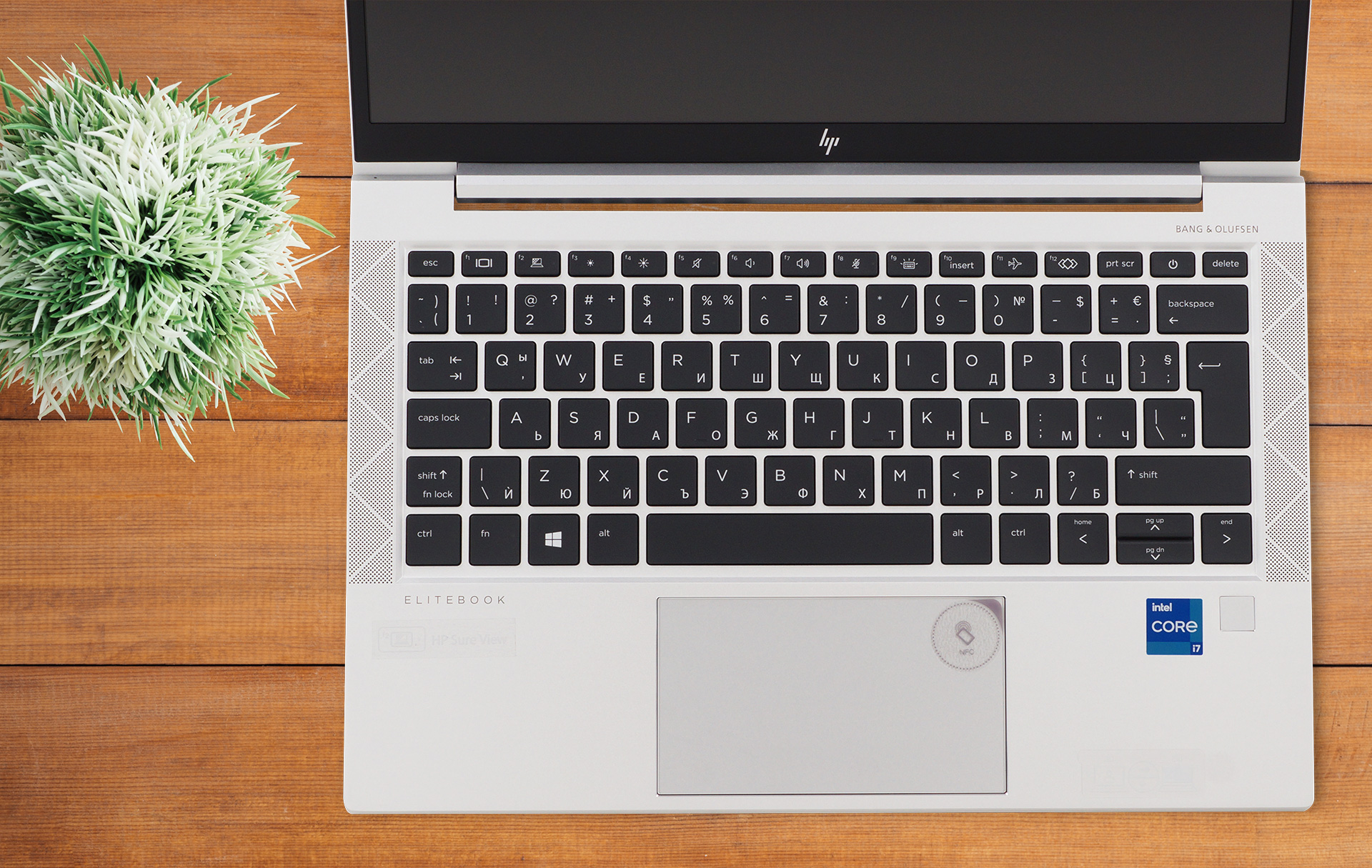
The keyboard and touchpad setup that we find here are both on a great level. The keyboard has a backlight, spill-resistance, and decently large keycaps, which is amazing to see. Furthermore, the experience that we had was great, as the unit provided long key travel and clicky feedback. The touchpad, with its glass cover, provided an amazing experience as well, offering smooth gliding and accurate tracking.
3. Upgradeability
The laptop is quite upgradeable, which we didn’t expect, due to its relatively small form factor. It has two SODIMM slots, which can house a total of 64GB of DDR4 RAM in dual-channel mode, and one M.2 PCIe x4 drive.
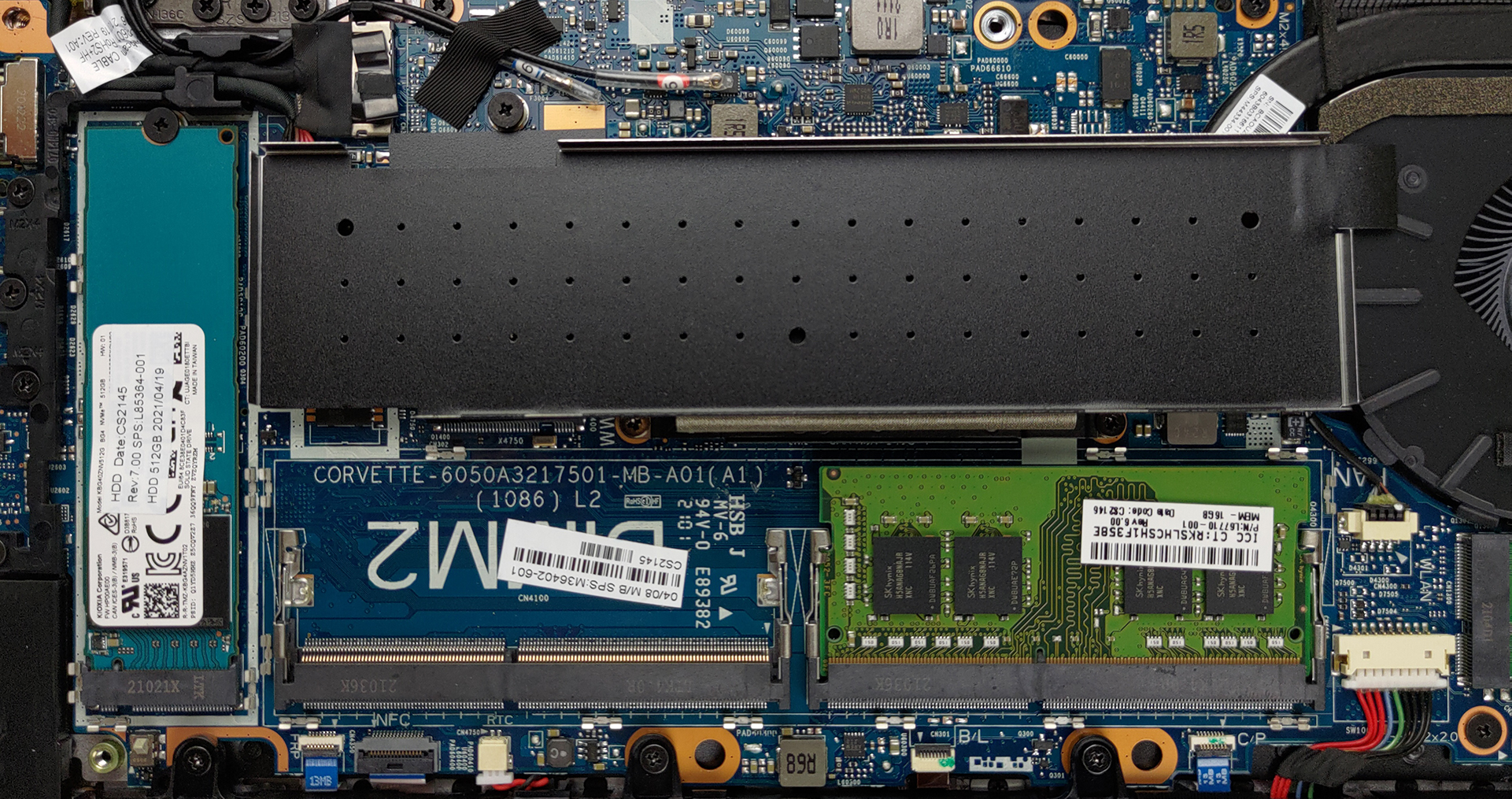
Here is our detailed teardown video, which shows how to safely access both the SODIMM and SSD slots.
4. Battery life
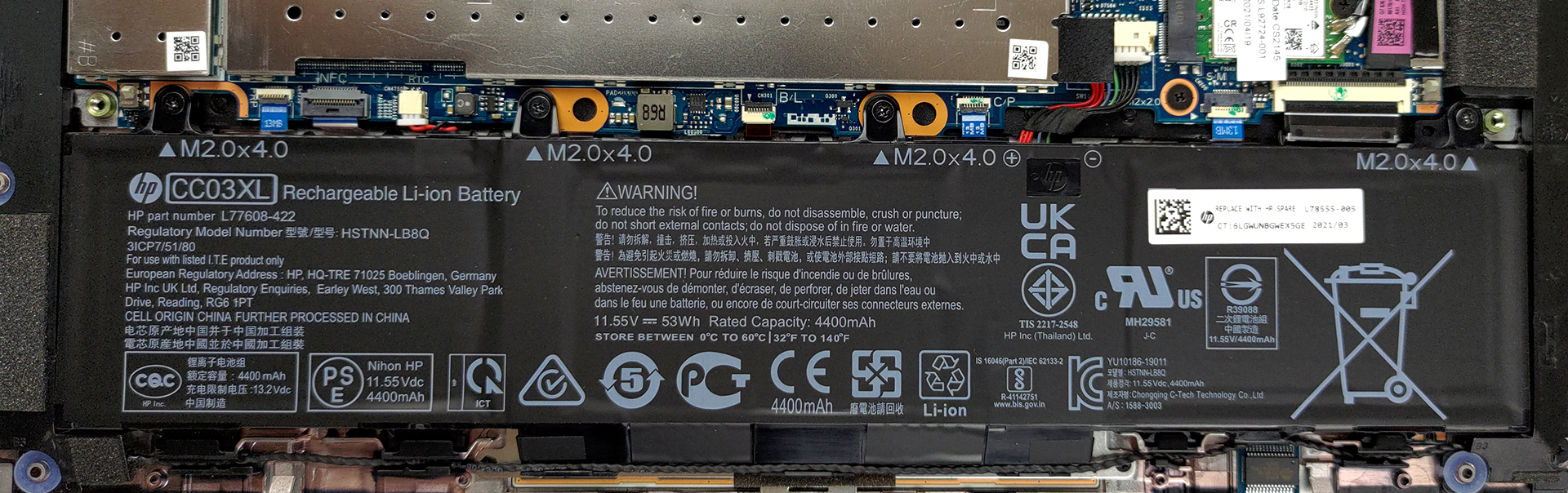
With a battery size of 53Wh, the laptop performed really well in our battery tests. It managed to last for 13 hours and 45 minutes of Web browsing, and 8 hours and 53 minutes of video playback. Now, we conduct the battery tests with Windows Better performance setting turned on, screen brightness adjusted to 120 nits, and all other programs turned off except for the one we are testing the notebook with.
1 reason NOT to buy the HP EliteBook 830 G8
1. Display quality
The laptop comes with a 13.3-inch Full HD IPS display, which has SureView technology, which dims the screen when viewed from an angle, making the contents of the display difficult to see. Furthermore, the laptop has comfortable viewing angles, a maximum brightness of 775 nits in the middle of the screen, 805 nits as an average for the entire area of the display, and a maximum deviation of 22%. Also, the display performed relatively poorly in a uniformity perspective, with the top left corner exceeding the nominal luminance tolerance, making it hard to recommend for color-sensitive work. The contrast ratio is one of the highest that we have seen from an IPS panel, sitting at 2270:1.
In terms of color coverage, the display covers 89% of the sRGB color gamut.
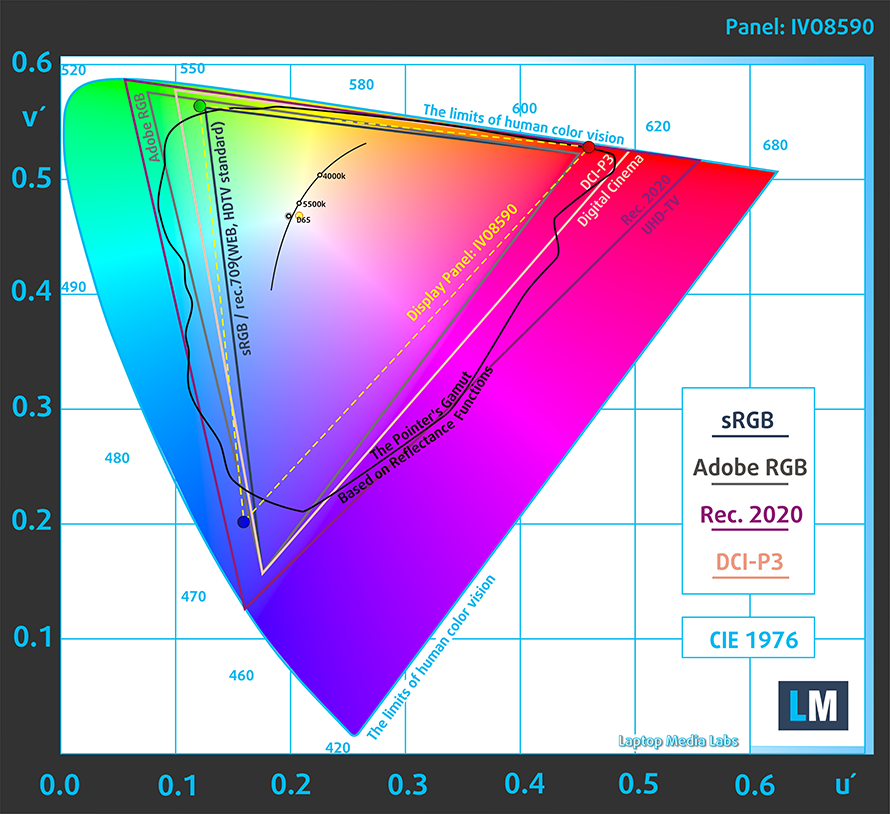
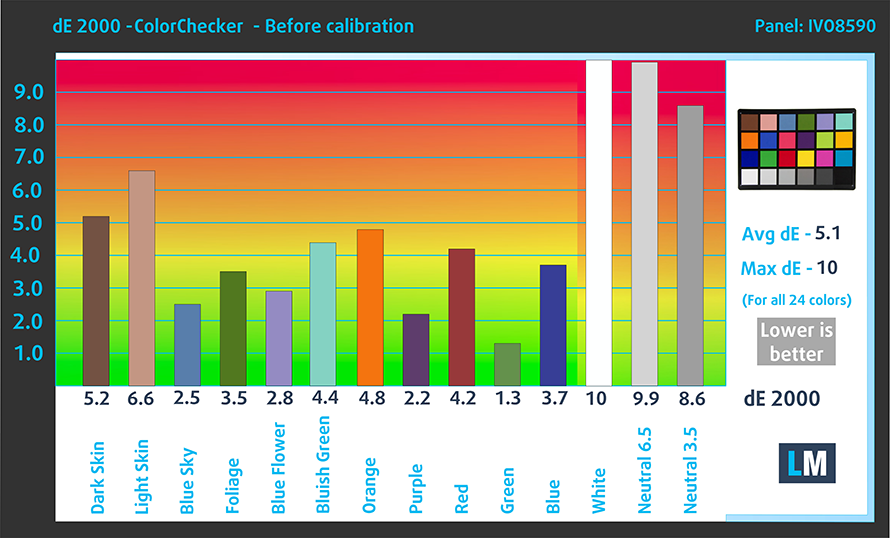
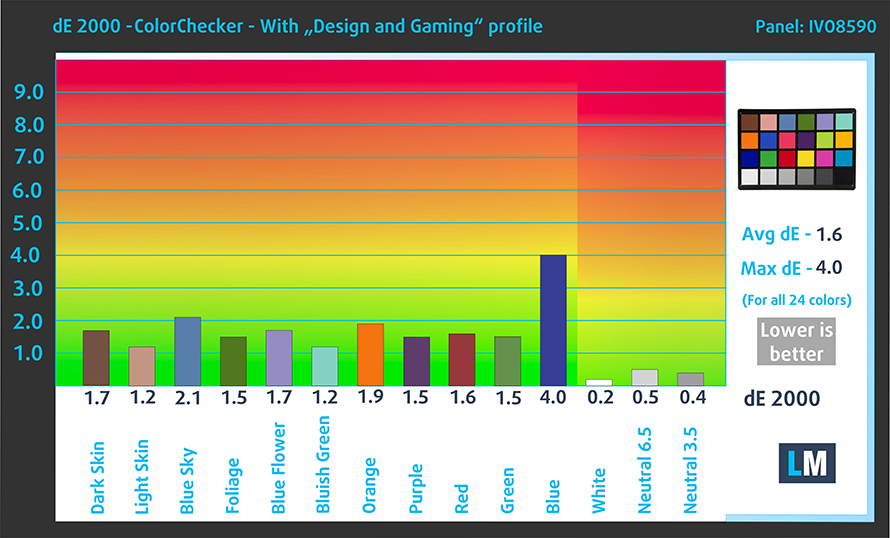
The laptop performed really well, in our color accuracy test, especially once we applied our Design and Gaming profile, bringing the dE value down to 1.6. Here are the results of our test with both the factory settings (left) and with our Design and Gaming profile applied (right)
Buy our profiles
Since our profiles are tailored for each individual display model, this article and its respective profile package are meant for HP EliteBook 830 G8 configurations with 13.3″ IVO X133NVFF R0 (IVO8596) (FHD, 1920 × 1080) IPS panel.
*Should you have problems with downloading the purchased file, try using a different browser to open the link you’ll receive via e-mail. If the download target is a .php file instead of an archive, change the file extension to .zip or contact us at [email protected].
Read more about the profiles HERE.
En plus de recevoir des profils efficaces et respectueux de la santé, en achetant les produits de LaptopMedia, vous soutenez également le développement de nos laboratoires, où nous testons des appareils afin de produire les critiques les plus objectives possibles.

Travail de bureau
Office Work devrait être utilisé principalement par les utilisateurs qui passent la plupart de leur temps à regarder des textes, des tableaux ou simplement à naviguer. Ce profil vise à offrir une meilleure distinction et clarté en maintenant une courbe gamma plate (2.20), une température de couleur native et des couleurs fidèles à la perception.

Design et Gaming
Ce profil s'adresse aux designers qui travaillent avec les couleurs de manière professionnelle, ainsi qu'aux jeux et aux films. Design and Gaming pousse les dalles d'affichage à leurs limites, les rendant aussi précises que possible dans la norme sRGB IEC61966-2-1 pour le Web et la TVHD, au point blanc D65.

Health-Guard
Health-Guard élimine la Modulation de Largeur d'Impulsion (PWM) nocive et réduit la lumière bleue négative qui affecte nos yeux et notre corps. Comme il est adapté à chaque dalle, il parvient à conserver des couleurs fidèles à la perception. Health-Guard simule le papier, ce qui réduit considérablement la pression sur les yeux.
Obtenez les 3 profils avec 33% de réduction

All HP EliteBook 830 G8 configurations:
 Author: Severin Kolakov

![[Juin 2026] Les marques d’ordinateurs portables les plus vendues sur Amazon Global – La domination sans égale d’Apple en termes de volume de ventes et de chiffre d’affaires](https://laptopmedia.com/wp-content/uploads/2026/07/GLOBAL-Best-Brands-400x225.jpg)
![[Juin 2026] Amazon Global : le top 10 des ordinateurs portables les plus vendus – Le nouveau MacBook Neo d’Apple s’empare de la première place et redéfinit le marché grâce à son prix abordable](https://laptopmedia.com/wp-content/uploads/2026/07/Best-Selling-Laptops-GLOBAL-Top-10-400x225.jpg)
![[Juin 2026] Amazon Global : le top 10 des ordinateurs portables de jeu les plus vendus – Le Nitro V 16S AI d’Acer domine les ventes, tandis qu’ASUS arrive en tête en termes de chiffre d’affaires global](https://laptopmedia.com/wp-content/uploads/2026/07/Best-Selling-Gaming-Laptops-GLOBAL-Top-10-400x225.jpg)
![[Juin 2026] Classement mondial des cartes graphiques pour ordinateurs portables les plus vendues sur Amazon – La NVIDIA RTX 5060 est la carte graphique dédiée la plus vendue](https://laptopmedia.com/wp-content/uploads/2026/07/Best-Selling-GPUs-GLOBAL-Top-10-400x225.jpg)
![[Juin 2026] Classement mondial des processeurs d’ordinateurs portables les plus vendus sur Amazon : l’Apple M5 domine, tandis que l’AMD Ryzen 7 260 s’impose dans le segment haut de gamme](https://laptopmedia.com/wp-content/uploads/2026/07/Best-Selling-CPUs-GLOBAL-Top-10-400x225.jpg)
