Inside Lenovo Y700 (15″) – disassembly, internal photos and upgrade options
The new Lenovo Y700 is easy to disassemble as last year’s Y50, although you still need to detach the whole bottom part in order to access the internals. However, the best part is that Lenovo finally addressed the issue of the previous version not having M.2 SSD slot. Well, the Y700 now has this expandable storage option.
If you are interested in purchasing the Lenovo Y700, you can go check out the available configurations here: http://amzn.to/1QN8fuk
1. Removing the bottom cover
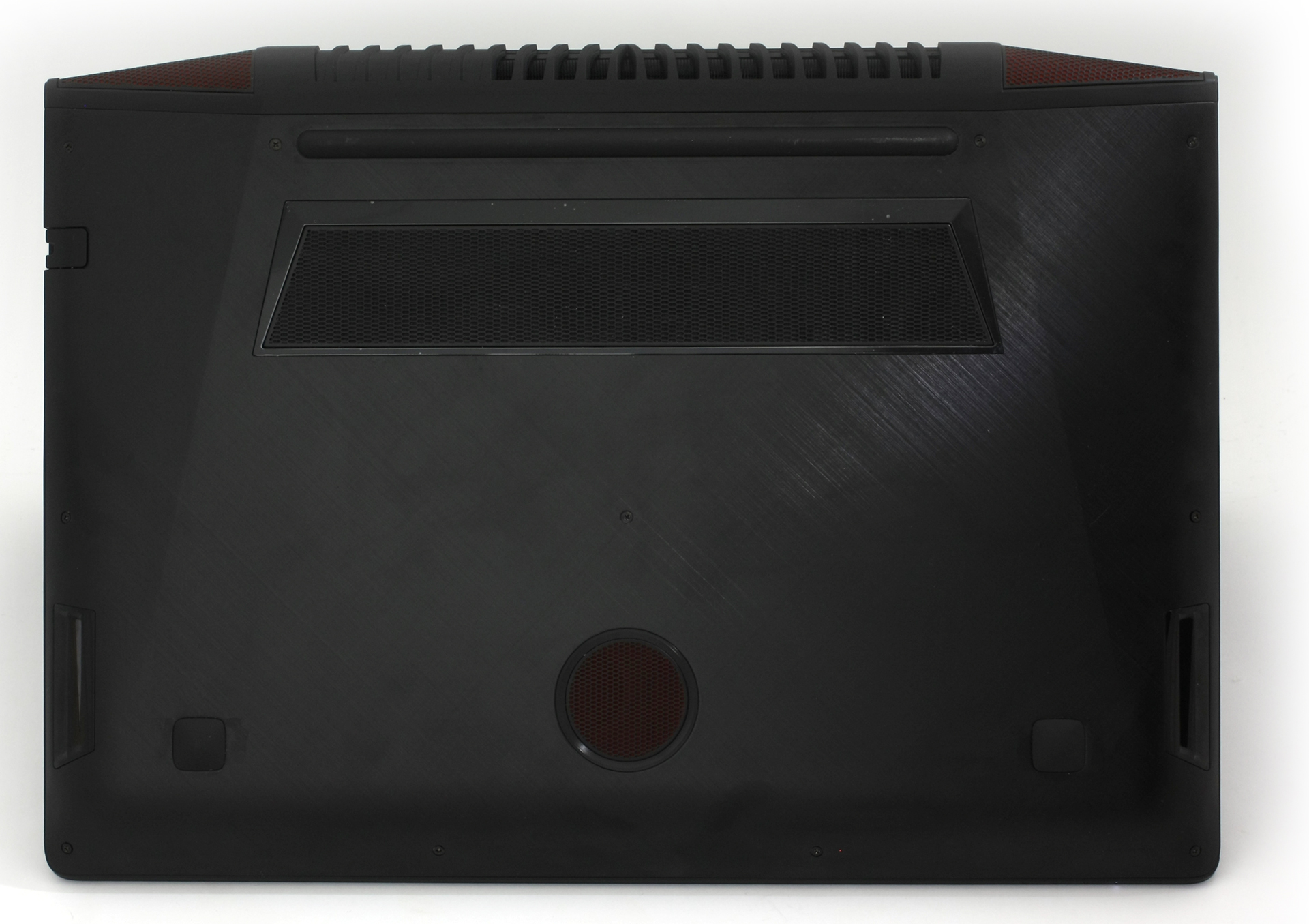
It’s pretty easy actually. You just need to remove all the screws that hold the bottom aluminum piece in place but be careful when removing it. At the back of the notebook, the decorative red grills are attached like hooks to the main body.
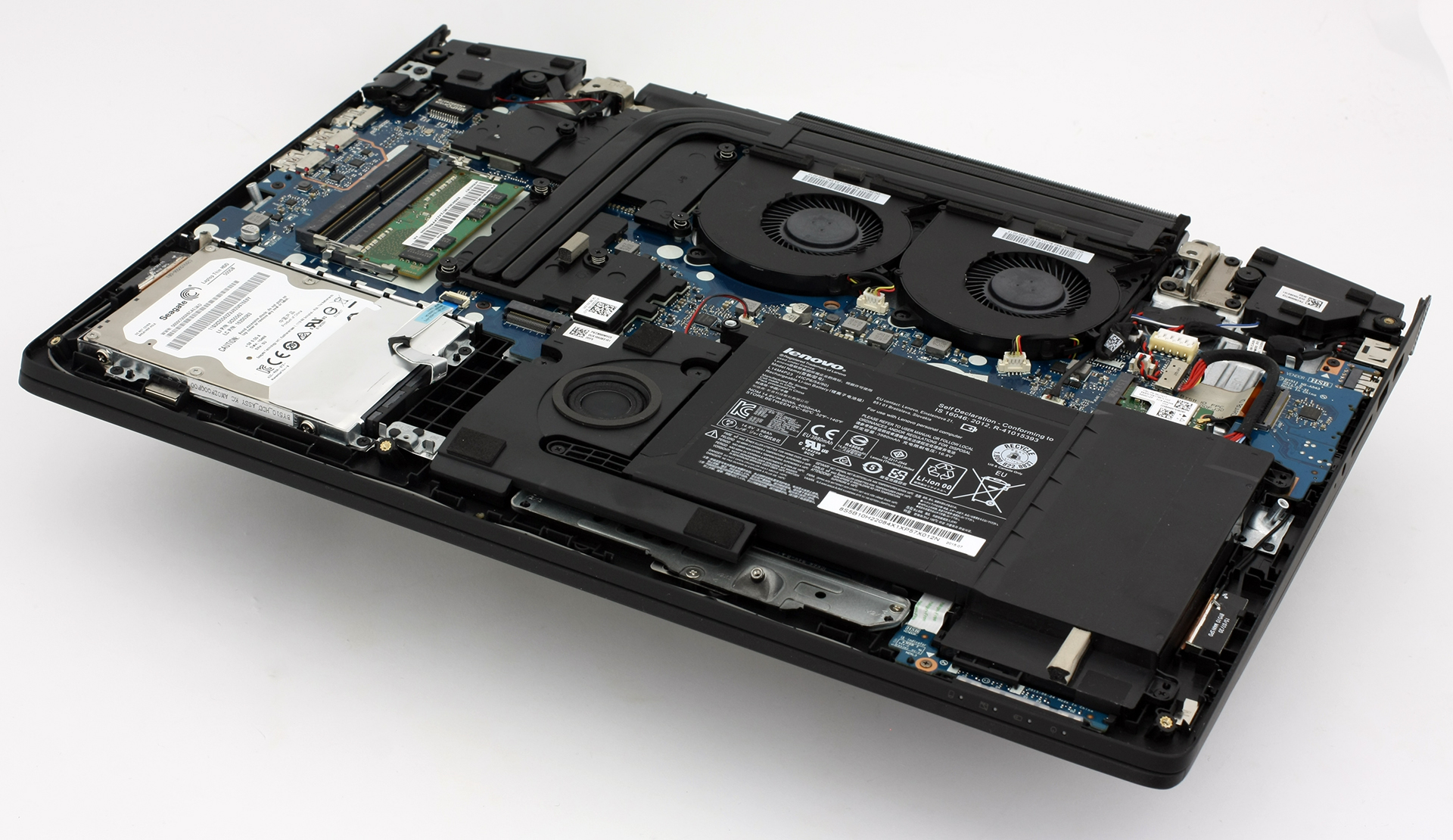
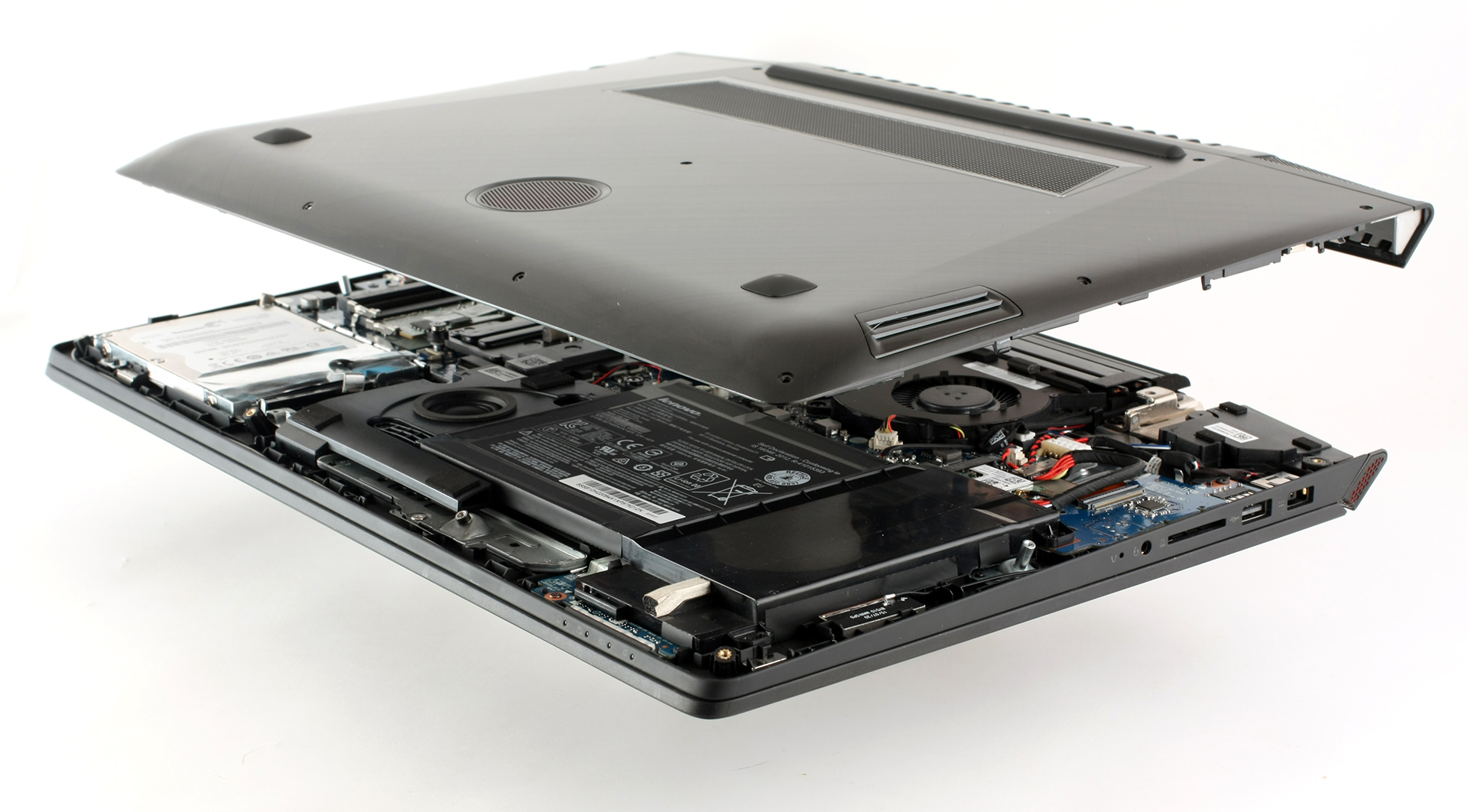
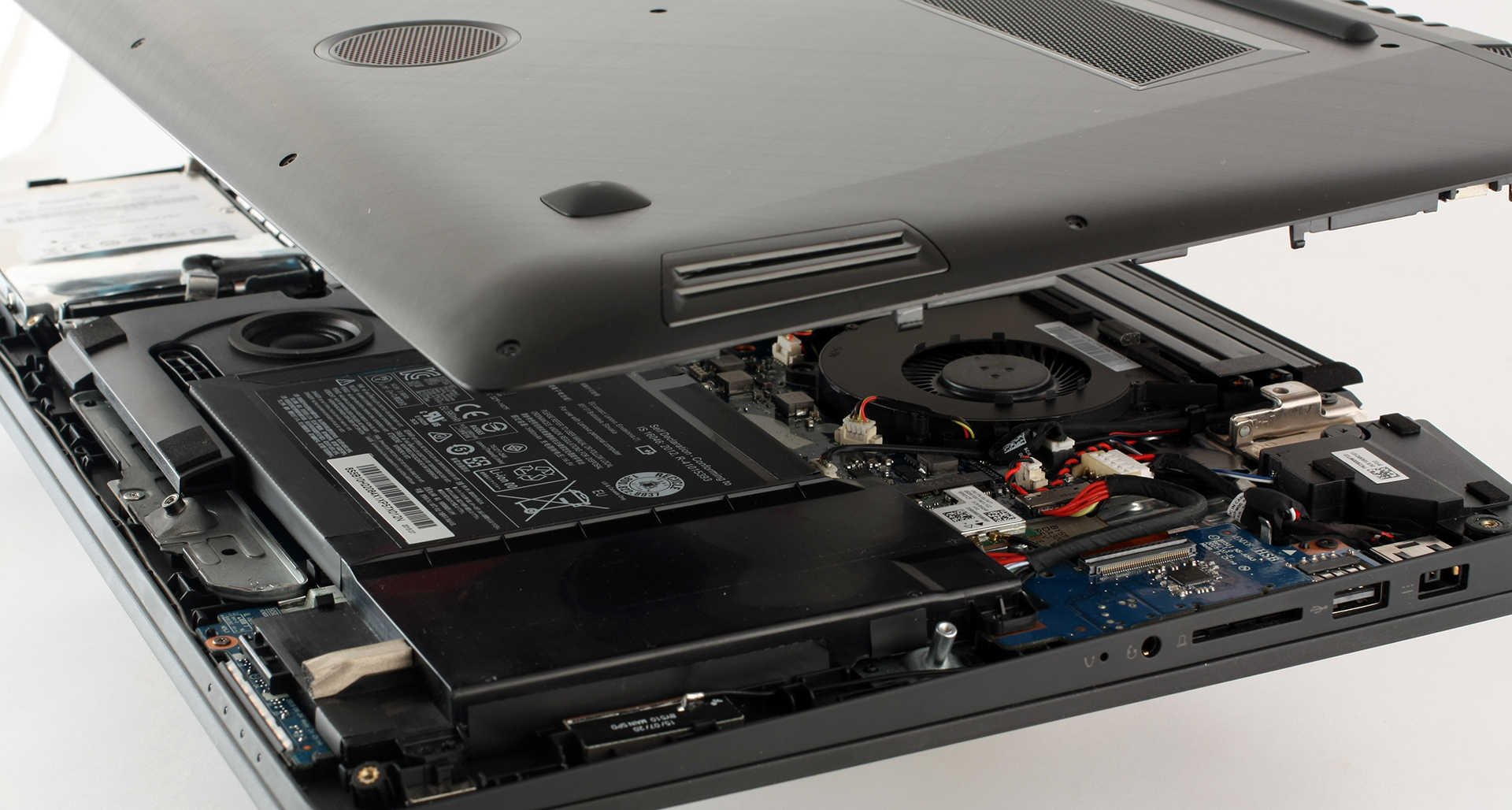
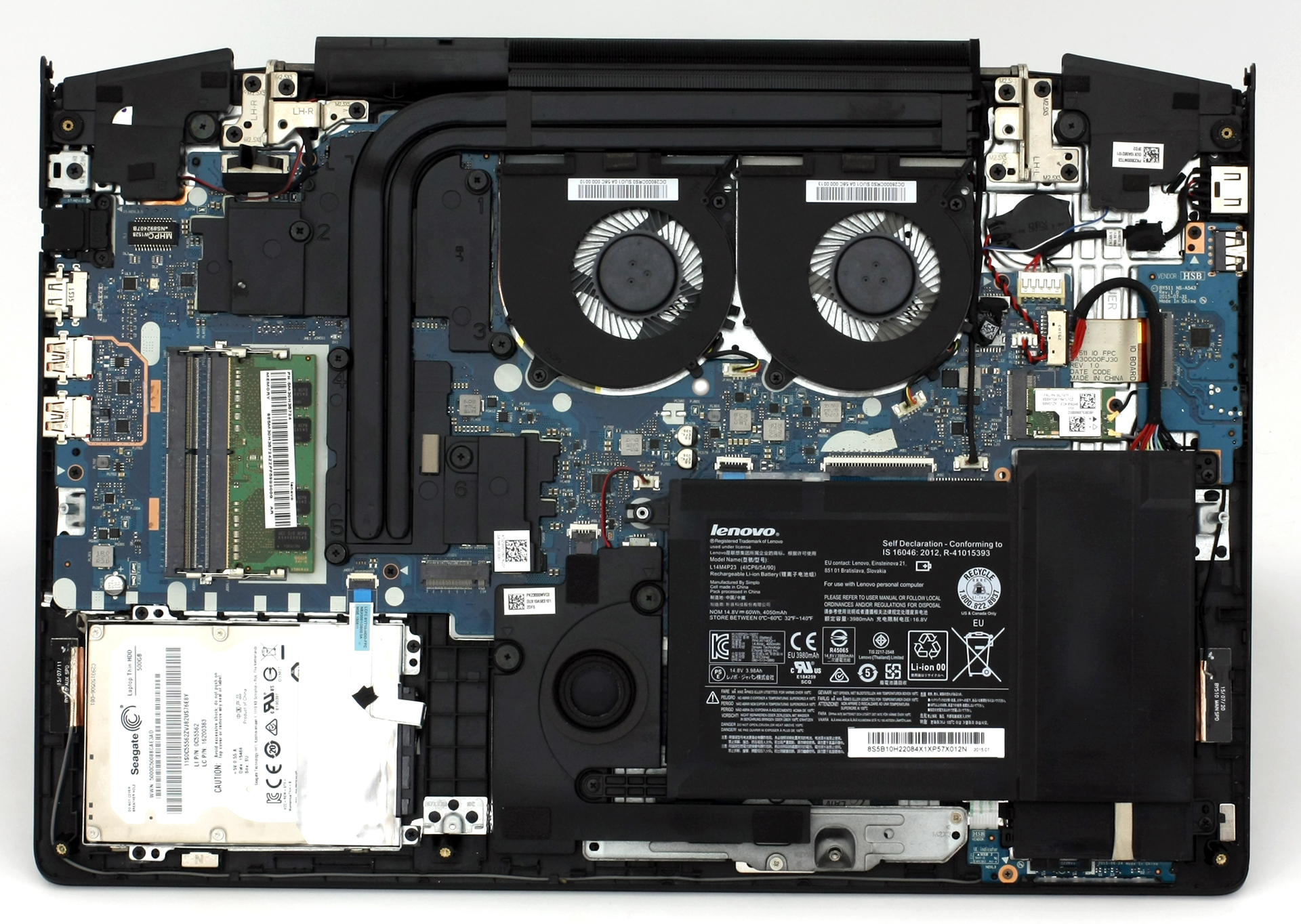
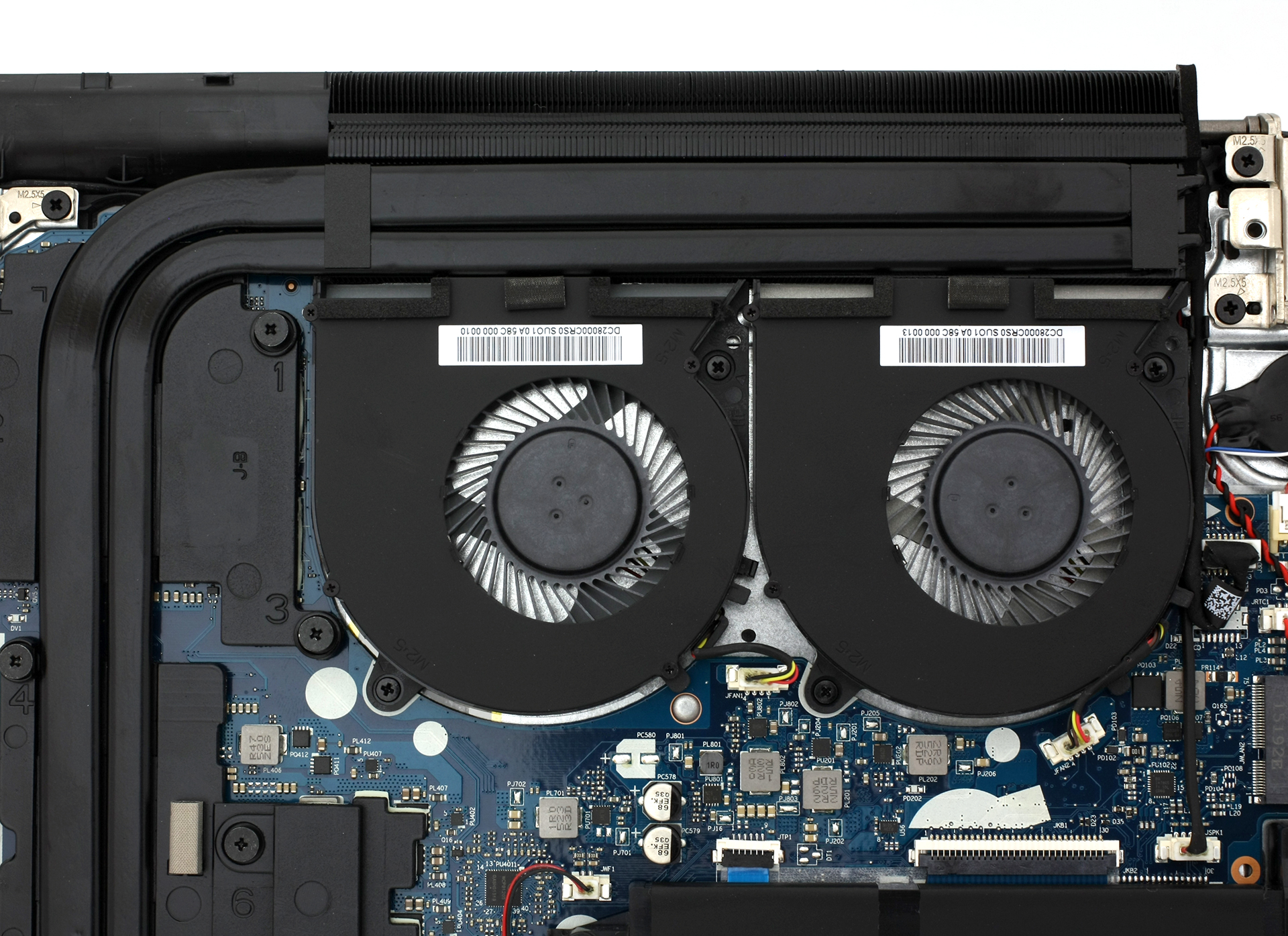
At first glance, the cooling system seems to be greatly overhauled. The main grills are moved at the back of the machine and the heat pipes appear to be redesigned as well. Our temperature tests show that the right side and the center of the keyboard get a bit hot, but more on that later in our full review.
2. What we found inside
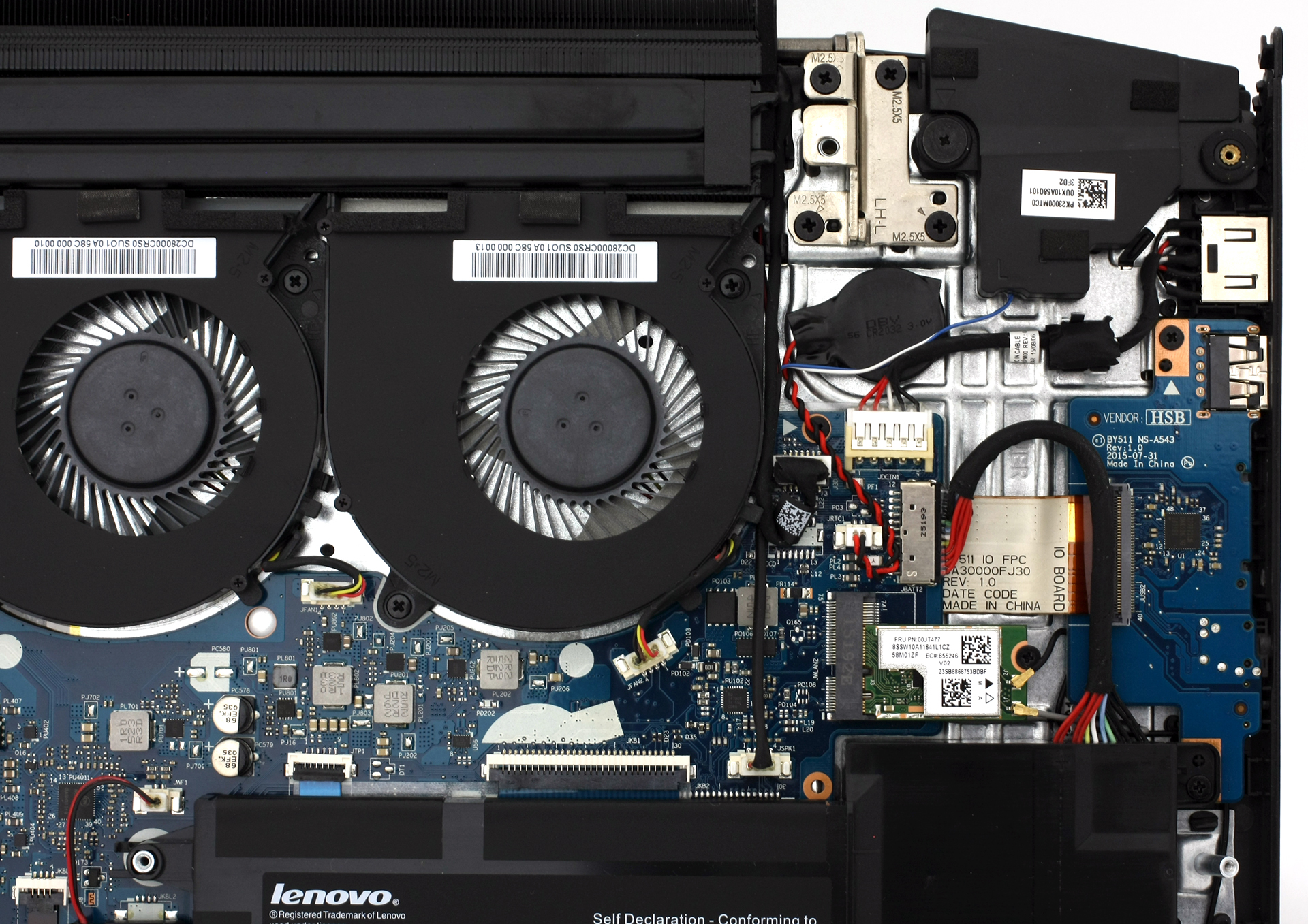
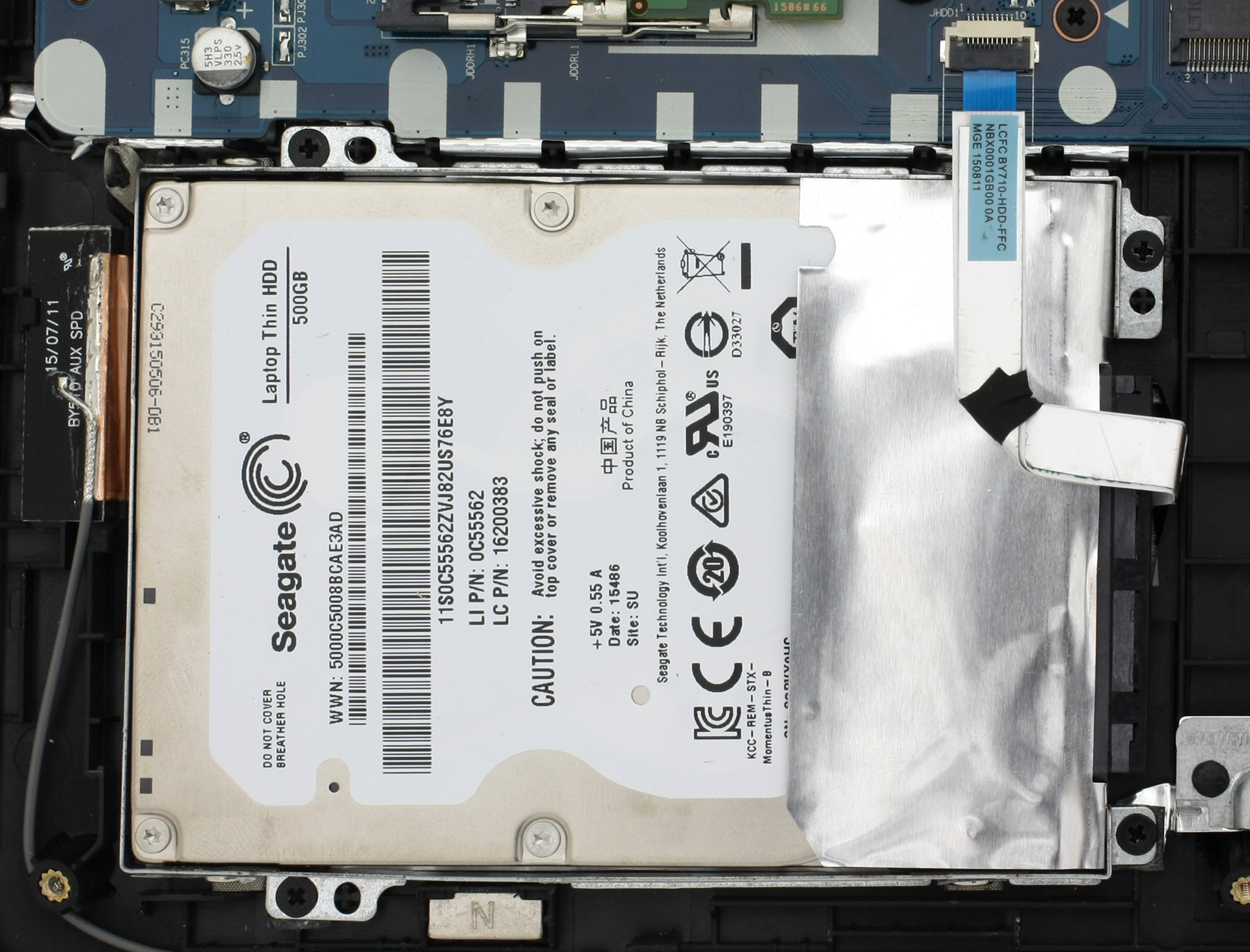
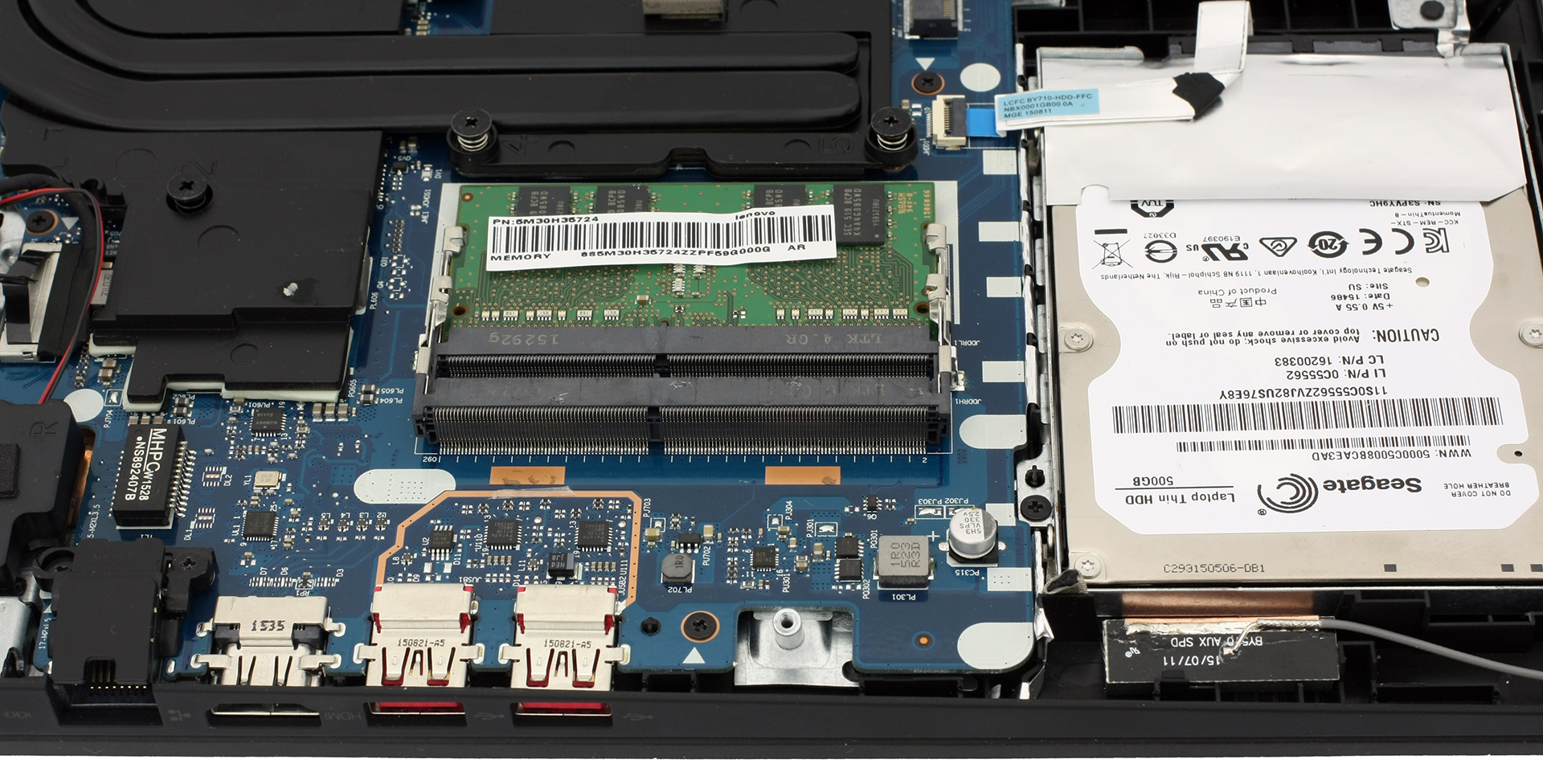
Luckily, you don’t need to perform a full disassembly to gain access to all of the internals. As you can see, the 2.5-inch HDD is Seagate-made with a 500GB capacity, but note that the model we’ve got is a testing sample so the final version might be with another drive. There are also two RAM slots (one is occupied by an 8GB chip) and the battery is rated at 60Wh (4050 mAh) and it’s in-house made.

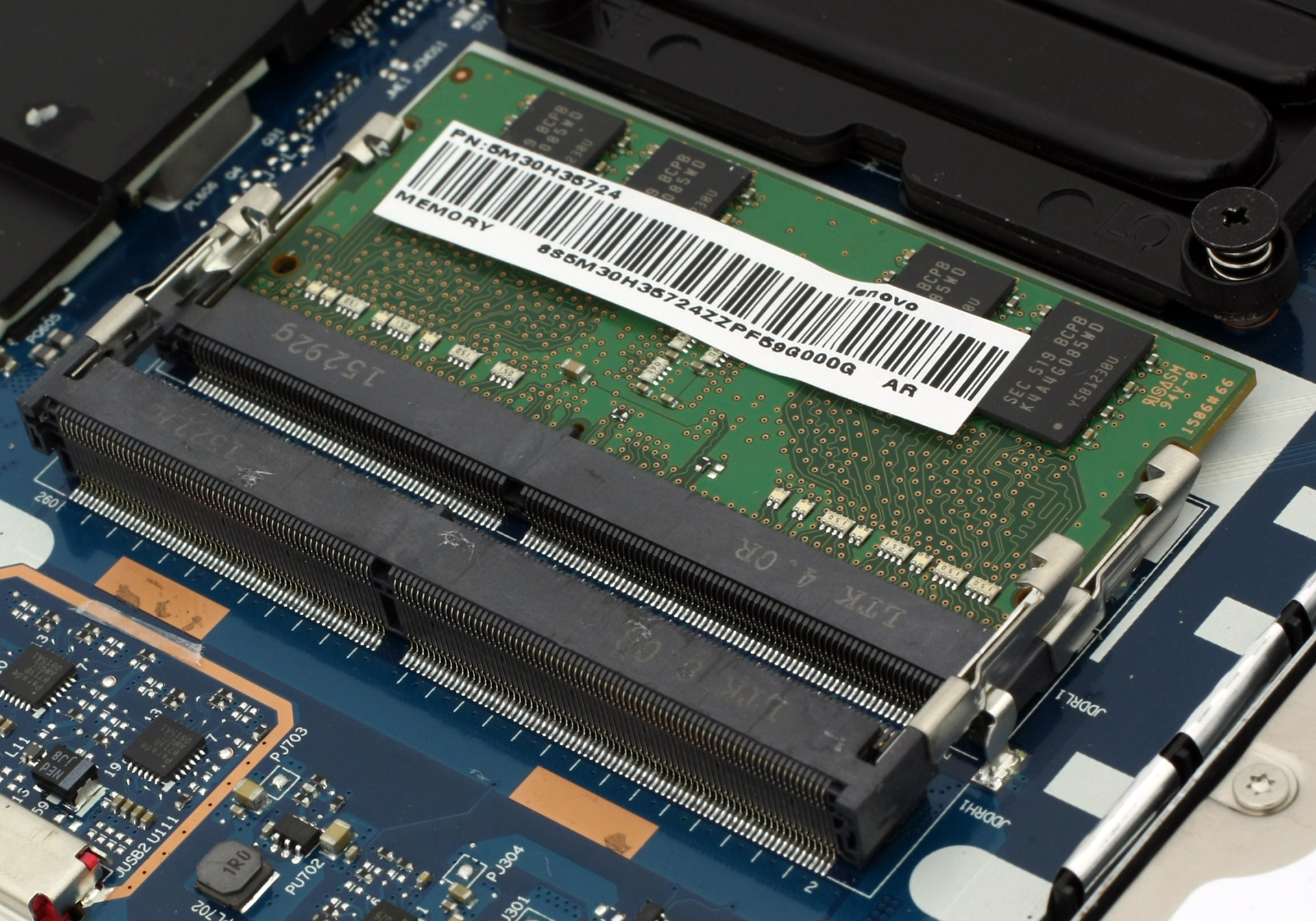
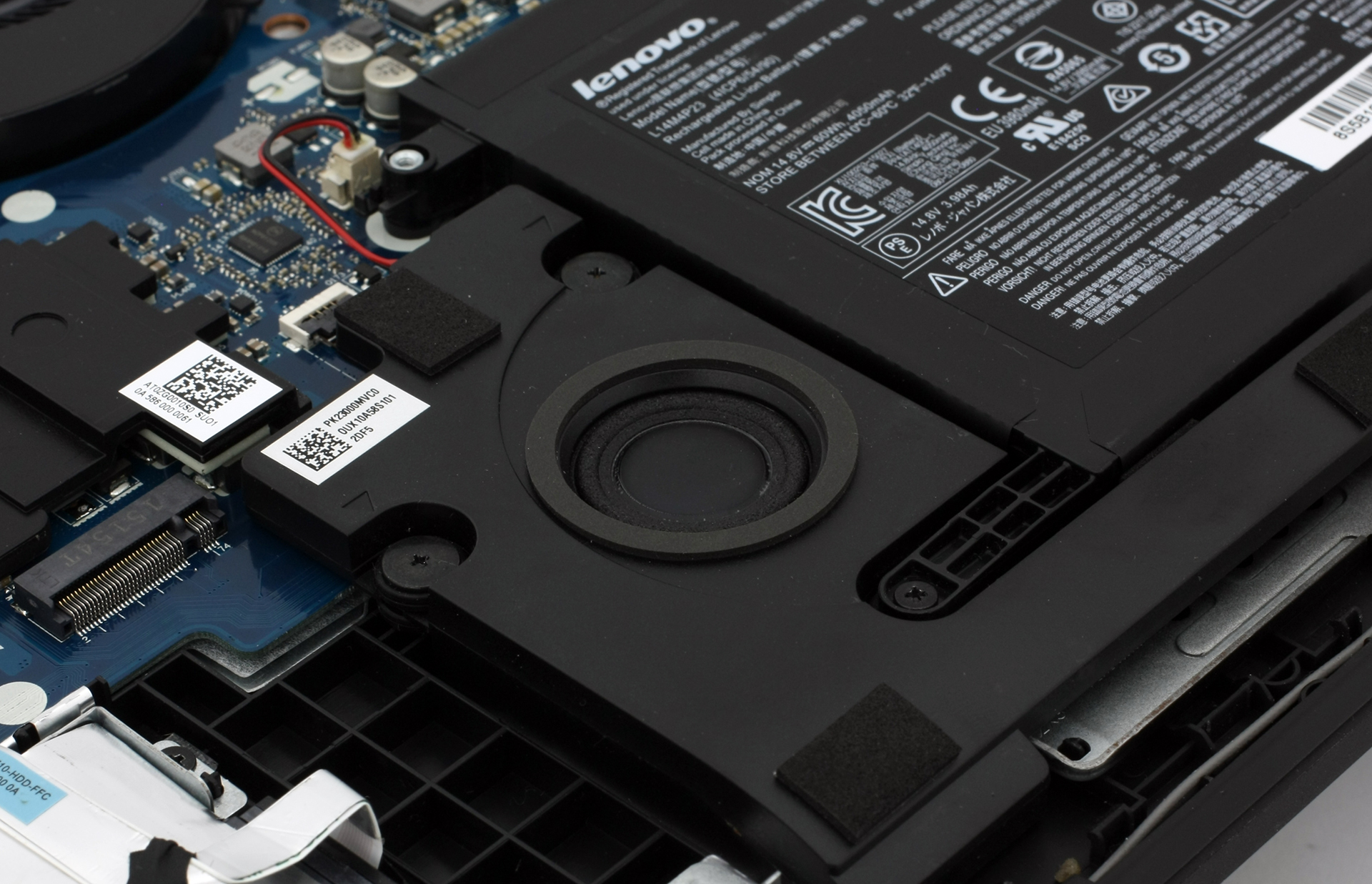
Right next to the subwoofer, you will see a small empty space with an NGFF slot next to it. This is the long-awaited upgrade that we were waiting from Lenovo – M.2 SSD slot supporting “M key” edge connector, 2280 standard.
You can also check our list of laptops support M.2 SSDs.
 Author: Rossen Pandev

![[Juin 2026] Les marques d’ordinateurs portables les plus vendues sur Amazon Global – La domination sans égale d’Apple en termes de volume de ventes et de chiffre d’affaires](https://laptopmedia.com/wp-content/uploads/2026/07/GLOBAL-Best-Brands-400x225.jpg)
![[Juin 2026] Amazon Global : le top 10 des ordinateurs portables les plus vendus – Le nouveau MacBook Neo d’Apple s’empare de la première place et redéfinit le marché grâce à son prix abordable](https://laptopmedia.com/wp-content/uploads/2026/07/Best-Selling-Laptops-GLOBAL-Top-10-400x225.jpg)
![[Juin 2026] Amazon Global : le top 10 des ordinateurs portables de jeu les plus vendus – Le Nitro V 16S AI d’Acer domine les ventes, tandis qu’ASUS arrive en tête en termes de chiffre d’affaires global](https://laptopmedia.com/wp-content/uploads/2026/07/Best-Selling-Gaming-Laptops-GLOBAL-Top-10-400x225.jpg)
![[Juin 2026] Classement mondial des cartes graphiques pour ordinateurs portables les plus vendues sur Amazon – La NVIDIA RTX 5060 est la carte graphique dédiée la plus vendue](https://laptopmedia.com/wp-content/uploads/2026/07/Best-Selling-GPUs-GLOBAL-Top-10-400x225.jpg)
![[Juin 2026] Classement mondial des processeurs d’ordinateurs portables les plus vendus sur Amazon : l’Apple M5 domine, tandis que l’AMD Ryzen 7 260 s’impose dans le segment haut de gamme](https://laptopmedia.com/wp-content/uploads/2026/07/Best-Selling-CPUs-GLOBAL-Top-10-400x225.jpg)

Are the CPU and GPU soldered onto the motherboard, as in previous units?
What do the dimensions allow for manual installation of an SSD?
Thanks for this! Good to see the internals, and the m.2 slot addition is awesome. I had planned to buy a y50 with ips panel, to get a budget gamer, but the m.2 slot convinced me to get a y700. Now I just have to decide if I want a 15 or 17 inch, since the 17 inch is cheaper for some reason…?
Is the Y700 17 inch version’s bottom panel as easy to remove?
This was very helpful but mine is the 14″ Y700. Eventually I found the 14″ model disassembly guide here: http://www.jdhodges.com/blog/lenovo-ideapad-y700-14-disassembly/
Thanks for posting the photos and info, I love these Lenovo gaming laptops as they are some of the least expensive yet they have good specs and components.
is the ngff slot usable at all? i can see that it is covered with radiator of cpu/gpu so the ssd cannot be installed correctly.
lol. The ngff slot is actually faced the other way, If you look closely and if you look at the other y700’s with ssd’s installed, you’ll see that the ngff ssd sits in that empty black space in between the 2.5″ drive and the battery. I hope that answered your question. take care.
The NGFF is SATA or NVME?
Because is an M.2 slot Type M key , this slot supports only PCIE 3.0 4X lanes. So is NVME
People who has this laptop says that it is only sata and nvme ssd’s don’t work for them.
Actually the intel version supports nvme. The AMD version of the laptop does not
Thanks for this disassembly. For someone that is possibly looking at a laptop cooling sad what would you suggest for something like this that’s within the 30 to $45 budget range?
US dollar*
Is it possible to change the gpu?