ASUS ROG GL503GE SCAR Edition review – GTX 1050 Ti in a high-end laptop
 Along with the introduction of the new ASUS’ GL504 series, the Taiwanese company released a refresh of the previous generation of ROG machines in the face of GL503 and GL703. Although the updated models share the same series name as their predecessors, the new notebooks offer quite a few changes which is why we’ve planned to thoroughly acquaint you with them.
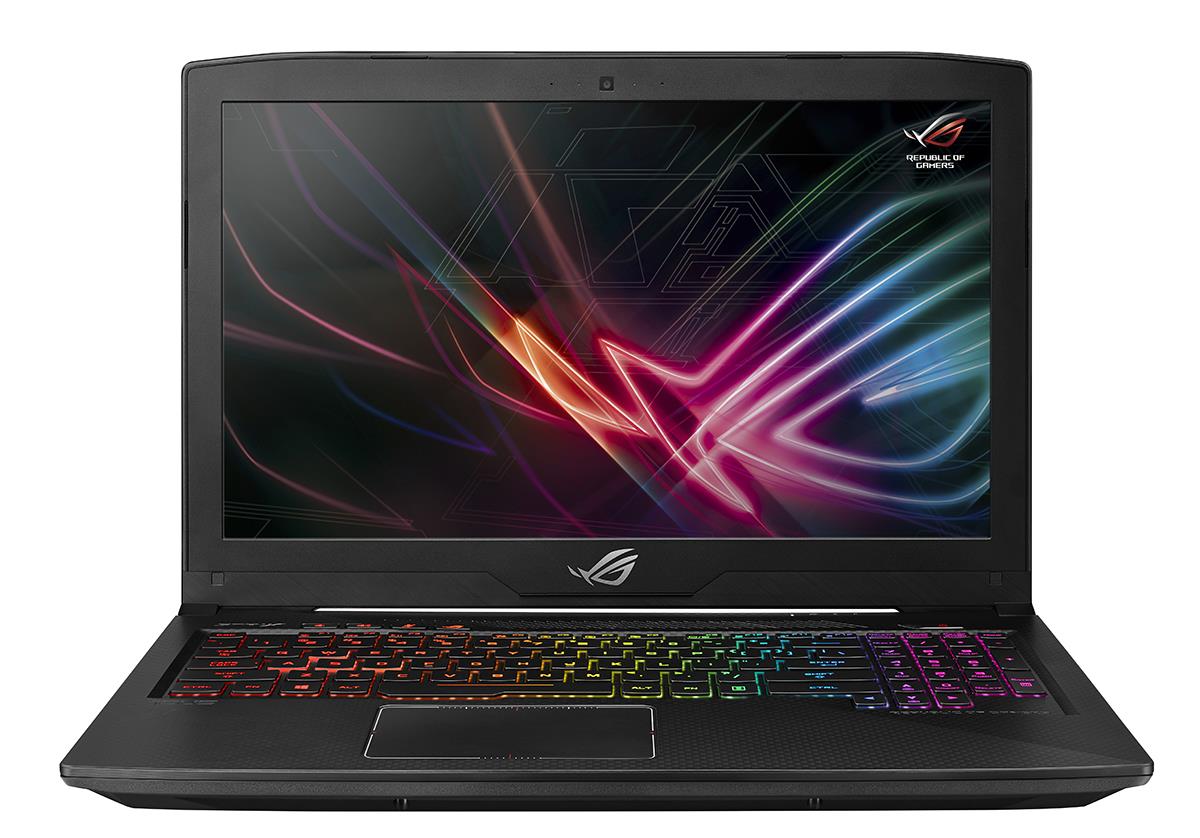
We’ve decided to start off with the smaller of the two new laptops – namely the 15-inch GL503, which in its newly-introduced modification is called GL503GE and comes (for the moment) only with the GTX 1050 Ti graphics card. You are probably already aware of its major new feature – an 8th gen Coffee Lake Intel processor. Yes, GL503GE is equipped with a 4-core Core i5-8300H or a 6-core i7-8750H. However, that’s not all – the display is 120 Hz (the previous version had various options), has small differences in the body and the battery is a bit larger (64Wh instead of 62Wh). Keep reading to find out how all of this affects the quality of the model.
You can check the prices and configurations in our Specs System: http://laptopmedia.com/series/asus-rog-gl503ge/
Contents
Specs Sheet
ASUS ROG GL503GE tableau des caractéristiques techniques
Not available
Design, construction, and disassembly
We have already taken a thorough look at the appearance of GL503 (read its in-depth review), so we will be brief here – we shall focus only on the changes. As you may remember, we have acquainted you with the differences between GL503VD, GL503VM, and GL503VS, as well as the design motifs of Hero and SCAR Edition (look below). VD and VM come with GeForce GTX 1050 and GTX 1060 respectively, while VS is equipped with GTX 1070, therefore it needs slightly more space in the chassis. That’s why GL503VD and GL503VM feature a 23 mm thin profile for SCAR and a 24 mm thin profile for Hero Edition, whereas GL503VS measures at 24.5 mm of thickness. Well, GL503GE stops our micrometer at exactly 24 mm – slightly more than VD and VM, and a bit less than VS. The weight of the new model is 2.6 kg, which is 300 grams more compared to VD and VM, and 100 grams more than the powerful VS. That’s because of the larger battery.
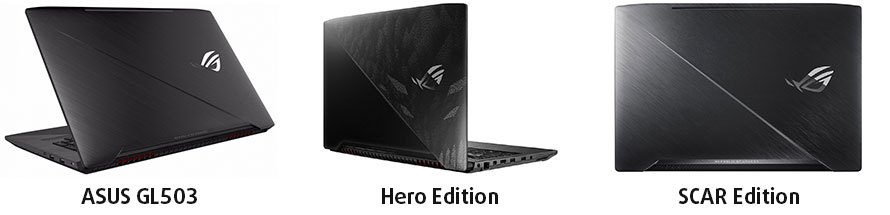
Yes, they’re almost the same.
Another difference we notice hides in the USB ports. Similarly to GL503VD, GL503GE has 1х USB 2.0 and 3x USB 3.0 Type-A ports but also features 1x USB 3.1 Type-C Gen2, which so far could be seen only in the VS configuration with GTX 1070.
| Series | GL503VD | GL503VM | GL503VS | GL503GE |
| I/O Ports | 1 x USB 3.1 Gen1 (Type-C) 3x USB 3.0 1x USB 2.0 1x mDP 1.2 1x HDMI 1.4 1x RJ-45 Jack 1x 2-in-1 card reader 1x 3.5mm headphone and microphone combo jack 1x Kensington lock | 1 x USB 3.1 Gen1 (Type-C) 4x USB 3.0 1x mDP 1.2 1x HDMI 2.0 1x RJ-45 Jack 1x 2-in-1 card reader 1x 3.5mm headphone and microphone combo jack 1x Kensington lock | 1 x USB 3.1 Gen2 (Type-C with Thunderbolt) 4x USB 3.0 1x mDP 1.2 1x HDMI 2.0 1x RJ-45 Jack 1x 2-in-1 card reader 1x 3.5mm headphone and microphone combo jack 1x Kensington lock | 1 x USB 3.1 Gen2 (Type-C) 3x USB 3.0 1x USB 2.0 1x mDP 1.2 1x HDMI 2.0 1x RJ-45 Jack 1x 2-in-1 card reader 1x 3.5mm headphone and microphone combo jack 1x Kensington lock |
| Dimensions | 38.4 x 26.2 x 2.3 cm / 0.91″ (2.4 cm / 0.94″ for Hero Edition) | 38.45 x 26.2 x 2.45 cm / 0.96″ | 38.45 x 26.2 x 2.4 cm / 0.94″ | |
| Weight | 2.3 kg (5.07 lbs) | 2.5kg (5.51 lbs) | 2.6kg (5.73 lbs) | |
Display Quality
As we mentioned in the beginning, GL503GE comes with only one type of screen and this is the 15.6-inch Full HD 120Hz TN panel. Its model is Chi Mei N156HHE-GA1 and we have already tested it in MSI GE63VR 7RF Raider. The ASUS ROG Strix SCAR Edition (GL503VS) version we have discussed in an in-depth review is equpped with the impressive 144 Hz AUO B156HAN07.0 IPS panel. Here’s a brief comparison of their results:
| Panel model | Max.Brightness | Contrast | dE ColorChecker | sRGB coverage | PWM |
|---|---|---|---|---|---|
| GL503GE – Chi Mei N156HHE-GA1 | 352 cd/m² | 1280:1 | 10.0 -> 2.2 | 96% | 26 kHz |
| GL503VS – AUO B156HAN07.0 | 315 cd/m² | 1440:1 | 4.2 -> 1.8 | 95% | No PWM |
Basically, both screens are great, although that of GL503GE is TN, which can be told when you view it sideways.
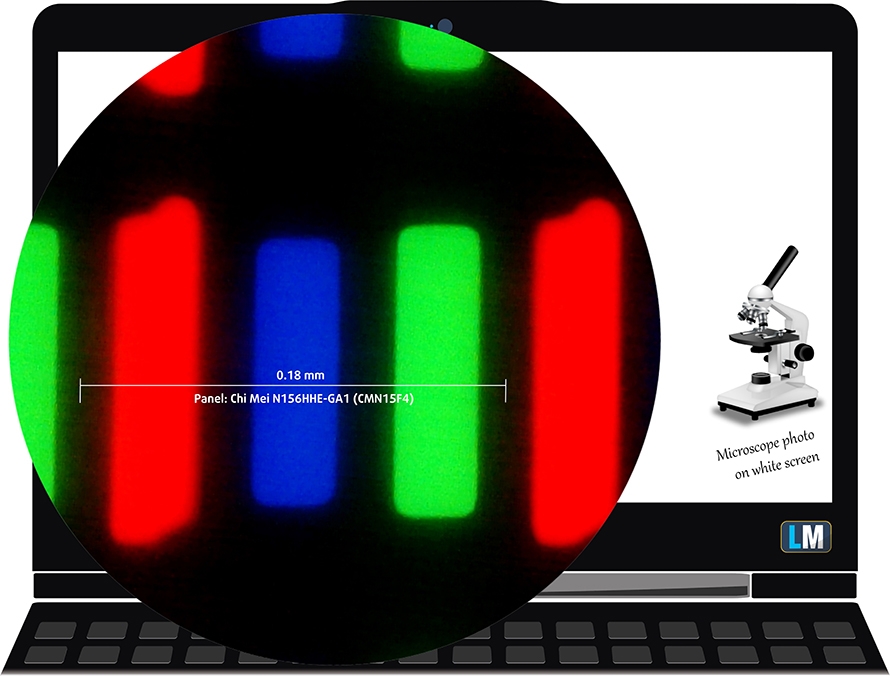
Despite the great performance in most of our tests, the GL503GE screen is PWM-adjusted which may not appeal to those of you with more sensitive eyesight. However, our Health-Guard profile fixes this issue.

Buy our profiles
These profiles are for configurations with 15.6″ Chi Mei N156HHE-GA1 (FHD, 1920 × 1080) TN screen.
*Should you have problems with downloading the purchased file, try using a different browser to open the link you’ll receive via e-mail. If the download target is a .php file instead of an archive, change the file extension to .zip or contact us at [email protected].
Read more about the profiles HERE.
En plus de recevoir des profils efficaces et respectueux de la santé, en achetant les produits de LaptopMedia, vous soutenez également le développement de nos laboratoires, où nous testons des appareils afin de produire les critiques les plus objectives possibles.

Travail de bureau
Office Work devrait être utilisé principalement par les utilisateurs qui passent la plupart de leur temps à regarder des textes, des tableaux ou simplement à naviguer. Ce profil vise à offrir une meilleure distinction et clarté en maintenant une courbe gamma plate (2.20), une température de couleur native et des couleurs fidèles à la perception.

Design et Gaming
Ce profil s'adresse aux designers qui travaillent avec les couleurs de manière professionnelle, ainsi qu'aux jeux et aux films. Design and Gaming pousse les dalles d'affichage à leurs limites, les rendant aussi précises que possible dans la norme sRGB IEC61966-2-1 pour le Web et la TVHD, au point blanc D65.

Health-Guard
Health-Guard élimine la Modulation de Largeur d'Impulsion (PWM) nocive et réduit la lumière bleue négative qui affecte nos yeux et notre corps. Comme il est adapté à chaque dalle, il parvient à conserver des couleurs fidèles à la perception. Health-Guard simule le papier, ce qui réduit considérablement la pression sur les yeux.
Obtenez les 3 profils avec 33% de réduction

CPU – Intel Core i7-8750H

Intel Core i7-8750H is a direct successor to the Core i7-7700HQ. The new Coffee Lake processors feature six physical cores instead of the just four found on the Kaby Lake CPUs. Moreover, the blue company was able to fit the extra two cores on the same 14nm architecture while maintaining a TDP of 45W. In terms of clock speeds, we have a slight drop in the base frequency from 2.8 GHz to 2.2 GHz but the Turbo one is 4.1 GHz (up from 3.8 GHz), whatsoever. This means around 50% better performance on theory and 9 MB of cache (vs 6 MB on Core i7-7700HQ). However, the new Core i7-8750H will be more cooling-dependent, due to the higher clock count and the wide range of Turbo speeds.
On the iGPU end, there are no particular changes as the Core i7-8750H retains the HD Graphics 630 cores with 350 MHz Base frequency and 1100 MHz maximum Dynamic frequency. The only difference is the support of OpenGL 4.5.
You can check out all available configurations with Intel Core i7-8750H and their prices here: Acheter sur Amazon.fr (#CommissionsEarned)
GPU – NVIDIA GeForce GTX 1050 Ti (4GB GDDR5)
NVIDIA’s GTX 1050 Ti for notebooks is almost identical to its desktop counterpart but offers different clock rates. What’s more, the Ti variant uses more CUDA cores than the standard GTX 1050 version – 768 vs 640 but both GPUs use the same GP107 chip, which differs from the other NVIDIA high-end solutions. The GP107 chip is manufactured by Samsung, not TSMC, and it’s built on the 14nm node on contrary to the 16nm from TSMC.
Anyway, the GTX 1050 Ti also offers significantly higher clock rates than the normal GTX 1050 versions well 1493 – 1620 MHz vs 1364 – 1493 MHz. This contributes to a significant performance boost over the standard version but the rest of the specs remain the same. The GPU offers 4GB of GDDR5 memory connected via a 128-bit interface and transfer rates as high as 112 GB/s.
Check out all available GeForce GTX 1050 Ti laptops here: Acheter sur Amazon.fr (#CommissionsEarned)
Gaming tests
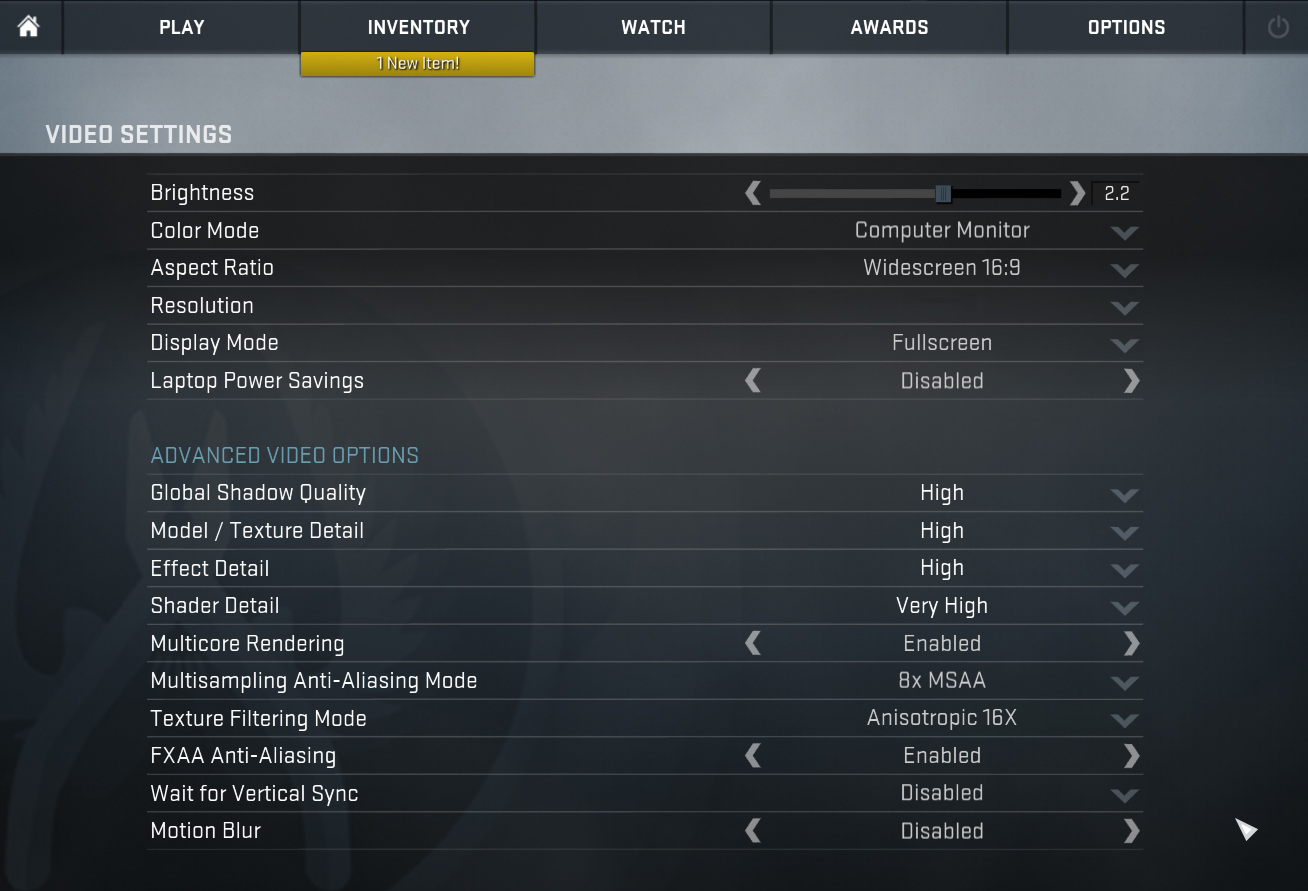
As you can see from the tests below, GTX 1050 Ti is powerful enough for gaming at high settings in most of the AAA titles. Lighter games such as CS:GO don’t pose a problem even at maximum graphics. The tests are conducted with the GeForce 398.11 drivers version.

| Grand Theft Auto V (GTA 5) | FHD, Low/Normal (Check settings) | Full HD, High (Check settings) | Full HD, Very High (Check settings) |
|---|---|---|---|
| Average FPS | 105 fps | 74 fps | 46 fps |
| Min FPS | 53 fps | 41 fps | 28 fps |

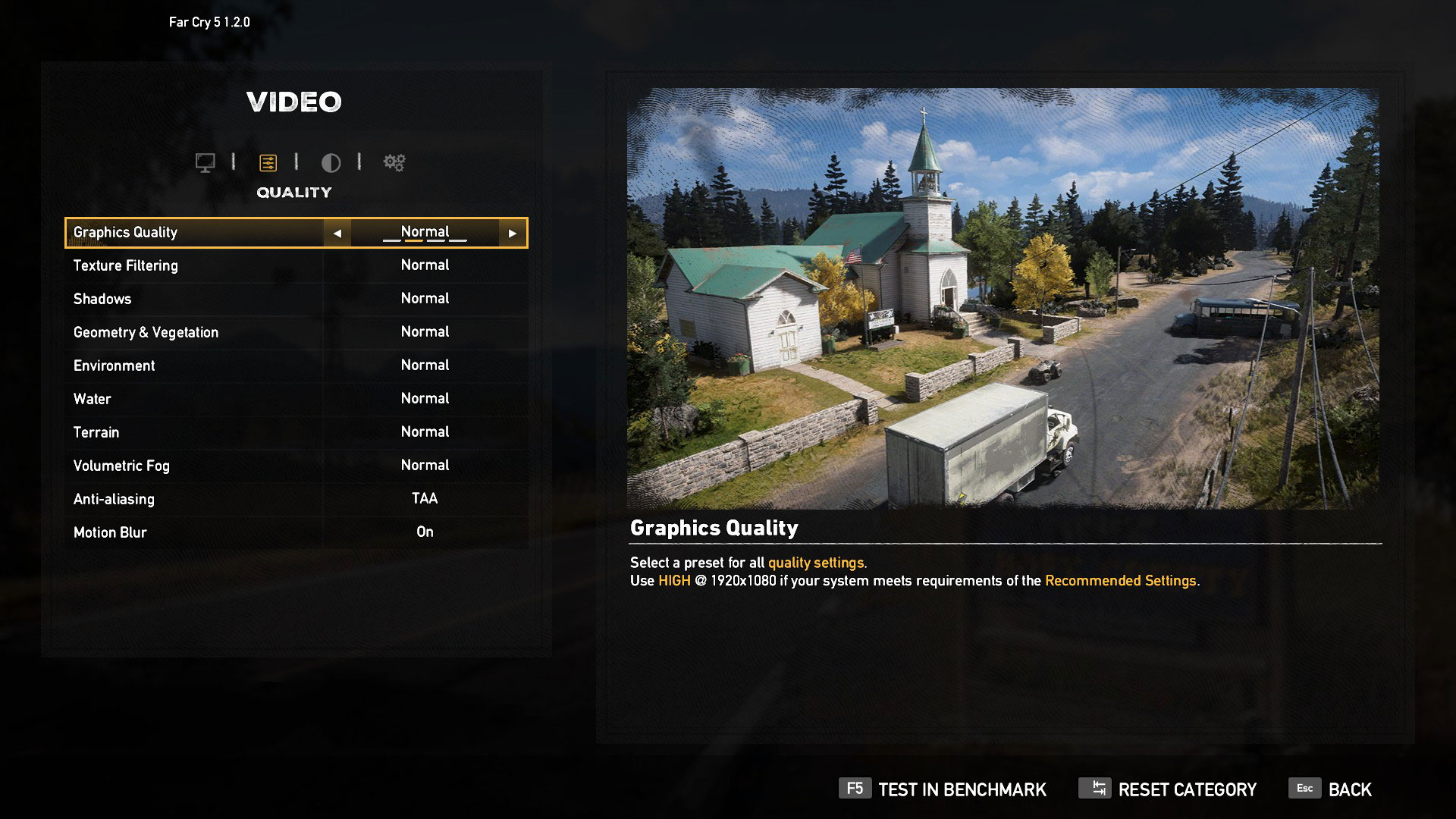
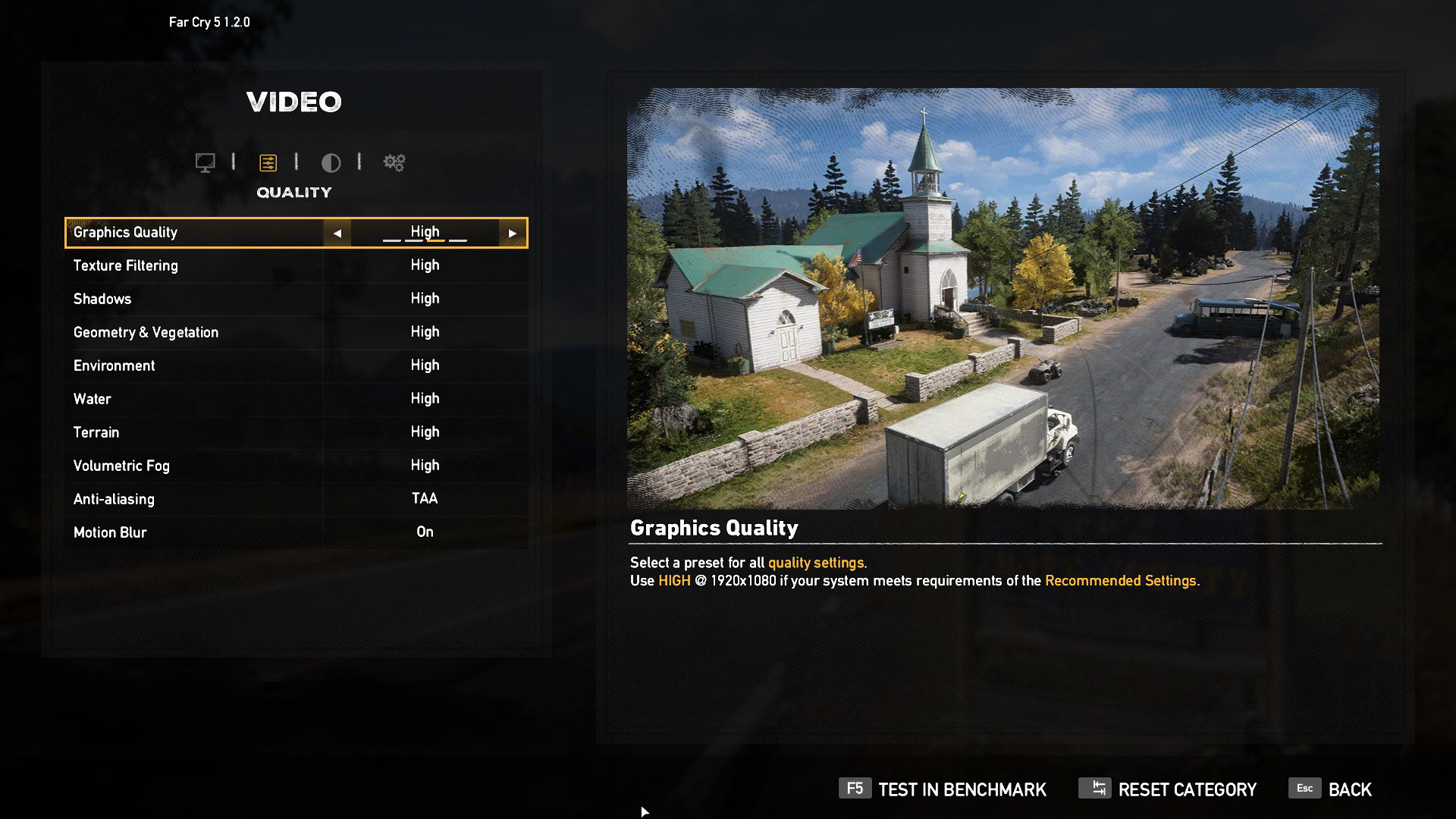
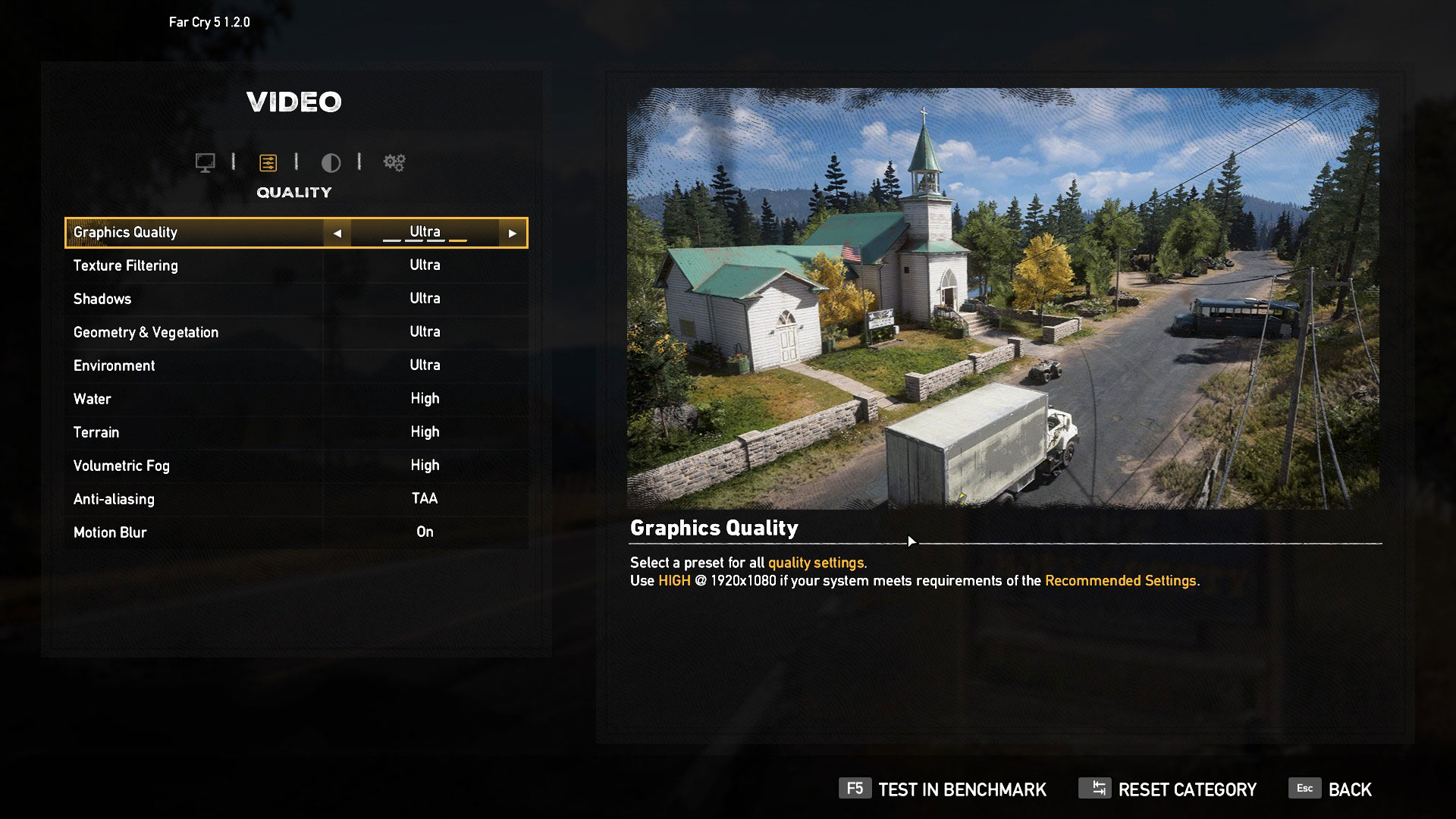
| Far Cry 5 | Full HD, Normal (Check settings) | Full HD, High (Check settings) | Full HD, Ultra (Check settings) |
|---|---|---|---|
| Average FPS | 48 fps | 45 fps | 41 fps |
| Min FPS | 40 fps | 37 fps | 36 fps |

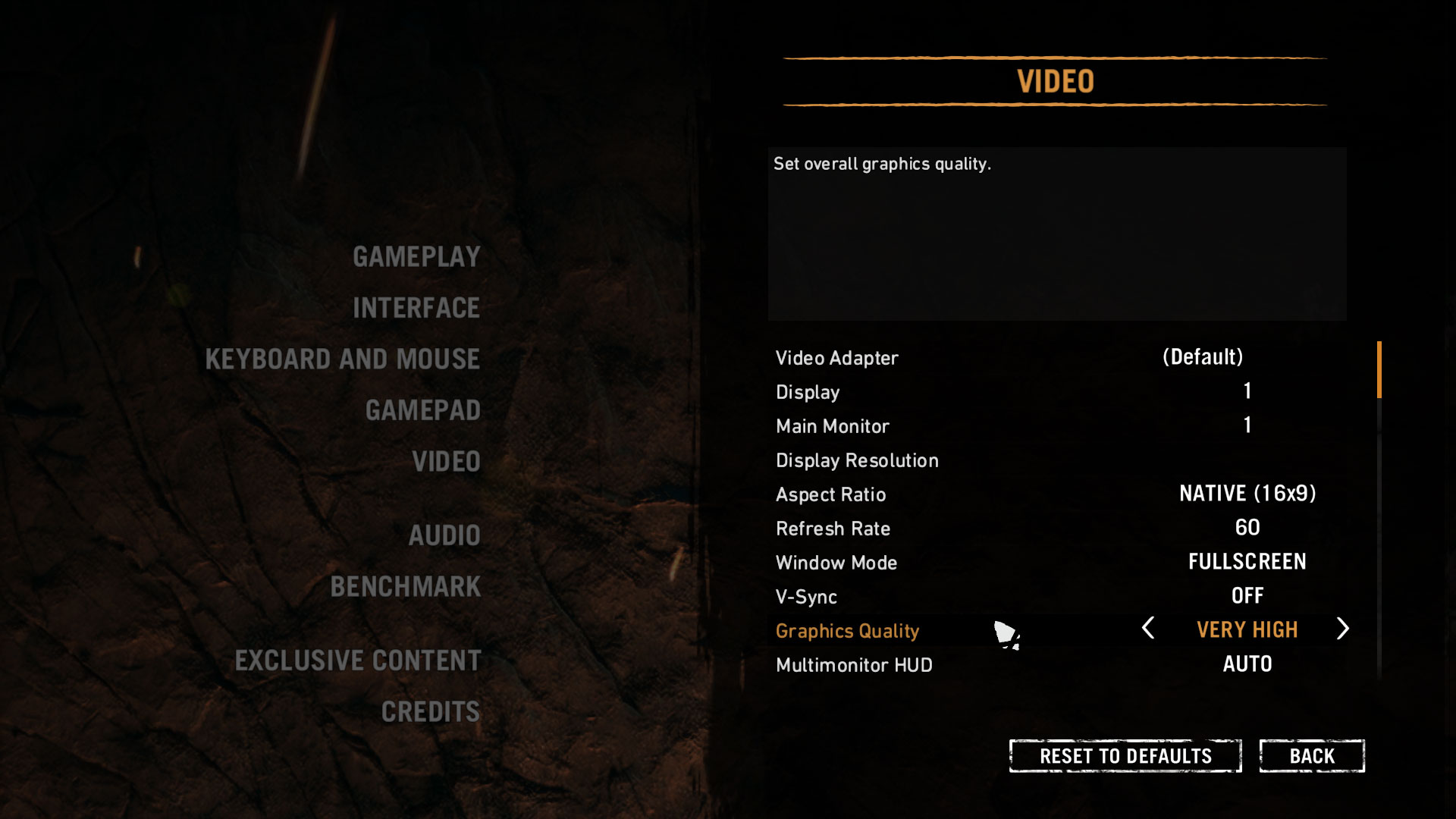
| Far Cry Primal | Full HD, Normal (Check settings) | Full HD, High (Check settings) | Full HD, Very High (Check settings) |
|---|---|---|---|
| Average FPS | 57 fps | 51 fps | 43 fps |
| Min FPS | 52 fps | 46 fps | 36 fps |

| Rise of the Tomb Raider (2016) | Full HD, Low (Check settings) | Full HD, Medium (Check settings) | Full HD, Very High (Check settings) |
|---|---|---|---|
| Average FPS | 71 fps | 57 fps | 32 fps |
| Min FPS | 25 fps | 20 fps | 6 fps |

| Tom Clancy’s Ghost Recon Wildlands | Full HD, Medium (Check settings) | Full HD, High (Check settings) | Full HD, Very High (Check settings) |
|---|---|---|---|
| Average FPS | 45 fps | 41 fps | 36 fps |
| Min FPS | 39 fps | 36 fps | 30 fps |

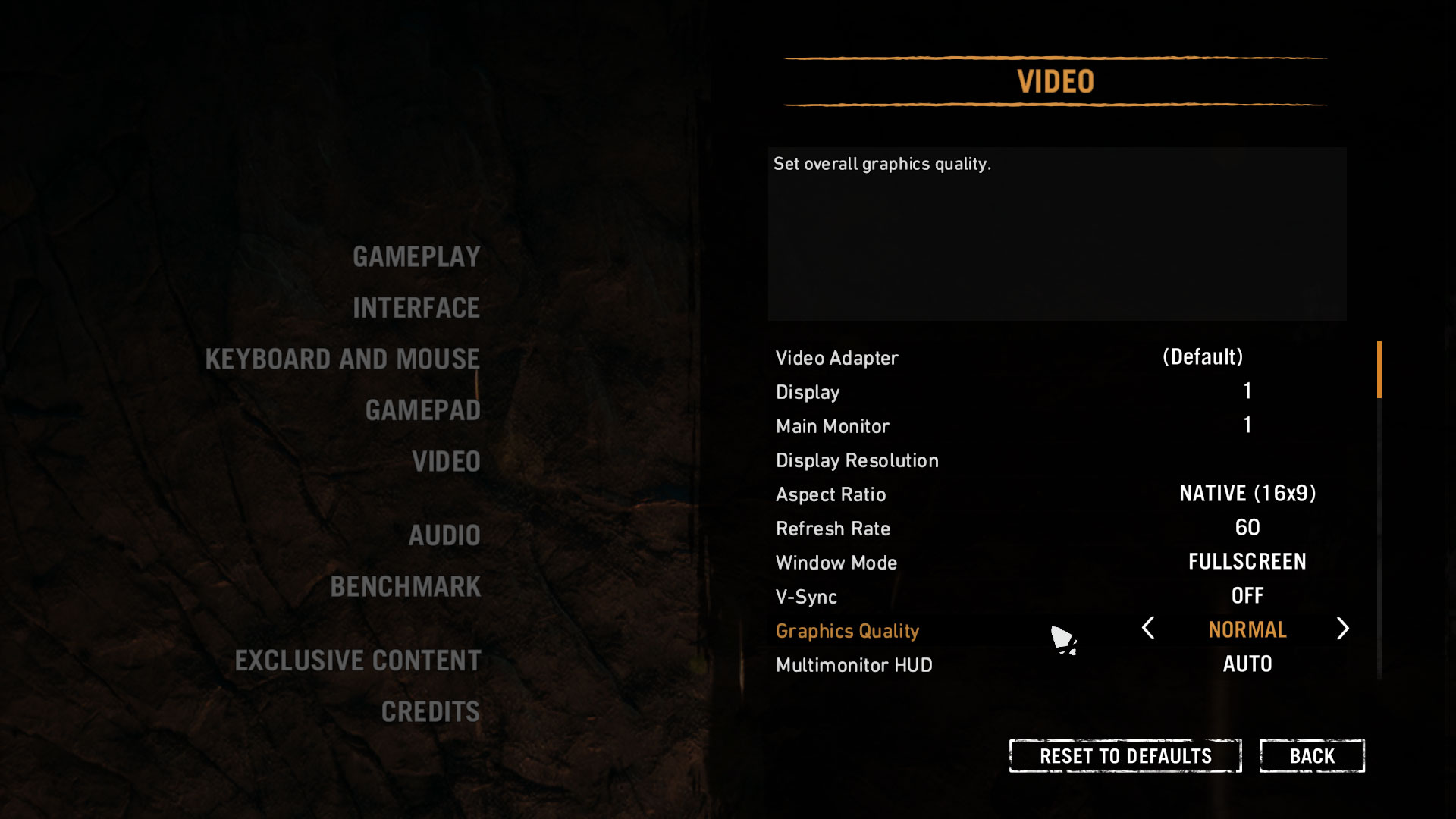
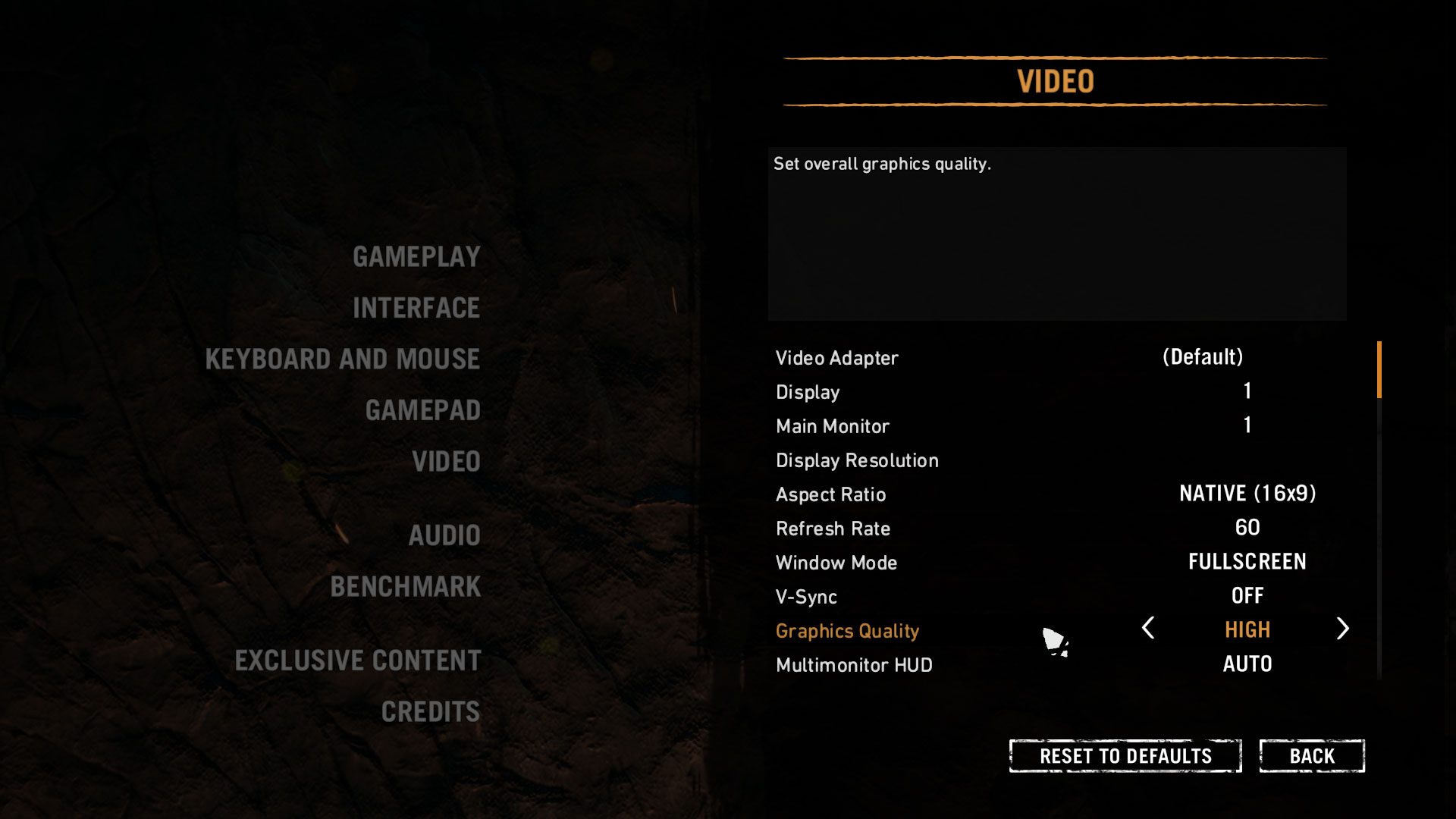
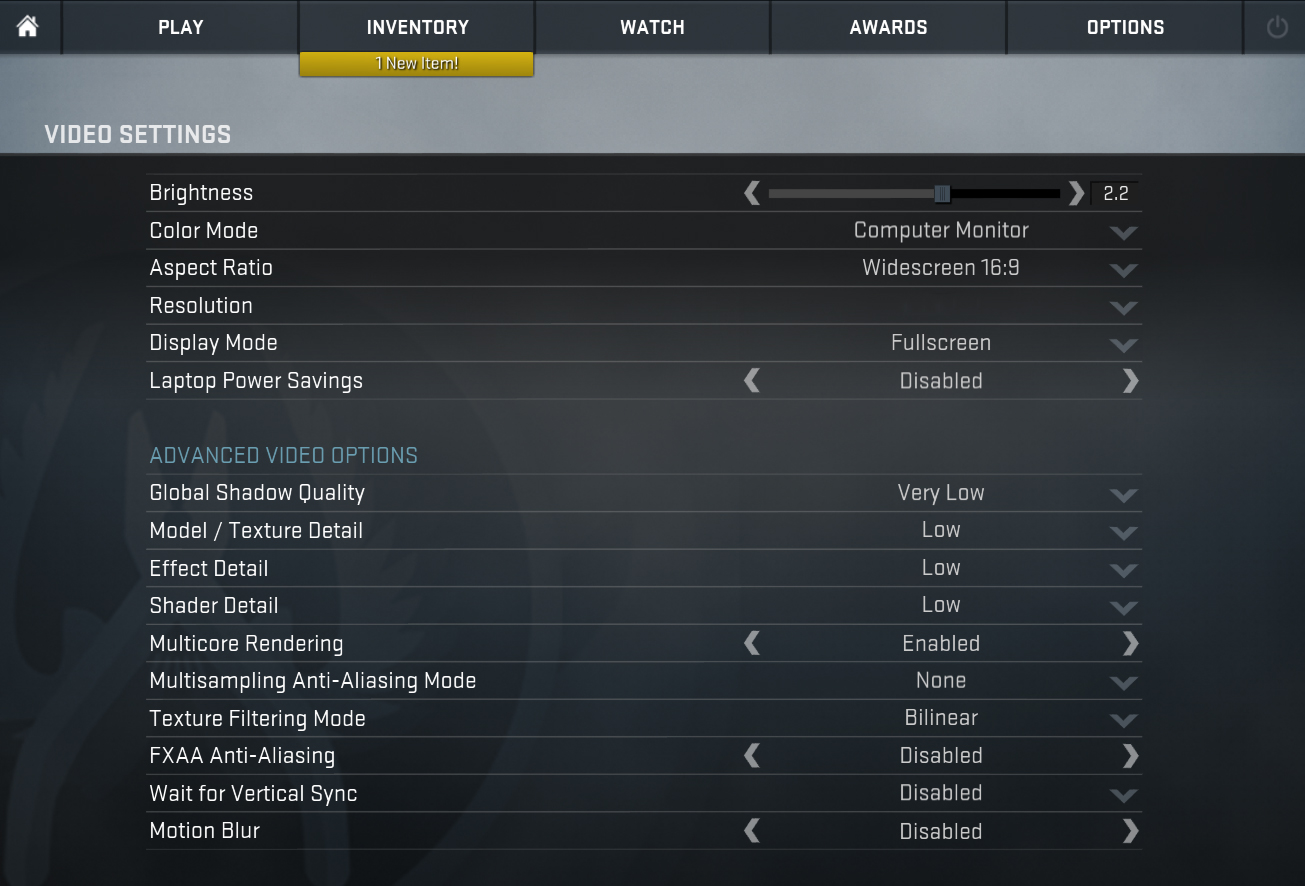
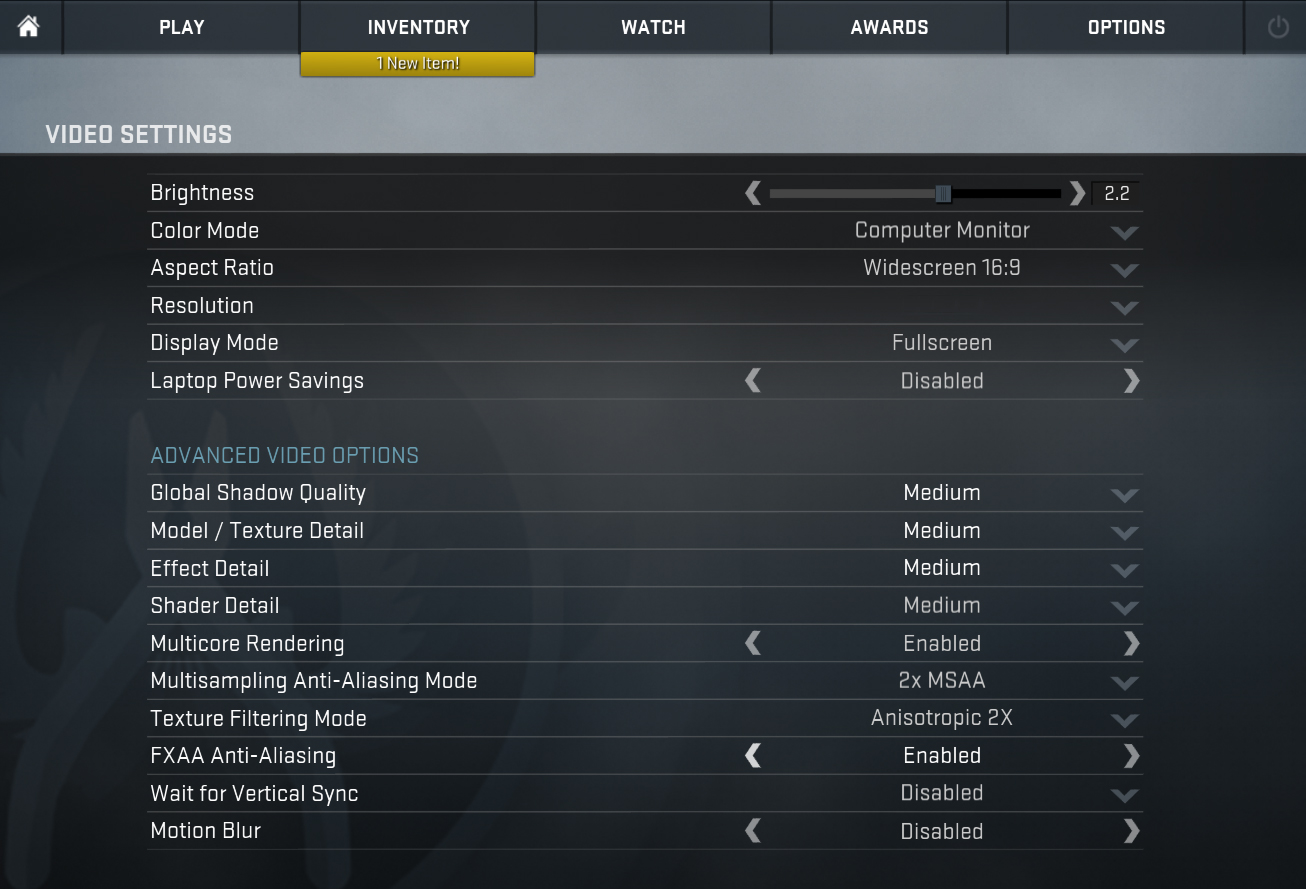
| CS:GO | Full HD, Low (Check settings) | Full HD, Medium (Check settings) | Full HD, MAX (Check settings) |
|---|---|---|---|
| Average FPS | 141 fps | 138 fps | 123 fps |
| Min FPS | 30 fps | 30 fps | 26 fps |
Temperatures
We have a new method that evaluates the cooling system and for gaming computers, it includes two tests – 100% CPU load and real gameplay load (Rise of the Tomb Raider).
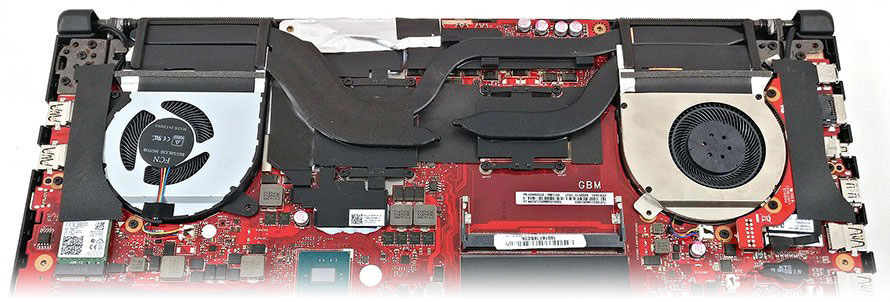
Max CPU load
In this test, we reach 100% CPU cores load, while monitoring the fluctuations in their frequencies and chip temperature. The first column is indicative of the laptop’s response under a short load (between 2 and 10 seconds), the second column simulates a serious task (between 15 and 30 seconds), while the third column is a good indicator of whether the laptop is suitable for extended and heavy loads such as video rendering.
Average core frequency (Base freq. + X); CPU Temp.
| Intel Core i7-8750H (45W TDP) | 0:02 – 0:10 sec | 0:15 – 0:30 sec | 10:00 – 15:00 min |
|---|---|---|---|
| ASUS ROG GL503GE | 2.89 GHz (B+31%) @ 66°C | 2.89 GHz (B+31%) @ 69°C | 2.53 GHz (B+15%) @ 71°C |
| Acer Nitro 5 | 2.89 GHz (B+31%) @ 72°C | 2.71 GHz (B+23%) @ 78°C | 2.52 GHz (B+15%) @ 74°C |
| ASUS TUF FX504 | 2.59 GHz (B+18%) @ 71°C | 2.64 GHz (B+20%) @ 82°C | 2.46 GHz (B+12%) @ 74°C |
In the battle of three i7-8750H laptops, GL503 won the first place – the machine kept a maximum Turbo Boost for an extended period of time, whereas the temperatures were low, which is a good proof for long-term reliability with adequate maintenance. Acer Nitro 5 also showed decent performance, although at higher temperatures, while the ASUS’ FX504 remained at the bottom, which is one of the eloquent answers to the question “Why is GL503GE more expensive given the fact that it packs the same features as FX504 ???“.
Real gaming
The real gameplay test is longer. Here, the GPU is loaded to the max trying to process maximum frame rates per second.
| Rise of the Tomb Raider (Lowest, 1080p) | FPS (After 2 min / 30 min) | GPU Core Frequency (After 2 min / 30 min) | GPU Temperature (After 2 min / 30 min) |
|---|---|---|---|
| ASUS ROG GL503GE – i7-8750H + GTX 1050 Ti | 88 fps / 87 fps | 1696 MHz / 1671 MHz | 74°C / 83°C |
The ROG GL503 dropped with just one frame rate after half an hour of gaming, while the frequency decreased by just 1%. Quite expectedly, the GPU temperature is higher, stabilizing at 83 degrees.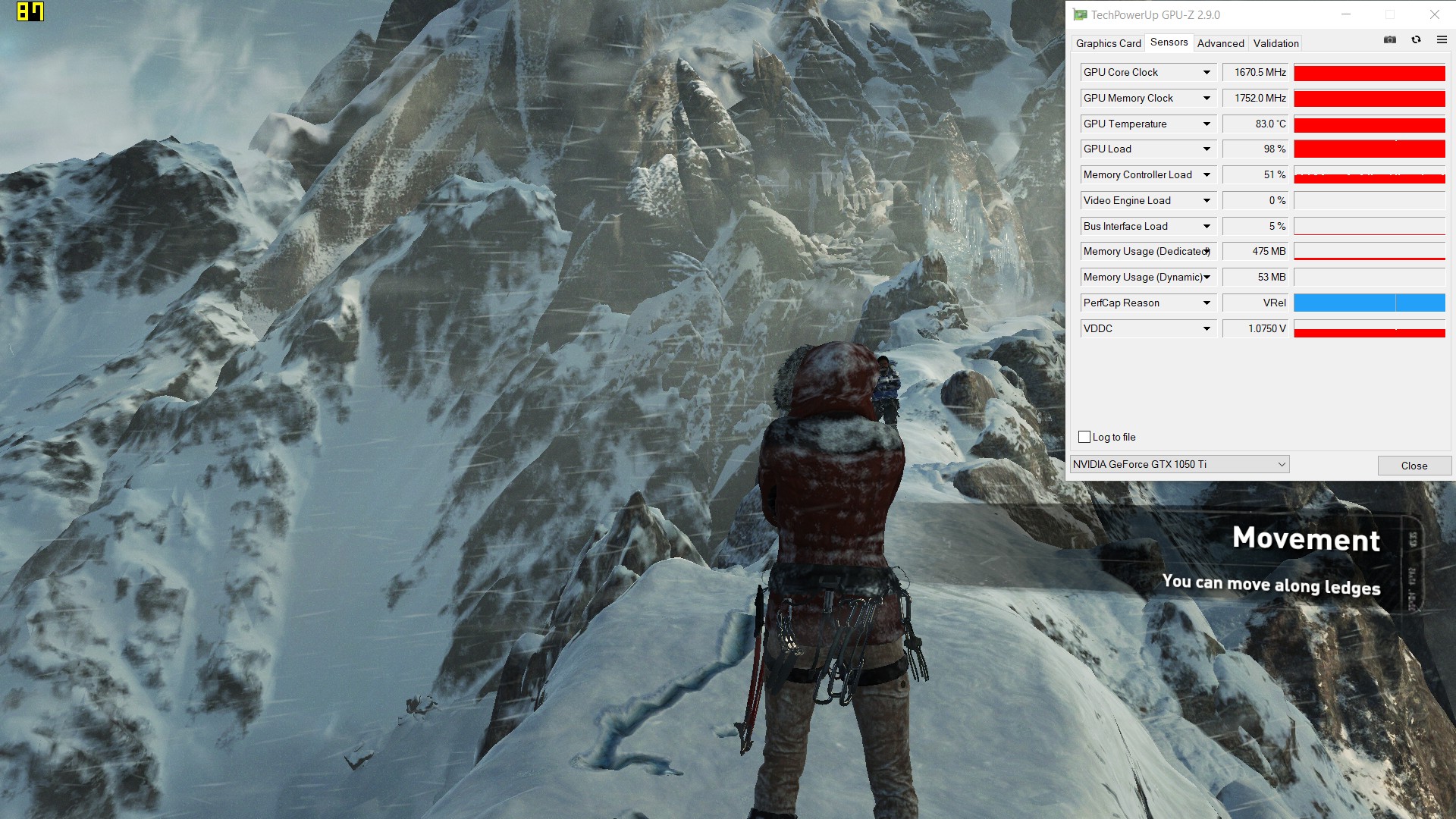
Rise of the Tomb Raider after 30 min. gameplay (ASUS ROG GL503GE with i7-8750H + GTX 1050 Ti)
Gaming comfort
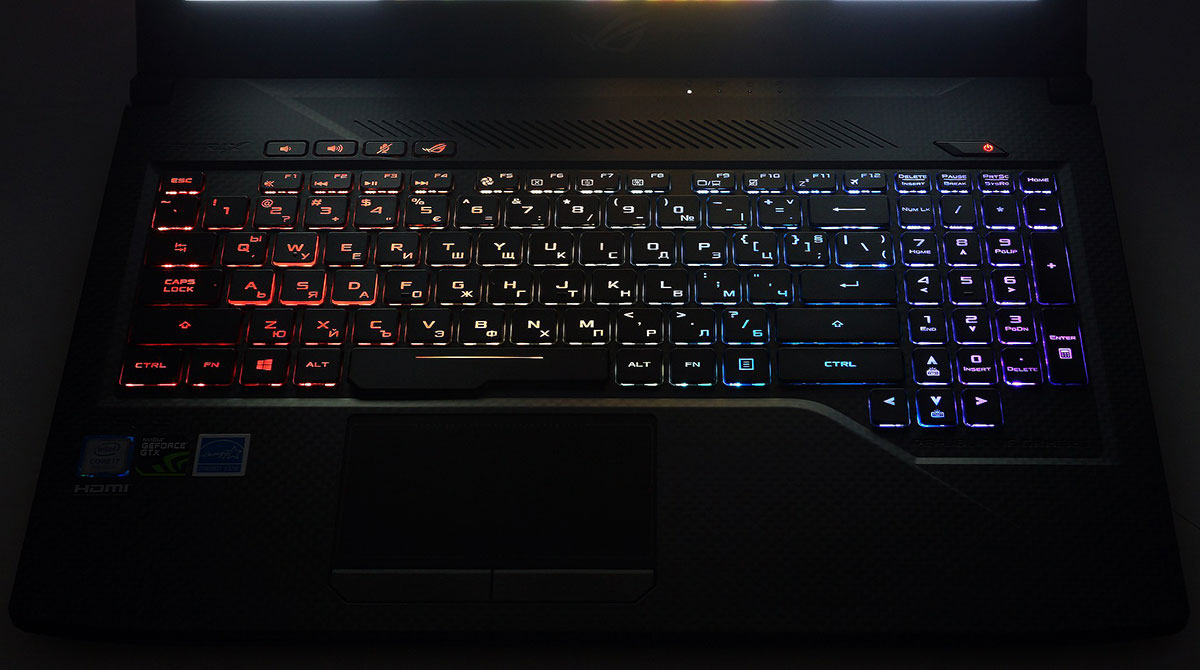
Even after continuous gaming, the area around the trackpad remains cool, as if the computer wasn’t working. At the same time, however, we advise you not to touch the grid above the F5-F8 buttons. And if your curiosity takes over, at least don’t use a thumb, because you will not be able to unlock your phone with a fingerprint for a while.
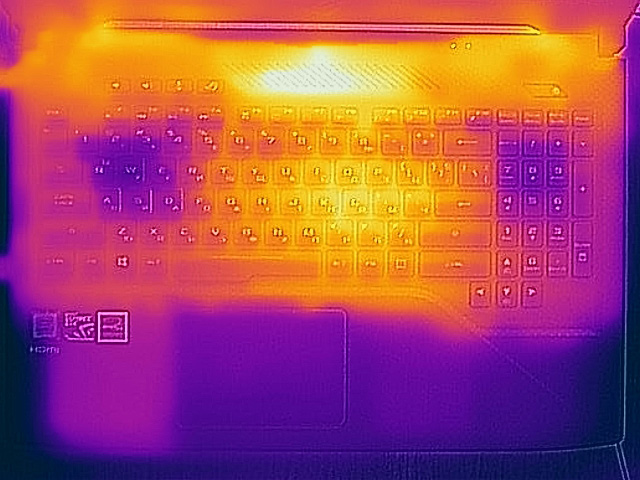 The palmrest is pretty cool!
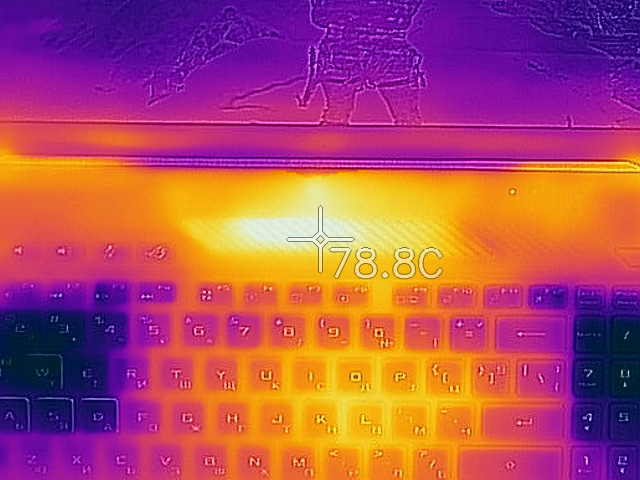 …Can’t touch this… ♬
Verdict
ASUS ROG GL503GE is a high-end gaming computer, although its mid-range GeForce GTX 1050 Ti doesn’t give this away. Still, it is suitable for gaming at high settings in almost every game, so if the balance you are looking for in your new machine is tipped towards the build quality, screen, and cooling system, GL503GE is a very good choice. As for the cooling, along with the credit we give to it we also have a slight note and it’s related to the high temperature above the keyboard, where our thermometer measured almost 80°C.
Despite its TN nature, the screen impressed us with its high brightness and contrast, while the serious color deviations can be reduced to a reasonable level thanks to our Gaming and Web design profile. There is also a presence of PWM which strains the eyes, despite its frequency of 26 kHz. This issue can be completely fixed with our Health-Guard profile. We should also not forget to mention the refresh rate of 120 Hz that, along with the G-Sync technology, will make all movements in the game extremely smooth.
Before you make your final choice, in the same price range you could also check out MSI GP63, Dell G5587 and HP Pavilion Gaming 15. And if you are willing to sacrifice the 120 Hz screen and the reliable cooling, but need the performance of the GTX 1050 Ti, we recommend the ASUS TUF FX504 and Acer Nitro 5 configurations.
You can check prices and configurations: Acheter sur Amazon.fr (#CommissionsEarned)
Pros
- Elegant design
- Firm and reliable construction
- Great 120 Hz screen
- The cooling system handles effortlessly i7-8750H + GTX 1050 Ti
- A wide variety of ports – 4x USB Type-A, USB 3.1 Gen2 (Type-C), mDP 1.2, HDMI 2.0…
Cons
- Presence of PWM (our Health-Guard profile fixes this)
 Author: Simeon NikolovEditor-in-Chief at LaptopMedia.com with 20+ years of experience in testing and analyzing laptops and mobile devices.

![[Août 2026] Amazon Global : le top 10 des ordinateurs portables les plus vendus – L’Apple MacBook Neo domine le classement tandis que les portables Windows d’entrée et de milieu de gamme se disputent les parts de marché](https://laptopmedia.com/wp-content/uploads/2026/09/Best-Selling-Laptops-GLOBAL-Top-10-400x225.jpg)
![[Août 2026] Les marques d’ordinateurs portables les plus vendues sur Amazon Global : Apple domine en termes de chiffre d’affaires tandis que HP se distingue par la diversité de ses modèles](https://laptopmedia.com/wp-content/uploads/2026/09/GLOBAL-Best-Brands-400x225.jpg)
![[Août 2026] Amazon Global : le top 10 des ordinateurs portables de jeu les plus vendus – Le HP Victus 15 s’empare de la première place alors que les modèles abordables dominent le classement](https://laptopmedia.com/wp-content/uploads/2026/09/Best-Selling-Gaming-Laptops-GLOBAL-Top-10-400x225.jpg)
![[August 2026] Best-Selling Laptop Brands on Amazon Japan – Apple Dominates Market Share and Revenue Led by Strong Unit Sales](https://laptopmedia.com/wp-content/uploads/2026/09/CO.JP-Best-Brands-1-400x225.jpg)
![[August 2026] Best-Selling Laptop Brands on Amazon USA – Apple Dominates Market Revenue and Volume Despite Lower Model Diversity](https://laptopmedia.com/wp-content/uploads/2026/09/COM-Best-Brands-1-400x225.jpg)