Dell XPS 15 9500 review – finally the redesign we were all waiting for
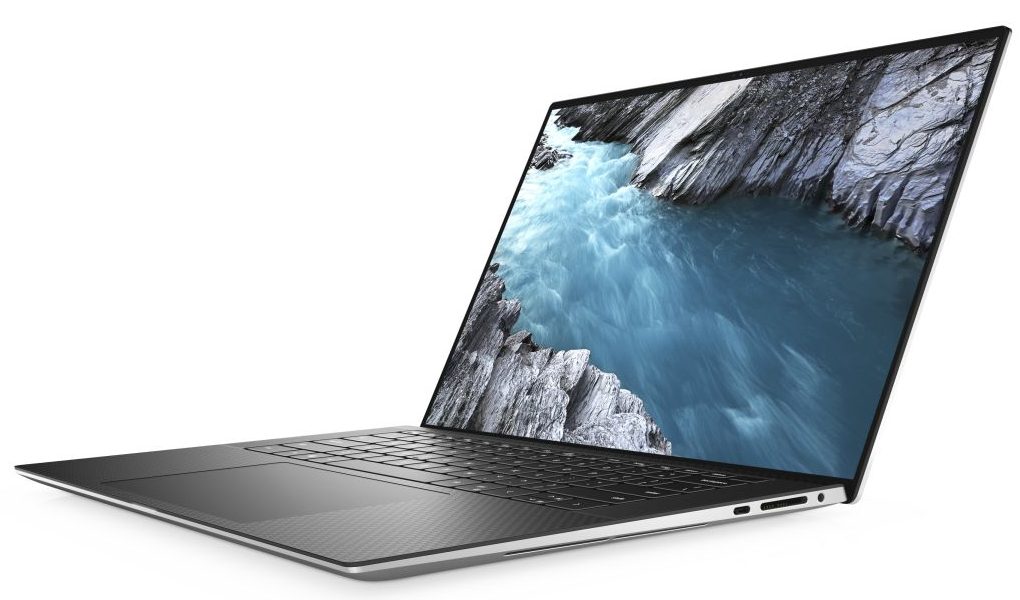
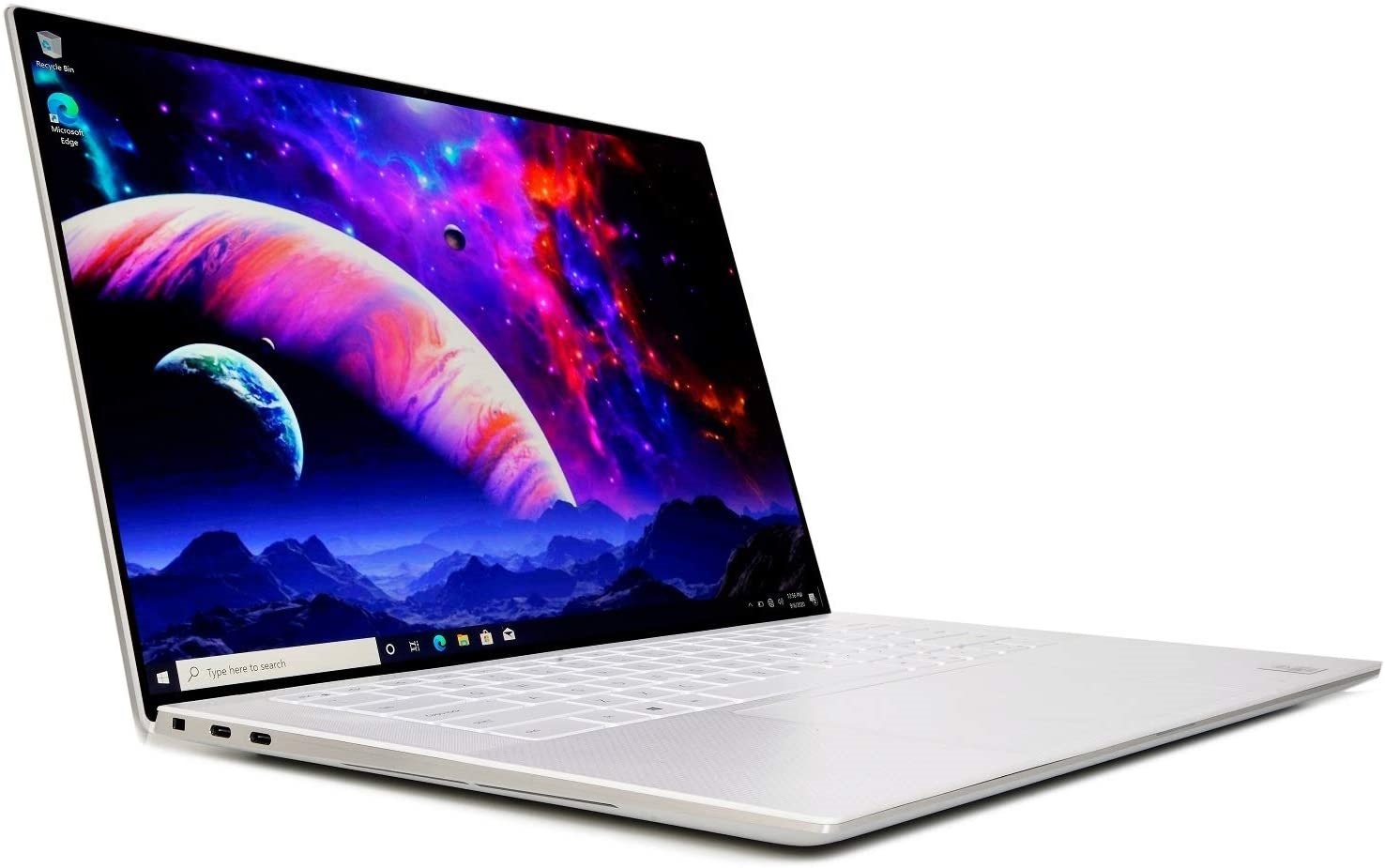
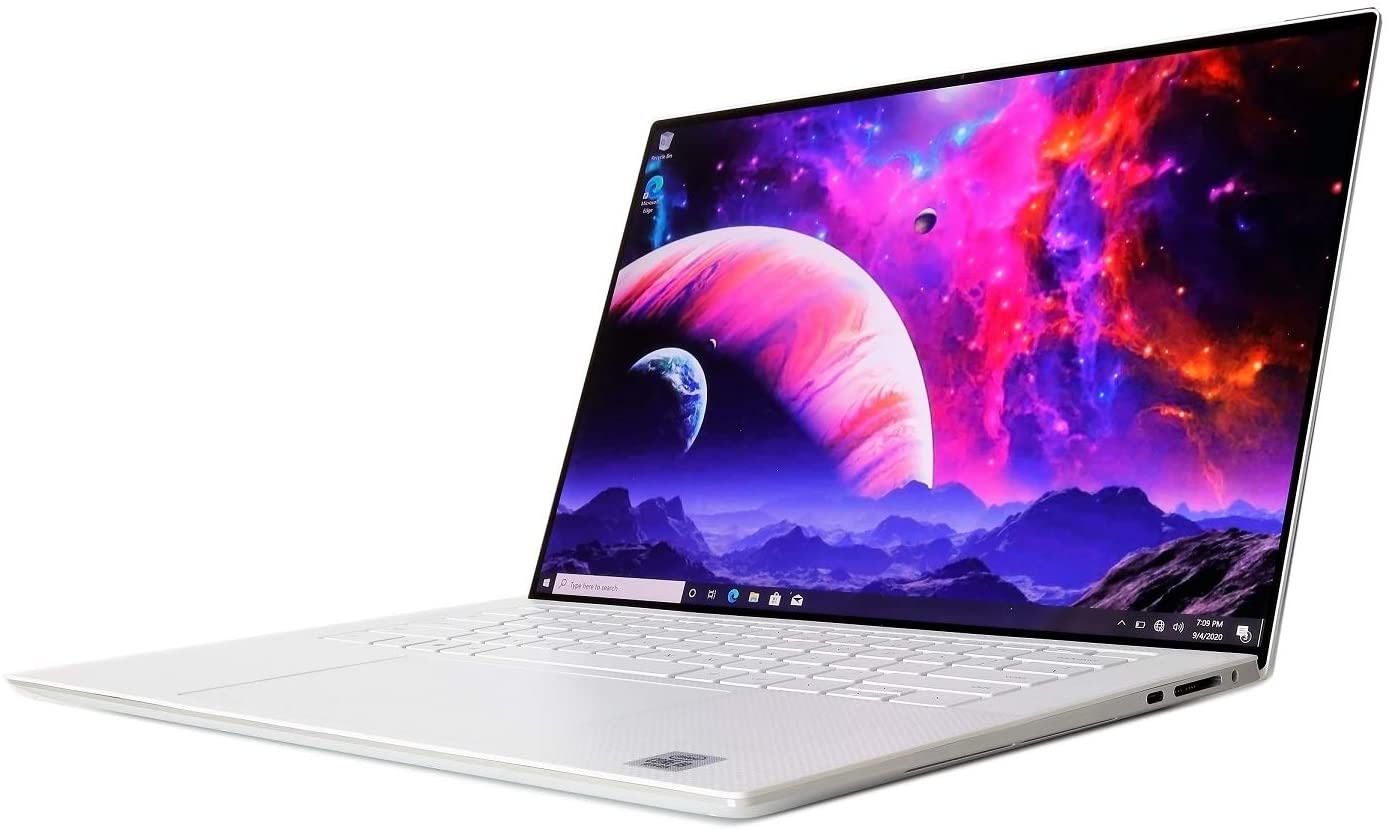
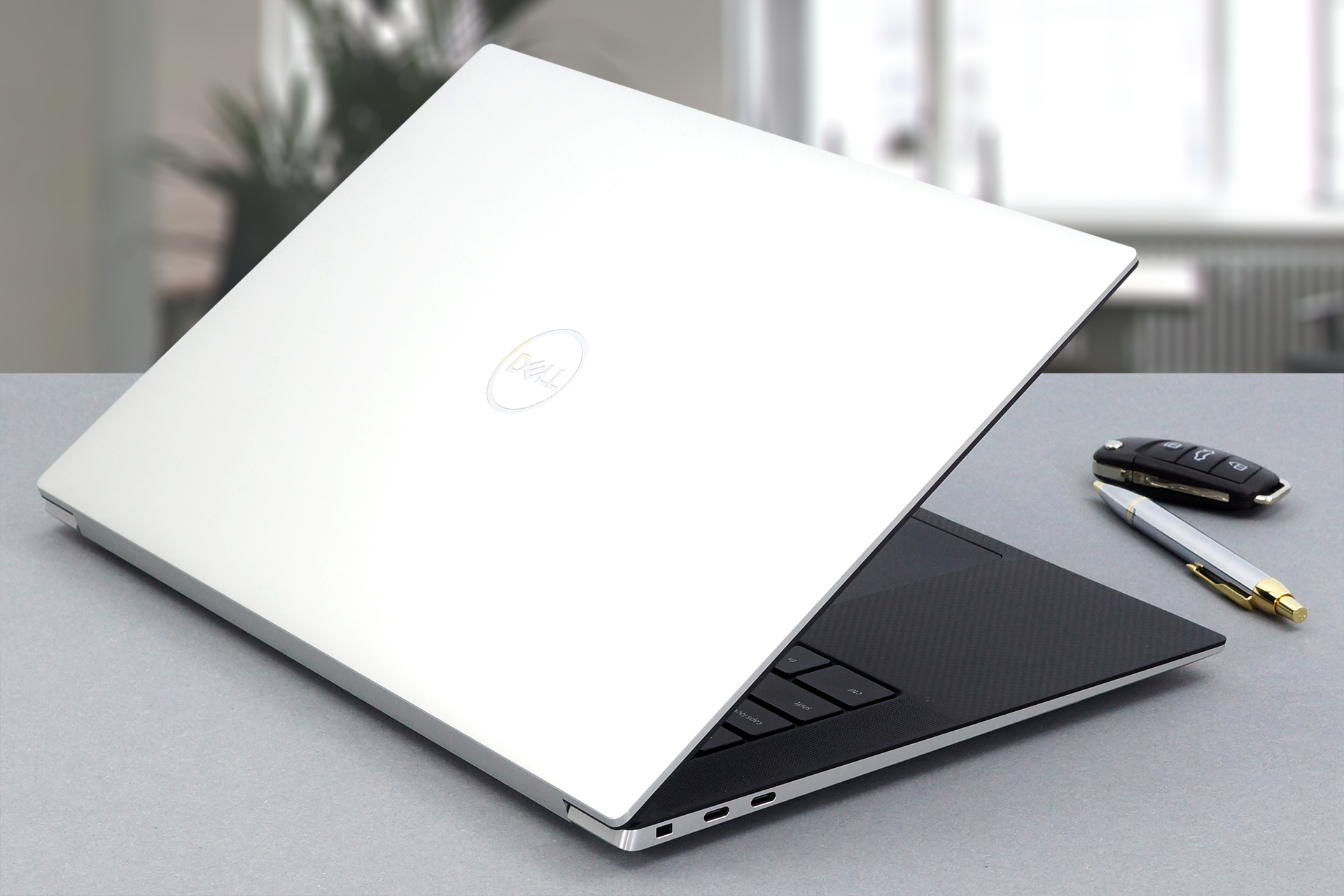 As the main competitor to Apple’s MacBook Pro, the XPS 15 is usually one of the hottest topics, as soon as it hits the market. Finally, we were able to get our hands on the XPS 15 9500, and it truly looks astonishing. As many of you already know, it is a welcome upgrade over the last-year XPS 15, which used a couple of years old chassis.
Now, Dell has designed one of the best-looking notebooks on the market in 2020, and its 16:10 aspect ratio makes it more usable for productivity, while actually keeping the entire footprint of the laptop down. However, looks are not everything. After all, this laptop is aimed at professionals, so expect to see Intel processors starting from the Core i5-10300H, and finishing with the behemoth Core i9-10885H. Additionally, you can use the graphics power of the NVIDIA GeForce GTX 1650 Ti, which is definitely not the best GPU on the market, but its CUDA cores will enhance the video editing capabilities of the system.
Another thing we’re going to check out is the display. While there is a 4K IPS panel at your disposal, we got a device with a Full HD+ resolution, which is still great – at least on paper.
You can check the prices and configurations in our Specs System: https://laptopmedia.com/series/dell-xps-15-9500/
Contents
Specs Sheet
Dell XPS 15 9500 - Specs

- HDD/SSD
- jusqu'à 16000GB SSD
- Emplacement M.2
- 2x 2280 PCIe NVMe 3.0 x4 Voir photo
- RAM
- up to 64GB
- OS
- Windows 11 Home, Windows 10 Pro, Windows 11 Pro, Windows 10 Home
- Batterie
- 86Wh, 6-cell, 97Wh, 56Wh, 3-cell, 86Wh, 8-cell, 86Wh, 5-cell
- Matériau du corps
- Aluminum, Carbon
- Dimensions
- 344.7 x 230.1 x 18 mm (13.57" x 9.06" x 0.71")
- Poids
- 1.83 kg (4 lbs)
- Ports et connectivité
- 2x USB Type-C
- 3.2 Gen 2 (10 Gbps), Thunderbolt 3, DisplayPort
- 1x USB Type-C
- 3.2 Gen 2 (10 Gbps), Power Delivery (PD), DisplayPort
- Lecteur de cartes
- SD
- Wi-Fi
- 802.11ax
- Bluetooth
- 5.1
- Prise audio
- 3.5 mm combo
- Caractéristiques
- Lecteur d'empreintes
- Clavier rétroéclairé
- Microphone
- Dual-Array Microphones
- Haut-parleurs
- 2x 2.5W, Stereo Subwoofer + 2x 1.5W, Stereo Tweeter
- Lecteur optique
- Emplacement de sécurité
Tout Dell XPS 15 9500 configurations

What’s in the box?
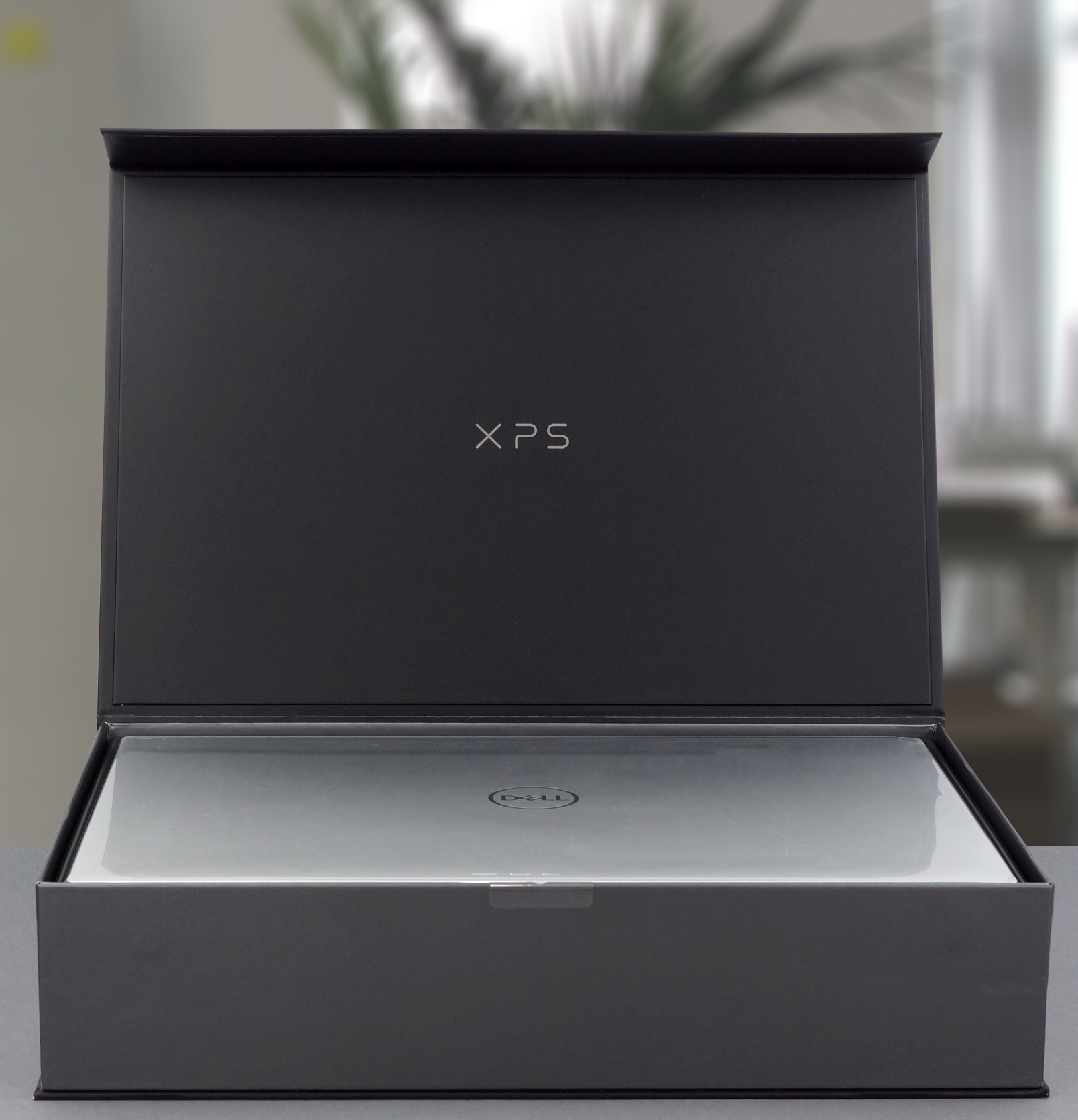
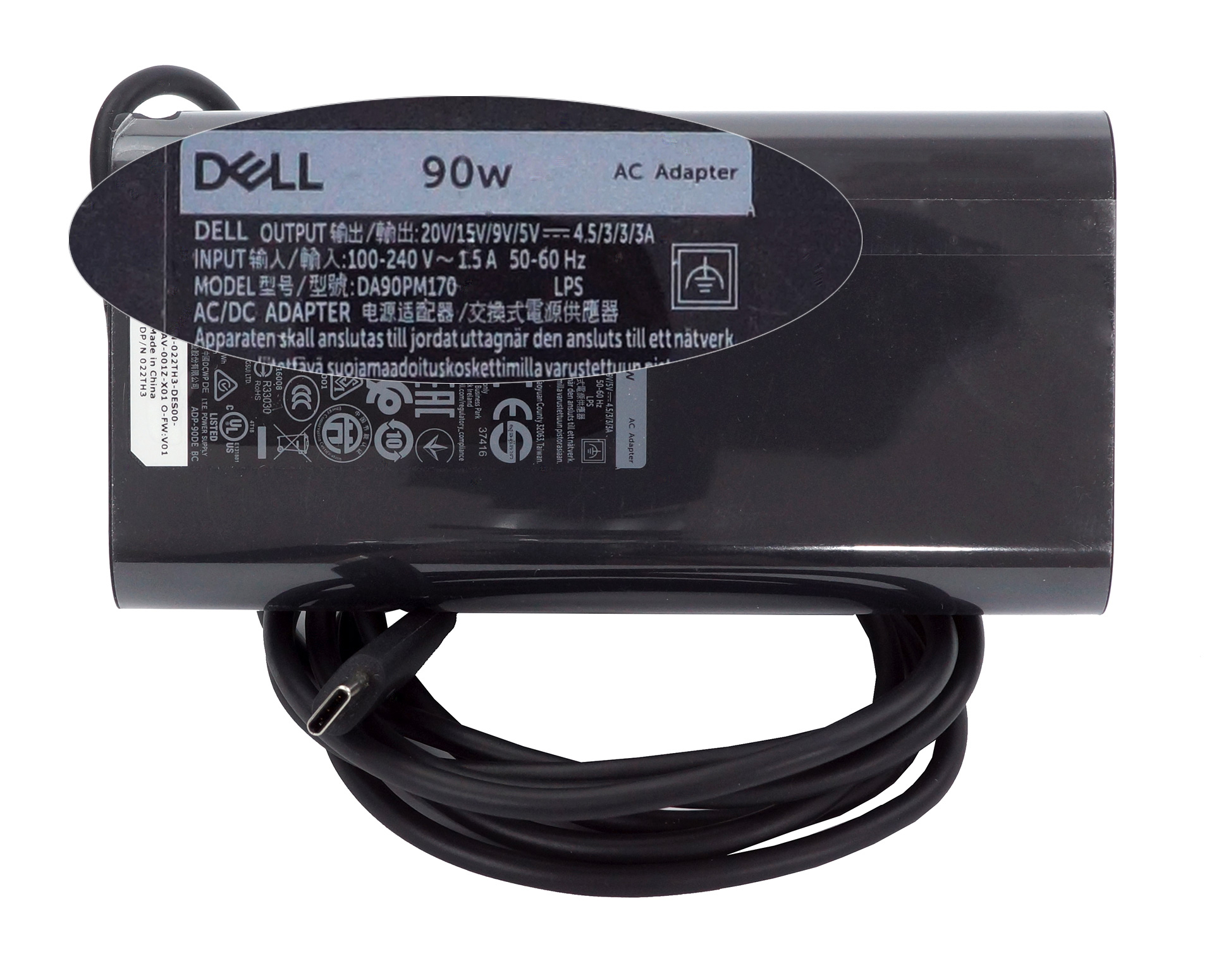
Needless to say, the XPS 15 9500 comes in a heavy premium packaging. Inside, you will find a 90W (or 130W) USB Type-C power adapter, as well as a USB Type-C to Type-A dongle and the paper manuals.
Design and construction
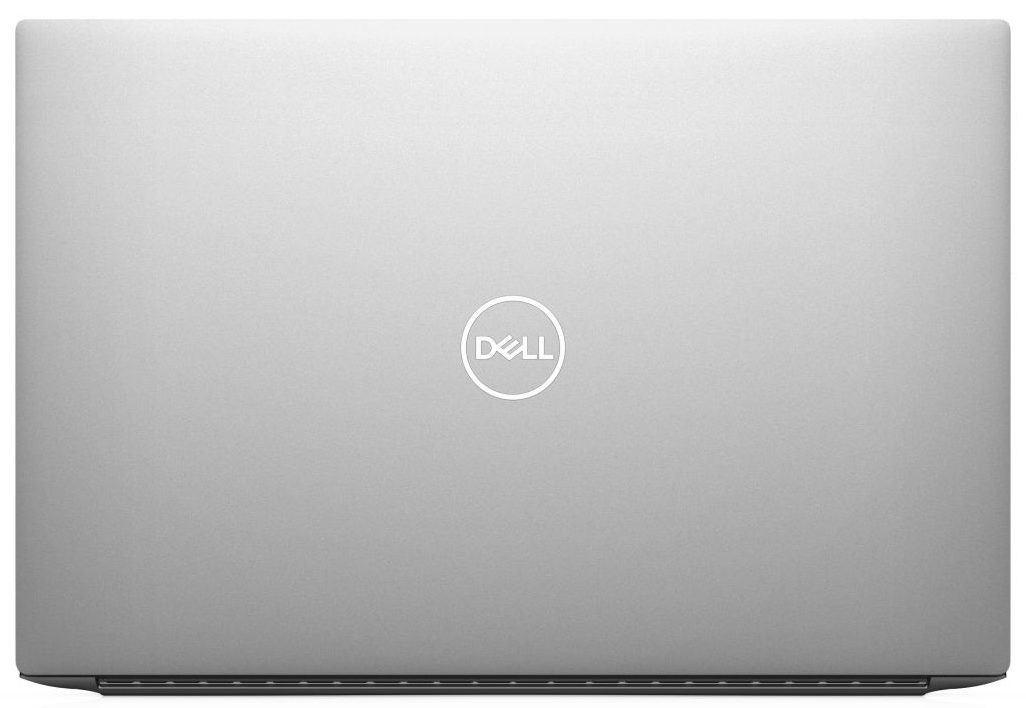
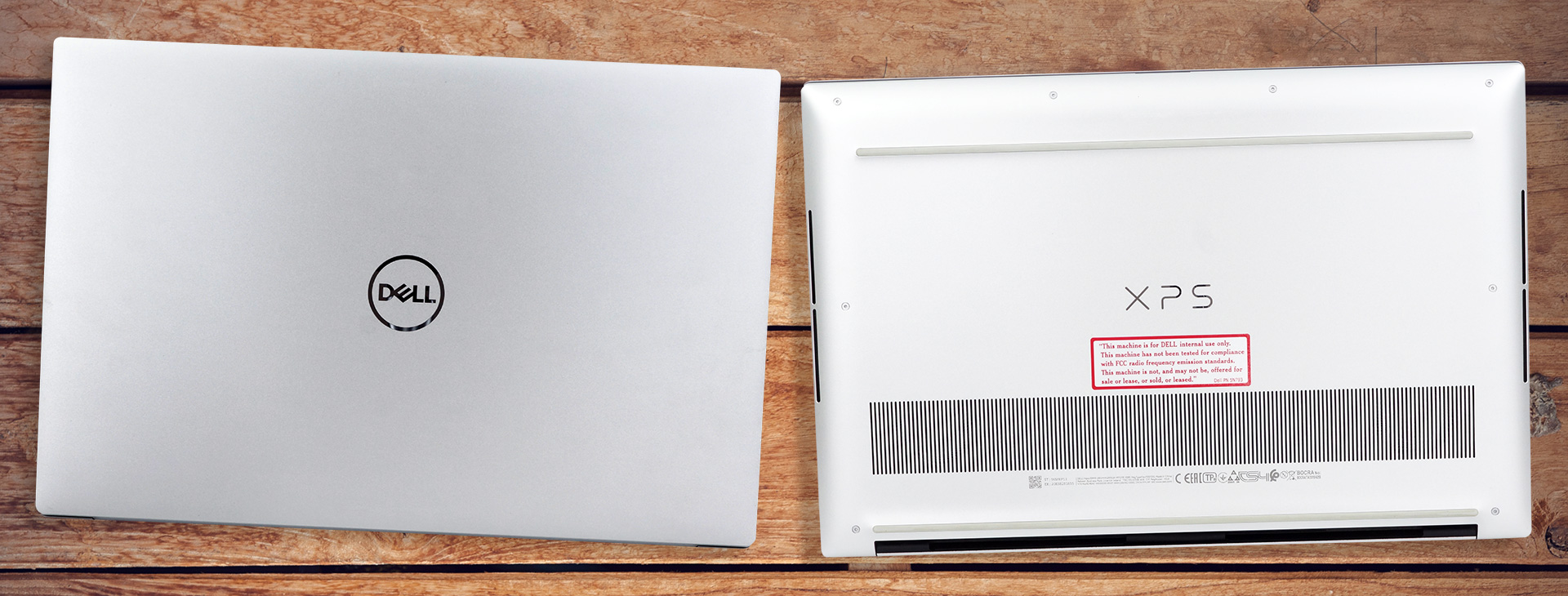
Ultimately, this is one of the prettiest notebooks we’ve reviewed. Its body is made out of CNC-machined aluminum, as is the lid, while the palm rest area is carbon fiber. While the lid and the base have a matte finish, the sides of the body are reflective, and make the laptop look pretty premium. Its weight starts from 1.81 kg and goes up to 2.00 kg in the heaviest configuration. At the same time, the profile has a maximum thickness of 18mm in the back and just 7.70mm at the front.
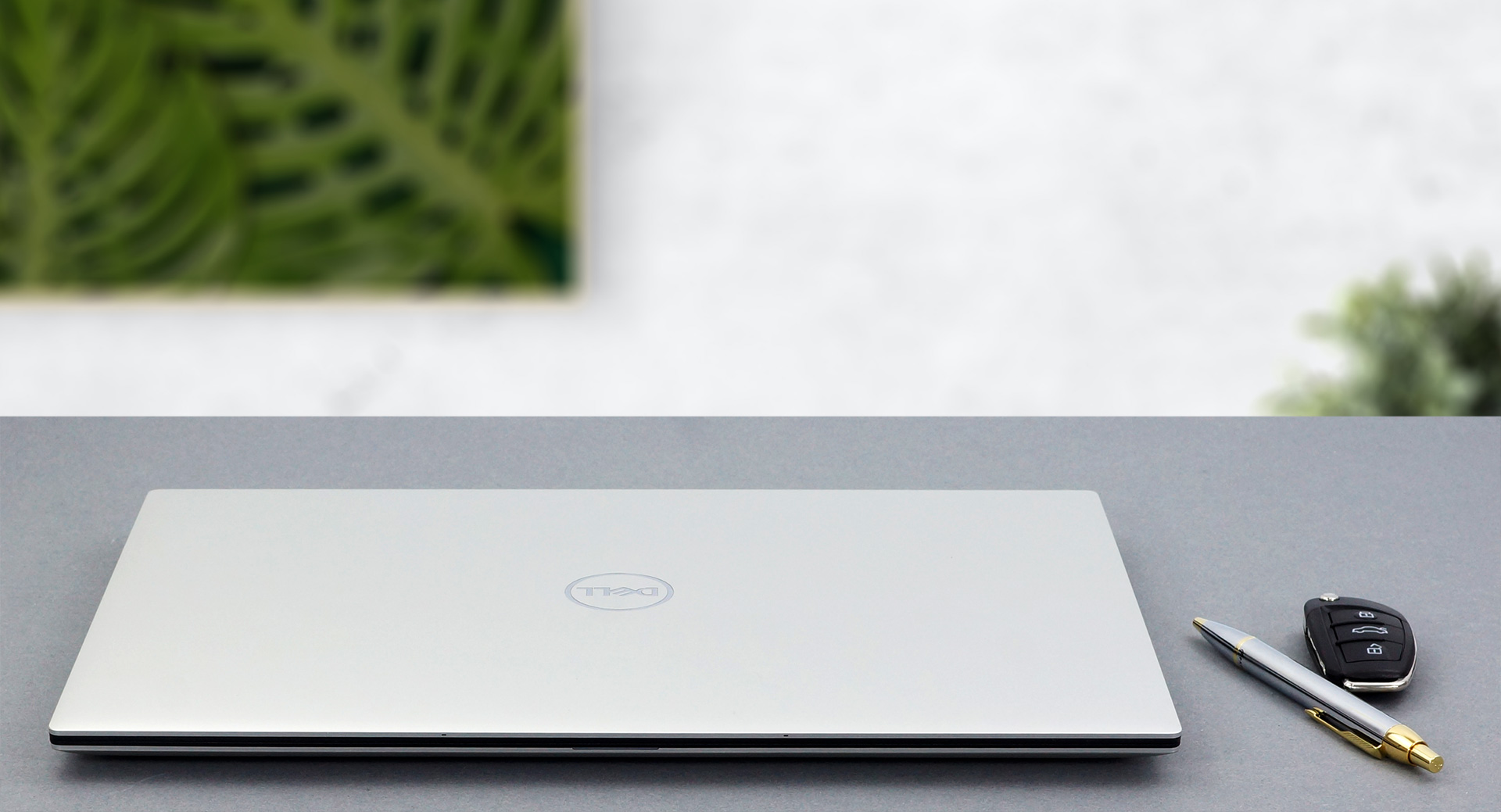
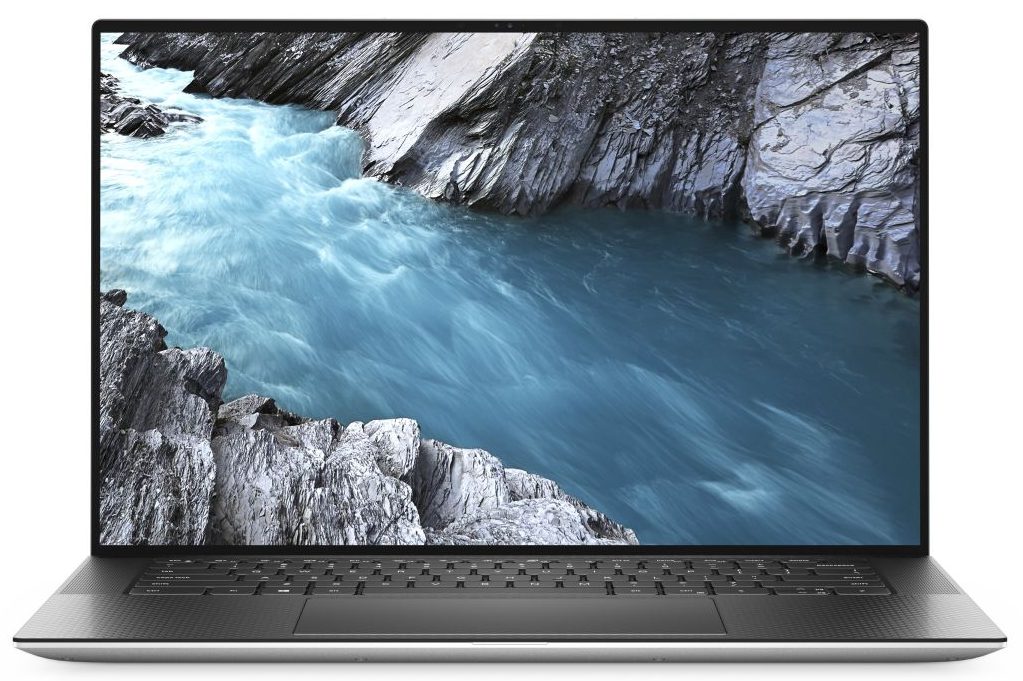
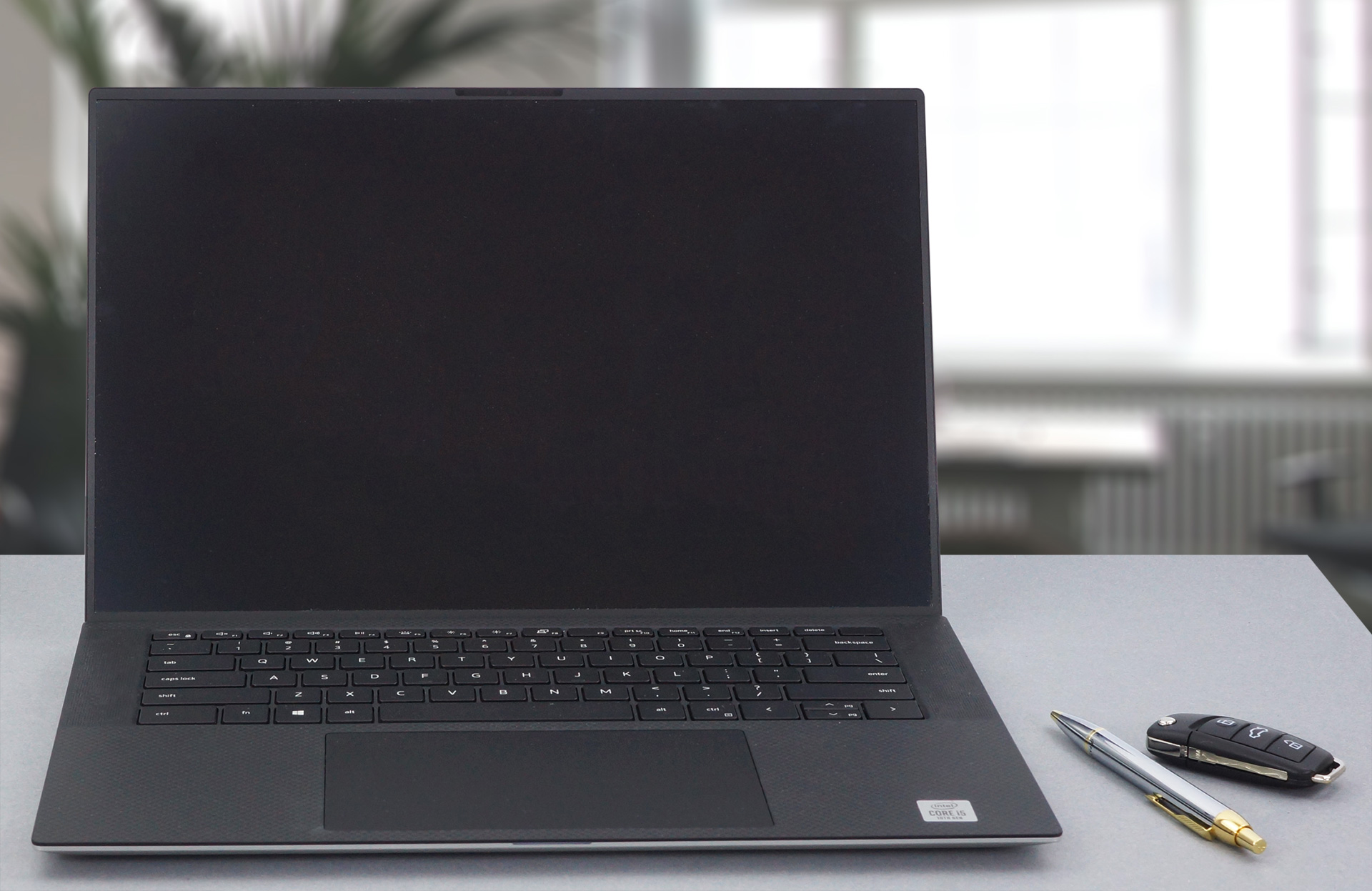
Thankfully, XPS 15 9500’s lid opens easily with a single hand and its bezels are super thin all around the display. Additionally, the lid is resistant to flex and we were surprised to see that Dell was able to cram an HD camera and two IR face recognition blasters in miniscule top bezel.
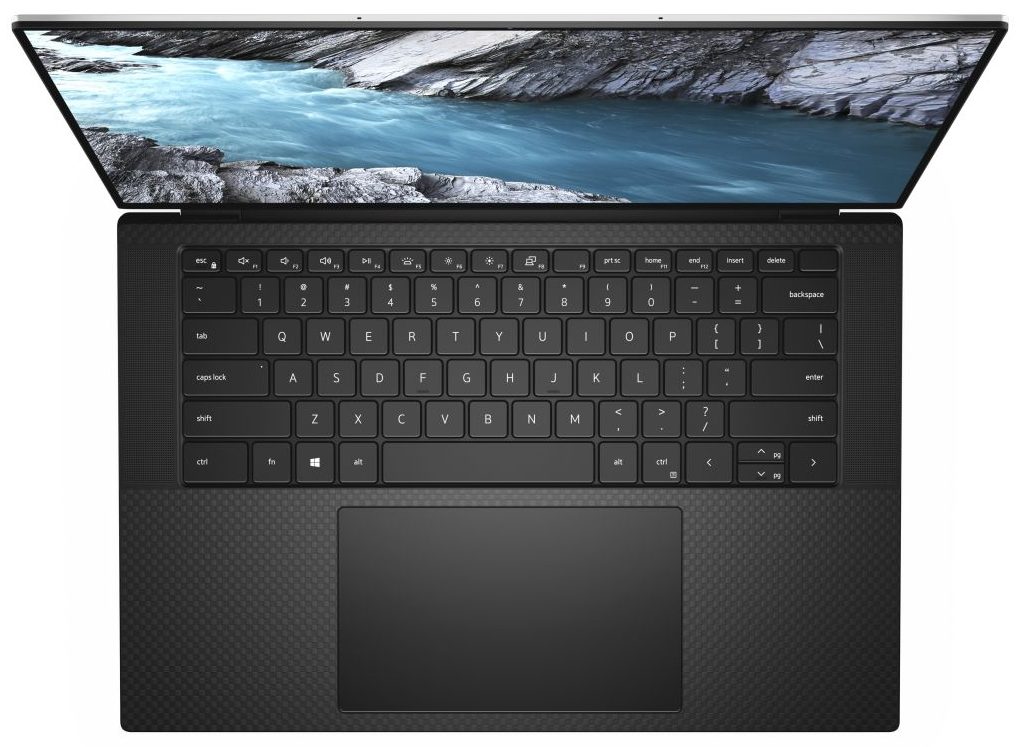
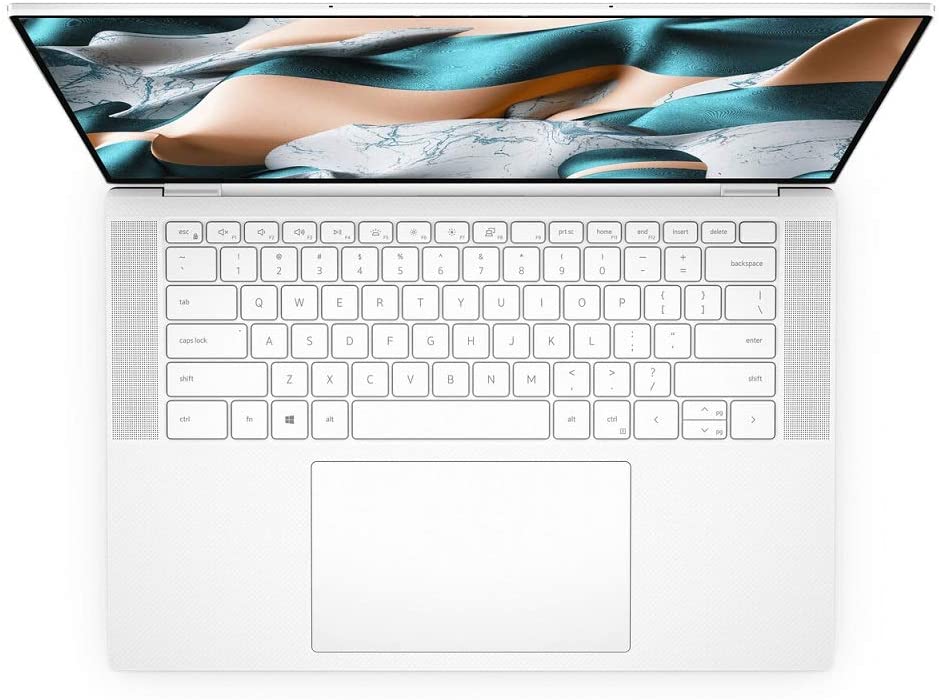
Next, we move to the base, where we see the aforementioned carbon fiber material. Once again, it feels a bit rubbery, but interestingly – slightly less rubbery than last year. What makes a huge impression here, are the speakers, which flank the keyboard (also, there are two more on the bottom plate). As of the keyboard, itself, the unit has decently-sized keycaps with clicky feedback and a backlight. Surely, the key travel is not very long, but this is to be expected, because of the thin profile of the device.
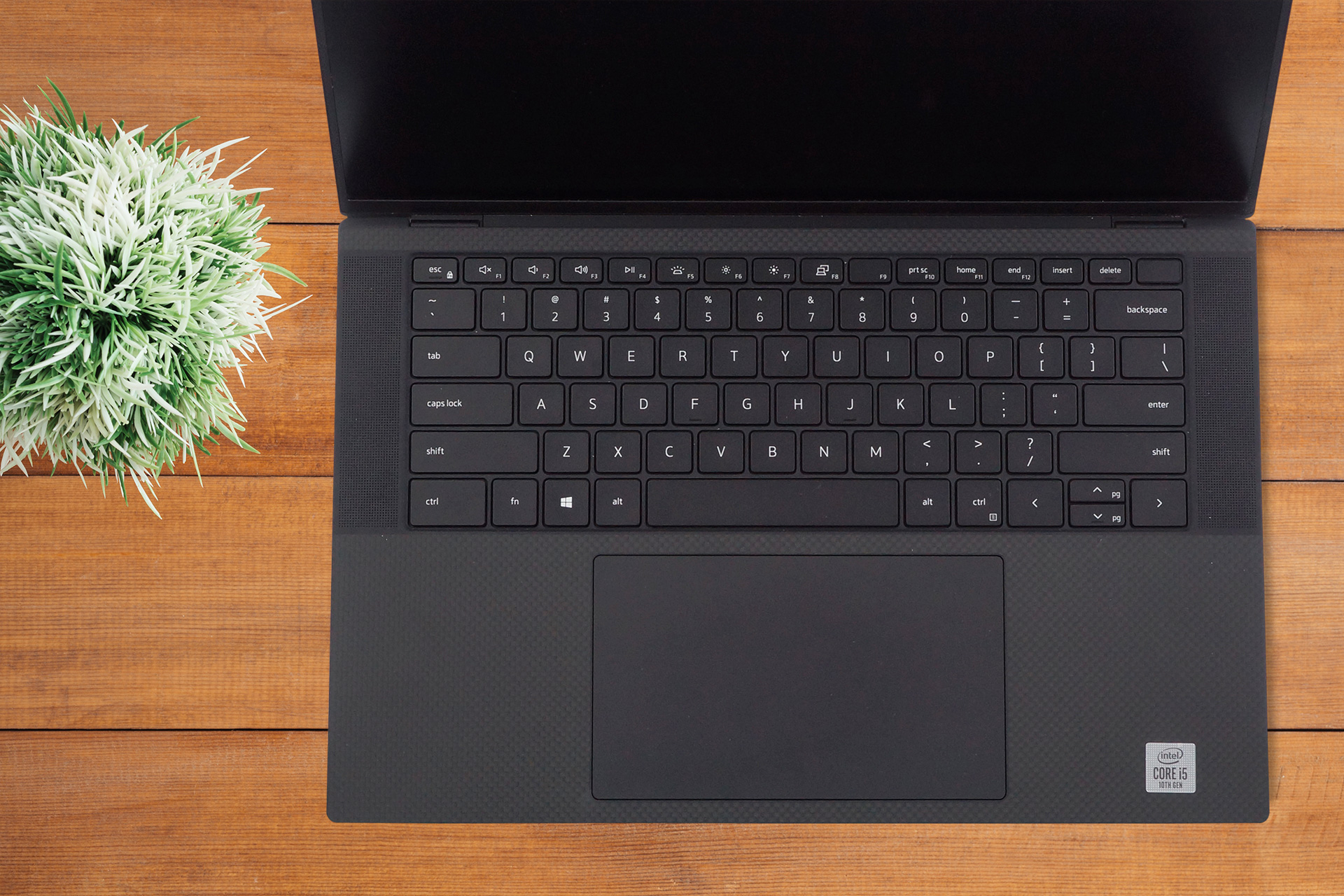
Now, there is one feature of this notebook that has received a major upgrade – the touchpad. For years the XPS devices were miles behind their Apple counterparts, just because of the super small touchpads they sported. However, this changes with the enormous unit that is comfortably larger than most smartphones. Also, its tracking is good, gliding – comfortable, and we had no issues with the quality.
In addition to everything we just mentioned, the laptop features a fingerprint reader, embedded in the power button, and speaking of fingerprints – the entire surface of the device is pretty resistant to them.
Lastly, the bottom panel houses the ventilation grills and two cutouts for the speakers. Interestingly, now that the laptop features virtually no bottom bezel, all of the hot air is aimed at both lower corners of the display. We hope that this won’t lead to any damage in the future.
Ports
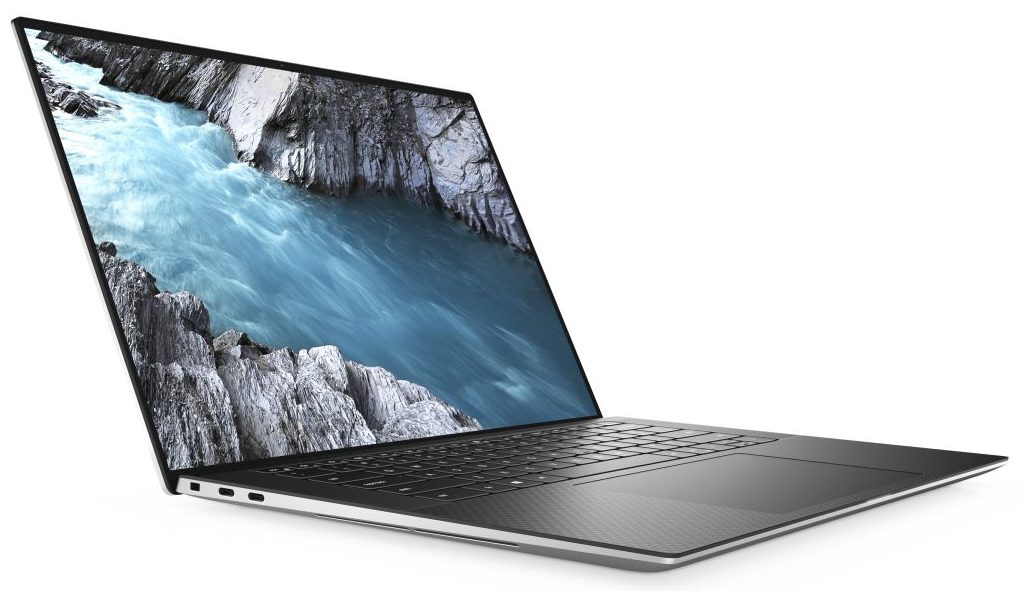
Sadly, one of the caveats on this machine is the I/O selection. Ultimately, you are left out with three USB Type-C 3.2 (Gen. 2) ports (two of them are Thunderbolt 3 and one of them outputs DisplayPort signal), all of which can charge the notebook, an SD card reader and an audio jack. On the bright side, Dell is supplying a USB Type-C to USB Type-A dongle inside the box. Something that you need to pay an additional $19 for, should you by a MacBook.

Disassembly, upgrade options and maintenance
Getting inside this notebook requires the removal of the bottom panel. To do so, you need to undo 8 Torx-head screws and pry the plate from the chassis. Keep in mind you would want to start from the battery-charge indicator on the front side of the device.
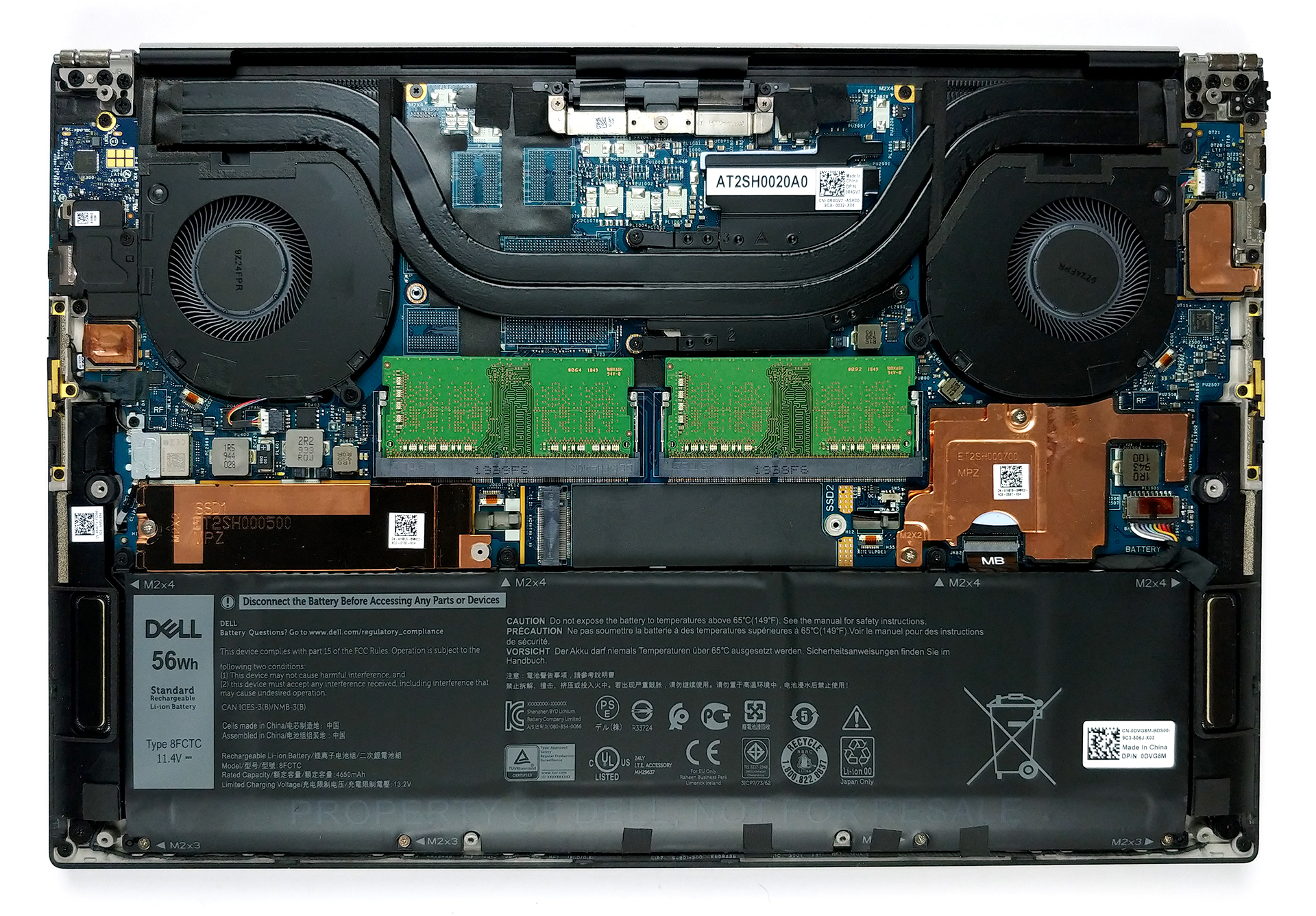
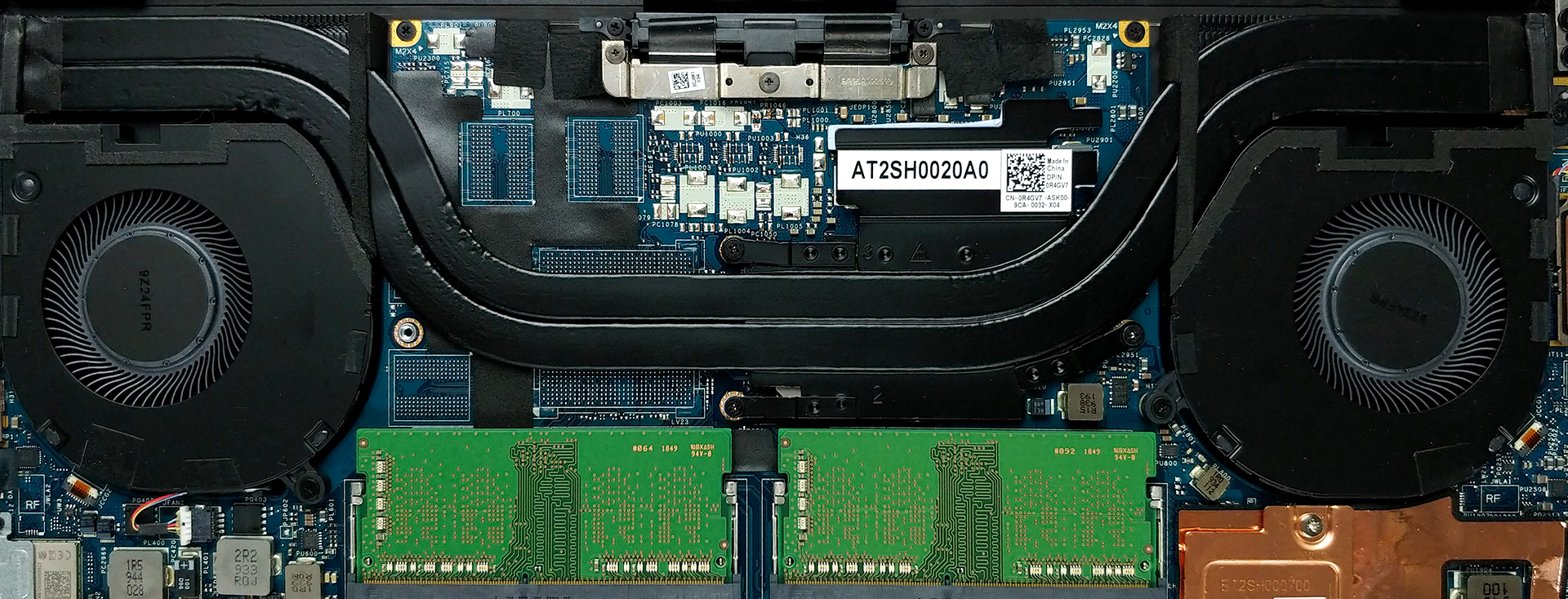
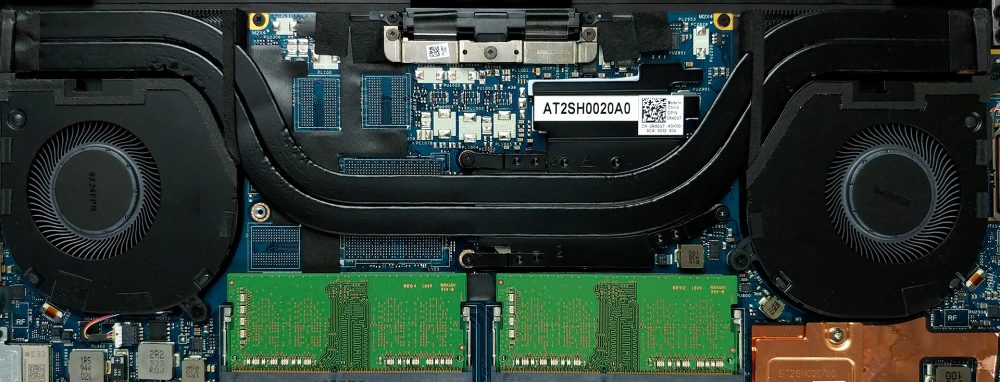
So, this laptop features two heat pipes that cool the CPU, since our model lacks a dedicated graphics card. However, in other images we’ve seen online, there is practically no difference in the size of the heat pipes on a GTX 1650 Ti equipped unit.
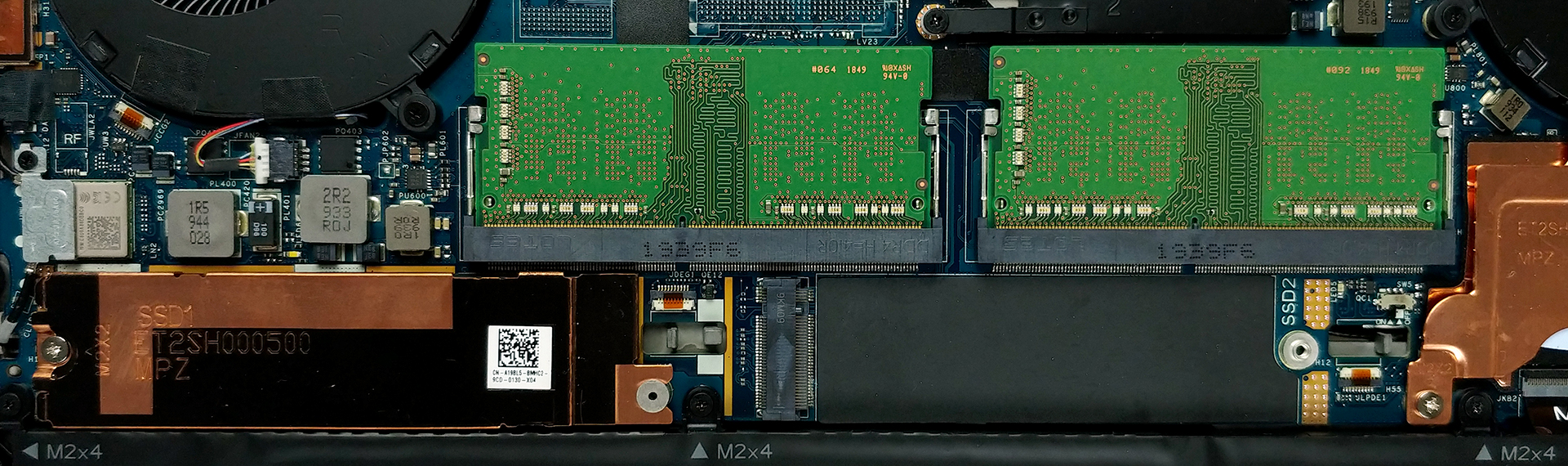
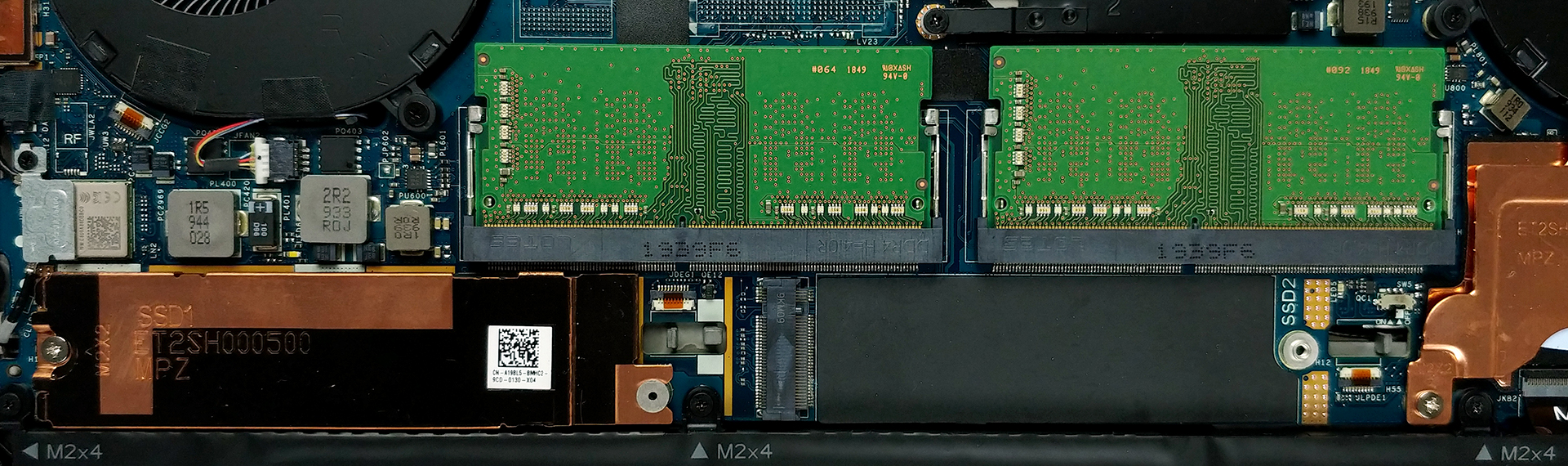
Now, where this laptop excels is upgradability. It offers two RAM SODIMM slots, that work in dual-channel mode and support up to 64GB of DDR4 memory in total. Storage-wise, there are two M.2 PCIe x4 slots, and the BIOS settings reveal RAID support.
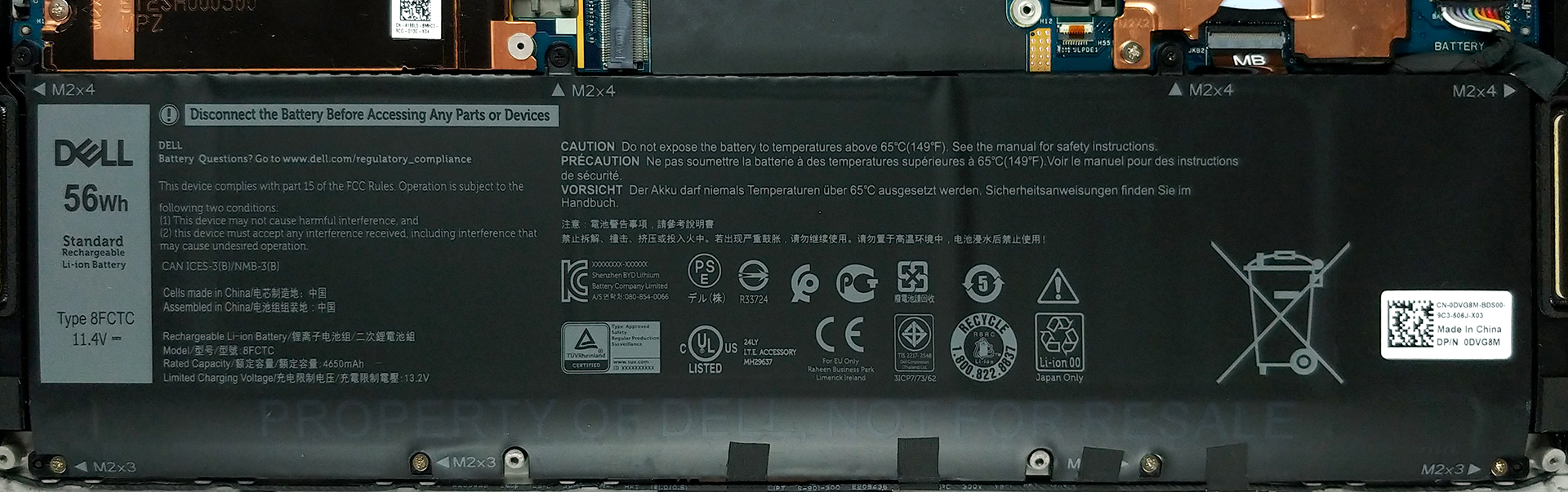
In terms of battery, there are two available options. The one that our unit has is a 56Wh 3-cell package, while the bigger one has a capacity of 86Wh and is built out of 6 cells.
Display quality
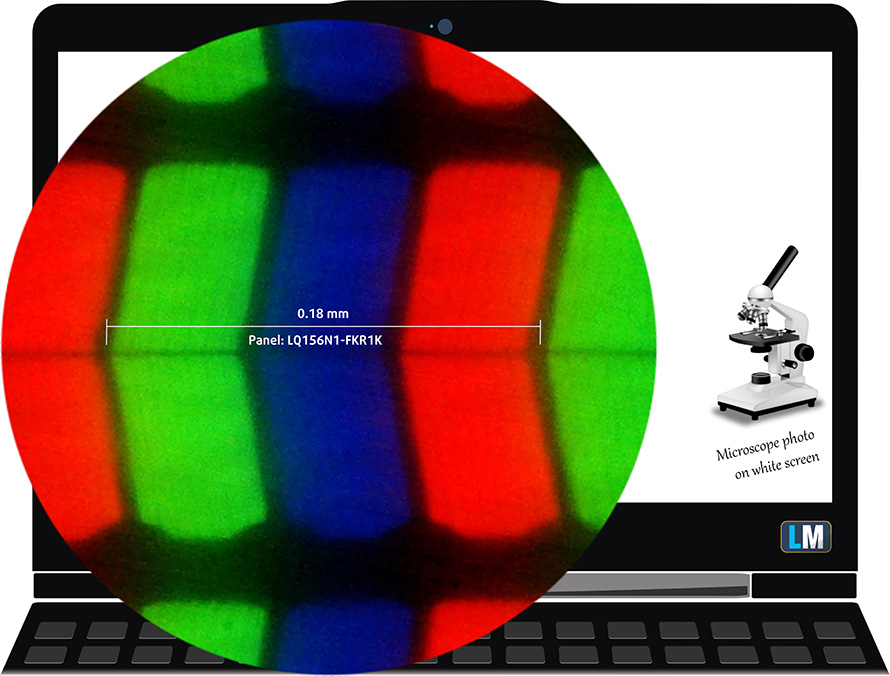
Dell XPS 15 9500 is equipped with a Full HD IPS panel, model number Sharp LQ156N1-FKR1K (SHP14D1). Its diagonal is 15.6″ (39.62 cm), and the resolution – 1920 х 1200p. Additionally, the screen ratio is 16:10, the pixel density – 145 ppi, their pitch – 0.175 x 0.175 mm. The screen can be considered Retina when viewed from at least 60 cm (from this distance, the average human eye can’t see the individual pixels).
Viewing angles are good. We offer images at different angles to evaluate the quality.

The maximum measured brightness is extremely high – 567 nits (cd/m2) in the middle of the screen and 543 nits (cd/m2) average across the surface with a maximum deviation of 17% (in the bottom right corner). The Correlated Color Temperature on a white screen and at maximum brightness is 6300K (average) – slightly warmer than the 6500K optimum for sRGB.
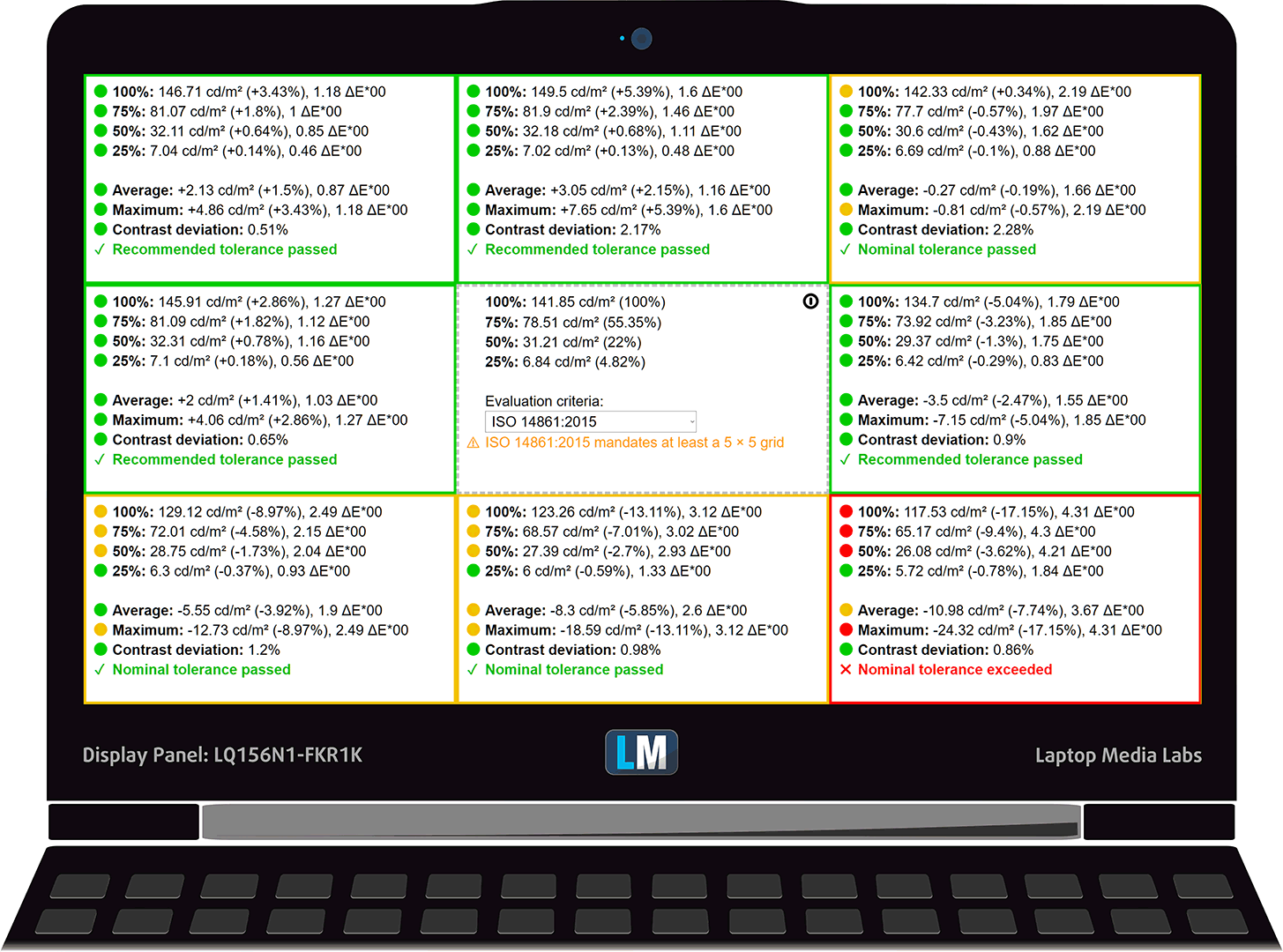
In the illustration below you can see how the display performs from uniformity perspective. The illustration below shows how matters are for operational brightness levels (approximately 140 nits) – in this particular case at 25% Brightness (White level = 142 cd/m2, Black level = 0.08 cd/m2). We detected a noticeable Nonuniformity of the screen around its upper edges, both in terms of brightness and color.
Values of dE2000 over 4.0 should not occur, and this parameter is one of the first you should check if you intend to use the laptop for color-sensitive work (a maximum tolerance of 2.0 ). The contrast ratio is very good – 1750:1.
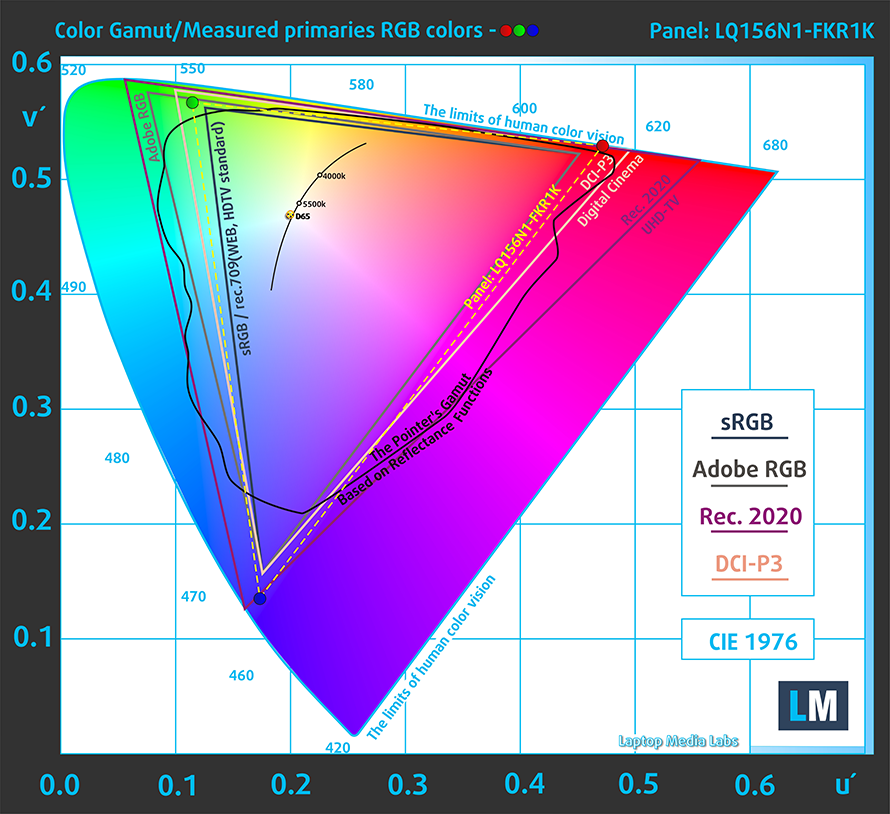
To make sure we are on the same page, we would like to give you a little introduction to the sRGB color gamut and the Adobe RGB. To start, there’s the CIE 1976 Uniform Chromaticity Diagram that represents the visible specter of colors by the human eye, giving you a better perception of the color gamut coverage and the color accuracy.
Inside the black triangle, you will see the standard color gamut (sRGB) that is being used by millions of people in HDTV and on the web. As for the Adobe RGB, this is used in professional cameras, monitors, etc for printing. Basically, colors inside the black triangle are used by everyone and this is the essential part of the color quality and color accuracy of a mainstream notebook.
Still, we’ve included other color spaces like the famous DCI-P3 standard used by movie studios, as well as the digital UHD Rec.2020 standard. Rec.2020, however, is still a thing of the future and it’s difficult for today’s displays to cover that well. We’ve also included the so-called Michael Pointer gamut, or Pointer’s gamut, which represents the colors that naturally occur around us every day.
The yellow dotted line shows Dell XPS 15 9500’s color gamut coverage.
Its display not only covers 100% of the sRGB/ITU-R BT.709 (web/HDTV standard) in CIE1976 but also 92% of the DCI-P3, which is a prerequisite for an attractive and punchy image.
Our “Design and Gaming” profile delivers optimal color temperature (6500K) at 140 cd/m2 luminance and sRGB gamma mode.
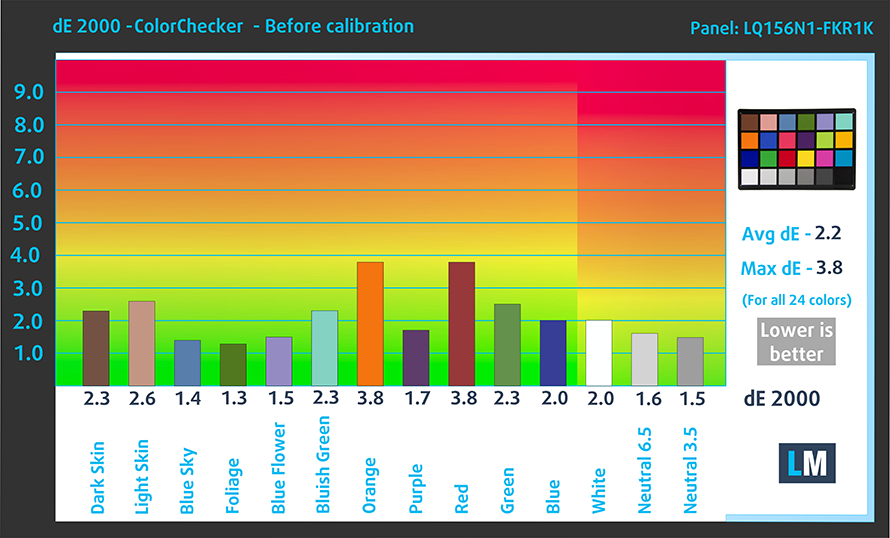
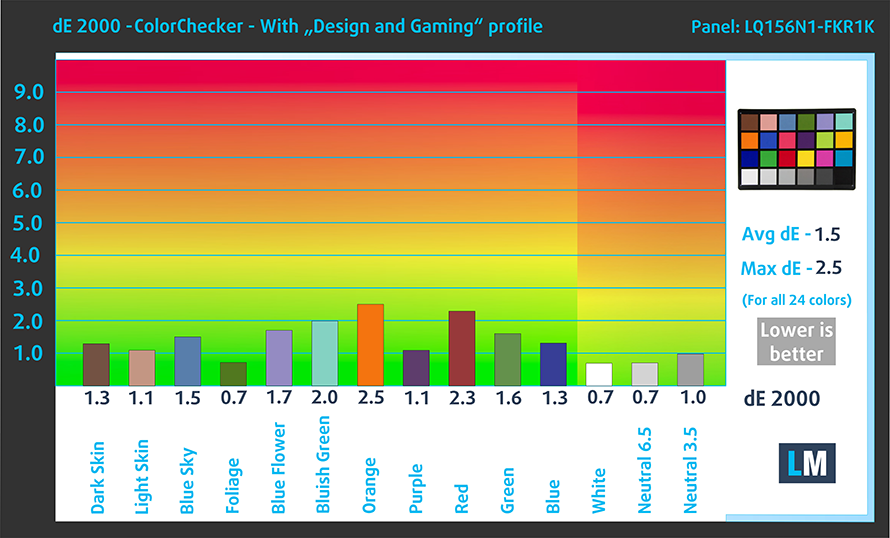
We tested the accuracy of the display with 24 commonly used colors like light and dark human skin, blue sky, green grass, orange, etc. You can check out the results at factory condition and also, with the “Design and Gaming” profile.
Below you can compare the scores of Dell XPS 15 9500 with the default settings (left), and with the “Gaming and Web design” profile (right).
The next figure shows how well the display is able to reproduce really dark parts of an image, which is essential when watching movies or playing games in low ambient light.
The left side of the image represents the display with stock settings, while the right one is with the “Gaming and Web Design” profile activated. On the horizontal axis, you will find the grayscale and on the vertical axis – the luminance of the display. On the two graphs below you can easily check for yourself how your display handles the darkest nuances but keep in mind that this also depends on the settings of your current display, the calibration, the viewing angle, and the surrounding light conditions.

Response time (Gaming capabilities)
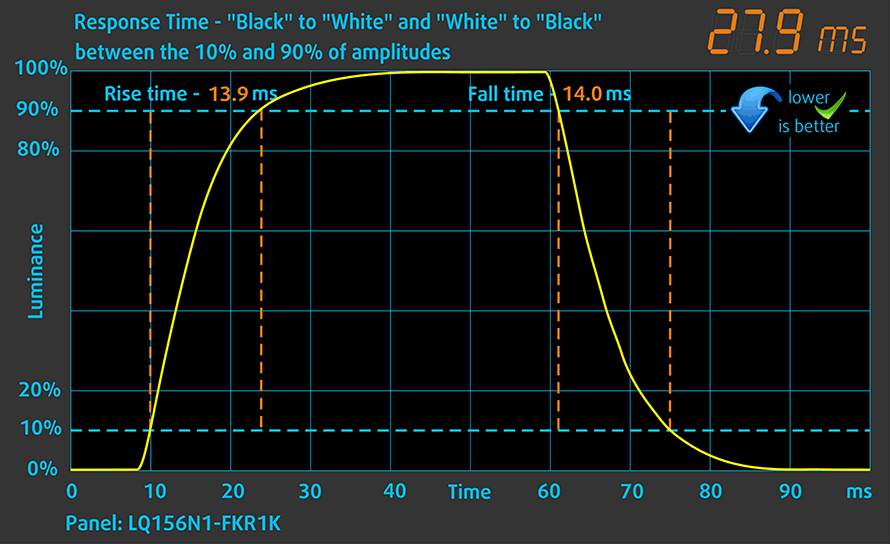
We test the reaction time of the pixels with the usual “black-to-white” and “white-to-black” method from 10% to 90% and vice versa.
We recorded Fall Time + Rise Time = 28 ms.
Health impact – PWM / Blue Light
PWM (Screen flickering)
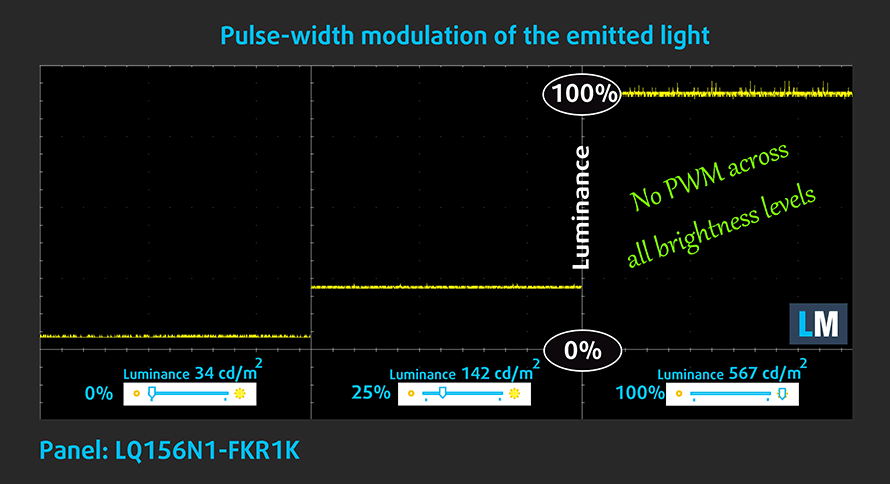
Pulse-width modulation (PWM) is an easy way to control monitor brightness. When you lower the brightness, the light intensity of the backlight is not lowered, but instead turned off and on by the electronics with a frequency indistinguishable to the human eye. In these light impulses, the light/no-light time ratio varies, while brightness remains unchanged, which is harmful to your eyes. You can read more about that in our dedicated article on PWM.
Dell XPS 15 9500’s display doesn’t flicker at any brightness level, making it comfortable for long work periods.
Blue light emissions
Installing our Health-Guard profile not only eliminates PWM but also reduces the harmful Blue Light emissions while keeping the colors of the screen perceptually accurate. If you’re not familiar with the Blue light, the TL;DR version is – emissions that negatively affect your eyes, skin, and your whole body. You can find more information about that in our dedicated article on Blue Light.
Conclusions
Dell XPS 15 9500’s display has an IPS panel with a Full HD+ resolution, comfortable viewing angles, great maximum brightness, decent contrast ratio, and extremely thin bezels all around. Its backlight doesn’t flicker at any level, and it fully covers the sRGB color gamut. Moreover, it also spreads to the DCI-P3 range, covering 92%. Not on the last place, though, is its color accuracy. Both with our Gaming and Web design profile, and without it, the colors match the standards with an Average dE of around 2.0 and below it. However, there are some setbacks with the model, which prevent professionals from exploring the full potential of the panel. On our unit, we monitored an especially high deviation in Luminance in the bottom right corner of the display.
Buy our profiles
Since our profiles are tailored for each individual display model, this article and its respective profile package are meant for Dell XPS 15 9500 configurations with 15.6″ Sharp LQ156N1-FKR1K (SHP14D1) (FHD+, 1920 × 1200) IPS.
*Should you have problems with downloading the purchased file, try using a different browser to open the link you’ll receive via e-mail. If the download target is a .php file instead of an archive, change the file extension to .zip or contact us at [email protected].
Read more about the profiles HERE.
En plus de recevoir des profils efficaces et respectueux de la santé, en achetant les produits de LaptopMedia, vous soutenez également le développement de nos laboratoires, où nous testons des appareils afin de produire les critiques les plus objectives possibles.

Travail de bureau
Office Work devrait être utilisé principalement par les utilisateurs qui passent la plupart de leur temps à regarder des textes, des tableaux ou simplement à naviguer. Ce profil vise à offrir une meilleure distinction et clarté en maintenant une courbe gamma plate (2.20), une température de couleur native et des couleurs fidèles à la perception.

Design et Gaming
Ce profil s'adresse aux designers qui travaillent avec les couleurs de manière professionnelle, ainsi qu'aux jeux et aux films. Design and Gaming pousse les dalles d'affichage à leurs limites, les rendant aussi précises que possible dans la norme sRGB IEC61966-2-1 pour le Web et la TVHD, au point blanc D65.

Health-Guard
Health-Guard élimine la Modulation de Largeur d'Impulsion (PWM) nocive et réduit la lumière bleue négative qui affecte nos yeux et notre corps. Comme il est adapté à chaque dalle, il parvient à conserver des couleurs fidèles à la perception. Health-Guard simule le papier, ce qui réduit considérablement la pression sur les yeux.
Obtenez les 3 profils avec 33% de réduction

Sound
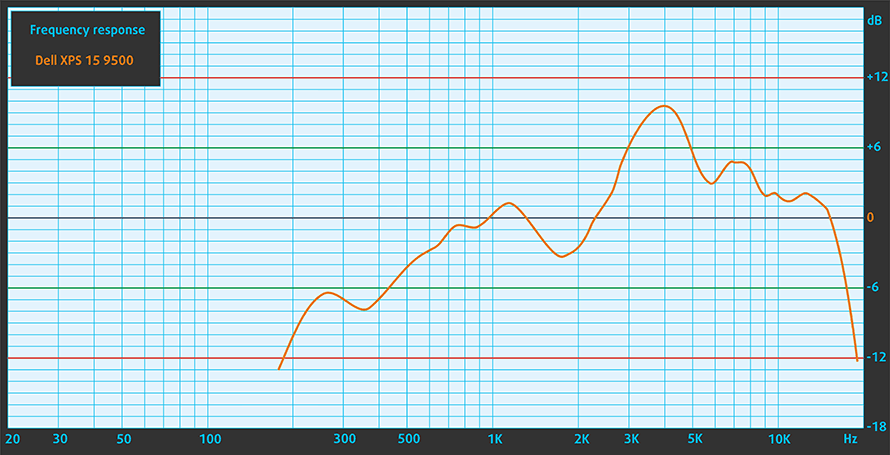
Dell XPS 15 9500’s speakers produce a relatively loud sound with good quality. Its low, mid, and high tones are clear from deviations.
Drivers
All of the drivers and utilities for this notebook can be downloaded from here: https://www.dell.com/support/home/en-us/product-support/product/xps-15-9500-laptop/drivers
Battery
Now, we conduct the battery tests with Windows Better performance setting turned on, screen brightness adjusted to 120 nits, and all other programs turned off except for the one we are testing the notebook with. Our unit was equipped with the smaller 56Wh battery pack. It delivered around 8 hours and 20 minutes of Web browsing and only 6 hours and 25 minutes of video playback.
Luminosité : 180 nits ; Mode d'affichage : SDR
Temps de décharge complète : plus c'est long, mieux c'est
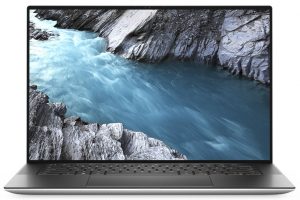
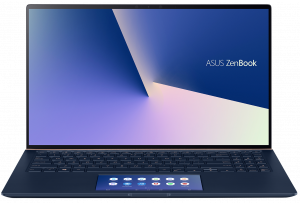
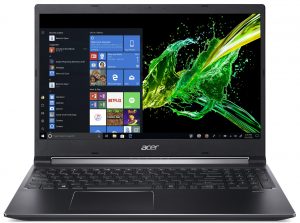
Afin de simuler des conditions réelles, nous avons utilisé notre propre script pour une navigation web automatique sur plus de 70 sites.
CPU options
Here, the options include the Core i5-10300H, Core i7-10750H, Core i7-10875H, and the Core i9-10885H, comprising pretty much the entire Comet Lake-H fleet.
Les résultats proviennent du test CPU Cinebench 20 (un score plus élevé est meilleur)
GPU options
As of the graphics cards, you will receive only the integrated UHD Graphics 630, should you go for the Core i5-10300H, while all of the other options will come with the GeForce GTX 1650 Ti onboard.
Les résultats proviennent de 3DMark Time Spy (Graphics). Un score plus élevé est meilleur.
Les résultats proviennent du benchmark 3DMark Fire Strike (Graphics) (un score plus élevé est meilleur)
Les résultats proviennent du benchmark Unigine Superposition (un score plus élevé est meilleur)
Gaming tests

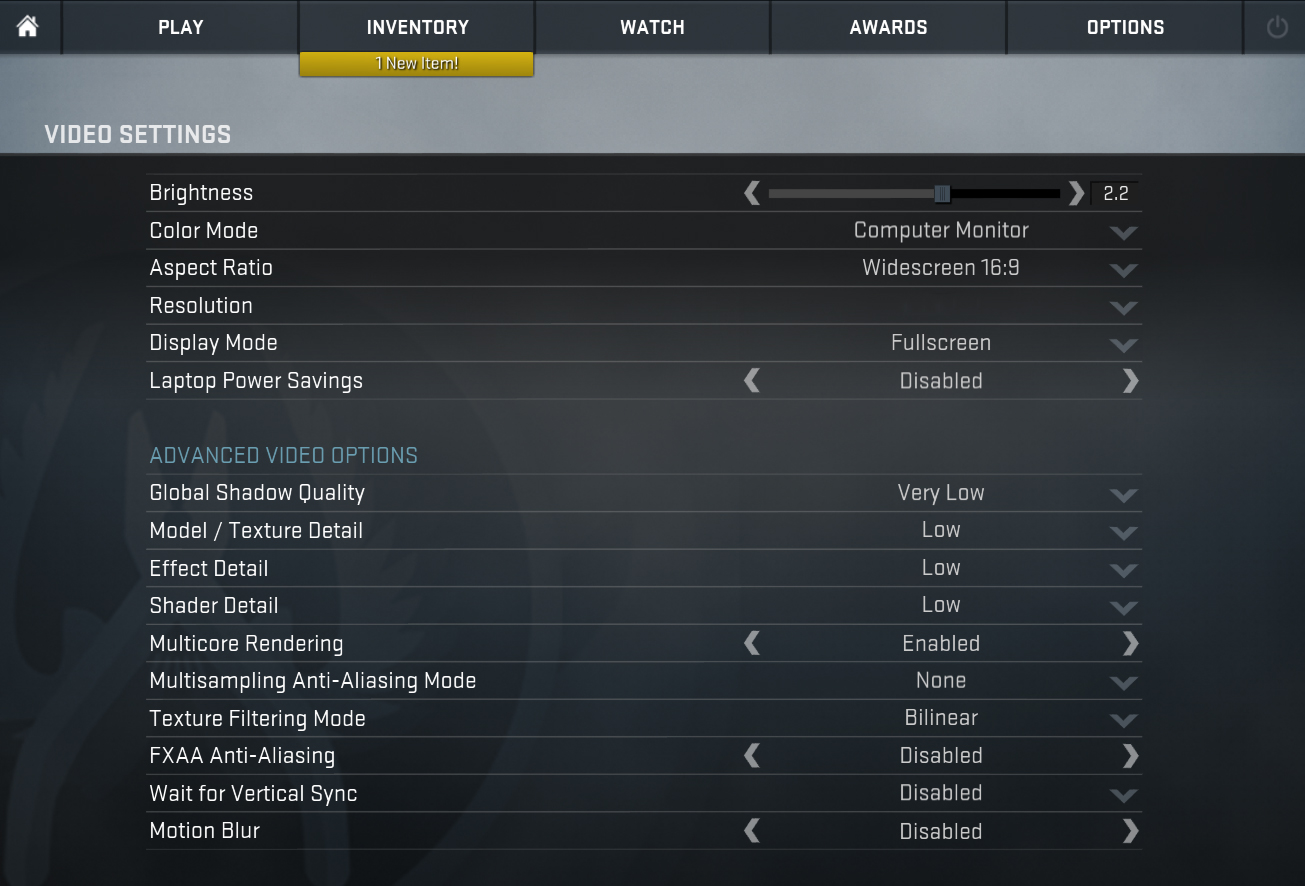
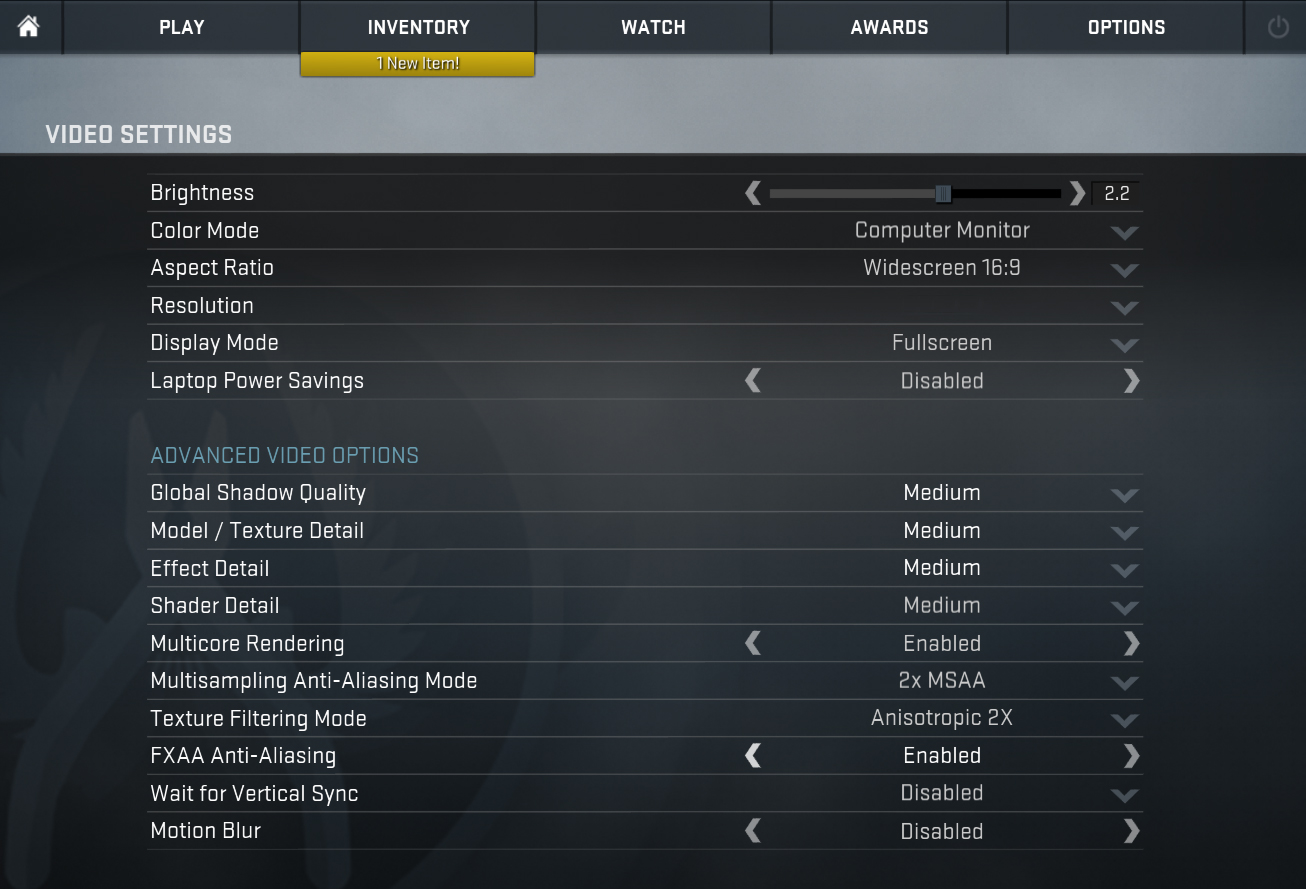
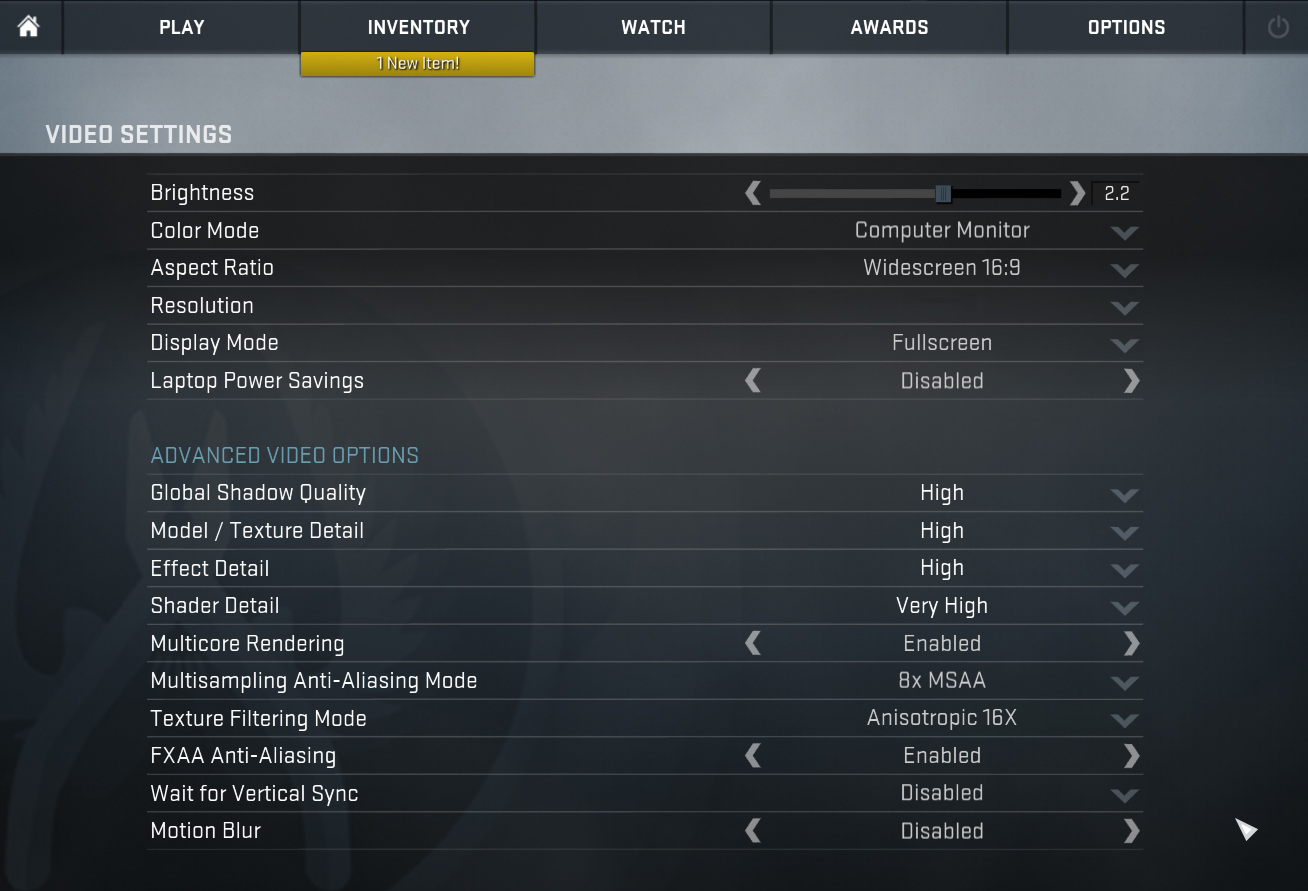
| CS:GO | HD 1080p, Low (Check settings) | HD 1080p, Medium (Check settings) | HD 1080p, MAX (Check settings) |
|---|---|---|---|
| Average FPS | 37 fps | 23 fps | – fps |

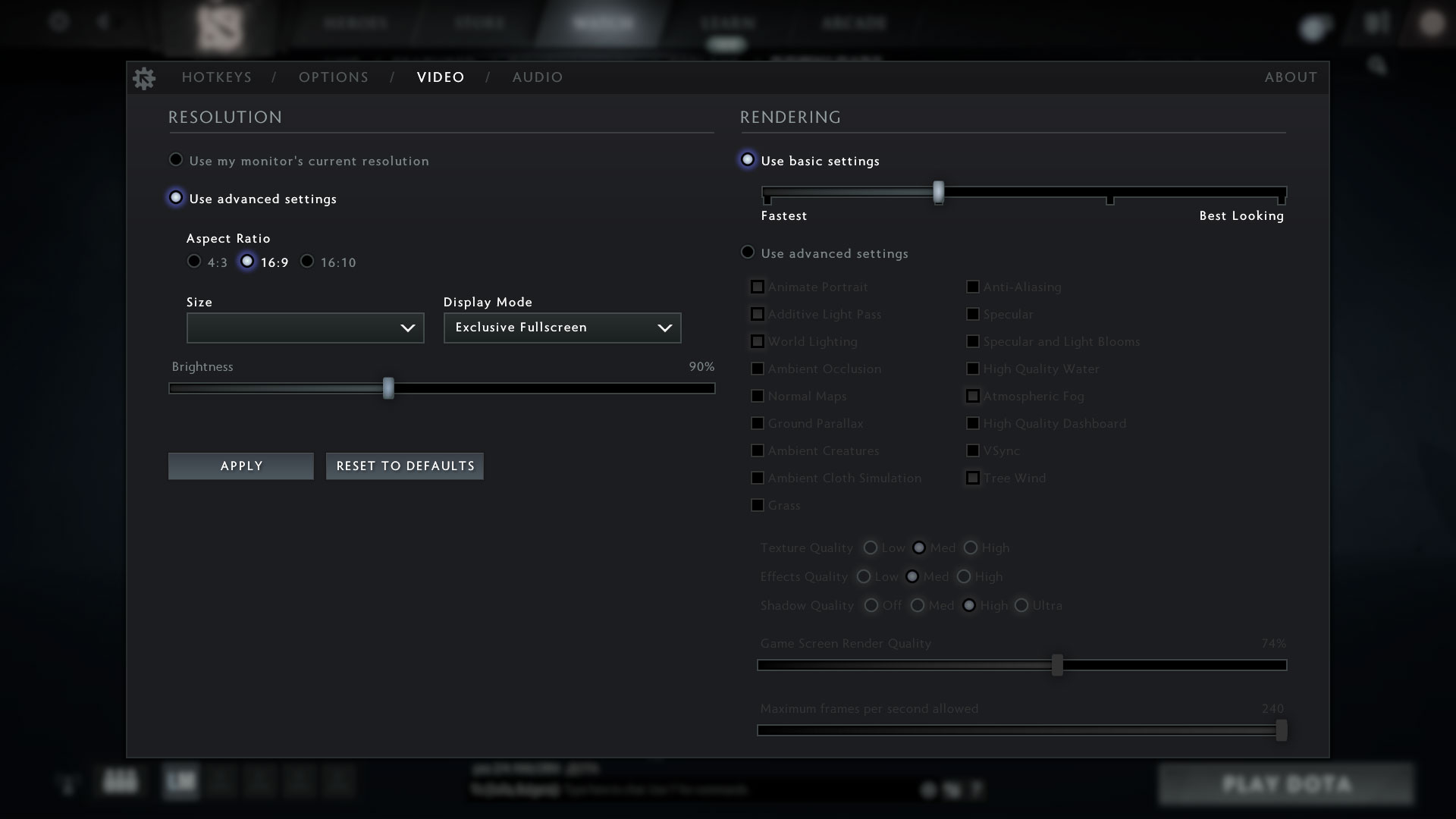
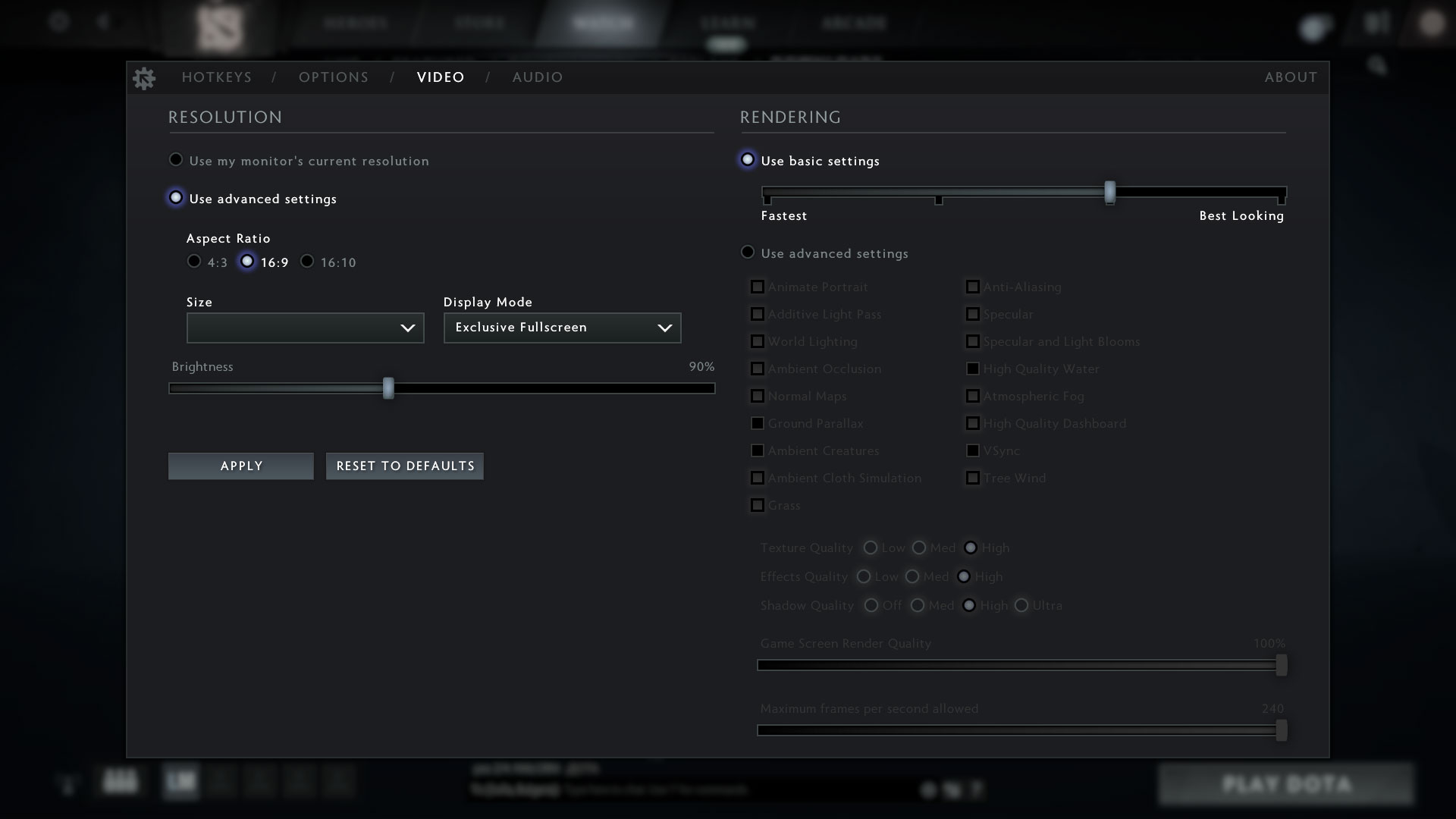
| DOTA 2 | HD 1080p, Low (Check settings) | HD 1080p, Normal (Check settings) | HD 1080p, High (Check settings) |
|---|---|---|---|
| Average FPS | 75 fps | 34 fps | – fps |
Temperatures and comfort
Max CPU load
In this test we use 100% on the CPU cores, monitoring their frequencies and chip temperature. The first column shows a computer’s reaction to a short load (2-10 seconds), the second column simulates a serious task (between 15 and 30 seconds), and the third column is a good indicator of how good the laptop is for long loads such as video rendering.
Average core frequency (base frequency + X); CPU temp.
| Intel Core i5-10300H (45W TDP) | 0:02 – 0:10 sec | 0:15 – 0:30 sec | 10:00 – 15:00 min |
|---|---|---|---|
| Dell XPS 15 9500 | 3.43 GHz (B+38%) @ 85°C | 3.34 GHz (B+34%) @ 97°C | 3.34 GHz (B+34%) @ 99°C |
| Dell G3 15 3500 | 3.70 GHz (B+48%) @ 97°C | 3.53 GHz (B+41%) @ 97°C | 3.32 GHz (B+33%) @ 95°C |
| Lenovo Ideapad Gaming 3i (15) | 4.00 GHz (B+60%) @ 94°C | 3.76 GHz (B+50%) @ 94°C | 3.57 GHz (B+43%) @ 94°C |
| Acer Predator Triton 300 (PT315-52) | 3.35 GHz (B+34%) @ 72°C | 3.33 GHz (B+33%) @ 79°C | 3.31 GHz (B+32%) @ 84°C |
Well, the XPS 15 9500 is definitely struggling to cool the Core i5-10300H. We found it to run its processor at 54W – 9W above the TDP limit. Perhaps possible undervolting would help it reach adequate temperatures, but nevertheless – a poor cooling setup.
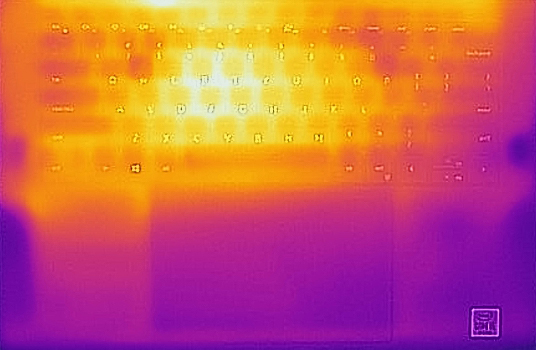
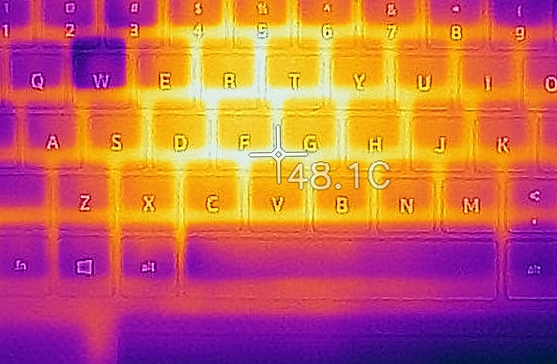
Comfort during full load
Not a lot of sound coming from the fans, but plenty of heat coming from the keyboard.
Verdict
Hands down, amazing laptop. It has one of the best displays ever found on a Windows notebook, and the bezels around it are almost nonexistent. However, before we start summarizing what we learned, we want to express our confusion with the lowest tier model that exists (and actually the one we had). Why would you even include a Core i5-10300H without a dedicated graphics card? Sure, some people would want access to the great display, but the performance is terrible. And not because the laptop is bad by itself, but because the potential of this CPU is just not that big. And not only that, but Dell is offering the cheapest model with only 8GB of memory and 256GB of storage, with a retail price of $1200. It is known from the beginning that this laptop is going to come at a premium, but there is no point crippling it to a point, that it doesn’t make a sense. Plus it comes with the smaller 56Wh battery.
Other than that, we were not particularly impressed by the lack of ports, either. Although it has three USB Type-C ports, which can be used for charging (one at a time, of course), and two of them have Thunderbolt capabilities, there is no RJ-45 connector, no regular USB Type-A ports… Okay, if we have to be honest, Dell is providing a USB Type-C to USB Type-A dongle, and thanks to the Thunderbolt ports, you can connect an eGPU with decent success. Not on the last place, you receive an SD card reader, so if you are a photographer, you’re all set.
As of the elephant in the room… Dell XPS 15 9500’s display has an IPS panel (Sharp LQ156N1-FKR1K (SHP14D1)) with a Full HD+ resolution, comfortable viewing angles, great maximum brightness, decent contrast ratio, and extremely thin bezels all around. Its backlight doesn’t flicker at any level, and it fully covers the sRGB color gamut. Moreover, it also spreads to the DCI-P3 range, covering 92%. Not on the last place, though, is its color accuracy. Both with our Gaming and Web design profile, and without it, the colors match the standards with an Average dE of around 2.0 and below it. However, there are some setbacks with the model, which prevent professionals from exploring the full potential of the panel. On our unit, we monitored an especially high deviation in Luminance in the bottom right corner of the display.
You know, this, the build quality, the upgradability with its 64GB of supported memory in dual-channel and dual M.2 drive slots in RAID 0, as well as the more than decent speakers makes for a great piece of equipment. And if you want to buy the XPS 15 9500, we’ve no reason to tell you not to. As long as you stay away from the Core i5-10300H model, you’re fine, even if you go for the Full HD+ display.
Pros
- Strong body build of carbon fiber and aluminum
- Virtually bezel-less screen
- 100% sRGB coverage (92% DCI-P3) and accurate color representation (Sharp LQ156N1-FKR1K)
- Thin and light
- Boasts up to Core i9-10885H processor
- Easy upgrade and maintenance
- Great keyboard, touchpad, and speakers
- Fingerprint reader embedded in the power button and optional IR face recognition system
- Two Thunderbolt 3 connectors and USB Type-C charging
- Doesn’t use PWM to adjust its brightness (Sharp LQ156N1-FKR1K)
Cons
- Useless base model
- 56Wh battery is not impressive, whatsoever
- Insufficient cooling
- Uneven luminosity in the bottom right corner (Sharp LQ156N1-FKR1K)
You can check the prices and configurations in our Specs System: https://laptopmedia.com/series/dell-xps-15-9500/
 Author: Alex Iliev
 Author: eng. Kroum NikolovHead of Engineering at LaptopMedia.com, inventor and innovator with 40+ years of experience in electronics and high technology.

![[Août 2026] Amazon Global : le top 10 des ordinateurs portables les plus vendus – L’Apple MacBook Neo domine le classement tandis que les portables Windows d’entrée et de milieu de gamme se disputent les parts de marché](https://laptopmedia.com/wp-content/uploads/2026/09/Best-Selling-Laptops-GLOBAL-Top-10-400x225.jpg)
![[Août 2026] Les marques d’ordinateurs portables les plus vendues sur Amazon Global : Apple domine en termes de chiffre d’affaires tandis que HP se distingue par la diversité de ses modèles](https://laptopmedia.com/wp-content/uploads/2026/09/GLOBAL-Best-Brands-400x225.jpg)
![[Août 2026] Amazon Global : le top 10 des ordinateurs portables de jeu les plus vendus – Le HP Victus 15 s’empare de la première place alors que les modèles abordables dominent le classement](https://laptopmedia.com/wp-content/uploads/2026/09/Best-Selling-Gaming-Laptops-GLOBAL-Top-10-400x225.jpg)
![[August 2026] Best-Selling Laptop Brands on Amazon Japan – Apple Dominates Market Share and Revenue Led by Strong Unit Sales](https://laptopmedia.com/wp-content/uploads/2026/09/CO.JP-Best-Brands-1-400x225.jpg)
![[August 2026] Best-Selling Laptop Brands on Amazon USA – Apple Dominates Market Revenue and Volume Despite Lower Model Diversity](https://laptopmedia.com/wp-content/uploads/2026/09/COM-Best-Brands-1-400x225.jpg)


What about the trackpad wobble problem on the XPS 15?
The camera is one of the worst EVER. All of the nice performance, aesthetic, functional qualities mentioned in pro reviews can be thrown out the window if everyone on the other side of a zoom meeting thinks you are using a cheap grainy 24 year old webcam. There is no making this sensor look good. The most safe-for-work adjective I have for the XPS 15 9500 (2020) camera is pure crap. I regret making this (expensive) purchase. A flagship laptop should have at least an impressive camera. Assume you don’t have a camera if buying this laptop, none of the… Lire la suite »
Camera mentioned…
“Thankfully, XPS 15 9500’s lid opens easily with a single hand and its bezels are super thin all around the display. Additionally, the lid is resistant to flex and we were surprised to see that Dell was able to cram an HD camera and two IR face recognition blasters in miniscule top bezel.”
Why XPS15 with so powerful CPU and GPU has an average 37 fps in CSGO gaming with low setting??
They examined the base model with I5 and without a dedicated graphics card (the base model uses processor’s integrated graphics card).
I wonder if Bios updates could help with the i5-10300H cooling issue?