HP EliteBook 745 G6 review – showing off AMD’s GuardMI technology
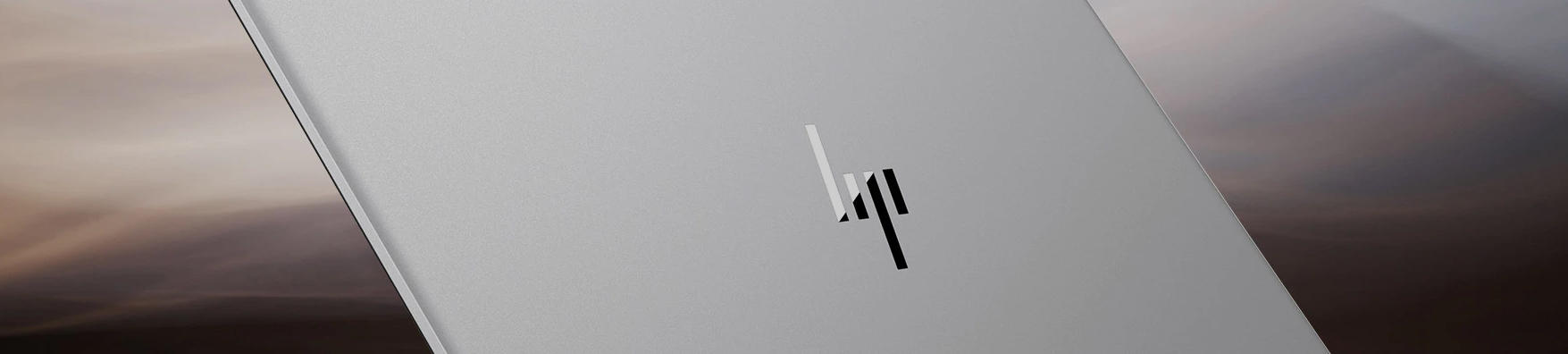
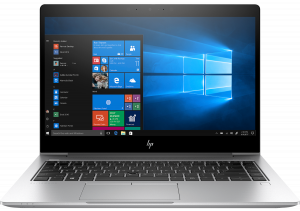
HP’s EliteBook series offer full-fledged business notebooks. Ultimately, all of them offer security features and dock-connectivity support. Today’s laptop is a true member of this family. It is the EliteBook 745 G6 and it comes with a particularly interesting processor choice.
HP has chosen the Red company for this device’s hardware. Thus, the customers receive the up to the AMD Ryzen 7 3700U. However, there is a tiny little caveat – we are talking about the PRO version of the processor. Essentially, it is the same CPU as the non-PRO model, but it offers quite a security boost. Thanks to the proprietory AMD GuardMI technology, which features a “co-processor) inside every PRO-labeled AMD CPU. It encrypts (and decrypts) your memory, to defend against cold boot attacks, gives the laptop an AMD variation of the Secure Boot option, as well as some essential OS security enhancements.
In addition to that, you get a 14-inch Full HD IPS monitor, optional LTE connectivity and an aluminum chassis. Come with us to check what else does this notebook offer.
You can check the prices and configurations in our Specs System: https://laptopmedia.com/series/hp-elitebook-745-g6/
Contents
Specs Sheet
HP EliteBook 745 G6 - Specs


- HDD/SSD
- jusqu'à 512GB SSD
- RAM
- up to 16GB
- OS
- Windows 10 Pro, Windows 10 Home
- Batterie
- 50Wh, 3-cell
- Dimensions
- 326 x 234.3 x 17.9 mm (12.83" x 9.22" x 0.70")
- Poids
- 1.53 kg (3.4 lbs)
- Ports et connectivité
- 1x USB Type-C
- 1x USB Type-A
- 3.2 Gen 1 (5 Gbps)
- 1x USB Type-A
- 3.2 Gen 1 (5 Gbps), Sleep and Charge
- HDMI
- 2.0
- LAN Ethernet
- 10, 100, 1000 Mbit/s
- Wi-Fi
- 802.11ac
- Bluetooth
- 5.0
- Prise audio
- 3.5 mm combo
- Docking Connector
- SIM Card Slot
- Smartcard Slot
- Caractéristiques
- Lecteur d'empreintes
- optional
- Webcam
- HD
- Clavier rétroéclairé
- optional
- Microphone
- 3 Multi Array Microphones
- Haut-parleurs
- 2 Speakers, Bang & Olufsen
- Lecteur optique
- Emplacement de sécurité
Tout HP EliteBook 745 G6 configurations
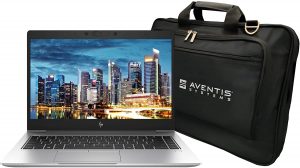
What’s in the box?
Inside the box, we found a 65Wh power adapter with a barrel-style connector. Additionally, there are the mandatory paper manuals, alongside the laptop, itself.

Design and construction
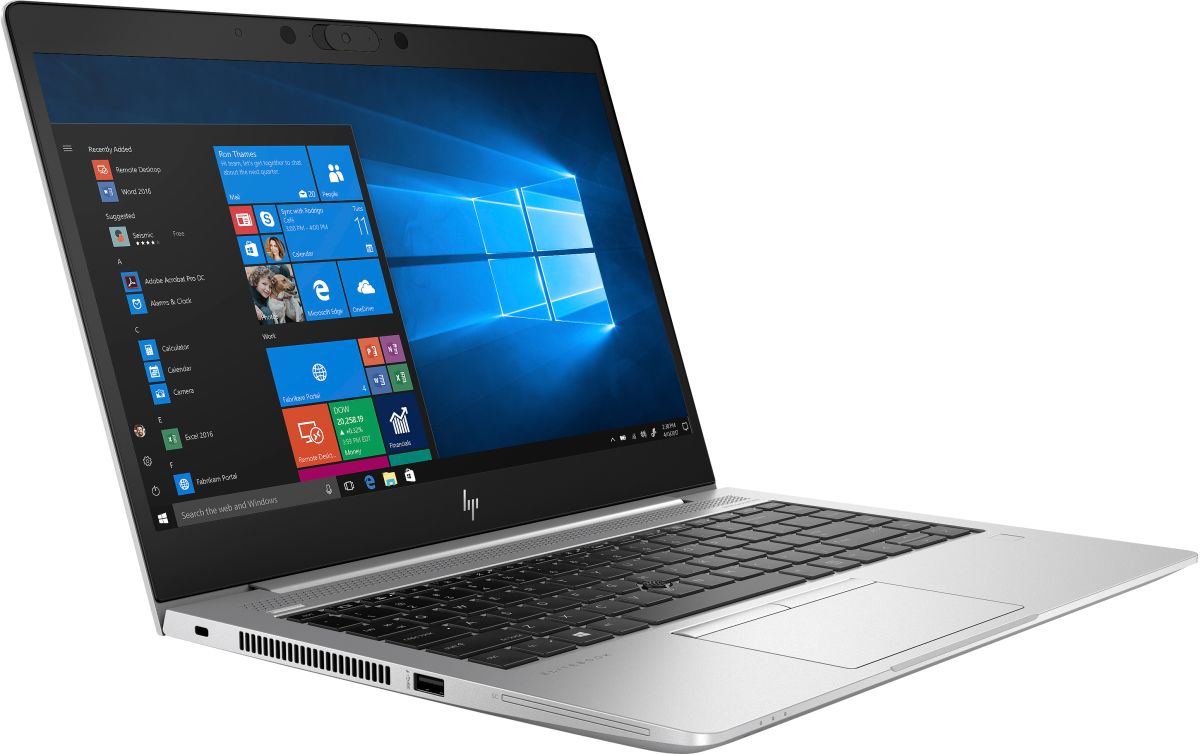
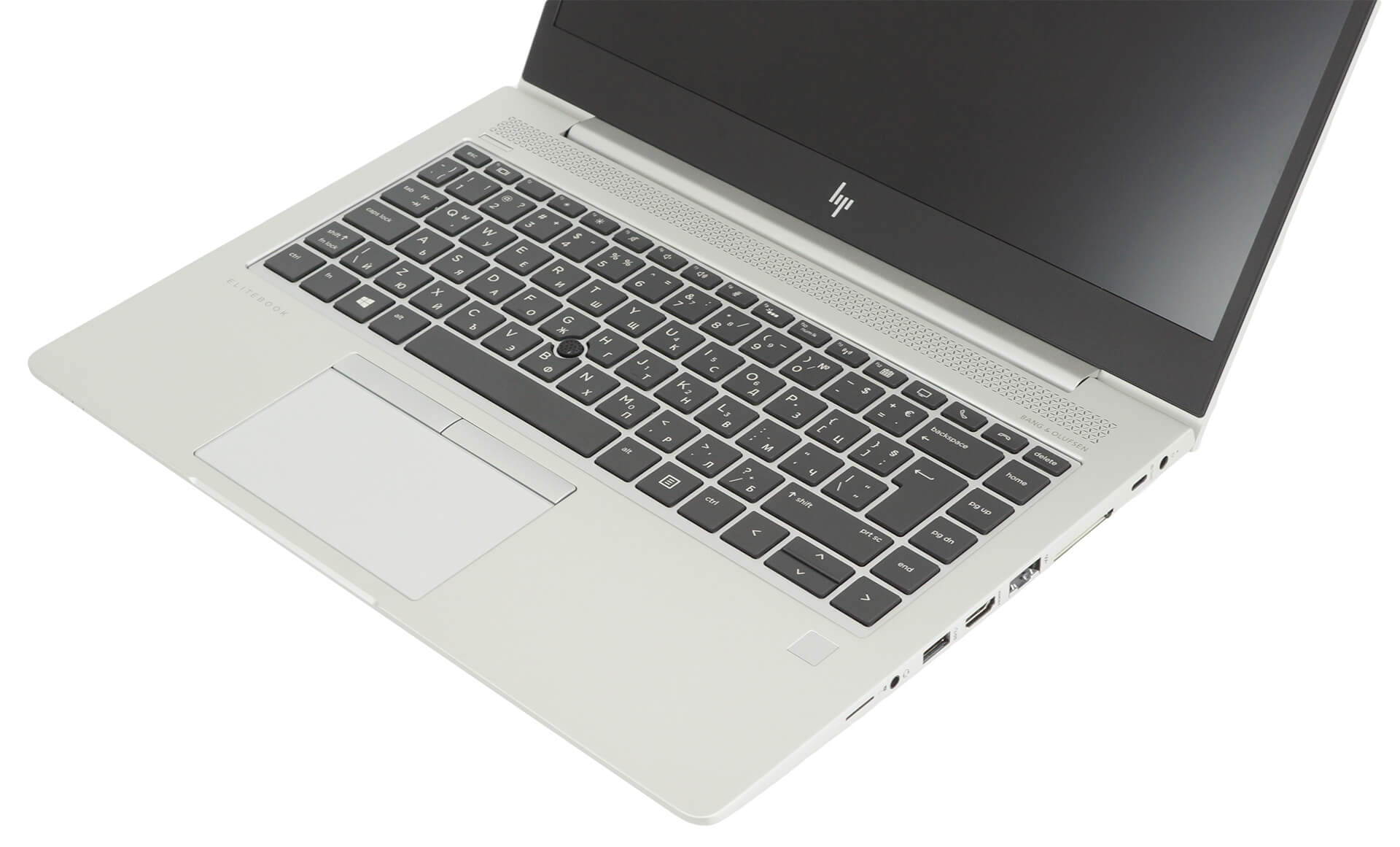
As we mentioned, this device is built mostly out of aluminum. Thankfully, the build quality is superb, which gives the notebook enough rigidity both when bent and twisted. In terms of measurements, we are talking about a 17.9mm profile and a weight of 1.53 kg. Relatively tight package, even for a 14-incher.
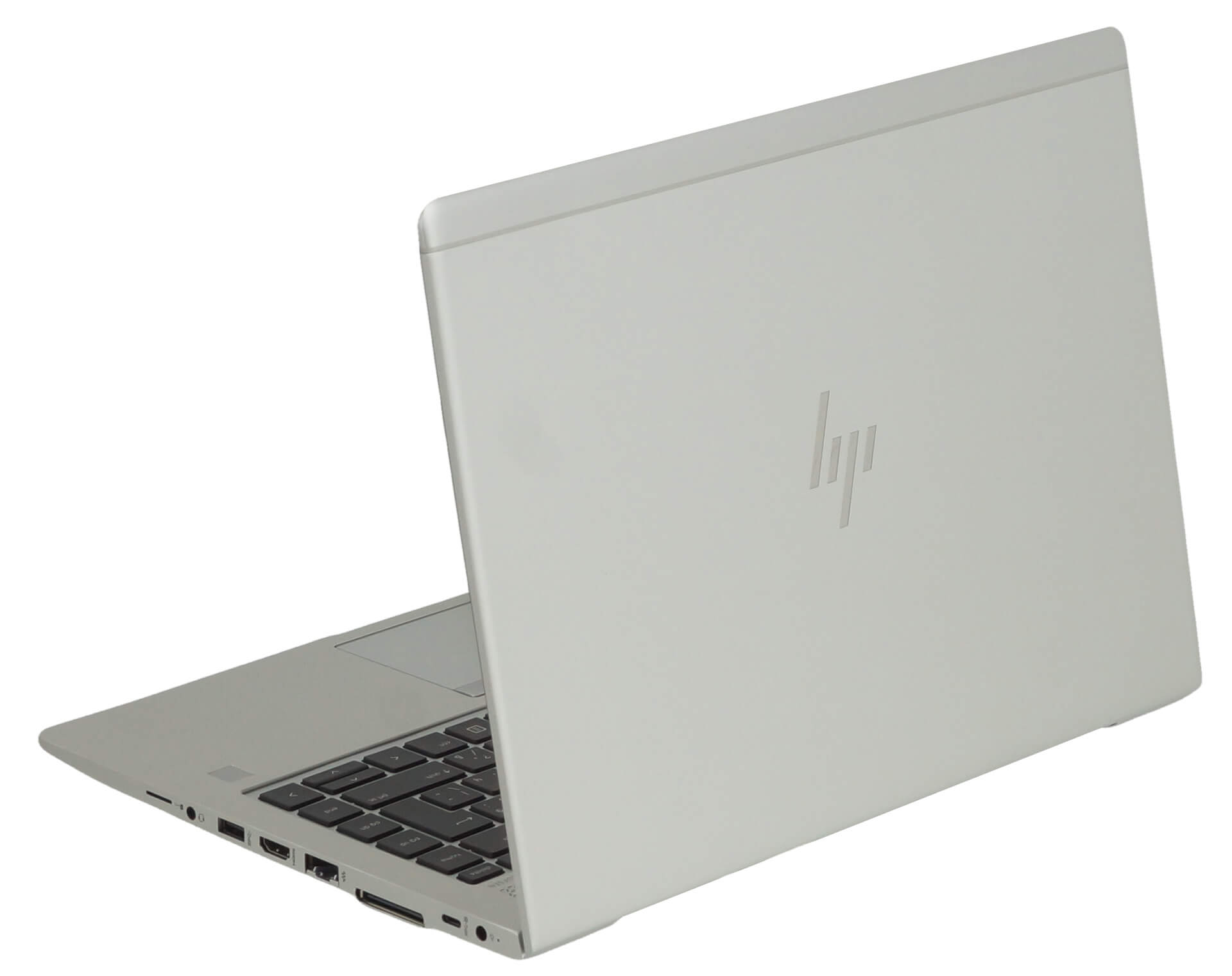
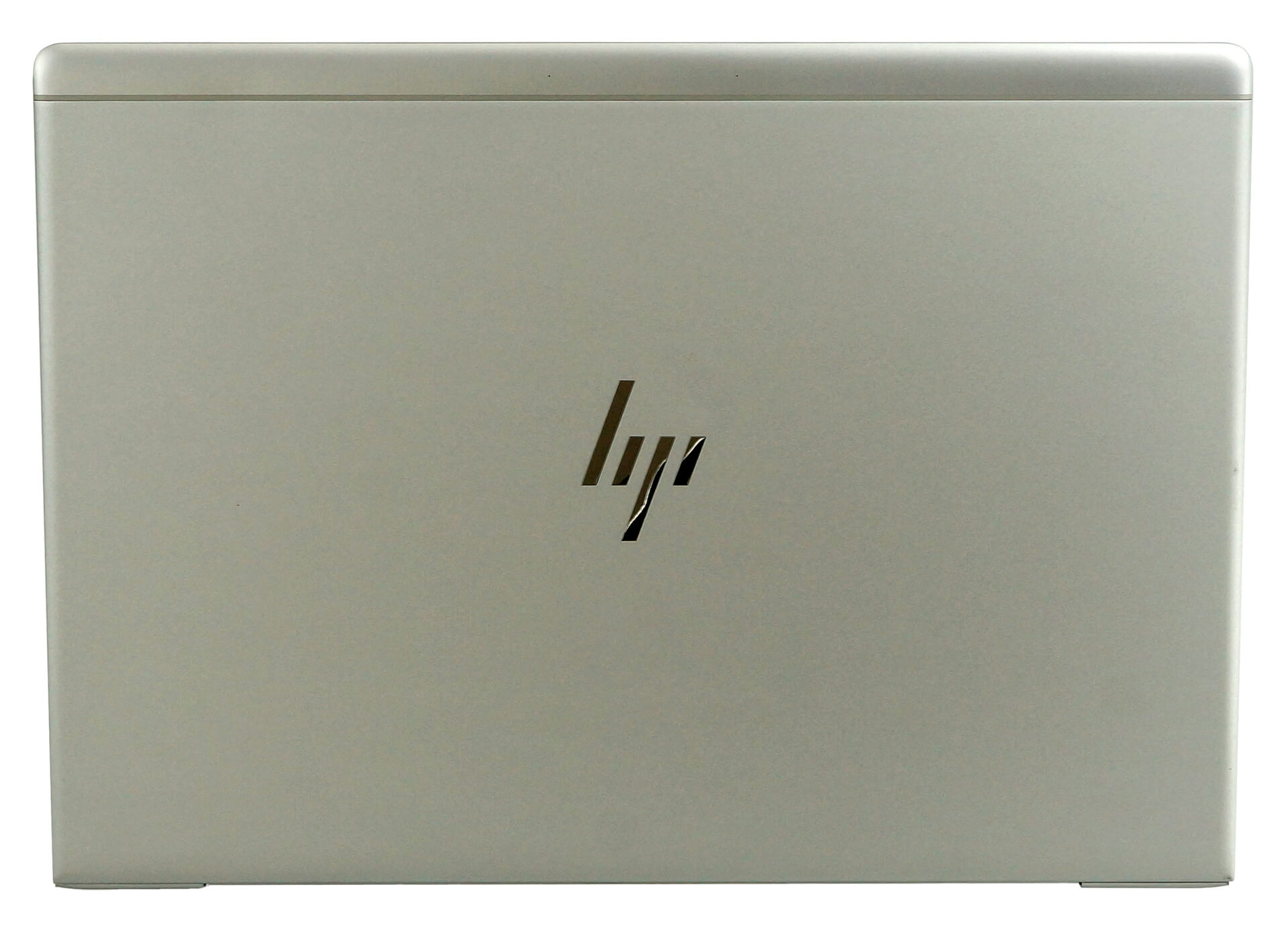
If you try to open the lid with just one hand, you would be pleasantly surprised. The hinges are just tight enough, to provide you with stability, and not be in the way of one-handed operation. While the side bezels are very thin, we think that the top and bottom ones are a bit too fat. Thankfully, HP has made use of the top one by putting an IR face recognition system. It works pretty fast and even in low-lit environments.
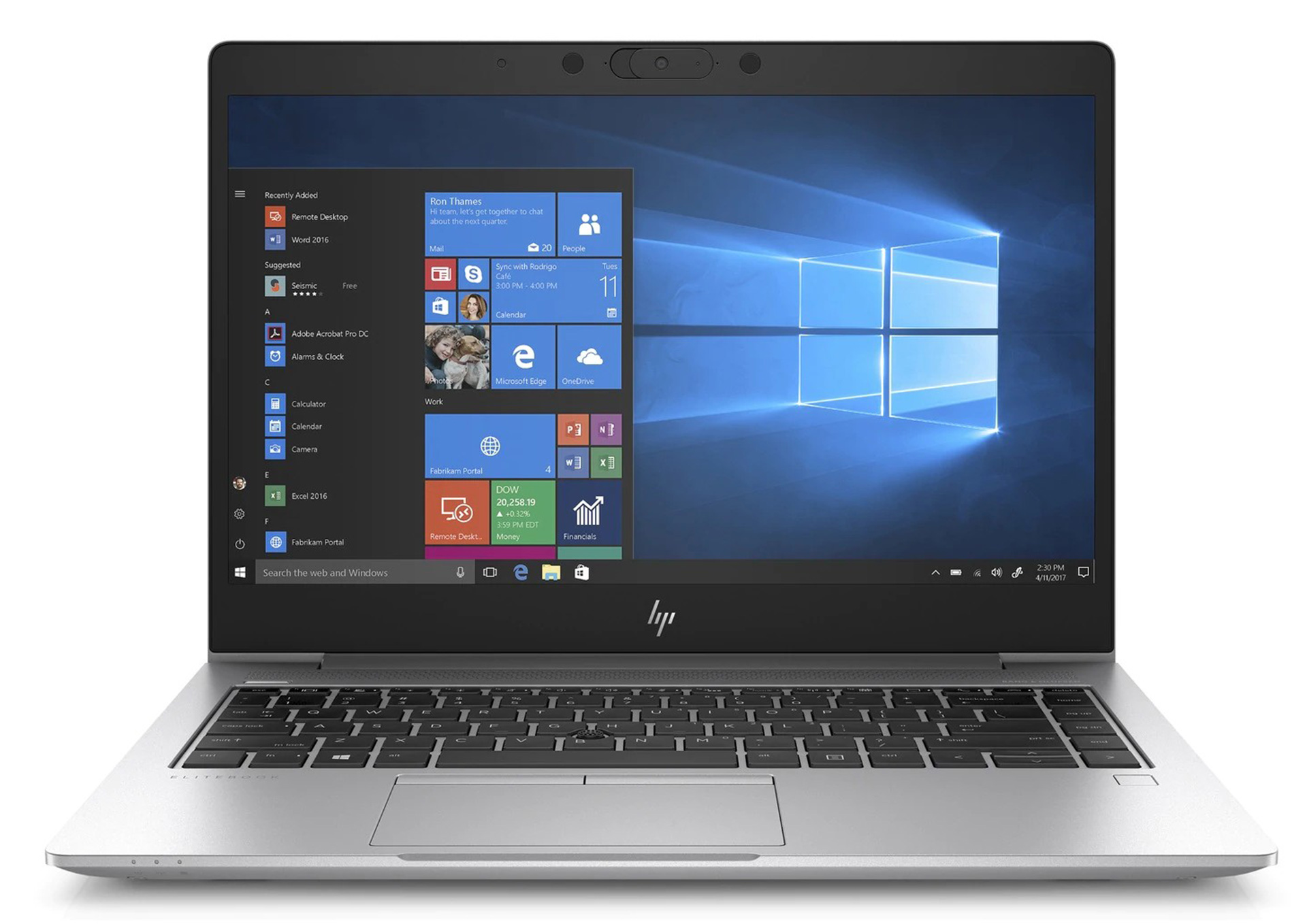
Next, we have the keyboard. It is a backlit unit, which is also spill-resistant. It features a dedicated “nipple” above the “B” key, that works in conjunction with the dedicated buttons above the touchpad. The surface of the keycaps is smooth, and while the key travel is a bit short, the feedback is clicky and quiet, making it extremely comfortable for long typing sessions, even in libraries and offices.

As of the touchpad, it has a glass top, which provides good gliding capabilities. All in all, the experience is good, and you also get a fingerprint reader, placed on the right side of the base. By the way, the speakers of the EliteBook 745 G6 are placed above the keyboard. Ultimately, facing the user should result in a crispier sound.
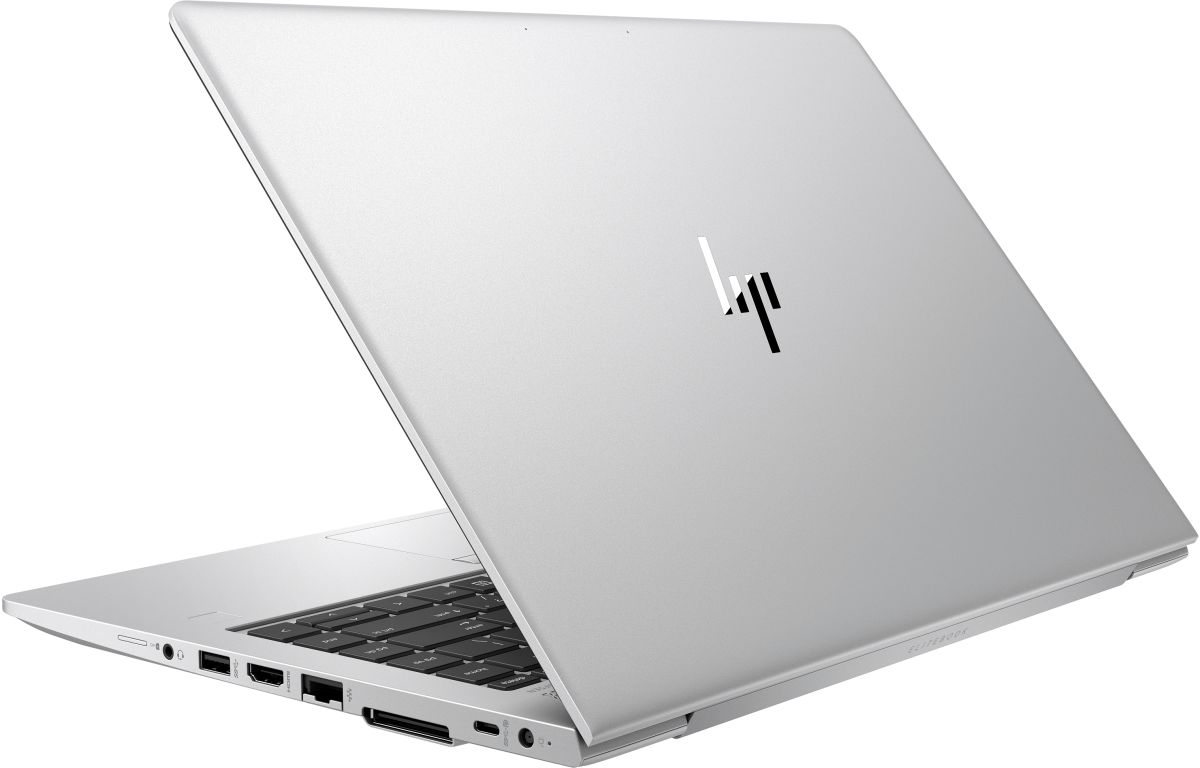
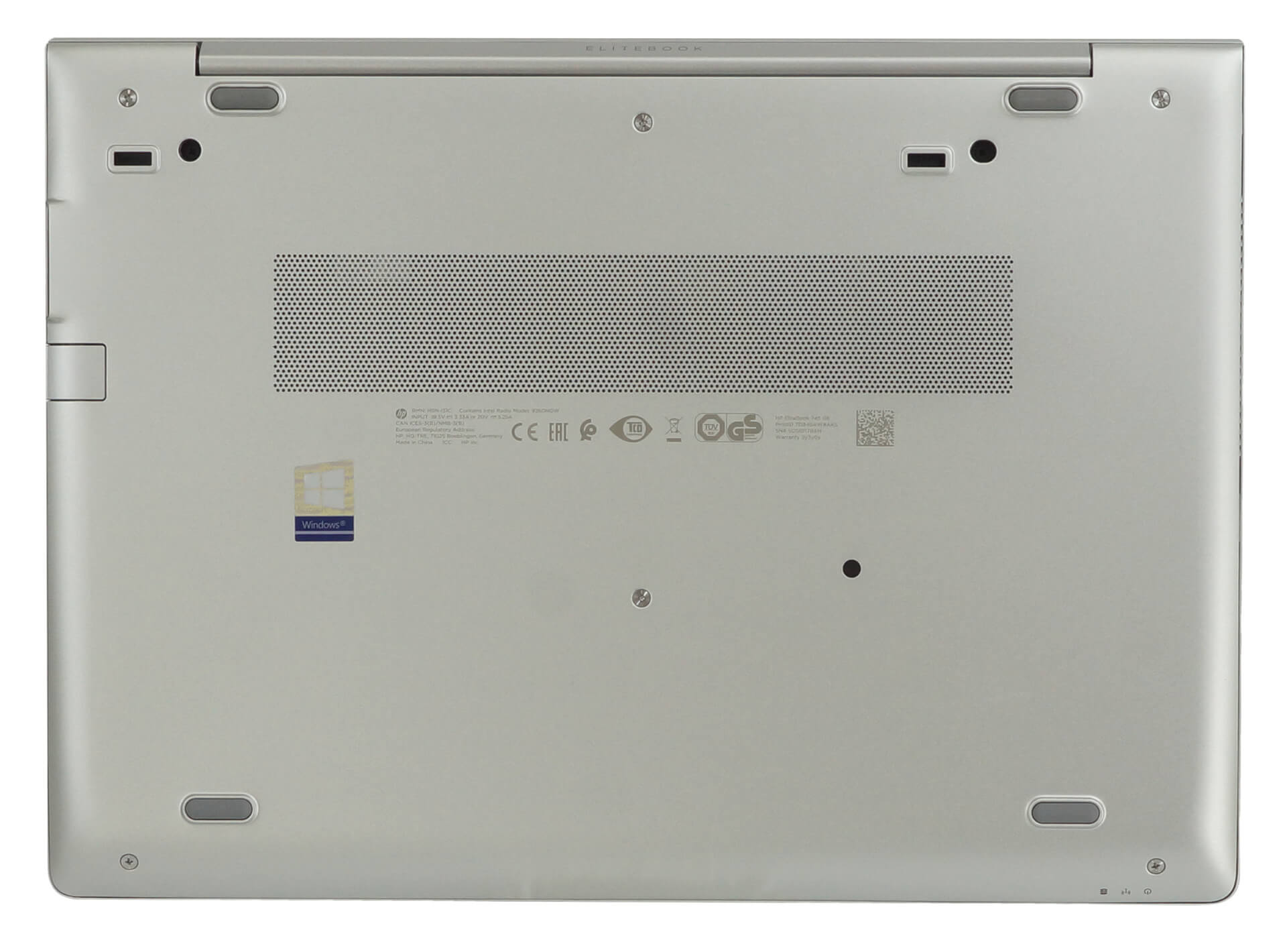
So, if you turn the laptop upside down, you will see only the ventilation grill. By the way, there are three indicator lights on the front side of the machine which show if the laptop is powered on, if there is an active wireless connection and when the device is loading.
Ports
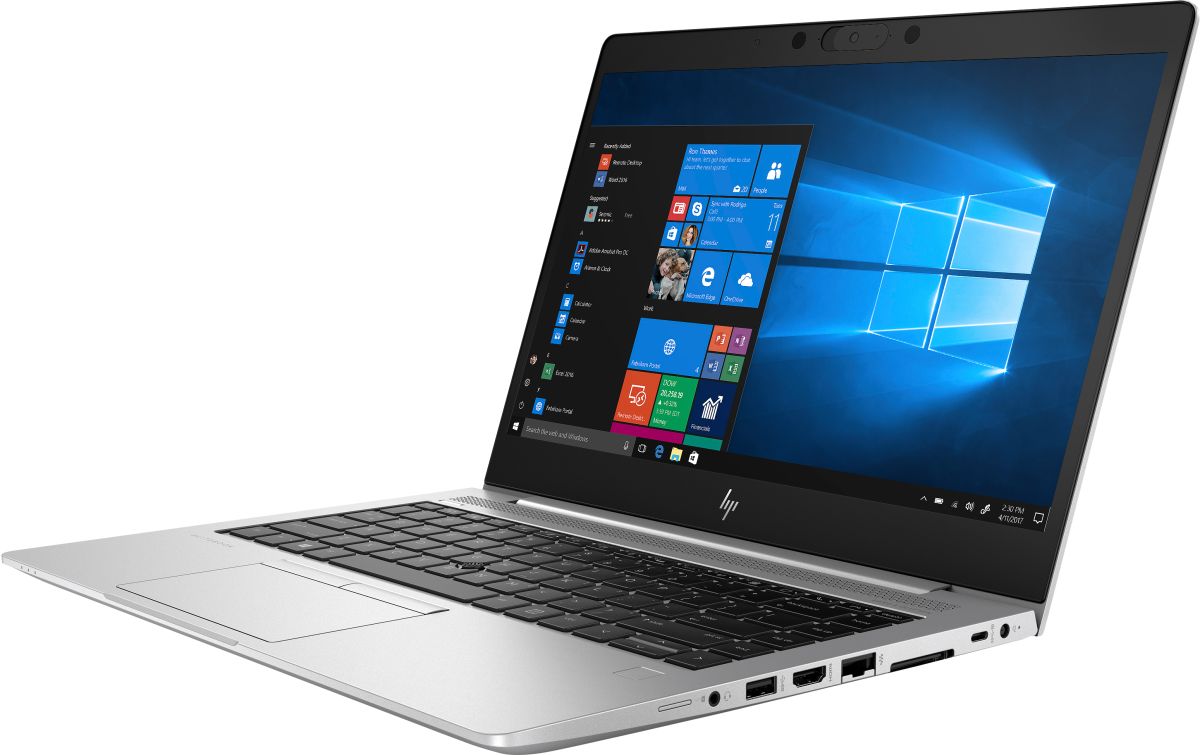
In addition to the exhaust grill on the left, there is a USB Type-A 3.1 (Gen. 1) port, which can be used for charging when the device is sleeping. Next, there is a Smartcard reader, although it is optional. Then, on the right, there is the charging plug, followed by a USB Type-C with DisplayPort output support, a dock connector, an RJ-45 port, an HDMI 2.0 connector, a USB Type-A 3.1 (Gen. 1), a headphone jack, and a MicroSD card reader. Honestly, this is a pretty decent setup.


Disassembly, upgrade options and maintenance
There are 8 Phillips-head screws separating you from the insides of this machine. Thankfully, they stay attached to the bottom panel after you unscrew them, so the chance to lose them is minimal. After that, you need to pry the panel with a plastic tool, or preferably a guitar pick. Keep in mind we found it easier if you start prying around the hinges.
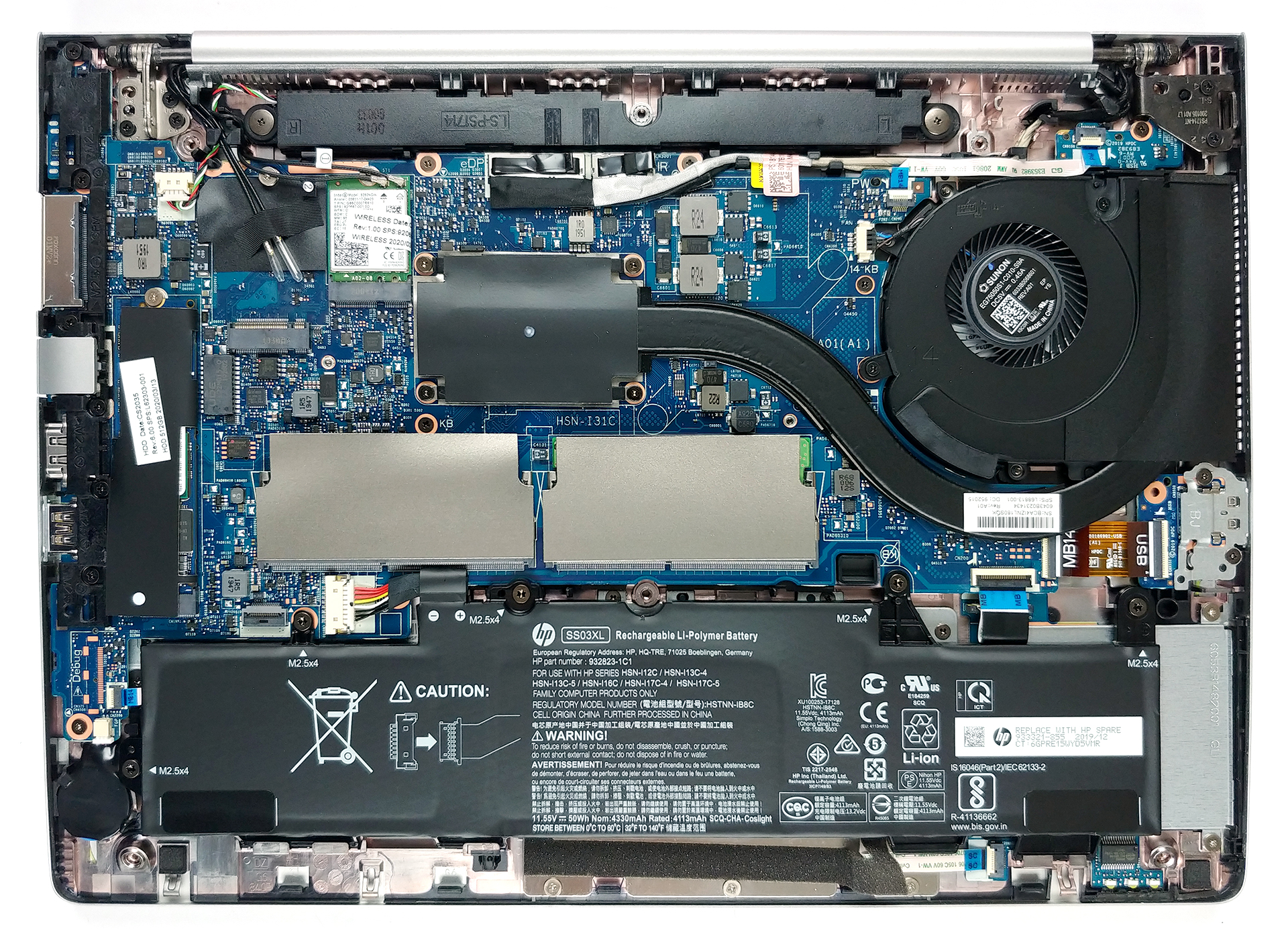
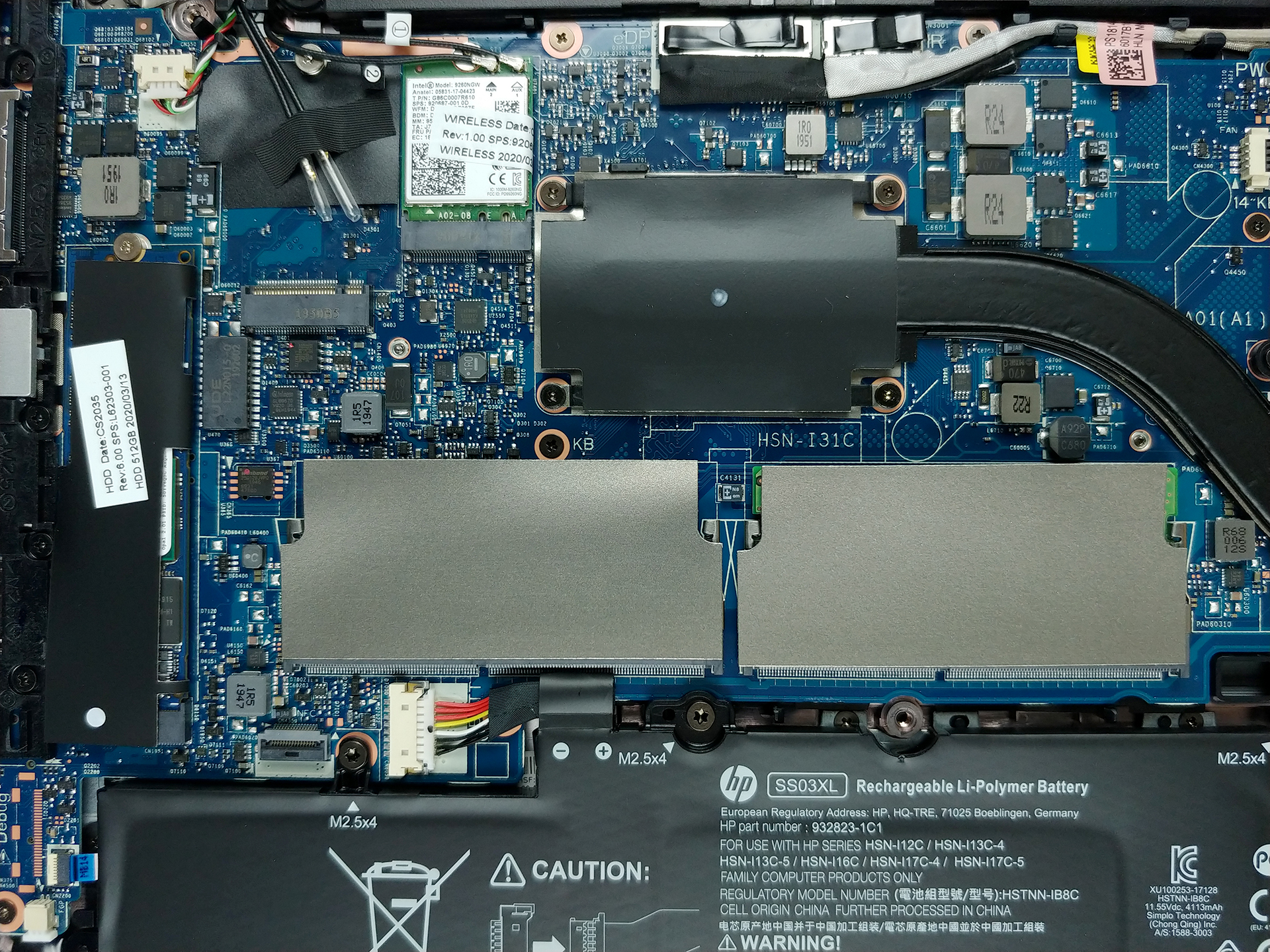
This notebook features an AMD CPU inside, which is cooled by a single – relatively bulky heat pipe.
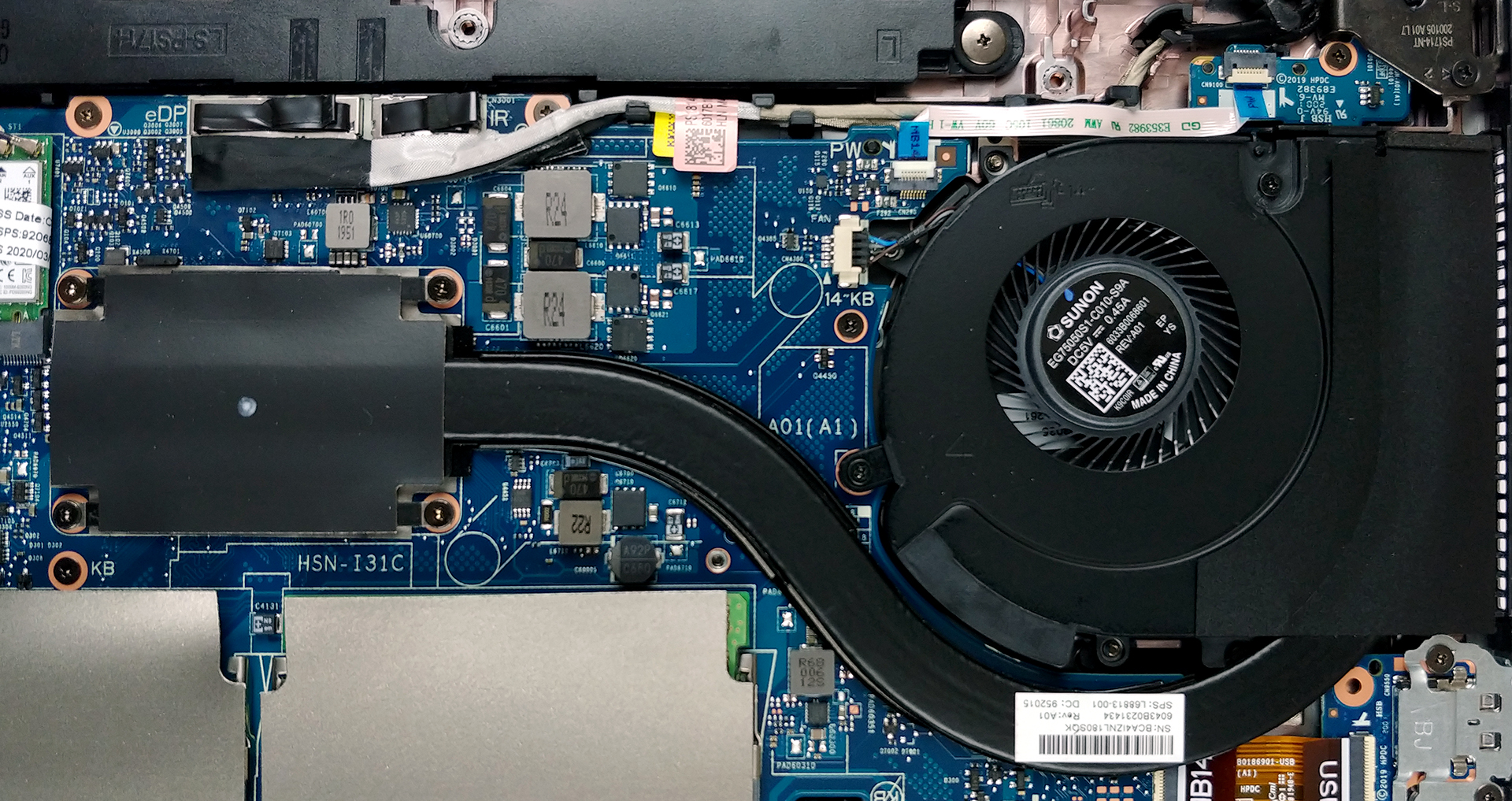
As far as the upgradability goes, the notebook offers you two RAM SODIMM slots (running in dual-channel mode), which support up to 32GB of DDR4 memory at 2400 MHz. Then, there is the M.2 slot, capable of running both SATA and PCIe x4 drives.
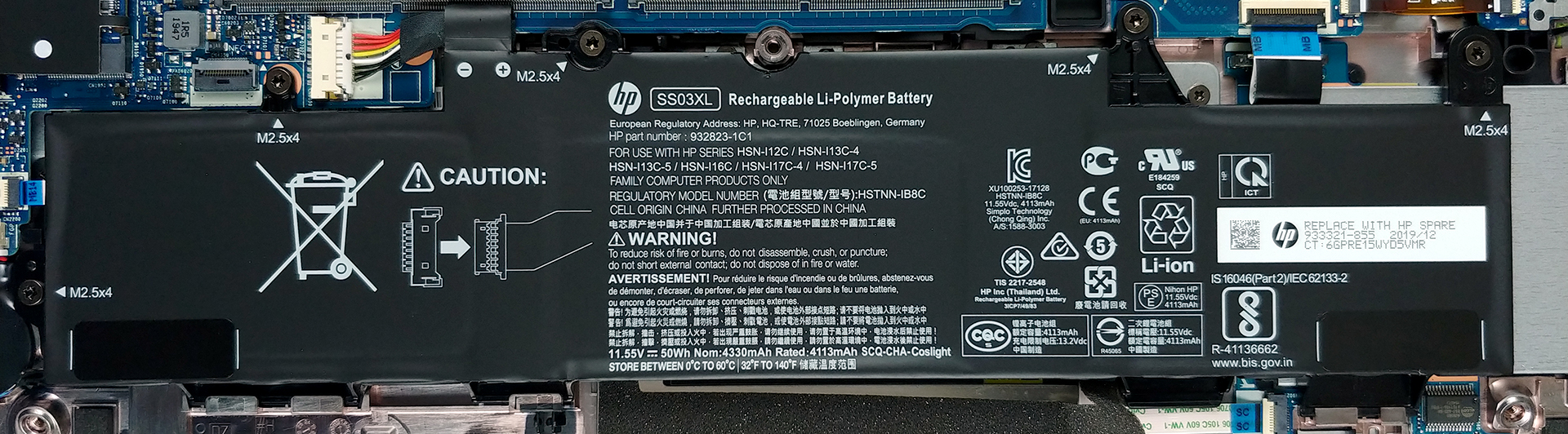
When you’re away from the plug, the EliteBook 745 G6 will be powered by a 50Wh unit.
Display quality
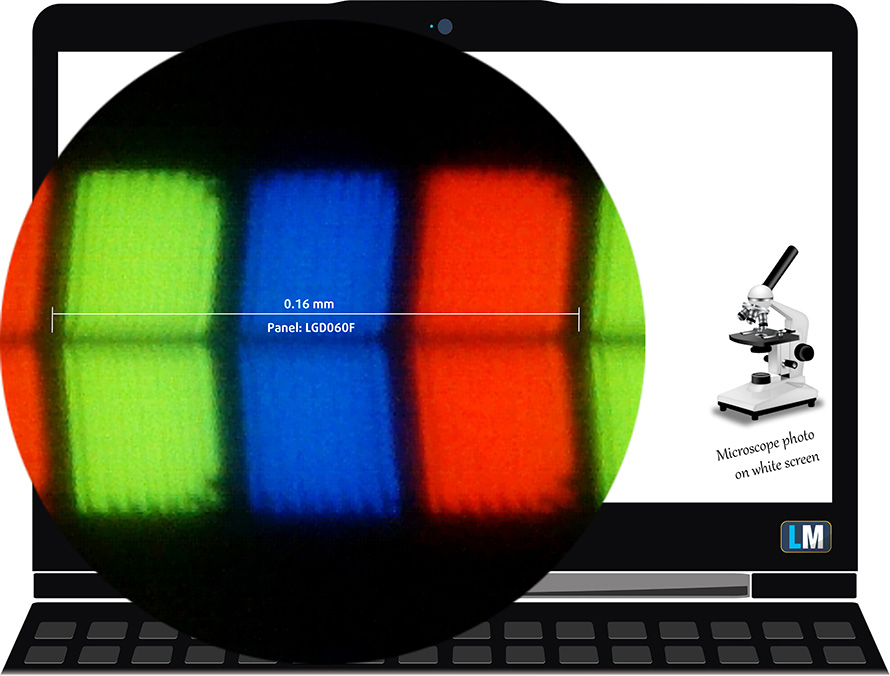
HP EliteBook 745 G6’s display has a Full HD IPS panel, model number LG LP140WFA-SPD3 (LGD060F). Its diagonal is 14″ (35.56 cm), and the resolution – 1920 х 1080. Additionally, the screen ratio is 16:9, the pixel density – 157 ppi, their pitch – 0.161 x 0.161 mm. The screen can be considered Retina when viewed from at least 56 cm (from this distance, the average human eye can’t see the individual pixels).
It has comfortable viewing angles. We have provided images at 45 degrees to evaluate quality.

The maximum measured brightness is 270 nits (cd/m2) in the middle of the screen and 269 nits (cd/m2) average across the surface with a maximum deviation of 12%. The Correlated Color Temperature on a white screen and at maximum brightness is 6470K (average) – basically matching the 6500K optimum for sRGB.
In the illustration below you can see how the display performs from uniformity perspective. The illustration below shows how matters are for operational brightness levels (approximately 140 nits) – in this particular case at 72% Brightness (White level = 139 cd/m2, Black level = 0.15 cd/m2).
Values of dE2000 over 4.0 should not occur, and this parameter is one of the first you should check if you intend to use the laptop for color-sensitive work (a maximum tolerance of 2.0 ). The contrast ratio is acceptable – 950:1.

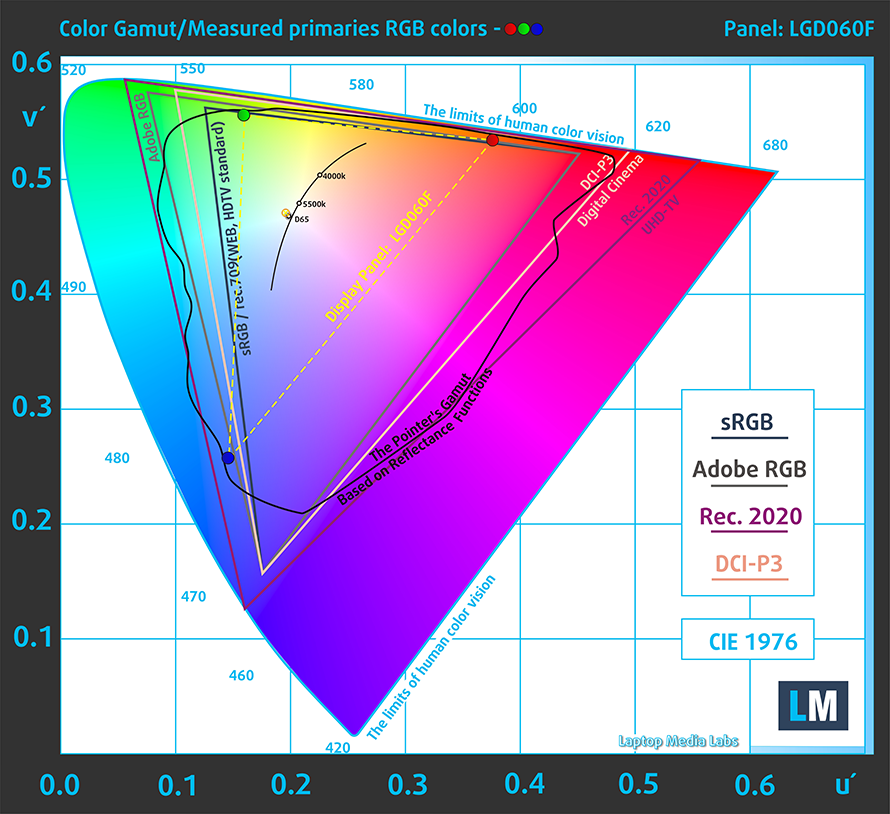
To make sure we are on the same page, we would like to give you a little introduction to the sRGB color gamut and the Adobe RGB. To start, there’s the CIE 1976 Uniform Chromaticity Diagram that represents the visible specter of colors by the human eye, giving you a better perception of the color gamut coverage and the color accuracy.
Inside the black triangle, you will see the standard color gamut (sRGB) that is being used by millions of people in HDTV and on the web. As for the Adobe RGB, this is used in professional cameras, monitors, etc for printing. Basically, colors inside the black triangle are used by everyone and this is the essential part of the color quality and color accuracy of a mainstream notebook.
Still, we’ve included other color spaces like the famous DCI-P3 standard used by movie studios, as well as the digital UHD Rec.2020 standard. Rec.2020, however, is still a thing of the future and it’s difficult for today’s displays to cover that well. We’ve also included the so-called Michael Pointer gamut, or Pointer’s gamut, which represents the colors that naturally occur around us every day.
The yellow dotted line shows HP EliteBook 745 G6’s color gamut coverage.
Its display covers a narrow 50% of the sRGB/ITU-R BT.709 (web/HDTV standard) in CIE1976.
Our “Design and Gaming” profile delivers optimal color temperature (6500K) at 140 cd/m2 luminance and sRGB gamma mode.
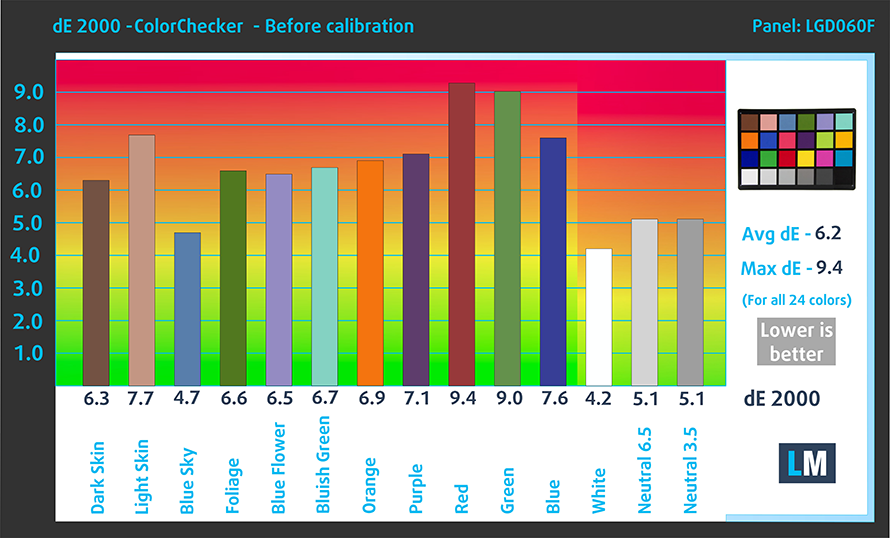
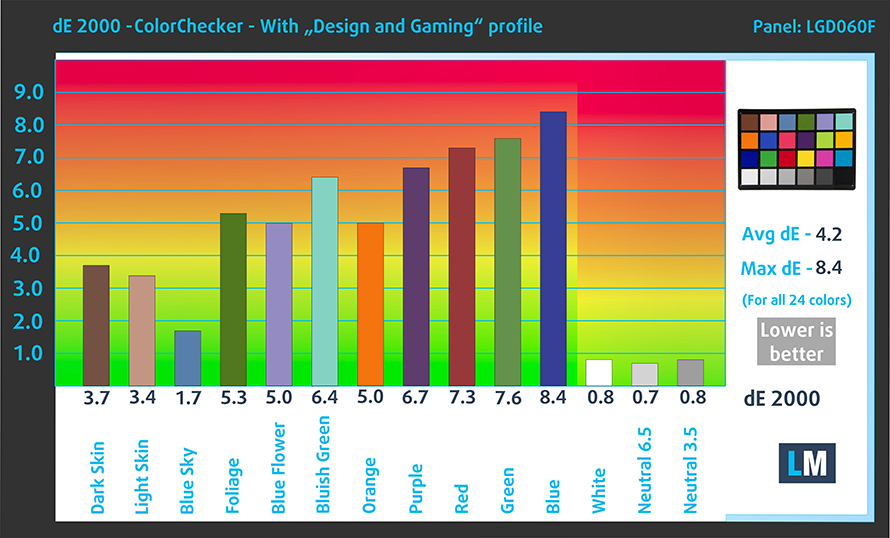
We tested the accuracy of the display with 24 commonly used colors like light and dark human skin, blue sky, green grass, orange, etc. You can check out the results at factory condition and also, with the “Design and Gaming” profile.
Below you can compare the scores of HP EliteBook 745 G6 with the default settings (left), and with the “Gaming and Web design” profile (right).
The next figure shows how well the display is able to reproduce really dark parts of an image, which is essential when watching movies or playing games in low ambient light.
The left side of the image represents the display with stock settings, while the right one is with the “Gaming and Web Design” profile activated. On the horizontal axis, you will find the grayscale and on the vertical axis – the luminance of the display. On the two graphs below you can easily check for yourself how your display handles the darkest nuances but keep in mind that this also depends on the settings of your current display, the calibration, the viewing angle, and the surrounding light conditions.

Response time (Gaming capabilities)
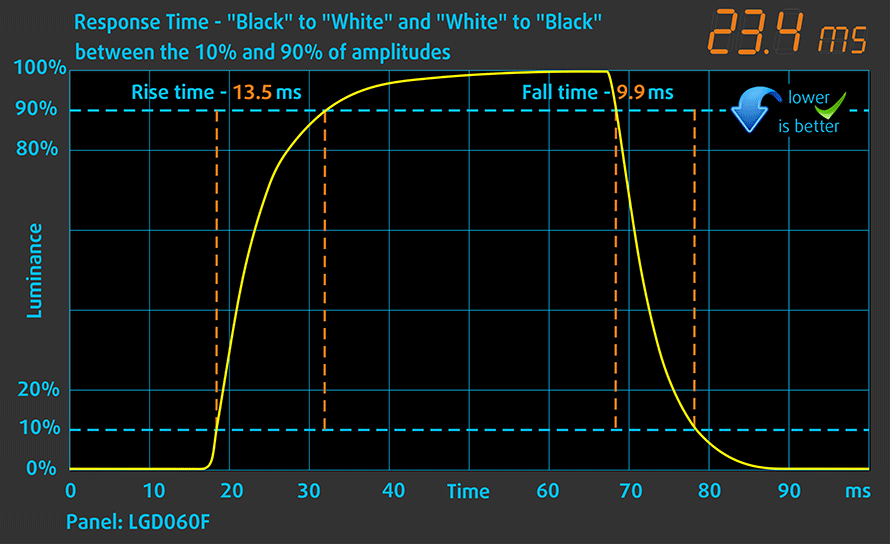
We test the reaction time of the pixels with the usual “black-to-white” and “white-to-black” method from 10% to 90% and vice versa.
We recorded Fall Time + Rise Time = 23 ms.
Health impact – PWM / Blue Light
PWM (Screen flickering)
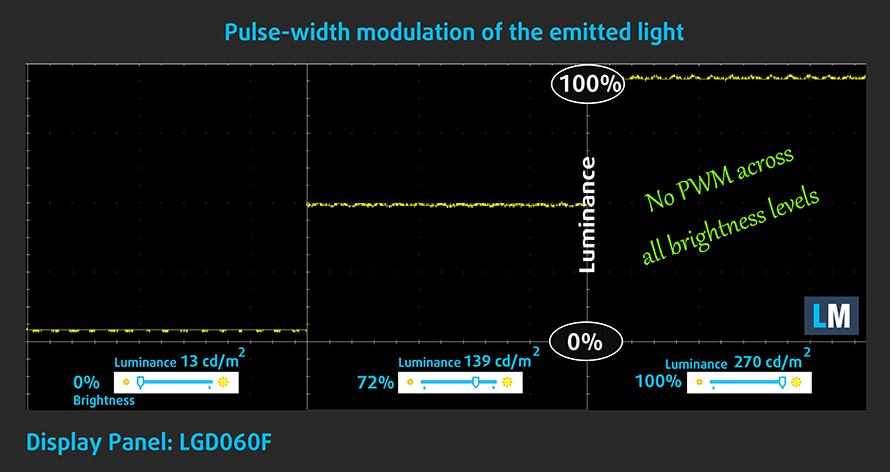
Pulse-width modulation (PWM) is an easy way to control monitor brightness. When you lower the brightness, the light intensity of the backlight is not lowered, but instead turned off and on by the electronics with a frequency indistinguishable to the human eye. In these light impulses, the light/no-light time ratio varies, while brightness remains unchanged, which is harmful to your eyes. You can read more about that in our dedicated article on PWM.
Our instruments didn’t detect any usage of PWM across all brightness levels of the display. This means it is comfortable for long periods of usage, without being harmful to your eyes in this aspect.
Blue light emissions
Installing our Health-Guard profile not only eliminates PWM but also reduces the harmful Blue Light emissions while keeping the colors of the screen perceptually accurate. If you’re not familiar with the Blue light, the TL;DR version is – emissions that negatively affect your eyes, skin and your whole body. You can find more information about that in our dedicated article on Blue Light.
Conclusions
HP EliteBook 745 G6’s display has an IPS panel with a Full HD resolution, decent contrast ratio, and comfortable viewing angles. Furthermore, the backlight doesn’t flicker at any brightness level, making it comfortable for long working periods. Unfortunately, it covers only 50% of sRGB.
Buy our profiles
Since our profiles are tailored for each individual display model, this article and its respective profile package are meant for HP EliteBook 745 G6 configurations with 14.0″ LG LP140WFA-SPD3 (LGD060F) (FHD, 1920 × 1080) IPS.
*Should you have problems with downloading the purchased file, try using a different browser to open the link you’ll receive via e-mail. If the download target is a .php file instead of an archive, change the file extension to .zip or contact us at [email protected].
Read more about the profiles HERE.
En plus de recevoir des profils efficaces et respectueux de la santé, en achetant les produits de LaptopMedia, vous soutenez également le développement de nos laboratoires, où nous testons des appareils afin de produire les critiques les plus objectives possibles.

Travail de bureau
Office Work devrait être utilisé principalement par les utilisateurs qui passent la plupart de leur temps à regarder des textes, des tableaux ou simplement à naviguer. Ce profil vise à offrir une meilleure distinction et clarté en maintenant une courbe gamma plate (2.20), une température de couleur native et des couleurs fidèles à la perception.

Design et Gaming
Ce profil s'adresse aux designers qui travaillent avec les couleurs de manière professionnelle, ainsi qu'aux jeux et aux films. Design and Gaming pousse les dalles d'affichage à leurs limites, les rendant aussi précises que possible dans la norme sRGB IEC61966-2-1 pour le Web et la TVHD, au point blanc D65.

Health-Guard
Health-Guard élimine la Modulation de Largeur d'Impulsion (PWM) nocive et réduit la lumière bleue négative qui affecte nos yeux et notre corps. Comme il est adapté à chaque dalle, il parvient à conserver des couleurs fidèles à la perception. Health-Guard simule le papier, ce qui réduit considérablement la pression sur les yeux.
Obtenez les 3 profils avec 33% de réduction

Sound
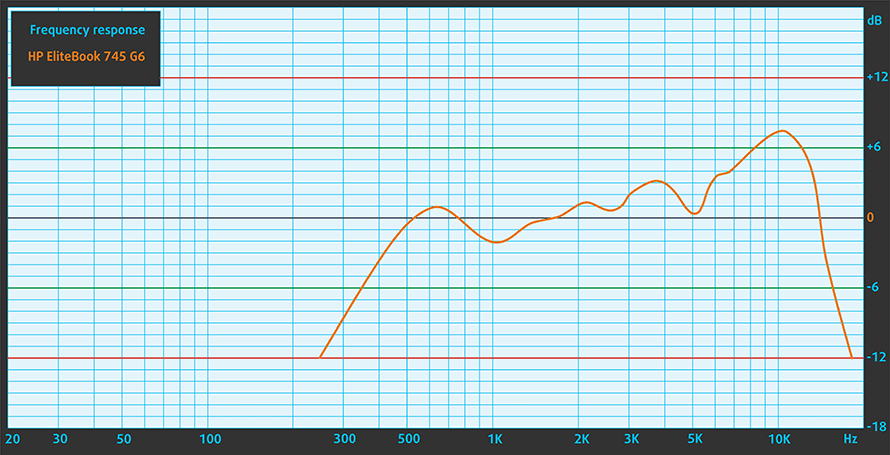
HP EliteBook 745 G6’s speakers are tuned by Bang & Olufsen. They produce a loud, clear sound with decent quality, and its entire frequency range is clear of deviations.
Drivers
All of the drivers and utilities for this notebook can be found here: https://support.hp.com/us-en/drivers/selfservice/hp-elitebook-745-g6-notebook-pc/27690689
Battery
Now, we conduct the battery tests with Windows Better performance setting turned on, screen brightness adjusted to 120 nits and all other programs turned off except for the one we are testing the notebook with. This device’s 50Wh unit is capable of providing around 12 hours of Web browsing and more than 11 hours of video playback.
Luminosité : 180 nits ; Mode d'affichage : SDR
Temps de décharge complète : plus c'est long, mieux c'est
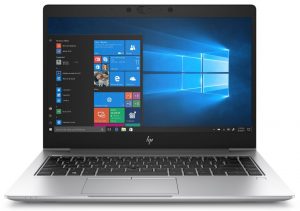
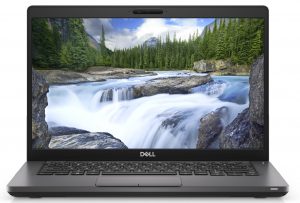
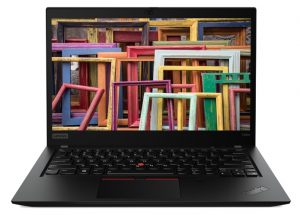
Afin de simuler des conditions réelles, nous avons utilisé notre propre script pour une navigation web automatique sur plus de 70 sites.
CPU options
This device comes in a choice of three processor options. They are the dual-core Ryzen 3 PRO 3300U, and the quad-core Ryzen 5 PRO 3500U and Ryzen 7 PRO 3700U.
GPU options
No dedicated graphics here. This means you will receive the respective integrated solution – either the Radeon RX Vega 6, Vega 8, or Vega 10.
Gaming tests

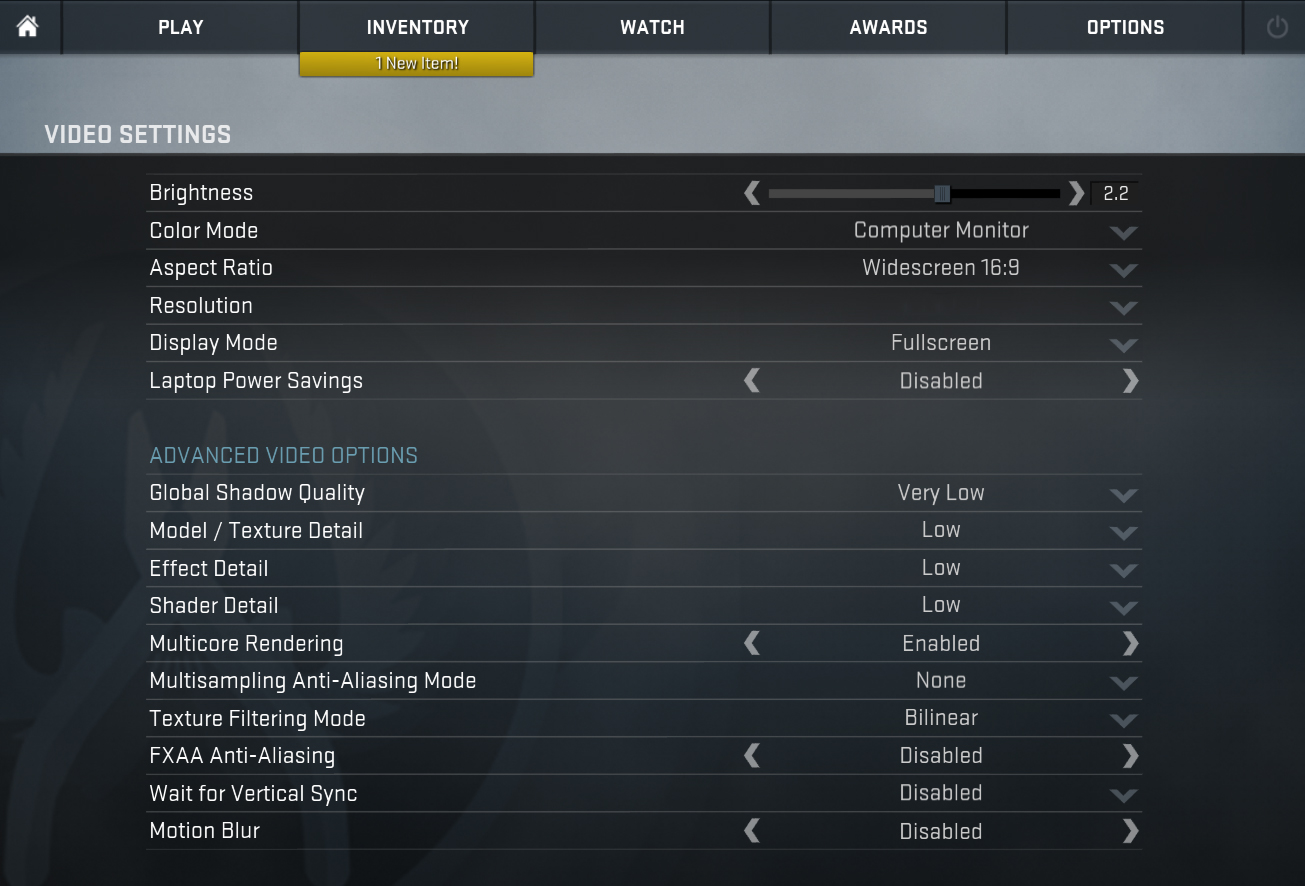
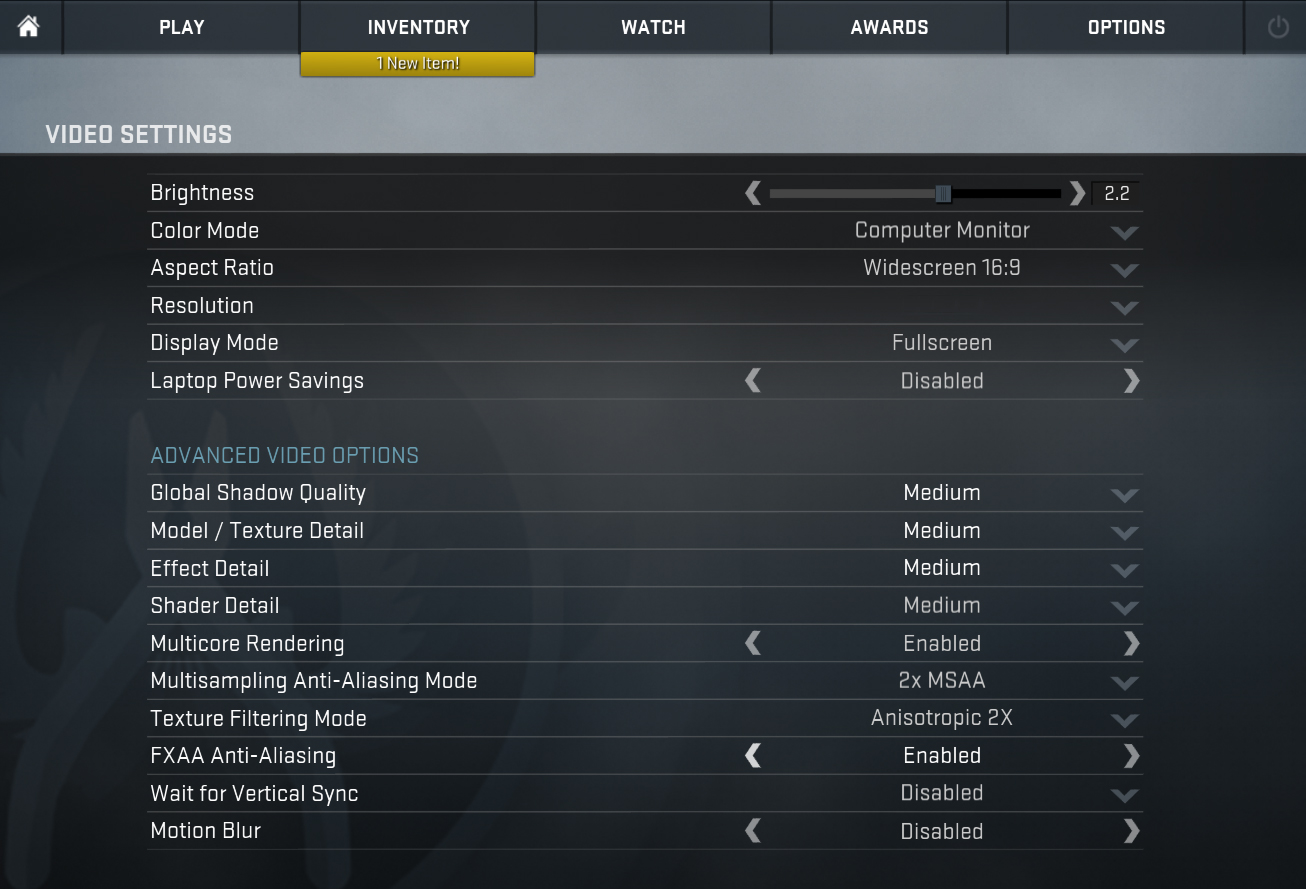
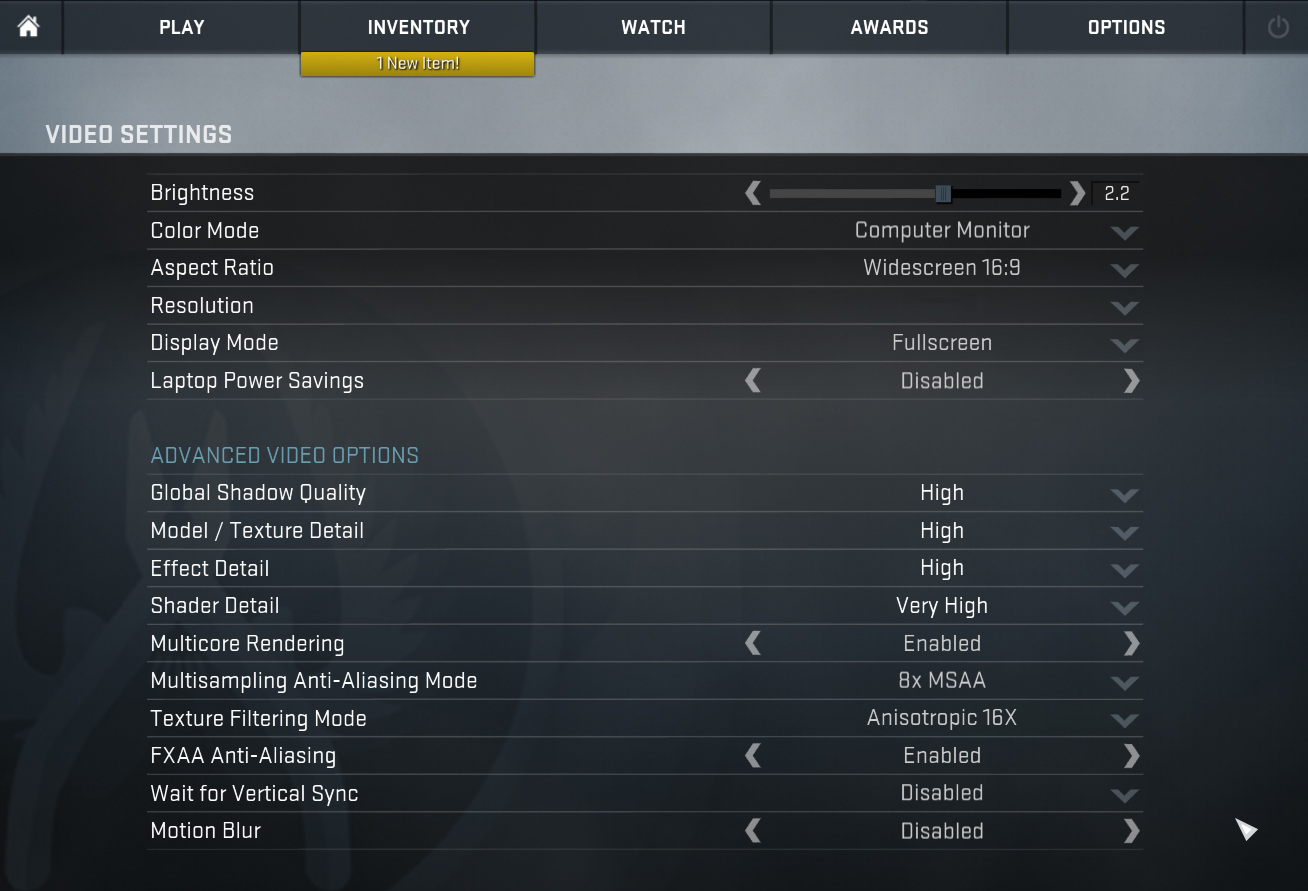
| CS:GO | HD 1080p, Low (Check settings) | HD 1080p, Medium (Check settings) | HD 1080p, MAX (Check settings) |
|---|---|---|---|
| AMD Radeon RX Vega 10 | 50 fps | 37 fps | 26 fps |

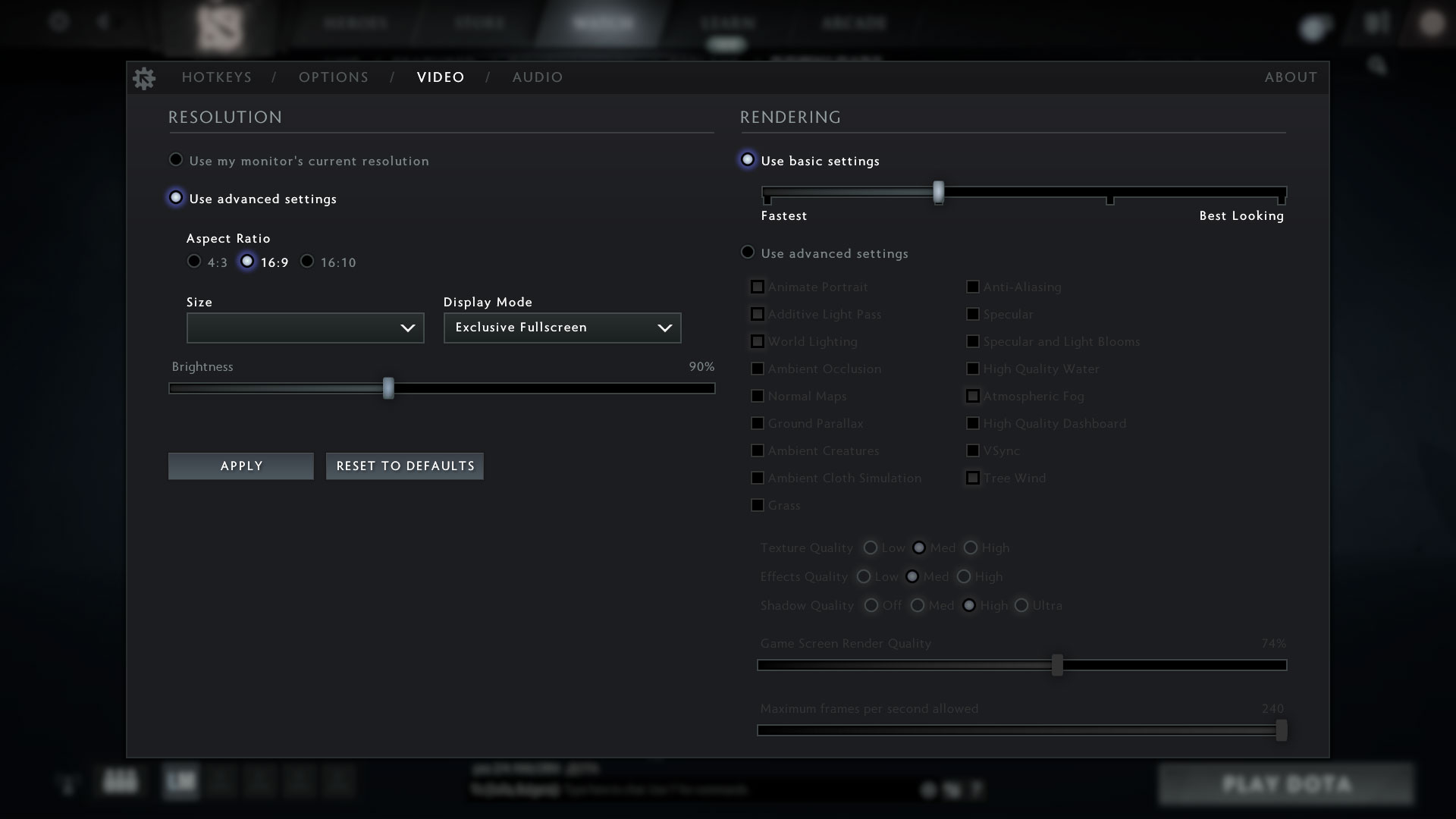
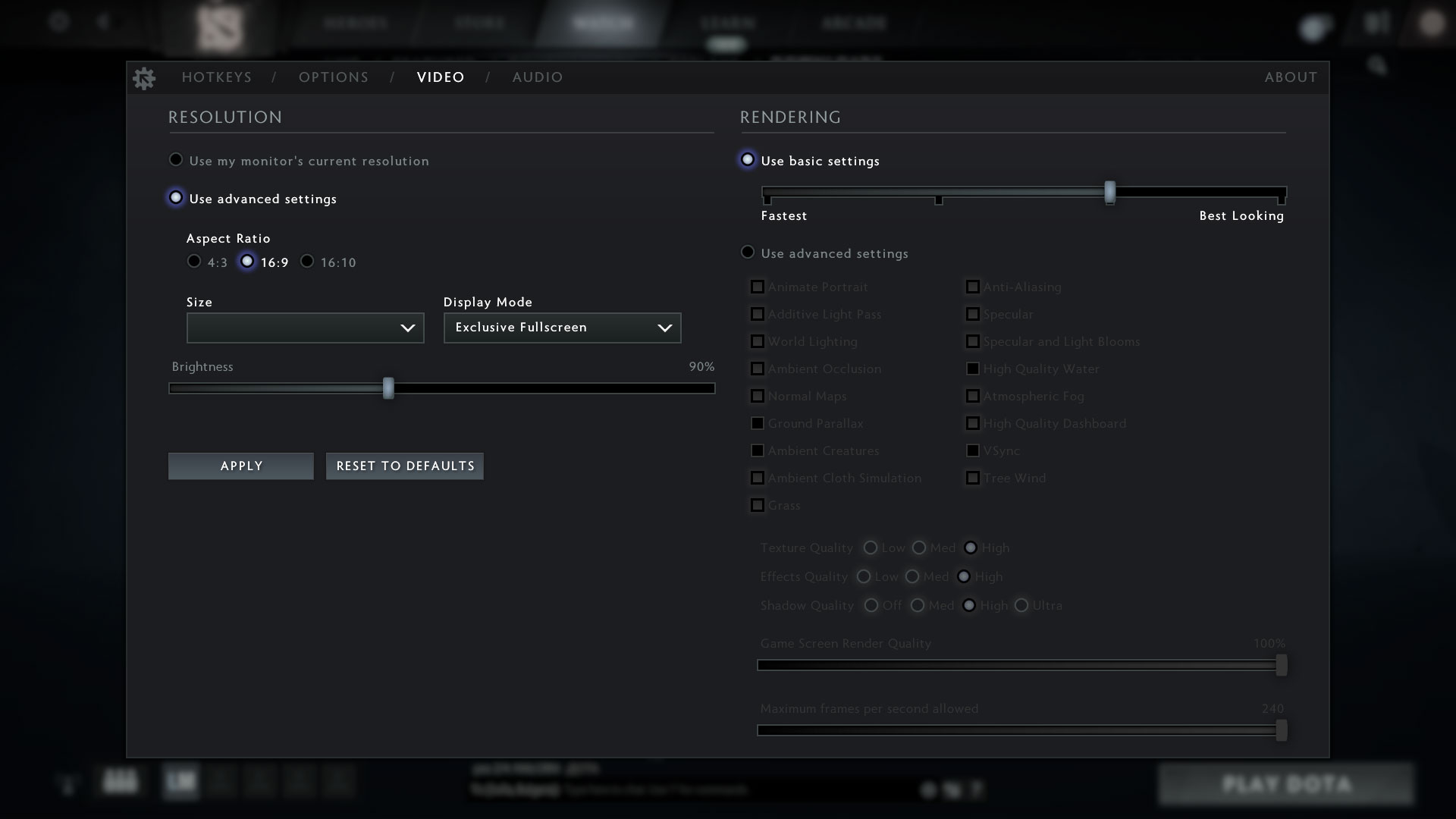
| DOTA 2 | HD 1080p, Low (Check settings) | HD 1080p, Normal (Check settings) | HD 1080p, High (Check settings) |
|---|---|---|---|
| AMD Radeon RX Vega 10 | 70 fps | 39 fps | 23 fps |
Temperatures and comfort
Max CPU load
In this test we use 100% on the CPU cores, monitoring their frequencies and chip temperature. The first column shows a computer’s reaction to a short load (2-10 seconds), the second column simulates a serious task (between 15 and 30 seconds), and the third column is a good indicator of how good the laptop is for long loads such as video rendering.
Average core frequency (base frequency + X); CPU temp.
| AMD Ryzen 7 PRO 3700U (15W TDP) | 0:02 – 0:10 sec | 0:15 – 0:30 sec | 10:00 – 15:00 min |
|---|---|---|---|
| HP EliteBook 745 G6 | 3.20 GHz (B+39%) @ 65°C | 3.11 GHz (B+35%) @ 75°C | 2.67 GHz (B+16%) @ 67°C |
| AMD Ryzen 7 3700U (15W TDP) | 0:02 – 0:10 sec | 0:15 – 0:30 sec | 10:00 – 15:00 min |
| ASUS VivoBook 15 F512 (X512) | 3.10 GHz (B+35%) @ 65°C | 3.09 GHz (B+34%) @ 80°C | 2.39 GHz (B+4%) @ 68°C |
Indeed, the clock speeds and the temperatures of this unit are very well balanced. In comparison to the VivoBook 15 F512 (X512), which was equipped with the non-Pro version, we see a better cooling capacity. However, when you consider the 4.00 GHz maximum Boost speed, things don’t look too good, as it never reached it under the stress of Prime95.
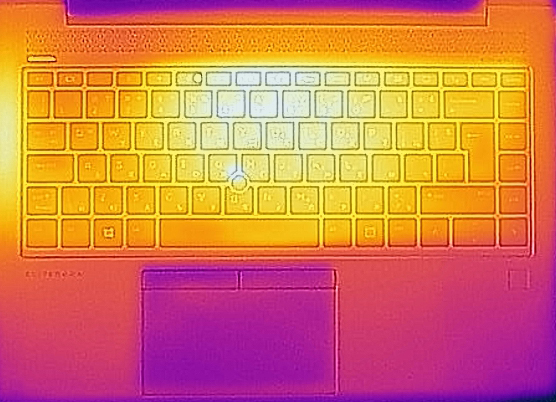
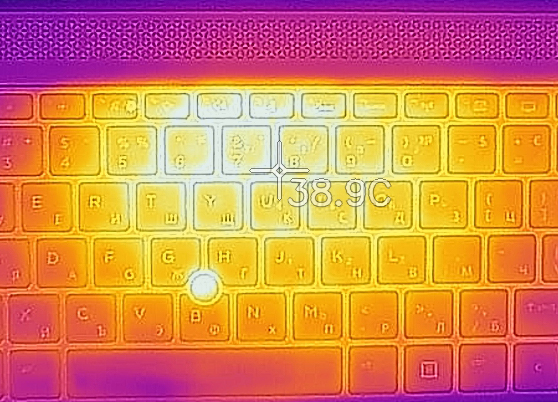
Comfort during full load
While the cooling fan was clearly audible, you have to keep in mind that this was achieved in an unnaturally high load scenario. Most of the time – for example, if you are browsing the Web or transferring files, the laptop is very quiet, if not silent.
Verdict
 When it comes to business devices, there is a lot of expectations that need to be covered. First, security is king. This is where the PRO moniker of the processor, combined with the GuardMi technology kick in. They aim to offer enhancement and encryption both on hardware and on a software level. Additionally, there are multiple biometric identification methods. They consist of a fingerprint reader and an IR face recognition system.
In terms of speed, the notebook performs decently well. It is rather cool, even under excessively heavy load (like Prime95), where the maximum temperature we got was 75C. Indeed, the fan was being pushed quite hard, but for the majority of usage scenarios, the laptop will be quiet enough.
Then there comes the battery life. We got around 12 hours of Web browsing and 11 hours of video playback, ensuring an entire workday on a single charge. So, what if you don’t care about autonomous time, but you need fast storage and a lot of memory. Well, the EliteBook 745 G6 supports up to 32GB of DDR4 memory, working at 2400 MHz, and when it comes to the storage, there is a single M.2 SATA/PCIe x4 slot.
HP EliteBook 745 G6’s display has an IPS panel with a Full HD resolution, decent contrast ratio, and comfortable viewing angles. Furthermore, the backlight doesn’t flicker at any brightness level, making it comfortable for long working periods. Unfortunately, it covers only 50% of sRGB.
On the bright side, the speakers are quite good, and the keyboard is great for typing. Its clicky, but yet quiet feedback makes it perfect for libraries or other places that value tranquility.
Not on the last place there is the MicroSD card slot, optional LTE connectivity, USB Type-C Port with a DisplayPort output, as well as the docking station and Smart card reader. Honestly, we would certainly recommend this device.
Pros
- Cool performance under heavy load
- Comfortable and quiet keyboard paired with a great touchpad
- Rich I/O with dock support, and optional LTE and Smart card connectivity
- Good battery life
- Its Full HD IPS panel has comfortable viewing angles and good contrast ratio (LG LP140WFA-SPD3)
- Lacks PWM for brightness adjustment (LG LP140WFA-SPD3)
- Supports 32GB of DDR4 memory in dual-channel mode and M.2 SATA/PCIe x4 drives
Cons
- No Thunderbolt port
- Covers only 50% of sRGB (LG LP140WFA-SPD3)
You can check the prices and configurations in our Specs System: https://laptopmedia.com/series/hp-elitebook-745-g6/
 Author: Alex Iliev
 Author: eng. Kroum NikolovHead of Engineering at LaptopMedia.com, inventor and innovator with 40+ years of experience in electronics and high technology.

![[Août 2026] Amazon Global : le top 10 des ordinateurs portables les plus vendus – L’Apple MacBook Neo domine le classement tandis que les portables Windows d’entrée et de milieu de gamme se disputent les parts de marché](https://laptopmedia.com/wp-content/uploads/2026/09/Best-Selling-Laptops-GLOBAL-Top-10-400x225.jpg)
![[Août 2026] Les marques d’ordinateurs portables les plus vendues sur Amazon Global : Apple domine en termes de chiffre d’affaires tandis que HP se distingue par la diversité de ses modèles](https://laptopmedia.com/wp-content/uploads/2026/09/GLOBAL-Best-Brands-400x225.jpg)
![[Août 2026] Amazon Global : le top 10 des ordinateurs portables de jeu les plus vendus – Le HP Victus 15 s’empare de la première place alors que les modèles abordables dominent le classement](https://laptopmedia.com/wp-content/uploads/2026/09/Best-Selling-Gaming-Laptops-GLOBAL-Top-10-400x225.jpg)
![[August 2026] Best-Selling Laptop Brands on Amazon Japan – Apple Dominates Market Share and Revenue Led by Strong Unit Sales](https://laptopmedia.com/wp-content/uploads/2026/09/CO.JP-Best-Brands-1-400x225.jpg)
![[August 2026] Best-Selling Laptop Brands on Amazon USA – Apple Dominates Market Revenue and Volume Despite Lower Model Diversity](https://laptopmedia.com/wp-content/uploads/2026/09/COM-Best-Brands-1-400x225.jpg)


the screen on this laptop is terrible
the audiojack has weird wobbling in it
keyboard pisses me off due to the trackpoint
fan is loud and annoying
would not buy