ADATA Legend 840 1TB review – fast NVMe with a super thin heat sink
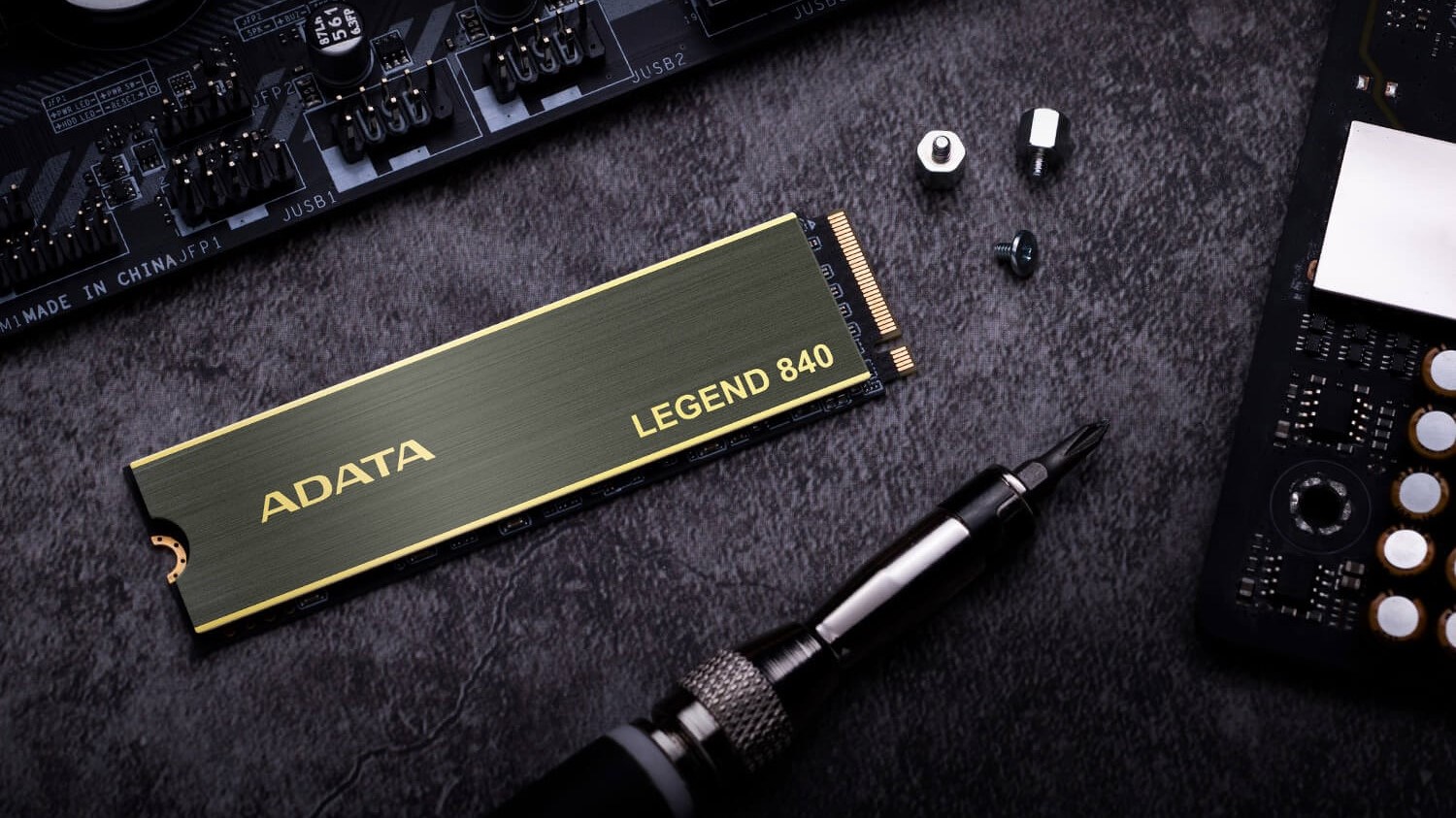 The good thing about technology is that it keeps evolving. The NVMe’s are a good example – the first-gen ones were expensive and not as fast as the up-to-date successors. Now, the market is flooded with so many NVMe drives with different specs from a variety of manufacturers.
When it comes to pure performance, the latest and greatest products are the PCIe Gen. 4 variants. Of course, the Gen. 4 branding isn’t a guarantee for blazing-fast results in benchmarks and real-life performance. The snappiness comes from a mix of factors that includes the controller, the model of NAND Flash, DRAM, SLC cache, interface, firmware, etc.
Now, in front of us, we have the ADATA Legend 840 1TB. This is a new NVMe model that belongs to the Legend series. This one is the top dog, the other two variants from the same lineup are the Legend 750 and Legend 740. The ADATA Legend 840 1TB boasts some impressive specs on paper but as always, we have to check if that is true.
You can check the current price of ADATA Legend 840 1TB here: Buy from Amazon.co.uk (#CommissionsEarned)
Contents
Specs Sheet
| ADATA Legend 840 1TB | |
|---|---|
| Capacity | 512GB / 1TB |
| Dimensions (L x W x H) | 80 x 22 x 3.13mm / 3.15 x 0.87 x 0.13 inch (with heat sink) 80 x 22 x 2.15mm / 3.15 x 0.87 x 0.09 inch (without heat sink) |
| Weight | 9g / 0.36oz (with heat sink) 6g / 0.24oz (without heat sink) |
| Interface | PCIe Gen4 x4 |
| NAND Flash | 3D NAND |
| Sequential Read (Max*) | Up to 5,000MB/s |
| Sequential Write (Max*) | Up to 4,500MB/s |
| Op. Temperature | 0°C – 70°C |
| Op. Voltage | DC 5V, 900mA |
| Controller | Innogrit IG5220 |
| TBW | 650TB |
| Warranty | Limited 5-year |
What’s in the box?
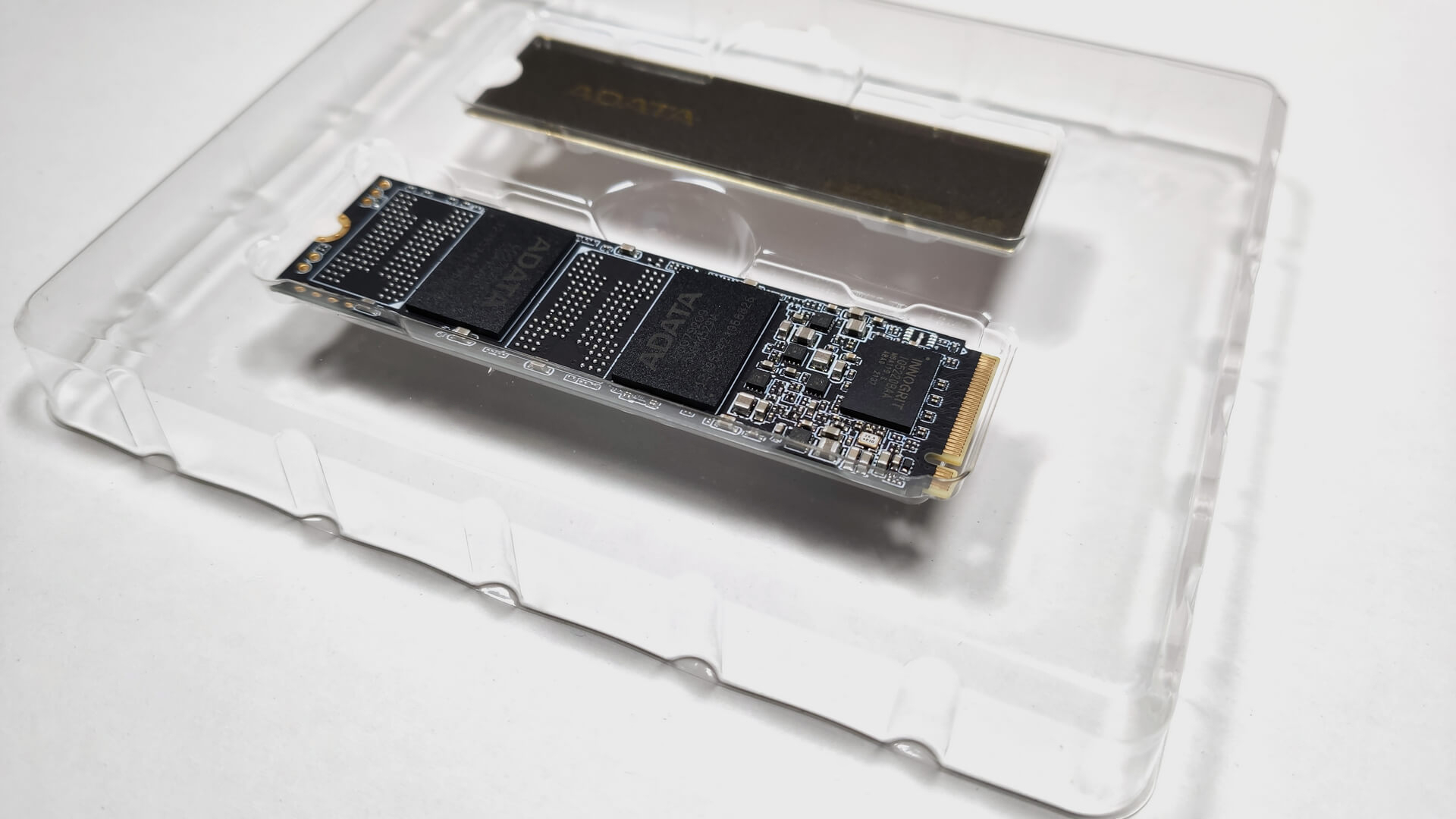
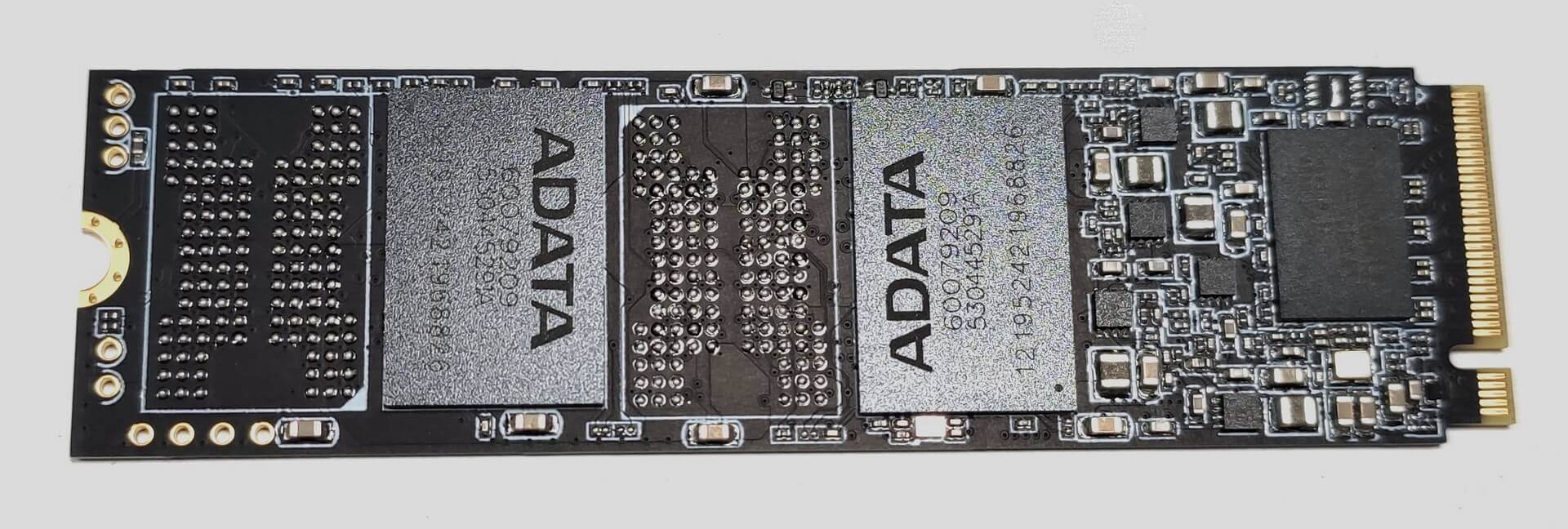
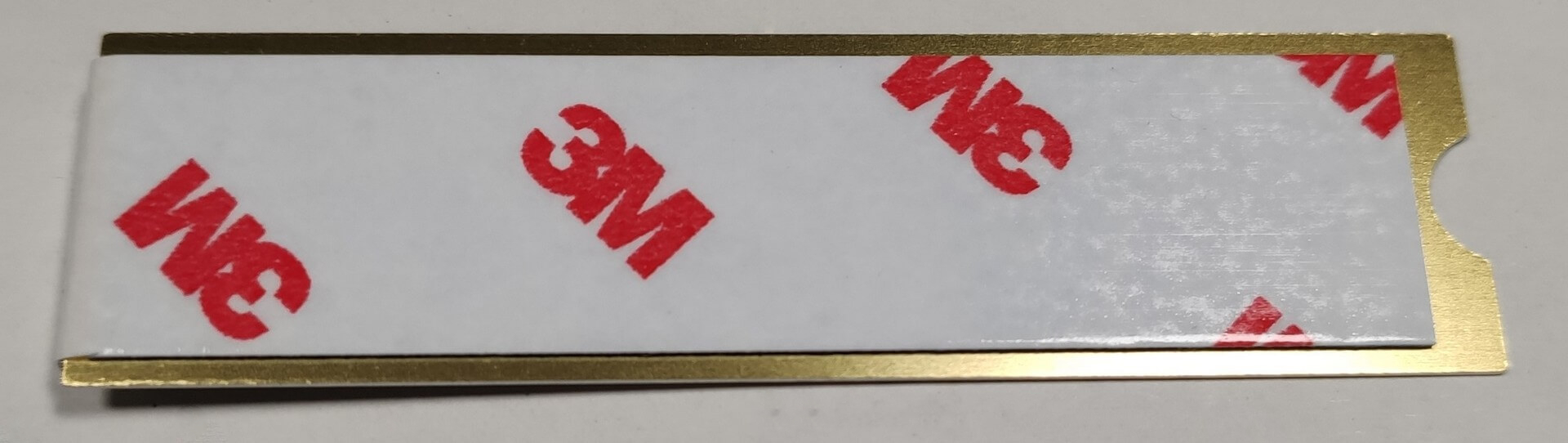
The device comes in a small glossy box. Inside, you’ll find a protective plastic cover, the NVMe itself, a super thin heat sink, and some manuals.

Design
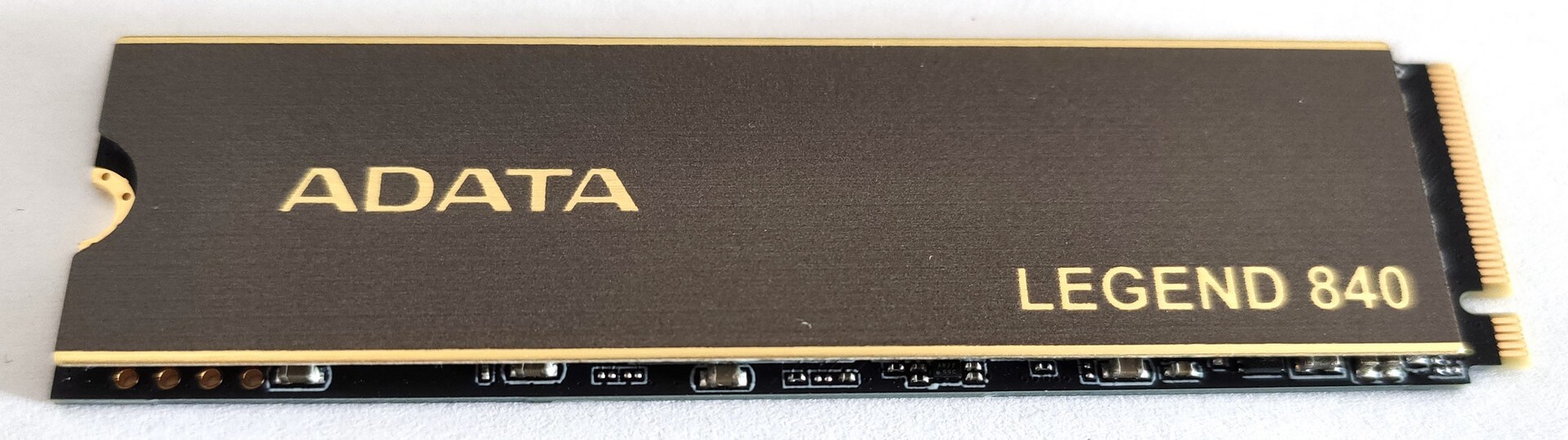
Not much to say here, this is a standard NVMe with an 80mm length. The heat sink isn’t preinstalled which is good for people who want to buy an aftermarket one to lower the temperatures even more. On the backside of the device, you can see a sticker with some info like serial number, model branding, and the classic – “Warranty void if removed”.

Installation, Benchmarking, and Real-life performance
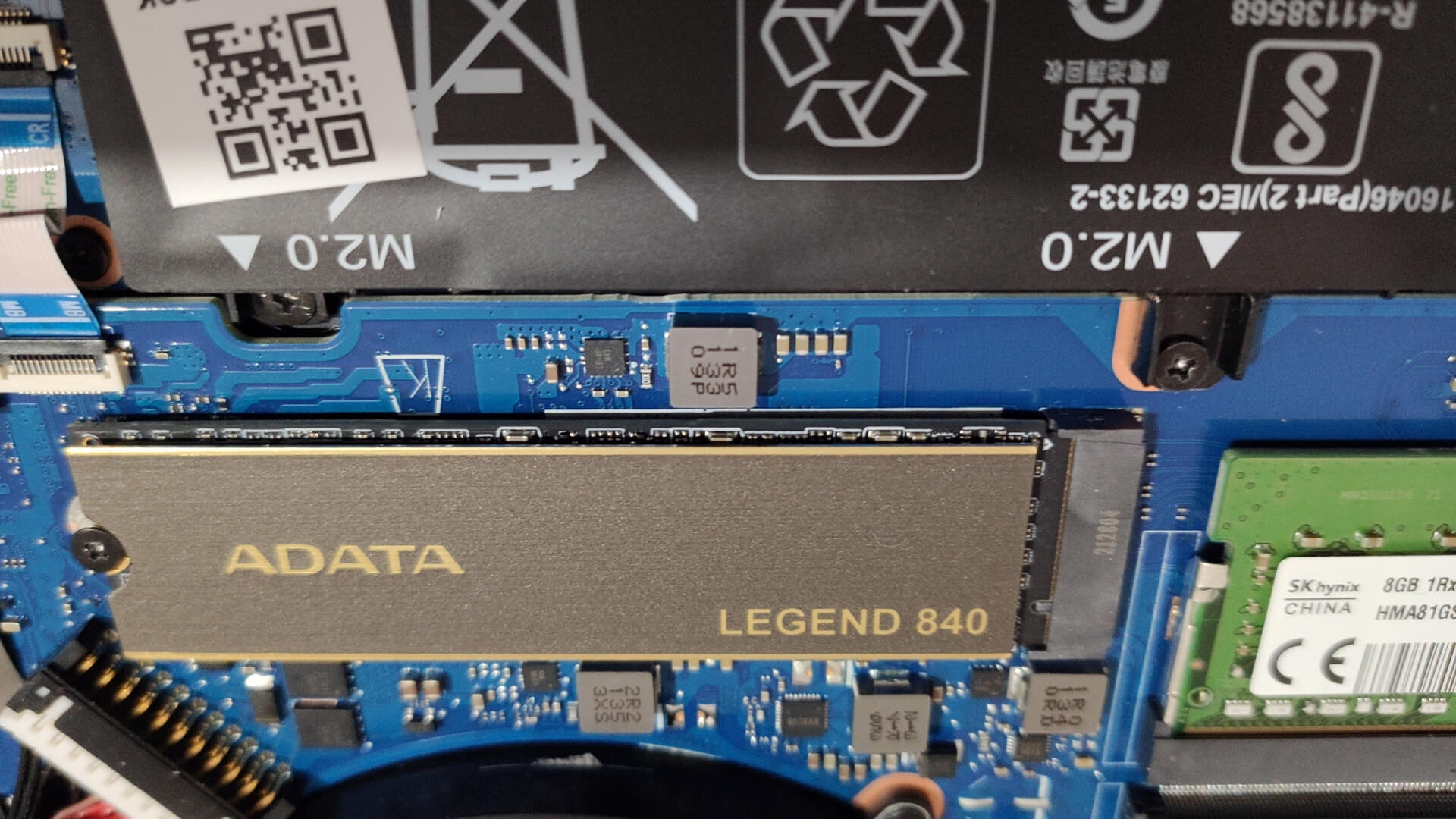
The installation is pretty straightforward. You can apply the bundled heat sink (if you don’t have a better one it’s not a bad idea to use the stock one to lower the temperatures of the drive during load) or you can use the NVMe “as is”. In our case, we are using the HP Omen 17 (2021, 17-ck0000) because it has a Gen. 4 slot, and Windows 10 is installed on an ADATA RGB SE770G 512GB. The ADATA Legend 840 1TB is placed in the Gen. 4 slot of the laptop with the stock heat sink. Also, the NVMe is empty so we can have more accurate results for its performance.
| Benchmark | Read | Write |
|---|---|---|
| ATTO Disk Benchmark | 4690 MB/s | 4550 MB/s |
| ATTO Disk Benchmark IOPS | 75.00 IO/s | 72.00 IO/s |
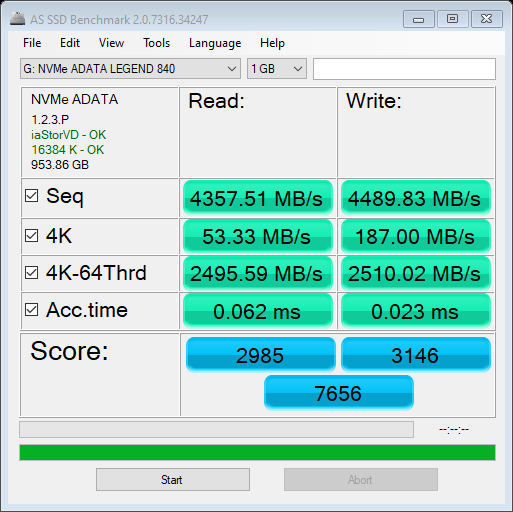
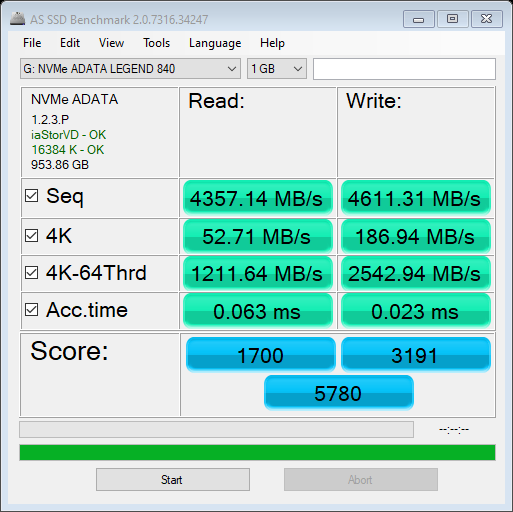
| AS SSD Benchmark | 4357 MB/s | 4611 MS/s |
| AS SSD Benchmark Score | 2985 | 3146 |
| HD Tune Random Seek 8MB | 5678 MB/s | 1628 MB/s |
| HD Tune Sequential Read/Write | 2278000 KB/s | 1838000 KB/s |
ISO read and write

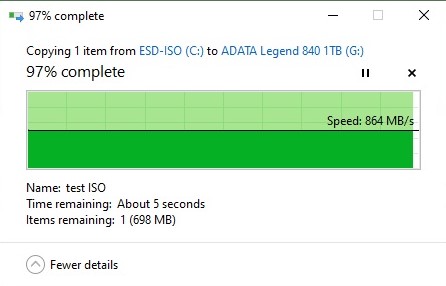
So, here we have a 31GB ISO file. The first screenshot is the read speed – the file is on the tested NVMe drive and we are copying it to the system drive. The second screenshot indicates the write speed – we are moving the ISO file from the system drive to ADATA Legend 840 1TB.
As you can see from the table above, the tested NVMe is showing some impressive results. The drive is fast unless you pound it with some serious continuous load, In this case, when it reaches 70°C, the performance degrades quickly. There is good news and bad news regarding this situation.
The drive can become hot quickly – let’s say 2-3 benchmark runs but it really depends on the specific load. After that, it needs a short period of time before its temperature reaches around 35°C which is perfect. We observed that AS SSD Benchmark makes the drive throttle faster compared to the other tests that we performed. Check the result below, the first one shows great score when the NVMe isn’t reaching the thermal threshold. The second result isn’t as good as the first one because the drive is too hot.
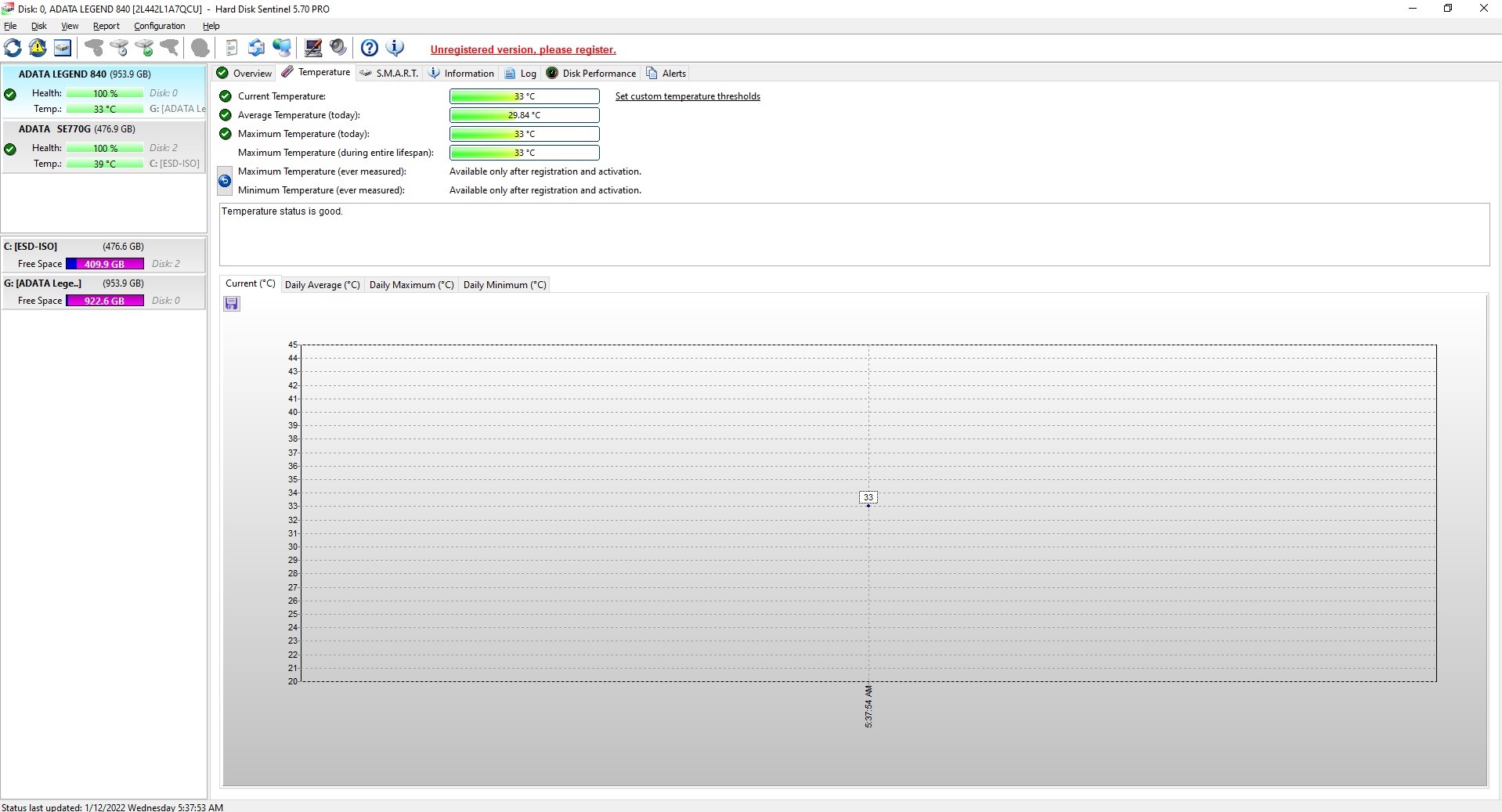
Let’s have a look at more “evidence”. The first picture is made during the 31GB ISO copy/paste test – the temperature is normal – 33°C. One benchmark run one Crystal Disk Mark takes a lot of time and that heats up the NVMe to 64°C which is normal because every test is performed 9 times (see the last two screenshots).
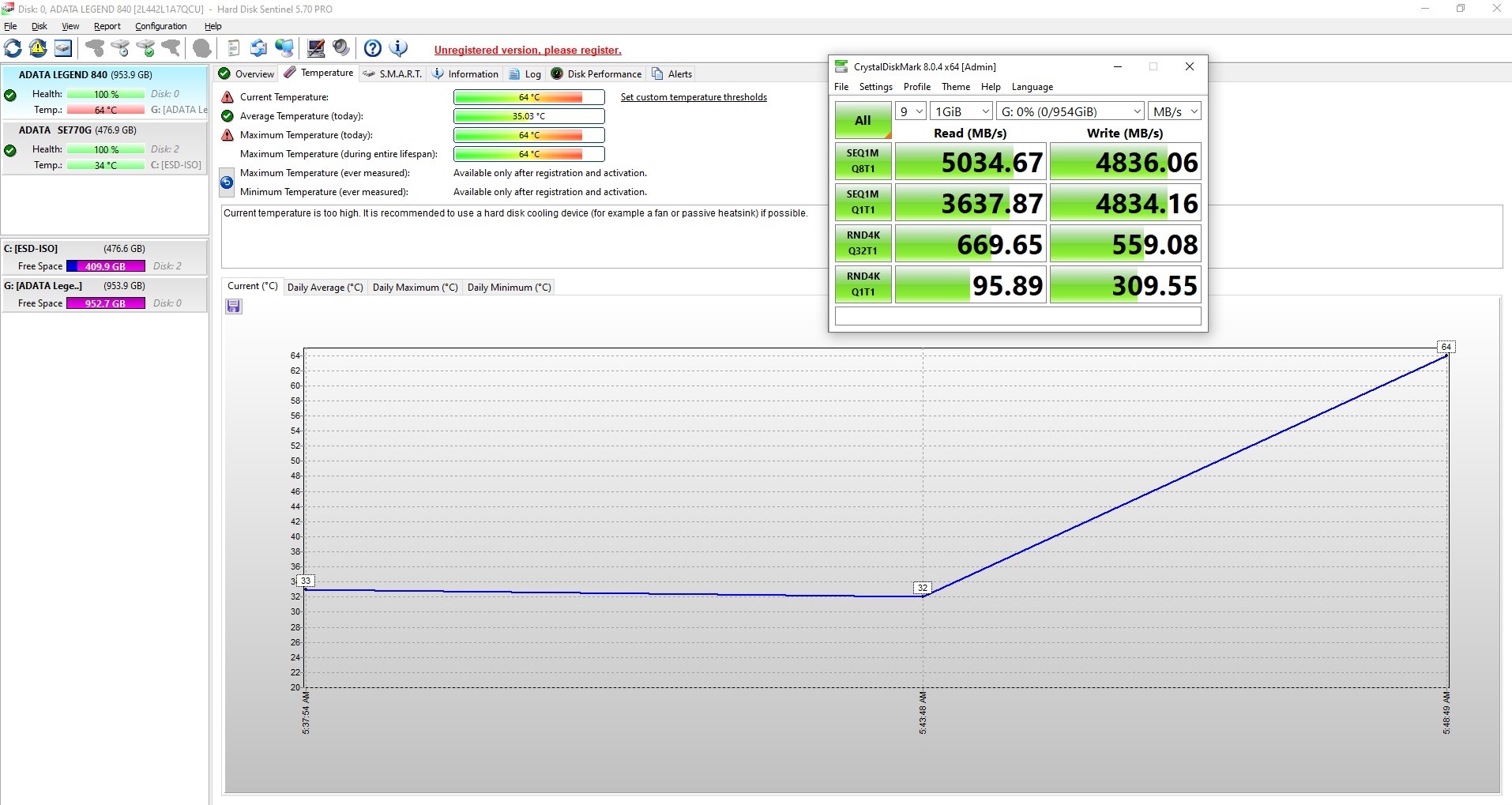
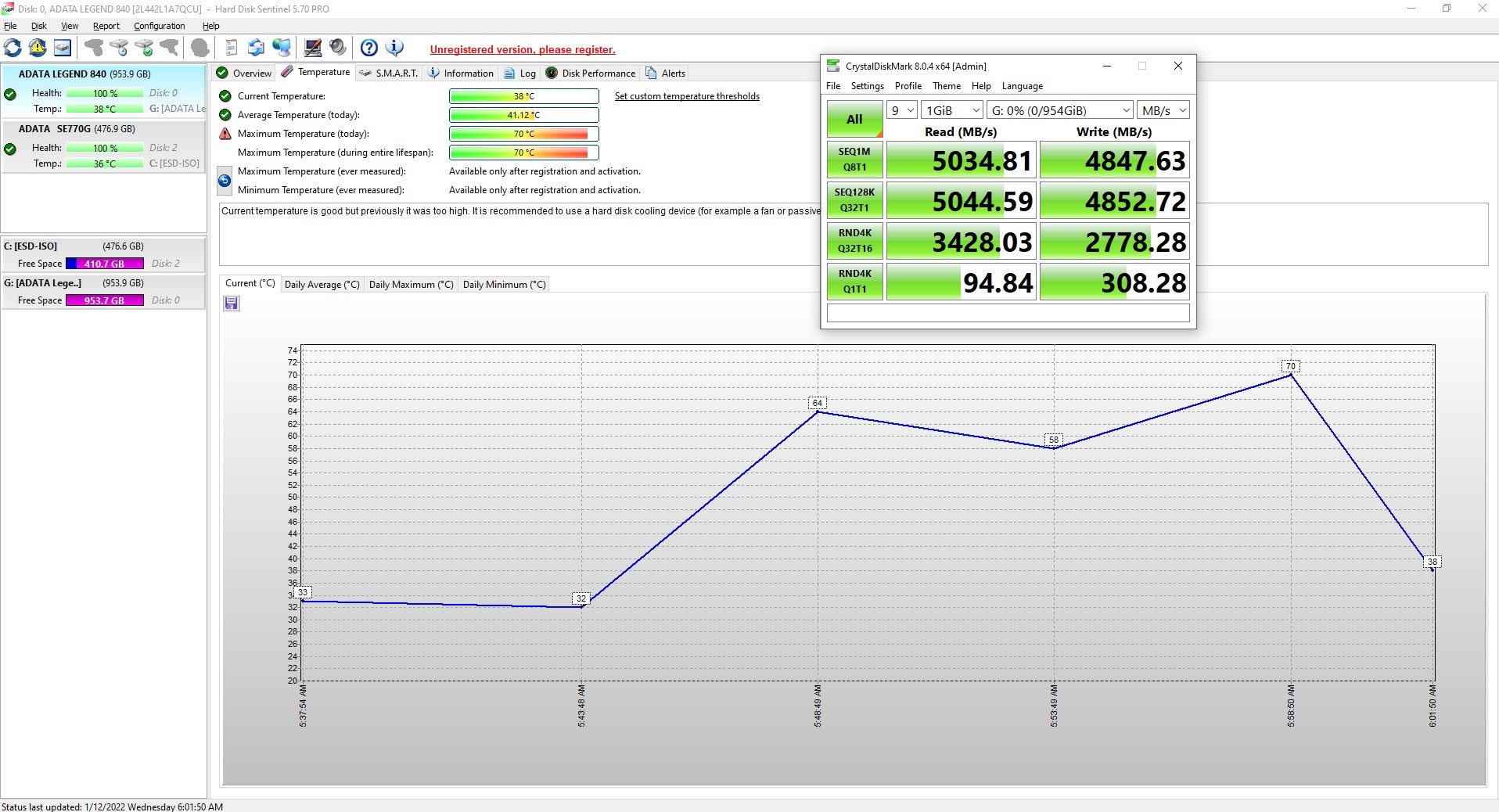
However, it’s really hard to spot such behavior when you use the ADATA Legend 840 1TB normally. If you plan to stress it regularly with sustained write and read loads, then you can think about buying a good aftermarket heat sink. The included one in the package is so thin that it’s something like a heat spreader than an actual heat sink. Other than that, if you just use the drive for Windows installation, installing games on it, daily tasks such as Web browsing, copying files – it should not throttle.
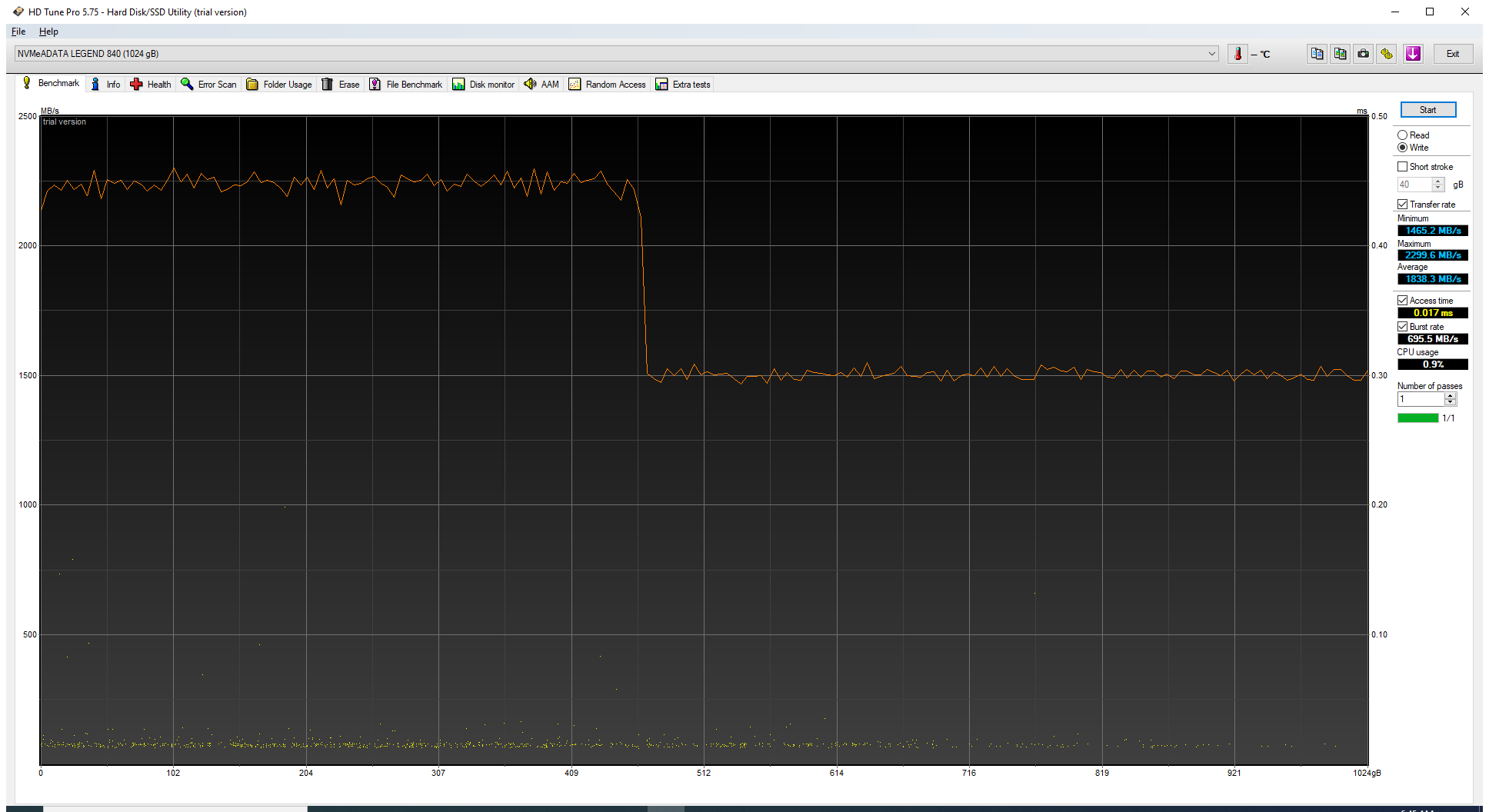
On the bright side, the ADATA Legend 840 1TB has a large SLC cache size. When we fill the whole drive with the built-in benchmark of HD Tune, the drive maintained ~2200 MB/s, after 450GB of sustained write, the speed dropped down to ~1500 MB/s which is a respectable result.
Verdict
 ADATA Legend 840 1TB is a good NVMe Gen. 4 x4 drive. Yes, this fella is fast. It’s showing some great results during our testing. It can speed up the responsiveness of your machine significantly if your old main drive is an HDD or an old SATA SSD. Windows loading, starting different programs at the same time – this is a piece of cake for Legend 840.
Just like all the products that are suitable for M.2 slot, this one is compact and it doesn’t need additional SATA cables and SATA connectors – which contributes to a cleaner look when the drive is installed. There isn’t too much stuff in the package, only the essentials – the drive and a heat sink. Actually, (probably) you don’t need more than that.
Speaking of the heat sink, it’s good that ADATA has decided to include such extra. It does its job in short to medium-long loads, but it struggles to cool down the NVMe in prolonged periods of heavy usage. As we said earlier if you want to use this drive for work that includes long sustained write and read loads daily, an aftermarket heat sink (if you choose the right model) will help for better thermals and more stable results in the long run.
Just like other fast NVMe’s, this one struggles in prolonged stress situations. Maybe that is the only downside of this product – it’s fast but it needs a better heat sink.
You can check the current price of ADATA Legend 840 1TB here: Buy from Amazon.co.uk (#CommissionsEarned)
Pros
- Decent price
- Has a heat sink in the package
- Compact
- Fast
Cons
- Throttles during heavy sustained write and read loads
- Gets hot if you stress it for a long time
- The provided heat sink isn’t an optimal solution
 Author: Nikolay Palaozov

![[June 2026] Best-Selling Laptop Brands on Amazon Global – Apple’s Unrivaled Dominance in Units and Revenue](https://laptopmedia.com/wp-content/uploads/2026/07/GLOBAL-Best-Brands-400x225.jpg)
![[June 2026] Amazon Global: Top 10 Best-Selling Laptops – Apple’s New MacBook Neo Storms to #1, Reshaping the Market with Affordability](https://laptopmedia.com/wp-content/uploads/2026/07/Best-Selling-Laptops-GLOBAL-Top-10-400x225.jpg)
![[June 2026] Amazon Global: Top 10 Best-Selling Gaming Laptops – Acer’s Nitro V 16S AI Dominates Sales, While ASUS Leads Overall Revenue](https://laptopmedia.com/wp-content/uploads/2026/07/Best-Selling-Gaming-Laptops-GLOBAL-Top-10-400x225.jpg)
![[June 2026] Global Ranking of Best-Selling Laptop GPUs on Amazon – NVIDIA RTX 5060 is the Top-Selling Dedicated GPU](https://laptopmedia.com/wp-content/uploads/2026/07/Best-Selling-GPUs-GLOBAL-Top-10-400x225.jpg)
![[June 2026] Global Ranking of Best-Selling Laptop CPUs on Amazon – Apple M5 Dominates, AMD Ryzen 7 260 Gets Solid Premium Share](https://laptopmedia.com/wp-content/uploads/2026/07/Best-Selling-CPUs-GLOBAL-Top-10-400x225.jpg)
