Dell Precision 5490 review – A Mighty Mini with a Few Sacrifices
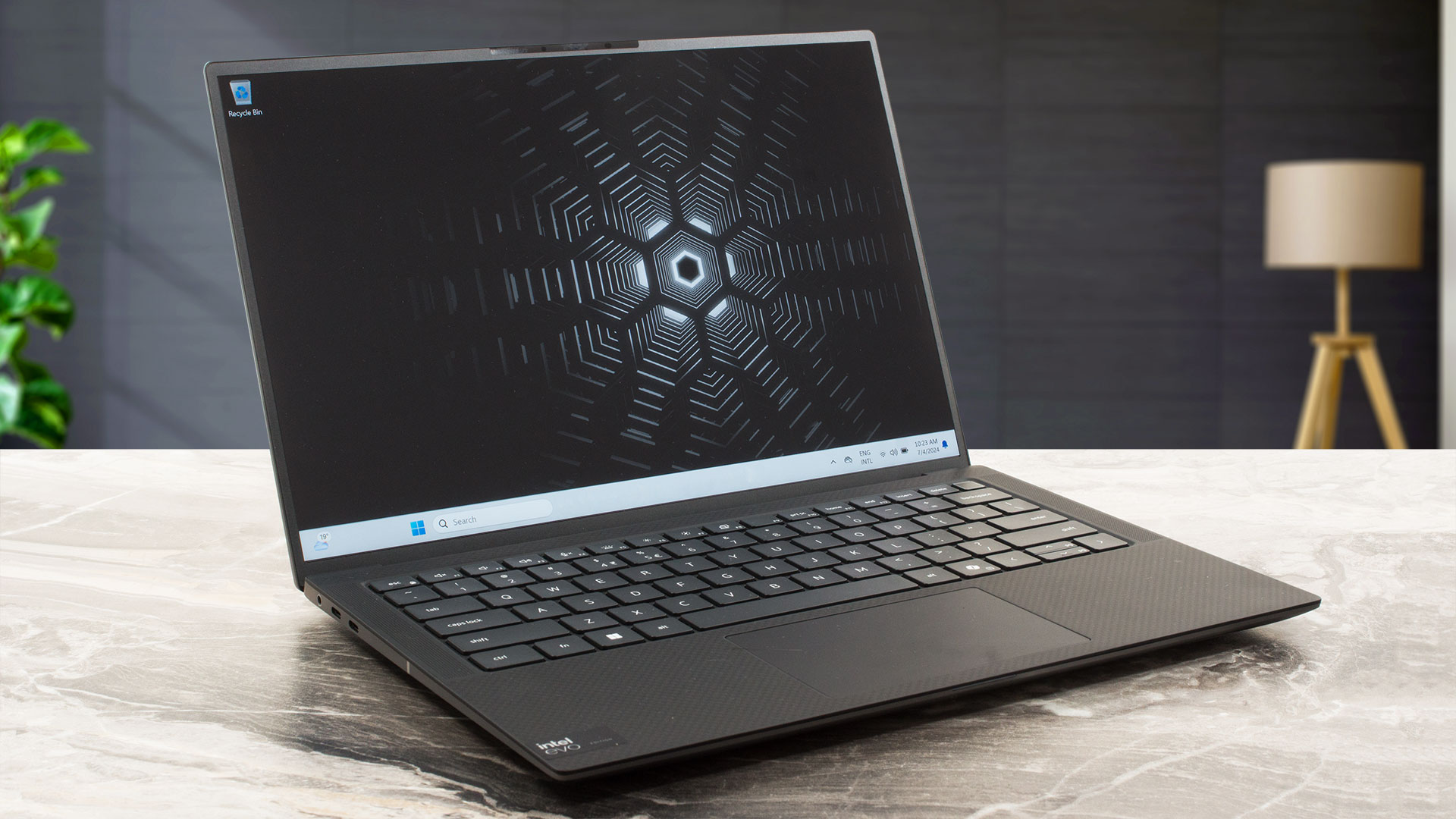 Year by year, the compact workstations are getting more powerful. That’s the case with the Dell Precision 5490 which is treated with 28W Intel Meteor Lake-H CPUs and NVIDIA RTX Ada Generation graphics cards. That sounds pretty punchy for a 14-incher. Of course, given the size of this thing, there are some compromises here and there compared to the big heavy-duty iterations meant for 24/7 workloads.
The memory is soldered and the storage options are as limited as it gets. Still, at least you can order the device with plenty of RAM and the port selection is one of the most up-to-date ones that we’ve ever seen. The opening of the bottom plate isn’t too complicated but perhaps this shouldn’t be that important for most users since the only part you can change on the inside is the NVMe (yep, even the Wi-Fi card is soldered).
Speaking of which, the connectivity is modern – Wi-Fi 7 + Bluetooth 5.4 and you can rely on a four-speaker Audio setup. In terms of displays, you get a choice of two 60Hz IPS panels. The base one has a resolution of 1200p and the optional model is a 1600p variant. The latter is also a touchscreen. The security features seem on point – a lock slot, a dTPM 2.0 chip, tamper detection, IR Web camera alongside optional extras such as a fingerprint reader, NFC, and an SED SSD.
You can check the prices and configurations in our Specs System: https://laptopmedia.com/series/dell-precision-14-5490/
Contents
Specs, Drivers, What’s in the box
Dell Precision 14 5490 - Προδιαγραφές


- AUO J83VF-B140UAN (AUOF99A)

- HDD/SSD
- έως 4000GB SSD
- Υποδοχή M.2
- 1x 2280 M.2 NVMe PCIe 4.0 x4 Δείτε τη φωτογραφία
- RAM
- up to 64GB
- OS
- Windows 11 Home, Windows 11 Pro
- Μπαταρία
- 72
- Υλικό Σώματος
- Carbon, Magnesium alloy
- Διαστάσεις
- 310.60 x 210.35 x 7.49 - 18.95 mm (12.23" x 8.28" x 0.29")
- Βάρος
- 1.49 kg (3.3 lbs)
- Θύρες και συνδεσιμότητα
- 4x USB Type-C
- Thunderbolt 4, Power Delivery (PD), DisplayPort
- Αναγνώστης καρτών
- microSD (microSD, microSDHC, microSDXC)
- Ethernet LAN
- Wi-Fi
- 802.11be
- Bluetooth
- 5.4
- Υποδοχή ήχου
- 3.5mm Combo Jack
- Χαρακτηριστικά
- Αναγνώστης δακτυλικών αποτυπωμάτων
- optional
- Κάμερα web
- HD
- Φωτιζόμενο πληκτρολόγιο
- Μικρόφωνο
- Dual Digital Array Microphones
- Ηχεία
- 4x Stereo Speakers (2x 2.5W Tweeters + 2x 2.5W Woofers), SoundWire
- Οπτικός δίσκος
- Υποδοχή κλειδαριάς ασφαλείας
- Wedge Lock
Όλα Dell Precision 14 5490 διαμορφώσεις
Drivers
All drivers and utilities for this notebook can be found here: https://www.dell.com/support/home/en-in/product-support/product/precision-14-5490-laptop/drivers
What’s in the box?
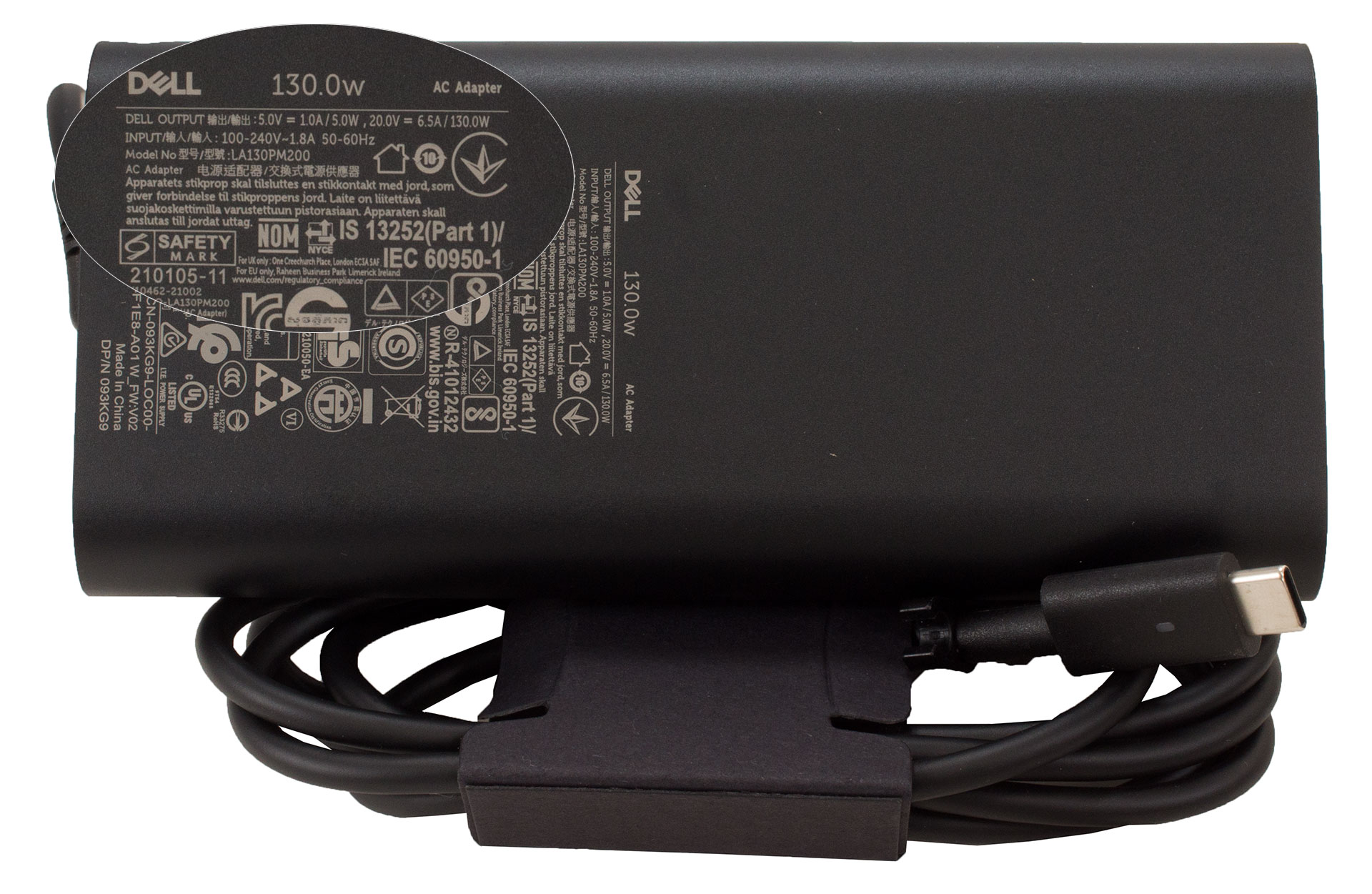
The box contains a couple of manuals and the laptop itself. You get a Type-C charger – a 100W unit for the iGPU-only machines and a 130W variant for the devices with dGPUs.
Design and construction
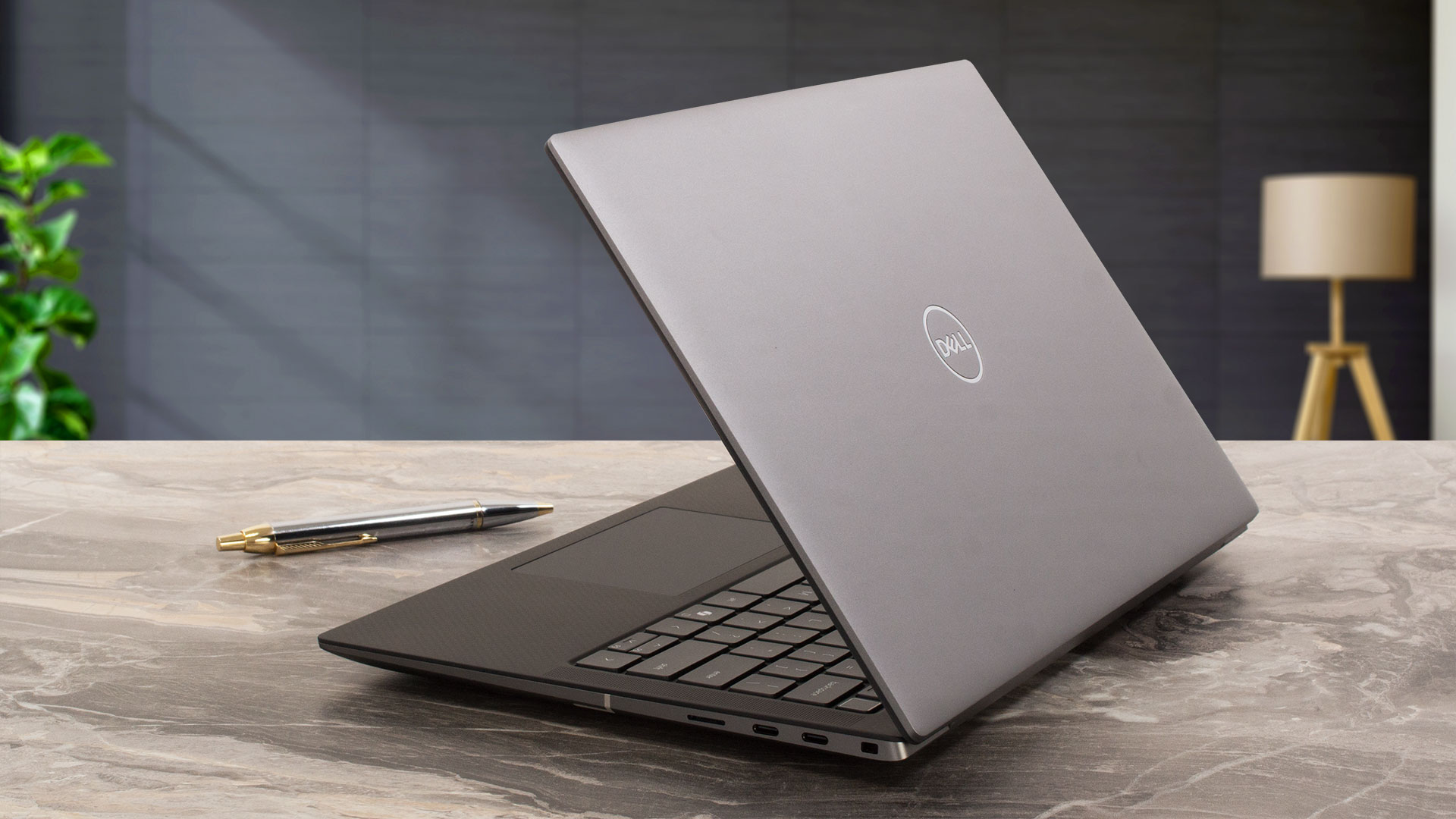
The Precision 5490 follows Dell’s signature two-tone gray design, common among some of their premium laptops. Most of the chassis is made of magnesium alloy while the keyboard deck is surrounded by carbon fiber with a corresponding texture to the same material. The lid can be slightly pushed down in the middle when it’s in a closed position. When it’s opened, the unit is pretty solid and the same can be said about the base – great! The darker main body definitely attracts more fingerprints than the lid.
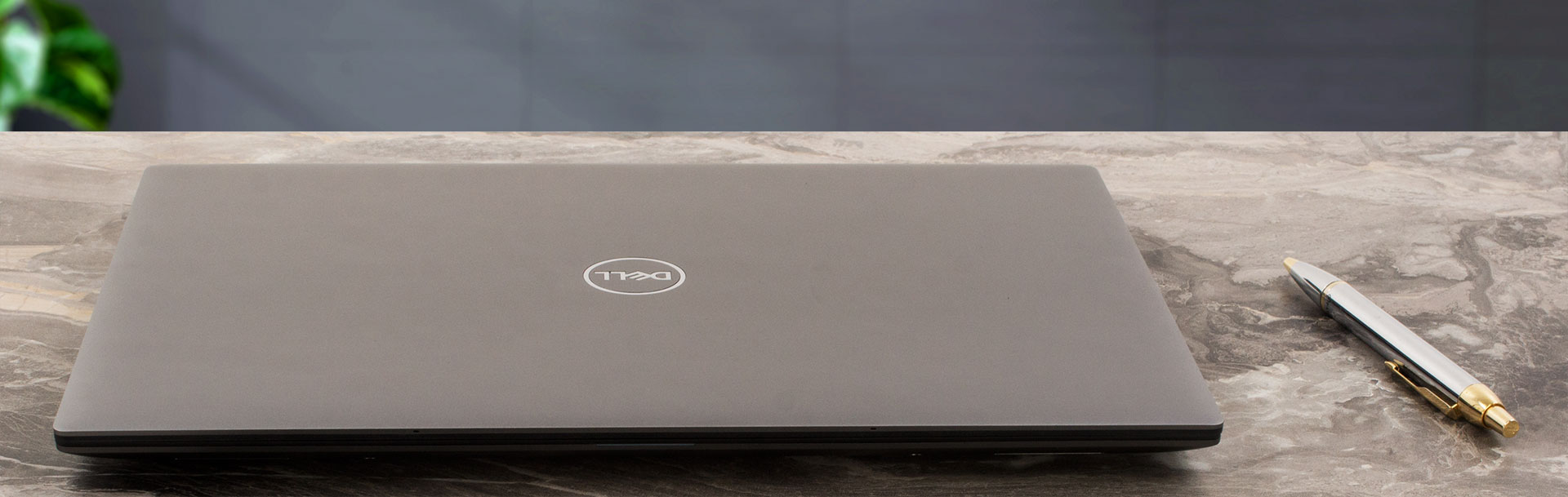
Opening the laptop with a single hand is almost possible. When you are close to the 90-degree mark, the front of the chassis will bounce up. This machine stops the scales at 1.49 kg – not bad given the hardware under the bonnet. The profile thickness is 7.49 – 18.95 mm.
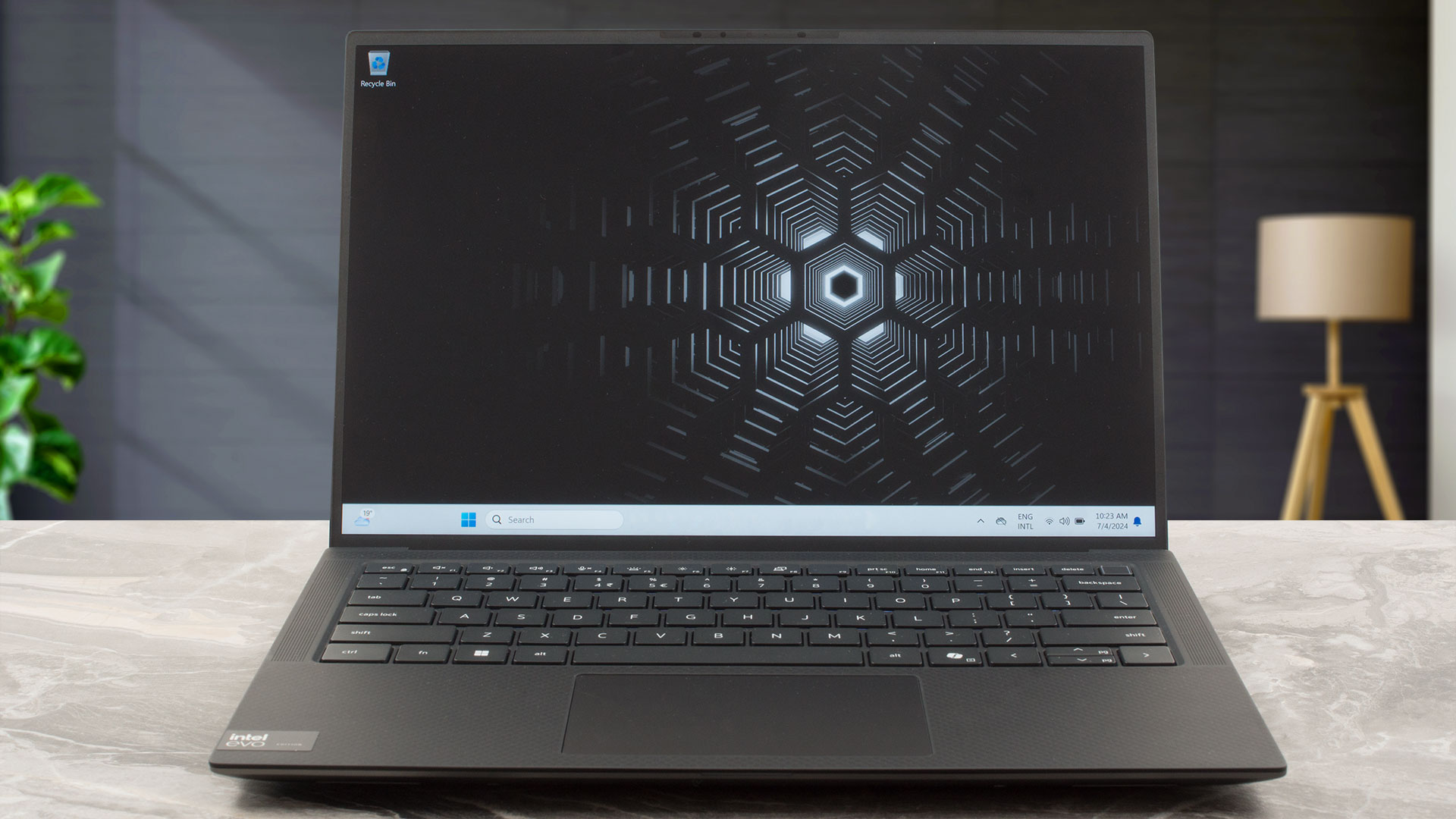
The bezels that surround the 16:10 IPS display are as thin as possible. The top one houses an RGB IR Web camera that lacks a privacy shutter. The unit has a 720p resolution which is an odd choice by the manufacturer given the end price of this machine.
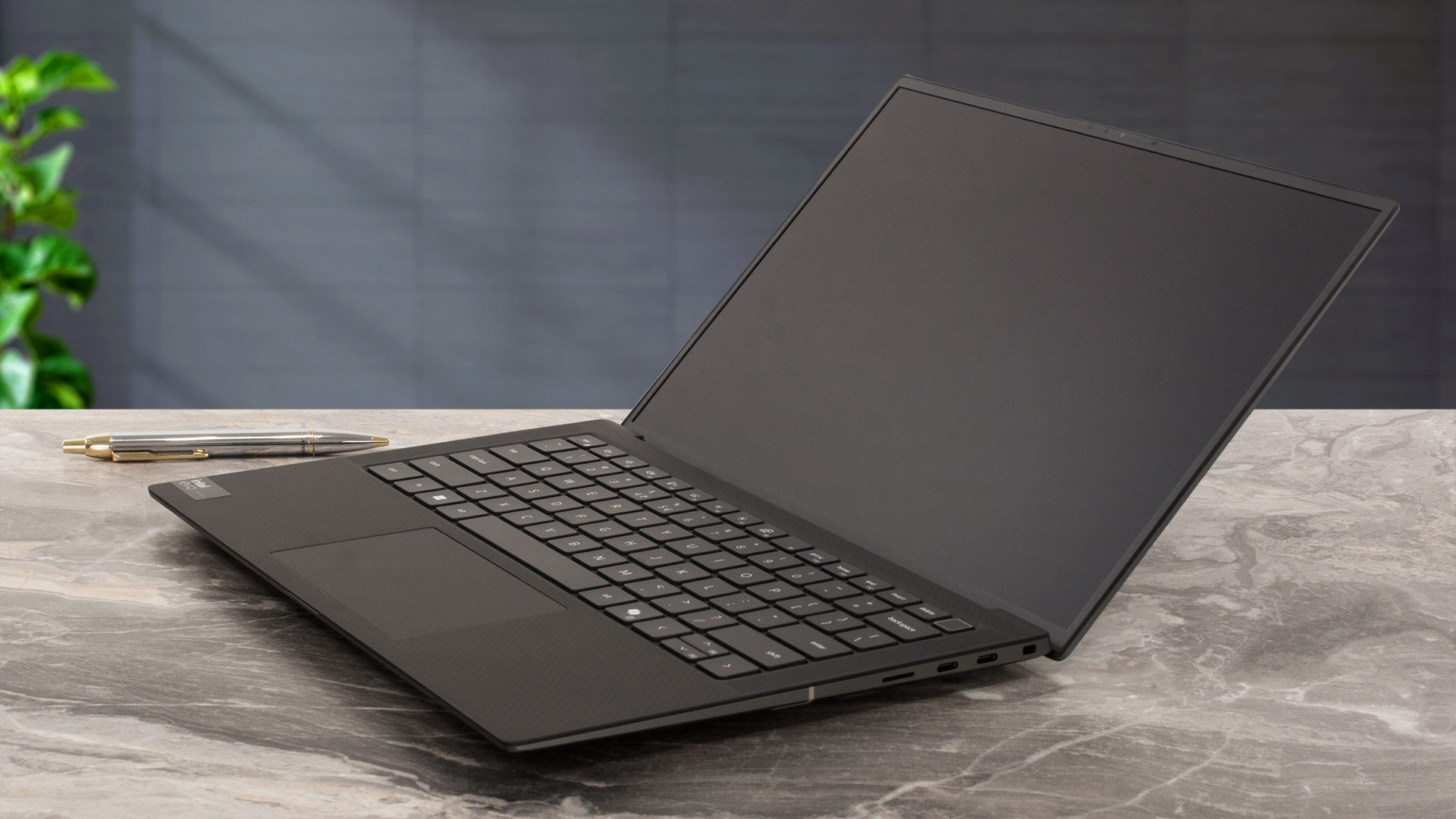
As you can see, the max angle of the opening isn’t wide at all. The lid doesn’t have a lever design since the cooling is potent and the back of the base sits pretty high off the ground.
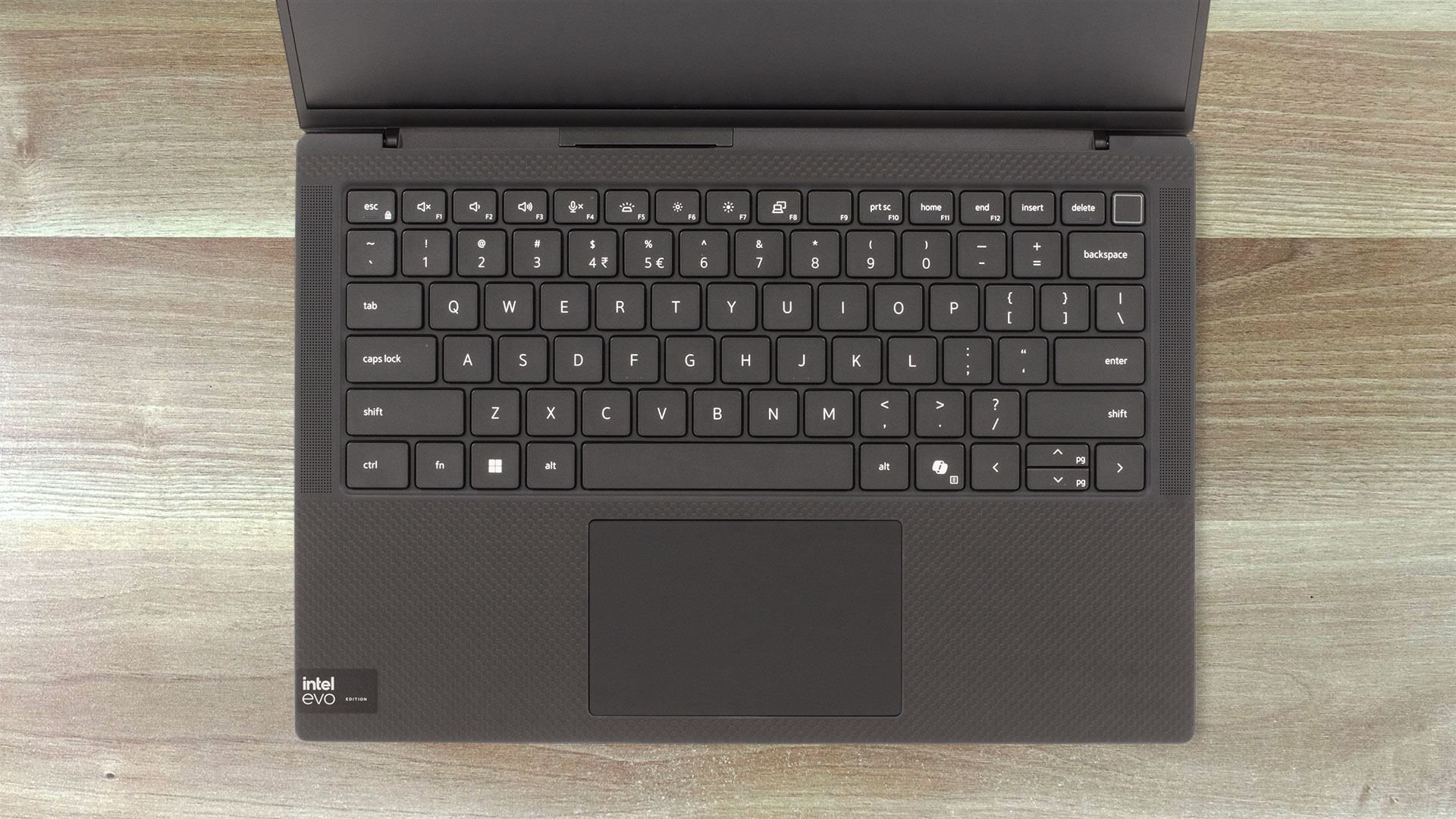
The backlit keyboard with a Copilot shortcut is surrounded by two tall grills for the two front-firing 2W tweeter speakers. The Power botton in the top right corner doubles as an optional fingerprint reader. The board is great, the key travel is impressively long for such a small laptop and the feedback is pleasantly clicky. Just like many other compact machines, the “Up” and “Down” Arrow keys are hard-to-hit since they are too small for normal work.
The touchpad is decently sized (105.95 x 65.30 mm) for this kind of laptop form factor. We have no complaints regarding this pad – it’s smooth and accurate, and it registers taps in its top edges.
The two-row ventilation grill, the three rubber feet, and the cutouts for the two sub-woofers can be seen on the bottom plate. The heat is guided through a vent on the rear that points at the lower bezel of the display.
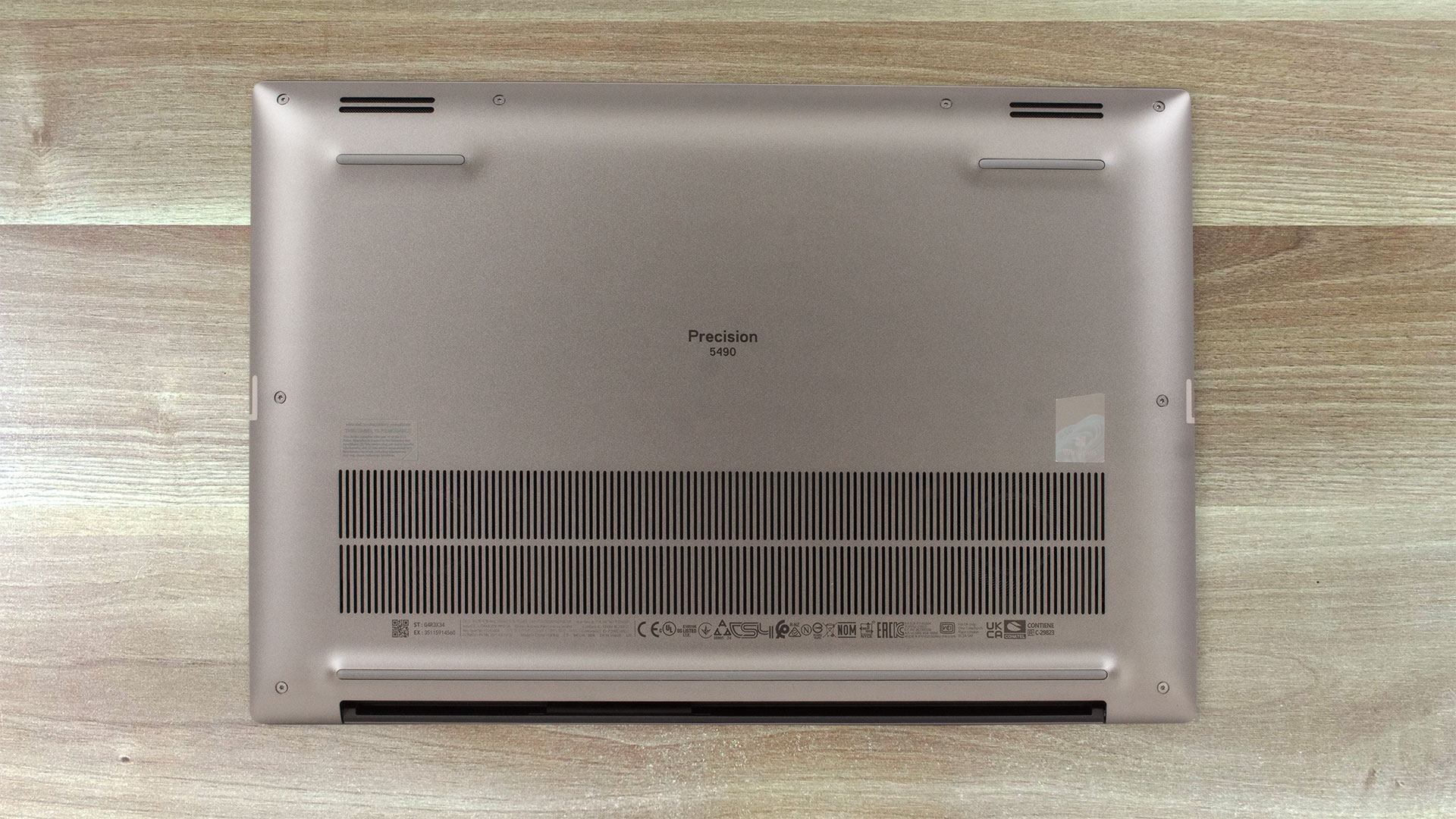
Ports
On the left side, you get an Audio combo jack and two 40 Gbps Thunderbolt 4 / USB 4 ports (some machines also have a Smart card reader slot on this side). The right side has a security slot, another pair of 40 Gbps Thunderbolt 4 / USB 4 ports, and a MicroSD card slot. All four Type-C support DisplayPort 2.1 and PowerDelivery capabilities.


Display and Sound Quality, Get our Profiles
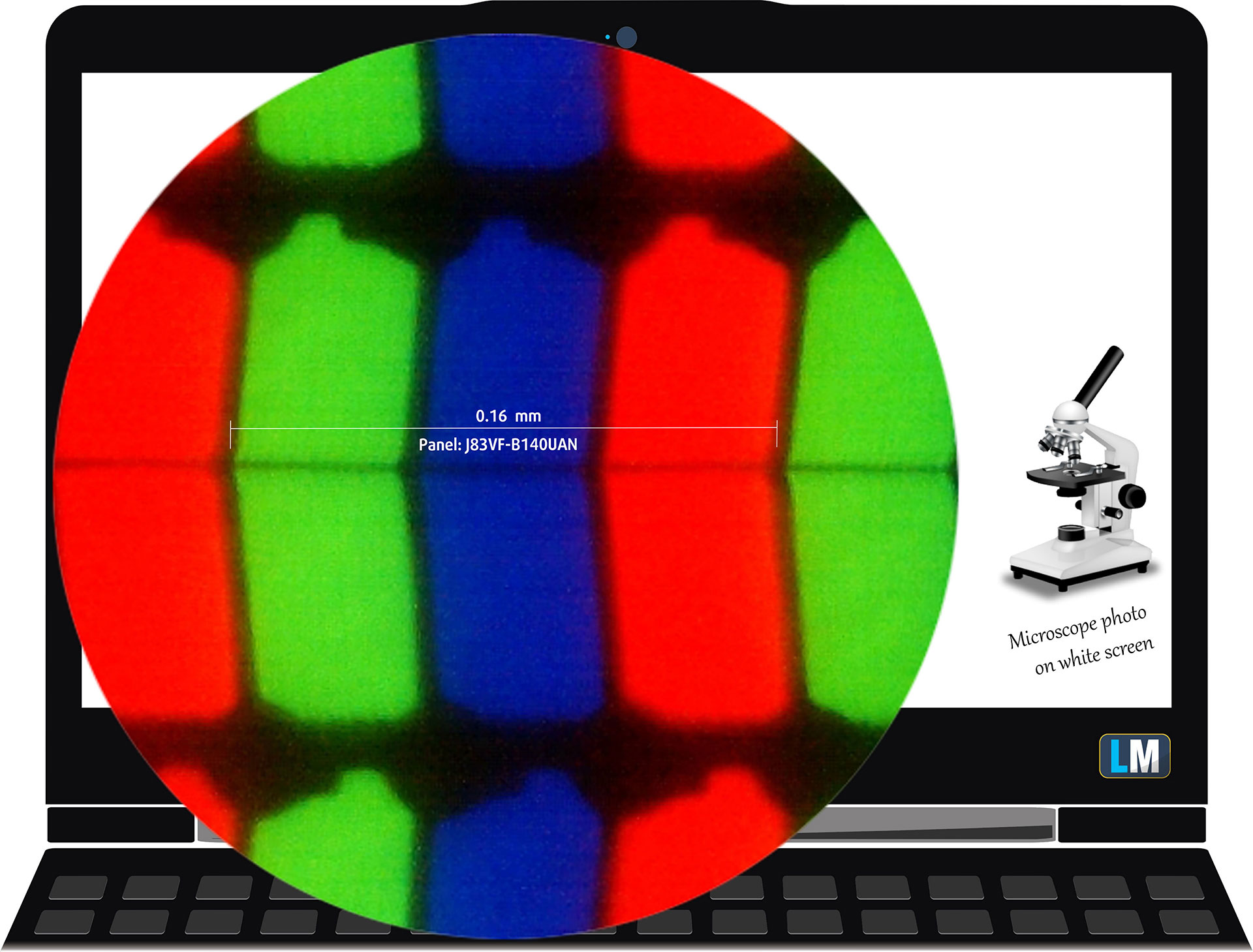
Dell Precision 5490 is equipped with a WUXGA panel, model number AUO J83VF-B140UAN (AUOF99A). It comes with a 60Hz refresh rate. Its diagonal is 14.0″ (35.6 cm), and the resolution – 1920 x 1200p. Additionally, the screen ratio is 16:10, the pixel density – 162 ppi, and their pitch – 0.16 x 0.16 mm. The screen can be considered Retina when viewed from at least 53 cm (this is based on the pixel density and the typical viewing distance at which individual pixels cannot be distinguished by the human eye).
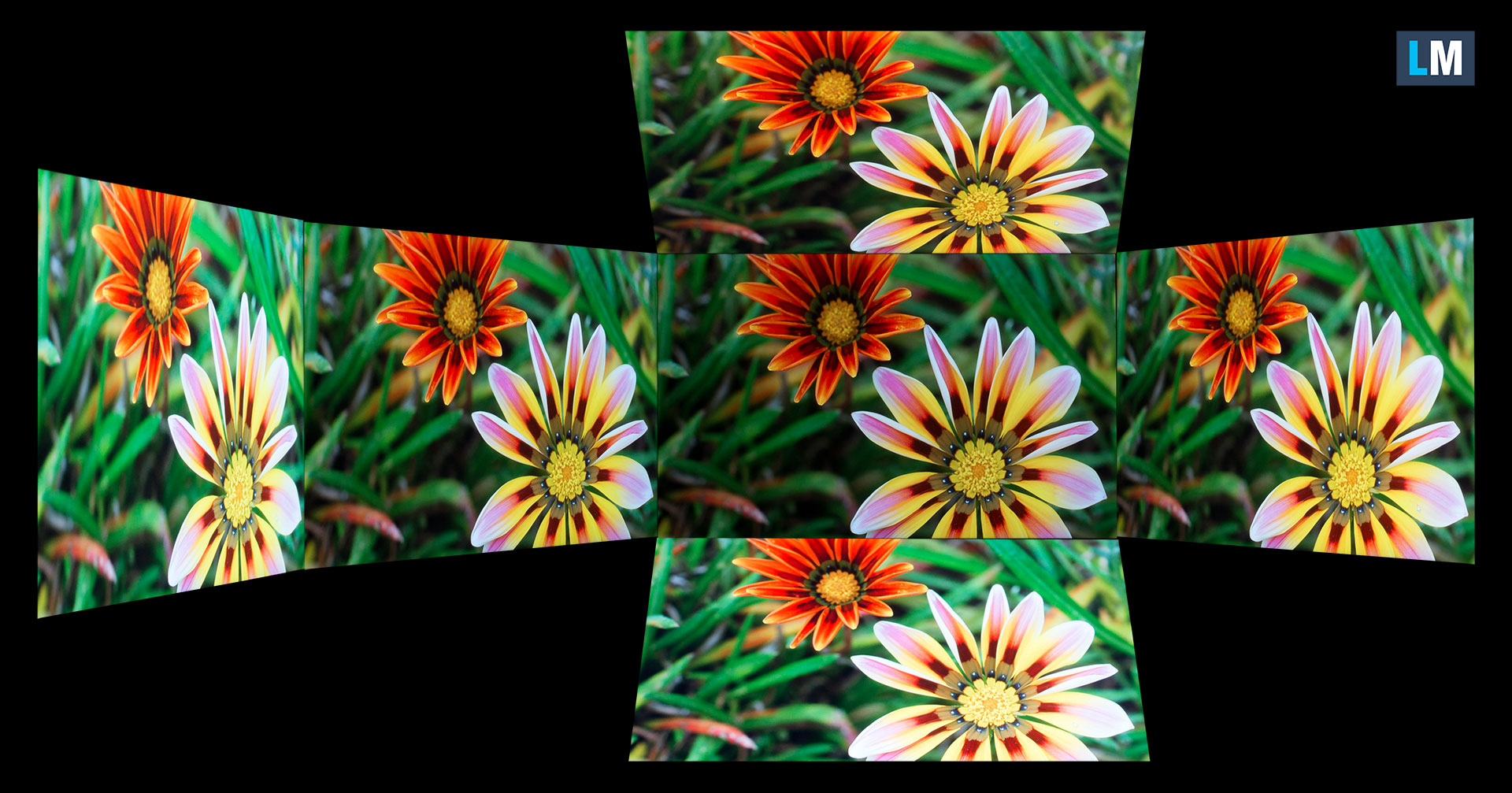
Viewing angles are good. We offer images at different angles to evaluate the quality.
Also, a video with locked focus and exposure.
The maximum measured brightness is 466 nits (cd/m2) in the middle of the screen and 470 nits (cd/m2) average across the surface with a maximum deviation of just 2%. The Correlated Color Temperature on a white screen and at maximum brightness is 6110К („Vibrant“ mode in the „Dell Premier Color“ app).
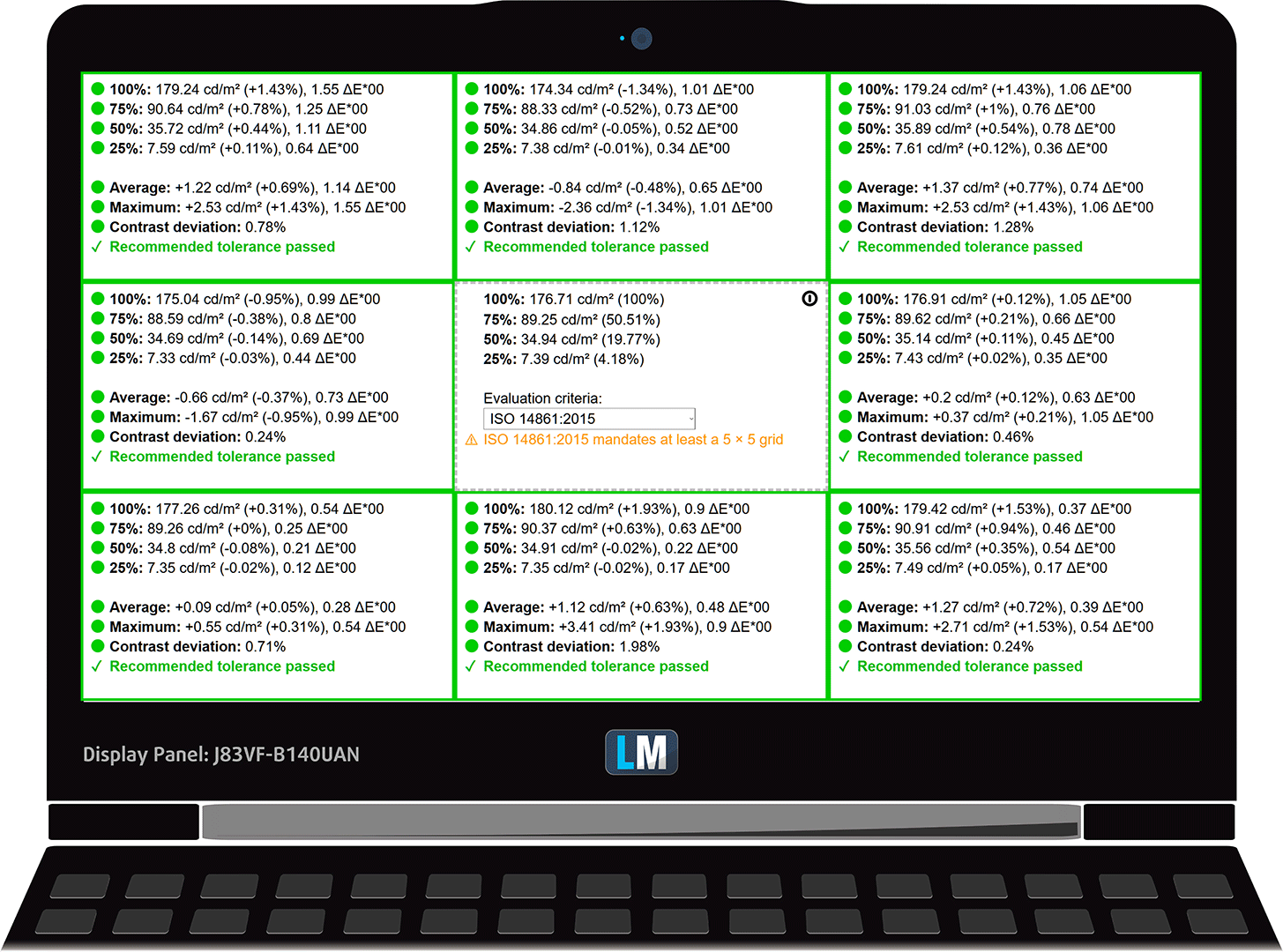
In the illustration below you can see how the display performs from a uniformity perspective. The illustration below shows how matters are for operational brightness levels (approximately 180 nits) – in this particular case at 38% Brightness (White level = 177 cd/m2, Black level = 0.09 cd/m2).
Values of dE2000 over 4.0 should not occur, and this parameter is one of the first you should check if you intend to use the laptop for color-sensitive work (a maximum tolerance of 2.0). We measured a very good contrast ratio – 1860:1.

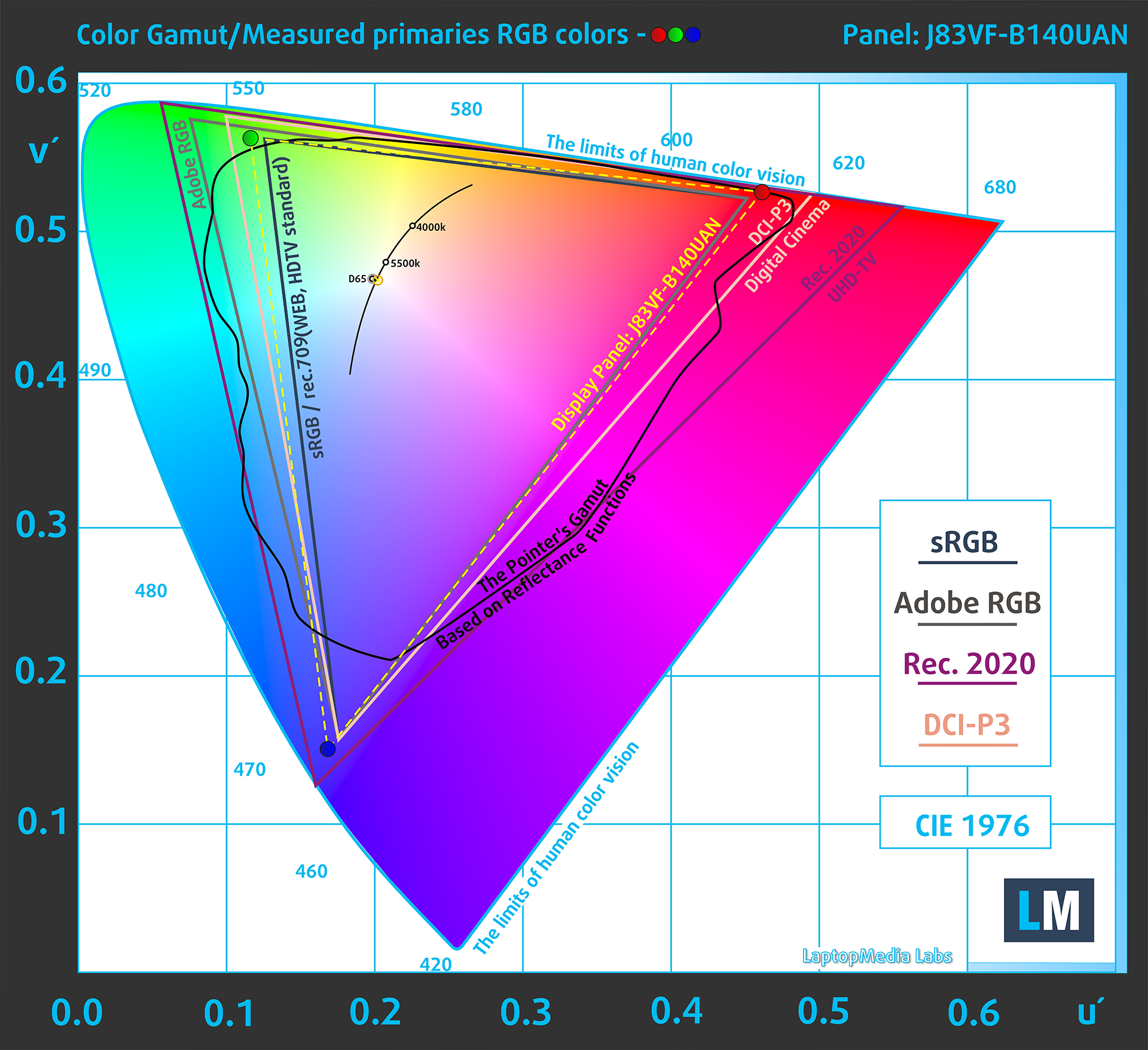
To make sure we are on the same page, we would like to give you a little introduction to the sRGB color gamut and the Adobe RGB. To start, there’s the CIE 1976 Uniform Chromaticity Diagram that represents the visible specter of colors by the human eye, giving you a better perception of the color gamut coverage and the color accuracy.
Inside the black triangle, you will see the standard color gamut (sRGB) that is being used by millions of people on HDTV and on the web. As for the Adobe RGB, this is used in professional cameras, monitors, etc for printing. Basically, colors inside the black triangle are used by everyone and this is the essential part of the color quality and color accuracy of a mainstream notebook.
Still, we’ve included other color spaces like the famous DCI-P3 standard used by movie studios, as well as the digital UHD Rec.2020 standard. Rec.2020, however, is still a thing of the future and it’s difficult for today’s displays to cover that well. We’ve also included the so-called Michael Pointer gamut, or Pointer’s gamut, which represents the colors that naturally occur around us every day.
The yellow dotted line shows Dell Precision 5490’s color gamut coverage.
Its display covers 100% of the sRGB/ITU-R BT.709 (web/HDTV standard) in CIE1976, and 85% of DCI-P3.
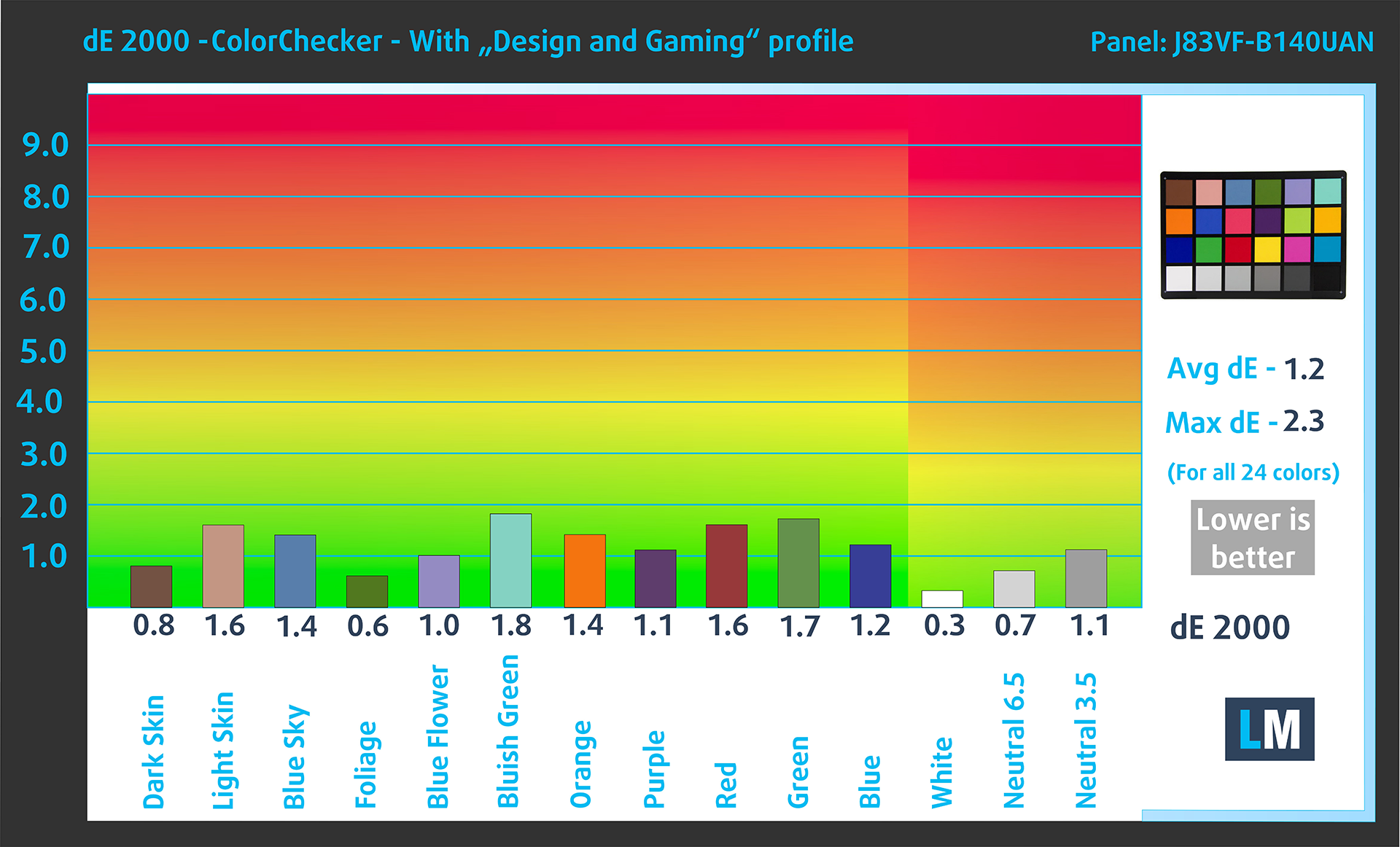
Our “Design and Gaming” profile delivers optimal color temperature at 180 cd/m2 luminance (Illuminant white point – D65), sRGB encoding curve.
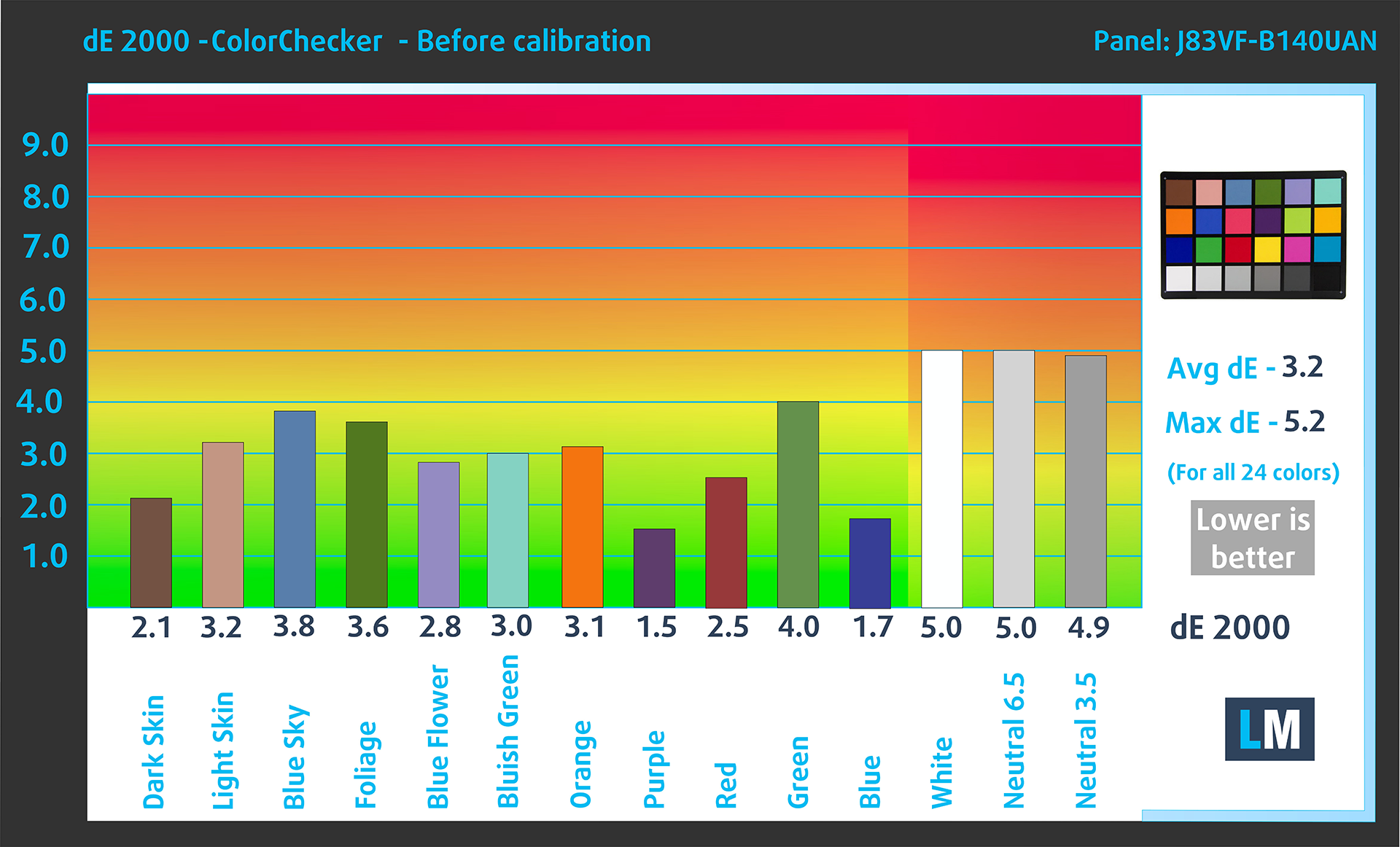
We tested the accuracy of the display with 24 commonly used colors like light and dark human skin, blue sky, green grass, orange, etc.
Below you can compare the scores of the Dell Precision 5490 with the default settings („sRGB“ mode in the „Dell Premier Color“ app), and with the “Gaming and Web design” profile (right).
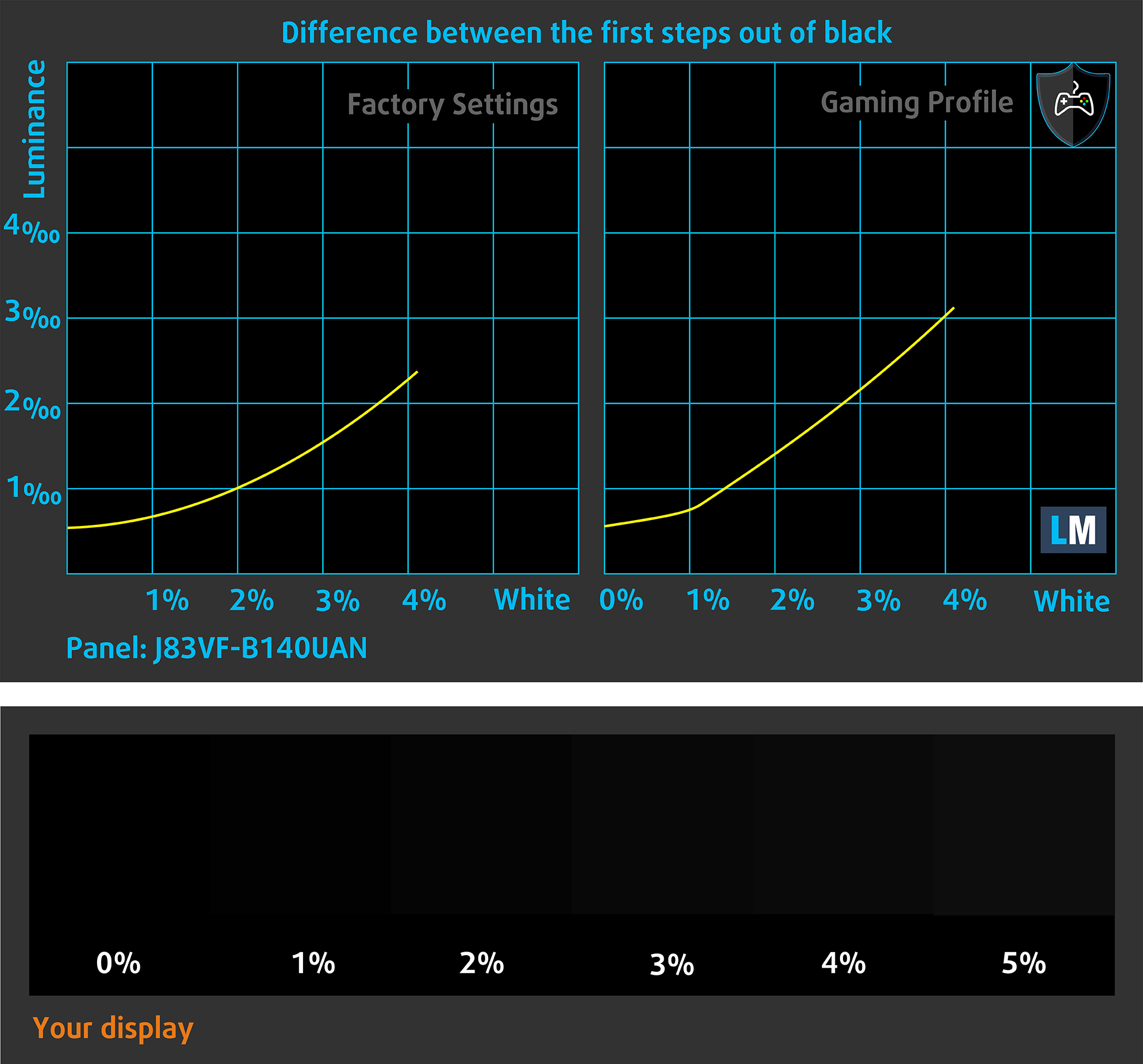
The next figure shows how well the display is able to reproduce really dark parts of an image, which is essential when watching movies or playing games in low ambient light.
The left side of the image represents the display with stock settings, while the right one is enhanced with the “Gaming and Web Design” profile activated. On the horizontal axis, you will find the grayscale, and on the vertical axis – the luminance of the display. On the two graphs below you can easily check for yourself how your display handles the darkest nuances but keep in mind that this also depends on the settings of your current display, the calibration, the viewing angle, and the surrounding light conditions.
Response time (Gaming capabilities)
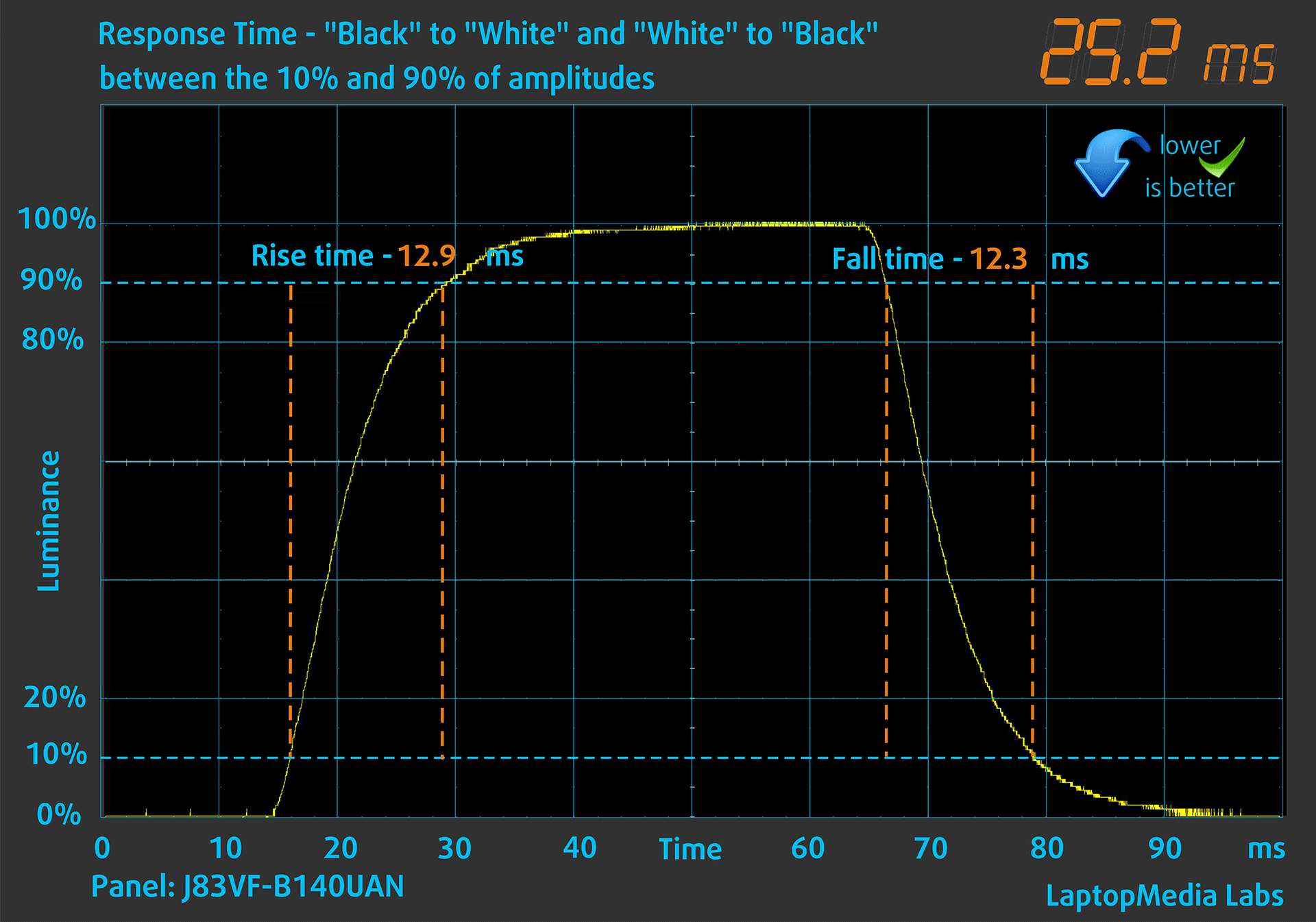
We test the reaction time of the pixels with the usual “black-to-white” and “white-to-black” method from 10% to 90% and vice versa (these terms refer to the time it takes for pixels to change from one color to another (black to white and back to black in this case), a shorter time reduces picture blur with fast moving images).
We recorded Fall Time + Rise Time = 25 ms.
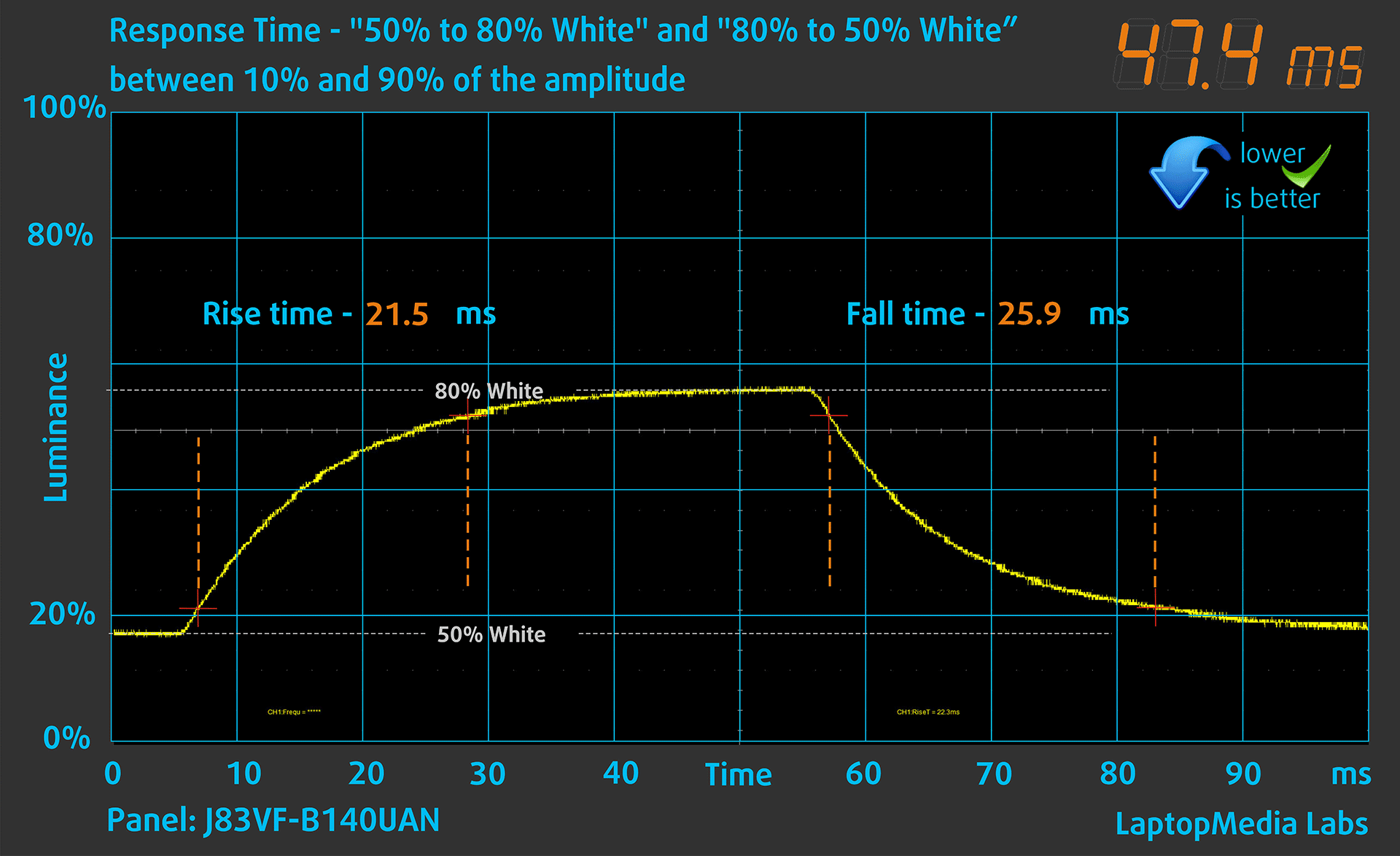
After that, we test the reaction time of the pixels with the usual “Gray-to-Gray” method from 50% White to 80% White and vice versa between 10% and 90% of the amplitude.
Health Impact: PWM (Screen flickering)
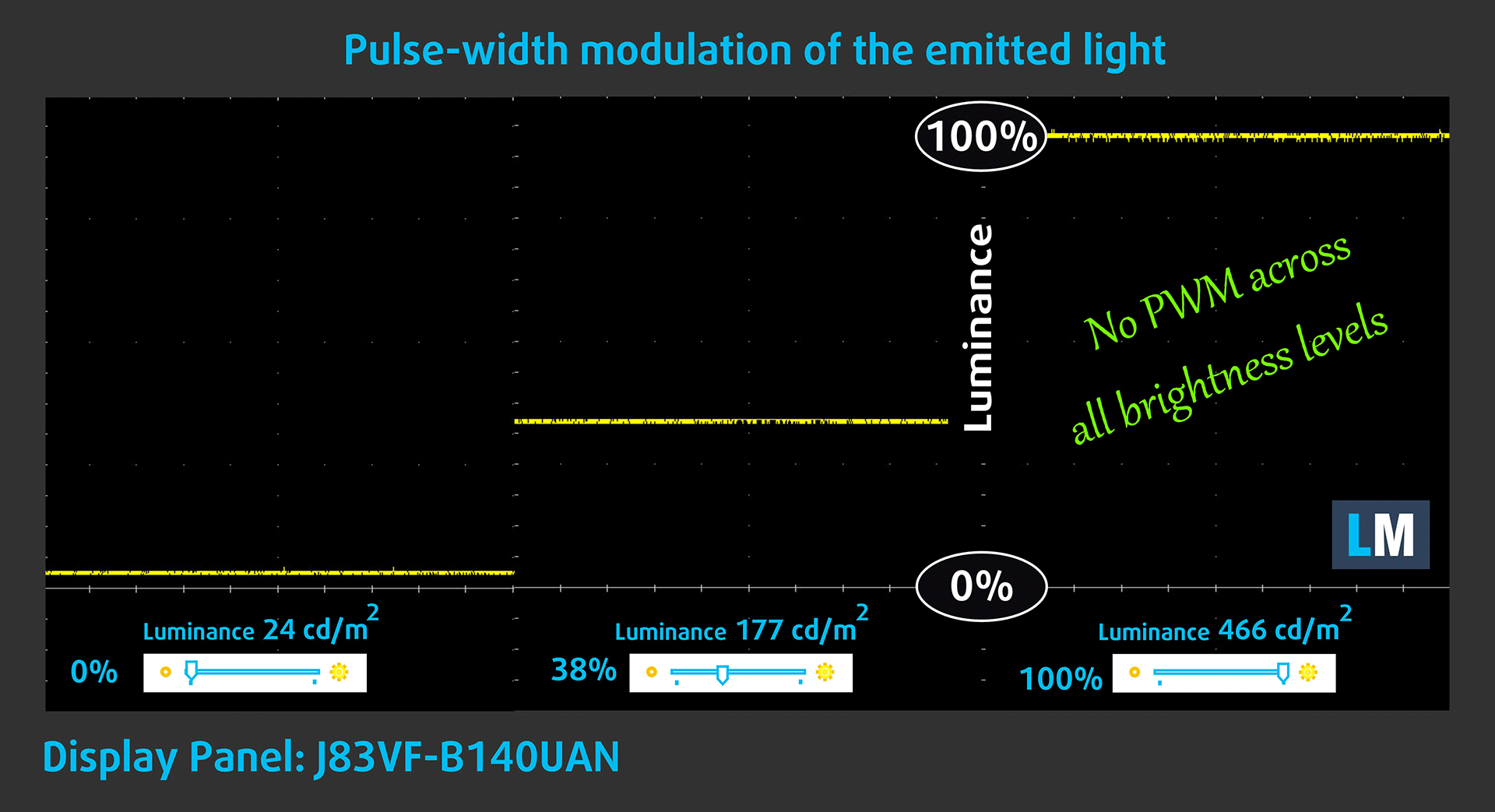
Pulse-width modulation (PWM) is an easy way to control monitor brightness. When you lower the brightness, the light intensity of the display is not lowered, but instead turned off and on by the electronics with a frequency indistinguishable to the human eye. In these light impulses, the light/no-light time ratio varies, while brightness remains unchanged, which is harmful to your eyes. You can read more about that in our dedicated article on PWM.
Dell Precision 5490’s display doesn’t use PWM for brightness adjustment. This makes the screen pretty comfortable for long periods of use.
Health Impact: Blue light emissions
Installing our Health-Guard profile not only eliminates PWM but also reduces the harmful Blue Light emissions while keeping the colors of the screen perceptually accurate. If you’re not familiar with the Blue light, the TL;DR version is – emissions that negatively affect your eyes, skin, and your whole body. You can find more information about that in our dedicated article on Blue Light.
Health Impact: Screen Reflectance
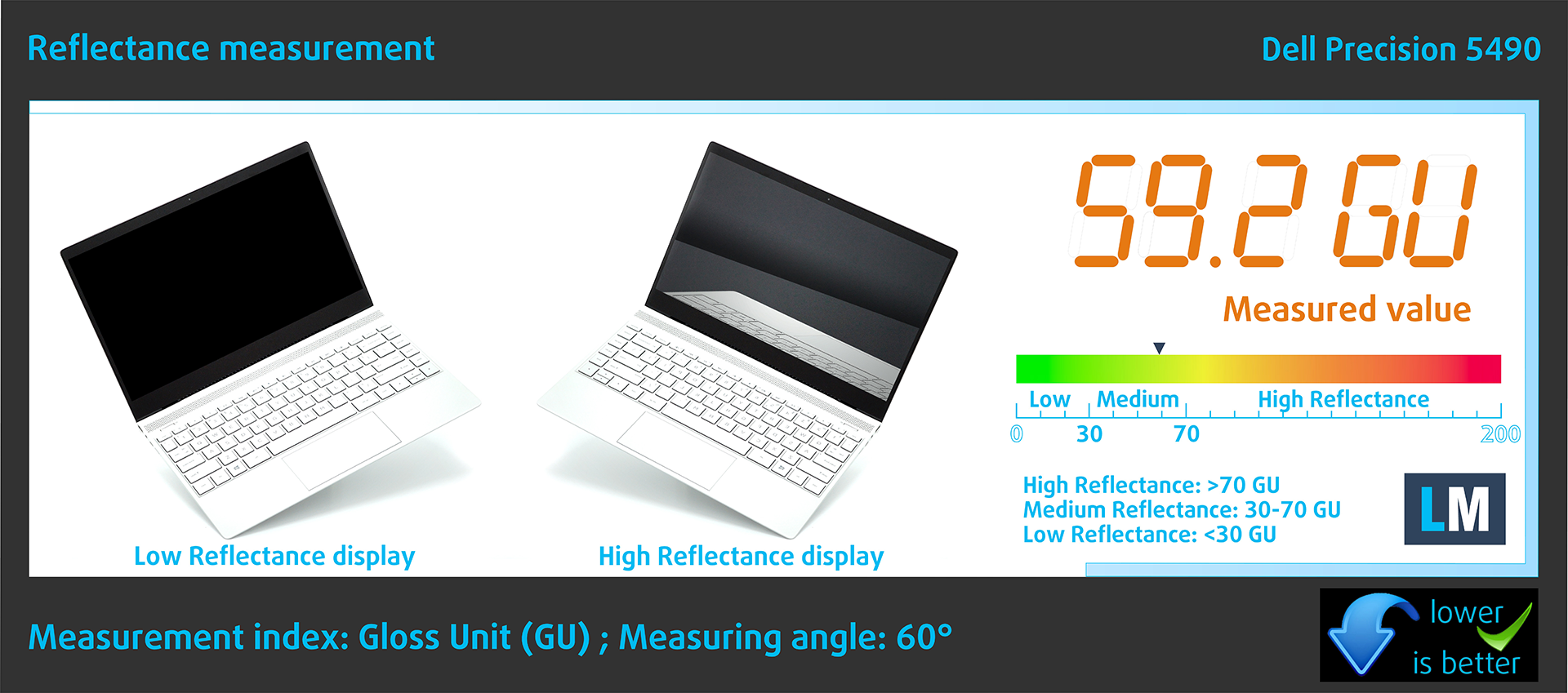
Glossy-coated displays can be inconvenient in high ambient light conditions due to reflections. We measure the screen reflection level for each laptop when the display is turned off and the measurement angle is set at 60°.
The reflectance of the Dell’s screen is 59.2 GU.
High Gloss: >70 GU
Medium Gloss: 30 – 70 GU
Low Gloss: <30 GU
Sound
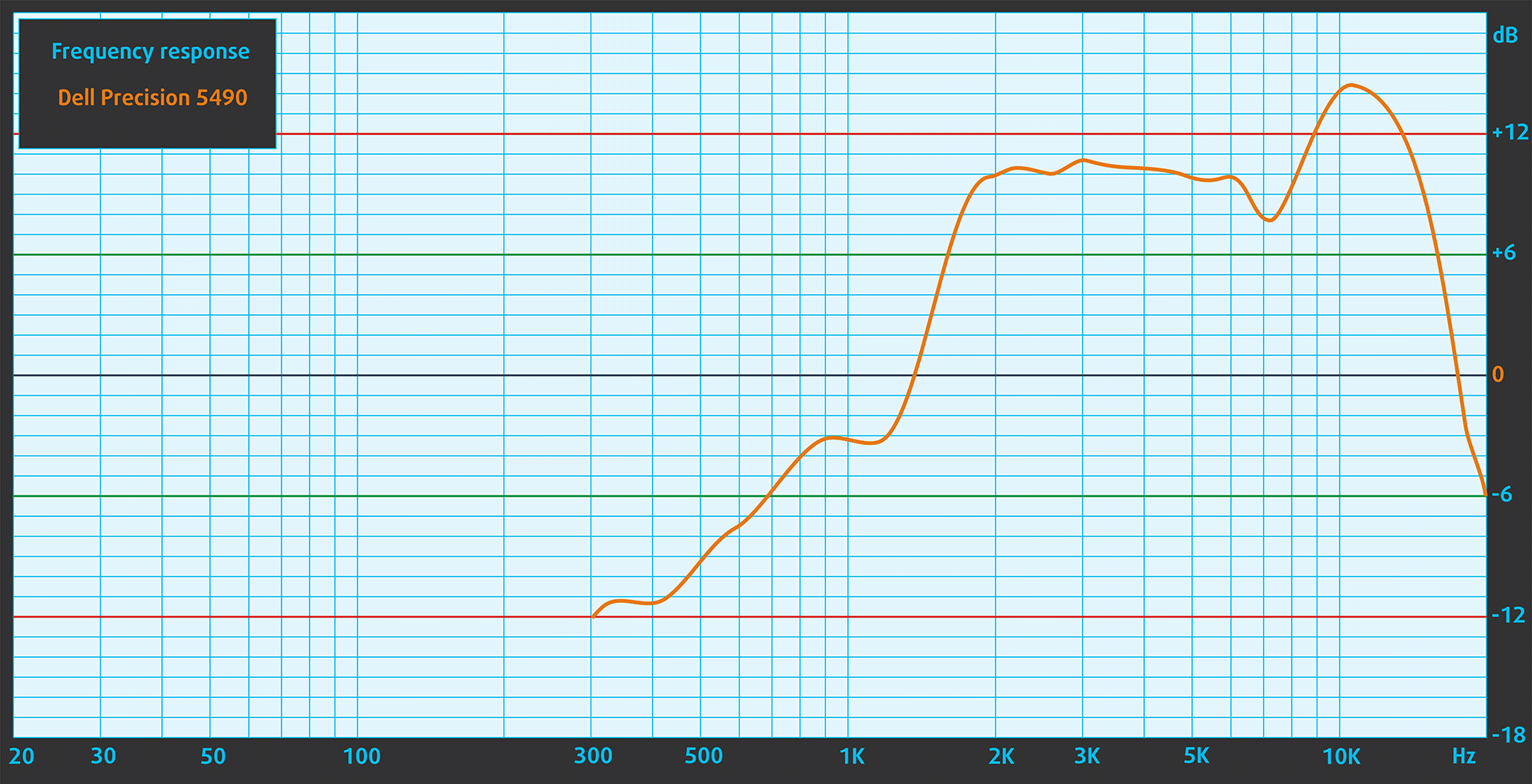
Dell Precision 5490’s speakers produce a sound of good quality. However, in the recording of the speakers’ frequency response, there is a noticeable rise in the mid and high frequencies.
Buy our profiles
Since our profiles are tailored for each individual display model, this article and its respective profile package are meant for Dell Precision 5490 configuration with 14.0″ AUO J83VF-B140UAN (AUOF99A) (1920×1200).
*Should you have problems with downloading the purchased file, try using a different browser to open the link you’ll receive via e-mail. If the download target is a .php file instead of an archive, change the file extension to .zip or contact us at [email protected].
Read more about the profiles HERE.
Εκτός από τη λήψη αποδοτικών και φιλικών προς την υγεία προφίλ, αγοράζοντας τα προϊόντα της LaptopMedia υποστηρίζετε επίσης την ανάπτυξη των εργαστηρίων μας, όπου δοκιμάζουμε συσκευές για να παράγουμε τις πιο αντικειμενικές δυνατές αξιολογήσεις.

Office Work
Το Office Work πρέπει να χρησιμοποιείται κυρίως από χρήστες που περνούν τον περισσότερο χρόνο τους κοιτάζοντας κείμενα, πίνακες ή απλώς σερφάροντας. Αυτό το προφίλ στοχεύει στην παροχή καλύτερης ευκρίνειας και σαφήνειας διατηρώντας μια επίπεδη καμπύλη γάμμα (2.20), εγγενή θερμοκρασία χρώματος και αντιληπτικά ακριβή χρώματα.

Design and Gaming
Αυτό το προφίλ απευθύνεται σε σχεδιαστές που εργάζονται επαγγελματικά με χρώματα, καθώς και για παιχνίδια και ταινίες. Το Design and Gaming ωθεί τα πάνελ οθόνης στα όριά τους, καθιστώντας τα όσο το δυνατόν πιο ακριβή στο πρότυπο sRGB IEC61966-2-1 για Web και HDTV, σε λευκό σημείο D65.

Health-Guard
Το Health-Guard εξαλείφει την επιβλαβή διαμόρφωση πλάτους παλμού (PWM) και μειώνει το αρνητικό Μπλε Φως που επηρεάζει τα μάτια και το σώμα μας. Δεδομένου ότι είναι ειδικά προσαρμοσμένο για κάθε πάνελ, καταφέρνει να διατηρεί τα χρώματα αντιληπτικά ακριβή. Το Health-Guard προσομοιώνει το χαρτί, οπότε η πίεση στα μάτια μειώνεται σημαντικά.
Αποκτήστε και τα 3 προφίλ με 33% έκπτωση

Performance: CPU, GPU, Storage
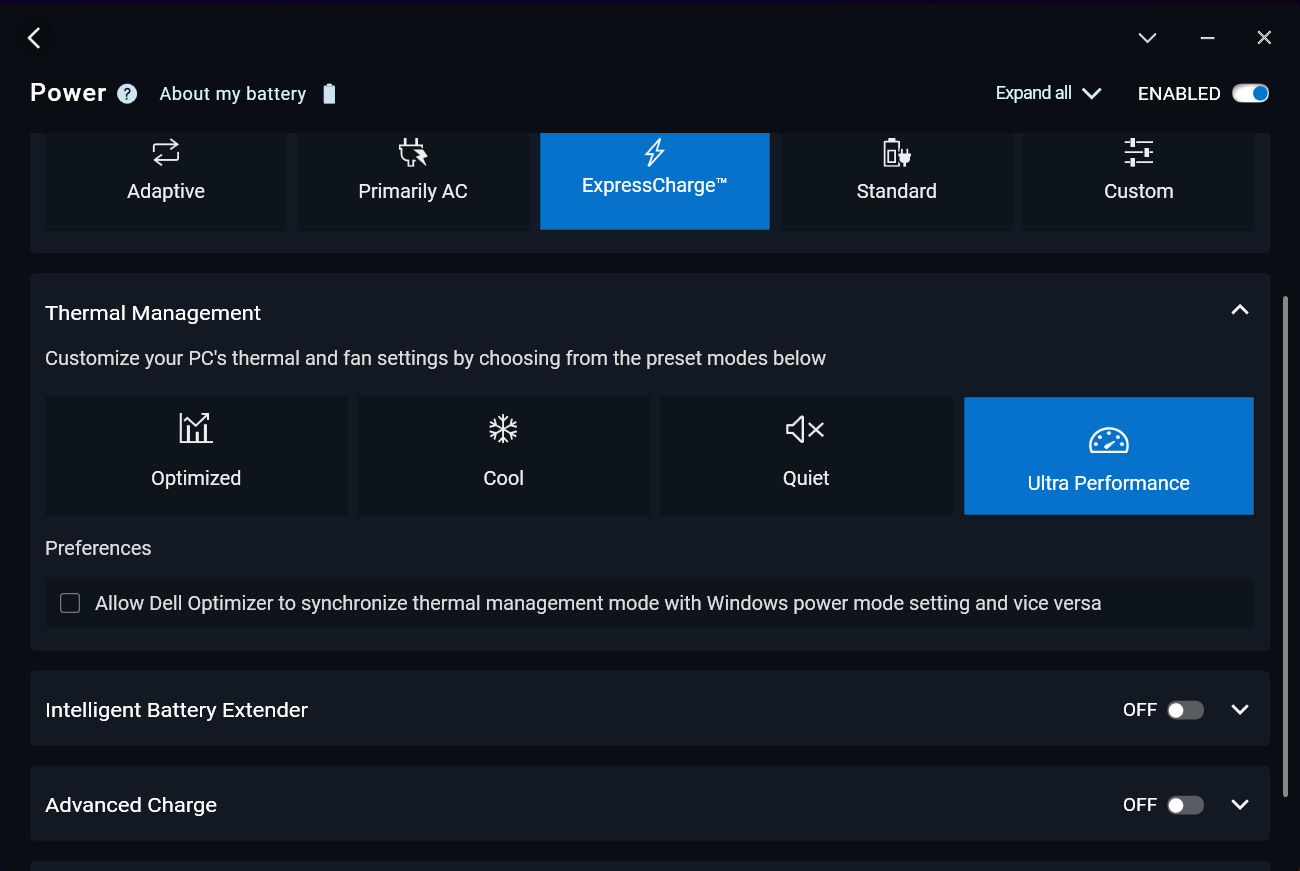
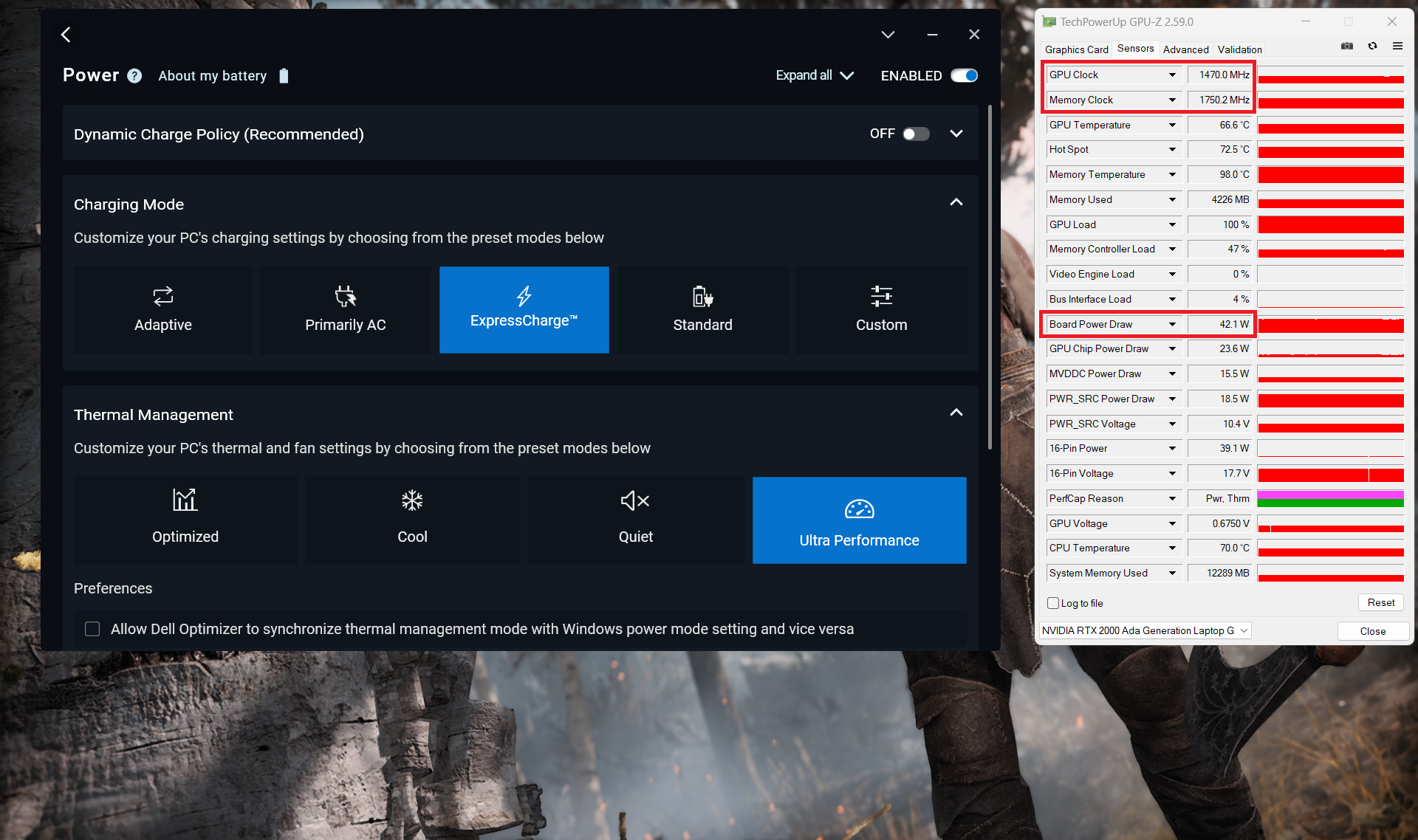
All benchmarks and tests were conducted with the “Best performance” preset activated in the Windows “Power & Battery” menu. Also, the “Ultra Performance” mode is enabled in the Dell Optimizer app.

CPU options
This laptop can be found with Intel Core Ultra 5 135H vPro, Core Ultra 7 155H (vPro Essentials), Core Ultra 7 165H vPro, or Core Ultra 9 185H vPro.
Our laptop has a 165H chip.
Η απόδοση ενός πυρήνα εξασφαλίζει ομαλή λειτουργία και απόκριση στα λειτουργικά συστήματα, παρέχοντας καλύτερη εμπειρία χρήστη.
Τα αποτελέσματα είναι από το τεστ Geekbench 6 Single-Core (το υψηλότερο είναι καλύτερο)

Η απόδοση πολλαπλών πυρήνων είναι απαραίτητη για τη διαχείριση σύνθετων και απαιτητικών εργασιών, όπως η επεξεργασία βίντεο, το CAD και οι επιστημονικές προσομοιώσεις.
Τα αποτελέσματα είναι από το τεστ Geekbench 6 Multi-Core (το υψηλότερο είναι καλύτερο)
Εδώ, αξιολογούμε την απόδοση της CPU χρησιμοποιώντας μια πραγματική εργασία 3D rendering, αξιολογώντας την ικανότητά της να διαχειρίζεται αποτελεσματικά πολύπλοκους υπολογισμούς και φόρτους εργασίας rendering.
Τα αποτελέσματα είναι από το τεστ Cinebench 2024 Multi-Core (το υψηλότερο είναι καλύτερο)
GPU options
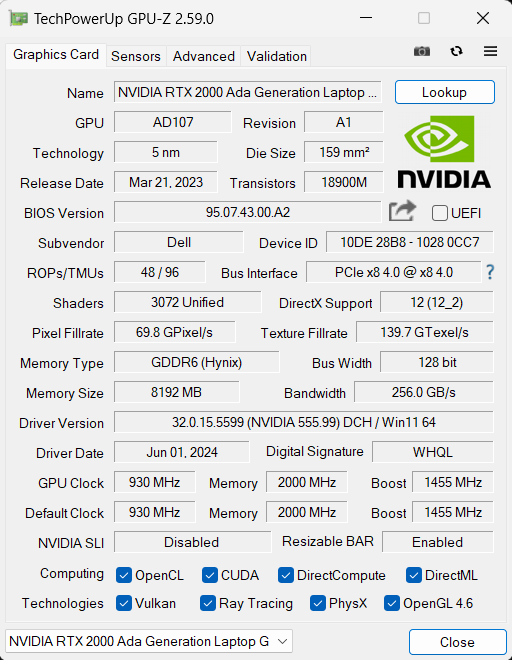
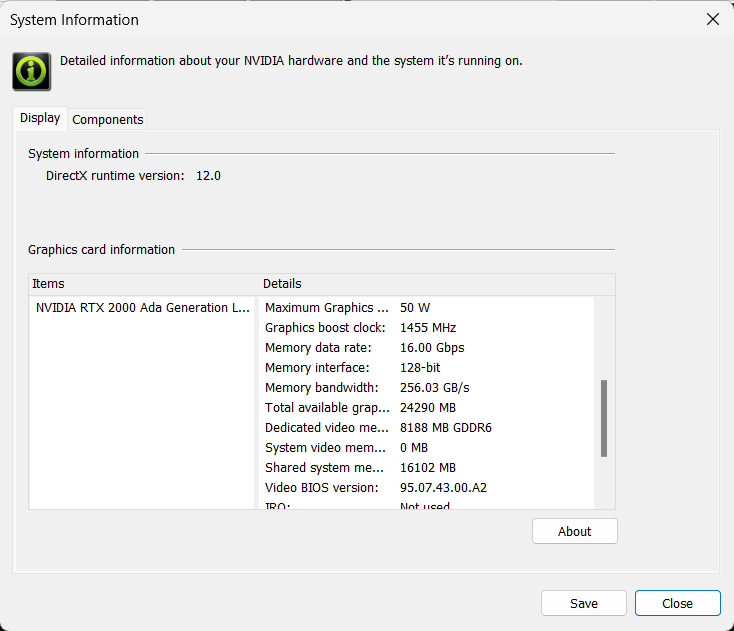
These are the GPU models – NVIDIA RTX 1000 Ada Generation, RTX 2000 Ada Generation (50W), and RTX 3000 Ada Generation (50W).
The device that we bought is equipped with the 50W RTX 2000 variant.
Τα αποτελέσματα προέρχονται από το 3DMark Time Spy (Graphics). Το υψηλότερο είναι καλύτερο.
Τα αποτελέσματα προέρχονται από το 3DMark Wild Life Extreme Unlimited. Το υψηλότερο είναι καλύτερο.
Gaming tests

| Metro Exodus | Full HD, Low (Check settings) | Full HD, High (Check settings) | Full HD, Extreme (Check settings) |
|---|---|---|---|
| Average FPS | 168 fps | 59 fps | 29 fps |

| Borderlands 3 | Full HD, V.Low (Check settings) | Full HD, Medium (Check settings) | Full HD, High (Check settings) | Full HD, Badass (Check settings) |
|---|---|---|---|---|
| Average FPS | 155 fps | 110 fps | 75 fps | 59 fps |

| Far Cry 6 | Full HD, Low (Check settings) | Full HD, High (Check settings) | Full HD, Ultra (Check settings) |
|---|---|---|---|
| Average FPS | 112 fps | 85 fps | 74 fps |

| Gears 5 | Full HD, Low (Check settings) | Full HD, Medium (Check settings) | Full HD, High (Check settings) | Full HD, Ultra (Check settings) |
|---|---|---|---|---|
| Average FPS | 177 fps | 121 fps | 101 fps | 82 fps |
In terms of specs, the 50W RTX 2000 Ada Generation GPU is very close to the mobile RTX 4060. For this kind of power limit, the gaming performance seems good.
Storage performance
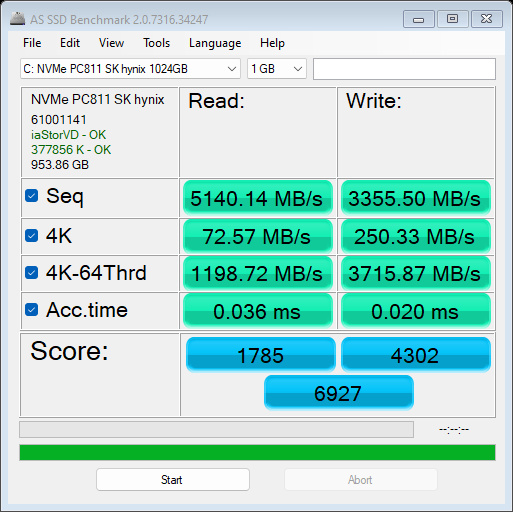
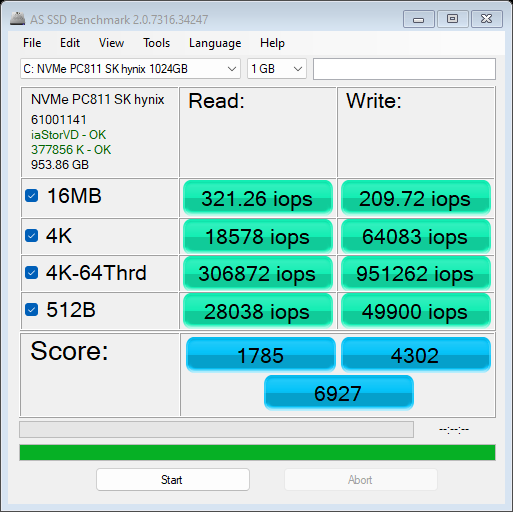
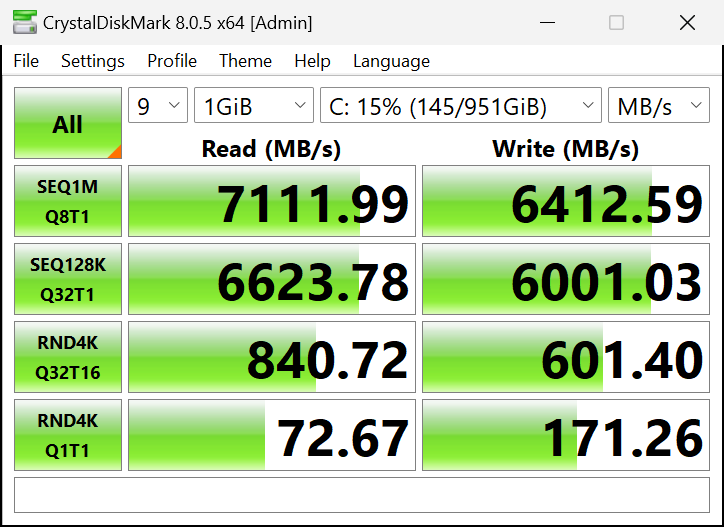
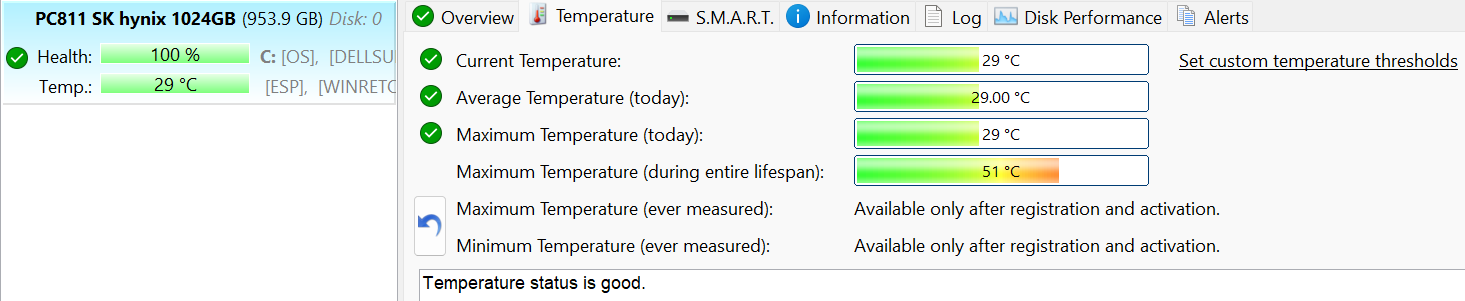
Our notebook is equipped with a 1TB SK Hynix PC811. This Gen 4 SSD is fast and it’s also well-cooled. It reached just 51°C during benchmarking which is a rare case.
[eBook Guide + Tools] How to MAX OUT Your Laptop
You can make your laptop Faster. LaptopMedia has tested thousands of models in the last 15 years, and we have yet to see a notebook that couldn't be made more powerful through modifications.
That's why we decided to bundle everything we know about how to achieve this in an Easy-to-Follow, Step-by-Step, and Laboratory-Tested, all in one project.
Read more about it here:
[eBook Guide + Tools] How to MAX OUT Your Laptop
🛠️ GPU Modifications: vBIOS, Overclocking, Undervolting
⚙️ Building Fast/Reliable RAID configuration
💻 Hardware upgrade tips for best results
🖼 Display enhancing
💾 OS Optimization for best performance
Temperatures and comfort, Battery Life
Max CPU load
In this test we use 100% on the CPU cores, monitoring their frequencies and chip temperature. The first column shows a computer’s reaction to a short load (2-10 seconds), the second column simulates a serious task (between 15 and 30 seconds), and the third column is a good indicator of how good the laptop is for long loads such as video rendering.

Average P-core frequency; Average E-core frequency; Average LP E-core frequency; CPU temp.; Package Power
| Intel Core Ultra 7 165H (28W Base Power) | 0:02 – 0:10 sec | 0:15 – 0:30 sec | 10:00 – 15:00 min |
|---|---|---|---|
| Dell Precision 5490 | 3.59 GHz @ 2.73 GHz @ 2.48 GHz @ 92°C @ 106W | 2.84 GHz @ 2.76 GHz @ 2.49 GHz @ 97°C @ 83W | 2.88 GHz @ 2.37 GHz @ 1.62 GHz @ 80°C @ 50W |
The Core Ultra 9 185H inside this small Dell machine can show great clocks in short loads. In medium and long stress, the chip can maintain a high P core frequency of around 2.80 GHz which leads to stable performance. Expectedly, in the long run, the E and LP E clocks are a bit hindered. The high temperatures in the first two columns can raise a few elbows.
Real-life gaming
| NVIDIA RTX 2000 Ada Generation | GPU frequency/ Core temp (after 2 min) | GPU frequency/ Core temp (after 30 min) |
|---|---|---|
| Dell Precision 5490 | 1386 MHz @ 66°C @ 39W | 1465 MHz @ 66°C @ 42W |
| HP ZBook Fury 16 G10 | 1791 MHz @ 65°C @ 65W | 1782 MHz @ 66°C @ 65W |
The NVIDIA RTX 2000 Ada Generation is mentioned as a 50W model in the NVIDIA Control panel. We were able to see 42W after half an hour of gaming alongside a low temperature of just 66°C. Perhaps this GPU can hit its max TGP with the 1600p display (or laptop has a 1200p screen).
Comfort during full load
During heavy workloads in “Ultra Performance” mode, the two fans are noisy, but not too much.
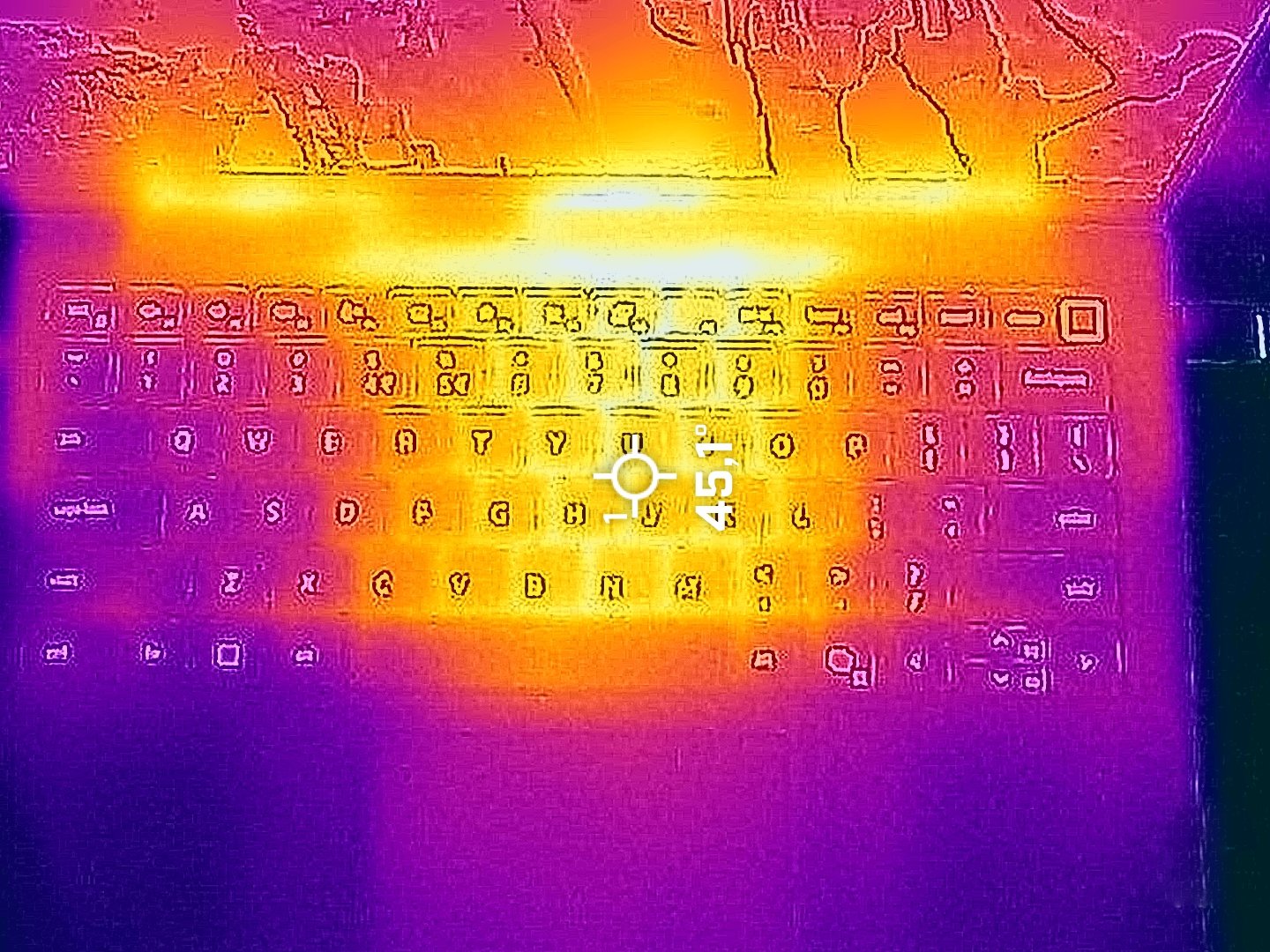
The temperature around the middle of the keyboard reaches 45°C during gaming or 3D rendering. At the same time, the hotspots in the upper row of keys and the top section of the base hit 49°C which doesn’t feel too hot.
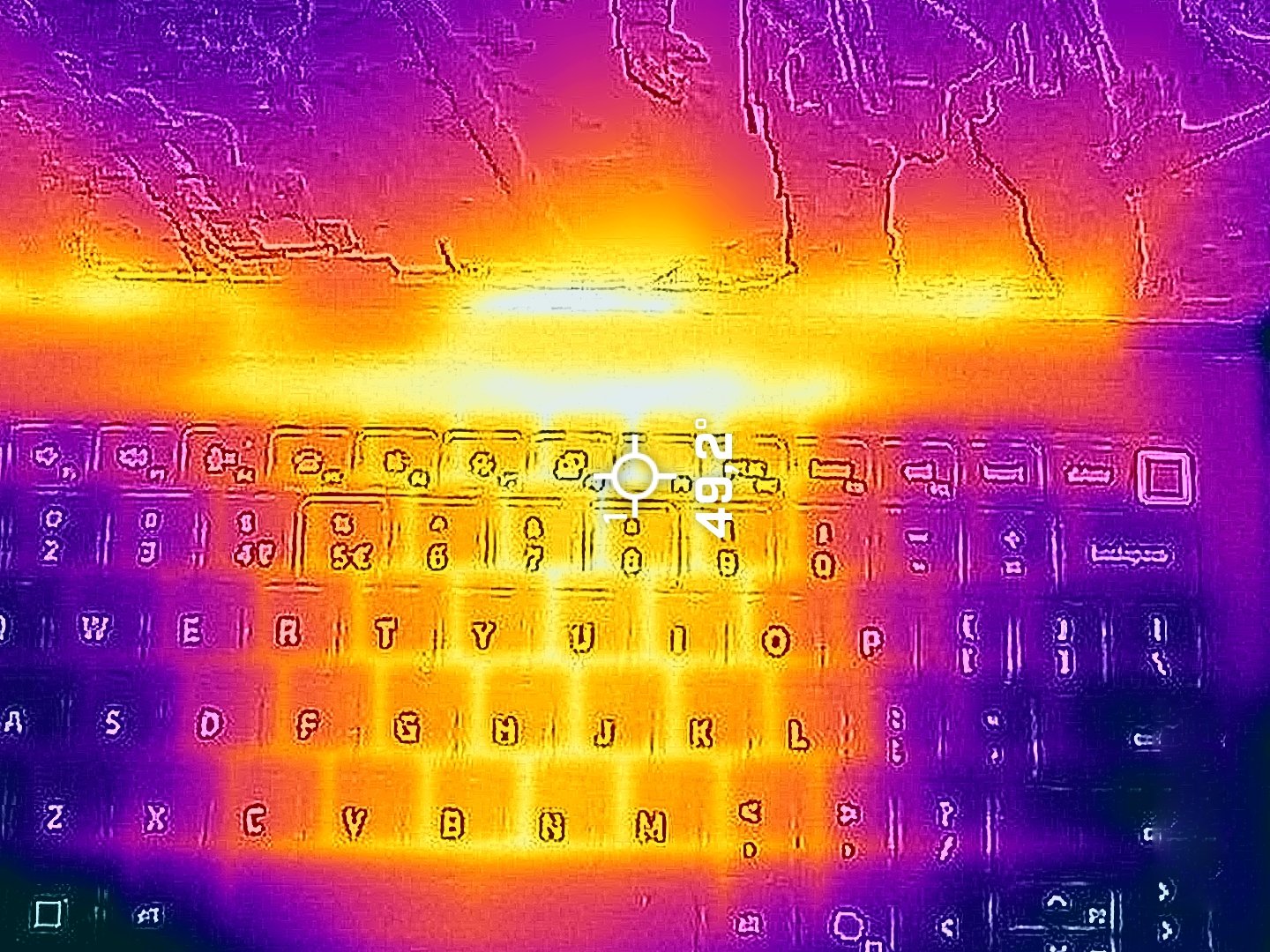
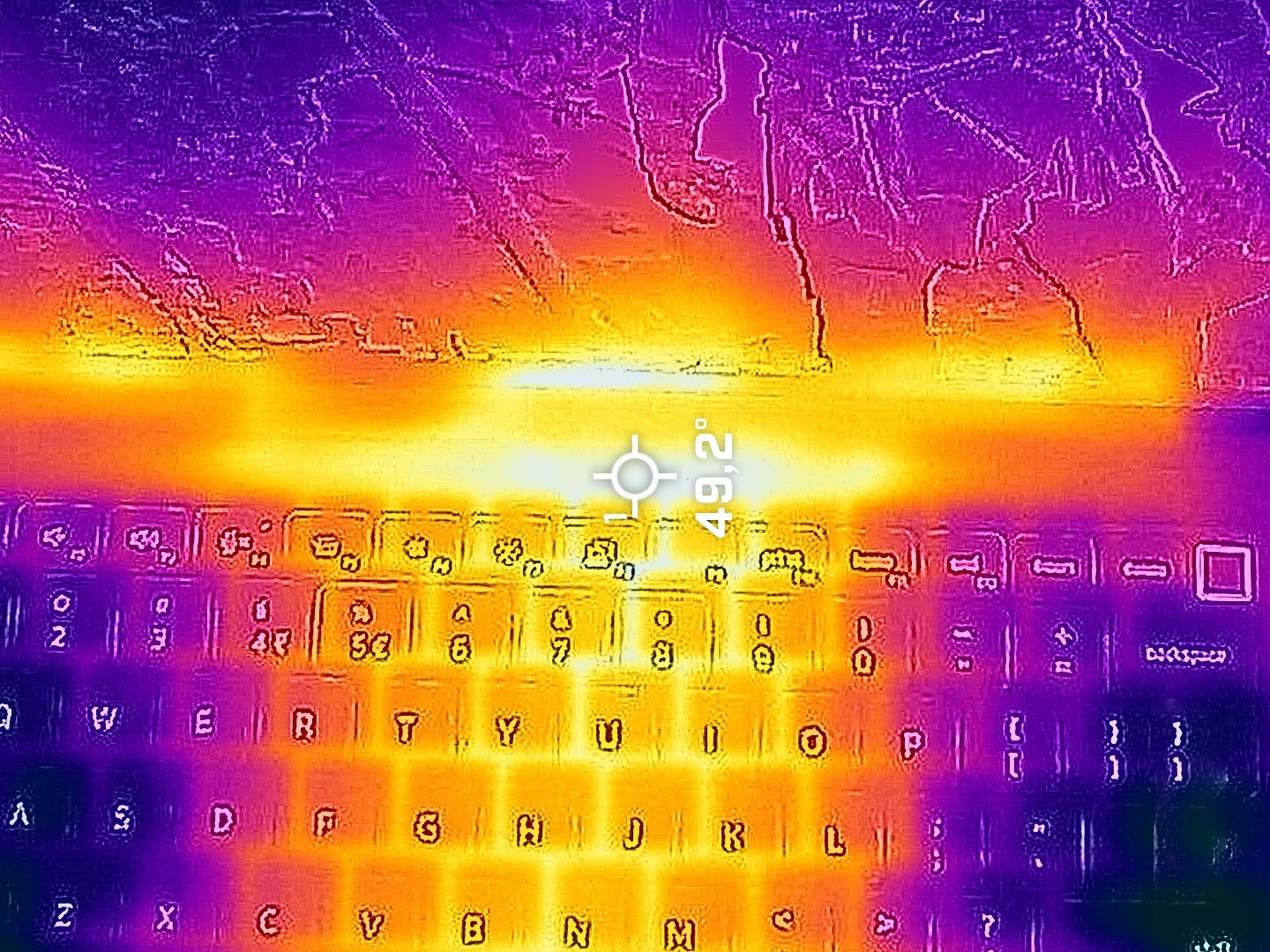
When selecting the “Optimized” load, the clocks aren’t slightly lower compared to the “Ultra Performance” preset, and the fans are a bit more tamed.
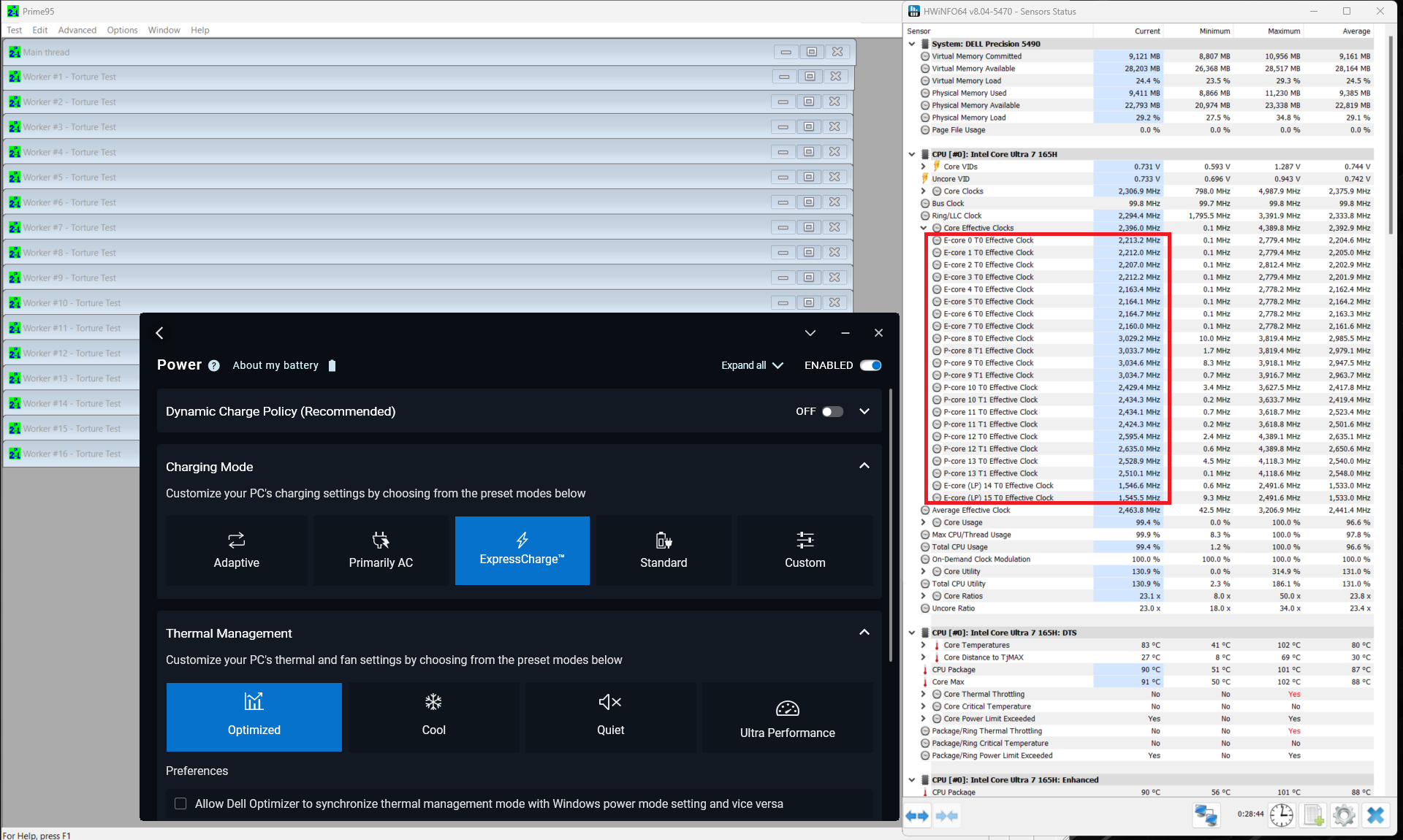
The 42W GPU TGP is available when the “Ultra Performance” mode is applied. The power limit is decreased to around 37W when you switch to the “Optimized” preset.
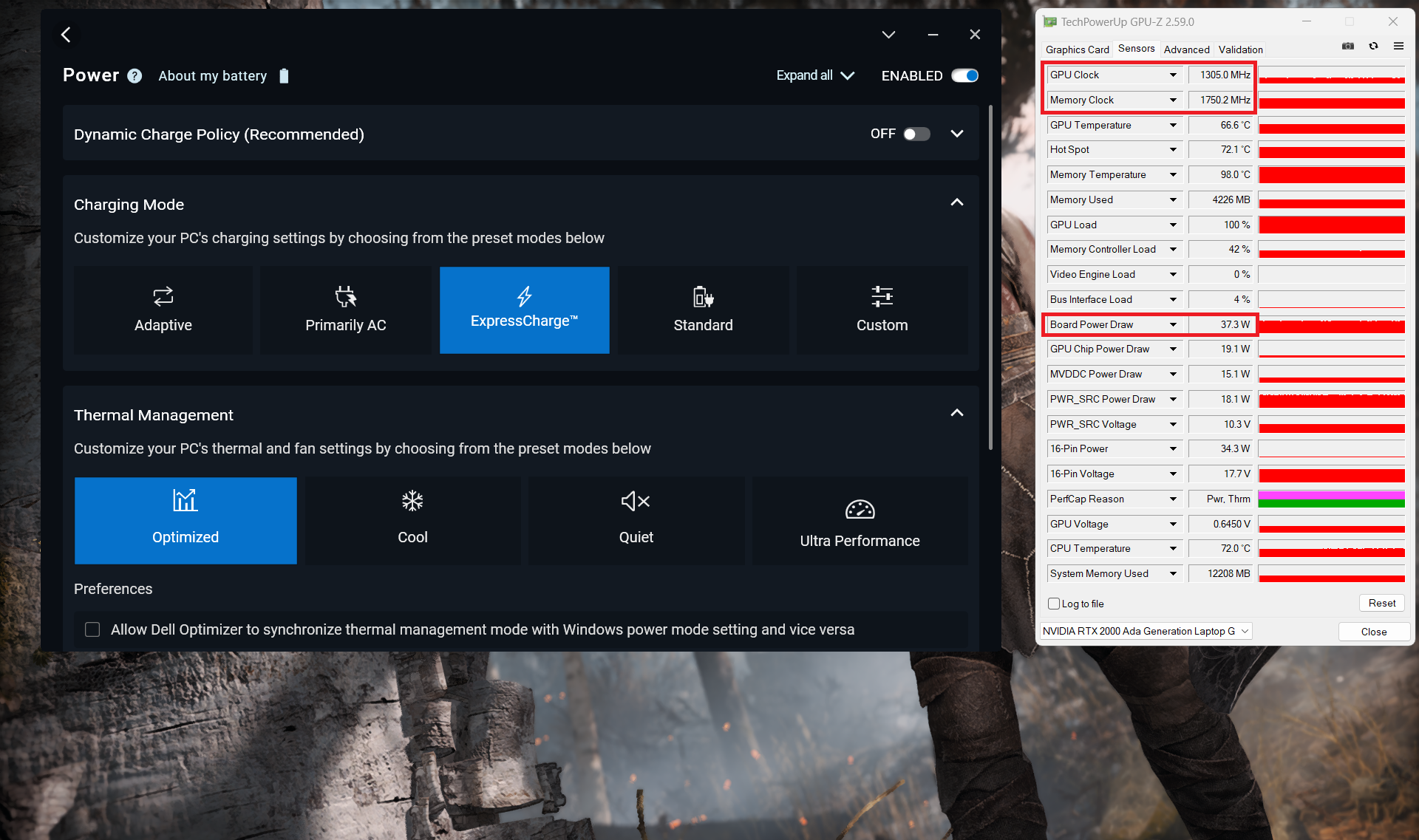 Optimized
 Ultra Performance
Battery
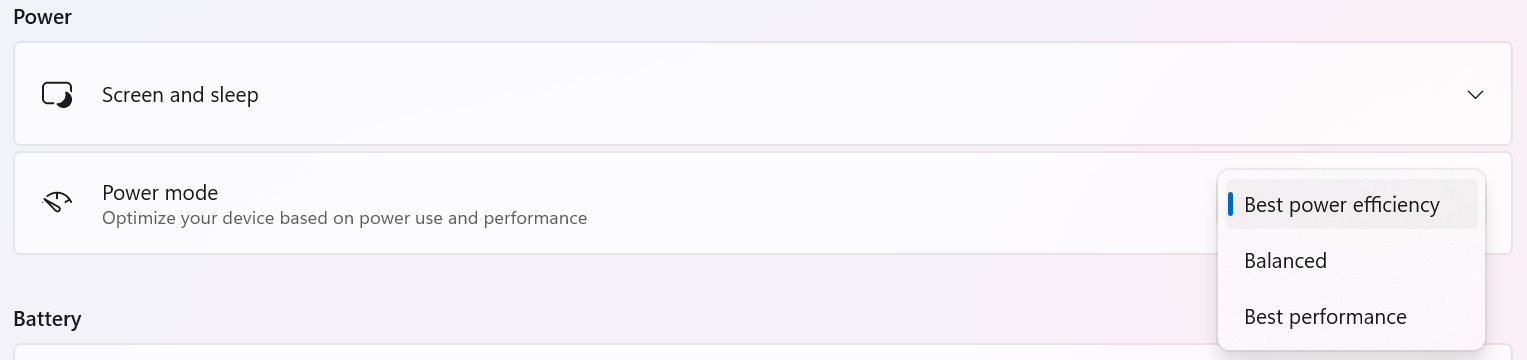
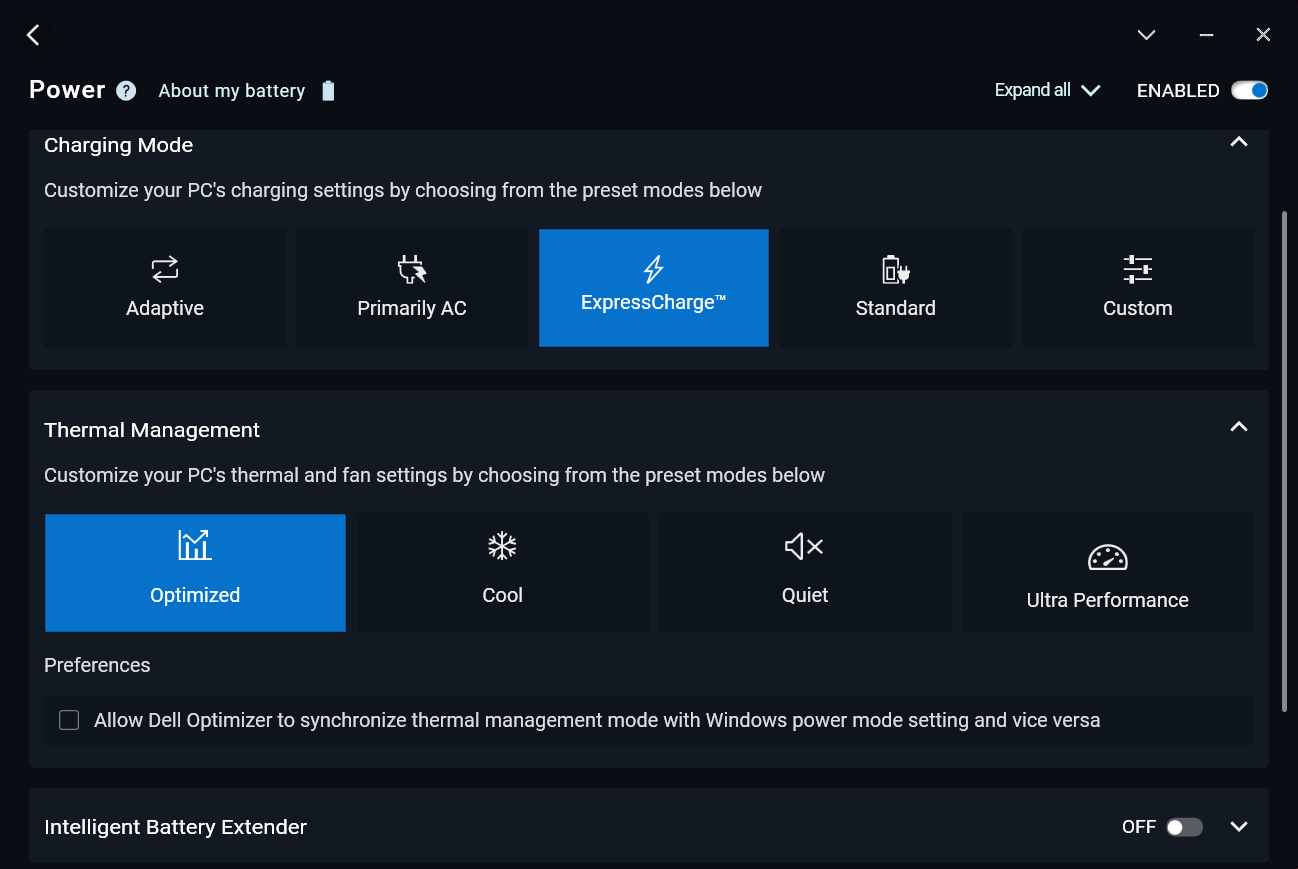
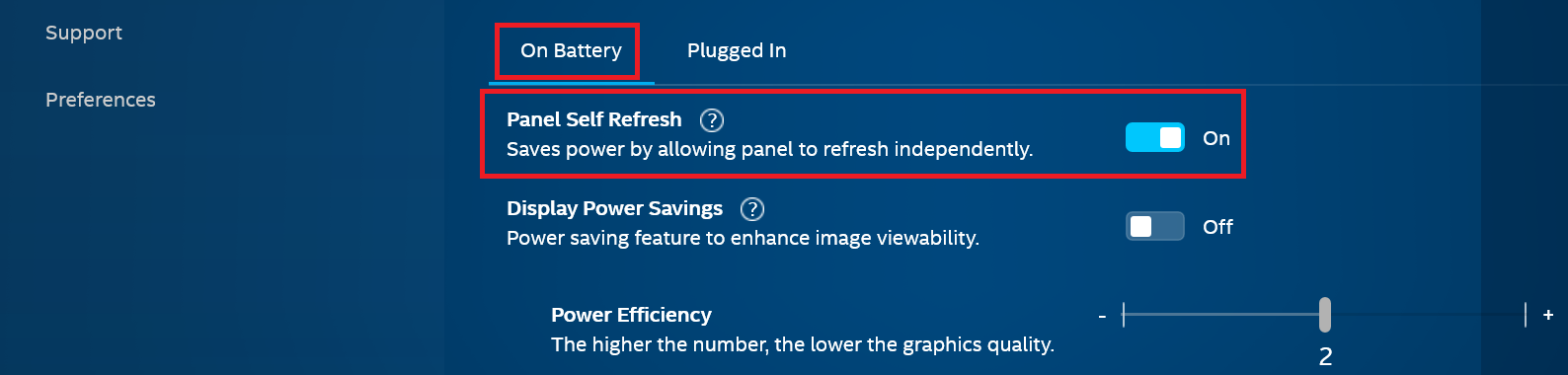
Now, we conduct the battery tests with the Windows Best Power Efficiency setting turned on, screen brightness adjusted to 180 nits and all other programs turned off except for the one we are testing the notebook with. The 72Wh battery pack lasts around 14 hours and a half of video playback. To achieve that, you have to apply the “Best Power Efficiency” preset in the Windows “Power & Battery” menu and select the “Optimized” power plan in the Dell Optimizer app. The “Panel Self Refresh” option is turned on in the Intel Graphics Command Center.
The “Panel Self Refresh” option is turned on in the Intel Graphics Command Center.
Φωτεινότητα: 180 nits; Λειτουργία οθόνης: SDR
Χρόνος μέχρι την πλήρη εκφόρτιση: Υψηλότερο είναι καλύτερο
Disassembly, Upgrade options, and Maintenance
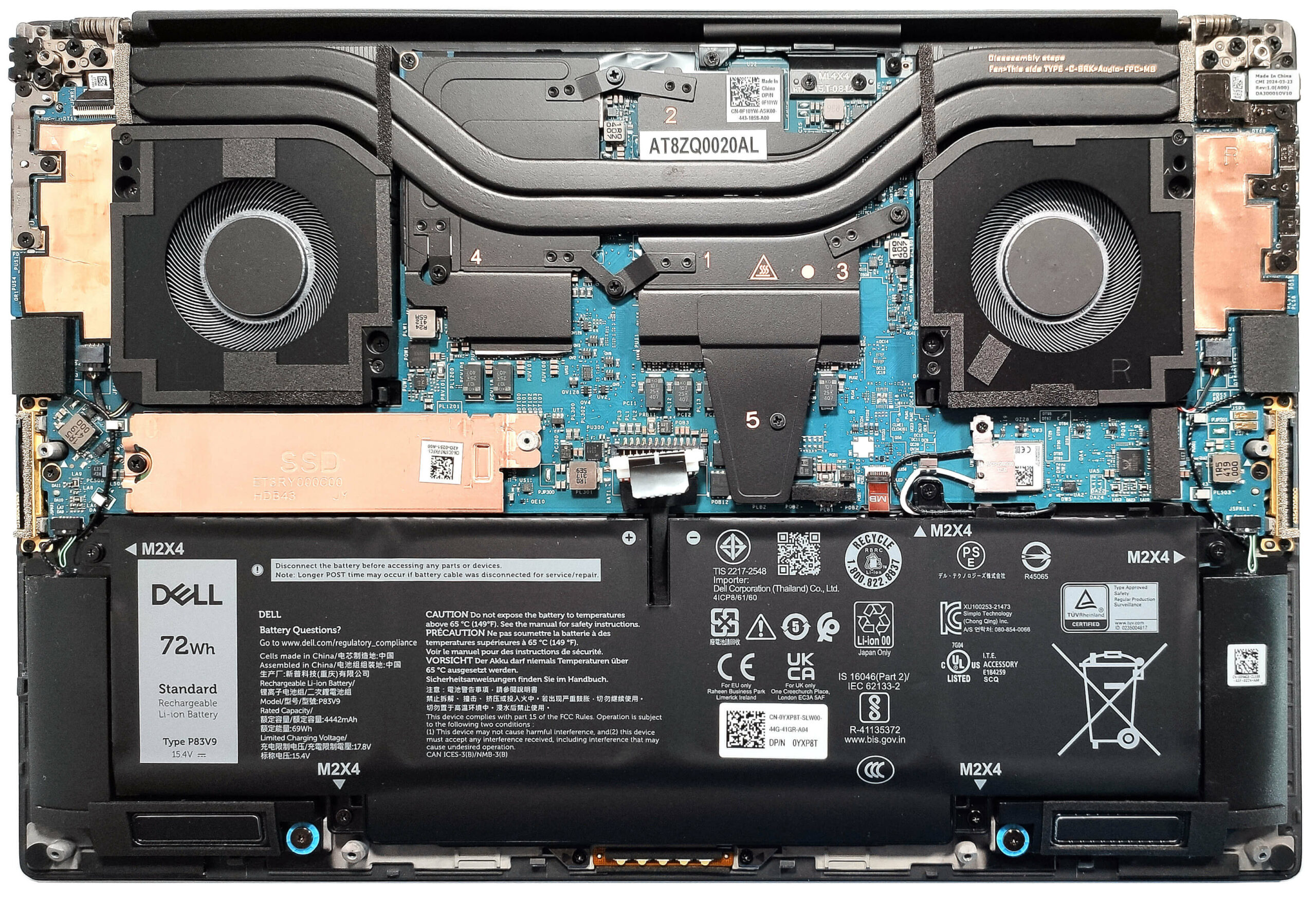
To see the internals of this laptop, you have to undo 8 Torx-head screws. Pop the zones close to the top two corners with a lever tool. This will create gaps in these sections. Then, use a thin plastic tool to pry the sides and the front. After that, pop the back with a lever tool.
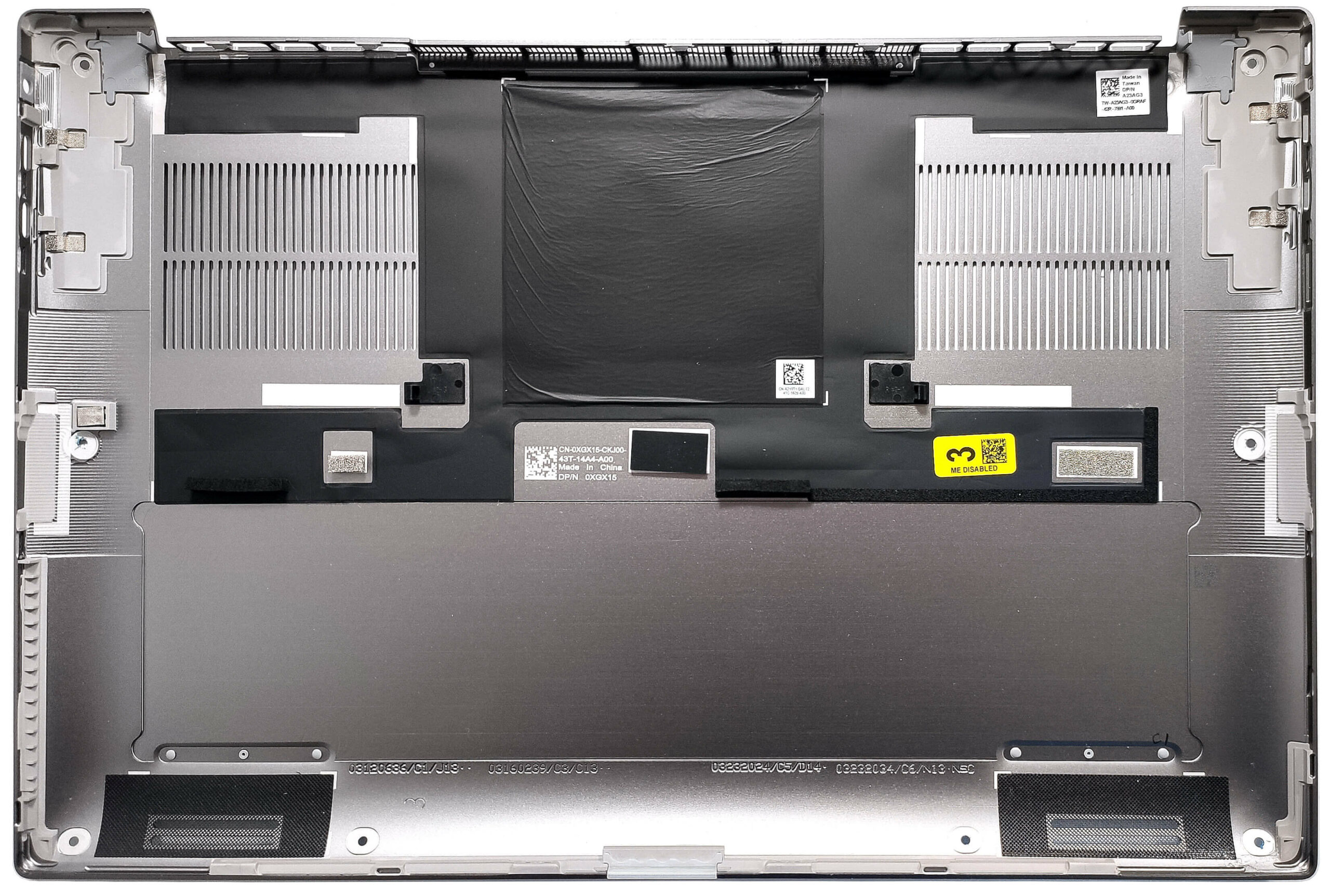
Here’s how the bottom plate looks on the inside.
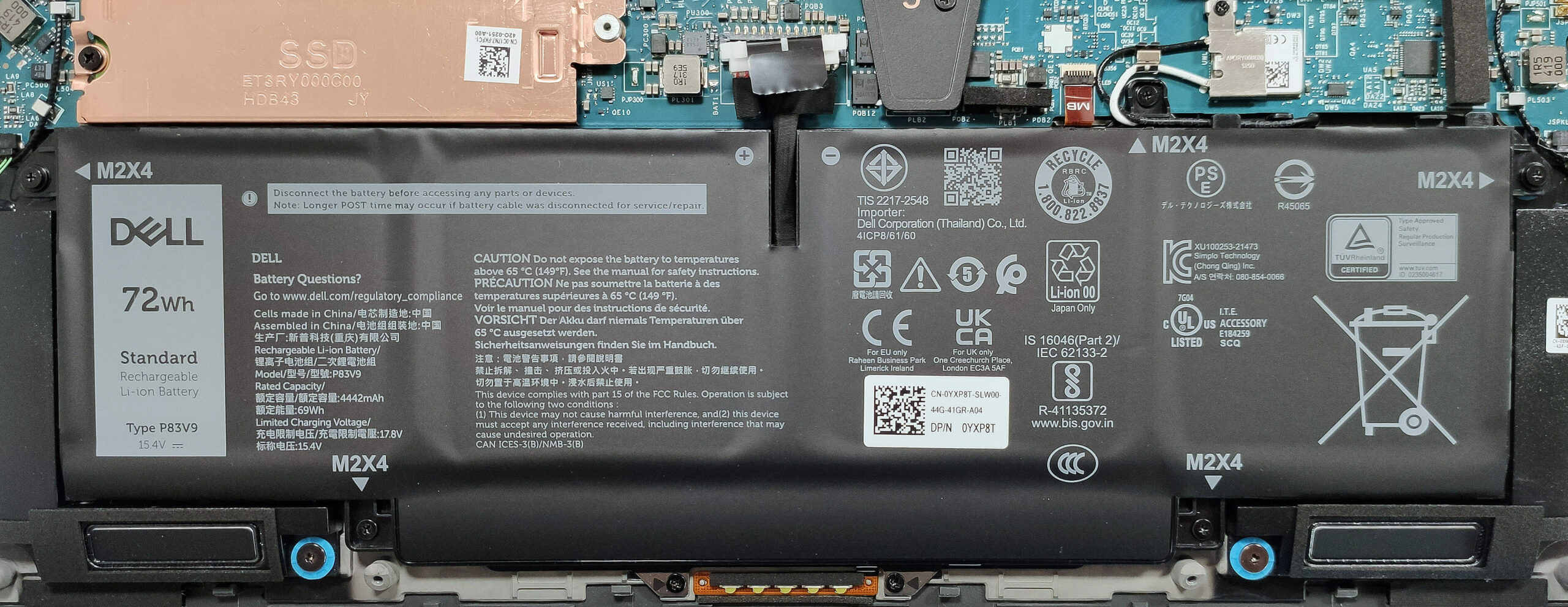
The battery is a 72Wh model. To take it out, unplug the connector from the mainboard and undo the 5 Phillips-head screws that keep the unit in place. The capacity is enough for around 14 hours and a half of video playback.
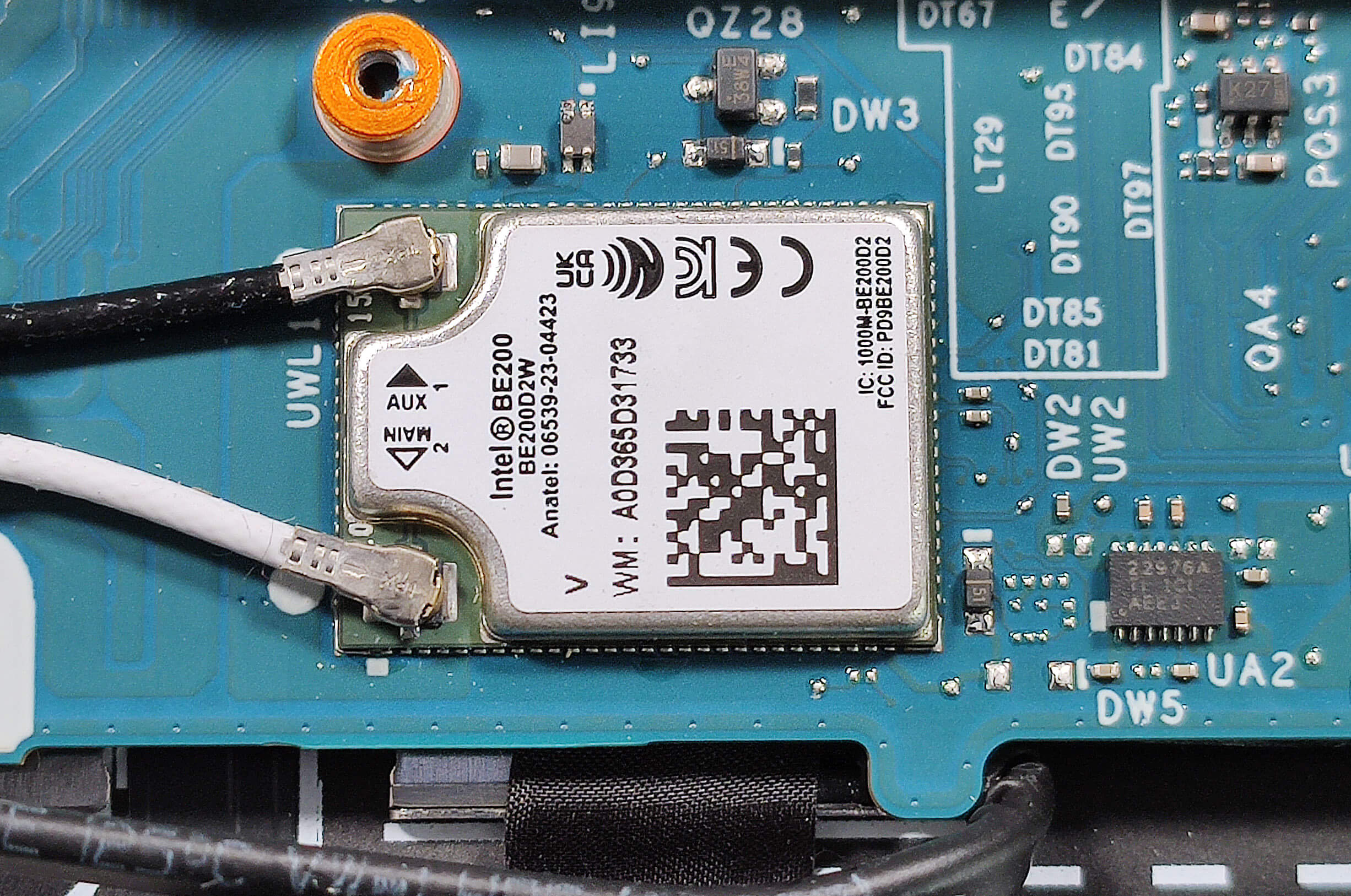
You also have to untangle the Wi-Fi card’s cables around the battery housing (the card is also soldered).
Unfortunately, you can rely on just soldered memory. Still, you get up to 64GB of LPDDR5x-7467 MHz RAM in dual-channel mode which sounds plenty. Storage-wise, you can rely on a single M.2 slot compatible with Gen 4 SSDs. The preinstalled NVMe is protected by a metal shroud. When you undo the single Phillips-head screw that fixes the cap and the SSD to the base, slide the plate to the left to unlatch it from the standoff. On the inside of the small metal plate, there is a long thermal pad.
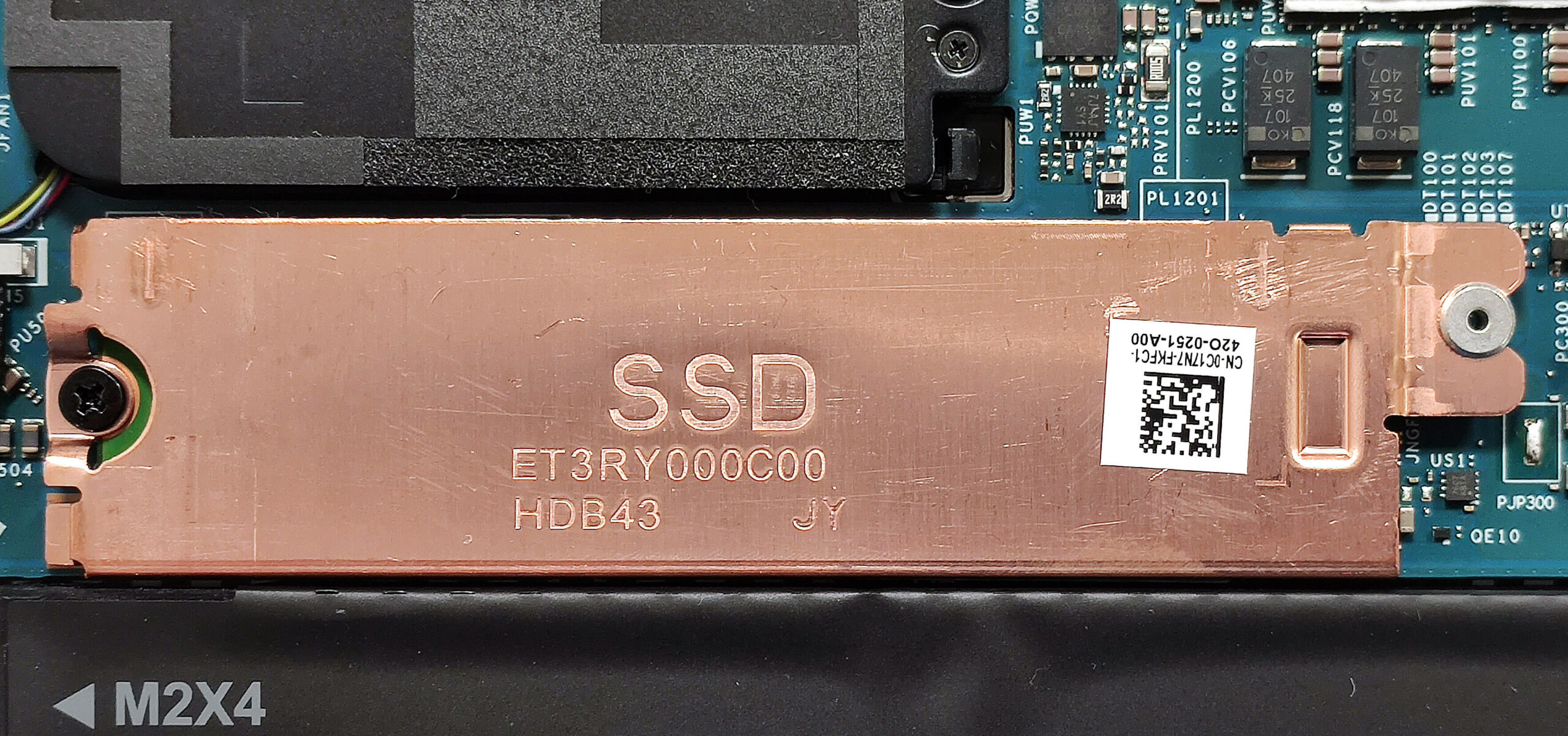
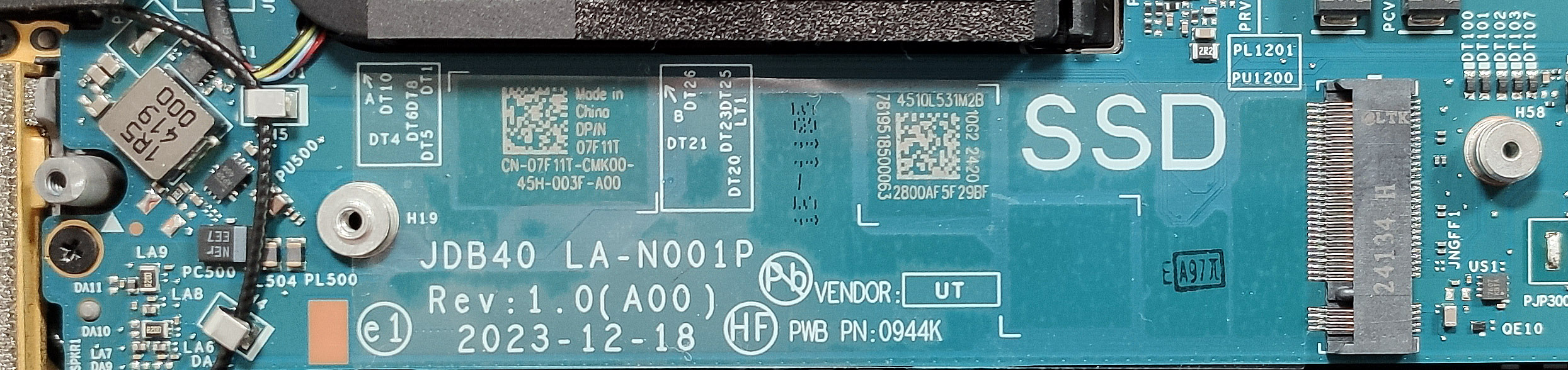
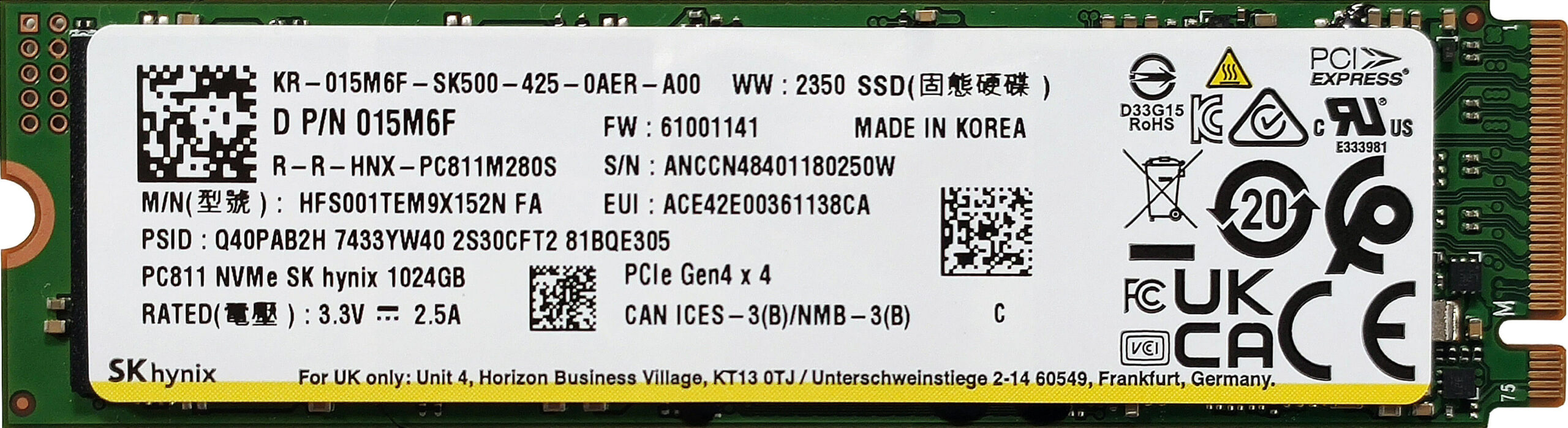
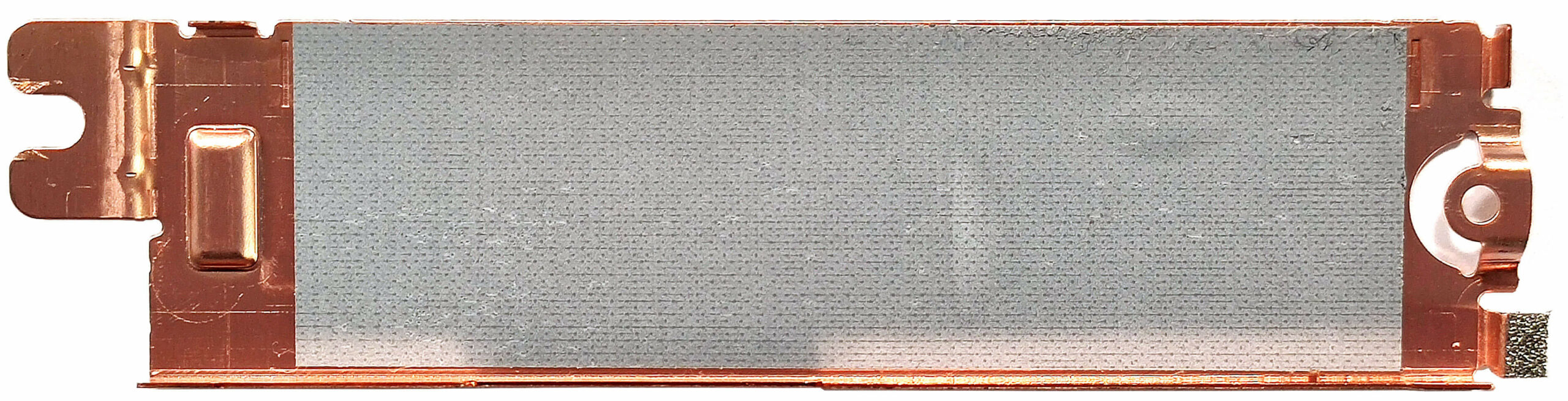
The thermal system looks competent. It has two large fans, a pair of long heat pipes shared between the CPU and the GPU, two top-mounted heatsinks, and a duo of big heat spreaders.
Verdict
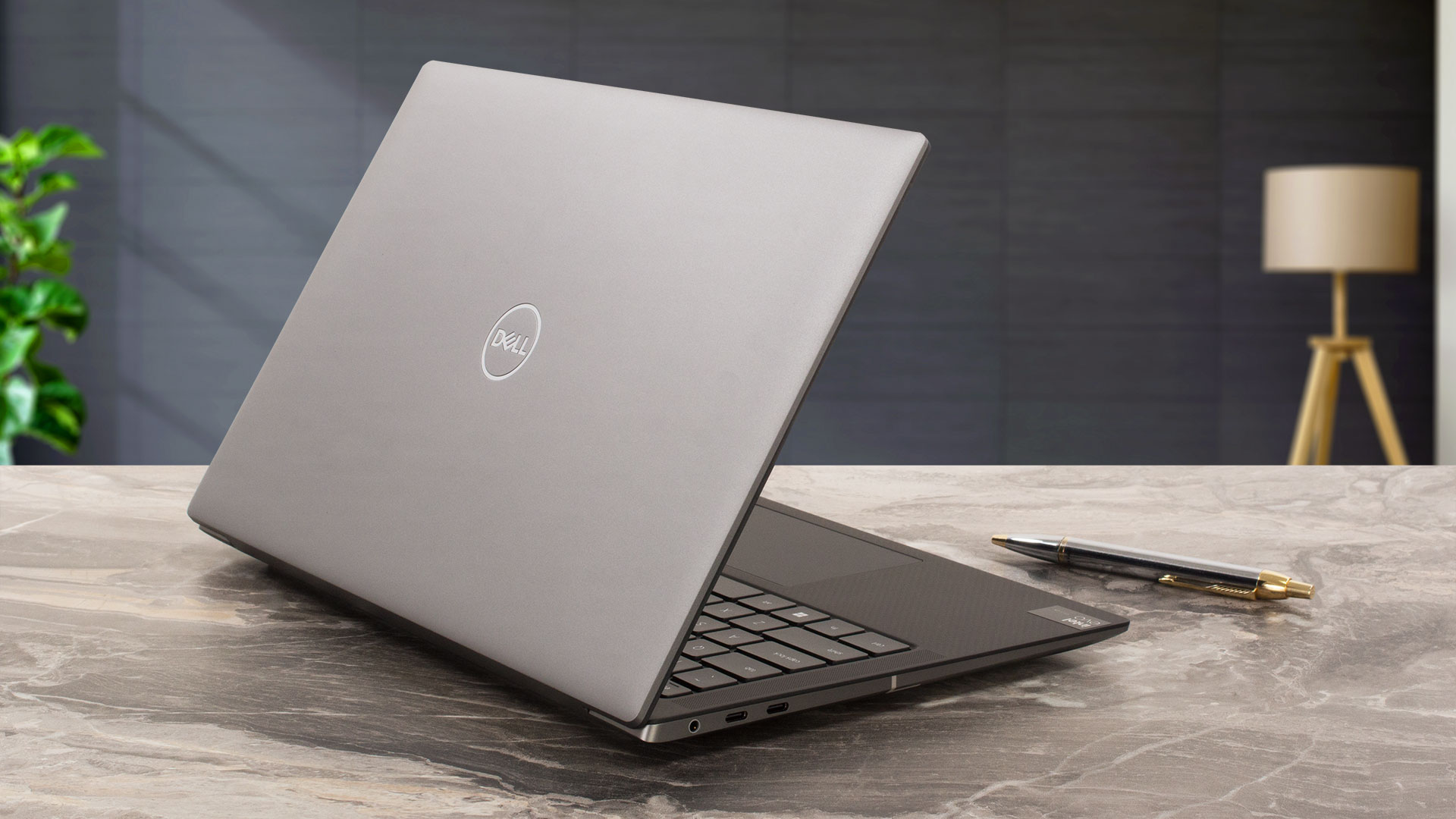 The Dell Precision 5490 is a potent yet compact workstation. The cooling solution does its job well. In our case, the optional Core Ultra 7 165H can sustain impressive frequencies in short loads for a 14-incher – around 3.59 GHz / 2.73 GHz for the P and E cores. In longer stress, the P-core clock reaches ~2.80 Ghz which is still a good result. The SSD (1TB SK Hynix PC811) is fast and it doesn’t get hot at all. Its max temperature under benchmarking is just 51°C!
The 1200p IPS display (AUO J83VF-B140UAN (AUOF99A)) amazes us with its 100% sRGB coverage, lack of PWM usage, and very good color accuracy when our “Design and Gaming” profile is applied (average dE 1.2). The max brightness of
466 cd/m2 is high and the contrast ratio is very good – 1860:1.
The solid build of this high-priced laptop feels premium. The input devices are comfortable. This reminds us that the keyboard doesn’t get too hot when the internals are pushed to their limits but the two fans are noisier than the normal (but not in an extreme way).
You know the drill when it comes to small notebooks – soldered RAM and a single M.2 slot. At least you can buy this laptop with up to 64GB of memory. Contrary to that, the port selection impresses us with its four Thunderbolt 4 connectors! The only downside here is that you have to use an adapter if you want to connect Type-A peripherals.
The Precision 5490 can be a dream come true for users who need a small and powerful workstation. It offers very long battery life, a color-accurate PWM-free display, and modern CPU and GPU options with AI capabilities.
You can check the prices and configurations in our Specs System: https://laptopmedia.com/series/dell-precision-14-5490/
Pros
- Compact and light for the hardware under the hood
- Solid and premium build
- Comfortable keyboard and touchpad
- PWM-free (AUOF99A)
- 100% sRGB coverage + accurate color with our “Design and Gaming” profile (AUOF99A)
- Wide viewing angles and a high max brightness of 466 nits (AUOF99A)
- 1860:1 contrast ratio (AUOF99A)
- 4x Thunderbolt 4 ports
- Very long battery life (more than 14 hours of videos)
- IR Web camera
- Fingerprint reader, NFC, and Smart card reader (all are optional)
- The CPU can maintain ~3.60 GHz in short and ~2.80 GHz P-core clock in long loads
- The SSD (1TB SK Hynix PC811) is fast and well-cooled (it reaches just 51°C during benchmarking)
- Up to 64GB of LPDDR5x-7467 MHz RAM in dual-channel mode
Cons
- Soldered memory and just one M.2 slot
- 720p Web camera
- Too many optional extras
- High price
- No Type-A ports
 Author: Nikolay Palaozov
 Author: eng. Kroum NikolovHead of Engineering at LaptopMedia.com, inventor and innovator with 40+ years of experience in electronics and high technology.
TOP 100 GAMING ΦΟΡΗΤΟΙ ΥΠΟΛΟΓΙΣΤΕΣ


Κορυφαίες Βαθμολογίες Φορητών Υπολογιστών
Κορυφαία σημεία δείτε περισσότερα
![[Μάιος 2026] Παγκόσμια κατάταξη των GPU για φορητούς υπολογιστές με τις καλύτερες πωλήσεις στο Amazon – Η Apple κυριαρχεί με μερίδιο 45% και κατακτά τις 3 πρώτες θέσεις- η RTX 5060 της NVIDIA ηγείται της ομάδας των GPU για εξειδικευμένους υπολογιστές](https://laptopmedia.com/wp-content/uploads/2026/06/Best-Selling-GPUs-GLOBAL-Top-10-400x225.jpg)
[Μάιος 2026] Παγκόσμια κατάταξη των GPU για φορητούς υπολογιστές με τις καλύτερες πωλήσεις στο Amazon – Η Apple κυριαρχεί με μερίδιο 45% και κατακτά τις 3 πρώτες θέσεις- η RTX 5060 της NVIDIA ηγείται της ομάδας των GPU για εξειδικευμένους υπολογιστές
Ιούνιος 04, 2026![[Μάιος 2026] Παγκόσμια κατάταξη των επεξεργαστών laptop με τις καλύτερες πωλήσεις στο Amazon – Η Apple συντρίβει τον ανταγωνισμό με μερίδιο αγοράς 45,2%, η M5 κυριαρχεί](https://laptopmedia.com/wp-content/uploads/2026/06/Best-Selling-CPUs-GLOBAL-Top-10-400x225.jpg)
[Μάιος 2026] Παγκόσμια κατάταξη των επεξεργαστών laptop με τις καλύτερες πωλήσεις στο Amazon – Η Apple συντρίβει τον ανταγωνισμό με μερίδιο αγοράς 45,2%, η M5 κυριαρχεί
Ιούνιος 04, 2026![[May 2026] Amazon Germany: Top 7 Best-Selling Gaming Laptops – Lenovo Legion 5i Crowned Champion Amidst Fierce Mid-Range Competition](https://laptopmedia.com/wp-content/uploads/2026/06/Best-Selling-Gaming-Laptops-DE-Top-10-1-400x225.jpg)
[May 2026] Amazon Germany: Top 7 Best-Selling Gaming Laptops – Lenovo Legion 5i Crowned Champion Amidst Fierce Mid-Range Competition
Ιούνιος 03, 2026![[May 2026] Amazon Italy: Top 10 Best-Selling Laptops – Apple MacBook Neo Reigns Supreme, Premium Models Capture Dominant Revenue Share](https://laptopmedia.com/wp-content/uploads/2026/06/Best-Selling-Laptops-IT-Top-10-400x225.jpg)
[May 2026] Amazon Italy: Top 10 Best-Selling Laptops – Apple MacBook Neo Reigns Supreme, Premium Models Capture Dominant Revenue Share
Ιούνιος 03, 2026![[May 2026] Best-Selling Laptop Brands on Amazon Italy – Apple Dominates Across All Metrics](https://laptopmedia.com/wp-content/uploads/2026/06/IT-Best-Brands-400x225.jpg)
[May 2026] Best-Selling Laptop Brands on Amazon Italy – Apple Dominates Across All Metrics
Ιούνιος 03, 2026
Αξιολογήσεις δείτε περισσότερα

Ανασκόπηση MSI Cyborg 17 B13W – Μεγάλη οθόνη, χαμηλή ισχύς RTX
Ιούνιος 02, 2026Apple MacBook Air 15.3″ (M5) – Ο καλύτερος φορητός υπολογιστής 15 ιντσών για καθημερινή χρήση;
Μάιος 30, 2026Επισκόπηση ASUS ROG Zephyrus G14 (GA403, Ryzen AI 300) – RTX 5070 Ti, OLED και πραγματική φορητότητα
Μάιος 27, 2026ASUS Vivobook 18 (M1807) αναθεώρηση – Τεράστια οθόνη, Μεγάλη μπαταρία, Πραγματικοί συμβιβασμοί
Μάιος 23, 2026Ανασκόπηση του Apple MacBook Neo – Το MacBook των 599 δολαρίων που άλλαξε το παιχνίδι του εισαγωγικού επιπέδου
Μάιος 21, 2026
Czy opłaca się jeszcze kupować ów laptop (w najmocniejszym wydaniu)? Czy raczej to jest już “staruszek”?
Można prosić o inne laptopy (marki), które parametrami są zbliżone/lepsze od tego tutaj?
bought one with my work. Worst laptop ever :
this is a radiator sold as a workstation. I mean hot as hell even if you’re just using firefox with a few tabs. Freezing when you’re prototyping one small deeplearning model.
I’ve tried many fixes. Nothing worked. Overheating even when idle.