How to open ASUS TUF Gaming F15 FX507 – disassembly and upgrade options
The upgrade options here are great. You only need to keep in mind that some configurations come with DDR4 RAM, while others feature DDR5 memory modules.
Check out all ASUS TUF Gaming F15 FX507 prices and configurations in our Specs System, or read more in our In-Depth review.
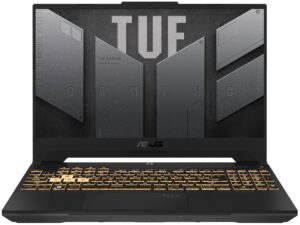
1. Remove the bottom plate
To access this notebook’s internals, you have to undo 12 Phillips-head screws. The one in the bottom right corner is captive and lifts the bottom panel, so you can start the prying process from there.

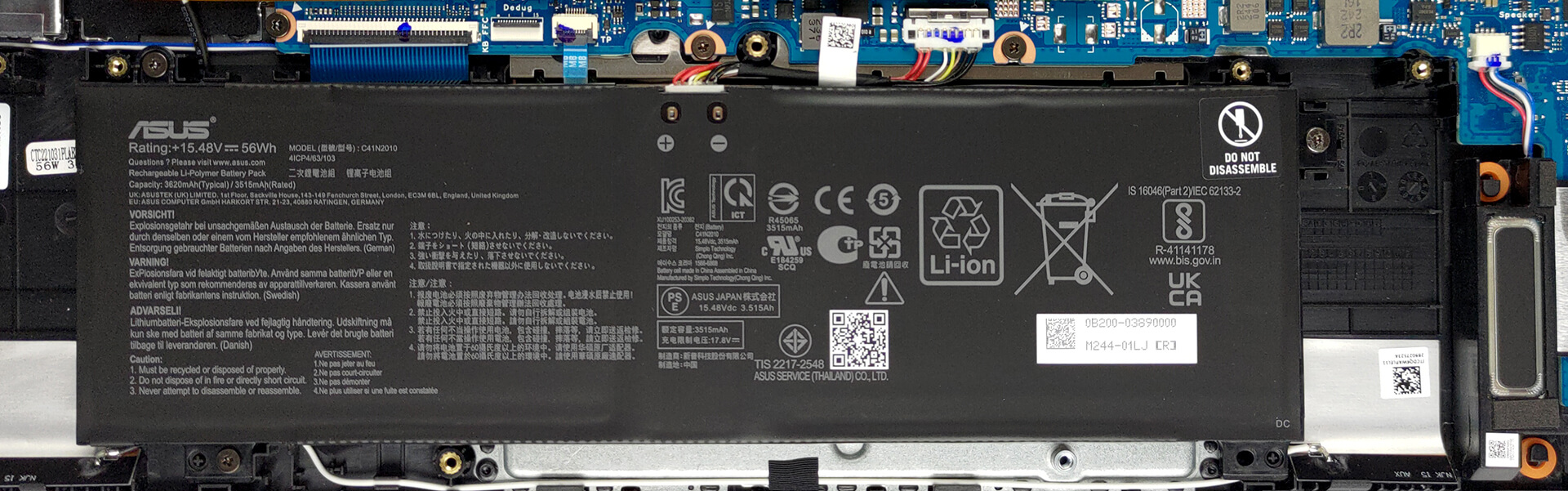
2. Remove the battery
Here, we see a 56Wh battery pack. Before you continue, unplug the connector from the motherboard. It is held in place by three Phillips-head screws, which you’ll need to undo to take the battery out of the chassis.
3. Upgrade memory and storage
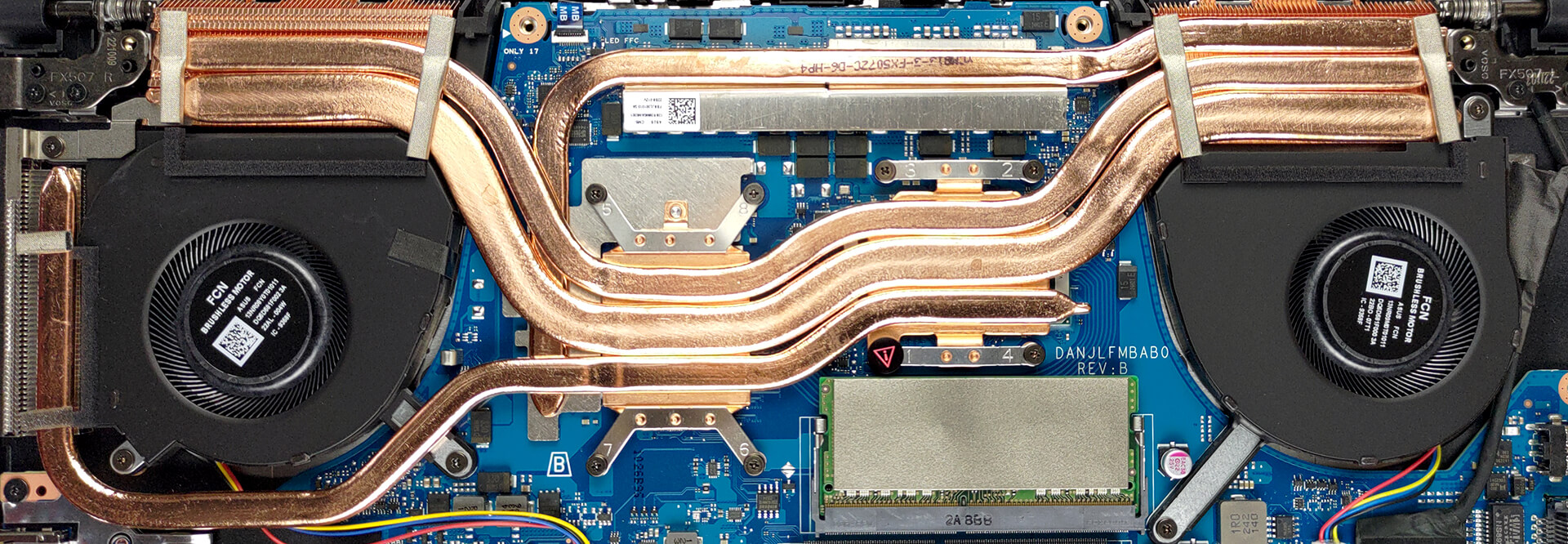
This device comes in configurations with either DDR4 or DDR5 RAM. Our unit features two SODIMM slots, which work with the older DDR4 type. Storage-wise, there are two M.2 PCIe x4 slots. They support both Gen 3 and Gen 4 SSDs.

4. Cooling system
There are three heat pipes shared between the CPU and the GPU. You will find a fourth one dealing with the graphics memory and the VRMs, while three heat sinks and two fans complete the cooling setup of the laptop.
Check out all ASUS TUF Gaming F15 FX507 prices and configurations in our Specs System, or read more in our In-Depth review.
ASUS TUF Gaming F15 FX507 σε βάθος αξιολόγηση
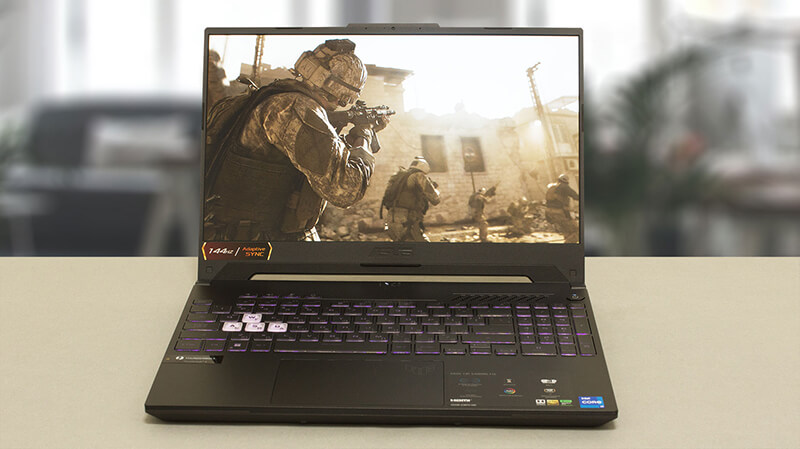
The ASUS TUF Gaming brand is becoming super successful with every year that passes. It is relatively new, compared to the trusted ROG lineup. However, it offers similar quality at lower prices.While the brand offers almost every computer hardware product imaginable, today we are going to take a deep look at the TUF Gaming F15 FX507 gaming laptop. What differentiates it from the TUF Gaming A15 FA507 is the processor choice. Today's notebook is paired with an Intel CPU, while the A-series use AMD processors.In particular, you can choose from the Intel Core i5-12500H, and Core i7-12700H.[...]
Πλεονεκτήματα
- Tough chassis
- 2x SODIMM + 2x M.2 PCIe x4 (both support Gen 4 SSDs)
- Fast display options
- No PWM (Panda LM156LF-2F01 (NCP004D))
- Thunderbolt 4
- Adaptive Sync support (Panda LM156LF-2F01 (NCP004D))
- The Armoury Crate offers a lot of customization
Μειονεκτήματα
- No SD card reader
- Covers only 56% of sRGB (Panda LM156LF-2F01 (NCP004D))
- Weird CPU behavior
 Author: Alex Iliev

![[Ιούνιος 2026] Οι μάρκες φορητών υπολογιστών με τις μεγαλύτερες πωλήσεις στο Amazon Global – Η ασύγκριτη κυριαρχία της Apple σε αριθμό μονάδων και έσοδα](https://laptopmedia.com/wp-content/uploads/2026/07/GLOBAL-Best-Brands-400x225.jpg)
![[Ιούνιος 2026] Amazon Global: Οι 10 πιο δημοφιλείς φορητοί υπολογιστές – Το νέο MacBook Neo της Apple κατακτά την πρώτη θέση, αναδιαμορφώνοντας την αγορά χάρη στην προσιτή τιμή του](https://laptopmedia.com/wp-content/uploads/2026/07/Best-Selling-Laptops-GLOBAL-Top-10-400x225.jpg)
![[Ιούνιος 2026] Amazon Global: Οι 10 πιο δημοφιλείς φορητοί υπολογιστές για παιχνίδια – Το Nitro V 16S AI της Acer κυριαρχεί στις πωλήσεις, ενώ η ASUS προηγείται σε συνολικά έσοδα](https://laptopmedia.com/wp-content/uploads/2026/07/Best-Selling-Gaming-Laptops-GLOBAL-Top-10-400x225.jpg)
![[Ιούνιος 2026] Παγκόσμια κατάταξη των πιο δημοφιλών GPU για φορητούς υπολογιστές στο Amazon – Η NVIDIA RTX 5060 είναι η πιο δημοφιλής ειδική GPU](https://laptopmedia.com/wp-content/uploads/2026/07/Best-Selling-GPUs-GLOBAL-Top-10-400x225.jpg)
![[Ιούνιος 2026] Παγκόσμια κατάταξη των πιο δημοφιλών επεξεργαστών για φορητούς υπολογιστές στο Amazon – Ο Apple M5 κυριαρχεί, ενώ ο AMD Ryzen 7 260 καταλαμβάνει σημαντικό μερίδιο στην κατηγορία premium](https://laptopmedia.com/wp-content/uploads/2026/07/Best-Selling-CPUs-GLOBAL-Top-10-400x225.jpg)

Hola! Mi hijo se cargó mi portatil tuf gaming y quiero sacar toda la información pero no hay tarjeta extraible, alguna solución? Gracias