How to open MSI Bravo 15 C7V – disassembly and upgrade options
As part of the huge Katana-lookalike group, the MSI Bravo 15 C7V has some questionable decisions visible in its internal design work.
Check out all MSI Bravo 15 C7V prices and configurations in our Specs System, or read more in our In-Depth review.

1. Remove the bottom plate
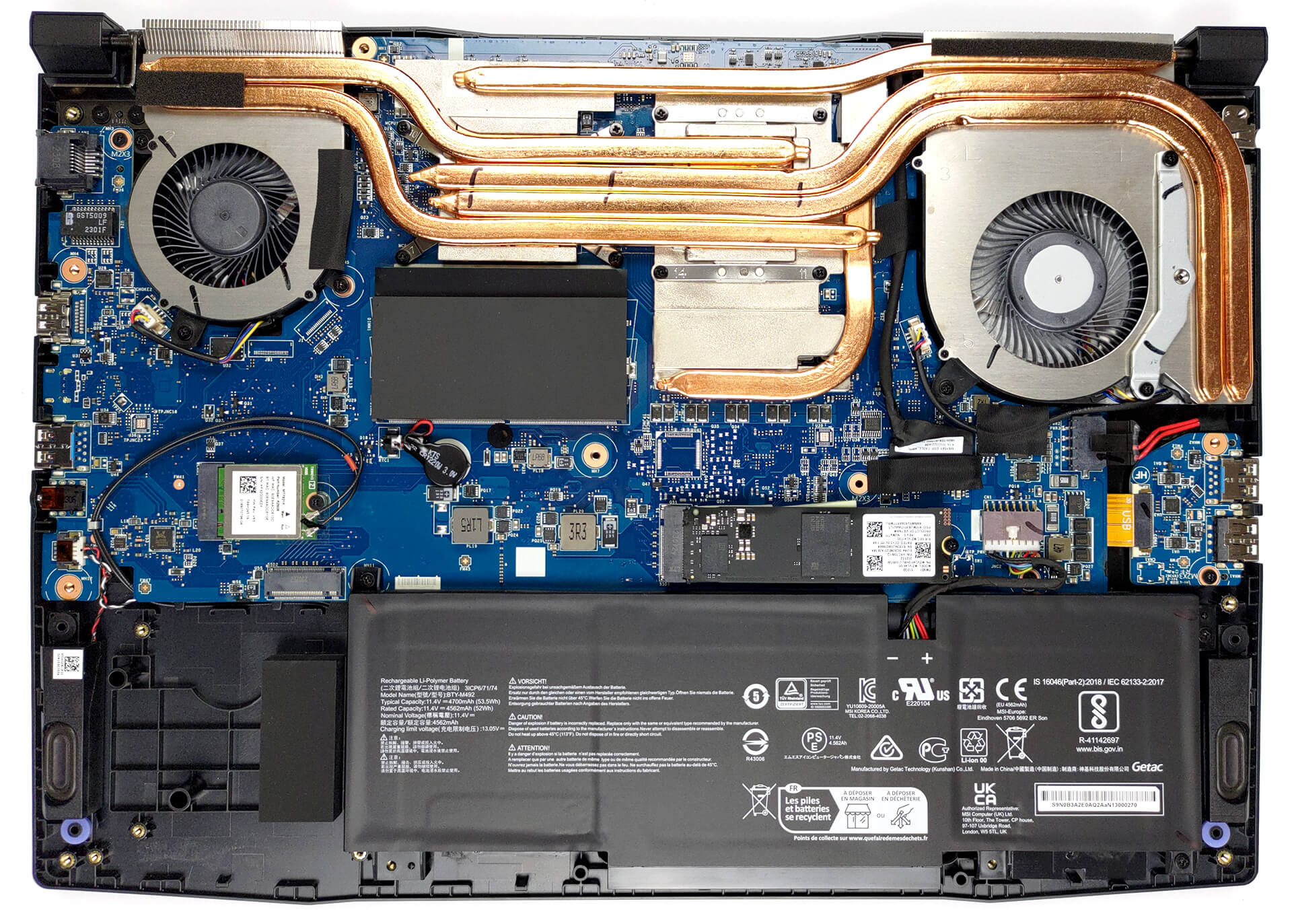
To access this notebook’s internals, you need to undo a total of 13 Phillips-head screws. Then, pry the bottom panel with a plastic tool and lift it away from the device.
2. Remove the battery
Inside, we find a 53.5Wh battery pack. To take the battery out, you need to unplug the connector from the motherboard. Then, undo the three Philips-head screws that hold the battery to the chassis.
3. Upgrade memory and storage
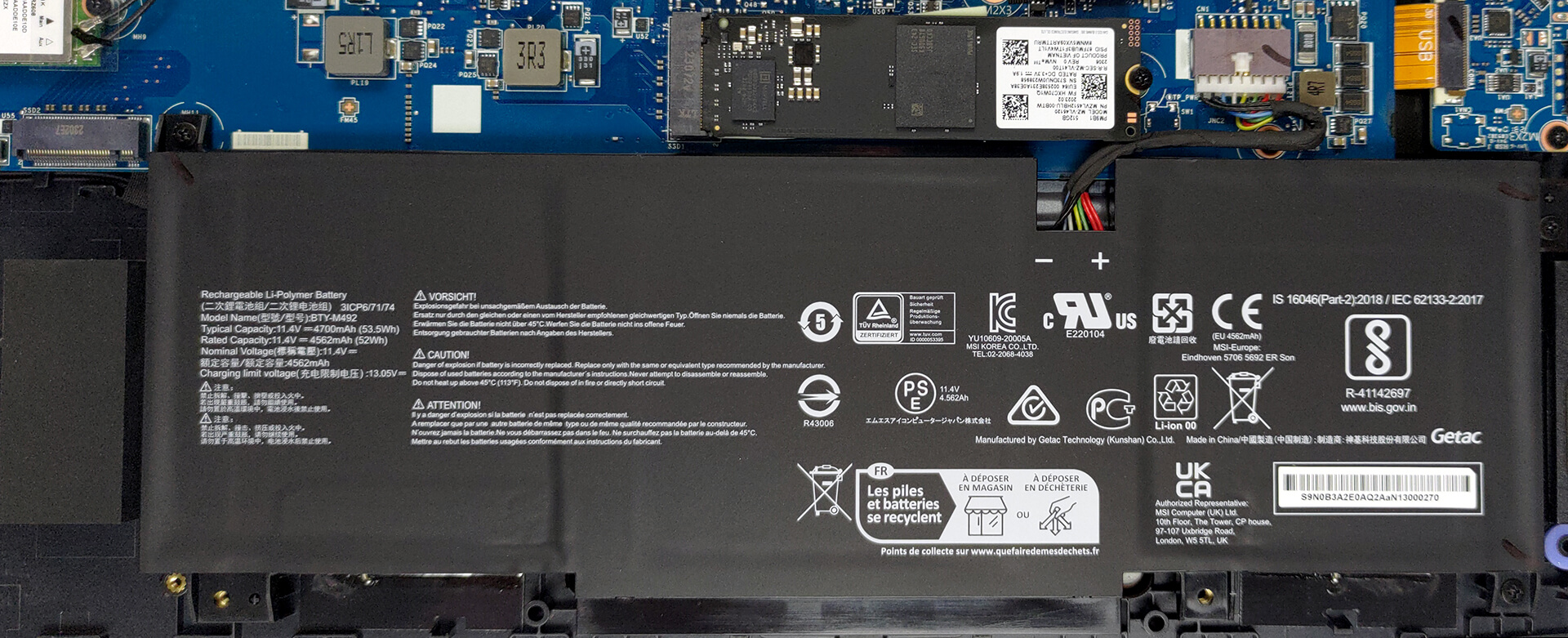
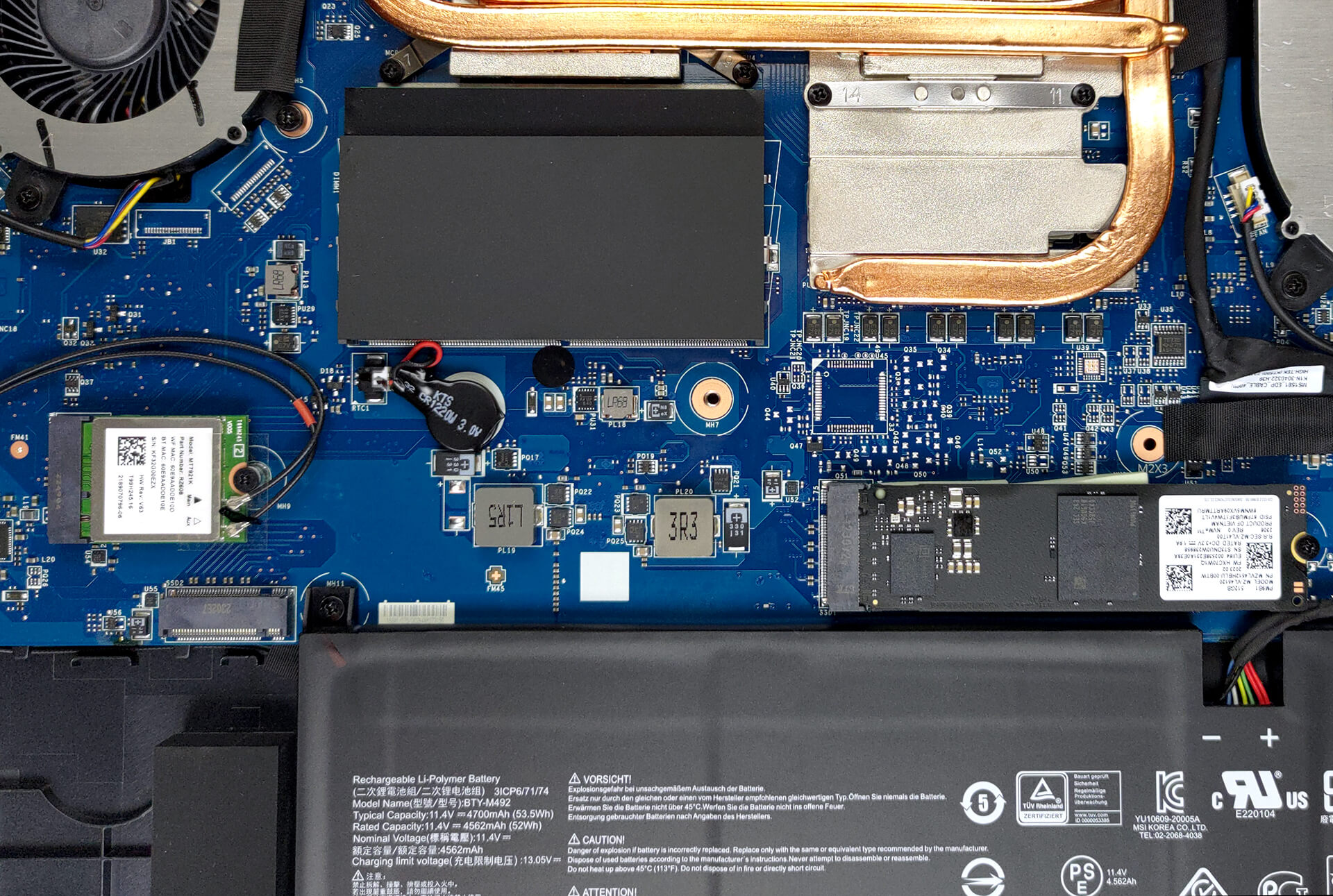
The memory situation looks good with two SODIMM slots that work with DDR5 RAM. As for storage, there are two M.2 PCIe x4 slots, but the second one lacks the mounting points to install an SSD.
4. Cooling system
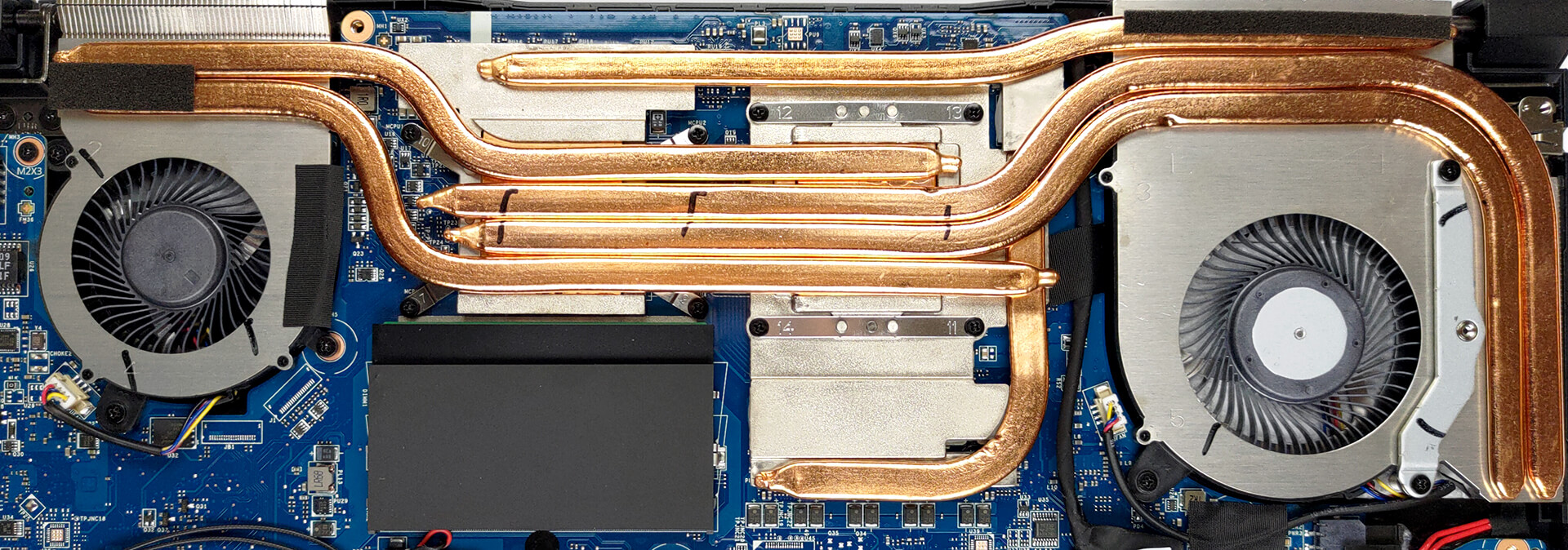
In terms of cooling, you get four heat pipes, shared between the CPU and the GPU. In addition, you get one more for the graphics memory and one for the VRMs. Then, heat dissipation is provided by three heat sinks and two fans.
Check out all MSI Bravo 15 C7V prices and configurations in our Specs System, or read more in our In-Depth review.
MSI Bravo 15 (B7Ex / C7Vx / C7Ux) σε βάθος αξιολόγηση
Laptop manufacturers, above anything else, are known for their tendency to use one and the same chassis and structure design among a large number of devices out there. Such is the case with MSI and its Katana, Pulse, Bravo, and other notebooks.In this case, we have the MSI Bravo 15 C7V. It is a budget gaming notebook, equipped with AMD's 7000HS lineup of processors. They are very lenient on the cooling solution, which might become a reason for a better gaming performance from the GPU.So, the C7V version of the machine actually comes with either the RTX 4050 or the RTX 4060. They have [...]

Πλεονεκτήματα
- Pretty good gaming performance
- 2x M.2 PCIe x4 Gen 4 slots (kind of), 2x DDR5 RAM SODIMM slots in dual channel
- 144Hz refresh rate (Innolux N156HRA-EA1 (CMN1521))
- No PWM (Innolux N156HRA-EA1 (CMN1521))
- MUX Switch
- Great keyboard
- Not bad battery life
Μειονεκτήματα
- No SD card
- No Thunderbolt 4
- Covers only 56% of sRGB (Innolux N156HRA-EA1 (CMN1521))
- All-plastic build
- Keyboard gets pretty warm during gaming
 Author: Alex Iliev

![[Αύγουστος 2026] Amazon Global: Οι 10 φορητοί υπολογιστές με τις μεγαλύτερες πωλήσεις – Το Apple MacBook Neo κυριαρχεί στις λίστες, ενώ οι οικονομικοί και μεσαίας κατηγορίας φορητοί υπολογιστές με Windows ανταγωνίζονται για τον όγκο πωλήσεων](https://laptopmedia.com/wp-content/uploads/2026/09/Best-Selling-Laptops-GLOBAL-Top-10-400x225.jpg)
![[Αύγουστος 2026] Οι μάρκες φορητών υπολογιστών με τις μεγαλύτερες πωλήσεις στο Amazon Global – Η Apple κυριαρχεί σε έσοδα, ενώ η HP πρωτοστατεί στην ποικιλία μοντέλων](https://laptopmedia.com/wp-content/uploads/2026/09/GLOBAL-Best-Brands-400x225.jpg)
![[Αύγουστος 2026] Amazon Global: Οι 10 πιο δημοφιλείς φορητοί υπολογιστές για παιχνίδια – Ο HP Victus 15 κατακτά την πρώτη θέση, ενώ τα οικονομικά μοντέλα κυριαρχούν στις λίστες](https://laptopmedia.com/wp-content/uploads/2026/09/Best-Selling-Gaming-Laptops-GLOBAL-Top-10-400x225.jpg)
![[August 2026] Best-Selling Laptop Brands on Amazon Japan – Apple Dominates Market Share and Revenue Led by Strong Unit Sales](https://laptopmedia.com/wp-content/uploads/2026/09/CO.JP-Best-Brands-1-400x225.jpg)
![[August 2026] Best-Selling Laptop Brands on Amazon USA – Apple Dominates Market Revenue and Volume Despite Lower Model Diversity](https://laptopmedia.com/wp-content/uploads/2026/09/COM-Best-Brands-1-400x225.jpg)
