Inside Acer Aspire 3 (A315-42) – disassembly and upgrade options
Acer Aspire 3 (A315-42) is based on Acer’s own Aspire 5 (A515-52G). Despite them sharing pretty much the same chassis design, both laptops are very different from each other, with the main one being the use of AMD processors instead of Intel.
Check out all Acer Aspire 3 (A315-42) prices and configurations in our Specs System or read more in our In-Depth review.

1. Remove the bottom plate
Again, this laptop requires its entire bottom plate to be removed, should you wish to access its internals. There are 10 Phillips-head screws that keep it in place, and after you unscrew them, you would need to pop the plate up with a plastic pry tool
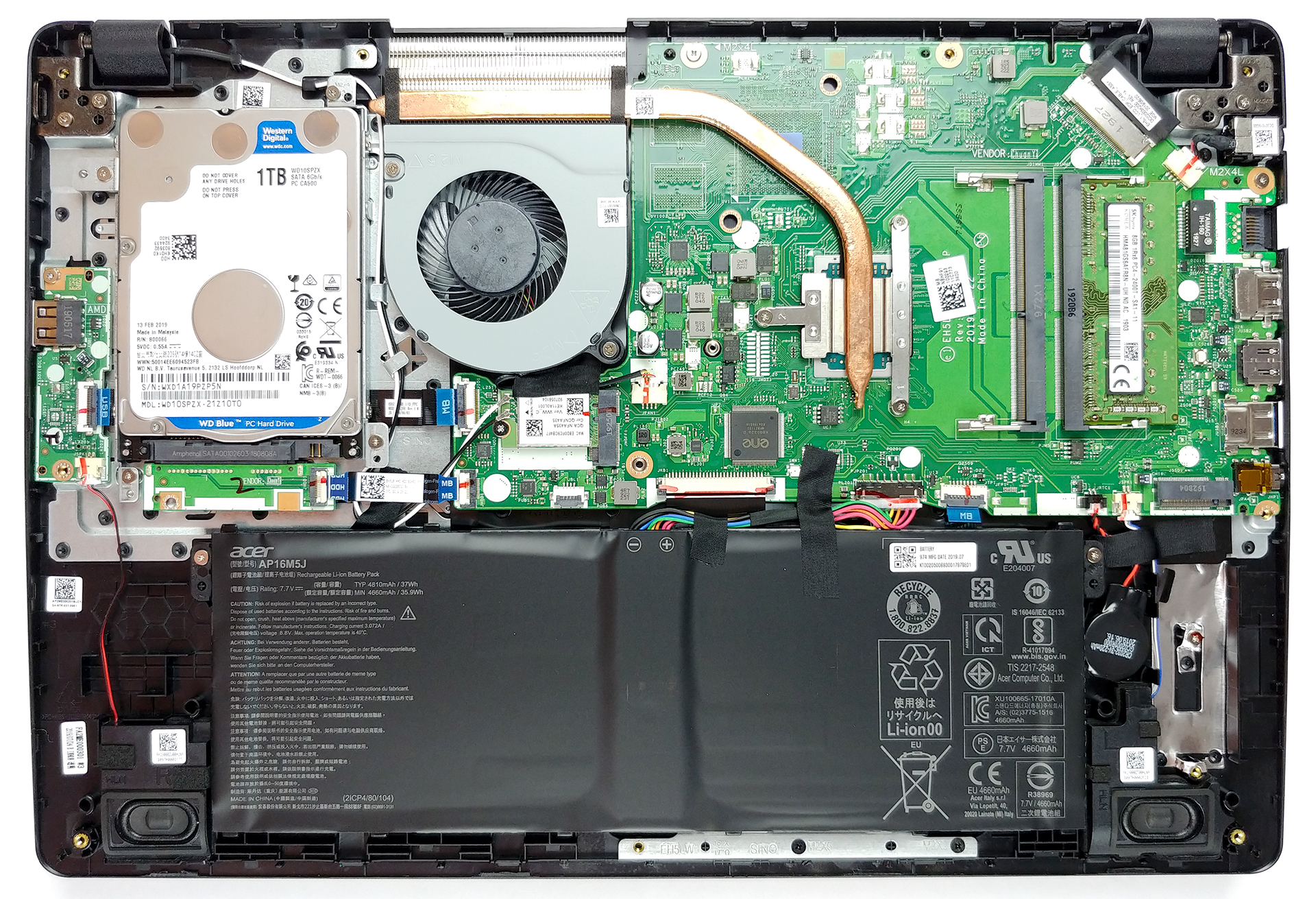
2. Battery
After you open the device, make sure you disconnect the battery connector. It is important not to fry your hardware when you are trying to improve it. In terms of battery size, the laptop is equipped with a rather small 37Wh unit.

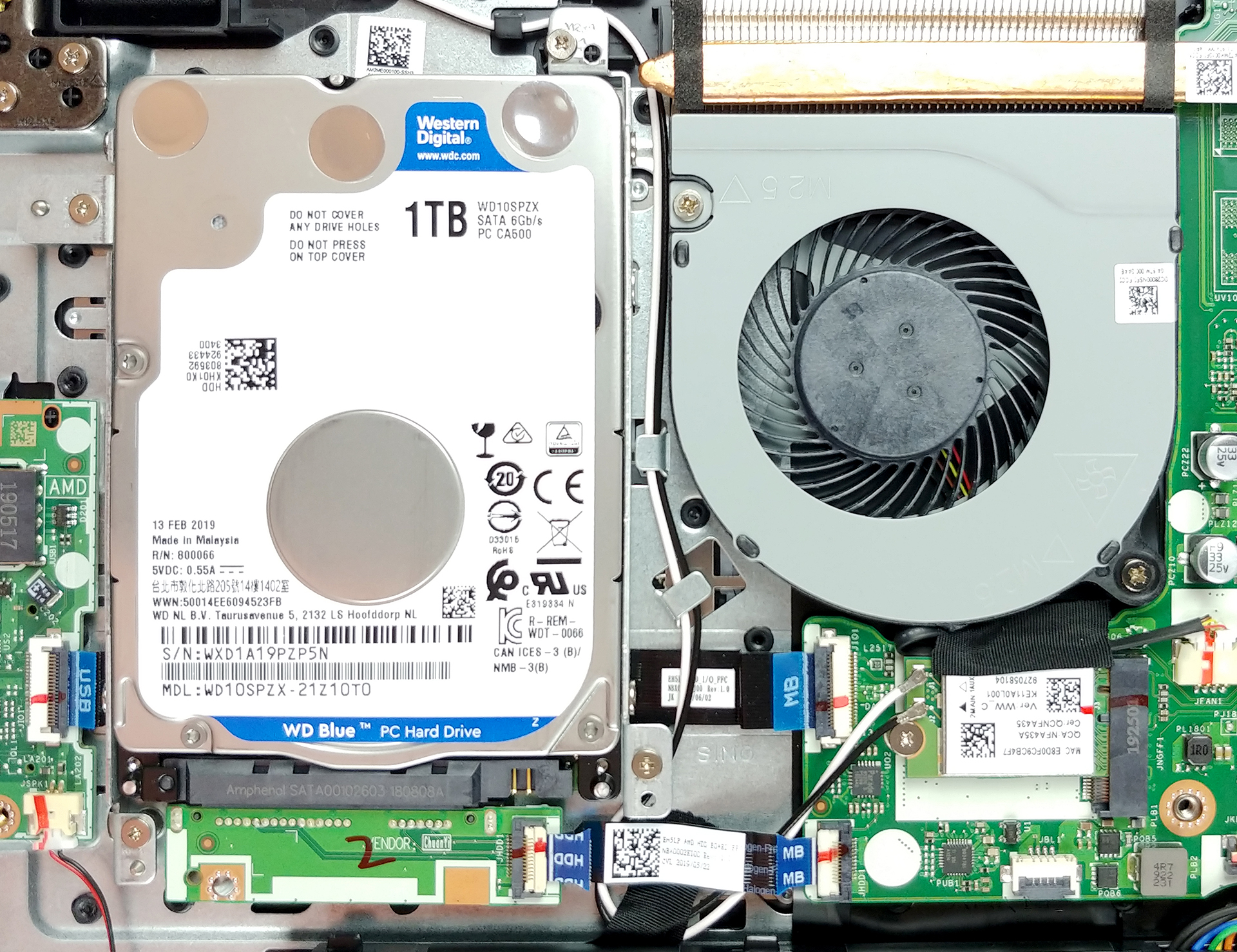
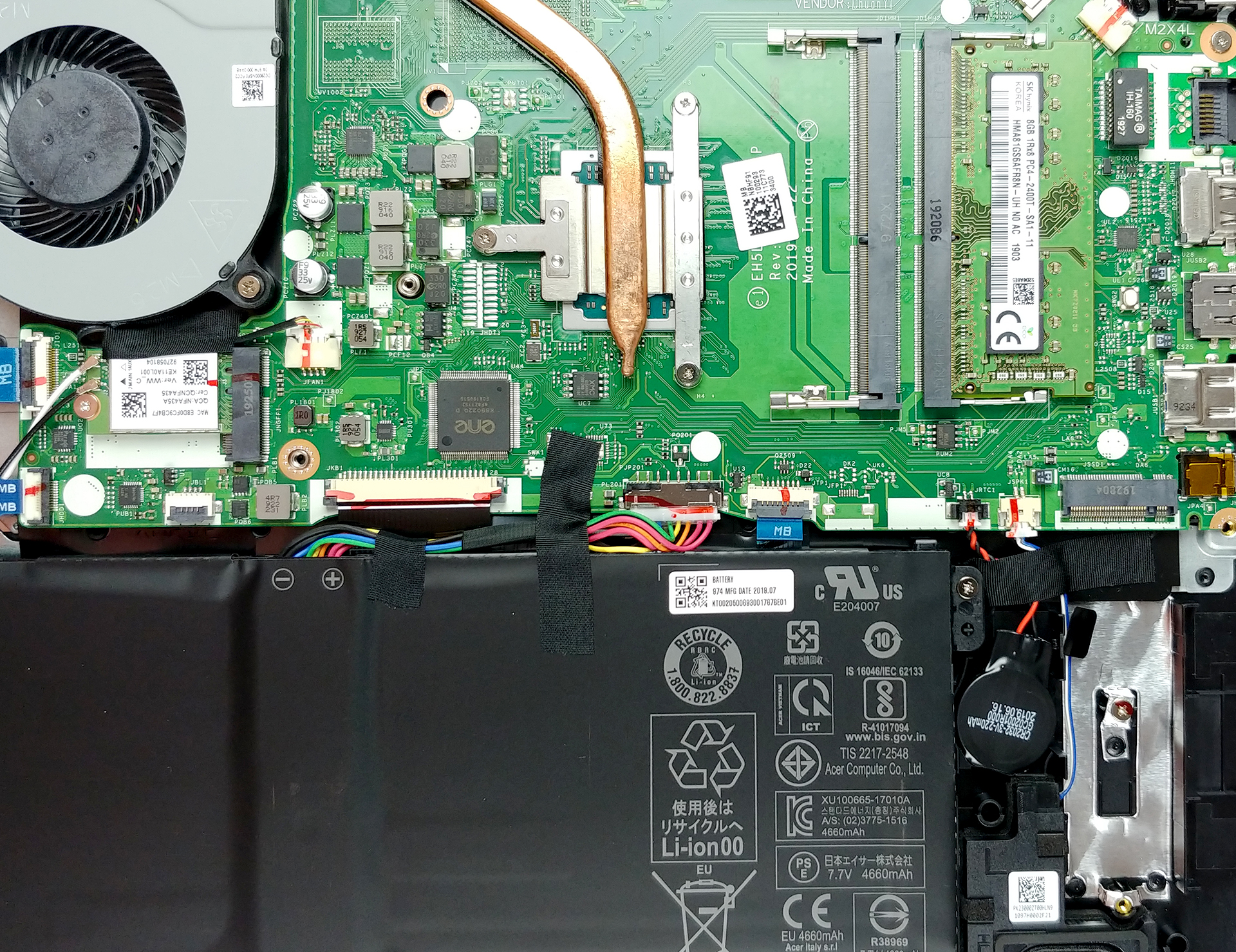
3. Memory and storage
What is impressive about this laptop is the amount of upgradability it offers. There are two RAM DIMMs that fit DDR4 memory modules. Additionally, you are able to put a 2.5″ SATA drive as well as an M.2 NVMe SSD.
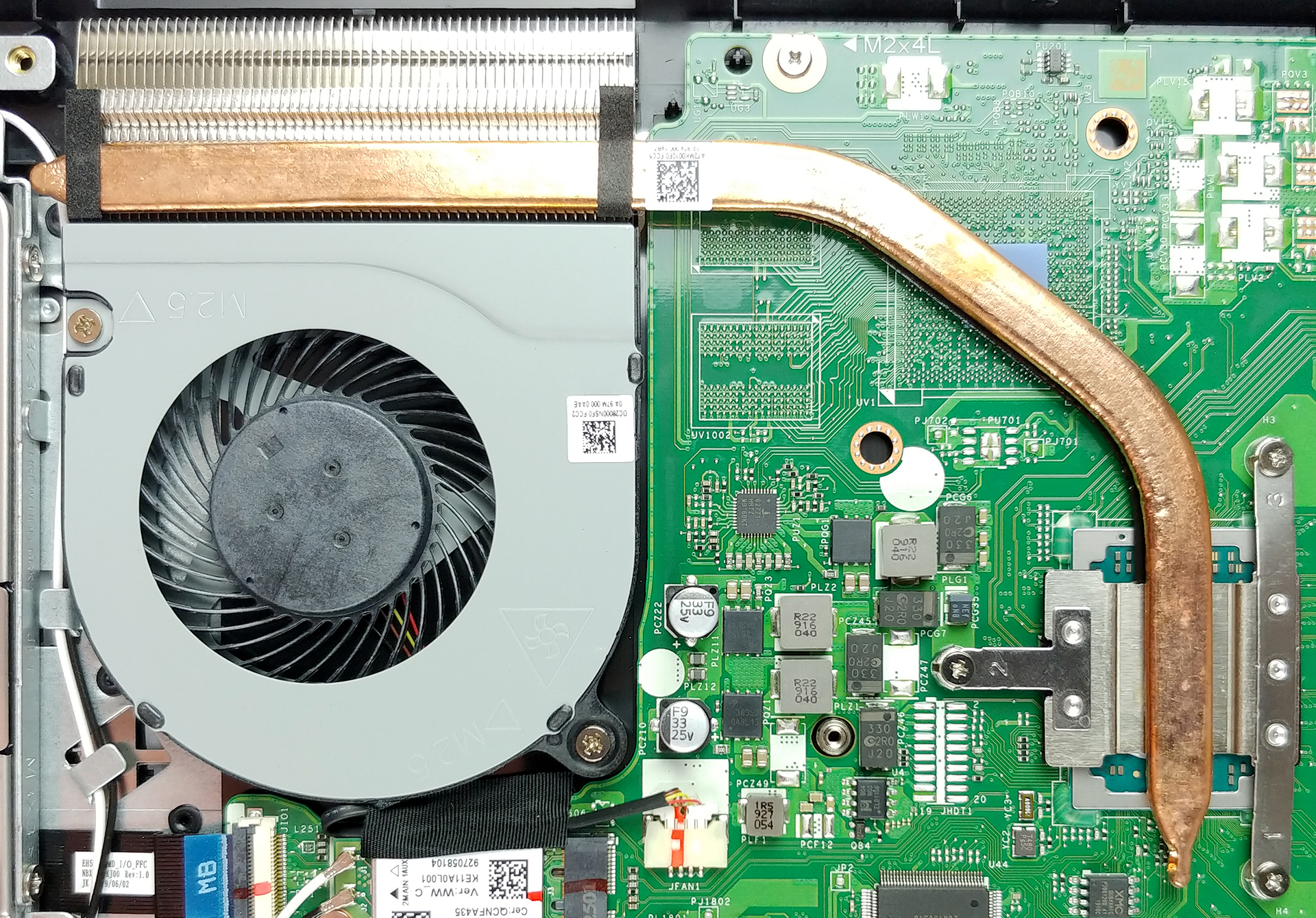
4. Cooling system
As long as the cooling is concerned, Acer was not on the edge of technology. Nevertheless, the good old design seems to work just find with the ULV processors of AMD.
Check out all Acer Aspire 3 (A315-42) prices and configurations in our Specs System or read more in our In-Depth review.
 Author: Alex Iliev

![[Αύγουστος 2026] Παγκόσμια κατάταξη των πιο δημοφιλών GPU για φορητούς υπολογιστές στο Amazon – Η Apple κυριαρχεί, ενώ η RTX 5060 της NVIDIA βρίσκεται στην κορυφή της κατάταξης των ειδικών καρτών](https://laptopmedia.com/wp-content/uploads/2026/09/Best-Selling-GPUs-GLOBAL-Top-10-400x225.jpg)
![[Αύγουστος 2026] Παγκόσμια κατάταξη των πιο δημοφιλών επεξεργαστών φορητών υπολογιστών στο Amazon – Η Apple κυριαρχεί τόσο στην κατηγορία των οικονομικών όσο και στην κατηγορία των premium μοντέλων: Οι A18 Pro και M5 συντρίβουν την Intel και την AMD τον Αύγουστο του 2026](https://laptopmedia.com/wp-content/uploads/2026/09/Best-Selling-CPUs-GLOBAL-Top-10-400x225.jpg)
![[Αύγουστος 2026] Amazon Global: Οι 10 φορητοί υπολογιστές με τις μεγαλύτερες πωλήσεις – Το Apple MacBook Neo κυριαρχεί στις λίστες, ενώ οι οικονομικοί και μεσαίας κατηγορίας φορητοί υπολογιστές με Windows ανταγωνίζονται για τον όγκο πωλήσεων](https://laptopmedia.com/wp-content/uploads/2026/09/Best-Selling-Laptops-GLOBAL-Top-10-400x225.jpg)
![[Αύγουστος 2026] Οι μάρκες φορητών υπολογιστών με τις μεγαλύτερες πωλήσεις στο Amazon Global – Η Apple κυριαρχεί σε έσοδα, ενώ η HP πρωτοστατεί στην ποικιλία μοντέλων](https://laptopmedia.com/wp-content/uploads/2026/09/GLOBAL-Best-Brands-400x225.jpg)
![[Αύγουστος 2026] Amazon Global: Οι 10 πιο δημοφιλείς φορητοί υπολογιστές για παιχνίδια – Ο HP Victus 15 κατακτά την πρώτη θέση, ενώ τα οικονομικά μοντέλα κυριαρχούν στις λίστες](https://laptopmedia.com/wp-content/uploads/2026/09/Best-Selling-Gaming-Laptops-GLOBAL-Top-10-400x225.jpg)

Can you give the part number for sata cable/ adaptor ?
Please delete this comment, it was edited out the remove the inaccuracy.
Hi! Thank you very much with this analysis.
Is too much if I can ask you to highlight where the 2.5″ SATA drive and M.2 NVMe SSD slot is? I’d appreciate it very much!
how to upgrade graphics card slot?
Kind of useless. Location of m2 is unclear as others have said. I can get the same information from the above by looking at the thing in person
Is it possible to change the keyboard of the laptop (spilled coffee)
Hi. you said on the video that it can be M.2 SSD 2280 but here you say it must be NVME SSD, I iknow NVME is better but does it also support 2280 m.2 ssd?
I mean does it support M+B key m.2 ssd or only the ones with M key is possible
What size of bottom screws does this laptop need? I lost one and I’m planning to buy a replacement. Thank you!
Hi i have a problem with my laptop that the power is on but the screen is not working