Inside Acer Aspire 5 (A515-57) – disassembly and upgrade options
Twelfth gen processors? Full package of upgrade options, and Gen 4 M.2 PCIe x4 support? The new Aspire 5 looks really promising.
Check out all Acer Aspire 5 (A515-57) prices and configurations in our Specs System or read more in our In-Depth review.
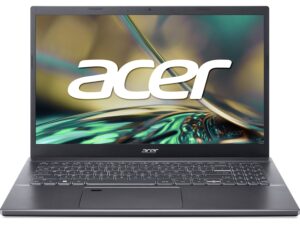
1. Remove the bottom plate
There are 10 Phillips-head screws you need to undo, to access this laptop’s internals. After that, pry the panel with a plastic tool and lift it away from the chassis.
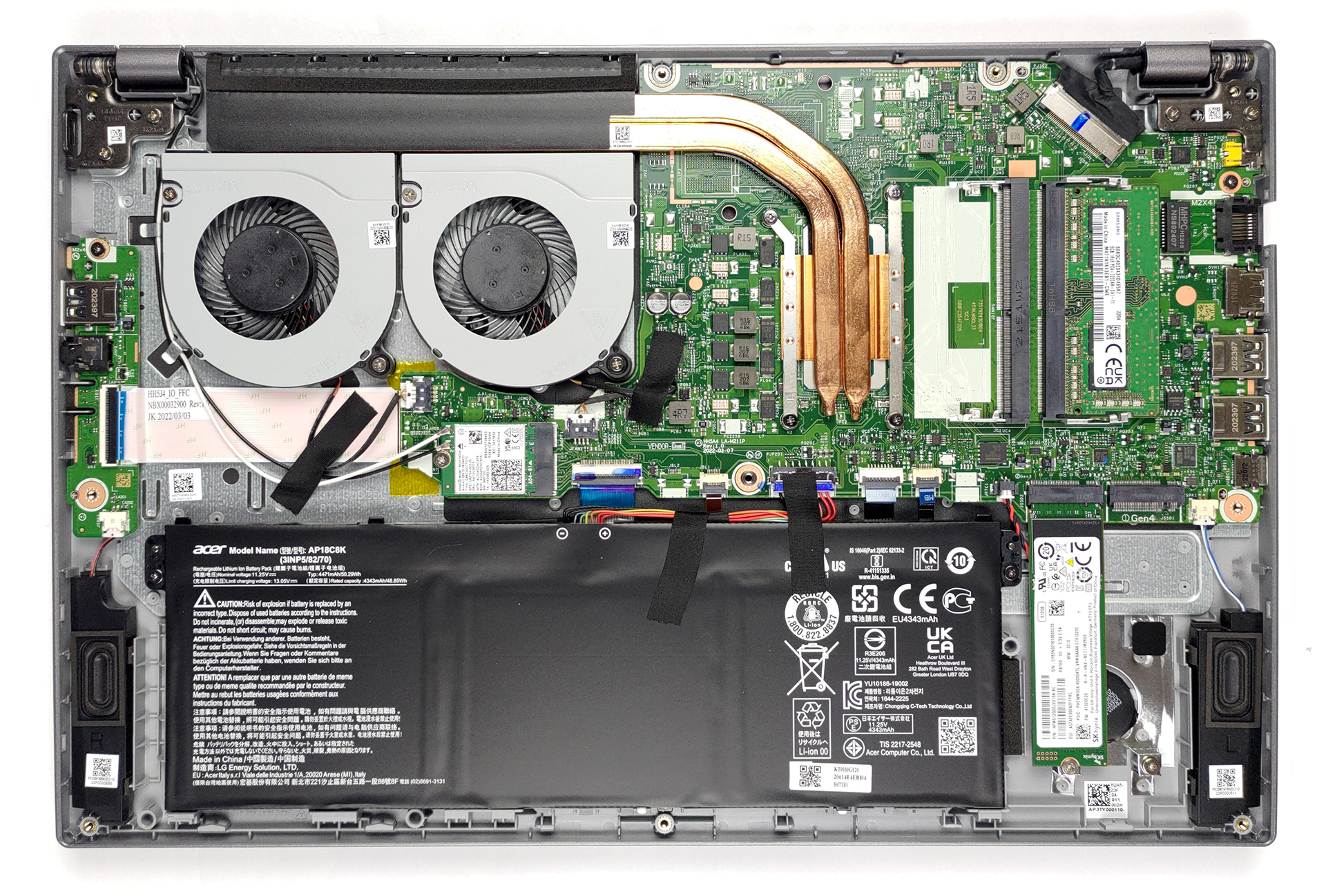
2. Battery
Inside, we see a 50Wh battery pack. It lasts for more than 9 hours of Web browsing, or about 7 hours and 30 minutes of video playback. Unplug the battery connector, and undo the two Phillips-head screws that hold it in place.
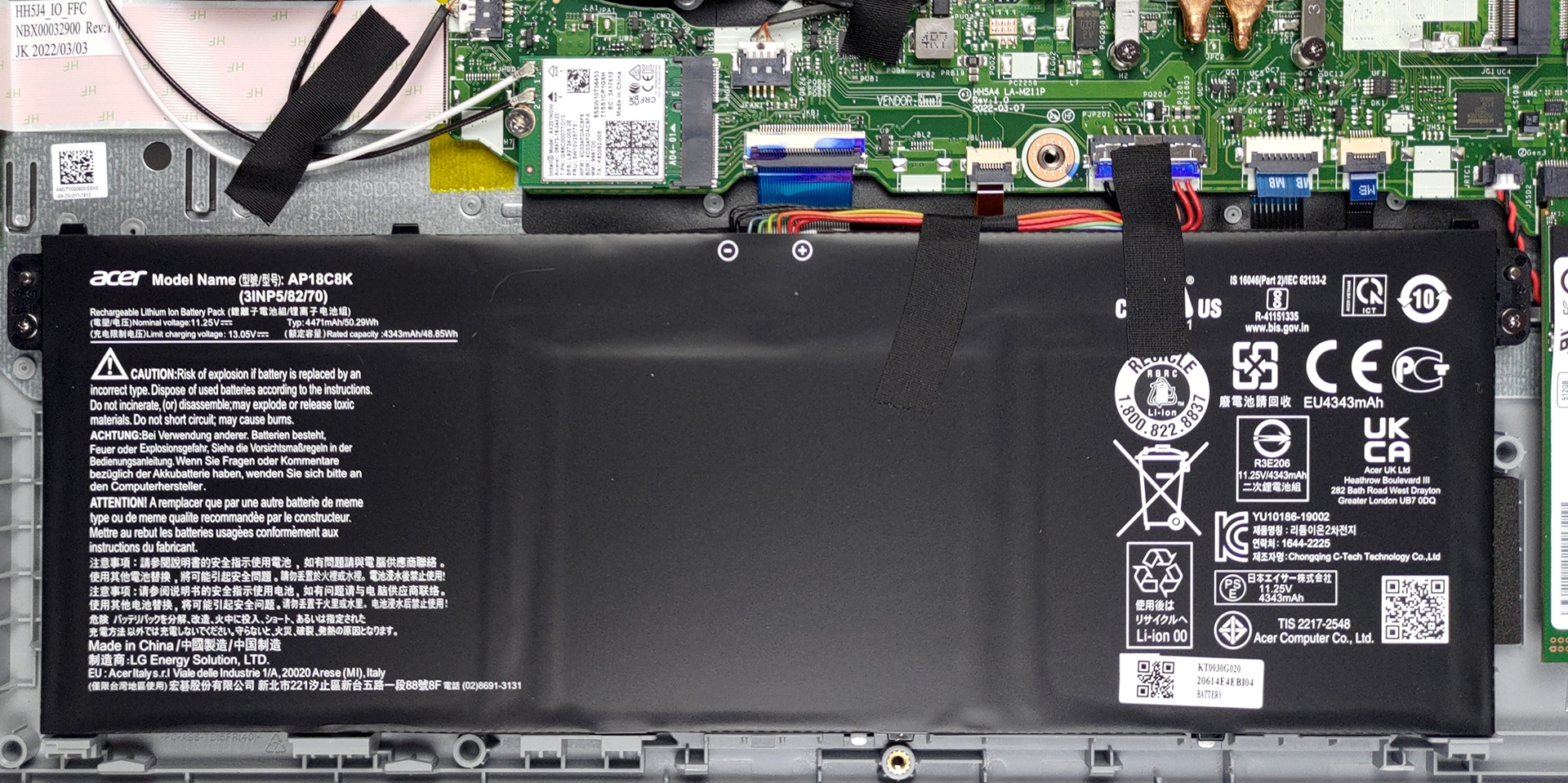
3. Memory and storage
Memory-wise, there are two SODIMM slots, which fit 32GB of DDR4 RAM in total. As for the storage, you get two M.2 PCIe x4 slots, one of which supports Gen 4 drives.
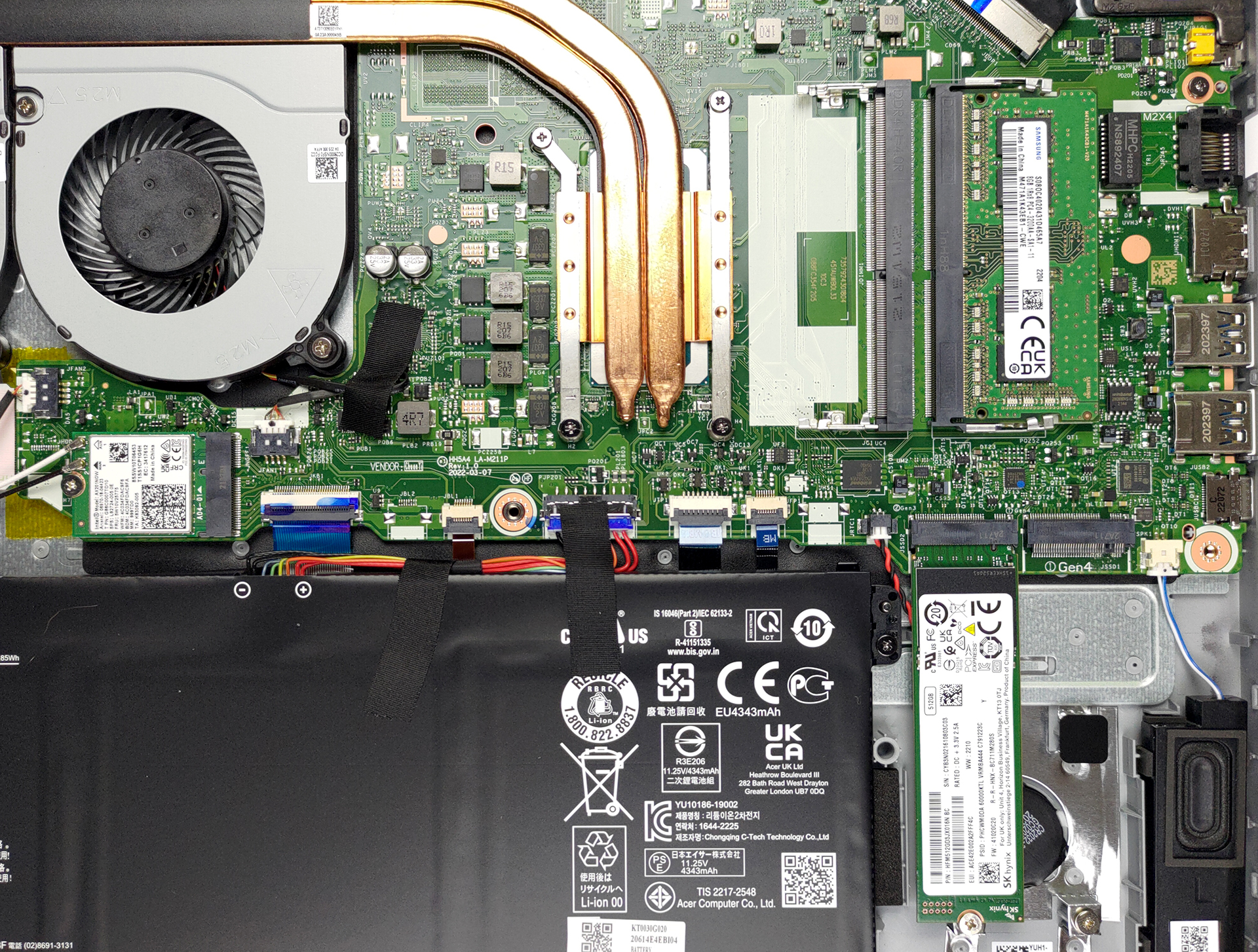
4. Cooling system
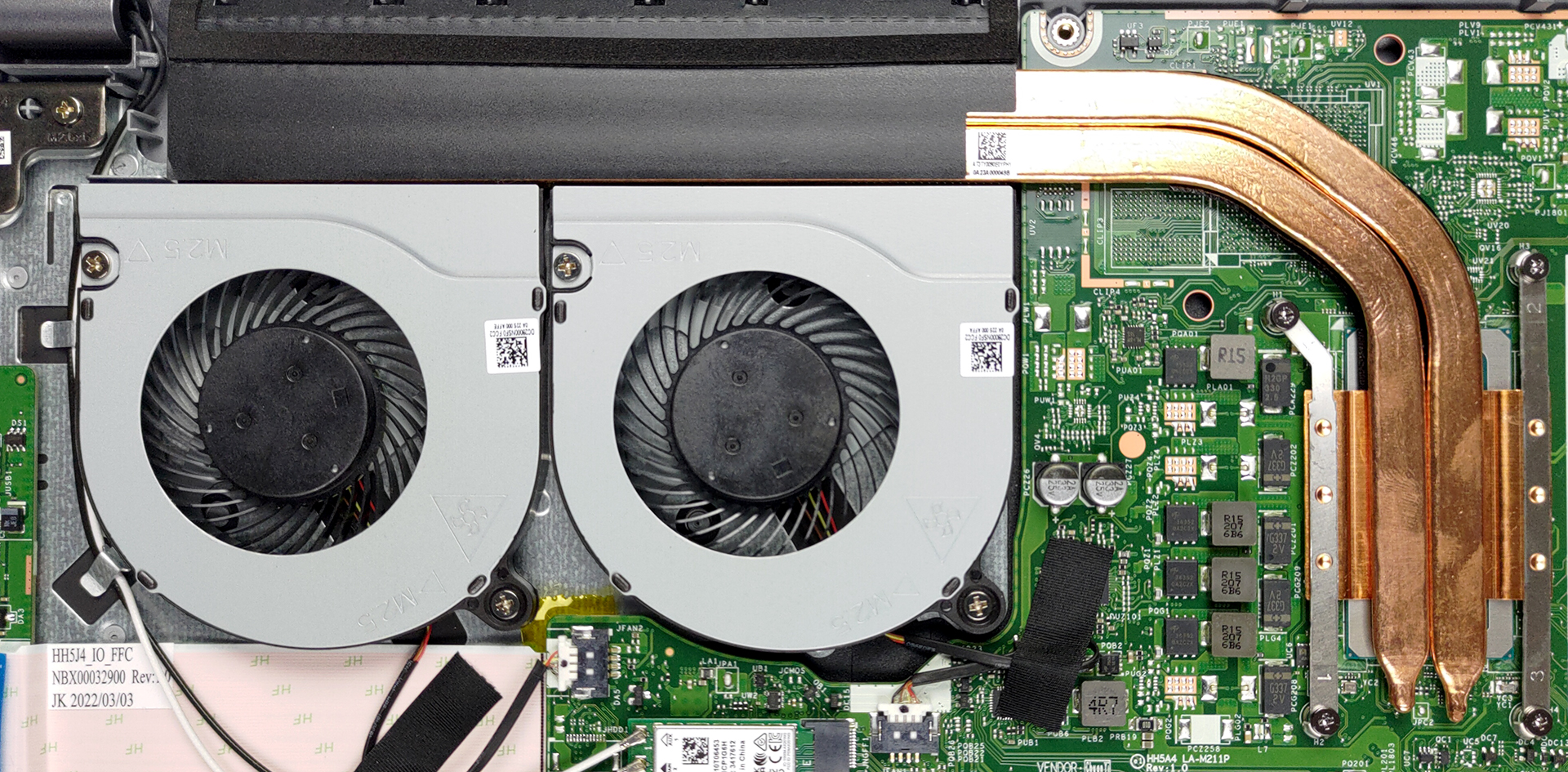
The cooling system here looks very simple but effective. There are two heat pipes connecting to a long heat sink, where two fans blow the heat away.
Check out all Acer Aspire 5 (A515-57) prices and configurations in our Specs System or read more in our In-Depth review.
Acer Aspire 5 (A515-57 / A515-57G) σε βάθος αξιολόγηση
Acer is looking to supercharge its Aspire 5, and boost its chances against the IdeaPad 5s and the Vivobooks of the world. It is paired with a 12th Gen ULV processor by Intel. This could take on the Zen 3-equipped everyday notebooks out there.However, there is something else about the machine. Recently, NVIDIA released the RTX 2050 - its most affordable ray-tracing capable mobile graphics card. And it can be found in the G-version of this device.Unfortunately, there was no such device in the store in our area, so we had to settle for a non-G model. Nevertheless, it has an extremely low[...]
Πλεονεκτήματα
- Thin and light design
- Alder Lake-U CPUs
- Thunderbolt 4 + Wi-Fi 6
- Touchpad + great input devices
- Capable cooling
- 2x SODIMM + 2x M.2 PCIe x4 (one supports Gen 4 drives)
- Good battery life
- Doesn't use PWM for brightness adjustment (BOE NV156FHM-N48 (BOE0A56))
Μειονεκτήματα
- No SD card reader
- 51% sRGB coverage (BOE NV156FHM-N48 (BOE0A56))
 Author: Alex Iliev

![[Ιούνιος 2026] Οι μάρκες φορητών υπολογιστών με τις μεγαλύτερες πωλήσεις στο Amazon Global – Η ασύγκριτη κυριαρχία της Apple σε αριθμό μονάδων και έσοδα](https://laptopmedia.com/wp-content/uploads/2026/07/GLOBAL-Best-Brands-400x225.jpg)
![[Ιούνιος 2026] Amazon Global: Οι 10 πιο δημοφιλείς φορητοί υπολογιστές – Το νέο MacBook Neo της Apple κατακτά την πρώτη θέση, αναδιαμορφώνοντας την αγορά χάρη στην προσιτή τιμή του](https://laptopmedia.com/wp-content/uploads/2026/07/Best-Selling-Laptops-GLOBAL-Top-10-400x225.jpg)
![[Ιούνιος 2026] Amazon Global: Οι 10 πιο δημοφιλείς φορητοί υπολογιστές για παιχνίδια – Το Nitro V 16S AI της Acer κυριαρχεί στις πωλήσεις, ενώ η ASUS προηγείται σε συνολικά έσοδα](https://laptopmedia.com/wp-content/uploads/2026/07/Best-Selling-Gaming-Laptops-GLOBAL-Top-10-400x225.jpg)
![[Ιούνιος 2026] Παγκόσμια κατάταξη των πιο δημοφιλών GPU για φορητούς υπολογιστές στο Amazon – Η NVIDIA RTX 5060 είναι η πιο δημοφιλής ειδική GPU](https://laptopmedia.com/wp-content/uploads/2026/07/Best-Selling-GPUs-GLOBAL-Top-10-400x225.jpg)
![[Ιούνιος 2026] Παγκόσμια κατάταξη των πιο δημοφιλών επεξεργαστών για φορητούς υπολογιστές στο Amazon – Ο Apple M5 κυριαρχεί, ενώ ο AMD Ryzen 7 260 καταλαμβάνει σημαντικό μερίδιο στην κατηγορία premium](https://laptopmedia.com/wp-content/uploads/2026/07/Best-Selling-CPUs-GLOBAL-Top-10-400x225.jpg)

Are you sure total ram support is 32gb? I have 12450h version which Intel says is supported up to 64 gb.
Hi there,
what is the maximum storage per pcie slot? for pcie gen 3 what is the maximum? and for pcie gen 4 what is tha maximum? thanking you in advance
Can I do 4TB both? total of 8TB
The A515-57, it *officially* supports up to 32GB (as per Acer’s specs sheets) but there are configurations on the market with up to 64GB, like this one:
https://laptopmedia.com/laptop-specs/acer-aspire-5-6209/
Regarding the storage, again, officially, the A515-57 supports up to 2x1TB but here’s a configuration with 4TB SSD + 64GB RAM:
https://laptopmedia.com/laptop-specs/acer-aspire-5-6395/
I can’t be 100% sure that the laptop BIOS would recognize larger drives, unfortunately, it has to be tested.
Thanks much, I really appreaciate your feedback!