Inside ASUS TUF Gaming F17 (FX706, 2021) – disassembly and upgrade options
Here, we will show you how to upgrade one of the most popular gaming laptops on the market. It is a pretty good deal for both gamers and people that need the sheer power of the hardware.
Check out all ASUS TUF Gaming F17 (FX706, 2021) prices and configurations in our Specs System or read more in our In-Depth review.

1. Remove the bottom plate
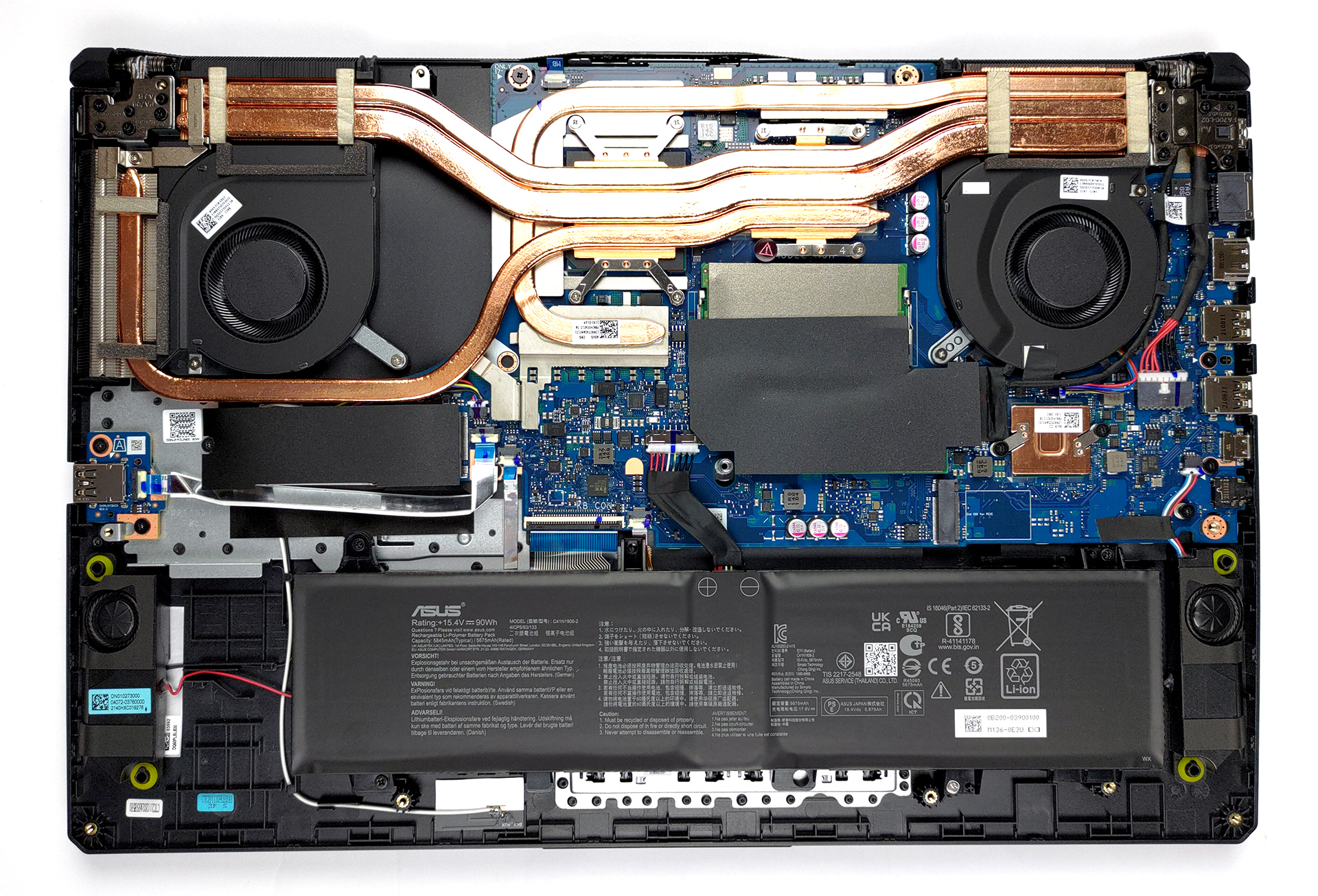
To take this notebook apart, you need to undo 11 Phillips-head screws. The top left one remains attached and lifts the bottom panel, which allows you to start the prying process from there. After you are done, lift the panel away from the chassis.
2. Battery
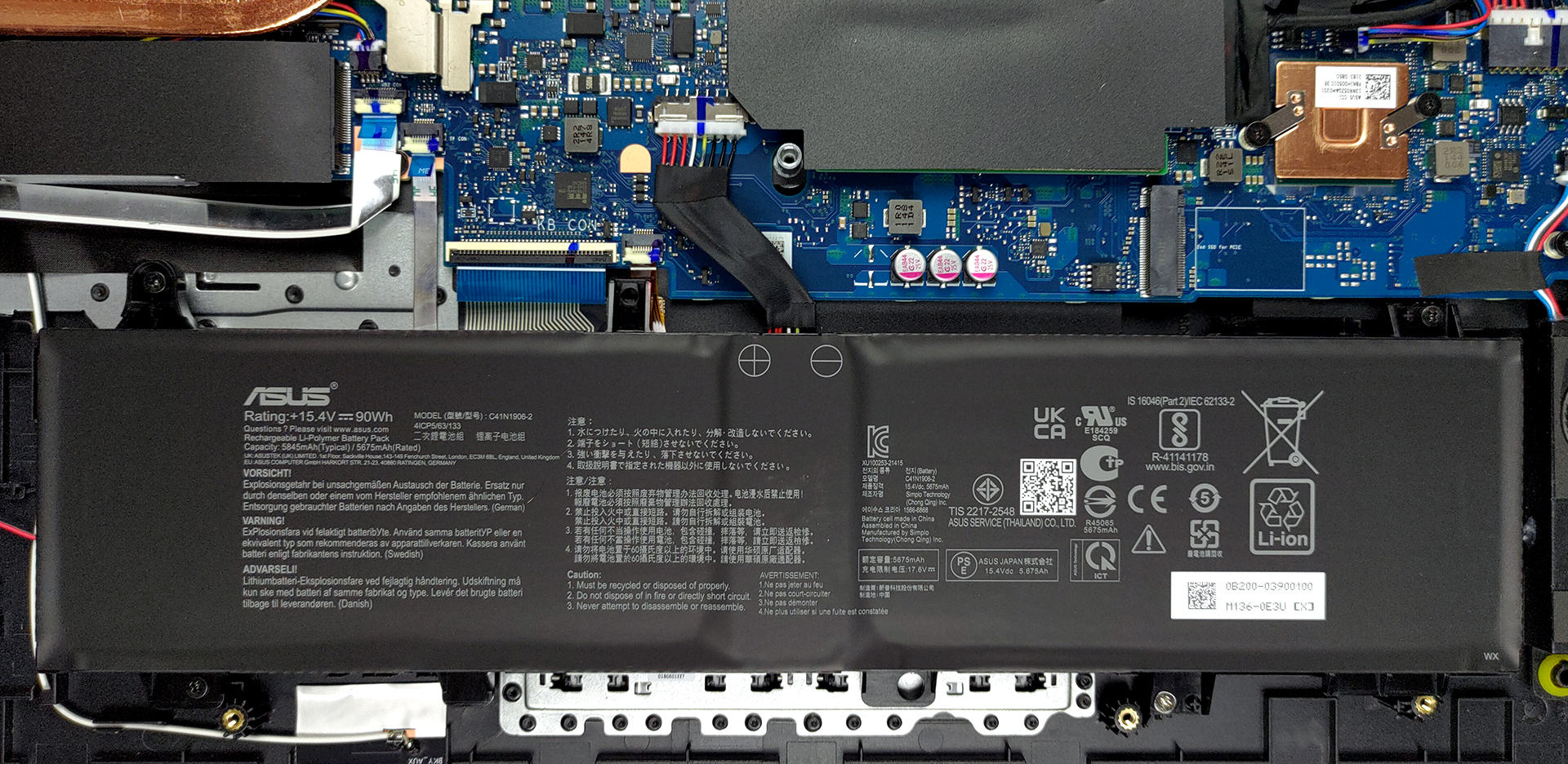
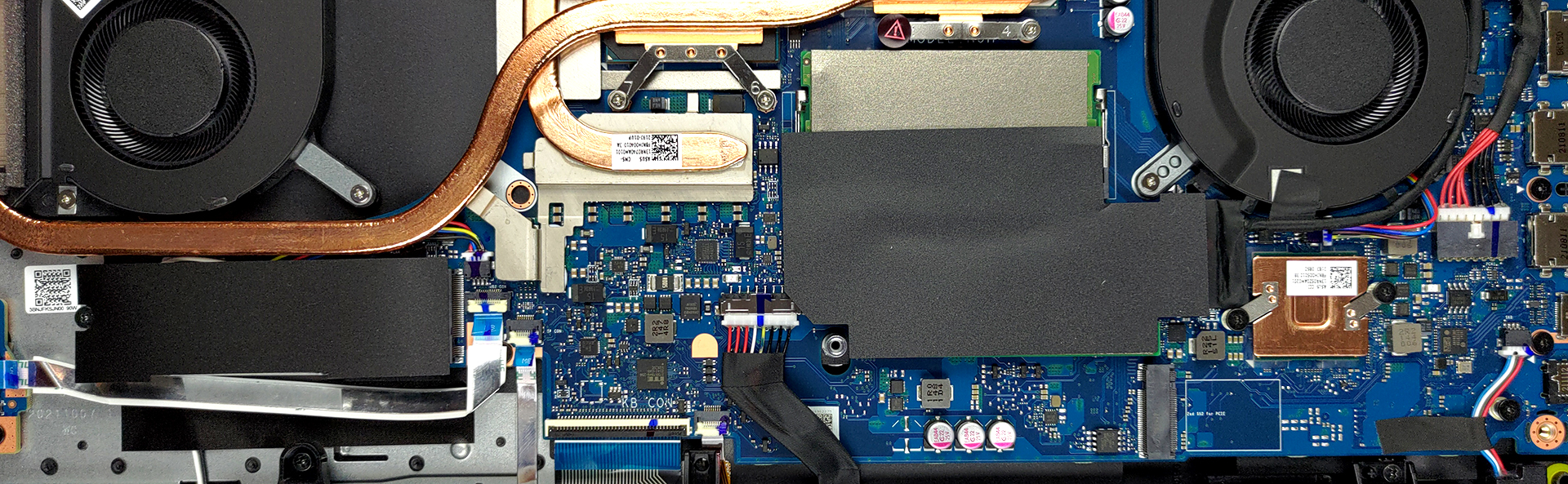
This unit is equipped with a 90Wh battery pack. And if you want to remove it, you first need to unplug the battery connector. Then, simply undo all four Phillips-head screws, and you will be able to remove the unit from the device.
3. Memory and storage
Here, you can see two SODIMM slots. According to ASUS, it supports up to 32GB of dual-channel memory. There are two M.2 PCIe x4 slots, of which one supports Gen 4 drives.
4. Cooling system
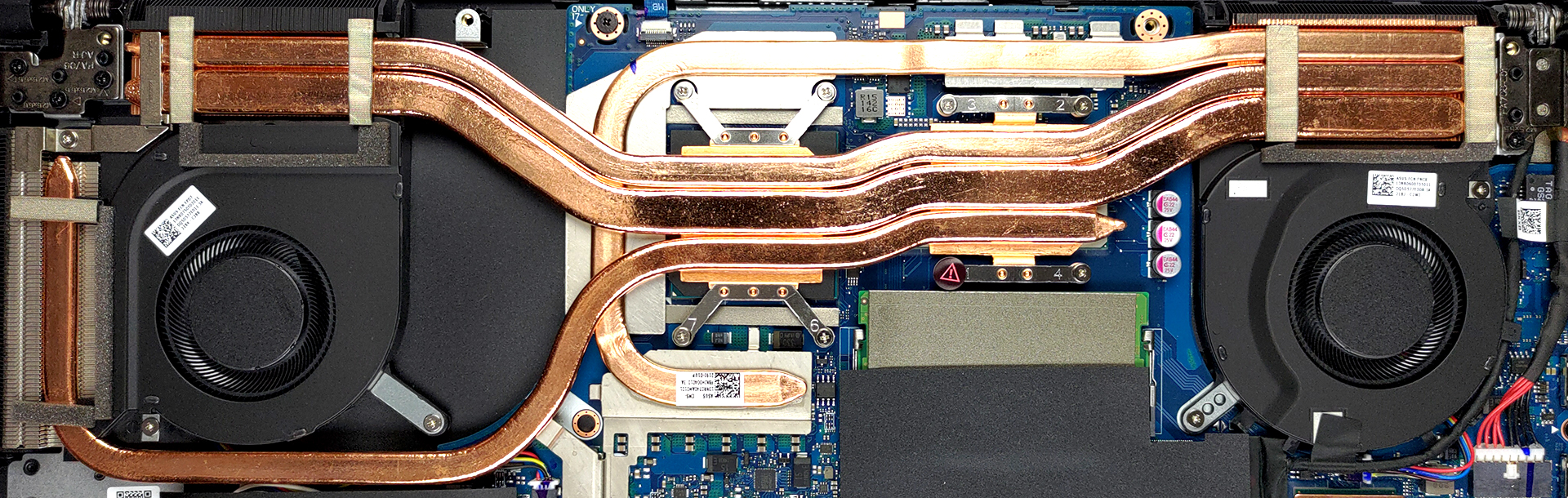
Cooling-wise, we see a design with three heat pipes, shared between the CPU and the GPU. A fourth one is actively cooling the graphics memory and the VRMs.
Check out all ASUS TUF Gaming F17 (FX706, 2021) prices and configurations in our Specs System or read more in our In-Depth review.
ASUS TUF Gaming F17 (FX706, 2021) σε βάθος αξιολόγηση
It wasn't long ago before we showed you the ASUS TUF Gaming F17 FX706. However, like many other manufacturers, ASUS itself has released facelifts of some of its most popular laptops. Including the FX706. Generally, it looks pretty similar, but it brings a lot of new hardware.Since it was released in 2021, you can't expect Alder Lake chips. Nevertheless, their Tiger Lake counterparts are pretty capable in both games and productivity. What else is great for gaming and productivity is the RTX 3060 GPU, which you can find inside of it. It comes with 95W of TGP, and 6GB of GDDR6 graphics memor[...]
Πλεονεκτήματα
- Tough chassis
- 2x SODIMM + 2x M.2 PCIe x4 (one of which supports Gen 4 SSDs)
- 144Hz refresh rate (AUO B173HAN04.9)
- No PWM (AUO B173HAN04.9)
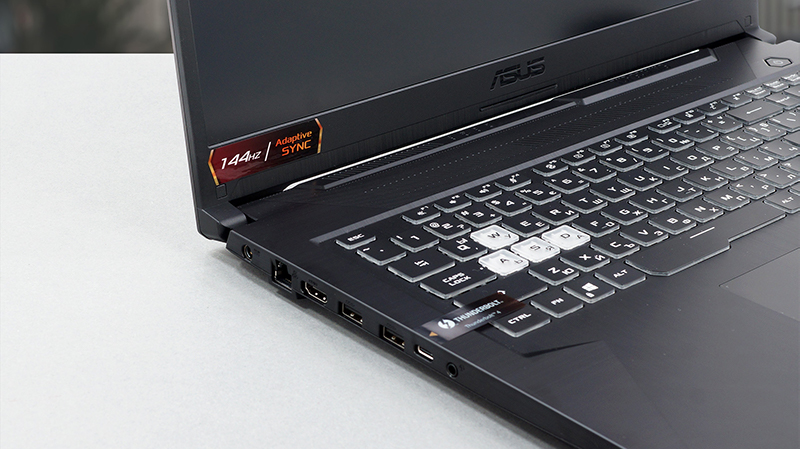
- Thunderbolt 4 + HDMI 2.0b (G-Sync)
- Adaptive Sync support (AUO B173HAN04.9)
- Great battery life for a gaming laptop
Μειονεκτήματα
- No SD card reader
- Covers only 51% of sRGB (AUO B173HAN04.9)
 Author: Alex Iliev

![[Ιούνιος 2026] Οι μάρκες φορητών υπολογιστών με τις μεγαλύτερες πωλήσεις στο Amazon Global – Η ασύγκριτη κυριαρχία της Apple σε αριθμό μονάδων και έσοδα](https://laptopmedia.com/wp-content/uploads/2026/07/GLOBAL-Best-Brands-400x225.jpg)
![[Ιούνιος 2026] Amazon Global: Οι 10 πιο δημοφιλείς φορητοί υπολογιστές – Το νέο MacBook Neo της Apple κατακτά την πρώτη θέση, αναδιαμορφώνοντας την αγορά χάρη στην προσιτή τιμή του](https://laptopmedia.com/wp-content/uploads/2026/07/Best-Selling-Laptops-GLOBAL-Top-10-400x225.jpg)
![[Ιούνιος 2026] Amazon Global: Οι 10 πιο δημοφιλείς φορητοί υπολογιστές για παιχνίδια – Το Nitro V 16S AI της Acer κυριαρχεί στις πωλήσεις, ενώ η ASUS προηγείται σε συνολικά έσοδα](https://laptopmedia.com/wp-content/uploads/2026/07/Best-Selling-Gaming-Laptops-GLOBAL-Top-10-400x225.jpg)
![[Ιούνιος 2026] Παγκόσμια κατάταξη των πιο δημοφιλών GPU για φορητούς υπολογιστές στο Amazon – Η NVIDIA RTX 5060 είναι η πιο δημοφιλής ειδική GPU](https://laptopmedia.com/wp-content/uploads/2026/07/Best-Selling-GPUs-GLOBAL-Top-10-400x225.jpg)
![[Ιούνιος 2026] Παγκόσμια κατάταξη των πιο δημοφιλών επεξεργαστών για φορητούς υπολογιστές στο Amazon – Ο Apple M5 κυριαρχεί, ενώ ο AMD Ryzen 7 260 καταλαμβάνει σημαντικό μερίδιο στην κατηγορία premium](https://laptopmedia.com/wp-content/uploads/2026/07/Best-Selling-CPUs-GLOBAL-Top-10-400x225.jpg)

Nice review! May i ask you something? Where (in ASUS official threads or in manuals) does it says that one port can be a 4° Gen NVMe SSD? I can´t found information about the maximum frecuencies/gen of the NVMe and SO-DIMM ports 🙁 Many thanks!