Inside ASUS ZenBook Flip 13 UX362 – disassembly and upgrade options
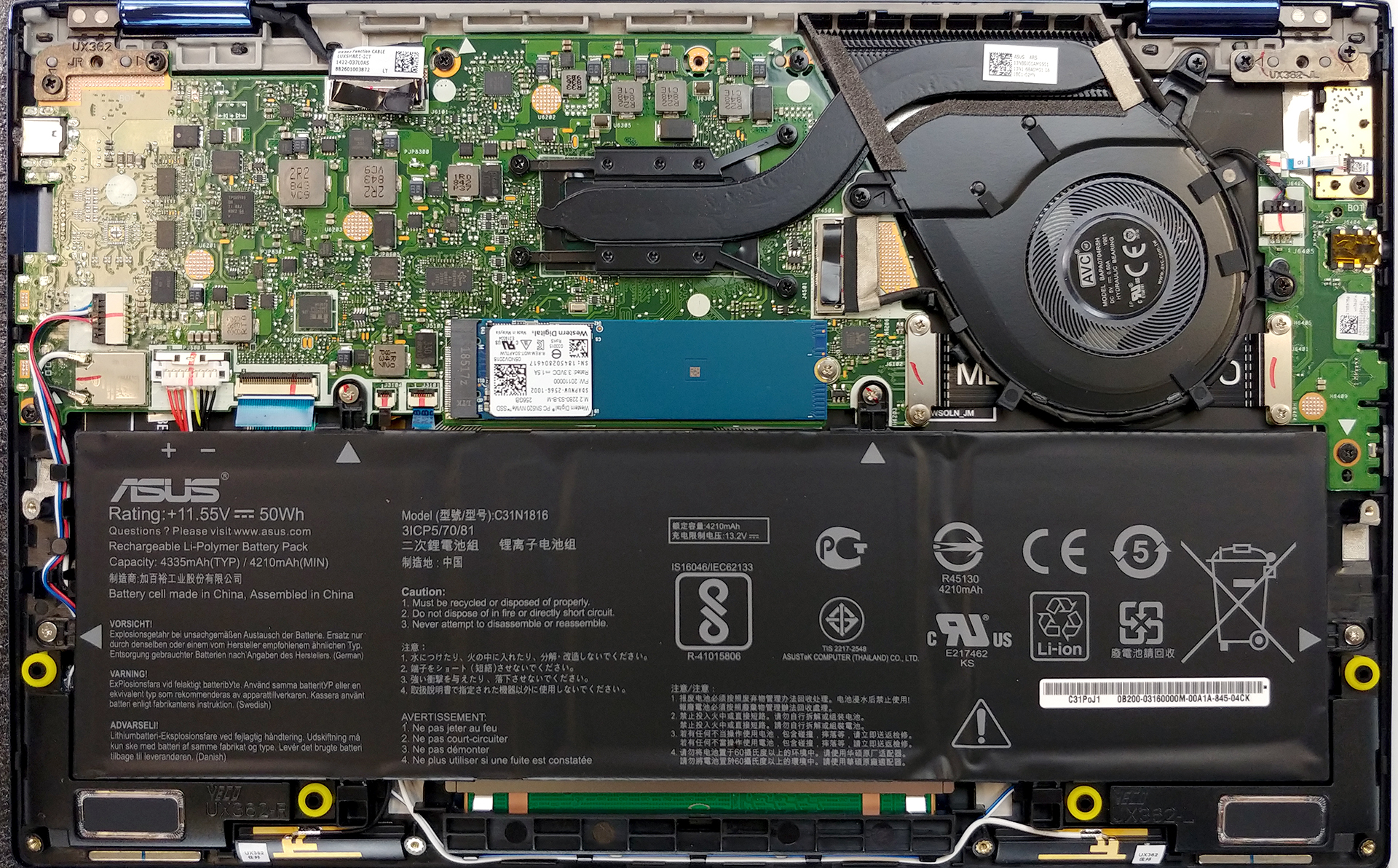
Today we are taking apart the ASUS ZenBook Flip 13 UX362. Laptops at this size are extremely difficult to design, especially when you want to give your customers some customization options. Let’s get inside!
Check out all ASUS ZenBook Flip 13 UX362 prices and configurations in our Specs System or read more in our In-depth Review.

1. Remove the bottom plate
The first thing you have to do with this laptop is to remove the bottom feet. They hide two Phillips-head screws, which accompany the other seven seen across the bottom plate. In order to remove the feet, you just need to unpry them with a plastic tool, making sure the residue stays attached to the feet themselves so it can be easier to reinstall them after the upgrade. Otherwise, the procedure is pretty standard – just unscrew the screws and pry the bottom plate open.
2. Battery
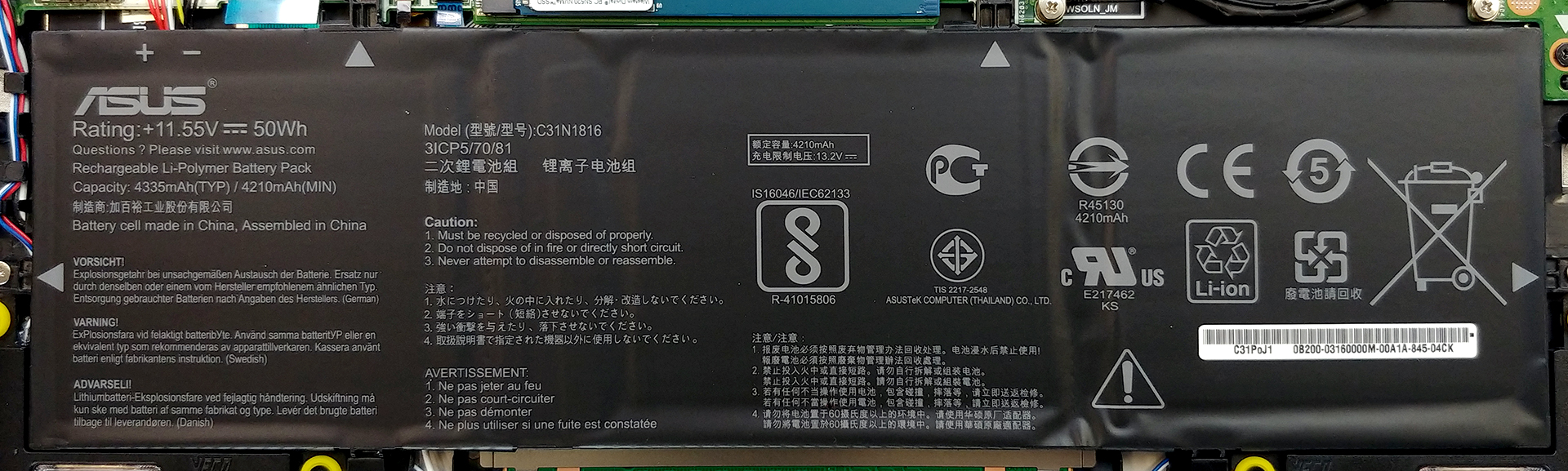
We are glad to see that ASUS has put a large enough battery inside this laptop – it takes roughly half of the space inside and totals at 50Wh, which is pretty much for a 13-incher. It is held in place by four Phillips-head screws. By inserting a battery that big, ASUS provides you with up to 12 hours of web browsing and more than 11 hours of video playback.
Φωτεινότητα: 180 nits; Λειτουργία οθόνης: SDR
Χρόνος μέχρι την πλήρη εκφόρτιση: Υψηλότερο είναι καλύτερο
Για την προσομοίωση πραγματικών συνθηκών, χρησιμοποιήσαμε το δικό μας σενάριο για αυτόματη περιήγηση στο διαδίκτυο σε πάνω από 70 ιστότοπους.
Χρησιμοποιούμε το ενσωματωμένο benchmark του F1 2017 σε επανάληψη για να προσομοιώσουμε πραγματικό gaming.
3. Memory and storage
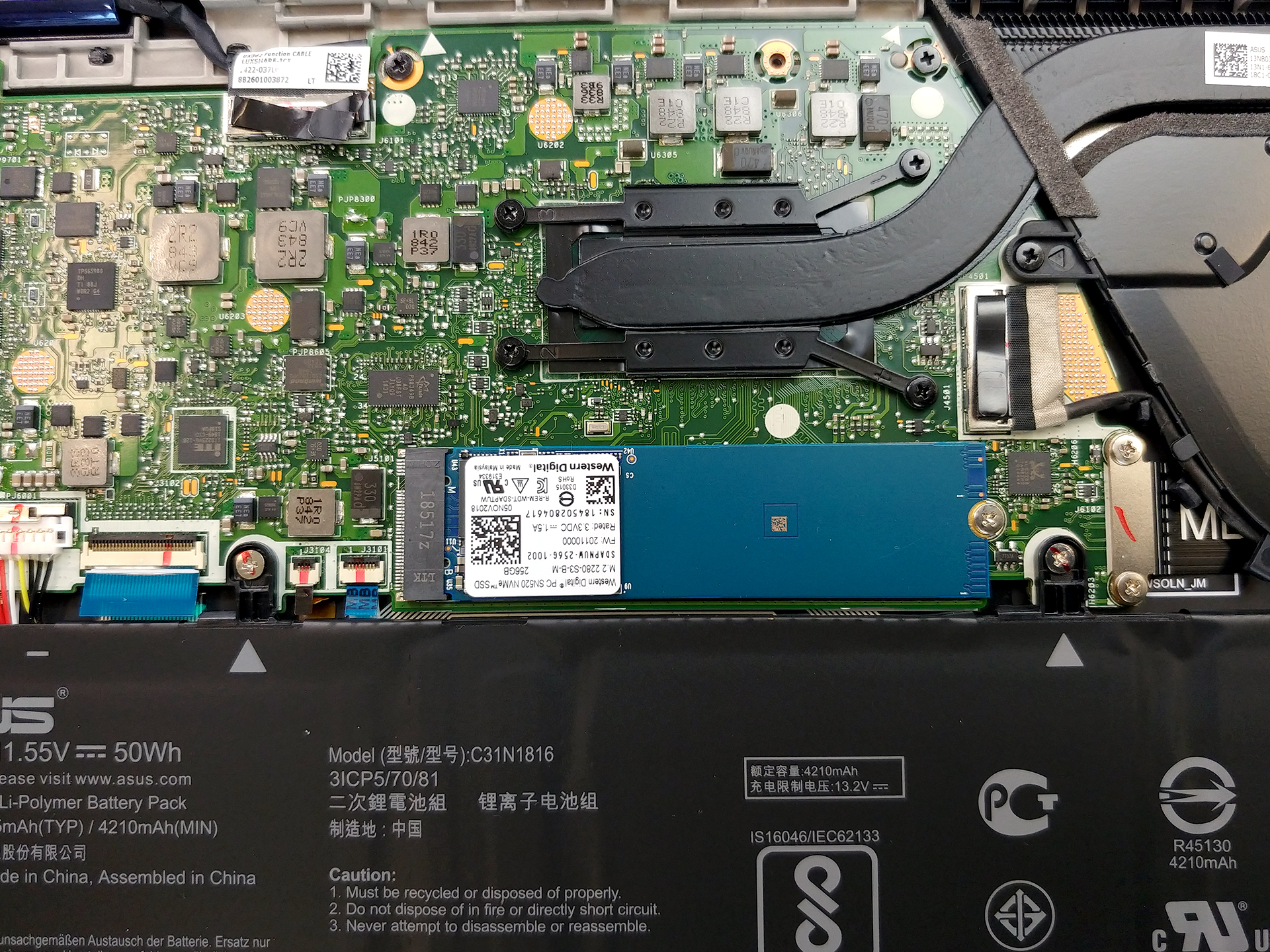
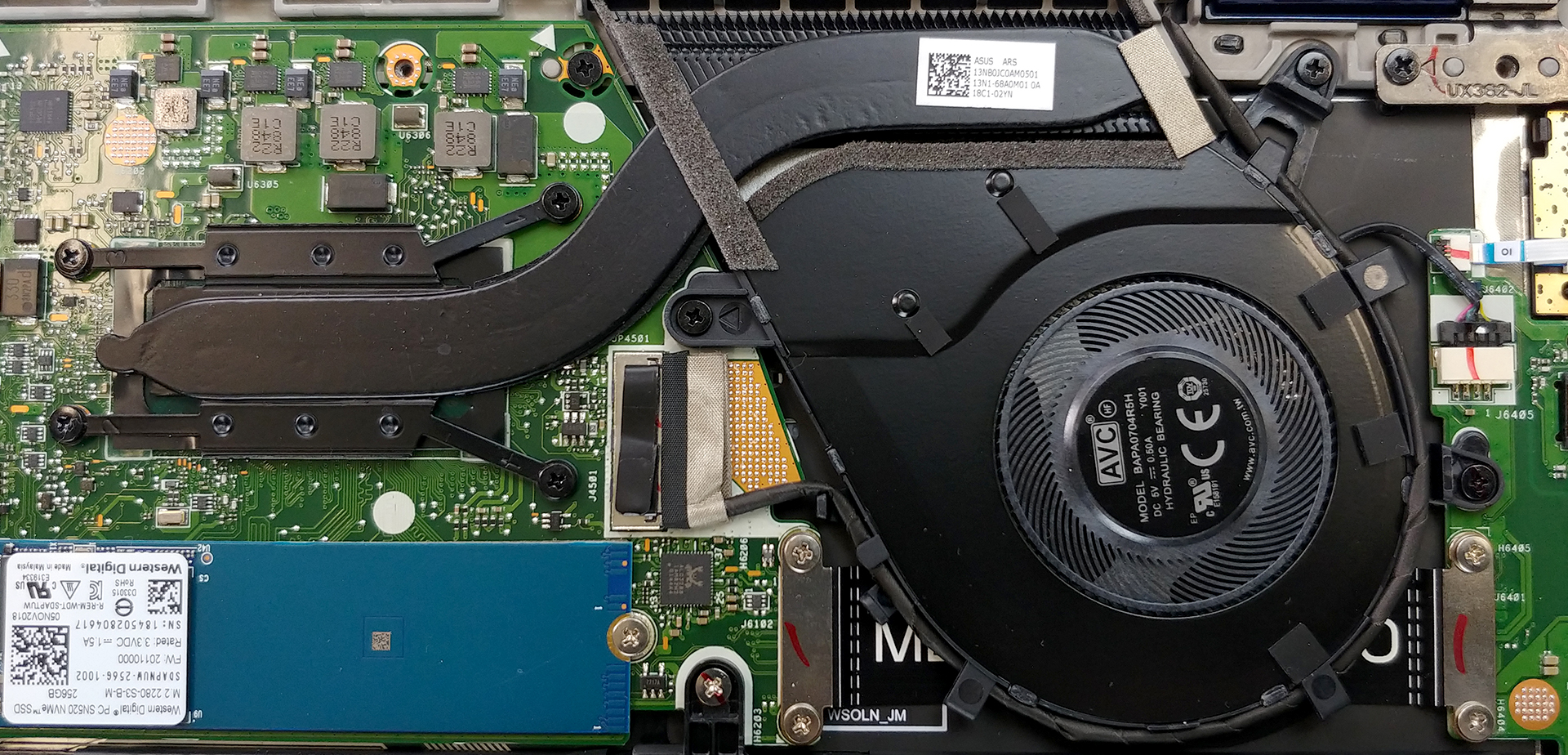
Sadly, all of the memory chips are soldered to the motherboard and there are no proprietary DIMMs for an upgrade – be careful when picking a configuration! On the other side, there is still an M.2 PCIe slot to be found on this machine.
4. Cooling system
ZenBook Flip 13 UX362 features a very simple cooling design. However, the rather fat heat pipe gives a false impression that the laptop is going to cool well. As you can see from the table below it had to decrease its clock speeds at way below the base frequency – 1.26 GHz, despite the temperature output at the end was extremely low, compared with the situation at the beginning.
| Intel Core i5-8265U (15W TDP) | 0:02 – 0:10 sec | 0:15 – 0:30 sec | 10:00 – 15:00 min |
|---|---|---|---|
| ASUS ZenBook Flip 13 UX362 | 2.92 GHz (B+83%)@ 82°C | 2.53 GHz (B+58%)@ 97°C | 1.26 GHz @ 63°C |
Check out all ASUS ZenBook Flip 13 UX362 prices and configurations in our Specs System or read more in our In-depth Review.
 Author: Alex Iliev

![[Ιούνιος 2026] Οι μάρκες φορητών υπολογιστών με τις μεγαλύτερες πωλήσεις στο Amazon Global – Η ασύγκριτη κυριαρχία της Apple σε αριθμό μονάδων και έσοδα](https://laptopmedia.com/wp-content/uploads/2026/07/GLOBAL-Best-Brands-400x225.jpg)
![[Ιούνιος 2026] Amazon Global: Οι 10 πιο δημοφιλείς φορητοί υπολογιστές – Το νέο MacBook Neo της Apple κατακτά την πρώτη θέση, αναδιαμορφώνοντας την αγορά χάρη στην προσιτή τιμή του](https://laptopmedia.com/wp-content/uploads/2026/07/Best-Selling-Laptops-GLOBAL-Top-10-400x225.jpg)
![[Ιούνιος 2026] Amazon Global: Οι 10 πιο δημοφιλείς φορητοί υπολογιστές για παιχνίδια – Το Nitro V 16S AI της Acer κυριαρχεί στις πωλήσεις, ενώ η ASUS προηγείται σε συνολικά έσοδα](https://laptopmedia.com/wp-content/uploads/2026/07/Best-Selling-Gaming-Laptops-GLOBAL-Top-10-400x225.jpg)
![[Ιούνιος 2026] Παγκόσμια κατάταξη των πιο δημοφιλών GPU για φορητούς υπολογιστές στο Amazon – Η NVIDIA RTX 5060 είναι η πιο δημοφιλής ειδική GPU](https://laptopmedia.com/wp-content/uploads/2026/07/Best-Selling-GPUs-GLOBAL-Top-10-400x225.jpg)
![[Ιούνιος 2026] Παγκόσμια κατάταξη των πιο δημοφιλών επεξεργαστών για φορητούς υπολογιστές στο Amazon – Ο Apple M5 κυριαρχεί, ενώ ο AMD Ryzen 7 260 καταλαμβάνει σημαντικό μερίδιο στην κατηγορία premium](https://laptopmedia.com/wp-content/uploads/2026/07/Best-Selling-CPUs-GLOBAL-Top-10-400x225.jpg)

Thank you for the video. Is the touchpad replacable? What is the type no?