Inside Dell Inspiron 15 3505 – disassembly and upgrade options
As an old-school device, the Inspiron 15 3505 packs a good amount of upgrade options, which is becoming less and less common in the year 2021.
Check out all Dell Inspiron 15 3505 prices and configurations in our Specs System or read more in our In-Depth review.
1. Remove the bottom plate
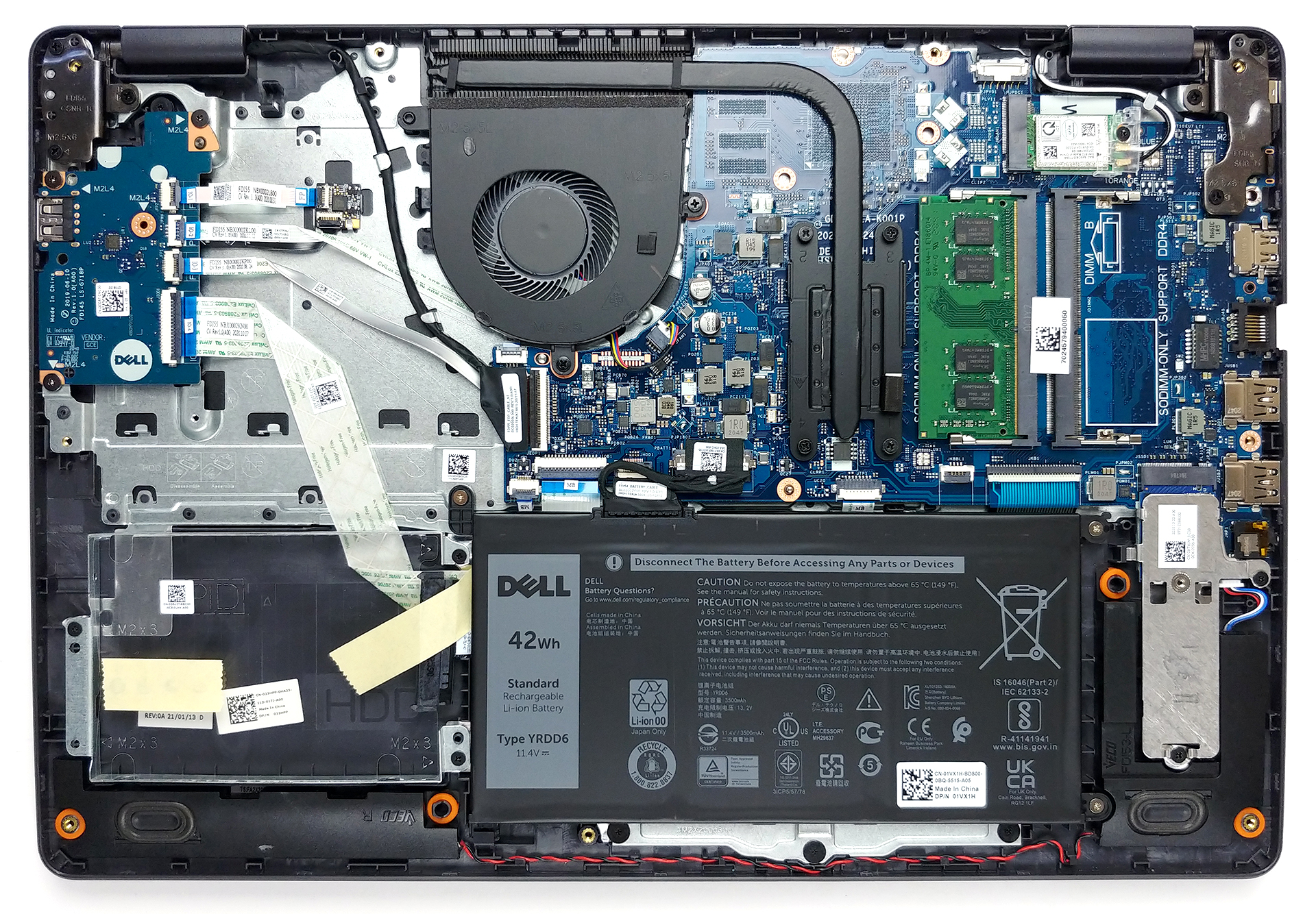
To access the internals of this notebook, you need to undo 9 Phillips-head screws. Then, carefully pry your way around the bottom panel with the help of a plastic tool.
2. Battery
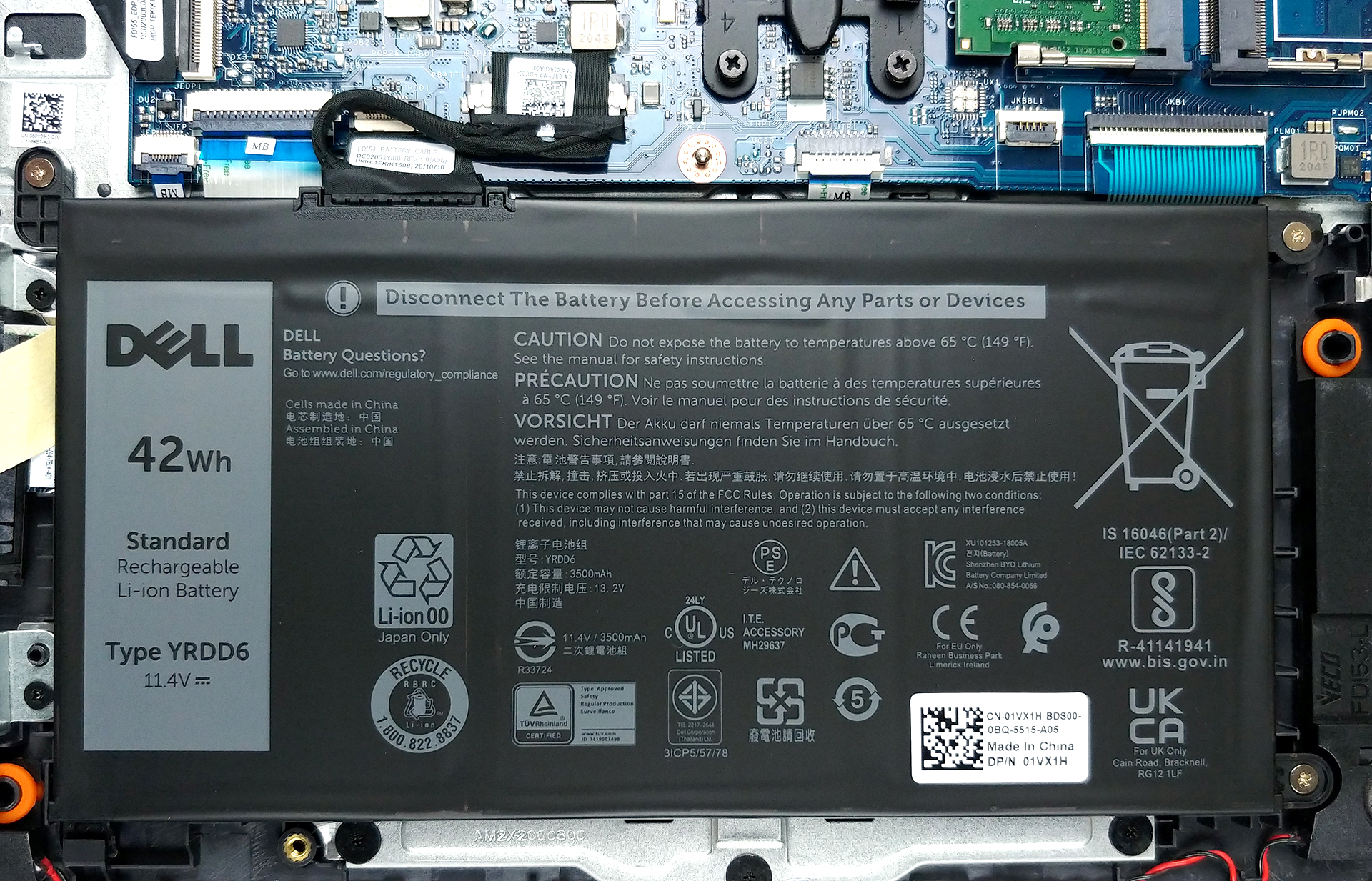
The first thing we see inside is the 42Wh battery pack. Before you start removing stuff out of the device, make sure you unplug the battery connector.
3. Memory and storage
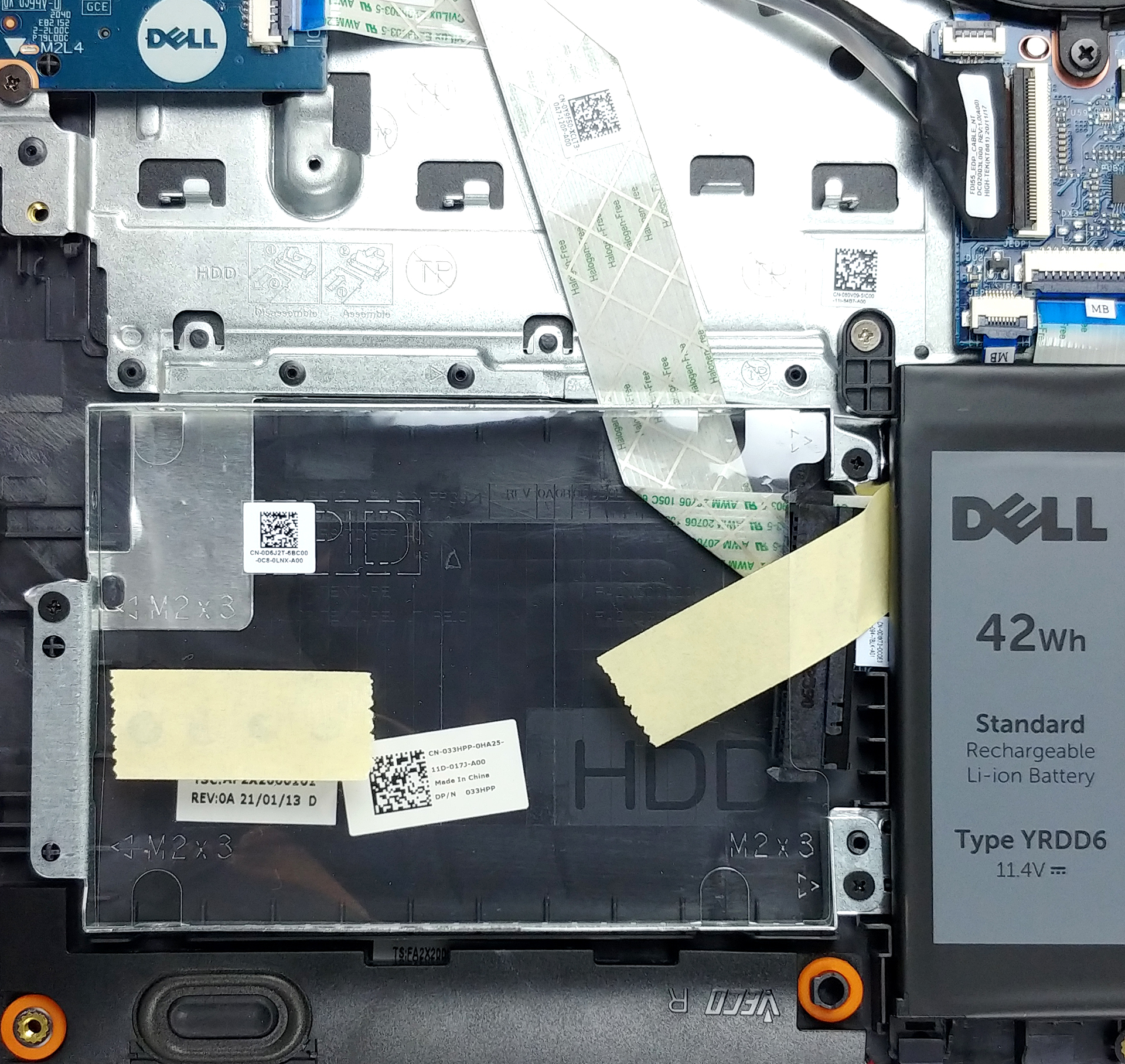
In terms of memory, there are two SODIMM slots, that should support up to 32GB of DDR4 RAM in total. They also work in dual-channel mode. Storage-wise, there is one 2.5-inch SATA drive bay, as well as an M.2 PCIe x4 slot.

4. Cooling system
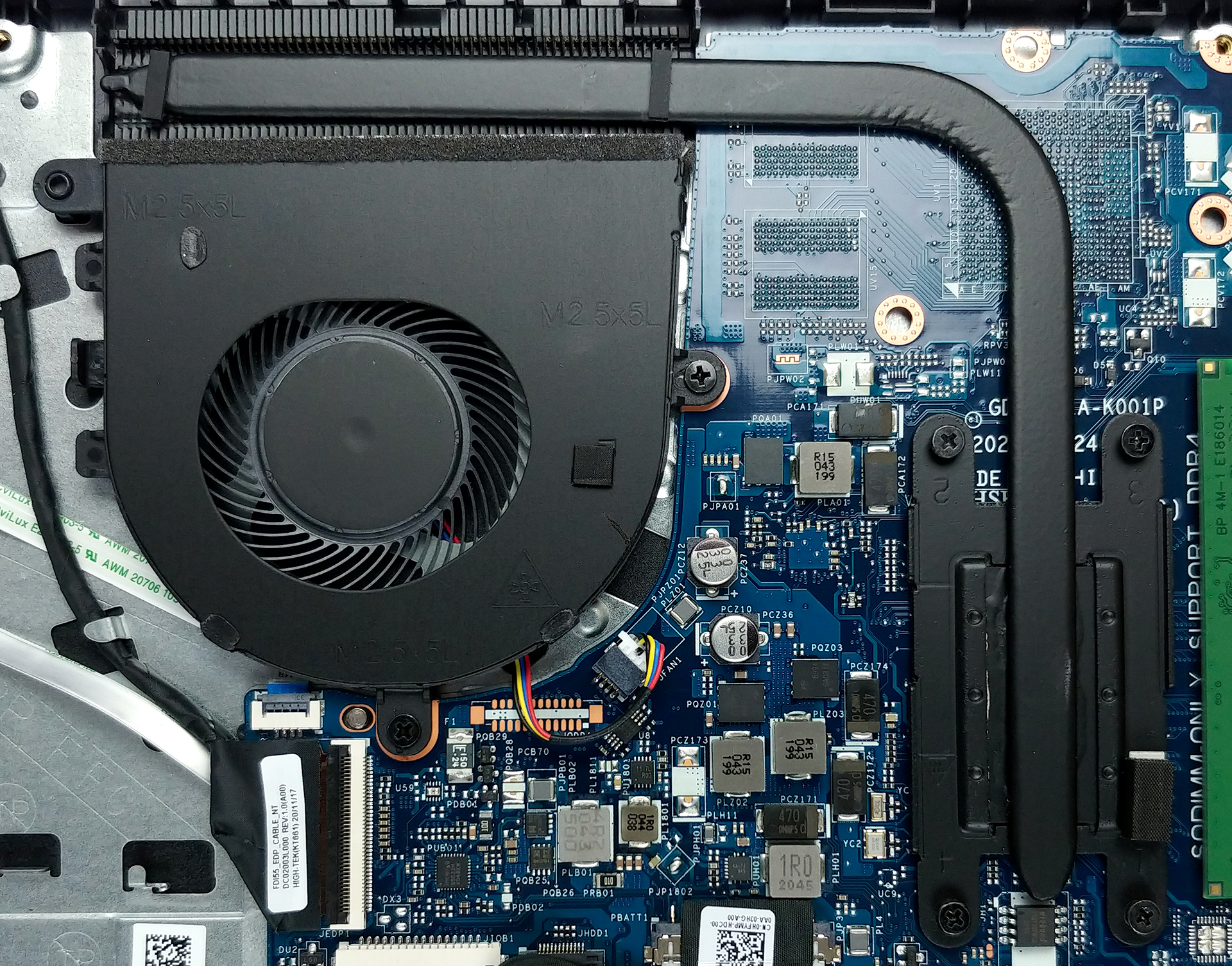
As for the cooling, a rather unpretentious heat pipe, heat spreader, and a fan with a medium size. It’s also worth noting that there is a metal bracket over the CPU, that helps evenly distribute the mounting pressure, and drive some residual heat away.
Check out all Dell Inspiron 15 3505 prices and configurations in our Specs System or read more in our In-Depth review.
Dell Inspiron 15 3505 σε βάθος αξιολόγηση
Another manufacturer has released a laptop, equipped with an older SKU. In a world of silicon and graphics card hunger, Dell is looking at previous generations, albeit with newly released processors to feed their machines.With that said, the Inspiron 15 3505 comes at precisely the right time, in order to be influential, and viable for customers. It offers an IPS panel, SSD support, arguably snappy processors of choice, and a proven design. The latter ensures minimum financial effort in terms of design, and maximum yield.Also, considering its rather affordable price, it is good to see [...]
Πλεονεκτήματα
- Great price
- Up to 32GB of memory in dual-channel, 1x M.2 PCIe x4 + 2.5-inch SATA slot
- Has an SD card reader
- Doesn't use PWM for brightness adjustment (AUO K1MP9-B156HAN)
Μειονεκτήματα
- Unsatisfactory build quality
- No USB Type-C port
- Covers only 52% of the sRGB gamut (AUO K1MP9-B156HAN)
 Author: Alex Iliev

![[Αύγουστος 2026] Παγκόσμια κατάταξη των πιο δημοφιλών GPU για φορητούς υπολογιστές στο Amazon – Η Apple κυριαρχεί, ενώ η RTX 5060 της NVIDIA βρίσκεται στην κορυφή της κατάταξης των ειδικών καρτών](https://laptopmedia.com/wp-content/uploads/2026/09/Best-Selling-GPUs-GLOBAL-Top-10-400x225.jpg)
![[Αύγουστος 2026] Παγκόσμια κατάταξη των πιο δημοφιλών επεξεργαστών φορητών υπολογιστών στο Amazon – Η Apple κυριαρχεί τόσο στην κατηγορία των οικονομικών όσο και στην κατηγορία των premium μοντέλων: Οι A18 Pro και M5 συντρίβουν την Intel και την AMD τον Αύγουστο του 2026](https://laptopmedia.com/wp-content/uploads/2026/09/Best-Selling-CPUs-GLOBAL-Top-10-400x225.jpg)
![[Αύγουστος 2026] Amazon Global: Οι 10 φορητοί υπολογιστές με τις μεγαλύτερες πωλήσεις – Το Apple MacBook Neo κυριαρχεί στις λίστες, ενώ οι οικονομικοί και μεσαίας κατηγορίας φορητοί υπολογιστές με Windows ανταγωνίζονται για τον όγκο πωλήσεων](https://laptopmedia.com/wp-content/uploads/2026/09/Best-Selling-Laptops-GLOBAL-Top-10-400x225.jpg)
![[Αύγουστος 2026] Οι μάρκες φορητών υπολογιστών με τις μεγαλύτερες πωλήσεις στο Amazon Global – Η Apple κυριαρχεί σε έσοδα, ενώ η HP πρωτοστατεί στην ποικιλία μοντέλων](https://laptopmedia.com/wp-content/uploads/2026/09/GLOBAL-Best-Brands-400x225.jpg)
![[Αύγουστος 2026] Amazon Global: Οι 10 πιο δημοφιλείς φορητοί υπολογιστές για παιχνίδια – Ο HP Victus 15 κατακτά την πρώτη θέση, ενώ τα οικονομικά μοντέλα κυριαρχούν στις λίστες](https://laptopmedia.com/wp-content/uploads/2026/09/Best-Selling-Gaming-Laptops-GLOBAL-Top-10-400x225.jpg)

Maximun memory speed?