Inside Dell Latitude 15 3520 – disassembly and upgrade options
Here, you get decent upgrade options and a choice of two battery packs.
Check out all Dell Latitude 15 3520 prices and configurations in our Specs System or read more in our In-Depth review.
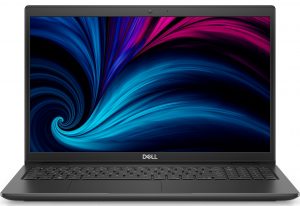
1. Remove the bottom plate
There are 9 captive Phillips-head screws that you need to undo before you pry this laptop’s bottom panel. After that, remove it from the chassis.
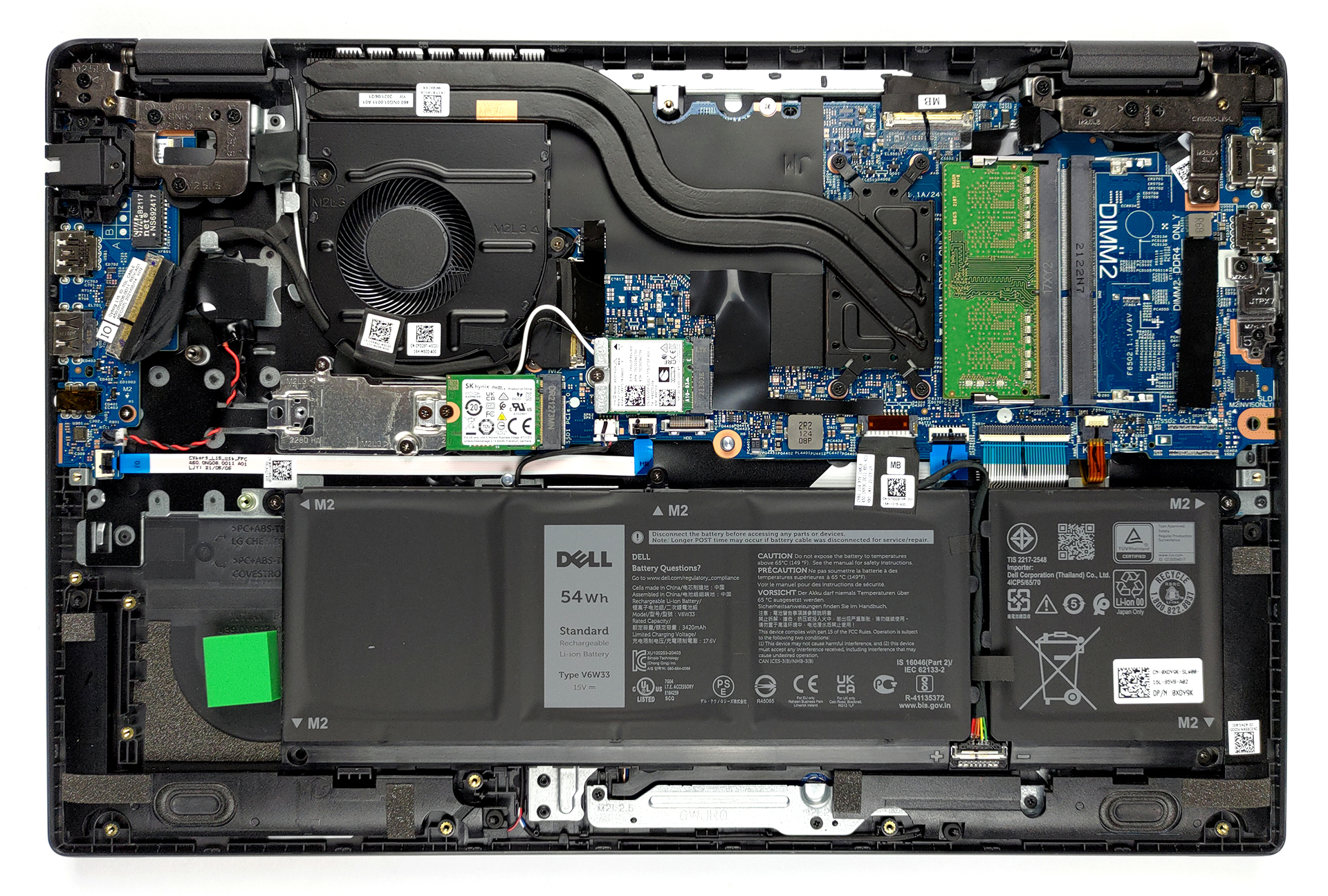
2. Battery
Here, you get two battery options. There is a 3-cell 41Wh unit, as well as a 4-cell 54Wh one.
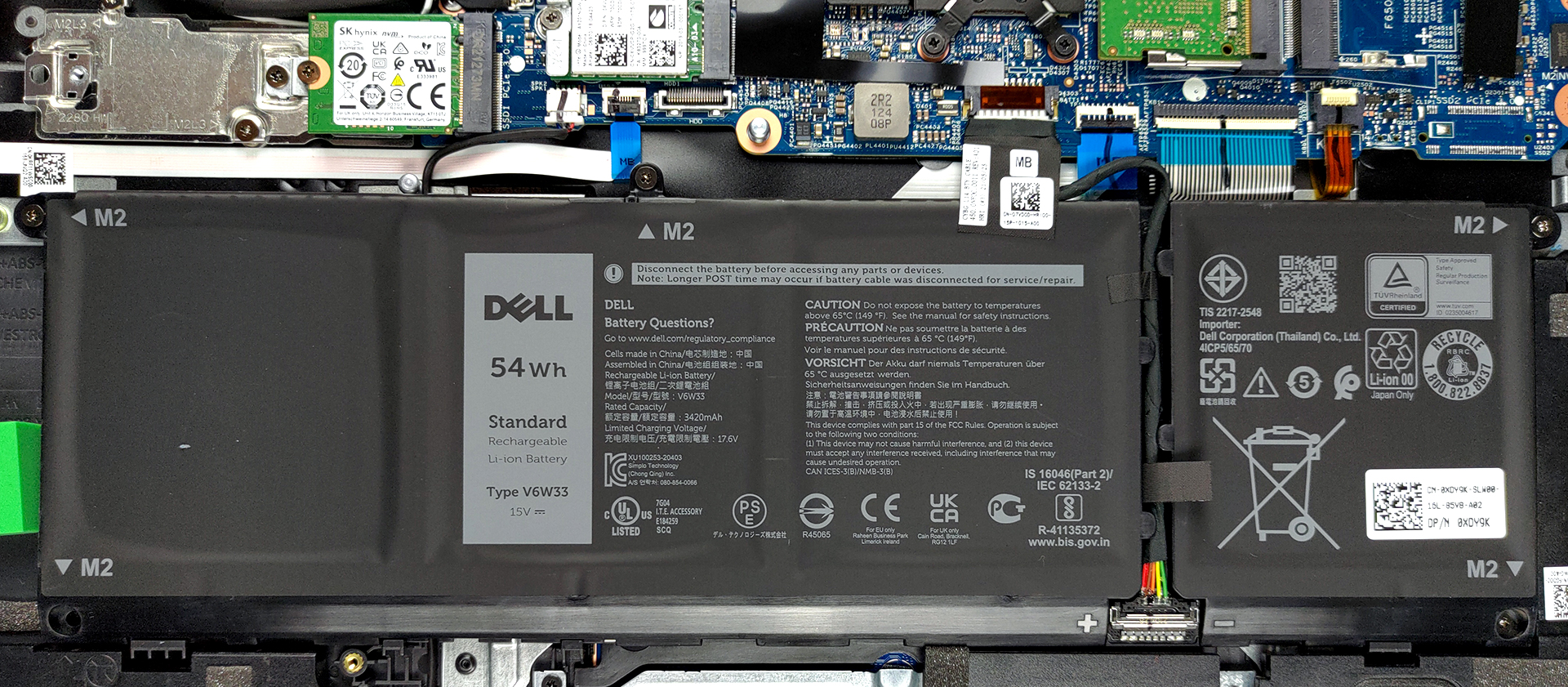
3. Мemory and storage
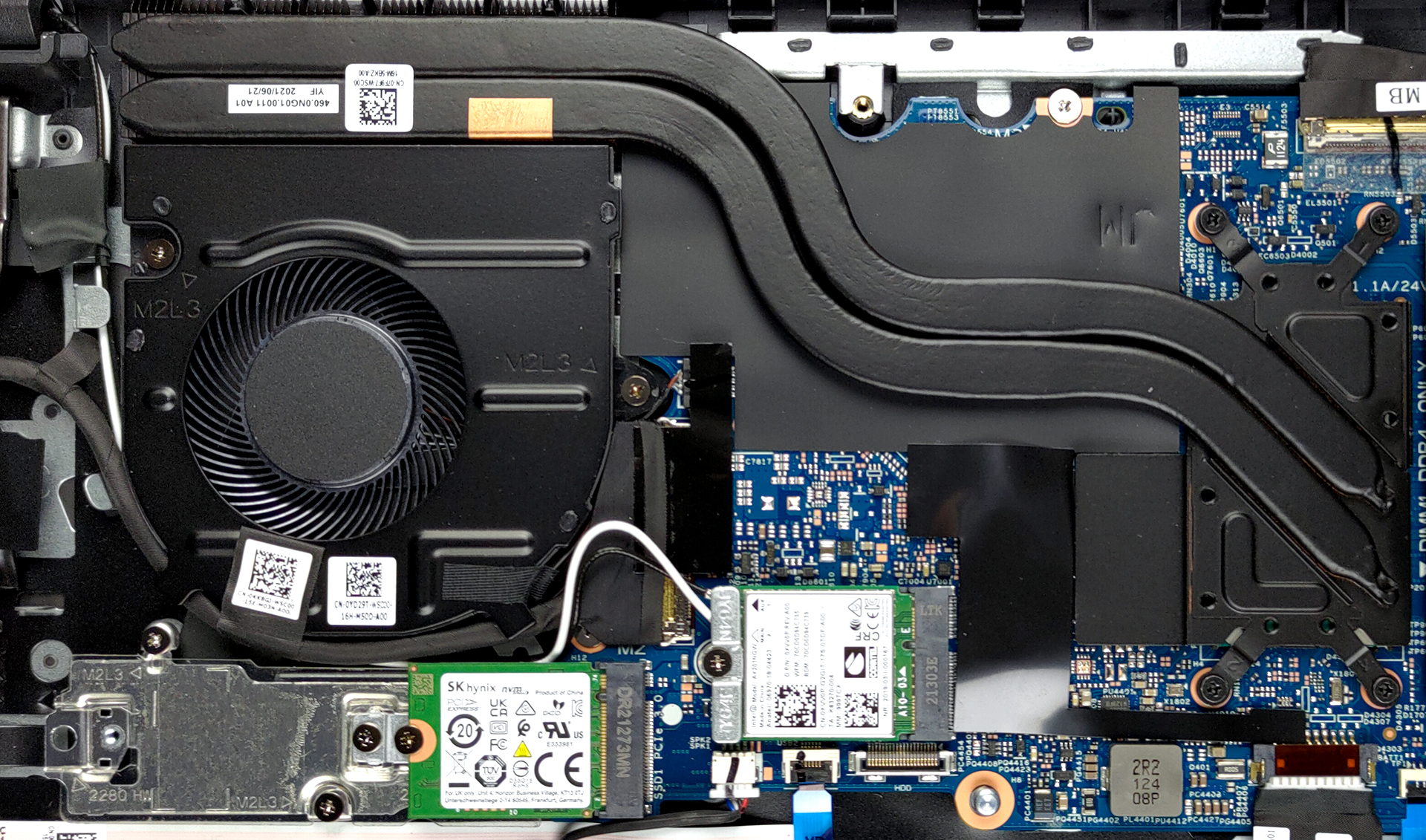
In terms of memory, there are two SODIMM slots, which support up to 32GB of DDR4 RAM in total, according to Dell. And for the storage, you get one M.2 slot that fits either 30mm or 82mm drives. Additionally, if you get the smaller battery option, you can fit a 2.5-inch SATA device.

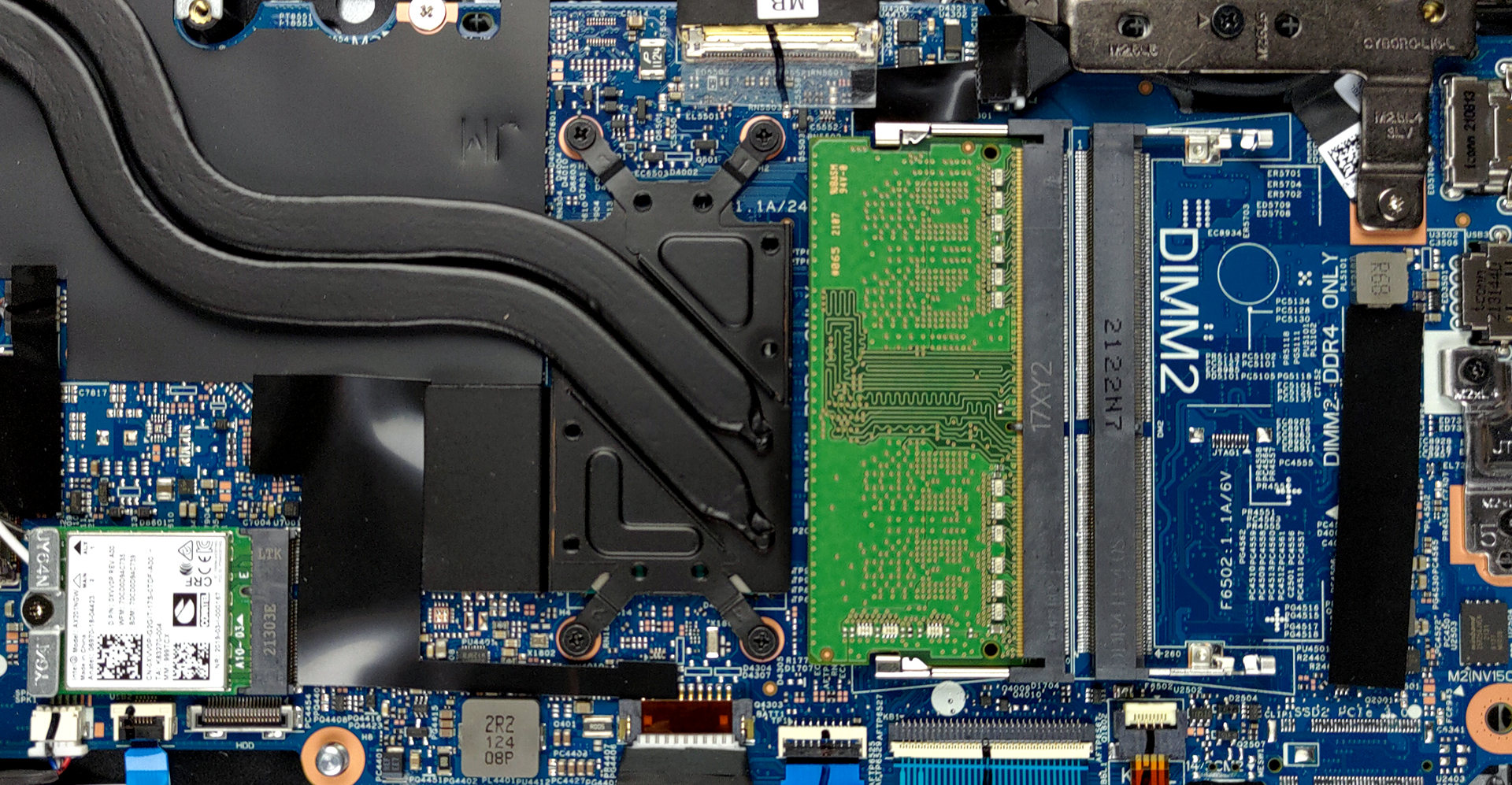
4. Cooling system
Cooling-wise, there are two heat pipes, a heat sink, and a fan. Also, there is a small heat spreader over some VRMs.
Check out all Dell Latitude 15 3520 prices and configurations in our Specs System or read more in our In-Depth review.
Dell Latitude 15 3520 (Intel 11th Gen) σε βάθος αξιολόγηση
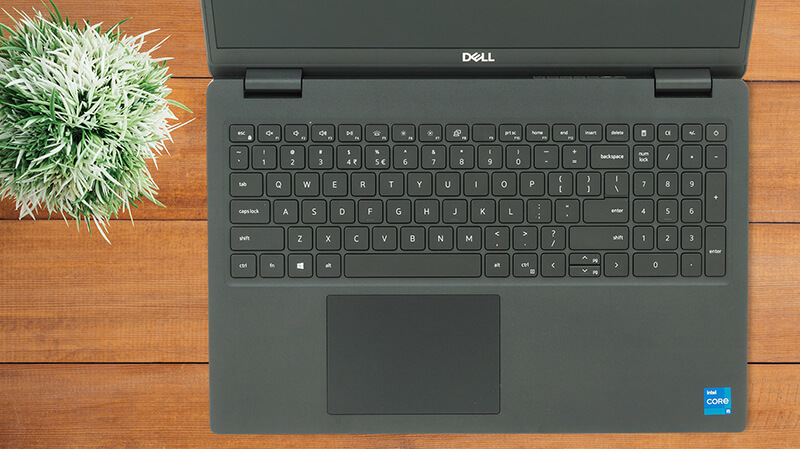
Dell might be suffering the consequence of lack of innovation across its Inspiron lineup, but the Latitude sits ever so strong in the business market. This is mainly to the necessity of stability and security in the branch, and people see the Latitude brand as such.And what are the best-sellers in pretty much every segment of the market? Exactly - affordable devices. The Latitude 15 3520 is one of them, and its simplistic design, combined with Dell's security enhancements might attract a lot of customers. Especially since you can now find the laptop equipped with Tiger Lake-U processors. [...]
Πλεονεκτήματα
- Great upgradability
- Good battery life
- MicroSD card slot and a USB Type-C 3.2 (Gen. 2x2)
- Optional fingerprint reader and IR face recognition
Μειονεκτήματα
- Uses PWM below 89 nits (our Health-Guard profile fixes that)
- Not a very rigid structure
- Covers only half of the colors in the sRGB gamut
 Author: Alex Iliev

![[Ιούνιος 2026] Οι μάρκες φορητών υπολογιστών με τις μεγαλύτερες πωλήσεις στο Amazon Global – Η ασύγκριτη κυριαρχία της Apple σε αριθμό μονάδων και έσοδα](https://laptopmedia.com/wp-content/uploads/2026/07/GLOBAL-Best-Brands-400x225.jpg)
![[Ιούνιος 2026] Amazon Global: Οι 10 πιο δημοφιλείς φορητοί υπολογιστές – Το νέο MacBook Neo της Apple κατακτά την πρώτη θέση, αναδιαμορφώνοντας την αγορά χάρη στην προσιτή τιμή του](https://laptopmedia.com/wp-content/uploads/2026/07/Best-Selling-Laptops-GLOBAL-Top-10-400x225.jpg)
![[Ιούνιος 2026] Amazon Global: Οι 10 πιο δημοφιλείς φορητοί υπολογιστές για παιχνίδια – Το Nitro V 16S AI της Acer κυριαρχεί στις πωλήσεις, ενώ η ASUS προηγείται σε συνολικά έσοδα](https://laptopmedia.com/wp-content/uploads/2026/07/Best-Selling-Gaming-Laptops-GLOBAL-Top-10-400x225.jpg)
![[Ιούνιος 2026] Παγκόσμια κατάταξη των πιο δημοφιλών GPU για φορητούς υπολογιστές στο Amazon – Η NVIDIA RTX 5060 είναι η πιο δημοφιλής ειδική GPU](https://laptopmedia.com/wp-content/uploads/2026/07/Best-Selling-GPUs-GLOBAL-Top-10-400x225.jpg)
![[Ιούνιος 2026] Παγκόσμια κατάταξη των πιο δημοφιλών επεξεργαστών για φορητούς υπολογιστές στο Amazon – Ο Apple M5 κυριαρχεί, ενώ ο AMD Ryzen 7 260 καταλαμβάνει σημαντικό μερίδιο στην κατηγορία premium](https://laptopmedia.com/wp-content/uploads/2026/07/Best-Selling-CPUs-GLOBAL-Top-10-400x225.jpg)

hey i have this laptop and was wondering how i would switch out the gpu if i even can and where it would be located and what it would even look like
Any answers yet? I have this too and I recently upgraded the ram.