Inside HP Omen 16 (16-b0000) – disassembly and upgrade options
Having the option to upgrade your laptop down the line is a great privilege. Well, HP has got you covered on this with the Omen 16.
Check out all HP Omen 16 (16-b0000) prices and configurations in our Specs System or read more in our In-Depth review.
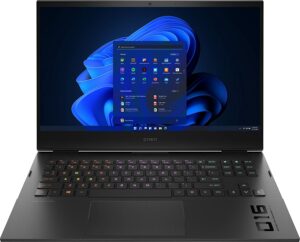
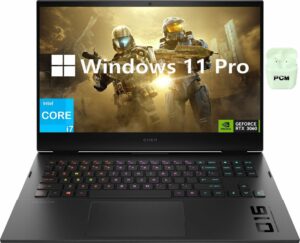
1. Remove the bottom plate
To get inside this device, you need to undo 8 Phillips-head screws. Then, pry the bottom panel, starting from the back. Keep in mind that you may need to use some force.
2. Battery and storage
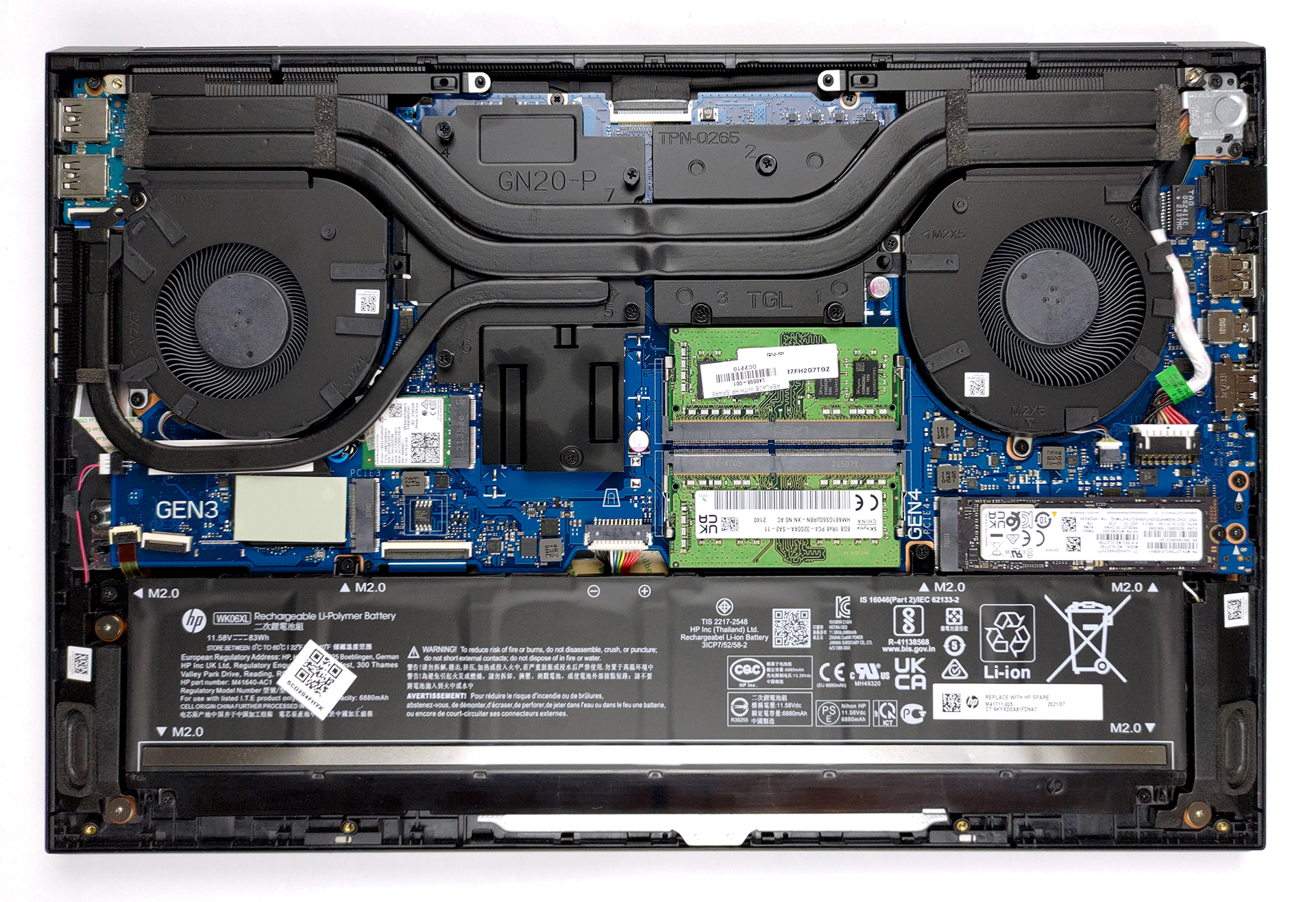
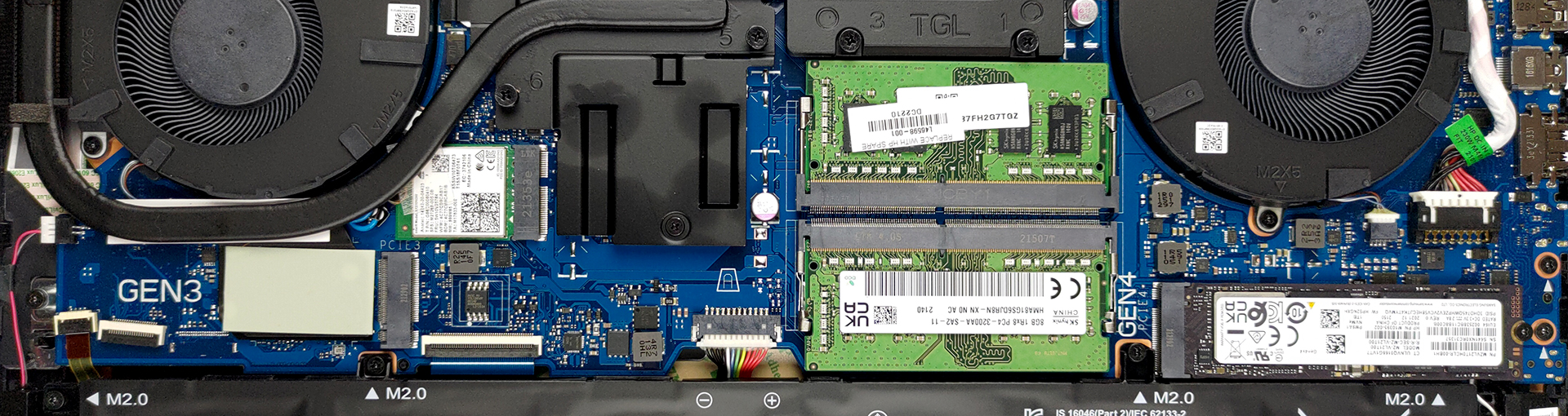
Here, we see two M.2 PCIe x4 slots. The one on the left supports Gen 3 drives, while the other can house Gen 4 ones. Interestingly, you will need to remove the right SSD, if you want to take the battery out.
Speaking of which, the unit inside has a capacity of 83Wh. It lasted us for more than 9 hours of Web browsing, or about 7 hours of video playback. So, removing the SSD reveals the hidden screws. Undo it, as well as the five other screws. Then, you can lift the battery and unplug its connector from the motherboard.
3. Memory
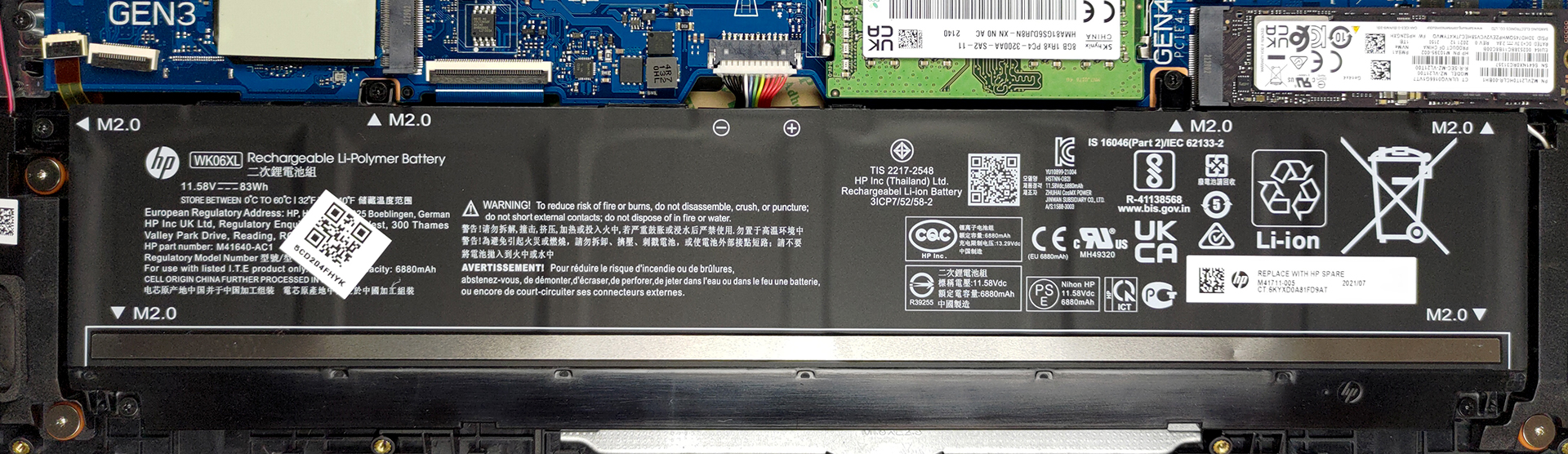
Memory-wise, there are two SODIMM DDR4 slots, which support dual-channel mode.
4. Cooling system
Last but not least, there is the cooling. It comprises two large heat pipes shared between the CPU and the GPU. A third one is dedicated to the graphics card and has its own heat sink on the left. It’s also good to know, that the VRMs and the graphics memory are all covered by a cooling plate.

Check out all HP Omen 16 (16-b0000) prices and configurations in our Specs System or read more in our In-Depth review.
HP OMEN 16 (16-b0000, b1000) σε βάθος αξιολόγηση
HP sells one of the most underhyped gaming laptops out there. Their Omen brand is definitely not as populous as the ROG from ASUS, but you still get a 15, 16, and 17-inch notebook to choose from. It is the 16-inch model that we're focusing on today, and we are particularly excited about it because it not only comes with a Tiger Lake-H45 processor (which is great for gaming and productivity) but also features a good amount of options for graphics.The choice falls between the RTX 3050 Ti, RTX 3060, and RTX 3070. As you can see, there is something for every budget. It's worth noting that the[...]
Πλεονεκτήματα
- Sleek metal design
- Decent battery life
- Hardware with a lot of potential
- 100% sRGB coverage and accurate color representation
- Quick pixel response times
- No PWM
- 2x SODIMM slots + 2x M.2 PCIe x4 slots, one of which supports Gen 4 drives
- Great keyboard
- 1x Thundebrolt 4 + HDMI 2.1 + SD card slot
Μειονεκτήματα
- Build quality is not great
- No NumberPad
 Author: Alex Iliev

![[Ιούλιος 2026] Παγκόσμια κατάταξη των πιο δημοφιλών GPU για φορητούς υπολογιστές στο Amazon – Η RTX 5060 κυριαρχεί στην κατηγορία premium, ενώ η Intel εξακολουθεί να κυριαρχεί στην κατηγορία των οικονομικών μοντέλων](https://laptopmedia.com/wp-content/uploads/2026/08/Best-Selling-GPUs-GLOBAL-Top-10-400x225.jpg)
![[Ιούλιος 2026] Παγκόσμια κατάταξη των πιο πωλημένων επεξεργαστών φορητών υπολογιστών στο Amazon – Η Apple κυριαρχεί στην κατηγορία premium, ενώ η Intel διατηρεί την πρώτη θέση συνολικά](https://laptopmedia.com/wp-content/uploads/2026/08/Best-Selling-CPUs-GLOBAL-Top-10-400x225.jpg)
![[July 2026] Amazon Canada: Top 10 Best-Selling Laptops – Apple MacBook Neo Dominates the Market to Claim the #1 Spot](https://laptopmedia.com/wp-content/uploads/2026/08/Best-Selling-Laptops-CA-Top-10-2-400x225.jpg)
![[July 2026] Best-Selling Laptop Brands on Amazon Japan – HP and Lenovo Dominate Units and Revenue Amid Fierce Competition](https://laptopmedia.com/wp-content/uploads/2026/08/CO.JP-Best-Brands-2-400x225.jpg)
![[July 2026] Amazon Italy: Top 10 Best-Selling Laptops – Apple MacBook Neo Claims the #1 Spot Amid Budget-Friendly Dominance](https://laptopmedia.com/wp-content/uploads/2026/08/Best-Selling-Laptops-IT-Top-10-400x225.jpg)
