Inside Lenovo Ideapad L340 (15″) – disassembly and upgrade options
Lenovo Ideapad L340 (15″) is the direct successor to the Ideapad 330 – one of Lenovo’s best selling laptops. Let’s see what Lenovo has done in order to keep the price low, and what type of compromises had to be made.
Check out all Lenovo Ideapad L340 (15″) prices and configurations in our Specs System, or read our In-Depth review.
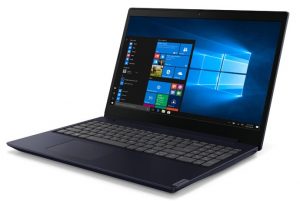
1. Remove the bottom plate
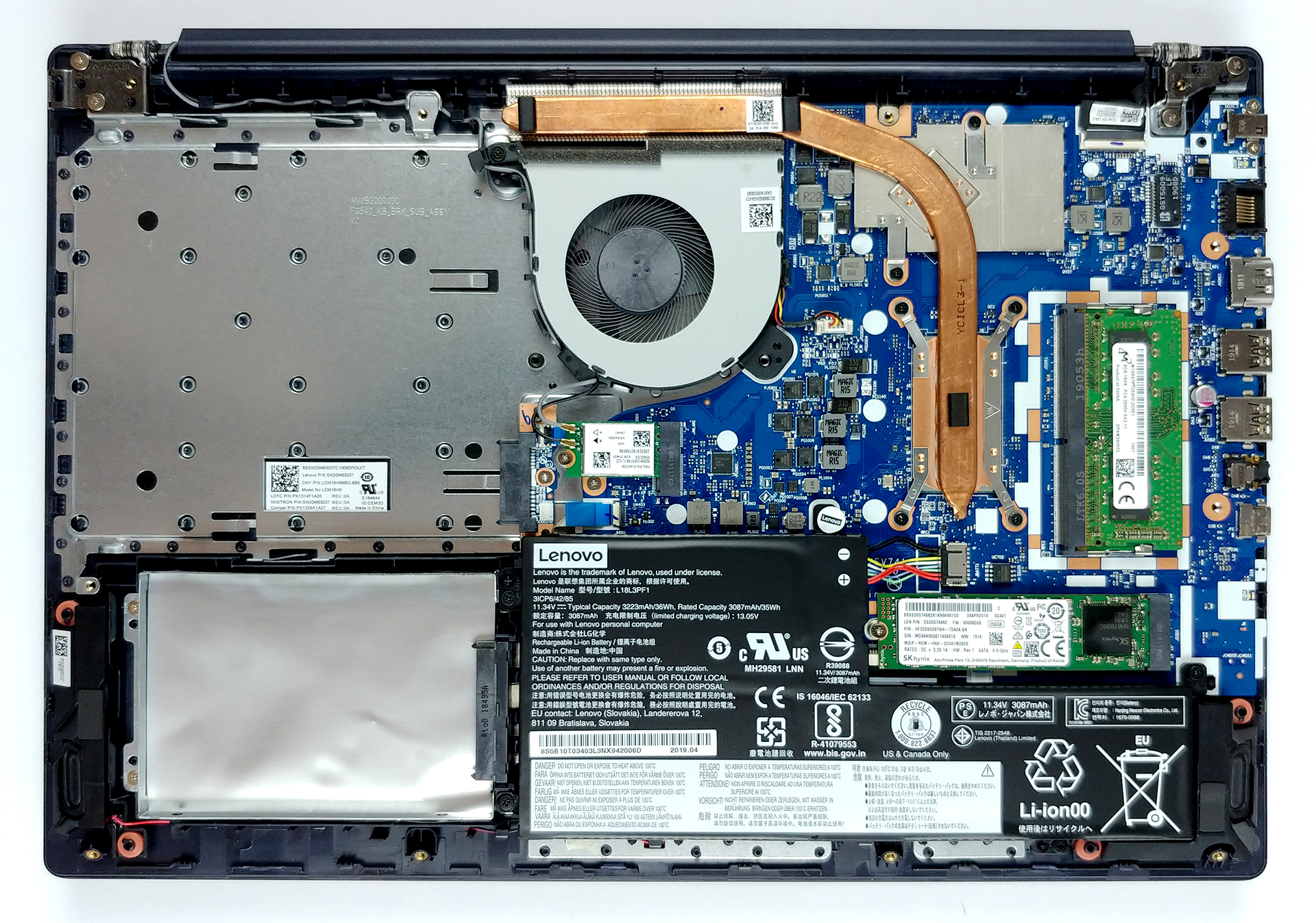
The first thing you need to do, as this is one of the few laptops that still feature an optical drive – is to remove it. It is held in place by a single screw (check the video we made for reference) and after you remove it you can just pull out the drive. Additionally, there are 12 more Phillips head-screws that you need to remove before you pop the bottom plate open with a plastic pry tool
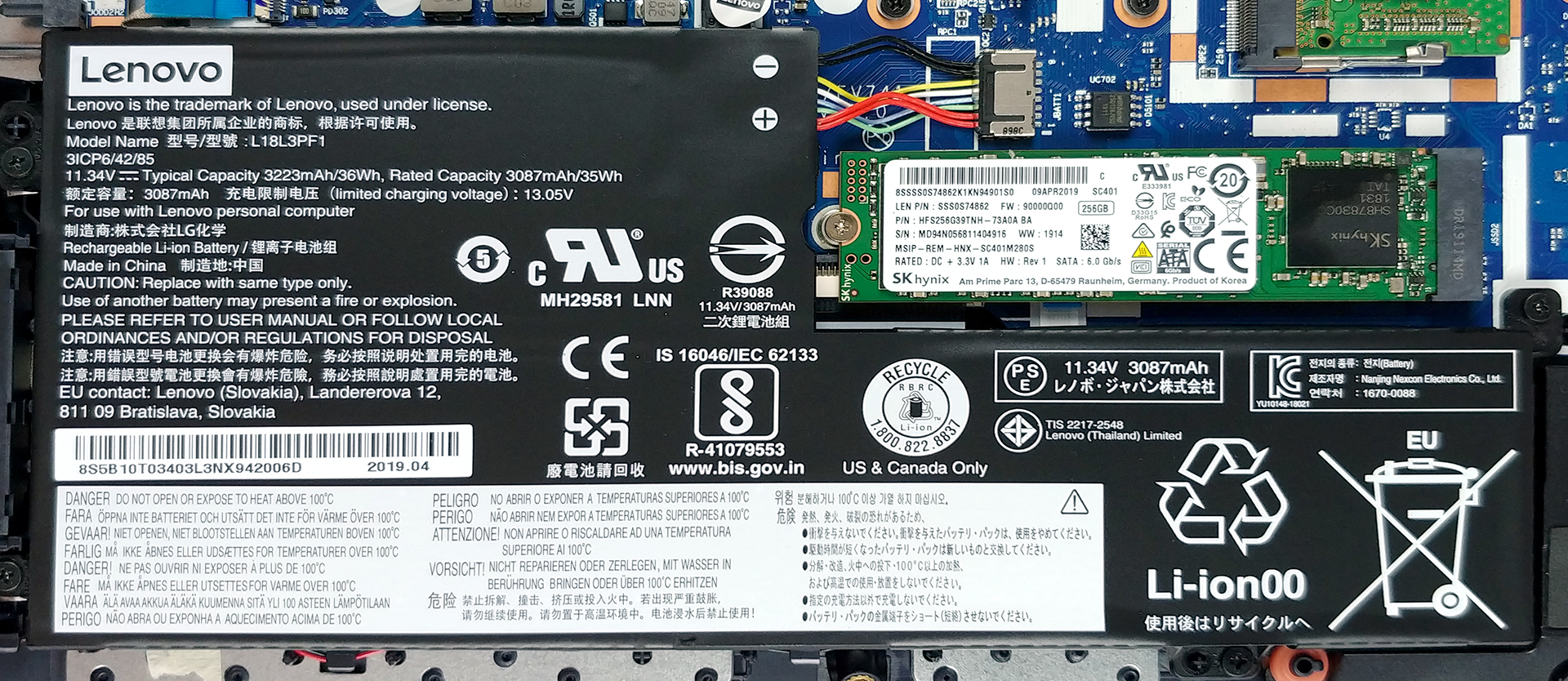
2. Battery
Lenovo has put a pretty modest 36Wh battery pack inside of this laptop. Despite that, it provides a decent battery life as you can see HERE. Additionally, if you have to remove the battery pack, you need to unscrew 5 Phillips-head screws. However, this will most probably void your warranty as one of the screws has a Lenovo-branded sticker on it.
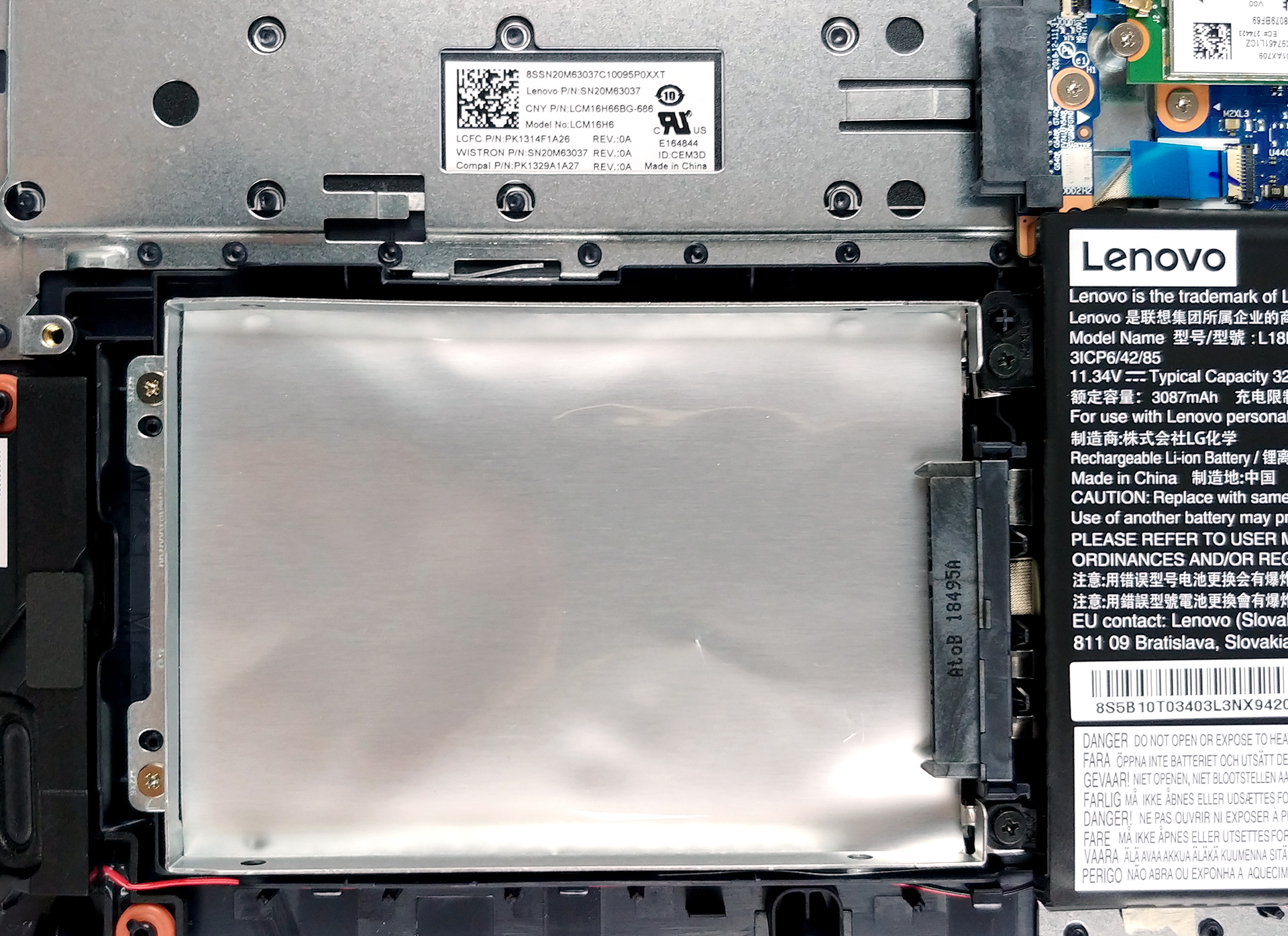
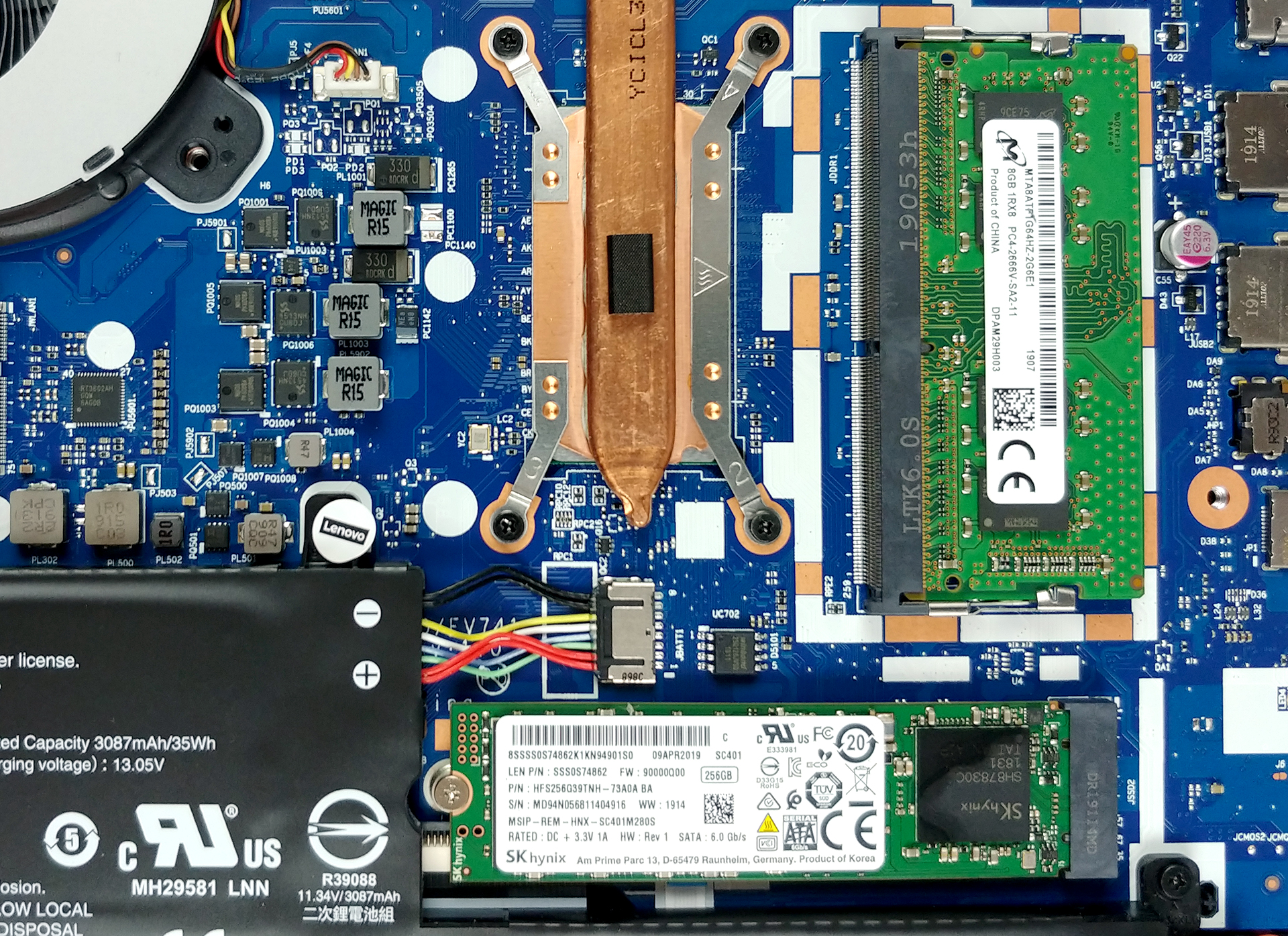
3. Memory and storage
On the left, to the battery, you can see the location of the 2.5″ SATA drive slot. Don’t be scared of the huge empty space you see above it – it is reserved for the optical drive you have just removed. On the other side, there is the M.2 NVMe-enabled slot as well as a single RAM DIMM.
4. Cooling solution
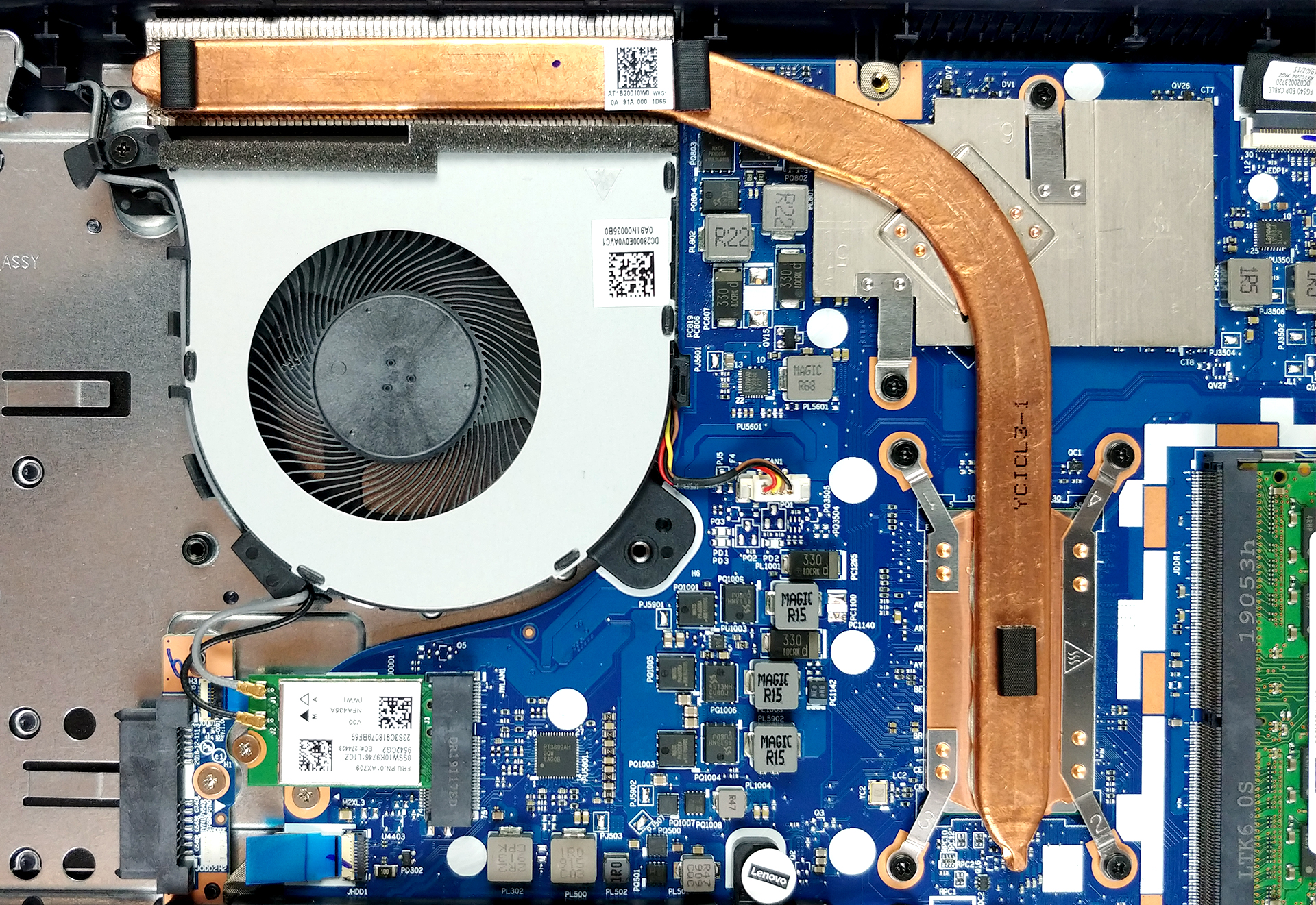
Ideapad L340 (15″)’s cooling comprises a single short, but bulky heat pipe that cools both the CPU and the GPU. Usually, it is not a great idea to thermally connect the two major heat outputs, however, it just seems to work right, when we performed our Temperature tests.
Check out all Lenovo Ideapad L340 (15″) prices and configurations in our Specs System, or read our In-Depth review.
 Author: Alex Iliev

![[Αύγουστος 2026] Παγκόσμια κατάταξη των πιο δημοφιλών GPU για φορητούς υπολογιστές στο Amazon – Η Apple κυριαρχεί, ενώ η RTX 5060 της NVIDIA βρίσκεται στην κορυφή της κατάταξης των ειδικών καρτών](https://laptopmedia.com/wp-content/uploads/2026/09/Best-Selling-GPUs-GLOBAL-Top-10-400x225.jpg)
![[Αύγουστος 2026] Παγκόσμια κατάταξη των πιο δημοφιλών επεξεργαστών φορητών υπολογιστών στο Amazon – Η Apple κυριαρχεί τόσο στην κατηγορία των οικονομικών όσο και στην κατηγορία των premium μοντέλων: Οι A18 Pro και M5 συντρίβουν την Intel και την AMD τον Αύγουστο του 2026](https://laptopmedia.com/wp-content/uploads/2026/09/Best-Selling-CPUs-GLOBAL-Top-10-400x225.jpg)
![[Αύγουστος 2026] Amazon Global: Οι 10 φορητοί υπολογιστές με τις μεγαλύτερες πωλήσεις – Το Apple MacBook Neo κυριαρχεί στις λίστες, ενώ οι οικονομικοί και μεσαίας κατηγορίας φορητοί υπολογιστές με Windows ανταγωνίζονται για τον όγκο πωλήσεων](https://laptopmedia.com/wp-content/uploads/2026/09/Best-Selling-Laptops-GLOBAL-Top-10-400x225.jpg)
![[Αύγουστος 2026] Οι μάρκες φορητών υπολογιστών με τις μεγαλύτερες πωλήσεις στο Amazon Global – Η Apple κυριαρχεί σε έσοδα, ενώ η HP πρωτοστατεί στην ποικιλία μοντέλων](https://laptopmedia.com/wp-content/uploads/2026/09/GLOBAL-Best-Brands-400x225.jpg)
![[Αύγουστος 2026] Amazon Global: Οι 10 πιο δημοφιλείς φορητοί υπολογιστές για παιχνίδια – Ο HP Victus 15 κατακτά την πρώτη θέση, ενώ τα οικονομικά μοντέλα κυριαρχούν στις λίστες](https://laptopmedia.com/wp-content/uploads/2026/09/Best-Selling-Gaming-Laptops-GLOBAL-Top-10-400x225.jpg)

what is the type of M.2 SSD ?
is it M.2 Nvme ?
m2 SSD. Two Slot on the card
Has anyone upgraded the wifi card? It is an M2 card but apparently there are several different versions of the card. Dows anyone know which card will be an upgrade?
Has anyone upgraded the wifi card? It is an M2 card but apparently there are several different versions of the card. Does anyone know which card will be an upgrade?