Inside Lenovo ThinkPad X1 Titanium Yoga Gen 1 – disassembly and upgrade options
Lenovo has decided to continue its push in the business sphere with another unorthodox device. However, on the inside, the Thinkpad X1 Titanium Yoga Gen 1 is less unusual than you’d think.
Check out all Lenovo ThinkPad X1 Titanium Yoga Gen 1 prices and configurations in our Specs System or read more in our In-Depth review.
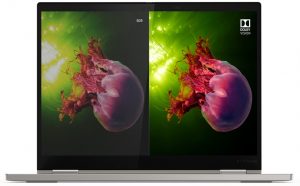
1. Remove the bottom plate
Accessing this laptop’s internals is pretty easy. Just undo all 6 captive Phillips-head screws, and pry the bottom panel with a plastic tool or a guitar pick.
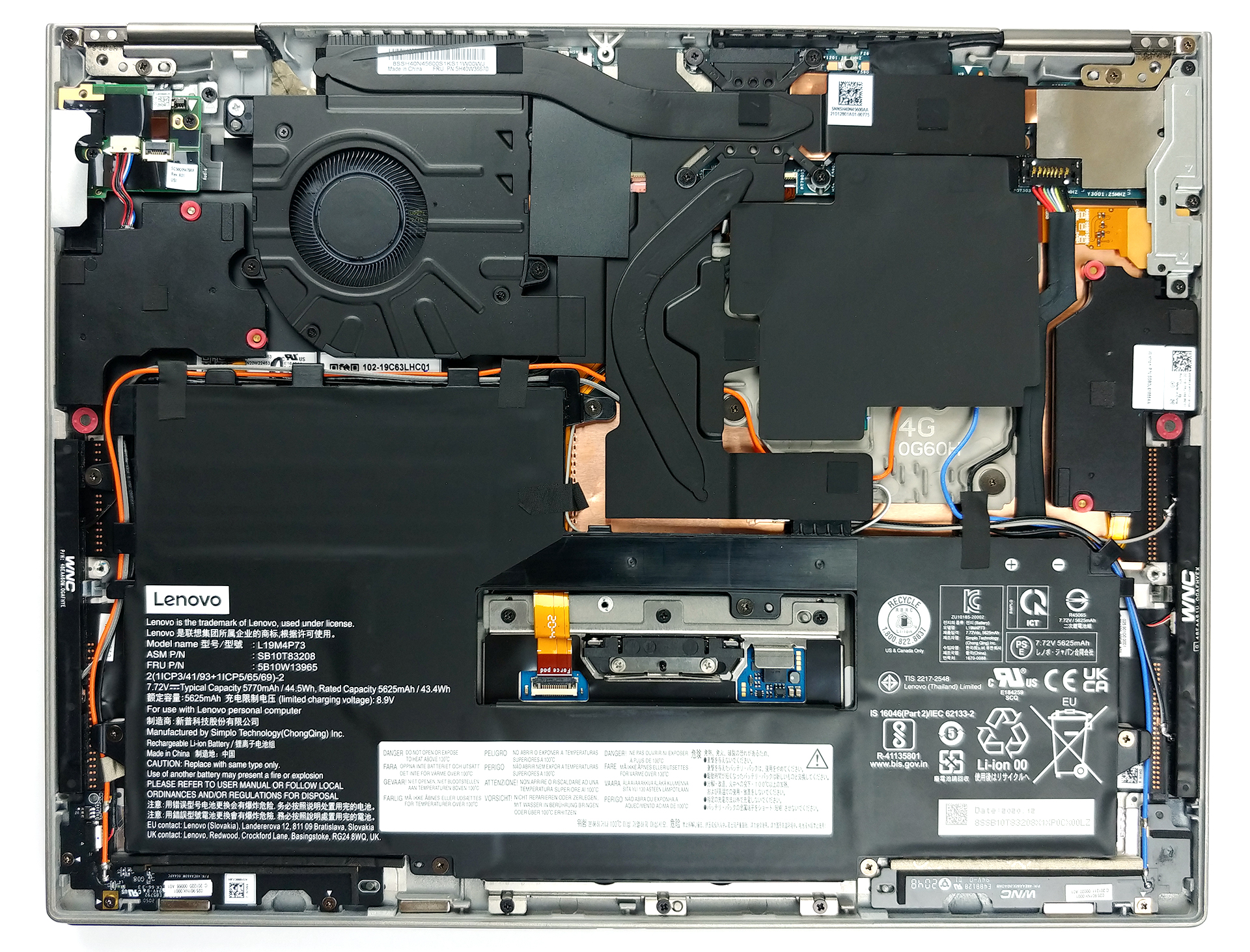
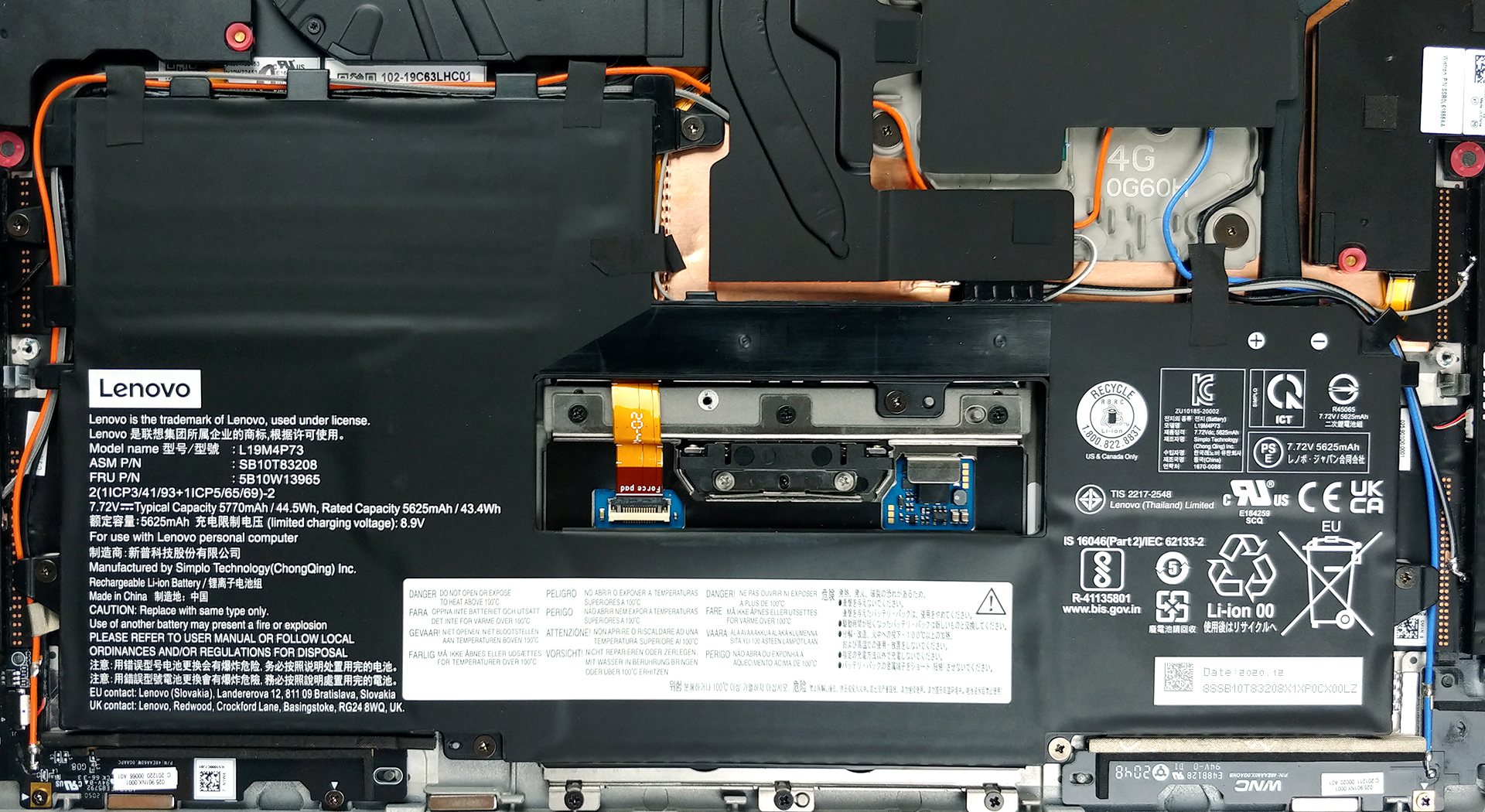
2. Battery
Despite its weird shape and large footprint, the battery has a capacity of only 44.5Wh. To take it out, you have to remove a ton of screws and mind the cables that run around it.
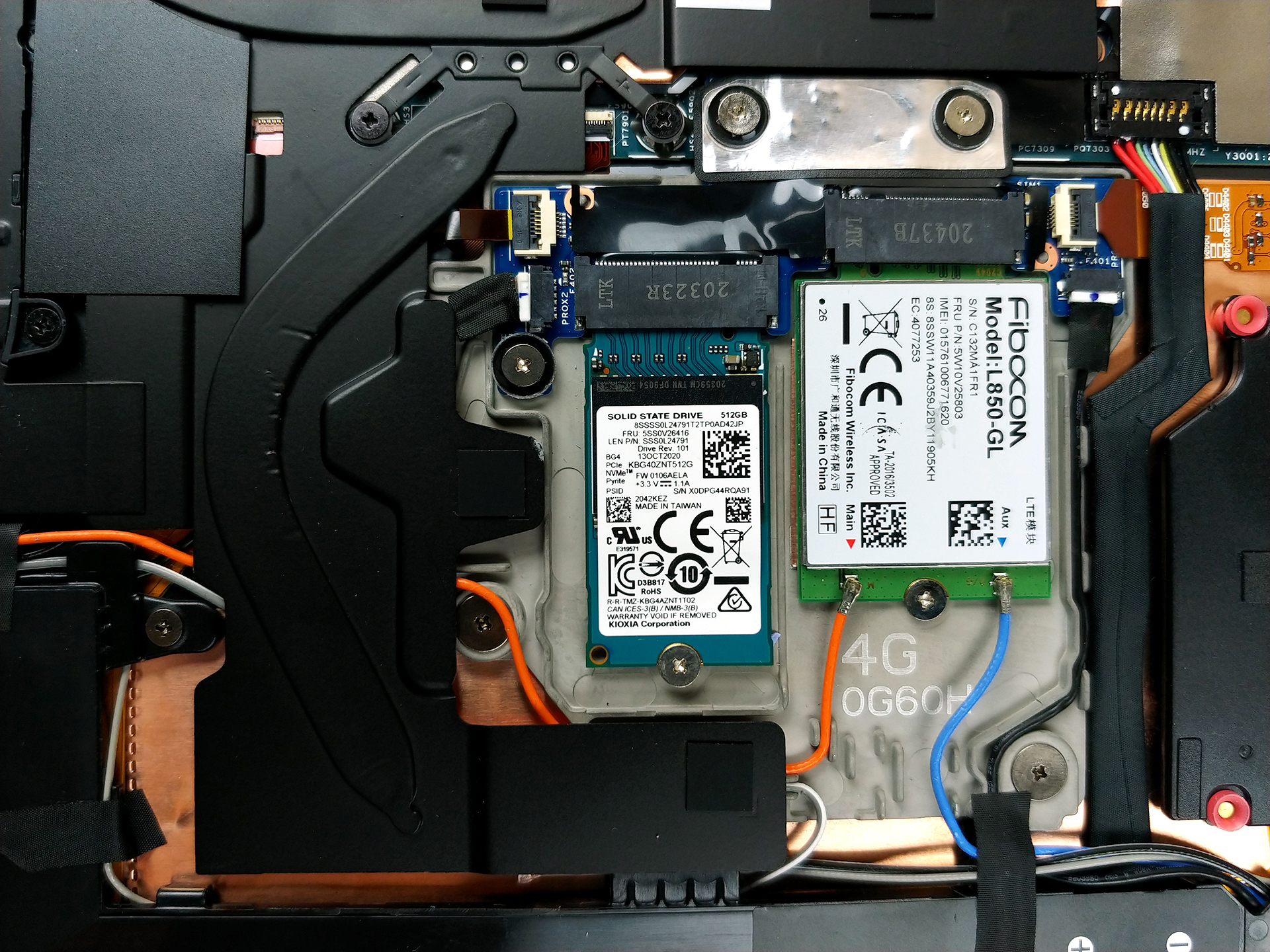
3. Мemory and storage
Unsurprisingly, the memory is soldered to the motherboard. You can get the laptop with either 8 or 16GB of LPDDR4x RAM working in dual-channel mode. Respectively, the storage options include only one M.2 2242 PCIe x4 slot.
4. Cooling system
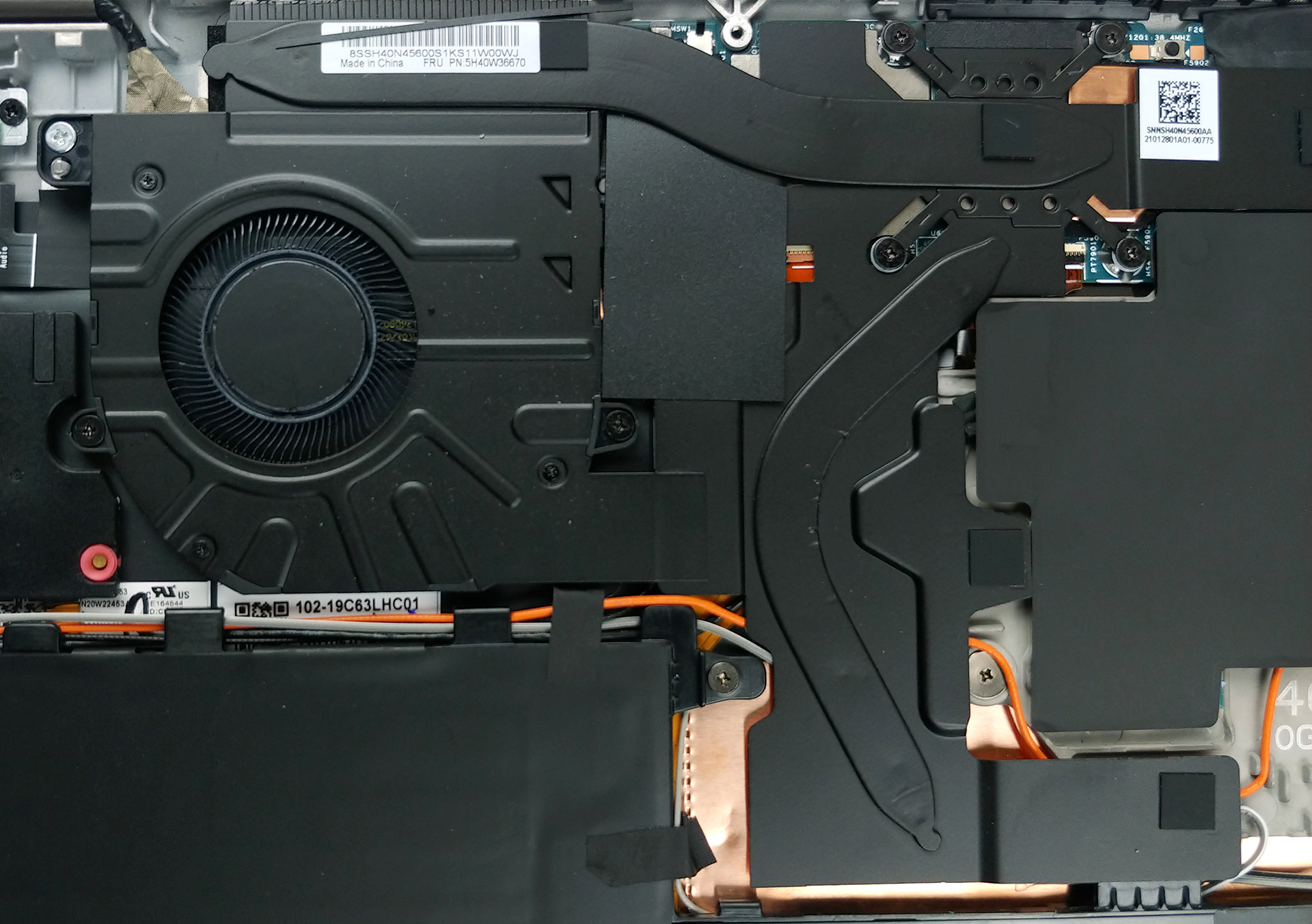
Even though this machine has a super slim profile, Lenovo has still managed to put a fan on it. The rest of the cooling setup comprises one thin heat pipe for the CPU, and one that dissipates the heat from the VRMs and the memory chips.
Check out all Lenovo ThinkPad X1 Titanium Yoga Gen 1 prices and configurations in our Specs System or read more in our In-Depth review.
Lenovo ThinkPad X1 Titanium Yoga Gen 1 σε βάθος αξιολόγηση
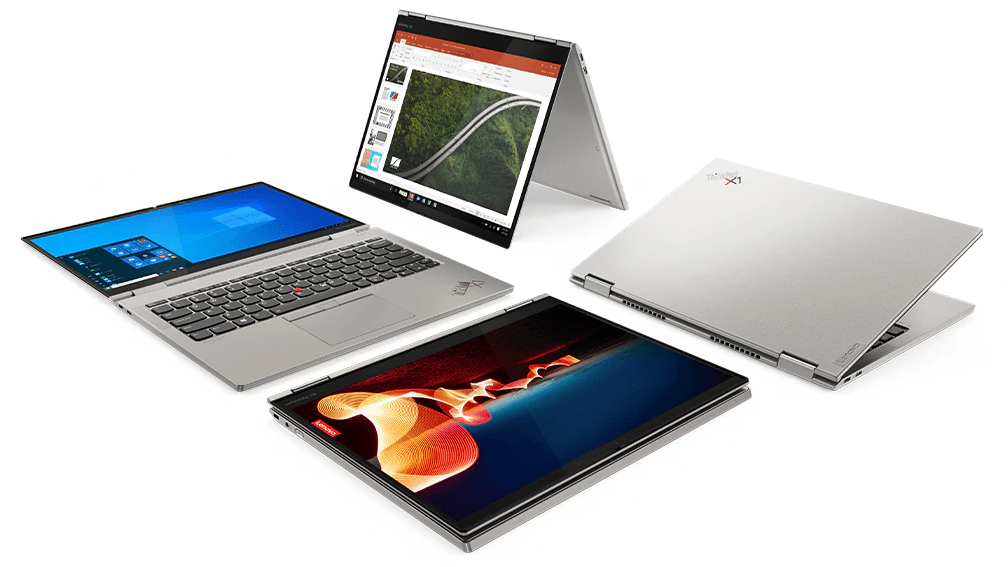
Lenovo has produced a next-level product in the face of the ThinkPad X1 Titanium Yoga Gen 1. If you are not acquainted with the ThinkPad brand, the X1 is something like the flagship series. It includes devices like the Carbon and the Extreme. Like the former, the name of today's notebook reveals one of the materials used for the build. Yes, Lenovo was able to put titanium in their device. And more precisely - on its cover (although they don't specify whether it is the lid, base, or bottom cover).Now, this has enabled Lenovo to do something spectacular. The entire profile of the notebook m[...]
Πλεονεκτήματα
- 11.5mm thickness
- Titanium + Carbon + Magnesium alloy
- 99% sRGB coverage, 3:2 aspect ratio, and accurate colors with our Gaming and Web design profile (LPM135M467)
- Doesn't use PWM for brightness adjustment (LPM135M467)
- 2x Thunderbolt 4 , Wi-Fi 6, optional 5G support
Μειονεκτήματα
- Poor upgradeability
- Limited I/O, making dongles and adapters mandatory
- Nonuniform luminance and color (LPM135M467)
 Author: Alex Iliev

![[Αύγουστος 2026] Παγκόσμια κατάταξη των πιο δημοφιλών GPU για φορητούς υπολογιστές στο Amazon – Η Apple κυριαρχεί, ενώ η RTX 5060 της NVIDIA βρίσκεται στην κορυφή της κατάταξης των ειδικών καρτών](https://laptopmedia.com/wp-content/uploads/2026/09/Best-Selling-GPUs-GLOBAL-Top-10-400x225.jpg)
![[Αύγουστος 2026] Παγκόσμια κατάταξη των πιο δημοφιλών επεξεργαστών φορητών υπολογιστών στο Amazon – Η Apple κυριαρχεί τόσο στην κατηγορία των οικονομικών όσο και στην κατηγορία των premium μοντέλων: Οι A18 Pro και M5 συντρίβουν την Intel και την AMD τον Αύγουστο του 2026](https://laptopmedia.com/wp-content/uploads/2026/09/Best-Selling-CPUs-GLOBAL-Top-10-400x225.jpg)
![[Αύγουστος 2026] Amazon Global: Οι 10 φορητοί υπολογιστές με τις μεγαλύτερες πωλήσεις – Το Apple MacBook Neo κυριαρχεί στις λίστες, ενώ οι οικονομικοί και μεσαίας κατηγορίας φορητοί υπολογιστές με Windows ανταγωνίζονται για τον όγκο πωλήσεων](https://laptopmedia.com/wp-content/uploads/2026/09/Best-Selling-Laptops-GLOBAL-Top-10-400x225.jpg)
![[Αύγουστος 2026] Οι μάρκες φορητών υπολογιστών με τις μεγαλύτερες πωλήσεις στο Amazon Global – Η Apple κυριαρχεί σε έσοδα, ενώ η HP πρωτοστατεί στην ποικιλία μοντέλων](https://laptopmedia.com/wp-content/uploads/2026/09/GLOBAL-Best-Brands-400x225.jpg)
![[Αύγουστος 2026] Amazon Global: Οι 10 πιο δημοφιλείς φορητοί υπολογιστές για παιχνίδια – Ο HP Victus 15 κατακτά την πρώτη θέση, ενώ τα οικονομικά μοντέλα κυριαρχούν στις λίστες](https://laptopmedia.com/wp-content/uploads/2026/09/Best-Selling-Gaming-Laptops-GLOBAL-Top-10-400x225.jpg)
