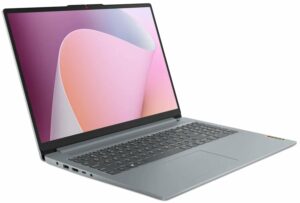
How to open the Lenovo IdeaPad Slim 3 (16″, 2023) – disassembly and upgrade options
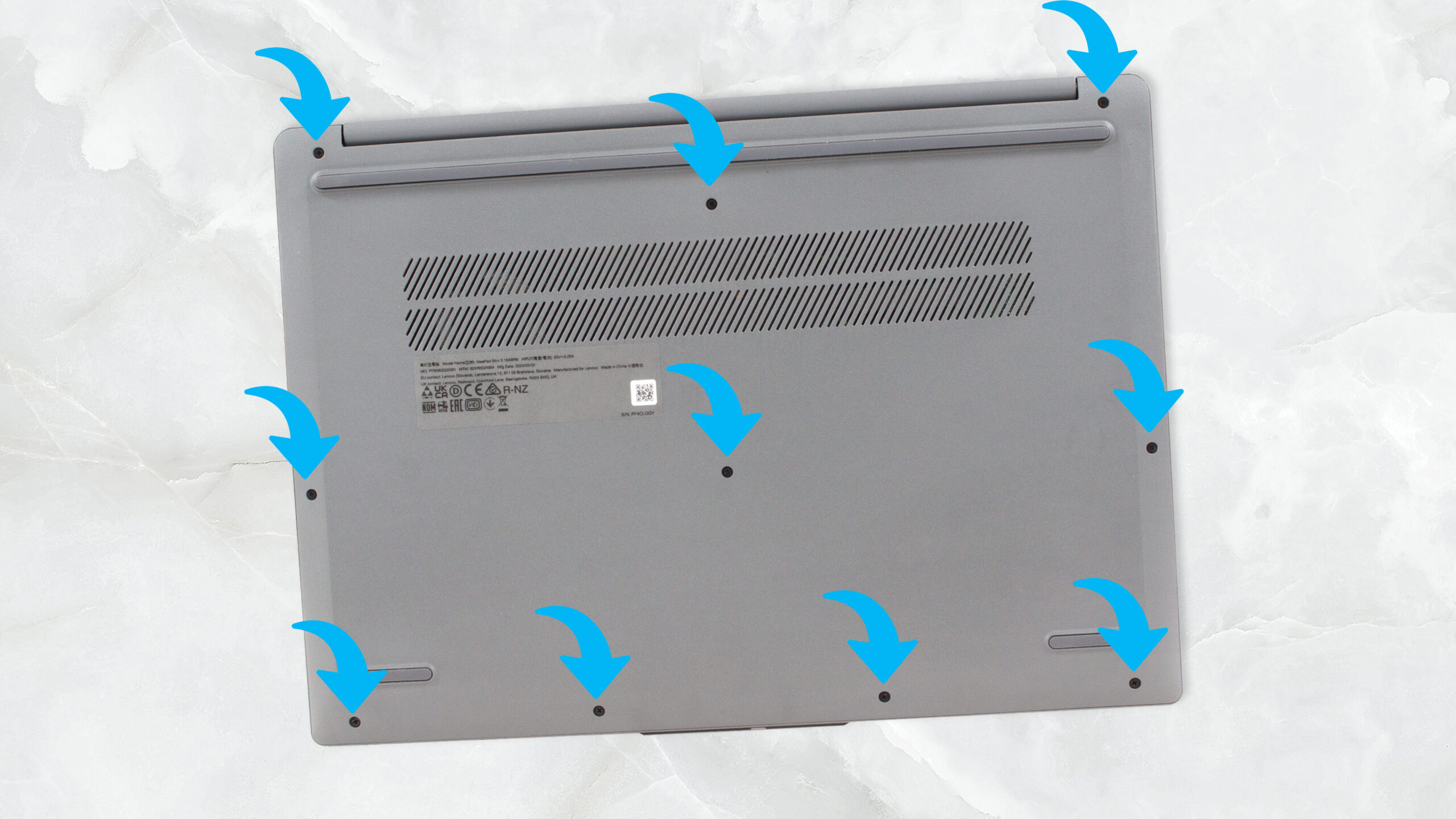
1. Unscrewing the Back Panel
To start disassembling the Lenovo IdeaPad Slim 3 (16″, 2023), you first need to undo the ten Phillips-head screws on the back. A Phillips-head screwdriver will be needed for this task.
2. Removing the Back Panel
Once the screws have been undone, use a plastic pry tool to lift the bottom panel away from the chassis.
Caution: Be gentle during this process to avoid damaging the panel or the internal components.
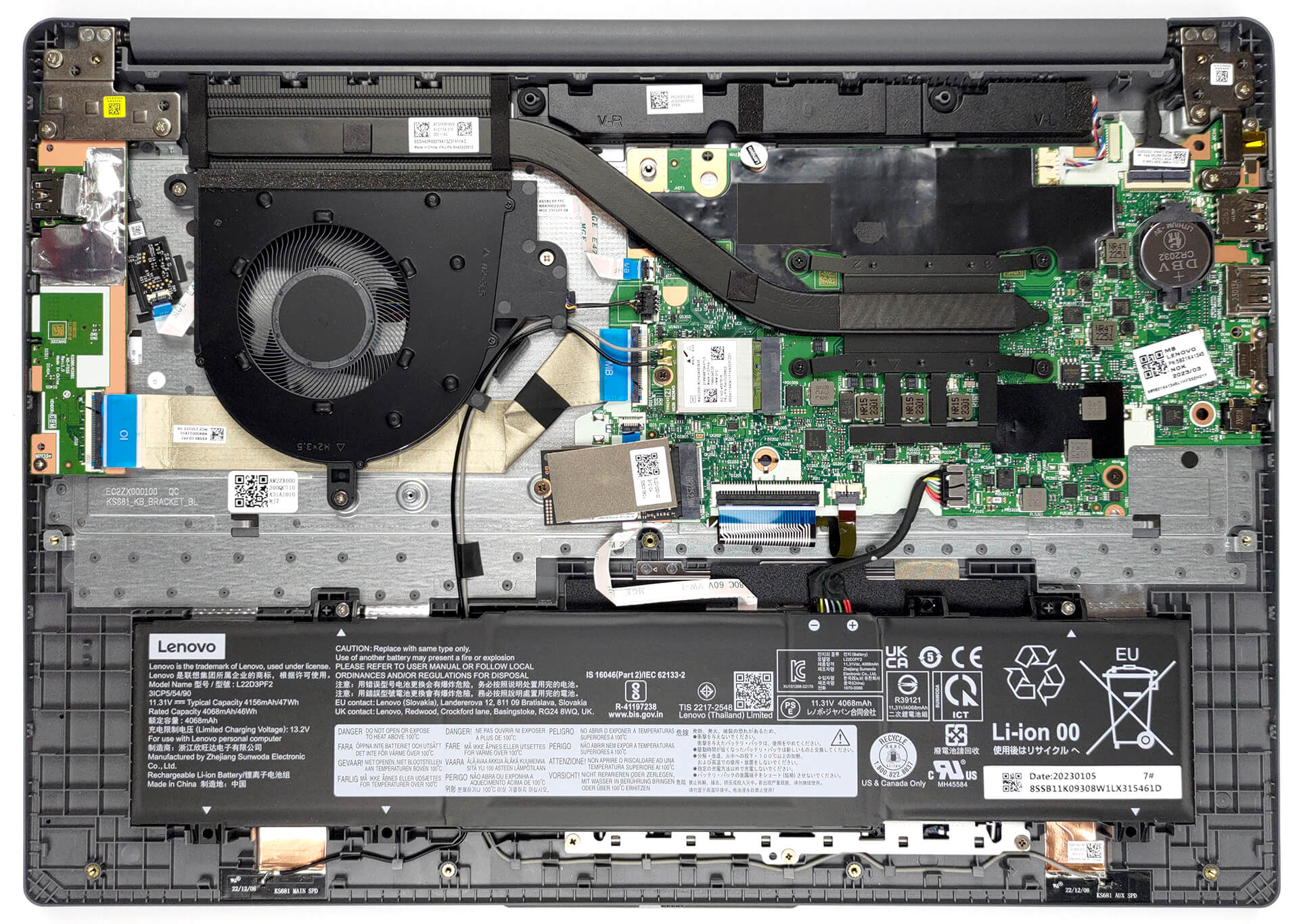
3. Disconnecting the Battery
Inside, there is a 47Wh battery pack. To remove it, unplug the battery connector from the motherboard and undo the two Phillips-head screws that keep it attached to the chassis.

4. Assessing the RAM
The Lenovo IdeaPad Slim 3 comes with either 8GB of single-channel or 16GB of dual-channel DDR4 RAM soldered to the motherboard.
Note: Because the RAM is soldered, it can’t be upgraded after purchase. Make sure to choose a model with a suitable amount of memory for your needs.

5. Upgrading the Storage
As for storage, there’s one M.2 PCIe x4 slot in the laptop, which only supports Gen 3 SSDs. This allows for storage expansion.
You can buy Gen 3 M.2 SSD modules here: Αγοράστε από το Amazon.com (#CommissionsEarned)

6. Understanding the Cooling System
The cooling system of the Lenovo IdeaPad Slim 3 consists of a single heat pipe, one heat sink, and a relatively large fan.
Note: Regular maintenance and cleaning of the cooling system can help maintain the laptop’s performance and prolong its lifespan.

Lenovo IdeaPad Slim 3 (16", 2023) σε βάθος αξιολόγηση
Today, we have the slim version of one of the most popular notebooks on the market - the Lenovo IdeaPad 3. Officially, it is called the Lenovo IdeaPad Slim 3 (16", 2023), or the Lenovo IdeaPad Slim 3 16ABR8 (or simply Gen 8).Actually, the "Slim" moniker indicates that it is the generic model - in contrast to the IdeaPad Gaming, and the IdeaPad Flex series, which are pretty self-explanatory. Our configuration comes with one of three AMD Ryzen processors - the Ryzen 3 7330U, Ryzen 5 7530U, or Ryzen 7 7730U.They are based on the 5x25U chips - for instance, the Ryzen 7 7730U is pretty muc[...]
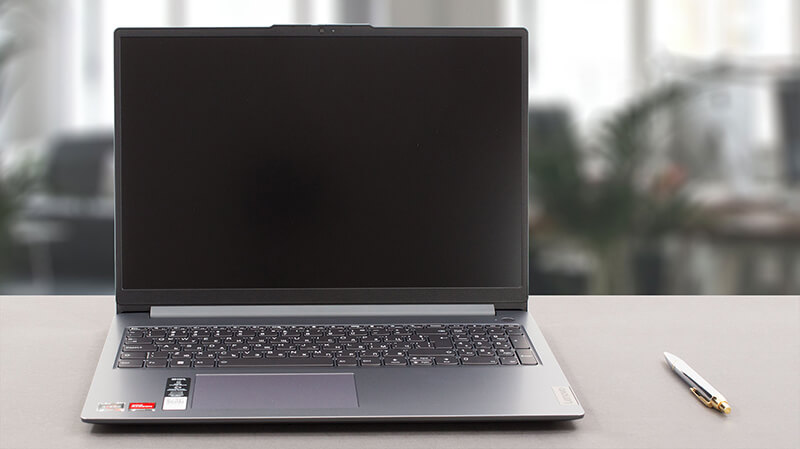
Πλεονεκτήματα
- Optional fingerprint reader
- Thin and light body
- No PWM (BOE NV160WUM-N48 (BOE0B76))
- SD card slot and good port selection
- Surprisingly good performance
- Very good battery life
Μειονεκτήματα
- Plastic build with mediocre quality
- Soldered memory
- 49% sRGB coverage (BOE NV160WUM-N48 (BOE0B76))
 Author: Severin Kolakov

![[Ιούνιος 2026] Οι μάρκες φορητών υπολογιστών με τις μεγαλύτερες πωλήσεις στο Amazon Global – Η ασύγκριτη κυριαρχία της Apple σε αριθμό μονάδων και έσοδα](https://laptopmedia.com/wp-content/uploads/2026/07/GLOBAL-Best-Brands-400x225.jpg)
![[Ιούνιος 2026] Amazon Global: Οι 10 πιο δημοφιλείς φορητοί υπολογιστές – Το νέο MacBook Neo της Apple κατακτά την πρώτη θέση, αναδιαμορφώνοντας την αγορά χάρη στην προσιτή τιμή του](https://laptopmedia.com/wp-content/uploads/2026/07/Best-Selling-Laptops-GLOBAL-Top-10-400x225.jpg)
![[Ιούνιος 2026] Amazon Global: Οι 10 πιο δημοφιλείς φορητοί υπολογιστές για παιχνίδια – Το Nitro V 16S AI της Acer κυριαρχεί στις πωλήσεις, ενώ η ASUS προηγείται σε συνολικά έσοδα](https://laptopmedia.com/wp-content/uploads/2026/07/Best-Selling-Gaming-Laptops-GLOBAL-Top-10-400x225.jpg)
![[Ιούνιος 2026] Παγκόσμια κατάταξη των πιο δημοφιλών GPU για φορητούς υπολογιστές στο Amazon – Η NVIDIA RTX 5060 είναι η πιο δημοφιλής ειδική GPU](https://laptopmedia.com/wp-content/uploads/2026/07/Best-Selling-GPUs-GLOBAL-Top-10-400x225.jpg)
![[Ιούνιος 2026] Παγκόσμια κατάταξη των πιο δημοφιλών επεξεργαστών για φορητούς υπολογιστές στο Amazon – Ο Apple M5 κυριαρχεί, ενώ ο AMD Ryzen 7 260 καταλαμβάνει σημαντικό μερίδιο στην κατηγορία premium](https://laptopmedia.com/wp-content/uploads/2026/07/Best-Selling-CPUs-GLOBAL-Top-10-400x225.jpg)
