Lenovo V15 Gen 3 – Top 5 Pros and Cons
 The Lenovo V-series produces some very affordable notebooks that also manage to bring powerful hardware, so if it’s performance per dollar you’re after, you’ll rarely find a better deal. It’s got both AMD and Intel hardware, so regardless of where your allegiances lie, you can have new hardware with performance and efficiency. We found ourselves with an Intel model, sporting the Alder Lake U-series. Still, even if you’ve decided to pick an AMD model, which brings its own benefits, you can still go through the review to find out how the laptop’s other characteristics do, like the build quality, audio, and display, which remain the same.
Today we’re presenting you with LaptopMedia’s top 5 picks about the Lenovo V15 Gen 3.
Lenovo V15 Gen 3: Full Specs / In-depth Review
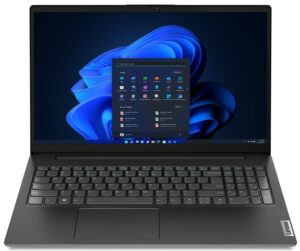
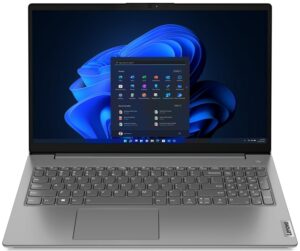
4 reasons to BUY the Lenovo V15 Gen 3
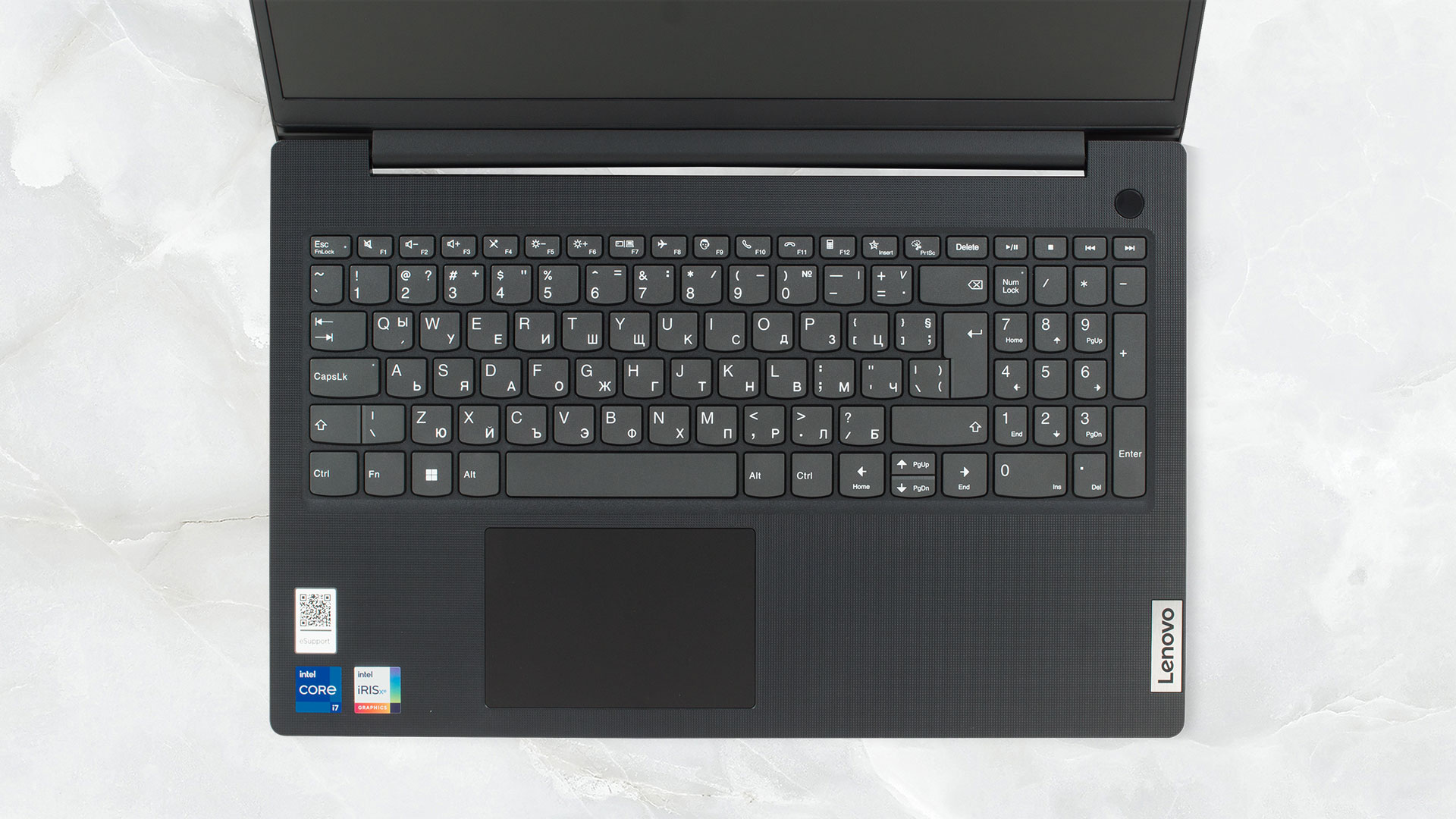
1. Input devices
The keyboard comes with a full-sized layout that includes a NumPad. It lacks a backlight but offers spill resistance, so slight liquids aren’t an issue. Just keep the sugary stuff away because you don’t want to clean a sticky mess. It feels good to type on, with long key travel and clicky feedback. There is a slight problem with the latter, however, it’s rather non-uniform, as some keys feel softer than others. The touchpad is responsive and accurate, while the Mylar surface keeps it smooth and almost Glass-like.
2. Performance
We decided to splurge for the most powerful configuration available, with the Core i7-1255U, which has 10 cores and 12 threads. It generates good results in both Cinebench R23 and Photoshop, so you can do even heavier work on it.
Τα αποτελέσματα προέρχονται από τη δοκιμή CPU του Cinebench R23 (όσο υψηλότερη η βαθμολογία, τόσο καλύτερα)

3. Cooling
The way the V15 achieves such results is with a simple cooling setup that offers one heat pipe and one fan.

Max CPU load
| Intel Core i7-1255U (15W TDP) | 0:02 – 0:10 sec | 0:15 – 0:30 sec | 10:00 – 15:00 min |
|---|---|---|---|
| Lenovo V15 Gen 3 | 3.75 GHz @ 2.84 GHz @ 82°C @ 51W | 2.69 GHz @ 2.02 GHz @ 76°C @ 31W | 2.18 GHz @ 1.69 GHz @ 61°C @ 19W |
| Acer Aspire 3 (A317-54) | 3.58 GHz @ 2.68 GHz @ 70°C @ 43W | 3.53 GHz @ 2.47 GHz @ 74°C @ 37W | 2.92 GHz @ 2.26 GHz @ 69°C @ 28W |
| HP EliteBook 860 G9 | 3.23 GHz @ 2.57 GHz @ 85°C @ 41W | 3.09 GHz @ 2.46 GHz @ 86°C @ 38W | 1.82 GHz @ 1.58 GHz @ 57°C @ 16W |
| HP 15 (15-dw4000) | 3.19 GHz @ 2.42 GHz @ 69°C @ 40W | 1.90 GHz @ 1.49 GHz @ 57°C @ 17W | 1.91 GHz @ 1.49 GHz @ 56°C @ 17W |
| Lenovo ThinkPad E15 Gen 4 | 3.44 GHz @ 2.63 GHz @ 78°C @ 43W | 2.98 GHz @ 2.24 GHz @ 75°C @ 36W | 2.15 GHz @ 1.57 GHz @ 70°C @ 23W |
| MSI Modern 15 (B12M) | 3.63 GHz @ 2.68 GHz @ 78°C @ 44W | 3.63 GHz @ 2.65 GHz @ 86°C @ 44W | 3.26 GHz @ 2.40 GHz @ 85°C @ 35W |
In short loads, the Core i7-1255U reaches the highest clock speeds that we’ve seen from the chip. In medium and long loads, it has a more subdued approach.
Comfort during full load
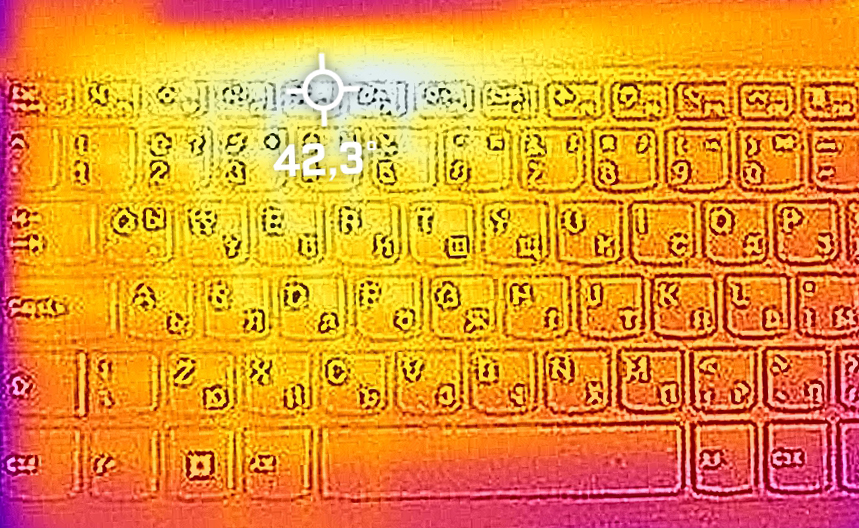
This also helps it remain cool and quiet on the outside, as there’s no excessive noise coming from the fan, and the base heats up just to 42°C.
4. Upgradeability
The Lenovo V15 offers up to 8GB of soldered DDR4 memory, as well as one SODIMM slot. For storage, there’s one M.2 slot as well as a 2.5-inch drive bay for a SATA SSD.
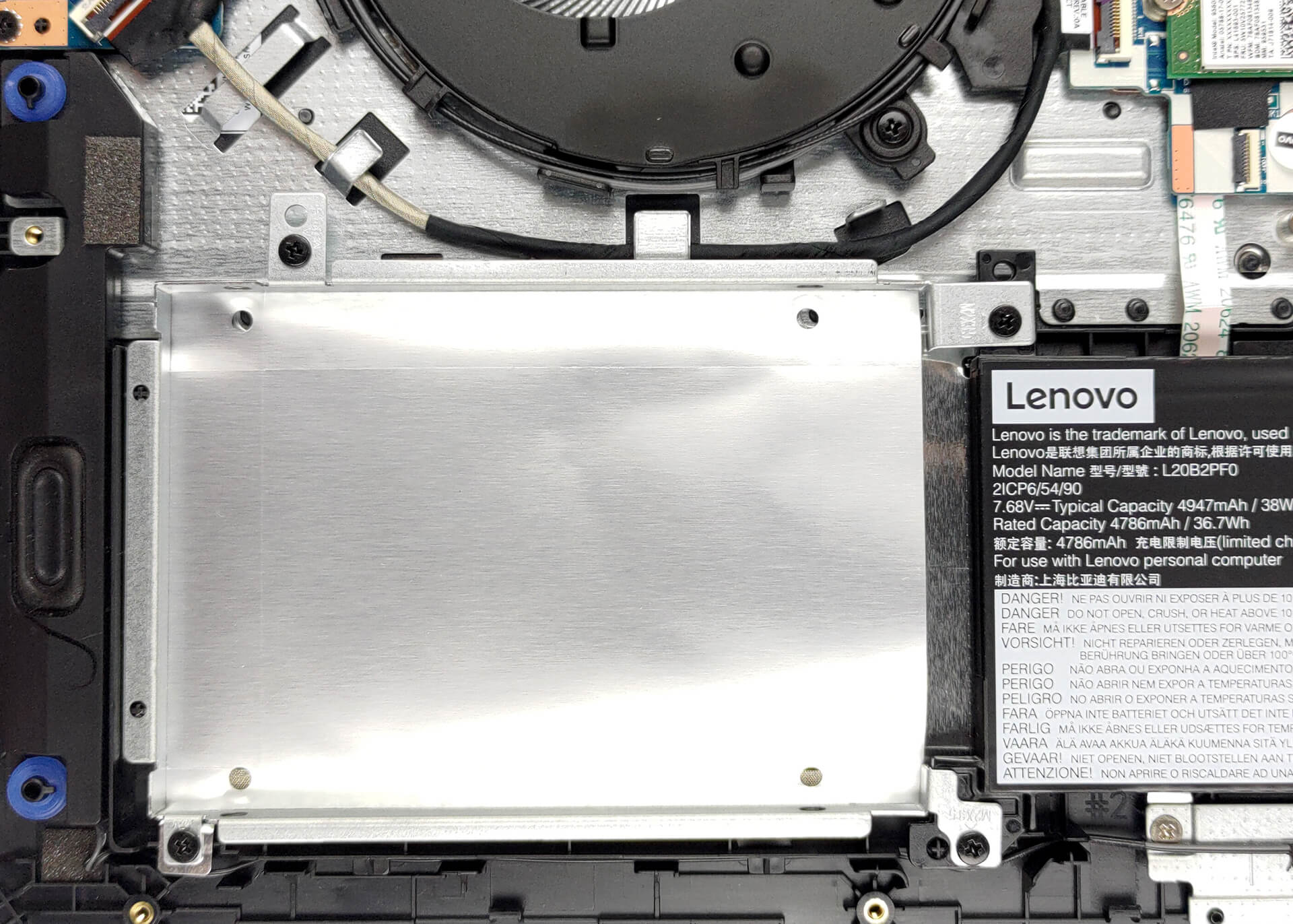
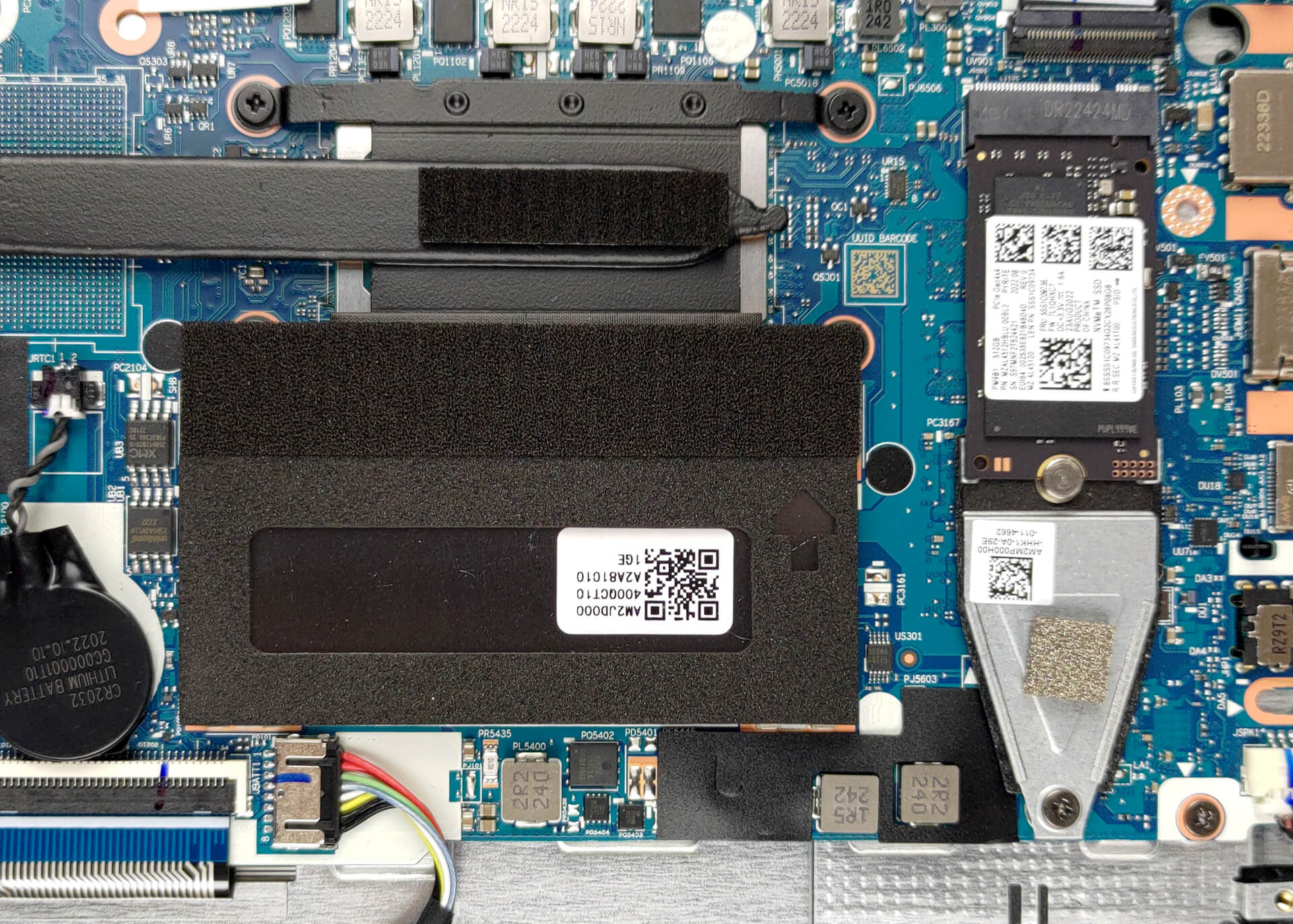
Here is our detailed teardown video, which shows how to upgrade the laptop.
1 reason NOT to buy the Lenovo V15 Gen 3
1. Display quality
The V-series traditionally doesn’t offer very good displays, with the V15 offering either a 1080p TN panel or a 1080p IPS panel. We had the TN option, which we wouldn’t recommend to anyone. The viewing angles are narrow, while the panel only gets as high as 270 nits and has a low contrast ratio of 230:1. It also covers about 50% of the sRGB and 39% of the DCI-P3 gamut.
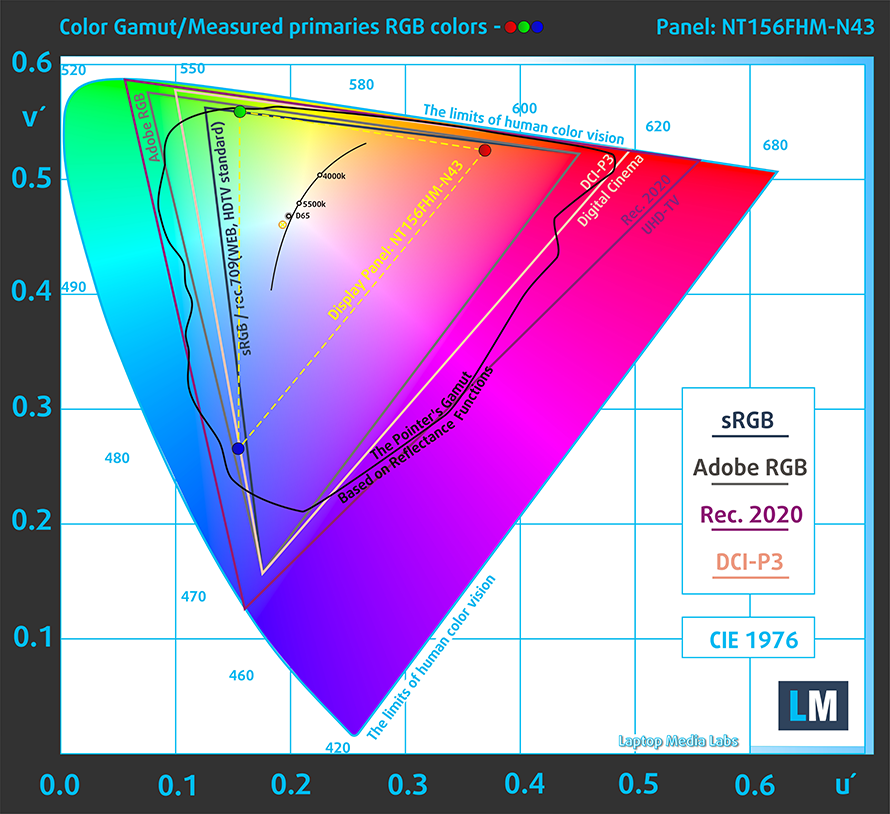
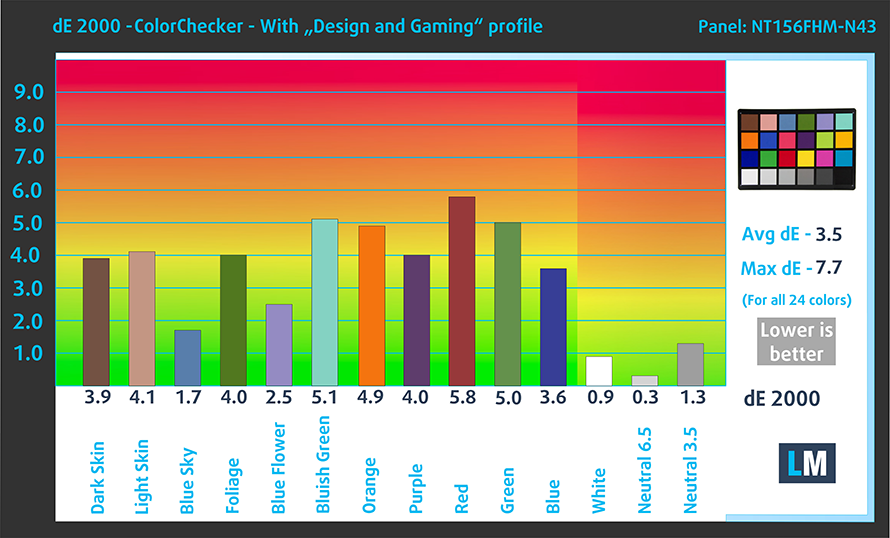
The color accuracy with the factory settings was horrendous, with a dE value of 12. Applying our Design and Gaming profile lowers it to 3.5, which still isn’t as low as 2.0. Here you can compare the results of the test with the stock settings (left) and with our profile applied (right).

Buy our profiles
Since our profiles are tailored for each individual display model, this article and its respective profile package are meant for Lenovo V15 Gen 3 configurations with 15.6″ BOE NT156FHM-N43 (BOE08D5) (1920 x 1080) TN.
*Should you have problems with downloading the purchased file, try using a different browser to open the link you’ll receive via e-mail. If the download target is a .php file instead of an archive, change the file extension to .zip or contact us at [email protected].
Read more about the profiles HERE.
Εκτός από τη λήψη αποδοτικών και φιλικών προς την υγεία προφίλ, αγοράζοντας τα προϊόντα της LaptopMedia υποστηρίζετε επίσης την ανάπτυξη των εργαστηρίων μας, όπου δοκιμάζουμε συσκευές για να παράγουμε τις πιο αντικειμενικές δυνατές αξιολογήσεις.

Office Work
Το Office Work πρέπει να χρησιμοποιείται κυρίως από χρήστες που περνούν τον περισσότερο χρόνο τους κοιτάζοντας κείμενα, πίνακες ή απλώς σερφάροντας. Αυτό το προφίλ στοχεύει στην παροχή καλύτερης ευκρίνειας και σαφήνειας διατηρώντας μια επίπεδη καμπύλη γάμμα (2.20), εγγενή θερμοκρασία χρώματος και αντιληπτικά ακριβή χρώματα.

Design and Gaming
Αυτό το προφίλ απευθύνεται σε σχεδιαστές που εργάζονται επαγγελματικά με χρώματα, καθώς και για παιχνίδια και ταινίες. Το Design and Gaming ωθεί τα πάνελ οθόνης στα όριά τους, καθιστώντας τα όσο το δυνατόν πιο ακριβή στο πρότυπο sRGB IEC61966-2-1 για Web και HDTV, σε λευκό σημείο D65.

Health-Guard
Το Health-Guard εξαλείφει την επιβλαβή διαμόρφωση πλάτους παλμού (PWM) και μειώνει το αρνητικό Μπλε Φως που επηρεάζει τα μάτια και το σώμα μας. Δεδομένου ότι είναι ειδικά προσαρμοσμένο για κάθε πάνελ, καταφέρνει να διατηρεί τα χρώματα αντιληπτικά ακριβή. Το Health-Guard προσομοιώνει το χαρτί, οπότε η πίεση στα μάτια μειώνεται σημαντικά.
Αποκτήστε και τα 3 προφίλ με 33% έκπτωση

All Lenovo V15 Gen 3 configurations:
 Author: Severin Kolakov

![[Ιούνιος 2026] Οι μάρκες φορητών υπολογιστών με τις μεγαλύτερες πωλήσεις στο Amazon Global – Η ασύγκριτη κυριαρχία της Apple σε αριθμό μονάδων και έσοδα](https://laptopmedia.com/wp-content/uploads/2026/07/GLOBAL-Best-Brands-400x225.jpg)
![[Ιούνιος 2026] Amazon Global: Οι 10 πιο δημοφιλείς φορητοί υπολογιστές – Το νέο MacBook Neo της Apple κατακτά την πρώτη θέση, αναδιαμορφώνοντας την αγορά χάρη στην προσιτή τιμή του](https://laptopmedia.com/wp-content/uploads/2026/07/Best-Selling-Laptops-GLOBAL-Top-10-400x225.jpg)
![[Ιούνιος 2026] Amazon Global: Οι 10 πιο δημοφιλείς φορητοί υπολογιστές για παιχνίδια – Το Nitro V 16S AI της Acer κυριαρχεί στις πωλήσεις, ενώ η ASUS προηγείται σε συνολικά έσοδα](https://laptopmedia.com/wp-content/uploads/2026/07/Best-Selling-Gaming-Laptops-GLOBAL-Top-10-400x225.jpg)
![[Ιούνιος 2026] Παγκόσμια κατάταξη των πιο δημοφιλών GPU για φορητούς υπολογιστές στο Amazon – Η NVIDIA RTX 5060 είναι η πιο δημοφιλής ειδική GPU](https://laptopmedia.com/wp-content/uploads/2026/07/Best-Selling-GPUs-GLOBAL-Top-10-400x225.jpg)
![[Ιούνιος 2026] Παγκόσμια κατάταξη των πιο δημοφιλών επεξεργαστών για φορητούς υπολογιστές στο Amazon – Ο Apple M5 κυριαρχεί, ενώ ο AMD Ryzen 7 260 καταλαμβάνει σημαντικό μερίδιο στην κατηγορία premium](https://laptopmedia.com/wp-content/uploads/2026/07/Best-Selling-CPUs-GLOBAL-Top-10-400x225.jpg)
