Microsoft Surface Laptop Studio – Top 5 Pros and Cons
 A completely new product on the horizon, the Surface Laptop Studio sees Microsoft trying to innovate in the hardware space once again. The Studio name has a past in the Surface brand, with the desktop Surface Studio becoming a fan favorite amongst Creators, with its large touch-enabled display, Surface Dial, and the overall form factor and performance that it offered. Today we have its laptop variant, which is brand new, which will lead to some problems. However, this is expected with a Gen 1 product, and we are very excited to see what Microsoft does with its in the future.
Today we present you with LaptopMedia’s top 5 picks about the Microsoft Surface Laptop Studio.
Microsoft Surface Laptop Studio: Full Specs / In-depth Review
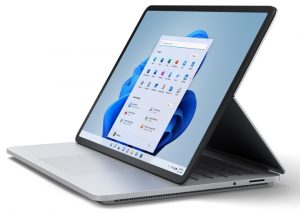
3 reasons to BUY the Microsoft Surface Laptop Studio
1. Design and build quality
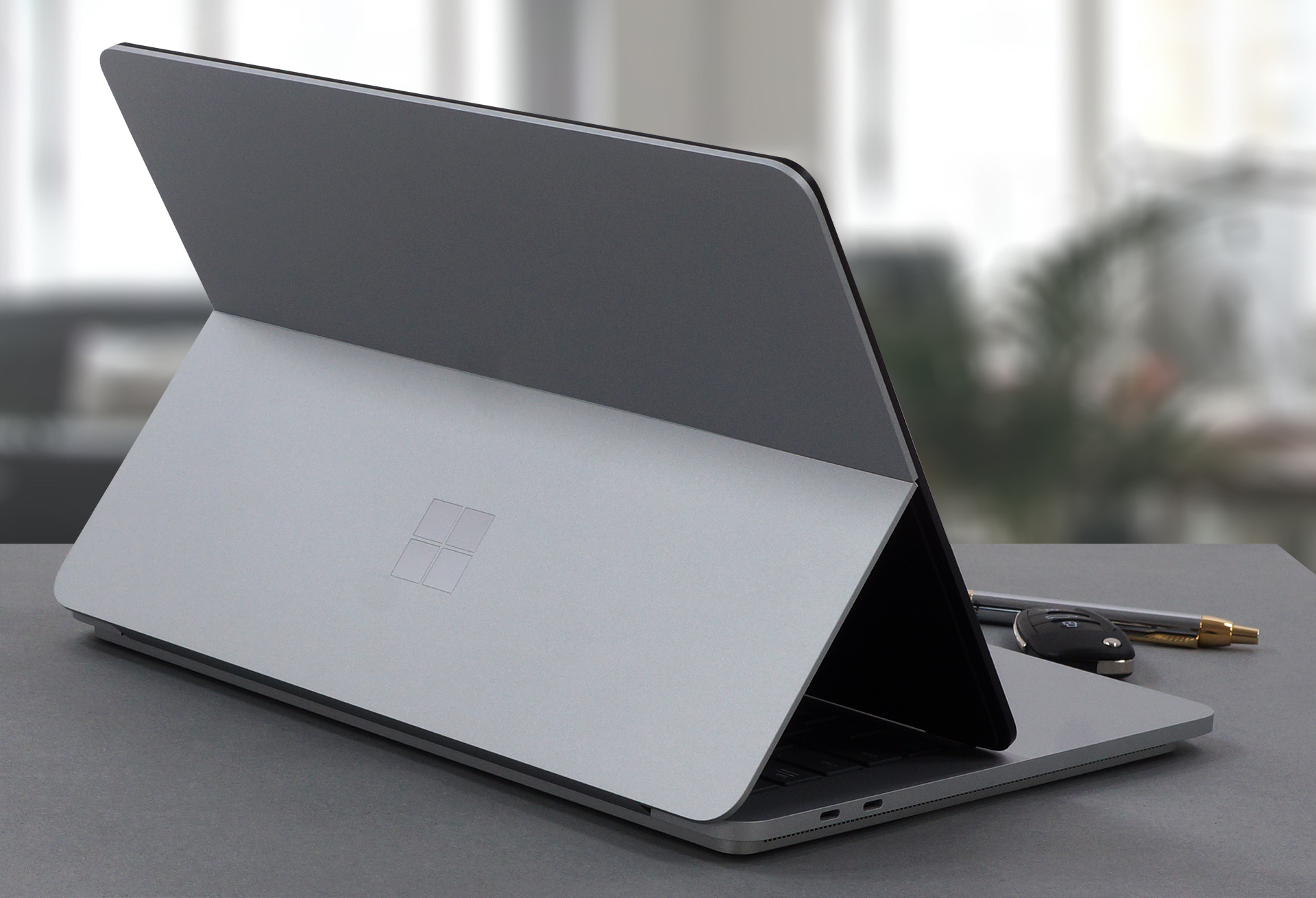
The design here is revolutionary. The whole laptop is made out of aluminum and magnesium. The base is very tough and has a two-level design, with the top layer extending past the bottom one, resulting in an interesting visual. The whole device is a mix of sharp edges and rounded corners. Its lid is a bit flimsy-looking, but the glass cover on the display does a good job of reinforcing it further. The gimmick about the design is that the metal part of the lid splits in two, allowing the display to be brought closer to the user, resembling the desktop Studio. You can also completely close the laptop flat with the display on the outside, which is quite the Origami setup. In terms of weight and height, the laptop stops the scales at 1.82 kg and has a profile of 18.94 mm.
2. Display quality
Microsoft has employed a pretty amazing 14.4-inch PixelSense IPS display, which allows for a multitude of inputs all at once. The panel has a 120Hz refresh rate and a resolution of 2400 x 1600, which calculates to a 3:2 aspect ratio. This is a quality display, offering excellent viewing angles, a max brightness of 500 nits in the middle of the screen, and 486 nits as an average for the whole area, with a maximum deviation of 6%, which was achieved with the Vivid color profile and HDR off in the settings. The contrast ratio is quite high – 1770:1.
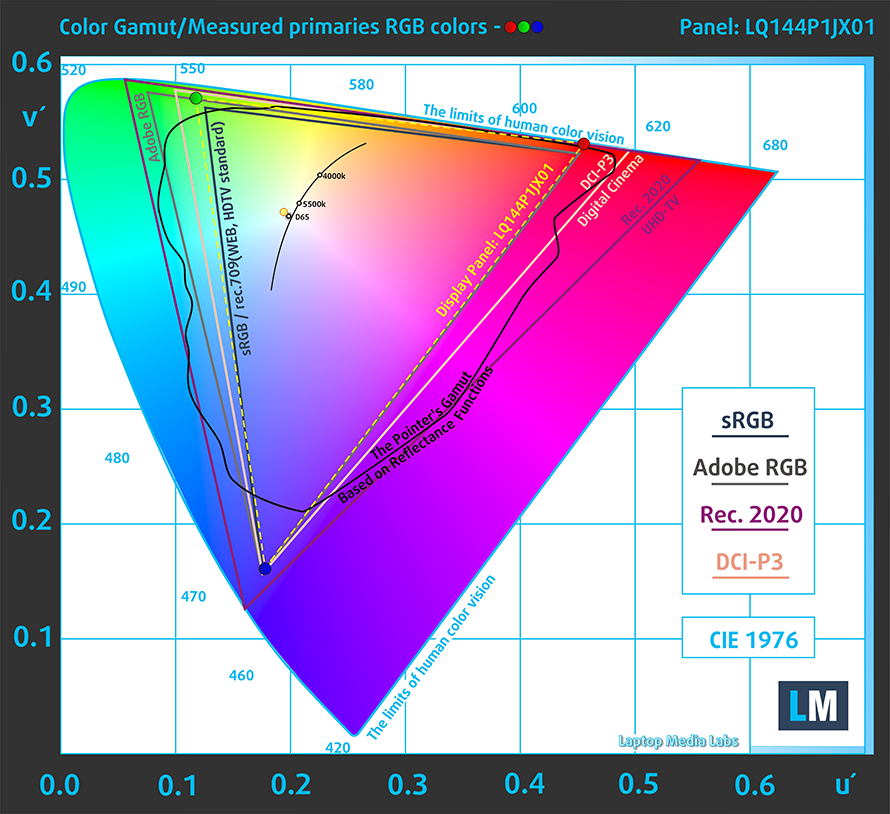
The color reproduction is fantastic, with the display covering 100% of the sRGB color gamut.
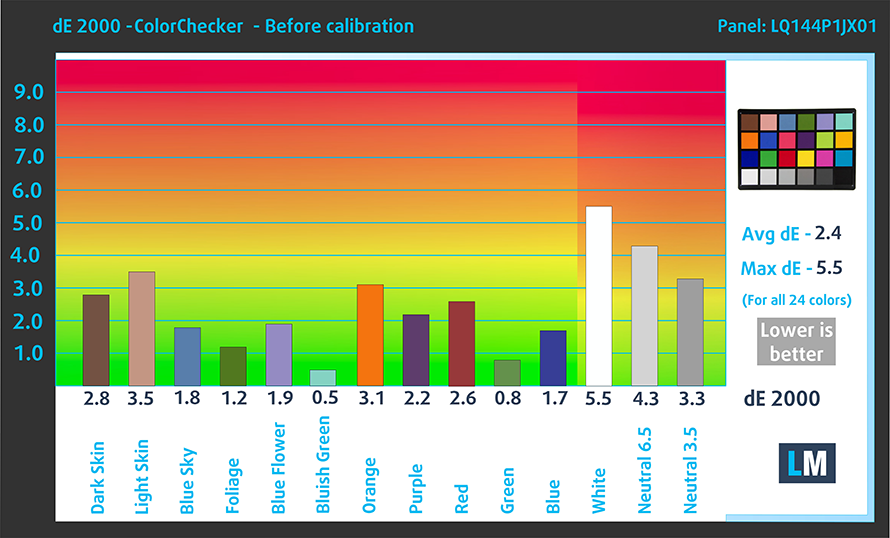
The accuracy is decent with the stock settings, reaching a dE value of 2.4 on its own, which isn’t great, but still some of the better results that we have seen. With our dedicated Design and Gaming profile, the dE value goes down to 1.2, which is much better, if you take your design and artwork seriously. Here are the results of our accuracy test with both the stock settings (left) and with our profile applied (right).

Buy our profiles
Since our profiles are tailored for each individual display model, this article and its respective profile package are meant for Microsoft Surface Laptop Studio configurations with 14.4″ Sharp LQ144P1JX01 (SHP1509).
*Should you have problems with downloading the purchased file, try using a different browser to open the link you’ll receive via e-mail. If the download target is a .php file instead of an archive, change the file extension to .zip or contact us at [email protected].
Read more about the profiles HERE.
Εκτός από τη λήψη αποδοτικών και φιλικών προς την υγεία προφίλ, αγοράζοντας τα προϊόντα της LaptopMedia υποστηρίζετε επίσης την ανάπτυξη των εργαστηρίων μας, όπου δοκιμάζουμε συσκευές για να παράγουμε τις πιο αντικειμενικές δυνατές αξιολογήσεις.

Office Work
Το Office Work πρέπει να χρησιμοποιείται κυρίως από χρήστες που περνούν τον περισσότερο χρόνο τους κοιτάζοντας κείμενα, πίνακες ή απλώς σερφάροντας. Αυτό το προφίλ στοχεύει στην παροχή καλύτερης ευκρίνειας και σαφήνειας διατηρώντας μια επίπεδη καμπύλη γάμμα (2.20), εγγενή θερμοκρασία χρώματος και αντιληπτικά ακριβή χρώματα.

Design and Gaming
Αυτό το προφίλ απευθύνεται σε σχεδιαστές που εργάζονται επαγγελματικά με χρώματα, καθώς και για παιχνίδια και ταινίες. Το Design and Gaming ωθεί τα πάνελ οθόνης στα όριά τους, καθιστώντας τα όσο το δυνατόν πιο ακριβή στο πρότυπο sRGB IEC61966-2-1 για Web και HDTV, σε λευκό σημείο D65.

Health-Guard
Το Health-Guard εξαλείφει την επιβλαβή διαμόρφωση πλάτους παλμού (PWM) και μειώνει το αρνητικό Μπλε Φως που επηρεάζει τα μάτια και το σώμα μας. Δεδομένου ότι είναι ειδικά προσαρμοσμένο για κάθε πάνελ, καταφέρνει να διατηρεί τα χρώματα αντιληπτικά ακριβή. Το Health-Guard προσομοιώνει το χαρτί, οπότε η πίεση στα μάτια μειώνεται σημαντικά.
Αποκτήστε και τα 3 προφίλ με 33% έκπτωση

3. Battery life
The 58Wh unit on the inside does wonders, with the Tiger lake H35 processors still drawing a significant amount of power. The device lasts for 10 hours and 30 minutes of Web browsing, or 10 hours and 10 minutes of video playback. This is done with the Windows Better performance setting turned on, screen brightness adjusted to 120 nits, and all other programs turned off except for the one we are testing the notebook with.
Φωτεινότητα: 180 nits; Λειτουργία οθόνης: SDR
Χρόνος μέχρι την πλήρη εκφόρτιση: Υψηλότερο είναι καλύτερο
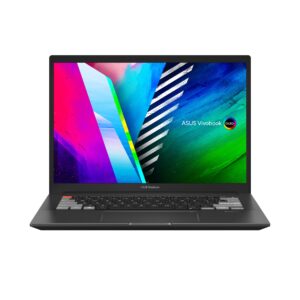
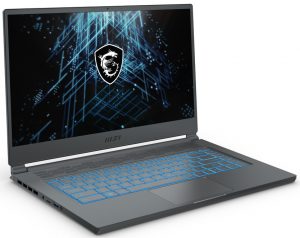
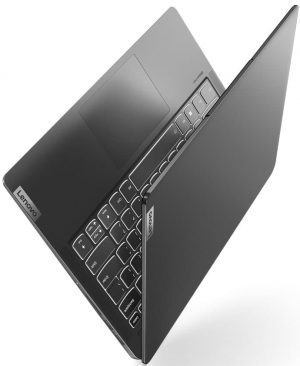
Για την προσομοίωση πραγματικών συνθηκών, χρησιμοποιήσαμε το δικό μας σενάριο για αυτόματη περιήγηση στο διαδίκτυο σε πάνω από 70 ιστότοπους.
2 reasons NOT to buy the Microsoft Surface Laptop Studio
1. I/O
Since Microsoft still has stuff left to figure out with this device, the I/O has taken a hit. The laptop offers only two Thunderbolt 4 ports, and a 3.5 mm audio jack.


2. Upgradeability
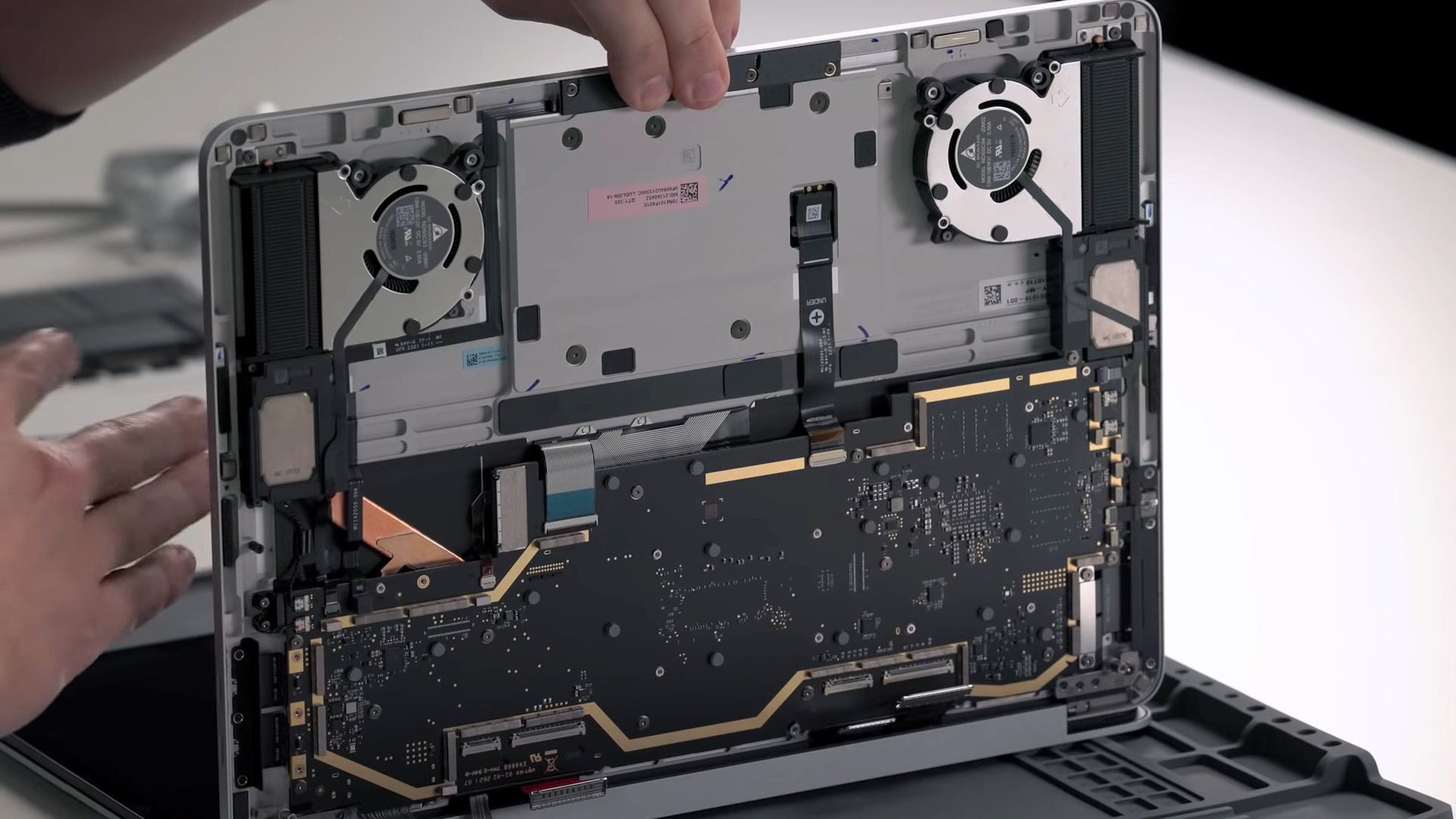
The upgradeability is affected as well, mainly due to the design and how enclosed everything is. Truth be told, surface devices have never been at the forefront when it comes to ease of access to the inside, and here it’s the same. Taking the device apart is almost impossible, so you will rely on the soldered quad-channel ram and predetermined storage configuration. External SSDs will be a savior when it comes to getting access to more storage.
All Microsoft Surface Laptop Studio configurations:
 Author: Severin Kolakov

![[Σεπτέμβριος 2026] Οι μάρκες φορητών υπολογιστών με τις μεγαλύτερες πωλήσεις στο Amazon Global – Η Apple κυριαρχεί στην αγορά με μερίδιο εσόδων άνω του 70%](https://laptopmedia.com/wp-content/uploads/2026/10/GLOBAL-Best-Brands-400x225.jpg)
![[Σεπτέμβριος 2026] Amazon Global: Οι 10 πιο δημοφιλείς φορητοί υπολογιστές – Το MacBook Neo της Apple καταλαμβάνει την πρώτη θέση, ενώ κυριαρχούν οι οικονομικές και οι κορυφαίες συσκευές](https://laptopmedia.com/wp-content/uploads/2026/10/Best-Selling-Laptops-GLOBAL-Top-10-400x225.jpg)
![[Σεπτέμβριος 2026] Amazon Global: Οι 10 πιο δημοφιλείς φορητοί υπολογιστές για παιχνίδια – Ο ASUS ROG Strix G16 κυριαρχεί στην αγορά με πωλήσεις που σπάνε κάθε ρεκόρ](https://laptopmedia.com/wp-content/uploads/2026/10/Best-Selling-Gaming-Laptops-GLOBAL-Top-10-400x225.jpg)
![[Σεπτέμβριος 2026] Παγκόσμια κατάταξη των πιο δημοφιλών GPU για φορητούς υπολογιστές στο Amazon – Το τσιπ M5 της Apple ξεπερνά κατά πολύ την NVIDIA στους φορητούς υπολογιστές υψηλής κατηγορίας, αλλά η RTX 5060 είναι η μόνη ειδική GPU που κατατάσσεται στην πρώτη δεκάδα](https://laptopmedia.com/wp-content/uploads/2026/10/Best-Selling-GPUs-GLOBAL-Top-10-400x225.jpg)
![[Σεπτέμβριος 2026] Παγκόσμια κατάταξη των πιο δημοφιλών επεξεργαστών φορητών υπολογιστών στο Amazon – Ο M5 της Apple συντρίβει την Intel, καθώς η αγορά των προϊόντων υψηλής ποιότητας μετατρέπεται σε μονοπώλιο](https://laptopmedia.com/wp-content/uploads/2026/10/Best-Selling-CPUs-GLOBAL-Top-10-400x225.jpg)
