Top 5 reasons to BUY or NOT to buy the Acer ConceptD CM2 (CM2241W)
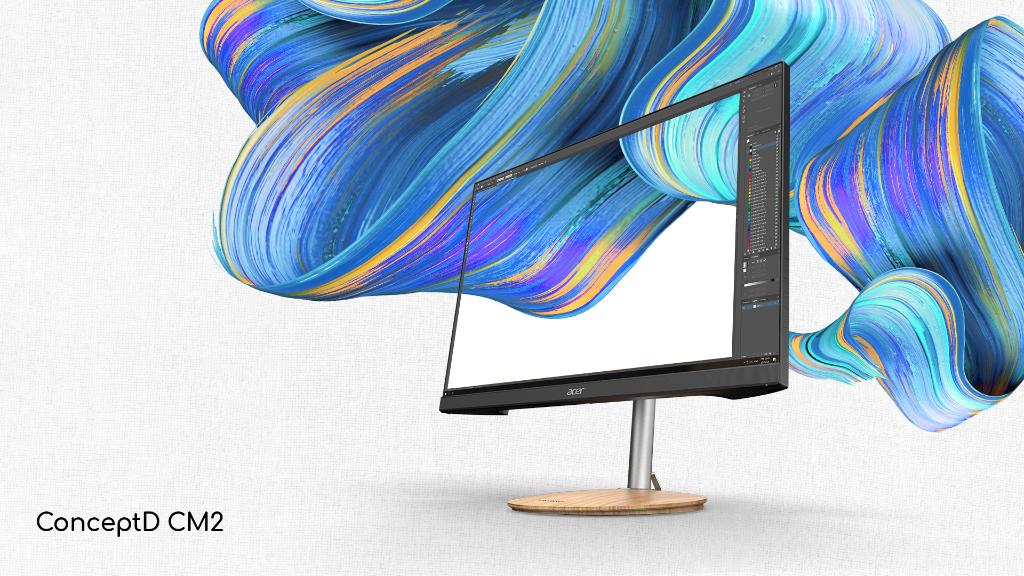 We just recently got into reviewing monitors, because they are a crucial piece of technology and without it, computers and laptops wouldn’t be where they are at now. As you already know from our reviews, the display part of them goes pretty in-depth and as we wanted to expand our portfolio, the monitor market seemed like the most logical way.
For our first monitor review, we choose the Acer ConceptD CM2 (CM2241W), which is a monitor that is suited towards designers and content creators. The ConceptD brand has been all about content creation and design work, and generally any color-sensitive work. The monitor has many features that would improve your workflow, most of which you’ll read about now.
Today we are presenting you with LaptopMedia’s top 5 picks about the Acer ConceptD CM2 (CM2241W).
Acer ConceptD CM2 (CM2241W) – In-depth Review
You can check the current price of Acer ConceptD CM2 (CM2241W) here: Αγοράστε από το Amazon.com (#CommissionsEarned)
4 reasons to BUY the Acer ConceptD CM2 (CM2241W)
1. The Aspect ratio
The monitor comes with a 16:10 aspect ratio, which is becoming more and more popular. This gives the user more room on the vertical axis, allowing for more apps to be fit on the screen. This greatly improves the workflow as you don’t always have to Alt+Tab between different apps and menus, because as well all now, productivity and creativity apps such as Photoshop or After Effects have so much that is going on, that the extra space is always appreciated.
2. The Color coverage
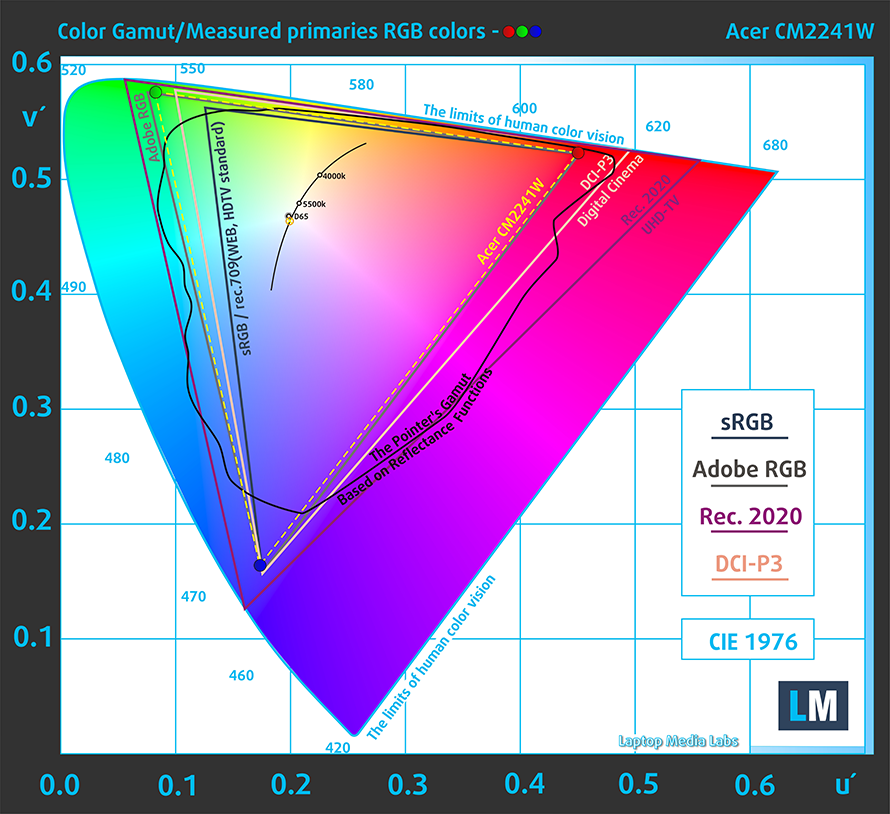
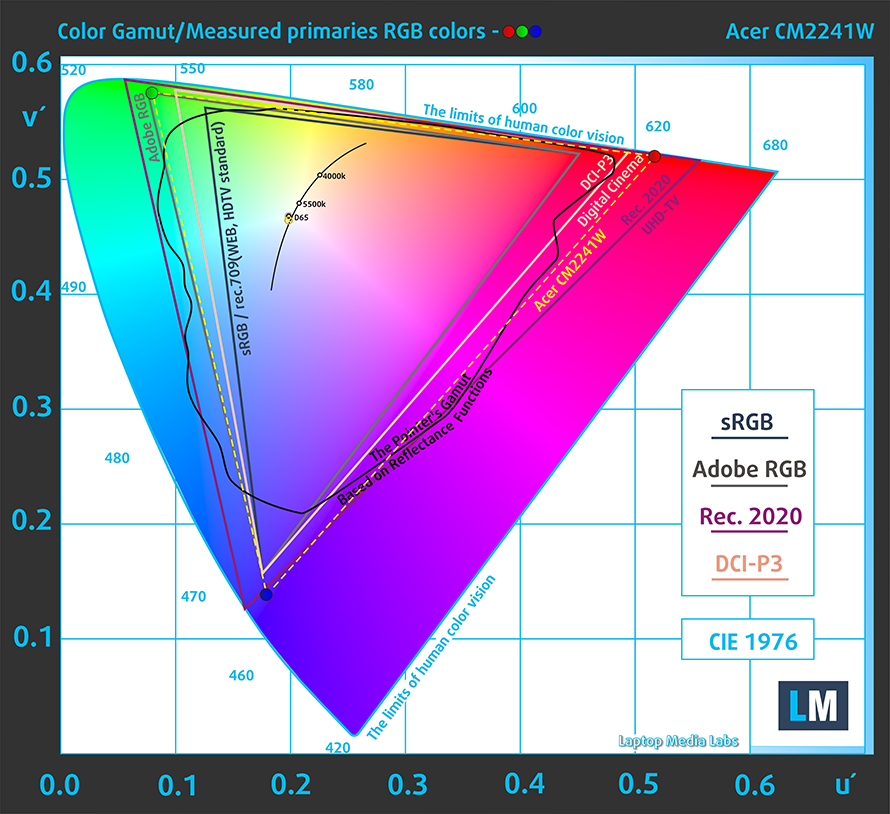
We’ll steer away from the topic of color coverage to talk about the general qualities of the monitor. The panel has a size of 24 inches, a Full HD+ resolution, and a 75Hz refresh rate. Viewing angles are quite comfortable and the maximum brightness is decent. Now, going to the color coverage, the panel has a plethora of presets that emulate the most popular present-day color gamuts such as sRGB, Adobe RGB and DCI-P3. From the results below you can see that the panel has very high coverage of all of these gamuts.

3. The Design
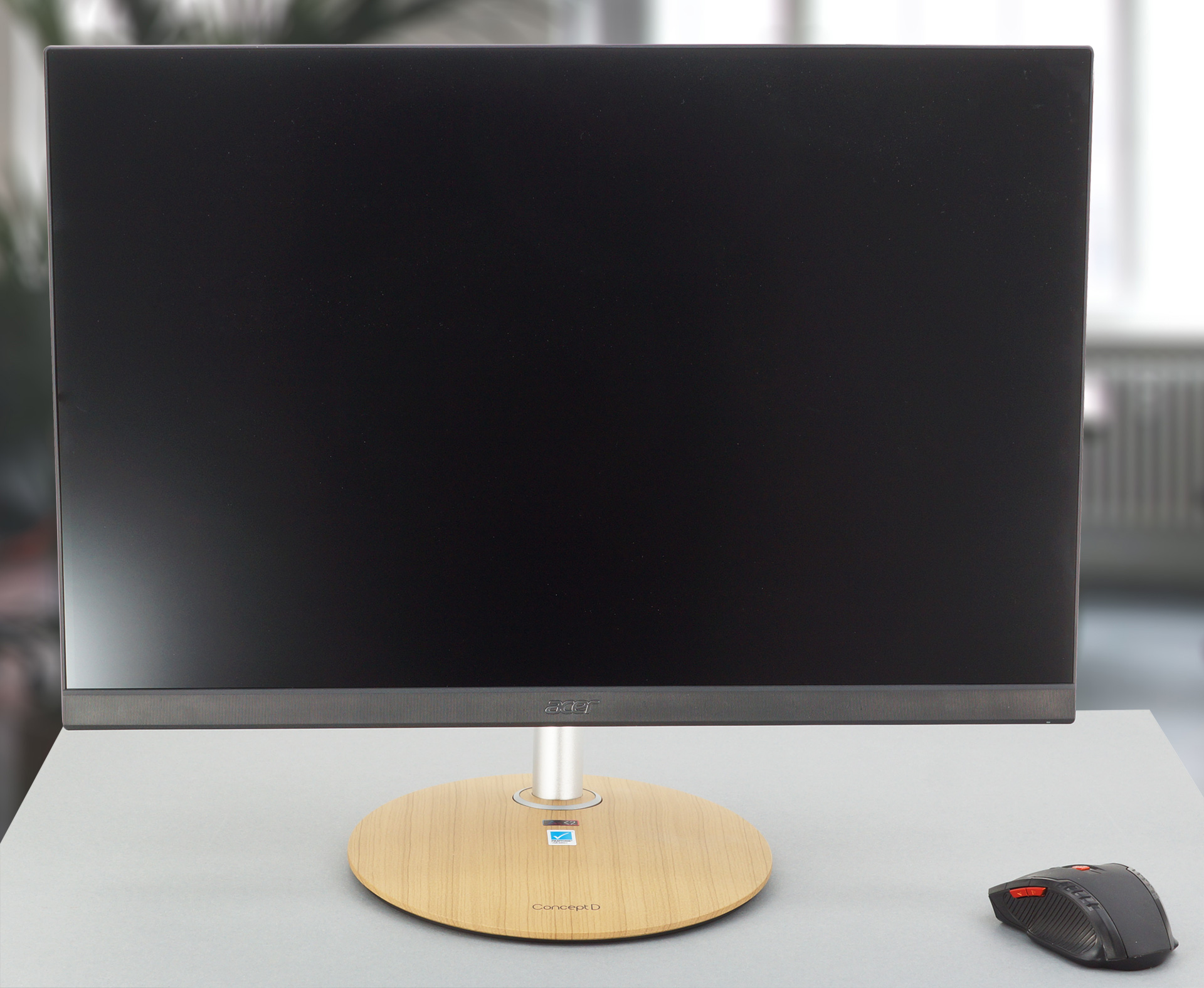
In terms of the outward appearance of the Acer ConceptD CM2 (CM2241W), it is a good-looking monitor. The bezels are thin enough for 2021, with the bottom bezel being quite thicker, in order to fit the Acer logo and the LED indicator. The chassis is entirely made out of plastic, which is expected at this price range (around 400$). On the back, you get the OSD menu with dedicated buttons.
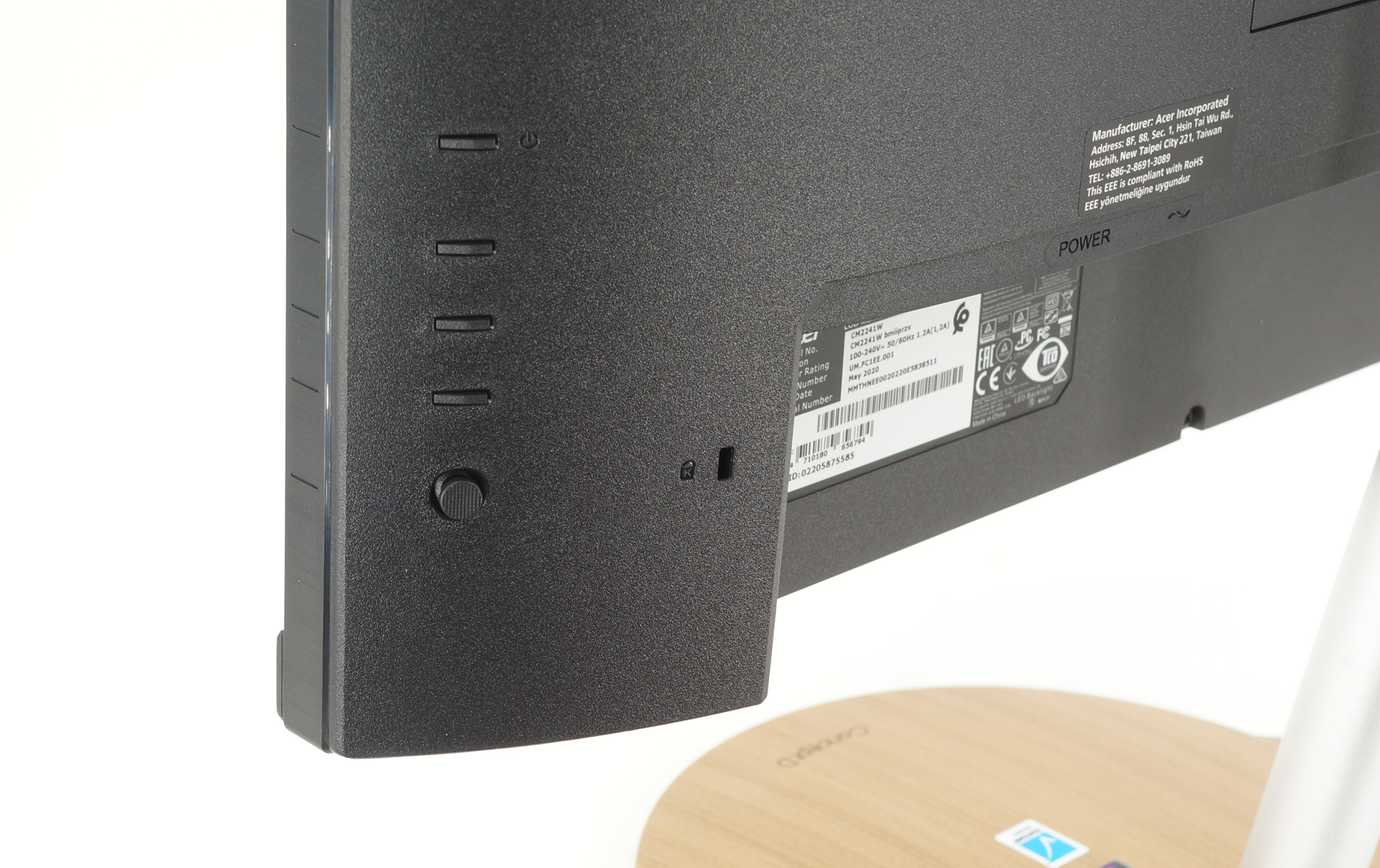
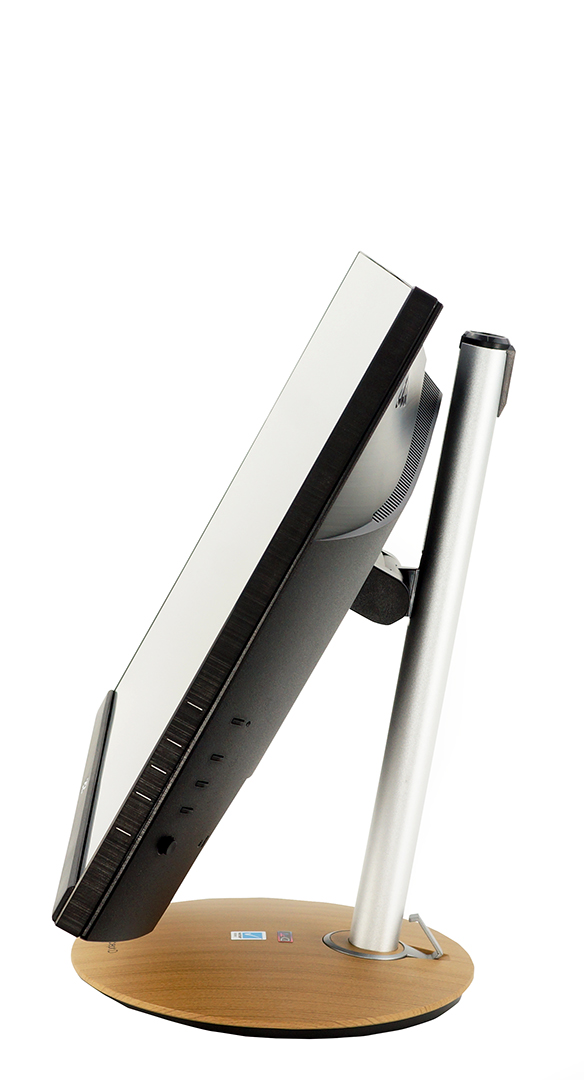
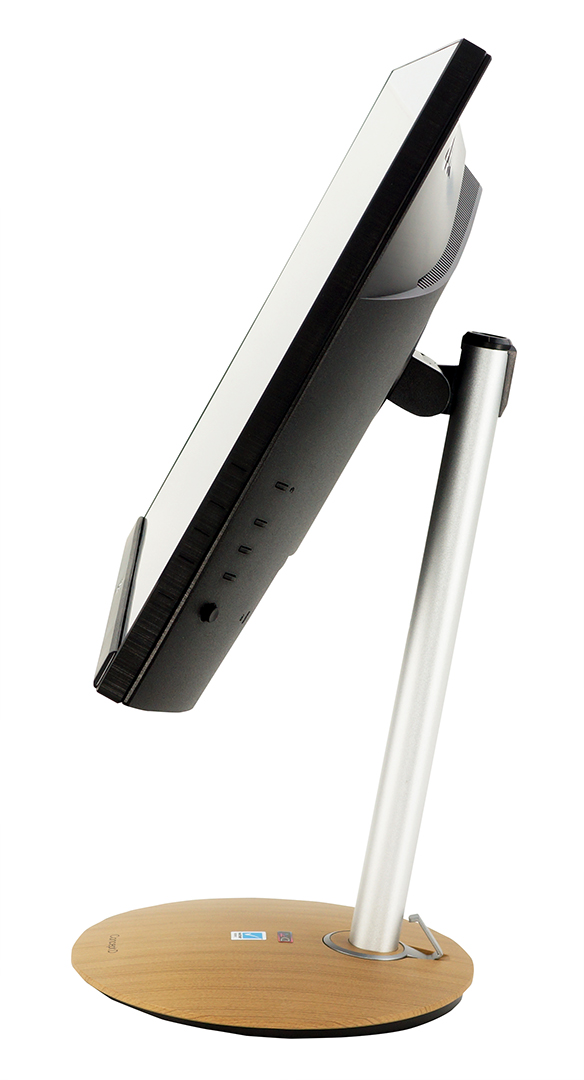
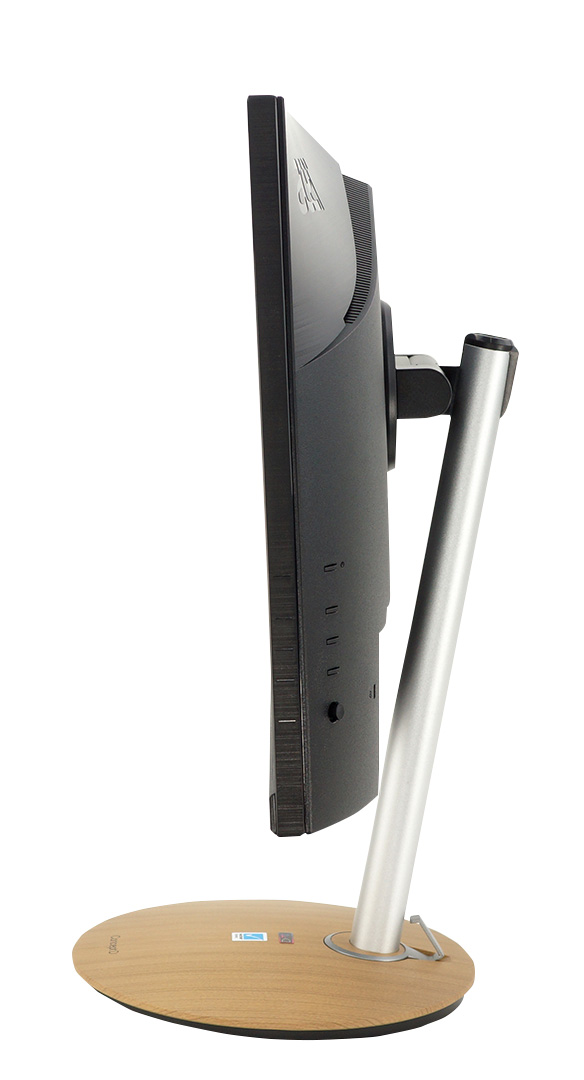
Moving over to the stand, it has a nice wooden design, which looks really good and gives it a really unique aesthetic. The stem the connects the monitor to the stand is made from metal, as it should be, considering the size and weight of the panel. There is also a plastic latch that is used for cable management, but it’s not big enough to fit all your cables.
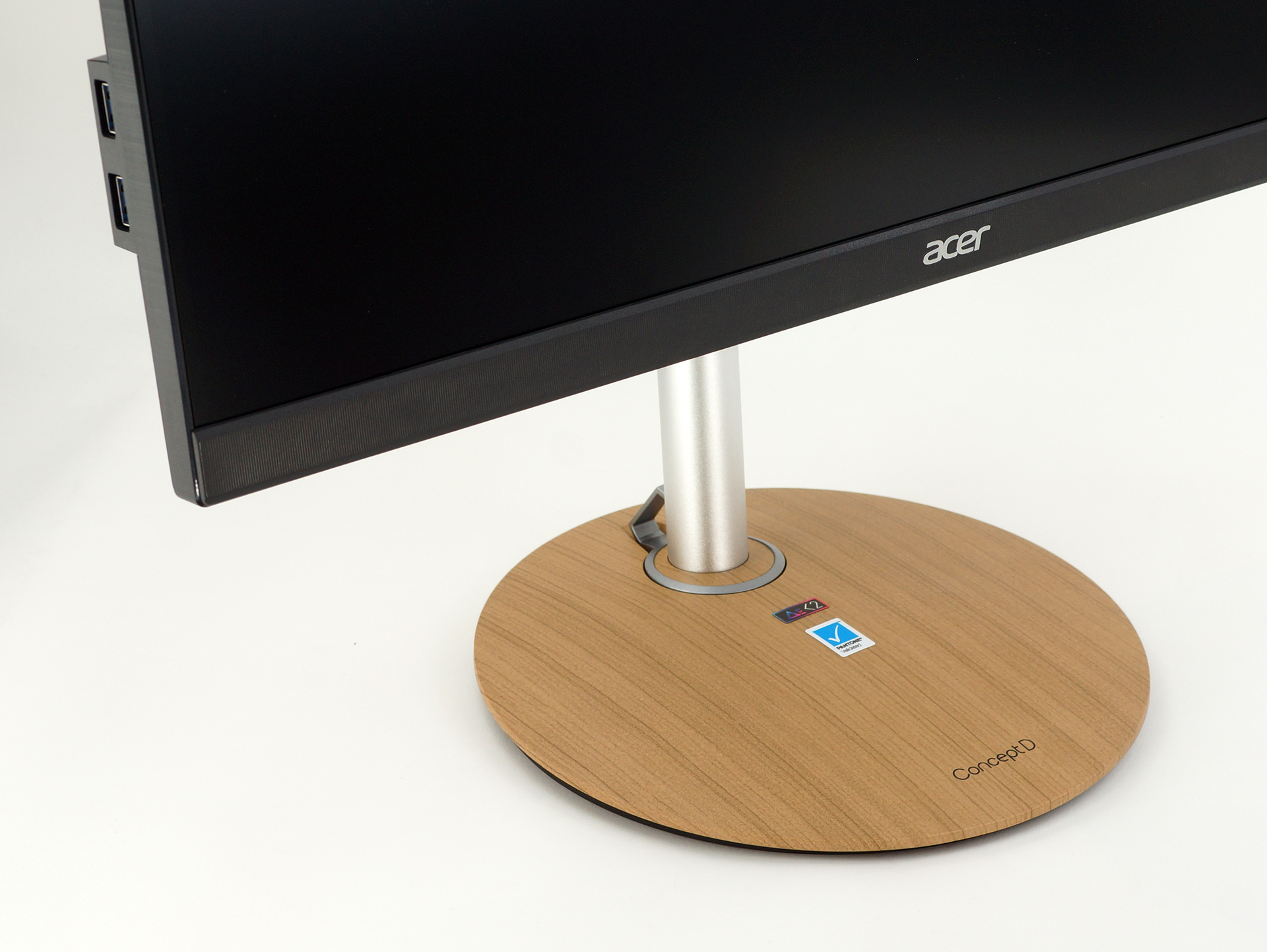
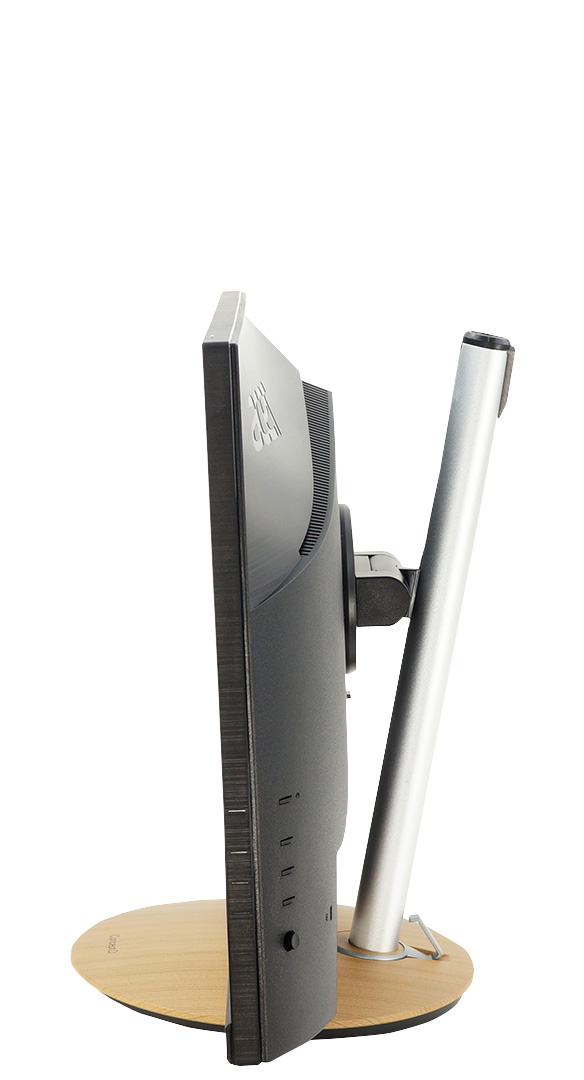
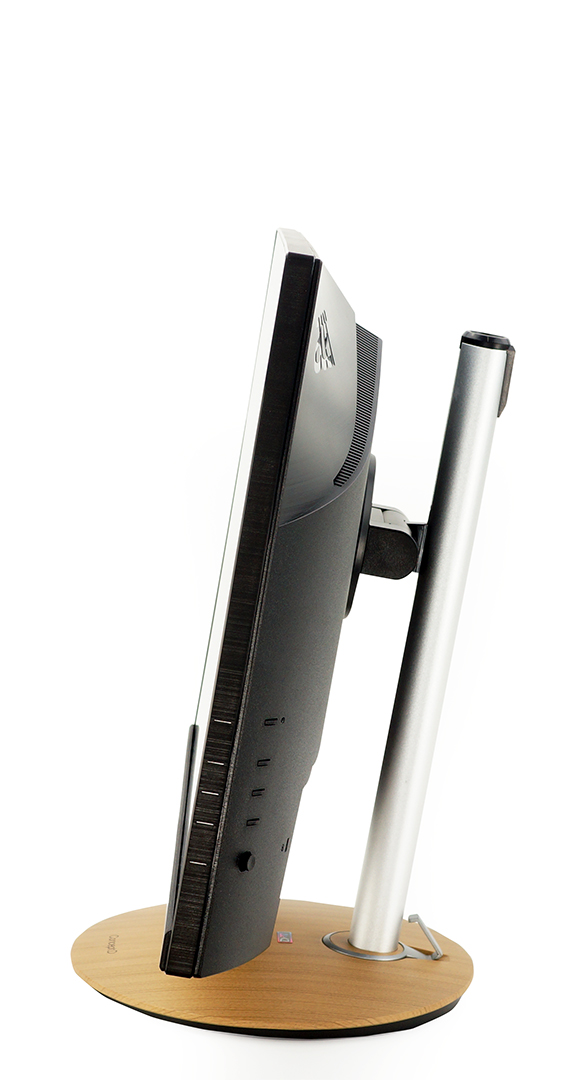
The stand here is one of the best that we have seen, offering a vertical adjustment of 120mm. In addition to that, the panel offers a tilt of 25°, a 90° pivot on each side, and a 360° of swivel. The swivel mechanism is hidden within the base which is pretty neat.

4. The Color accuracy
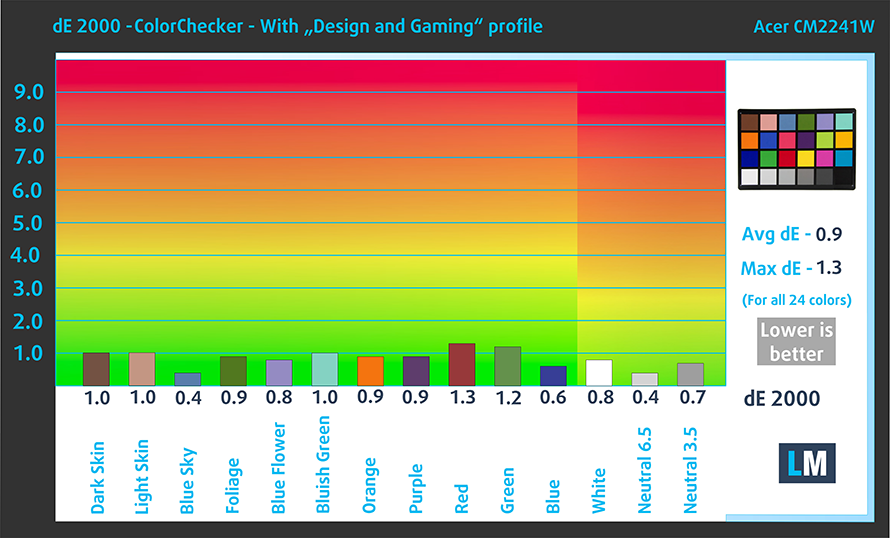
The color accuracy here is very good, especially when you use our “Gaming and web design” profile. We tested the color accuracy using the 24 most commonly used colors and got a dE value of 0.9, which is professional-grade level. Below you can compare the scores of Acer ConceptD CM2 (CM2241W) with the default settings (left), and with the “Gaming and Web design” profile (right).

Buy our profiles
Since our profiles are tailored for each individual display model, this article and its respective profile package are meant for the Acer ConceptD CM2 (CM2241W).
In this case, the profiles are ready for work after a factory reset, except for the Gaming and Web design profile, where you need to set the display to the “sRGB mode”. Interestingly, depending on the ambient light and the game you’re playing it is highly possible that the Office Work profile might be more appealing than the Gaming and Web design one.
*Should you have problems with downloading the purchased file, try using a different browser to open the link you’ll receive via e-mail. If the download target is a .php file instead of an archive, change the file extension to .zip or contact us at [email protected].
Read more about the profiles HERE.
Εκτός από τη λήψη αποδοτικών και φιλικών προς την υγεία προφίλ, αγοράζοντας τα προϊόντα της LaptopMedia υποστηρίζετε επίσης την ανάπτυξη των εργαστηρίων μας, όπου δοκιμάζουμε συσκευές για να παράγουμε τις πιο αντικειμενικές δυνατές αξιολογήσεις.

Office Work
Το Office Work πρέπει να χρησιμοποιείται κυρίως από χρήστες που περνούν τον περισσότερο χρόνο τους κοιτάζοντας κείμενα, πίνακες ή απλώς σερφάροντας. Αυτό το προφίλ στοχεύει στην παροχή καλύτερης ευκρίνειας και σαφήνειας διατηρώντας μια επίπεδη καμπύλη γάμμα (2.20), εγγενή θερμοκρασία χρώματος και αντιληπτικά ακριβή χρώματα.

Design and Gaming
Αυτό το προφίλ απευθύνεται σε σχεδιαστές που εργάζονται επαγγελματικά με χρώματα, καθώς και για παιχνίδια και ταινίες. Το Design and Gaming ωθεί τα πάνελ οθόνης στα όριά τους, καθιστώντας τα όσο το δυνατόν πιο ακριβή στο πρότυπο sRGB IEC61966-2-1 για Web και HDTV, σε λευκό σημείο D65.

Health-Guard
Το Health-Guard εξαλείφει την επιβλαβή διαμόρφωση πλάτους παλμού (PWM) και μειώνει το αρνητικό Μπλε Φως που επηρεάζει τα μάτια και το σώμα μας. Δεδομένου ότι είναι ειδικά προσαρμοσμένο για κάθε πάνελ, καταφέρνει να διατηρεί τα χρώματα αντιληπτικά ακριβή. Το Health-Guard προσομοιώνει το χαρτί, οπότε η πίεση στα μάτια μειώνεται σημαντικά.
Αποκτήστε και τα 3 προφίλ με 33% έκπτωση

1 reason NOT to buy the Acer ConceptD CM2 (CM2241W)
1. The I/O
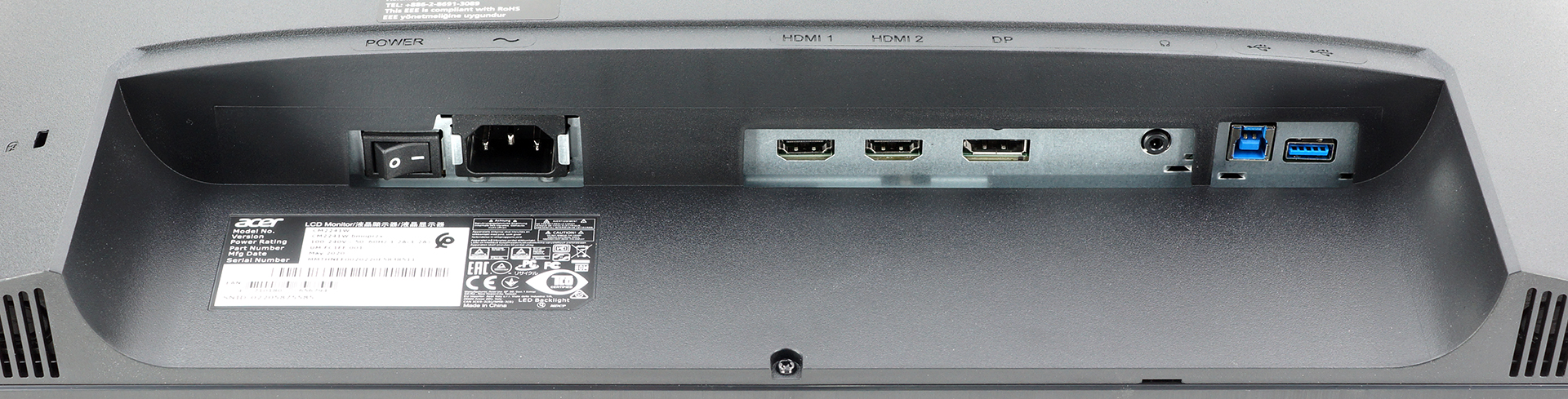
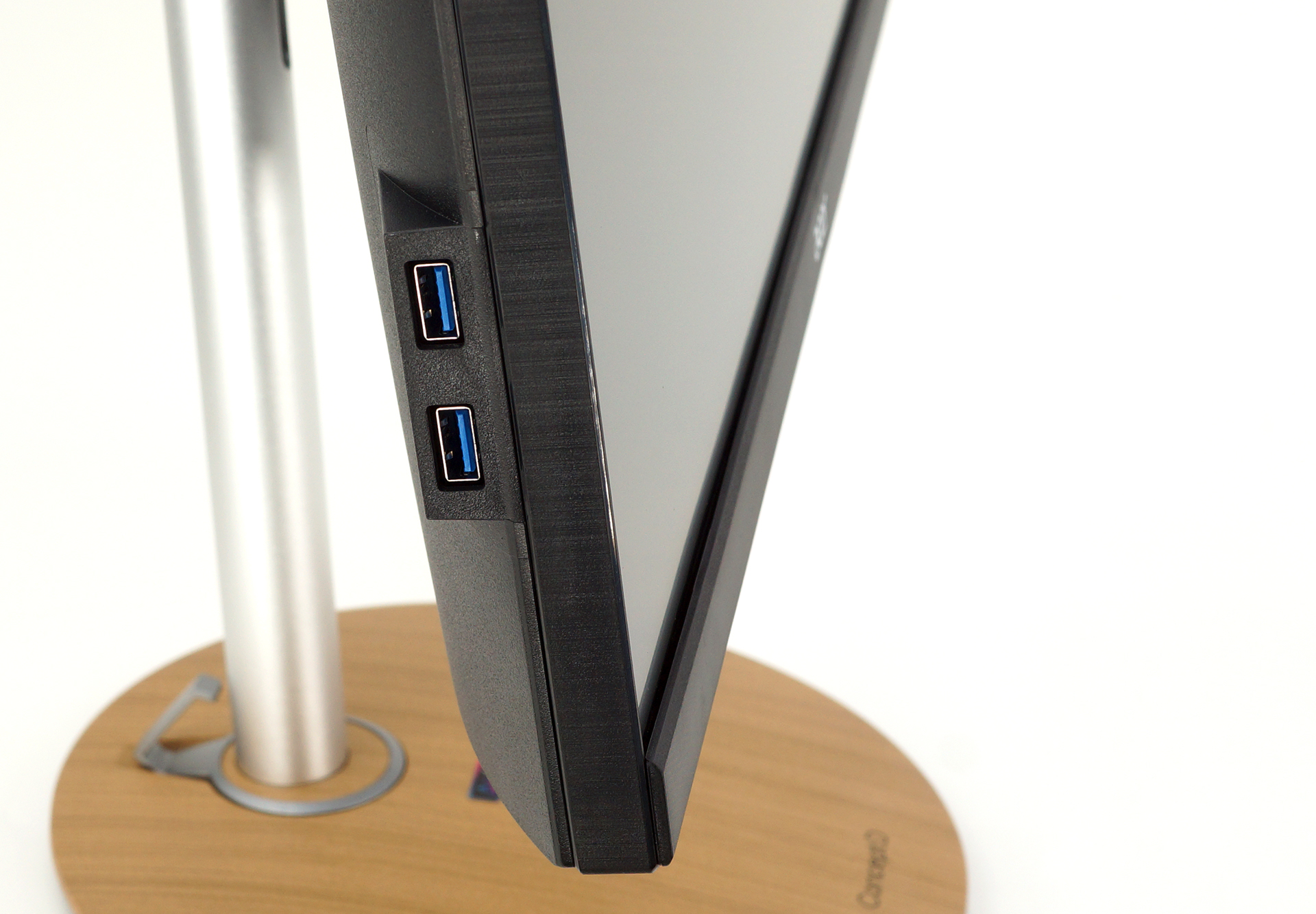
The I/O here is decent, with the exception of the lack of legacy or analog ports, such as a VGA port. Most of the ports are situated on the bottom of the panel, with you getting a power plug, for which the voltage regulation happens inside the chassis, two HDMI ports, one DisplayPort, and two USB ports (one Type-B and one Type-A port). There are two additional USB Type-A ports on the side.
You can check the current price of Acer ConceptD CM2 (CM2241W) here: Αγοράστε από το Amazon.com (#CommissionsEarned)
Acer ConceptD CM2 (CM2241W) – In-depth Review
 Author: Severin Kolakov

![[Αύγουστος 2026] Amazon Global: Οι 10 φορητοί υπολογιστές με τις μεγαλύτερες πωλήσεις – Το Apple MacBook Neo κυριαρχεί στις λίστες, ενώ οι οικονομικοί και μεσαίας κατηγορίας φορητοί υπολογιστές με Windows ανταγωνίζονται για τον όγκο πωλήσεων](https://laptopmedia.com/wp-content/uploads/2026/09/Best-Selling-Laptops-GLOBAL-Top-10-400x225.jpg)
![[Αύγουστος 2026] Οι μάρκες φορητών υπολογιστών με τις μεγαλύτερες πωλήσεις στο Amazon Global – Η Apple κυριαρχεί σε έσοδα, ενώ η HP πρωτοστατεί στην ποικιλία μοντέλων](https://laptopmedia.com/wp-content/uploads/2026/09/GLOBAL-Best-Brands-400x225.jpg)
![[Αύγουστος 2026] Amazon Global: Οι 10 πιο δημοφιλείς φορητοί υπολογιστές για παιχνίδια – Ο HP Victus 15 κατακτά την πρώτη θέση, ενώ τα οικονομικά μοντέλα κυριαρχούν στις λίστες](https://laptopmedia.com/wp-content/uploads/2026/09/Best-Selling-Gaming-Laptops-GLOBAL-Top-10-400x225.jpg)
![[August 2026] Best-Selling Laptop Brands on Amazon Japan – Apple Dominates Market Share and Revenue Led by Strong Unit Sales](https://laptopmedia.com/wp-content/uploads/2026/09/CO.JP-Best-Brands-1-400x225.jpg)
![[August 2026] Best-Selling Laptop Brands on Amazon USA – Apple Dominates Market Revenue and Volume Despite Lower Model Diversity](https://laptopmedia.com/wp-content/uploads/2026/09/COM-Best-Brands-1-400x225.jpg)
