Top 5 reasons to BUY or NOT to buy the ASUS ROG Strix SCAR 15 G533
 With so many ROG devices having been announced at CES 2021, we still aren’t done with them. Fortunately, we are getting to a close and soon you will see the last devices from the lineup getting their own review. For today, however, we will focus on the ASUS ROG Strix SCAR 15 G533, which is the flagship gaming laptop in ASUS’s ROG brand. It is the smaller brother of the SCAR G17 G733, but it doesn’t compromise when it comes to performance or features. It is more compact and provides the same level of excitement and the ROG gaming experience.
Today we are presenting you with LaptopMedia’s top 5 picks about the ASUS ROG Strix SCAR 15 G533.
ASUS ROG Strix SCAR 15 G533: Full Specs / In-depth Review

4 reasons to BUY the ASUS ROG Strix SCAR 15 G533
1. Design and Build quality
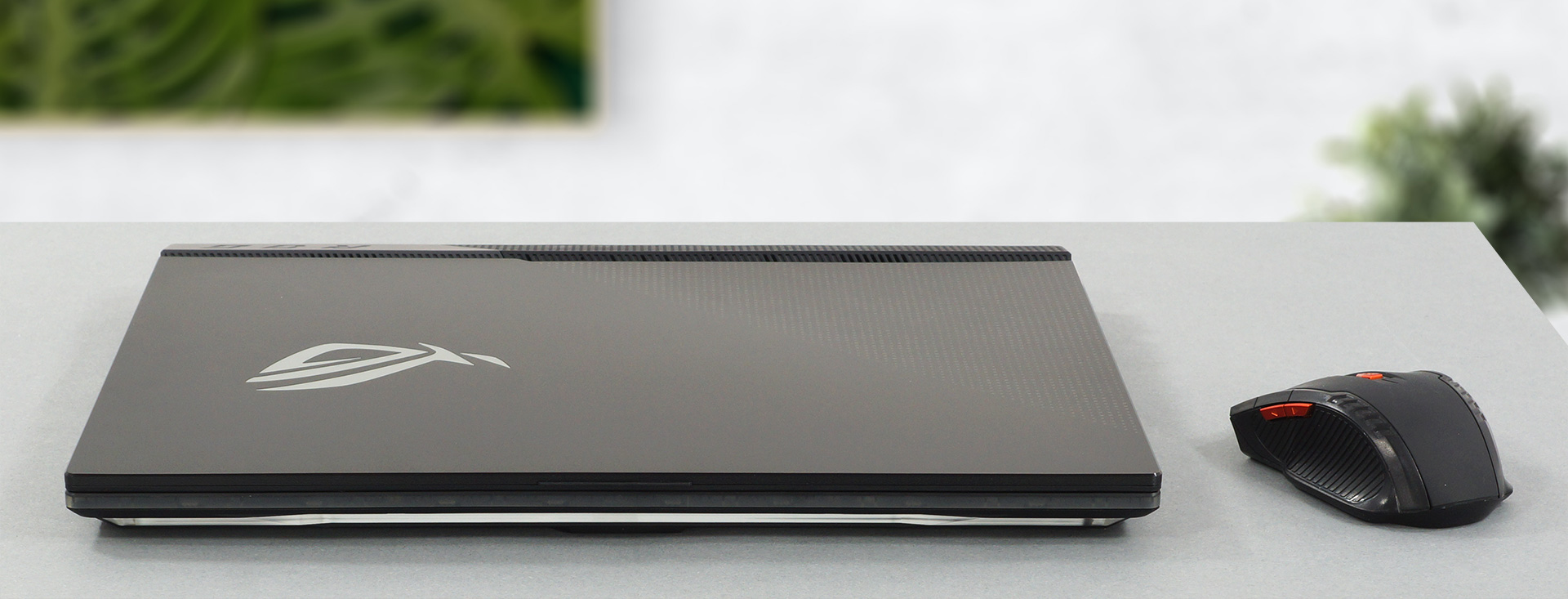
Being a flagship laptop from ASUS, the build quality is for sure going to be top-notch. While some parts of the laptop are made from plastic, the device is extremely rigid and solid all around. The lid is made from aluminum and it has thin bezels even on the top, where there isn’t even a webcam. The design is also really cool, especially for a gamer. You get RGB lights all over the place, which can make a light show with the proper settings. The base is also very interesting, with half of it being transparent, meaning that you can actually see the internal components.
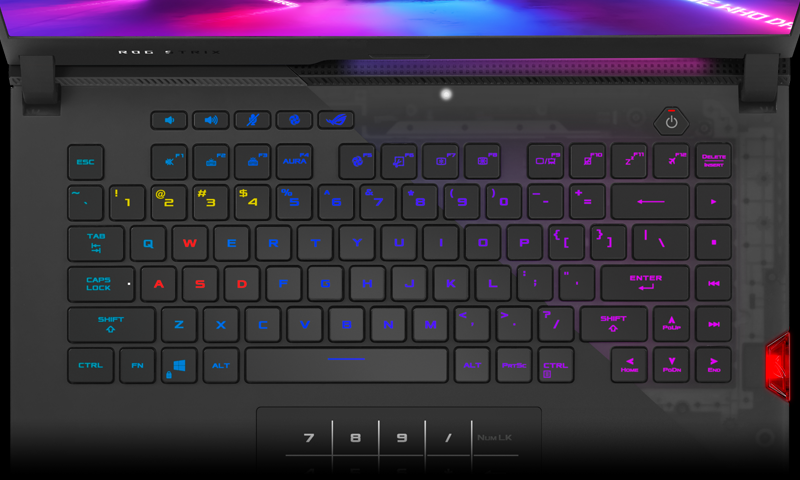
The lid opens easily with a single hand, and doing so reveals the aforementioned transparent base and an amazing keyboard and touchpad combination. The keyboard unit is really cool, as it uses new optical-mechanical switches, with which the actual detection input happens through light. This brings down the latency to 0.2 ms and gives a key travel of 1.9 mm. In reality, the keyboard has a long key travel and clicky feedback and is generally one of the best units that we have ever used. The arrow keys are nice and large, as with all the other keycaps. The unit also uses a per-key RGB backlight.
The touchpad is also really good and it doubles as a NumPad, something that we first saw in the ZenBook devices from ASUS.

2. Display
The ASUS ROG Strix SCAR 15 G533 gives you the choice of either a Full HD display with a 300Hz refresh rate or a QHD display with a 165Hz refresh rate. Our review unit had the Full HD display and it definitely deserves praise. It has comfortable viewing angles, the contrast ratio is very high at 1000:1 and it has a high enough maximum brightness of 328 nits with a maximum deviation of 13%. The display is flicker-free across all brightness levels and has a shockingly fast response time of 9 ms. The color coverage is amazing, sitting at 97% of the sRGB color gamut, meaning that you will be able to use it for creativity purposes, such as graphics design and digital art.
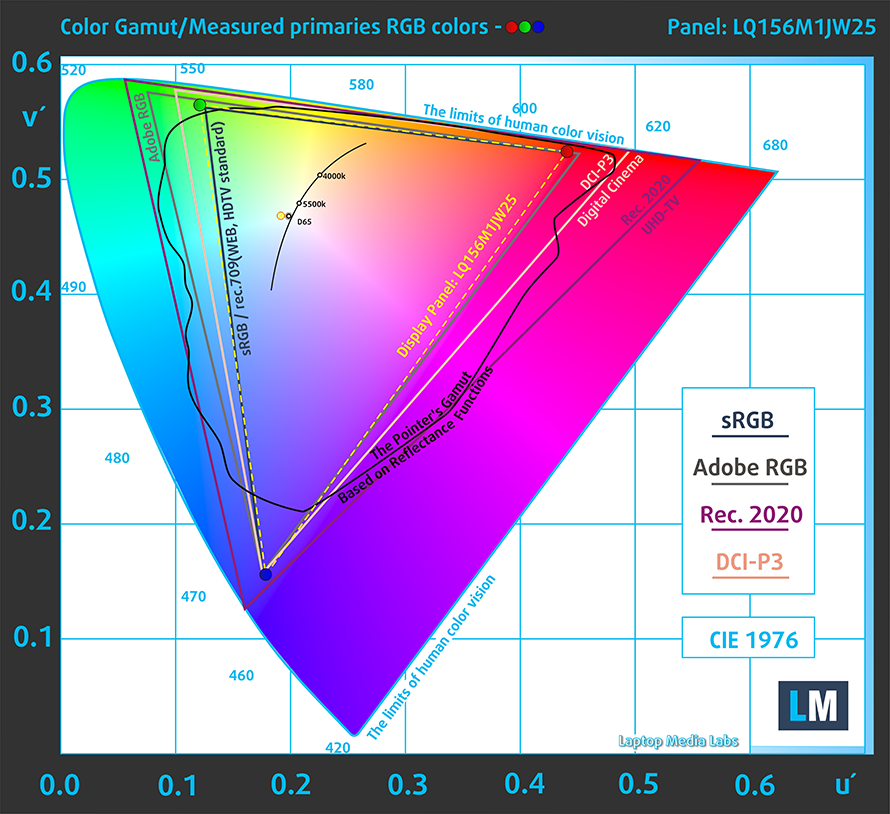
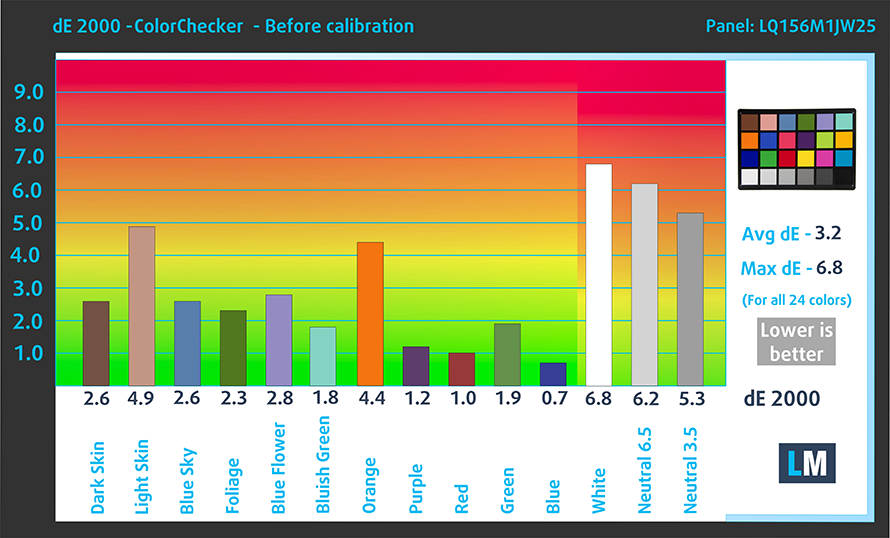
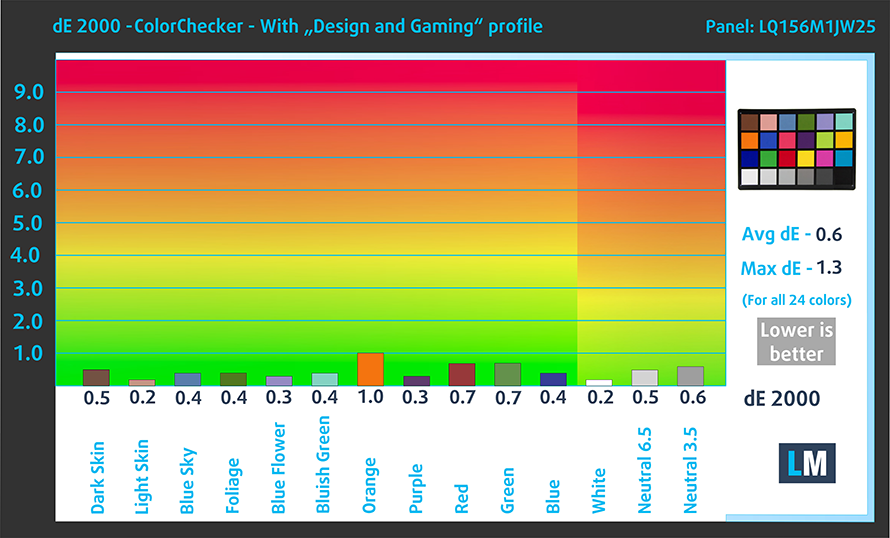
The color accuracy is good with the stock settings but gets even better when we use our Design and gaming profile. You can check the results with both the factory settings (left) and with our Design and gaming profile applied (right). As you can see, the panel reached a dE value of 0.6 when using our profile.
Buy our profiles
Since our profiles are tailored for each individual display model, this article and its respective profile package are meant for ASUS ROG Strix SCAR 15 G533 configurations with 15.6″ FHD IPS Sharp LQ156M1JW25 (SHP152C).
*Should you have problems with downloading the purchased file, try using a different browser to open the link you’ll receive via e-mail. If the download target is a .php file instead of an archive, change the file extension to .zip or contact us at [email protected].
Read more about the profiles HERE.
Εκτός από τη λήψη αποδοτικών και φιλικών προς την υγεία προφίλ, αγοράζοντας τα προϊόντα της LaptopMedia υποστηρίζετε επίσης την ανάπτυξη των εργαστηρίων μας, όπου δοκιμάζουμε συσκευές για να παράγουμε τις πιο αντικειμενικές δυνατές αξιολογήσεις.

Office Work
Το Office Work πρέπει να χρησιμοποιείται κυρίως από χρήστες που περνούν τον περισσότερο χρόνο τους κοιτάζοντας κείμενα, πίνακες ή απλώς σερφάροντας. Αυτό το προφίλ στοχεύει στην παροχή καλύτερης ευκρίνειας και σαφήνειας διατηρώντας μια επίπεδη καμπύλη γάμμα (2.20), εγγενή θερμοκρασία χρώματος και αντιληπτικά ακριβή χρώματα.

Design and Gaming
Αυτό το προφίλ απευθύνεται σε σχεδιαστές που εργάζονται επαγγελματικά με χρώματα, καθώς και για παιχνίδια και ταινίες. Το Design and Gaming ωθεί τα πάνελ οθόνης στα όριά τους, καθιστώντας τα όσο το δυνατόν πιο ακριβή στο πρότυπο sRGB IEC61966-2-1 για Web και HDTV, σε λευκό σημείο D65.

Health-Guard
Το Health-Guard εξαλείφει την επιβλαβή διαμόρφωση πλάτους παλμού (PWM) και μειώνει το αρνητικό Μπλε Φως που επηρεάζει τα μάτια και το σώμα μας. Δεδομένου ότι είναι ειδικά προσαρμοσμένο για κάθε πάνελ, καταφέρνει να διατηρεί τα χρώματα αντιληπτικά ακριβή. Το Health-Guard προσομοιώνει το χαρτί, οπότε η πίεση στα μάτια μειώνεται σημαντικά.
Αποκτήστε και τα 3 προφίλ με 33% έκπτωση

3. Upgradeability and Cooling
The laptop has both upgradeable RAM and storage. This is done through two SODIMM RAM slots, which support up to 64GB of DDR4 memory in dual-channel mode. As for the storage, there are two M.2 PCIe x4 slots.
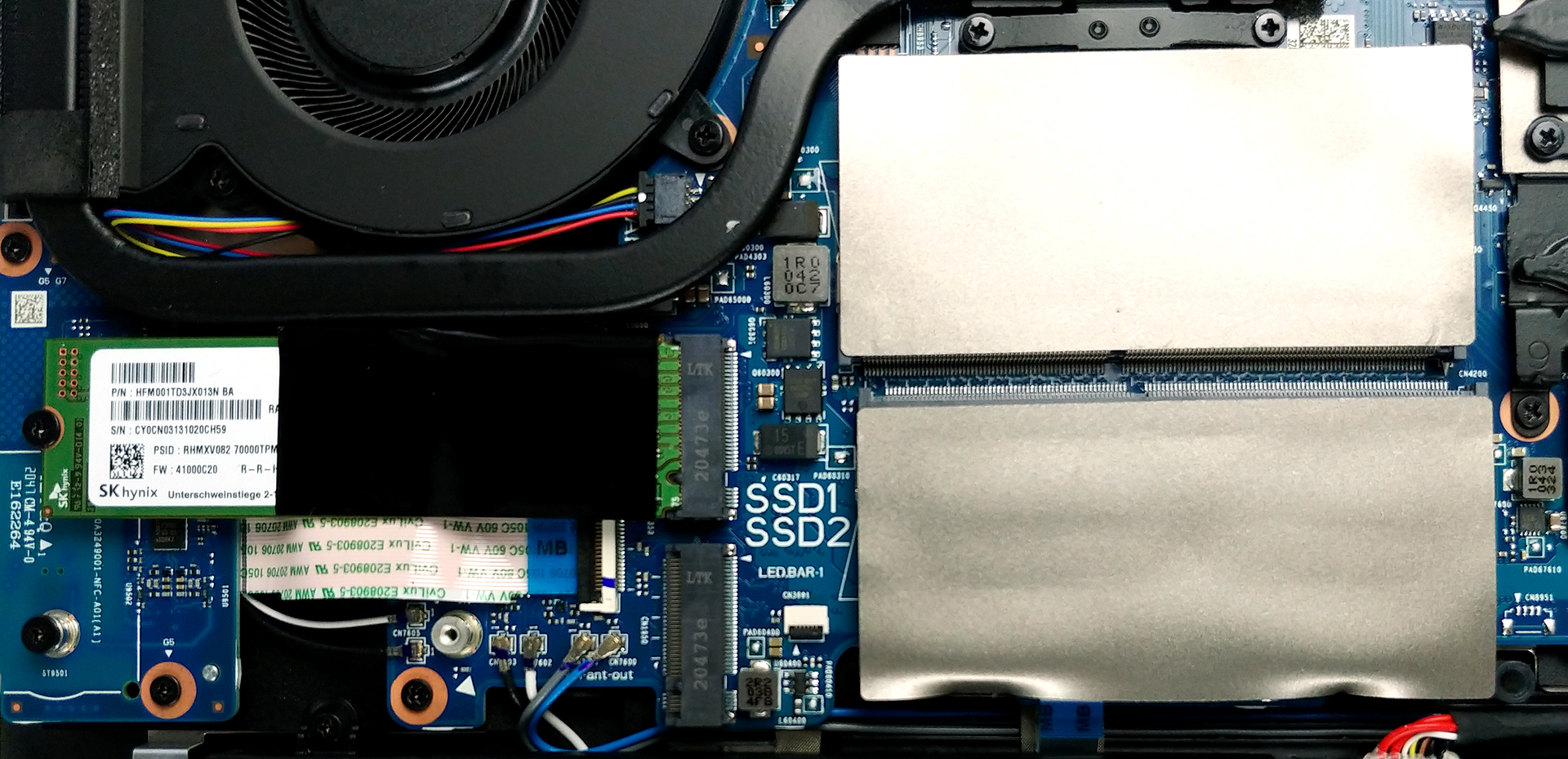
ASUS has implemented a very beefy cooling setup, which consists of a total of six heat pipes, which help cool down the CPU, GPU, and VRMs.
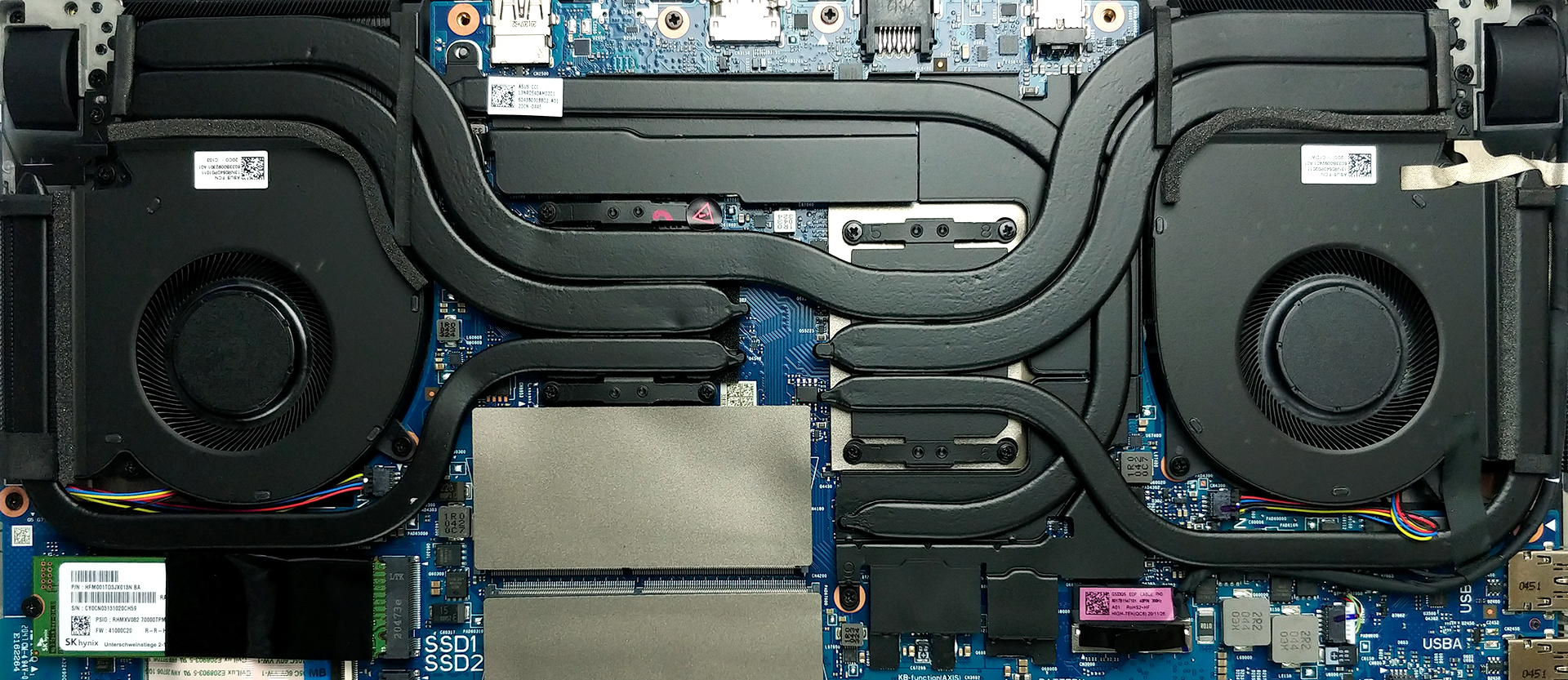
Both the SODIMM and M.2 slots are easily accessible, and if you need more information on how to do it, we will leave our detailed teardown video which also showcases the great cooling setup that we have here.
4. Battery life
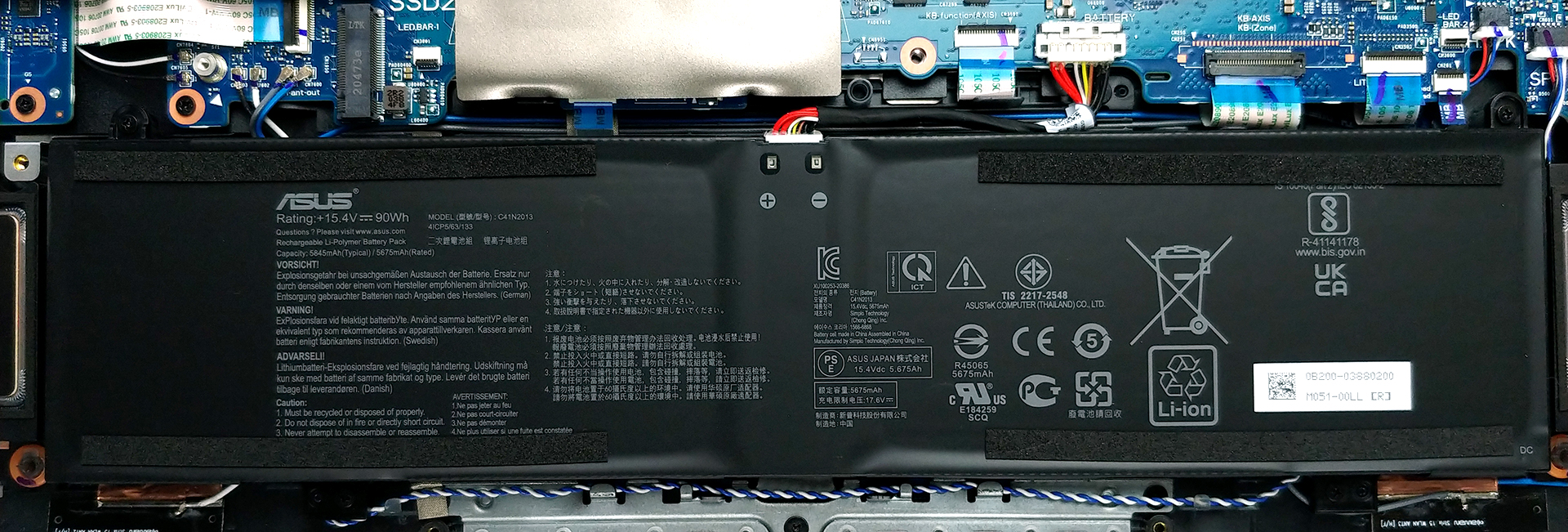
With the laptop, you get a massive 90Wh battery unit, which delivered 15 hours and 4 minutes of Web browsing and 10 hours and 45 minutes of video playback. As with all of our battery tests, we have the Windows Better performance setting turned on, screen brightness adjusted to 120 nits and all other programs turned off except for the one we are testing the notebook with.
1 reason NOT to buy the ASUS ROG Strix SCAR 15 G533
1. The I/O
One “weak” area of the Strix SCAR 15 is the I/O. To be fair, it isn’t even weak, hence the quotation marks. It still has three USB Type-A 3.2 Gen.1 ports, one USB Type-C 3.2 Gen.2 ports, one HDMI 2.0b connector, an Ethernet port, and a 3.5 mm audio jack. The weak points of the I/O are the lack of Thunderbolt support and a MicroSD card slot. The first is due to the use of AMD hardware and the second is fixable with a dongle, which can be a pain to carry around, but there are other great laptops, which DO have a MicroSD card slot.



All ASUS ROG Strix SCAR 15 G533 configurations:
 Author: Severin Kolakov

![[Ιούλιος 2026] Παγκόσμια κατάταξη των πιο δημοφιλών GPU για φορητούς υπολογιστές στο Amazon – Η RTX 5060 κυριαρχεί στην κατηγορία premium, ενώ η Intel εξακολουθεί να κυριαρχεί στην κατηγορία των οικονομικών μοντέλων](https://laptopmedia.com/wp-content/uploads/2026/08/Best-Selling-GPUs-GLOBAL-Top-10-400x225.jpg)
![[Ιούλιος 2026] Παγκόσμια κατάταξη των πιο πωλημένων επεξεργαστών φορητών υπολογιστών στο Amazon – Η Apple κυριαρχεί στην κατηγορία premium, ενώ η Intel διατηρεί την πρώτη θέση συνολικά](https://laptopmedia.com/wp-content/uploads/2026/08/Best-Selling-CPUs-GLOBAL-Top-10-400x225.jpg)
![[July 2026] Amazon Canada: Top 10 Best-Selling Laptops – Apple MacBook Neo Dominates the Market to Claim the #1 Spot](https://laptopmedia.com/wp-content/uploads/2026/08/Best-Selling-Laptops-CA-Top-10-2-400x225.jpg)
![[July 2026] Best-Selling Laptop Brands on Amazon Japan – HP and Lenovo Dominate Units and Revenue Amid Fierce Competition](https://laptopmedia.com/wp-content/uploads/2026/08/CO.JP-Best-Brands-2-400x225.jpg)
![[July 2026] Amazon Italy: Top 10 Best-Selling Laptops – Apple MacBook Neo Claims the #1 Spot Amid Budget-Friendly Dominance](https://laptopmedia.com/wp-content/uploads/2026/08/Best-Selling-Laptops-IT-Top-10-400x225.jpg)
