Top 5 reasons to BUY or NOT to buy the Lenovo ThinkPad L13 Yoga Gen 2
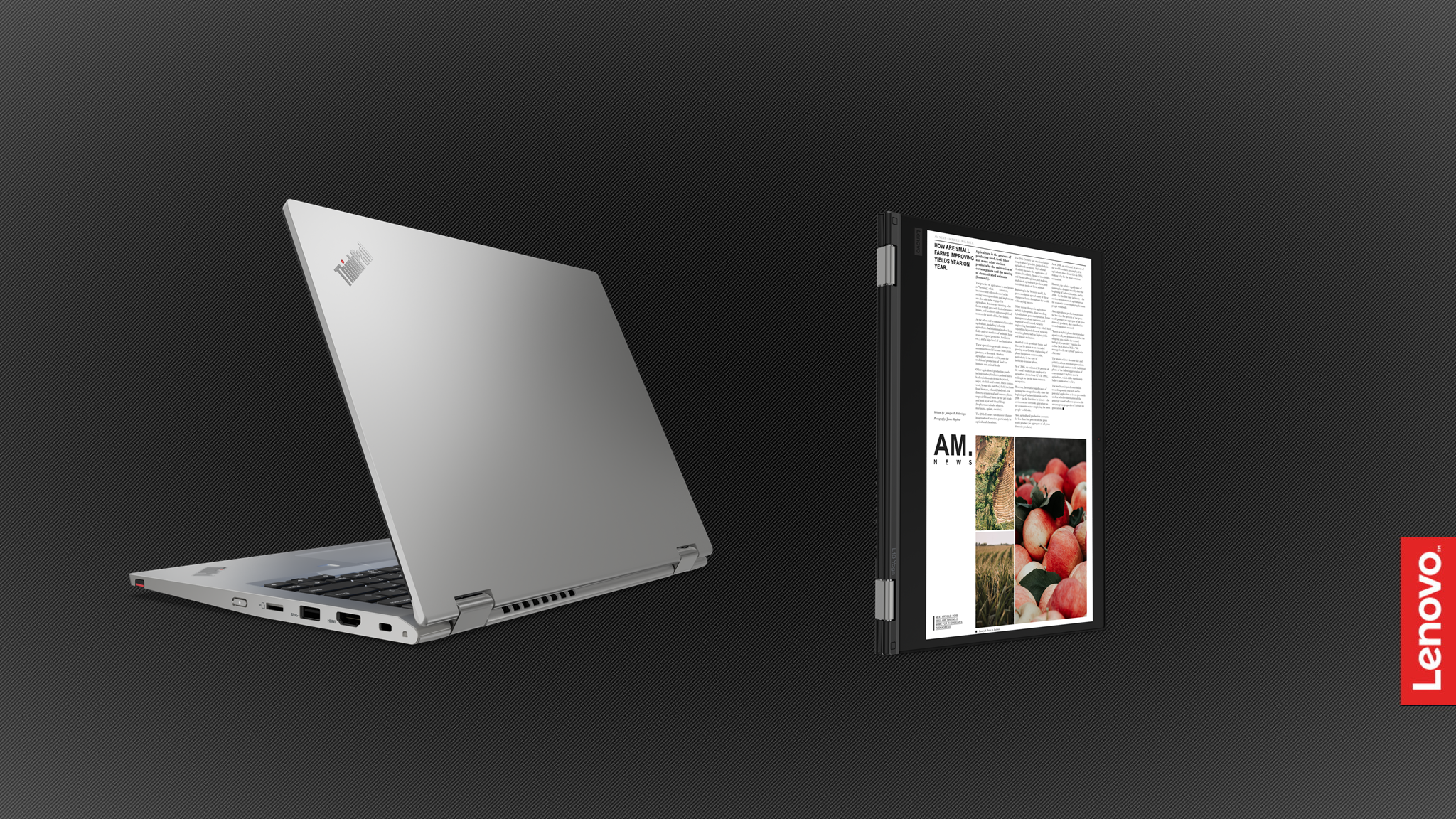 The business convertible niche is getting more and more occupied, with devices coming out on the daily. Today we have the latest such offering from Lenovo, the ThinkPad L13 Yoga Gen 2. Being a business laptop, a convertible one for that matter, it is not affordable by any means.
Lenovo and other manufacturers for that matter have flooded the market with convertibles, so this one coming with such a steep price won’t bode well for sales. Still, it offers a lot of stuff, which we will discuss down below.
Today we present you with LaptopMedia’s top 5 picks about the Lenovo ThinkPad L13 Yoga Gen 2.
Lenovo ThinkPad L13 Yoga Gen 2: Full Specs / In-depth Review
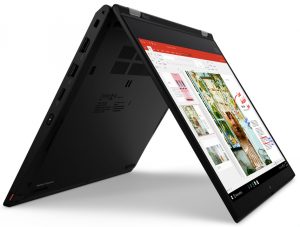
3 reasons to BUY the Lenovo ThinkPad L13 Yoga Gen 2
1. Design and build quality
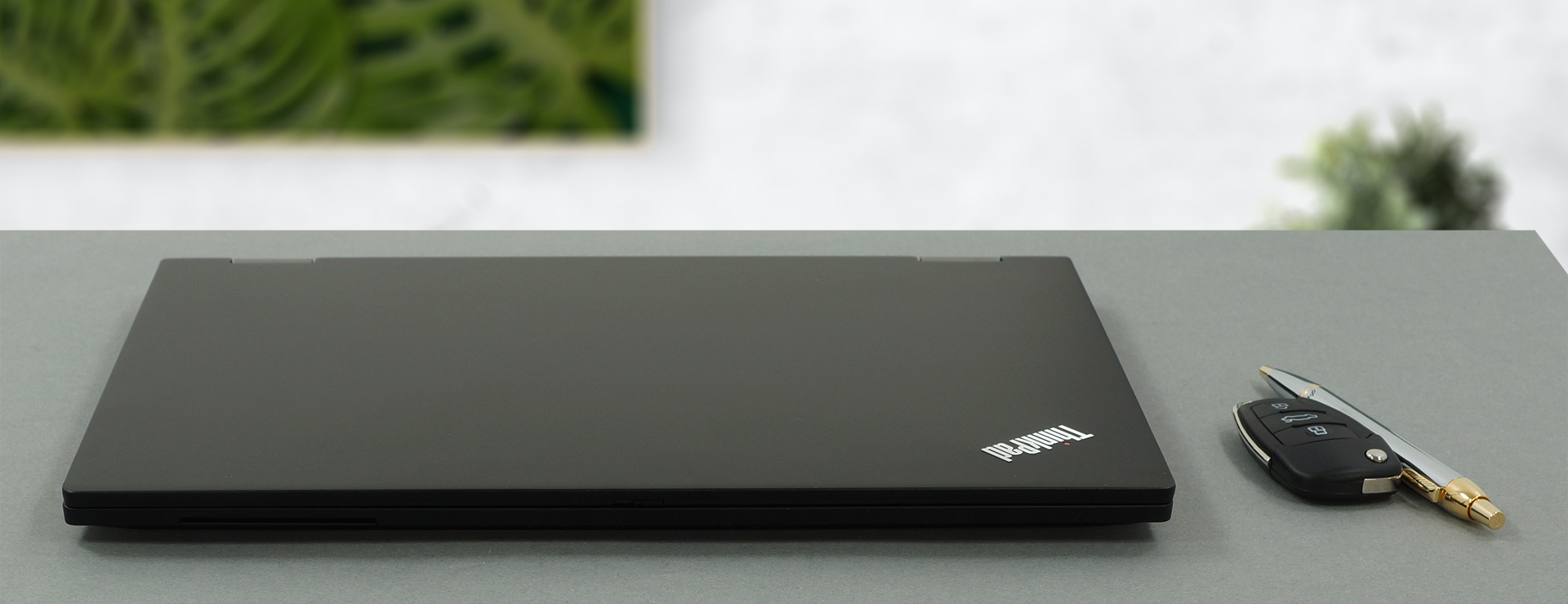
The laptop is made from a plethora of materials, with aluminum for the lid, and a base that is made from glass fiber reinforced plastic. Despite sounding very powerful, the chassis is weaker than the lid, but still offers a good degree of protection. The lid does have another positive backing it up, in the form of a glass display cover, which adds another degree of rigidity. In terms of the design itself, this is a typical ThinkPad with an industrial design and a boxy shape. As for the weight and height, it weighs only 1.44 kg and has a profile of 17.6 mm.
2. Display quality
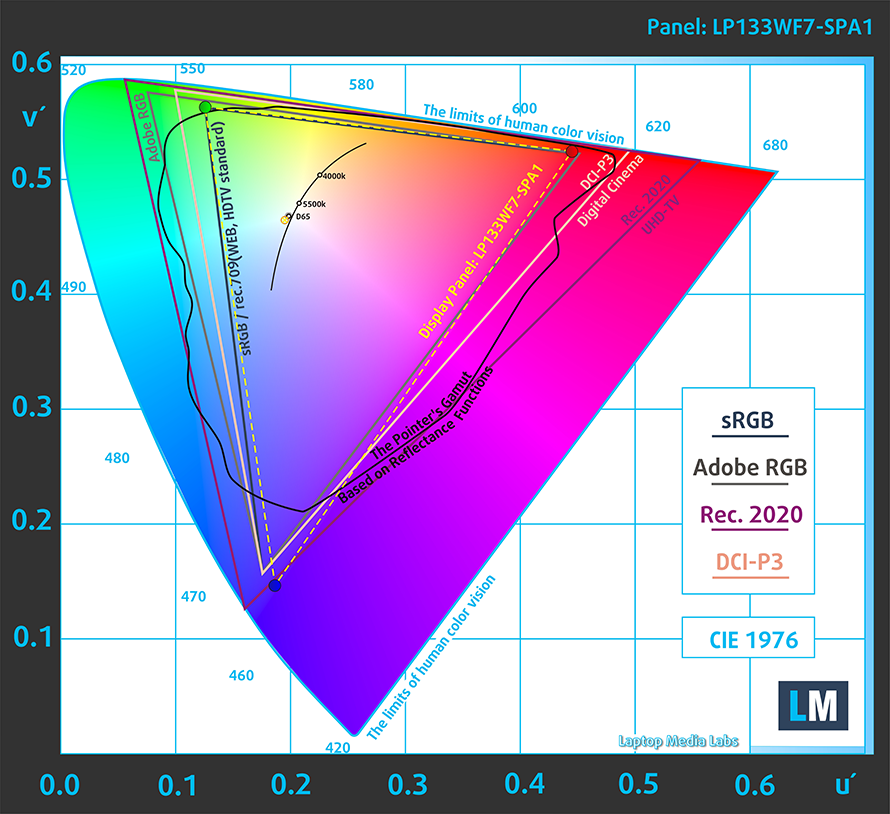
The 13.3-inch Full HD IPS display offers comfortable viewing angles, a max brightness of 302 nits, and a maximum deviation of only 3%, which translates to a very even brightness luminance. The contrast ratio is very high – 1670:1. In terms of color coverage, the panel covers 98% of the sRGB color gamut.
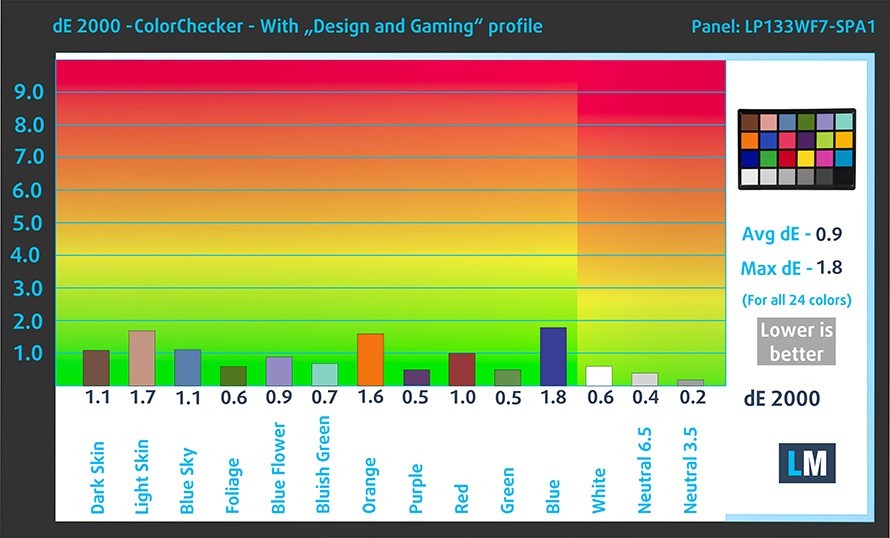
The panel’s color accuracy was way off with the factory settings but quickly got within the standard once we applied our Design and Gaming profile, which brought down the dE value to 0.8. Here you can compare the scores of Lenovo ThinkPad L13 Yoga Gen 2 with the default settings (left), and with the Design and Gaming profile applied (right).

Buy our profiles
Since our profiles are tailored for each individual display model, this article and its respective profile package are meant for Lenovo ThinkPad L13 Yoga Gen 2 configurations with 13.3″ LG LP133WF7-SPA1 (FHD, 1920 × 1080) IPS panel.
*Should you have problems with downloading the purchased file, try using a different browser to open the link you’ll receive via e-mail. If the download target is a .php file instead of an archive, change the file extension to .zip or contact us at [email protected].
Read more about the profiles HERE.
Εκτός από τη λήψη αποδοτικών και φιλικών προς την υγεία προφίλ, αγοράζοντας τα προϊόντα της LaptopMedia υποστηρίζετε επίσης την ανάπτυξη των εργαστηρίων μας, όπου δοκιμάζουμε συσκευές για να παράγουμε τις πιο αντικειμενικές δυνατές αξιολογήσεις.

Office Work
Το Office Work πρέπει να χρησιμοποιείται κυρίως από χρήστες που περνούν τον περισσότερο χρόνο τους κοιτάζοντας κείμενα, πίνακες ή απλώς σερφάροντας. Αυτό το προφίλ στοχεύει στην παροχή καλύτερης ευκρίνειας και σαφήνειας διατηρώντας μια επίπεδη καμπύλη γάμμα (2.20), εγγενή θερμοκρασία χρώματος και αντιληπτικά ακριβή χρώματα.

Design and Gaming
Αυτό το προφίλ απευθύνεται σε σχεδιαστές που εργάζονται επαγγελματικά με χρώματα, καθώς και για παιχνίδια και ταινίες. Το Design and Gaming ωθεί τα πάνελ οθόνης στα όριά τους, καθιστώντας τα όσο το δυνατόν πιο ακριβή στο πρότυπο sRGB IEC61966-2-1 για Web και HDTV, σε λευκό σημείο D65.

Health-Guard
Το Health-Guard εξαλείφει την επιβλαβή διαμόρφωση πλάτους παλμού (PWM) και μειώνει το αρνητικό Μπλε Φως που επηρεάζει τα μάτια και το σώμα μας. Δεδομένου ότι είναι ειδικά προσαρμοσμένο για κάθε πάνελ, καταφέρνει να διατηρεί τα χρώματα αντιληπτικά ακριβή. Το Health-Guard προσομοιώνει το χαρτί, οπότε η πίεση στα μάτια μειώνεται σημαντικά.
Αποκτήστε και τα 3 προφίλ με 33% έκπτωση

3. I/O
The laptop might not have a lot of ports, but it still covers a lot of ground. The I/O is split between the left and right sides. On the left, there is a USB Type-C power plug, a Thunderbolt 4 port, a docking slot, a USB Type-A 3.2 (Gen. 1) port, and a 3.5 mm audio jack. Switching sides and you see a lock slot, an HDMI 2.0 port, a USB Type-A 3.2 (Gen. 1), a MicroSD card reader, and a power button. Also on the right is the Stylus pen, which sits flush with the body.


2 reasons NOT to buy the Lenovo ThinkPad L13 Yoga Gen 2
1. Upgradeability
The laptop offers very little upgradeability, due to the soldered RAM and the availability of a single M.2 PCIe x4 drive.
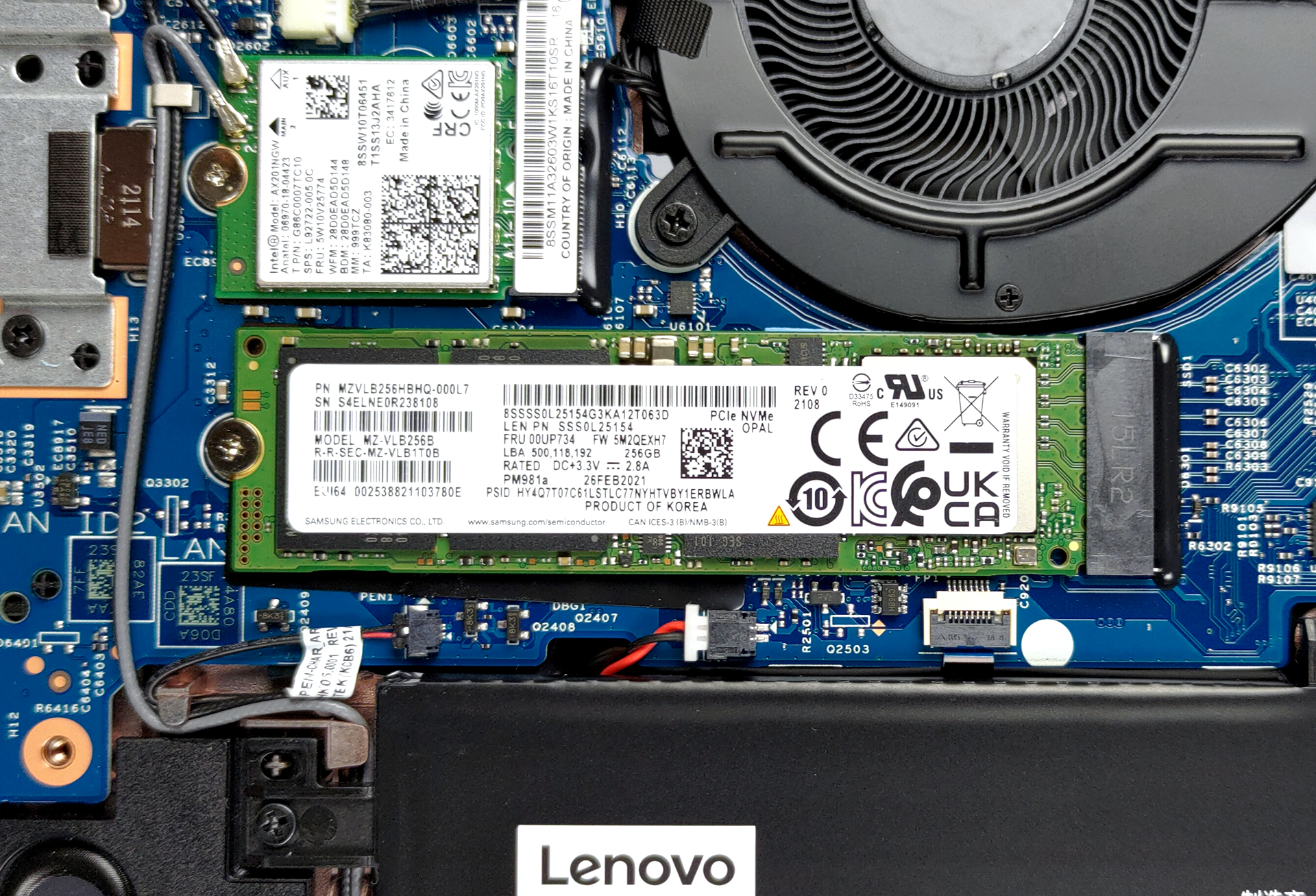
Here is our detailed teardown video, which shows how to access the M.2 slot.
2. Cooling
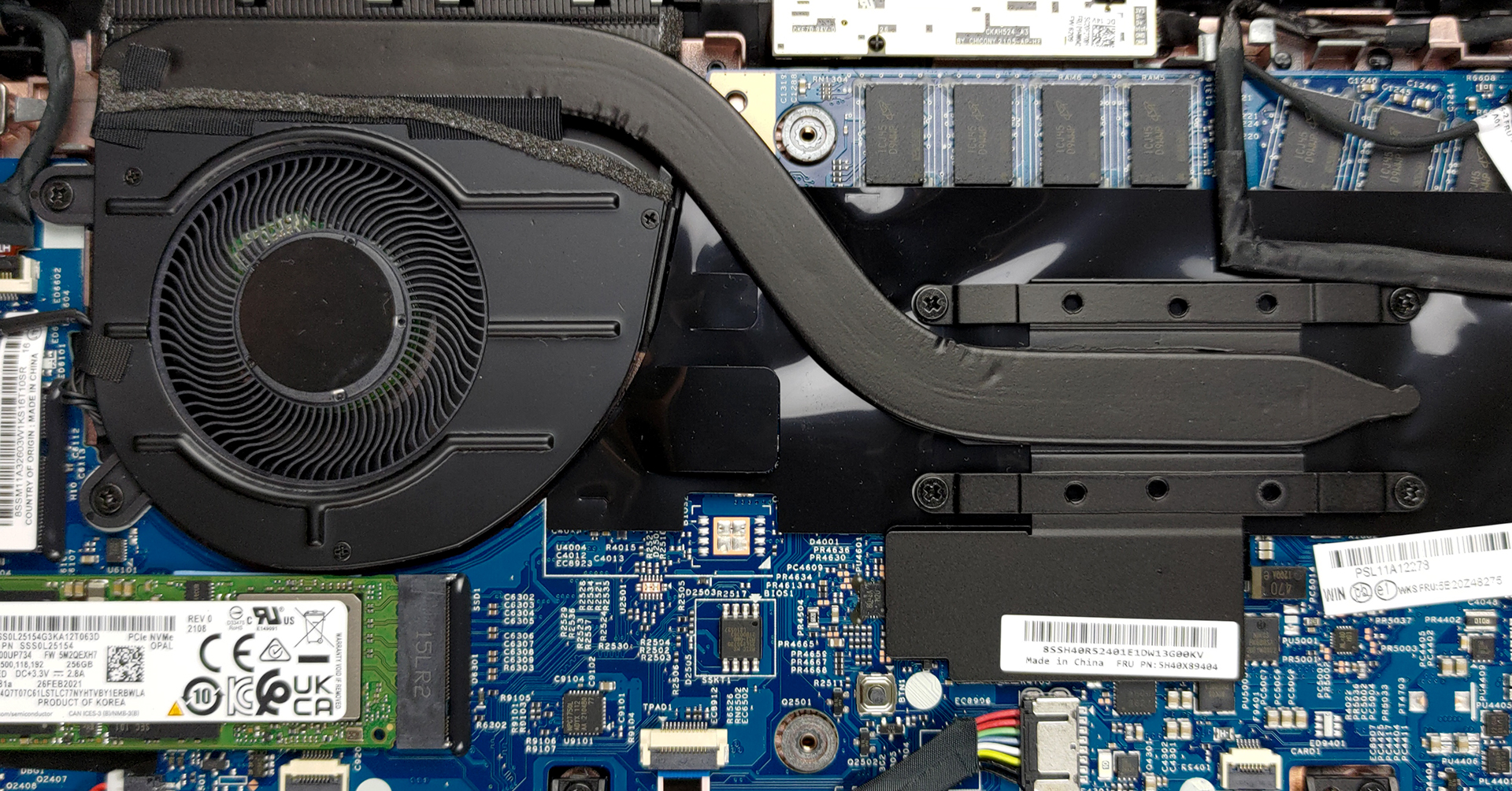
The cooling solution here consists of a single, but large heat pipe, a heat sink, and one medium-sized fan.
Max CPU load
| Intel Core i5-1135G7 (15W TDP) | 0:02 – 0:10 sec | 0:15 – 0:30 sec | 10:00 – 15:00 min |
|---|---|---|---|
| Lenovo ThinkPad L13 Yoga Gen 2 | 2.91 GHz (B+21%) @ 89°C @ 29W | 2.24 GHz @ 89°C @ 19W | 1.93 GHz @ 79°C @ 15W |
| Dell XPS 13 9310 (2-in-1) | 3.36 GHz (B+40%) @ 99°C @ 41W | 3.16 GHz (B+32%) @ 99°C @ 37W | 1.92 GHz @ 72°C @ 16W |
| Dell Vostro 14 5402 | 3.02 GHz (B+26%) @ 99°C @ 29W | 2.61 GHz (B+9%) @ 99°C @ 25W | 2.00 GHz @ 76°C @ 15W |
| MSI Modern 15 (A11X) | 3.59 GHz (B+50%) @ 94°C @ 44W | 3.45 GHz (B+44%) @ 95°C @ 40W | 3.18 GHz (B+33%) @ 91°C @ 34W |
| Lenovo ThinkBook 14s Yoga | 3.52 GHz (B+47%) @ 94°C | 3.24 GHz (B+35%) @ 94°C | 2.63 GHz (B+10%) @ 75°C |
| Lenovo Yoga 7 (14) | 3.34 GHz (B+39%) @ 94°C | 2.97 GHz (B+24%) @ 94°C | 2.39 GHz @ 75°C |
| Acer Aspire 5 (A514-54) | 3.54 GHz (B+48%) @ 87°C | 2.01 GHz @ 66°C | 2.03 GHz @ 67°C |
The cooling is very inefficient, with the processors doing a poor job in the prolonged testing.
Comfort during full load
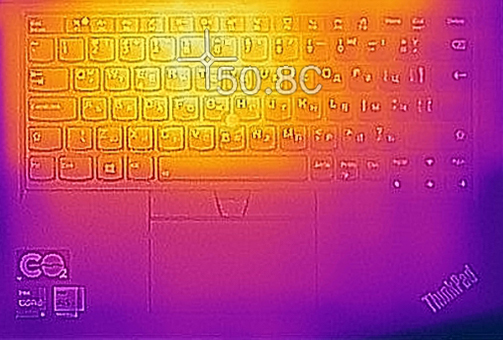
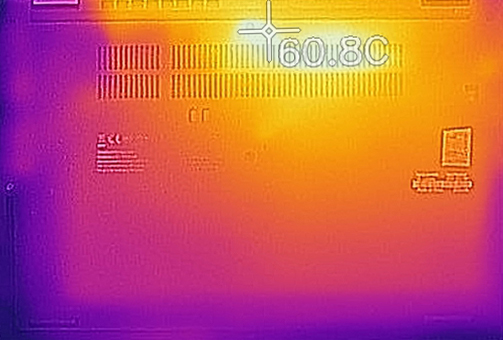
While the fan is pretty quiet, the outside temperature on the keyboard exceeded 50°C, while the bottom panel got even hotter, reaching a temperature of nearly 61°C. For the health of your legs, please refrain from working on heavy projects, while having the laptop on your lap.
All Lenovo ThinkPad L13 Yoga Gen 2 configurations:
 Author: Severin Kolakov

![[August 2026] Amazon Italy: Top 10 Best-Selling Laptops – Apple MacBook Neo Claims the Crown as Budget and Mid-Range Windows Machines Dominate Volume](https://laptopmedia.com/wp-content/uploads/2026/09/Best-Selling-Laptops-IT-Top-10-400x225.jpg)
![[August 2026] Amazon Italy: Top 7 Best-Selling Gaming Laptops – ASUS V16 Claims the #1 Spot Amid Strong Mid-Range Demand](https://laptopmedia.com/wp-content/uploads/2026/09/Best-Selling-Gaming-Laptops-IT-Top-10-400x225.jpg)
![[August 2026] Best-Selling Laptop Brands on Amazon Italy – Lenovo Dominates Market Share and Revenue Leadership](https://laptopmedia.com/wp-content/uploads/2026/09/IT-Best-Brands-400x225.jpg)
![[August 2026] Amazon India: Top 10 Best-Selling Laptops – Apple MacBook Neo Dominates the Charts with Massive Sales Lead](https://laptopmedia.com/wp-content/uploads/2026/09/Best-Selling-Laptops-IN-Top-10-400x225.jpg)
![[August 2026] Amazon India: Top 10 Best-Selling Gaming Laptops – HP Victus 15 Dominates the Market with Massive Unit Lead](https://laptopmedia.com/wp-content/uploads/2026/09/Best-Selling-Gaming-Laptops-IN-Top-10-400x225.jpg)
