Inside ASUS ROG GL552 – disassembly, internal photos and upgrade options
Another interesting notebook from ASUS is on the horizon and this time its an ultra-budget ROG sibling. We are currently working on the full review of the model and we are eager to share some “inside” info on the GL552. Firstly, it’s relatively easy to disassemble and secondly, the most necessary parts for upgrade are hiding under the main service cover. Proceed below to see the full disassembly of the machine and upgrade options.
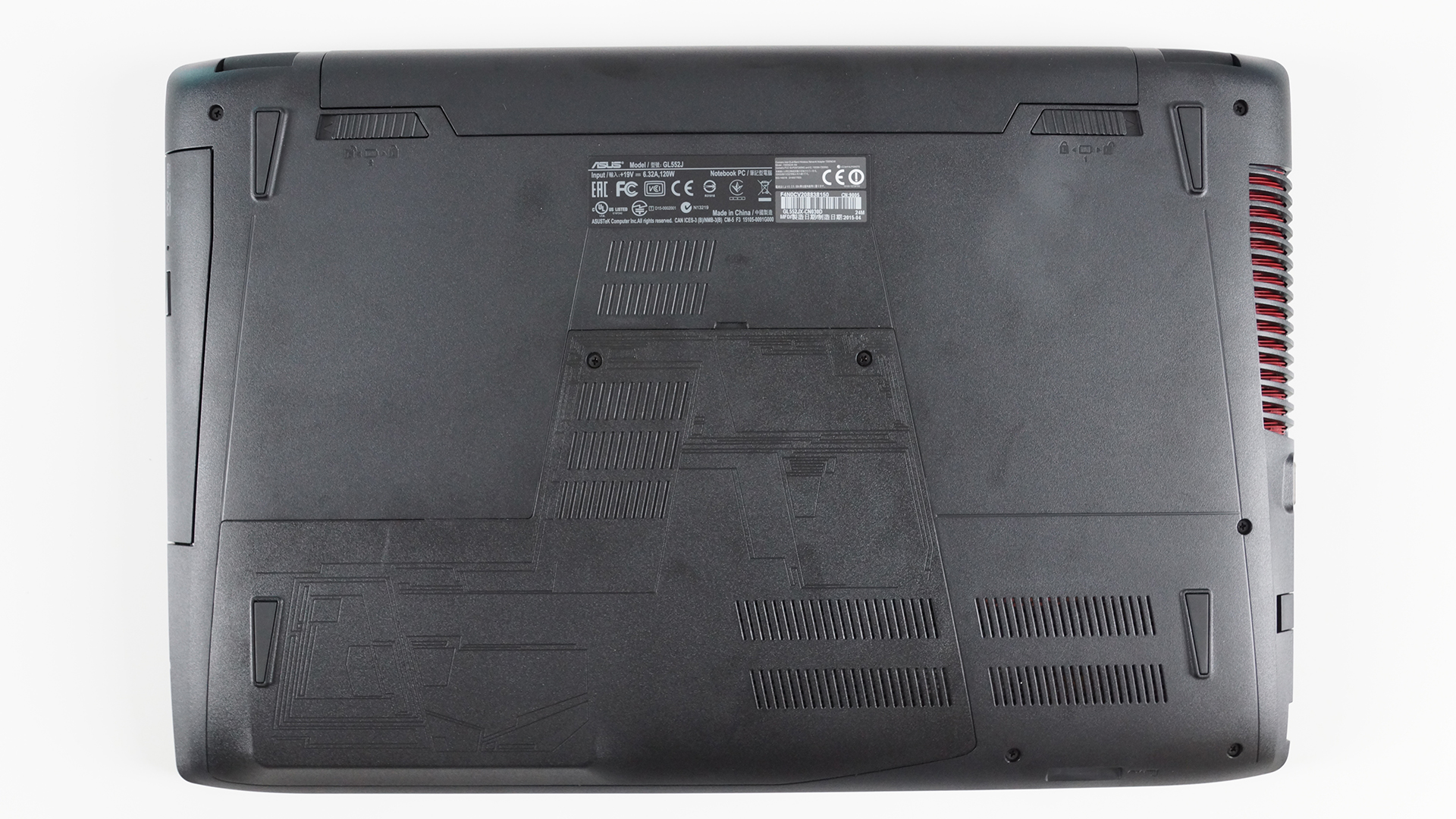
1. Removing the service cover
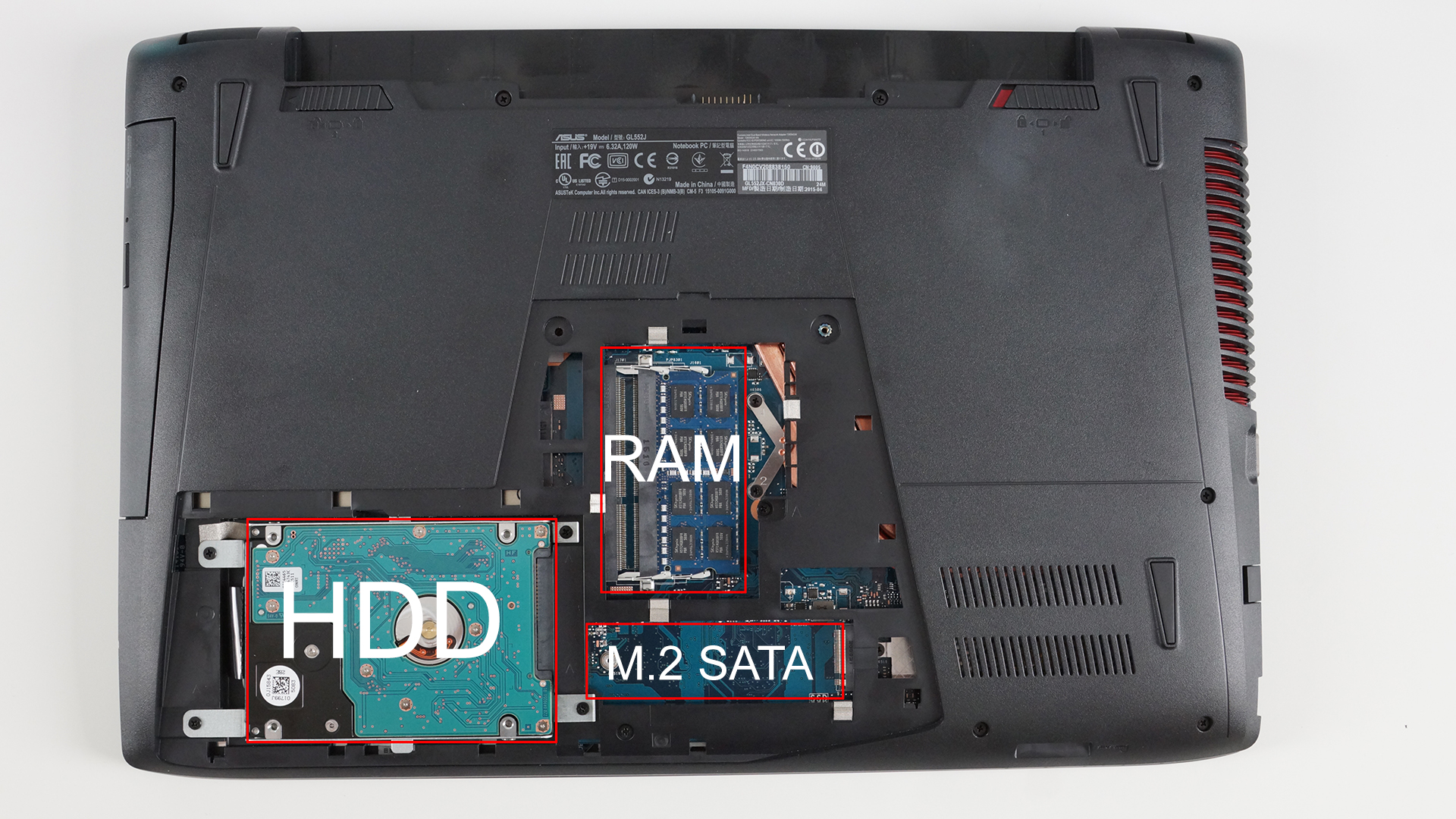
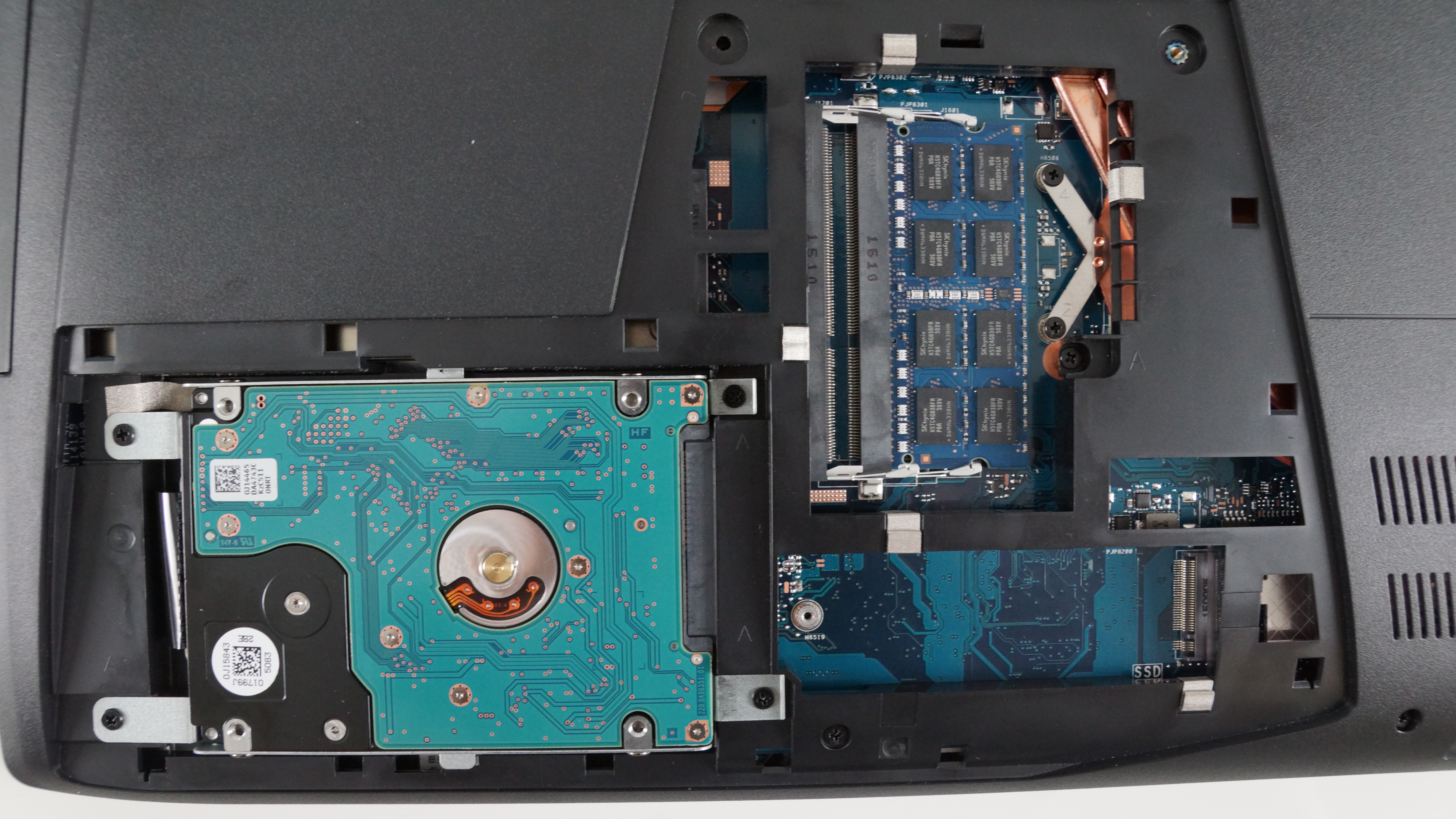
The service cover is held by two screws and once you remove them, be careful with opening it, since it’s a bit tricky. The right photos show what you’ll find under the cover – HDD/SSD, RAM chips, and an empty M.2 SATA SSD slot, measuring at 80mm with M key edge connector.
2. Removing the keyboard
First, you’ll have to take care of the extra screws at the bottom of the machine and once you’ve removed all of them, you can proceed by popping out the keyboard.

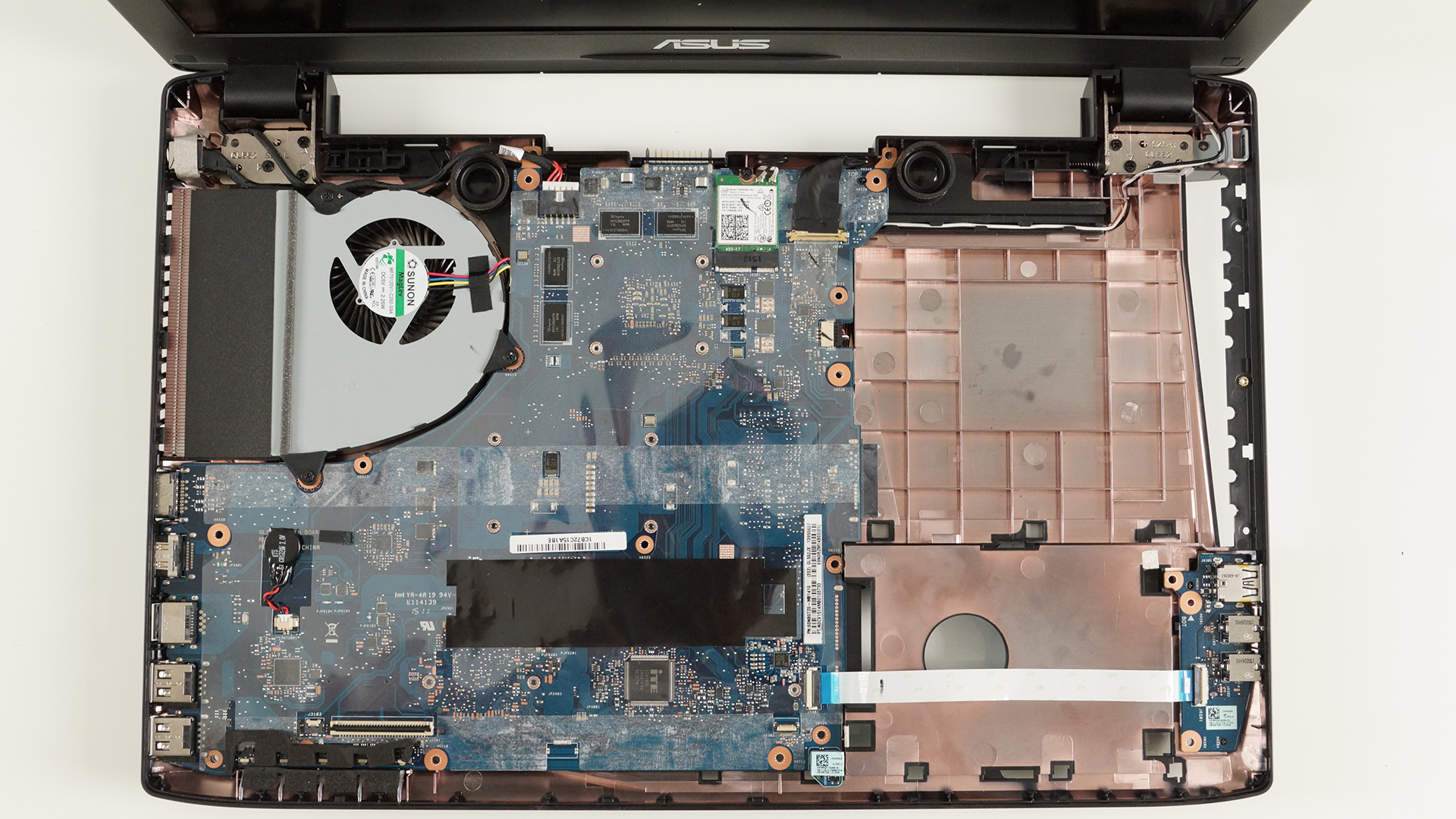
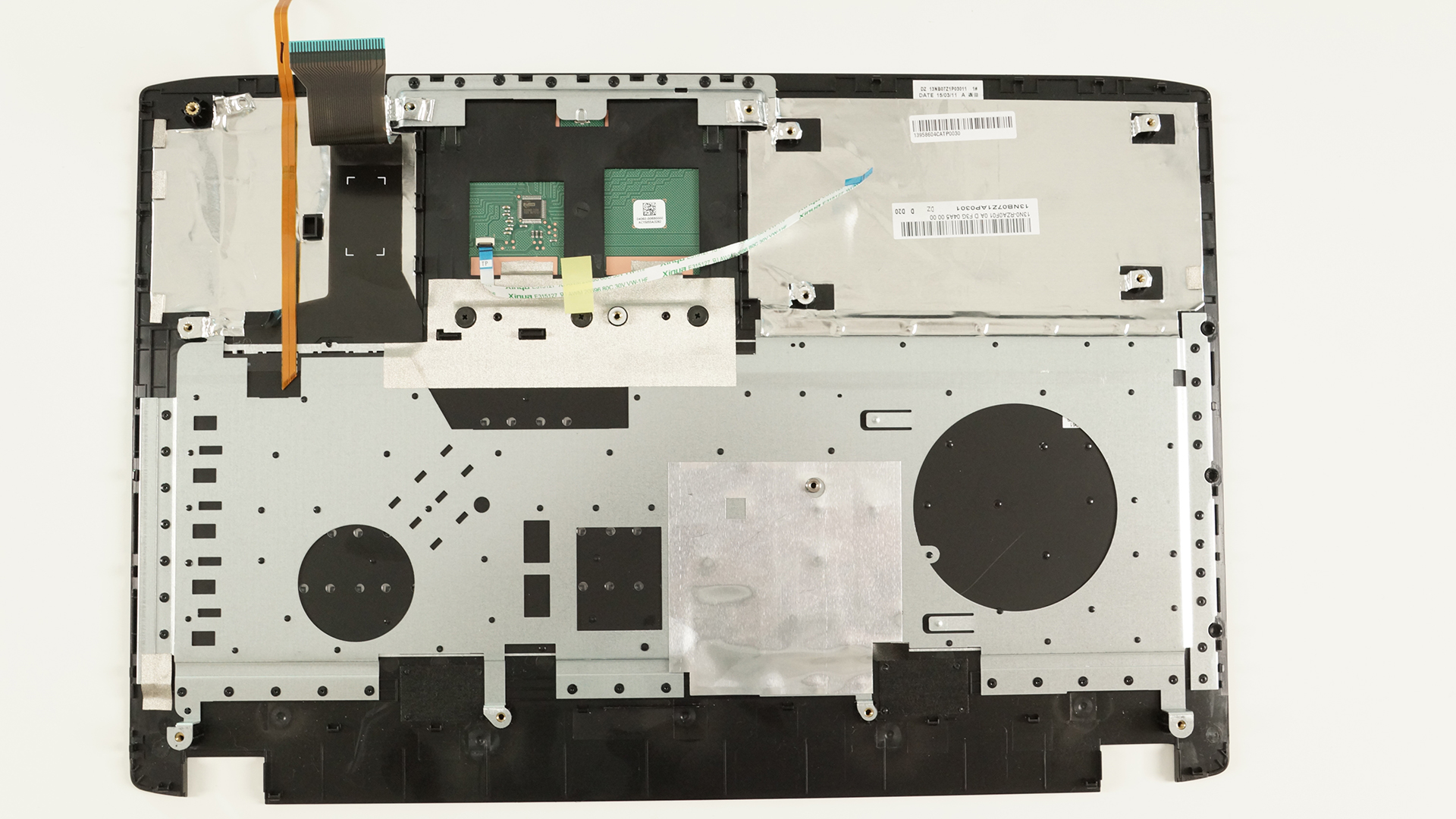
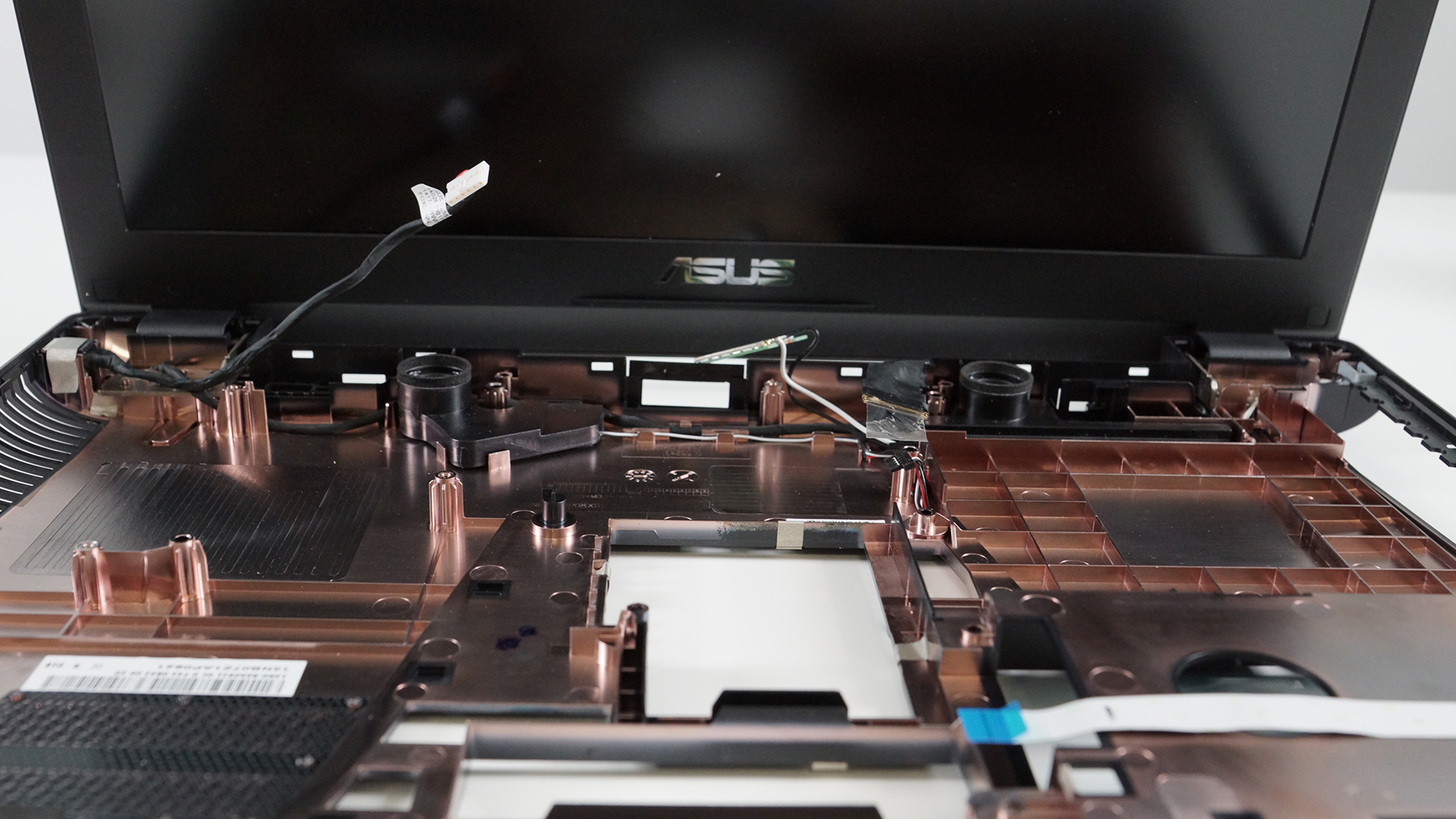
3. Full disassembly
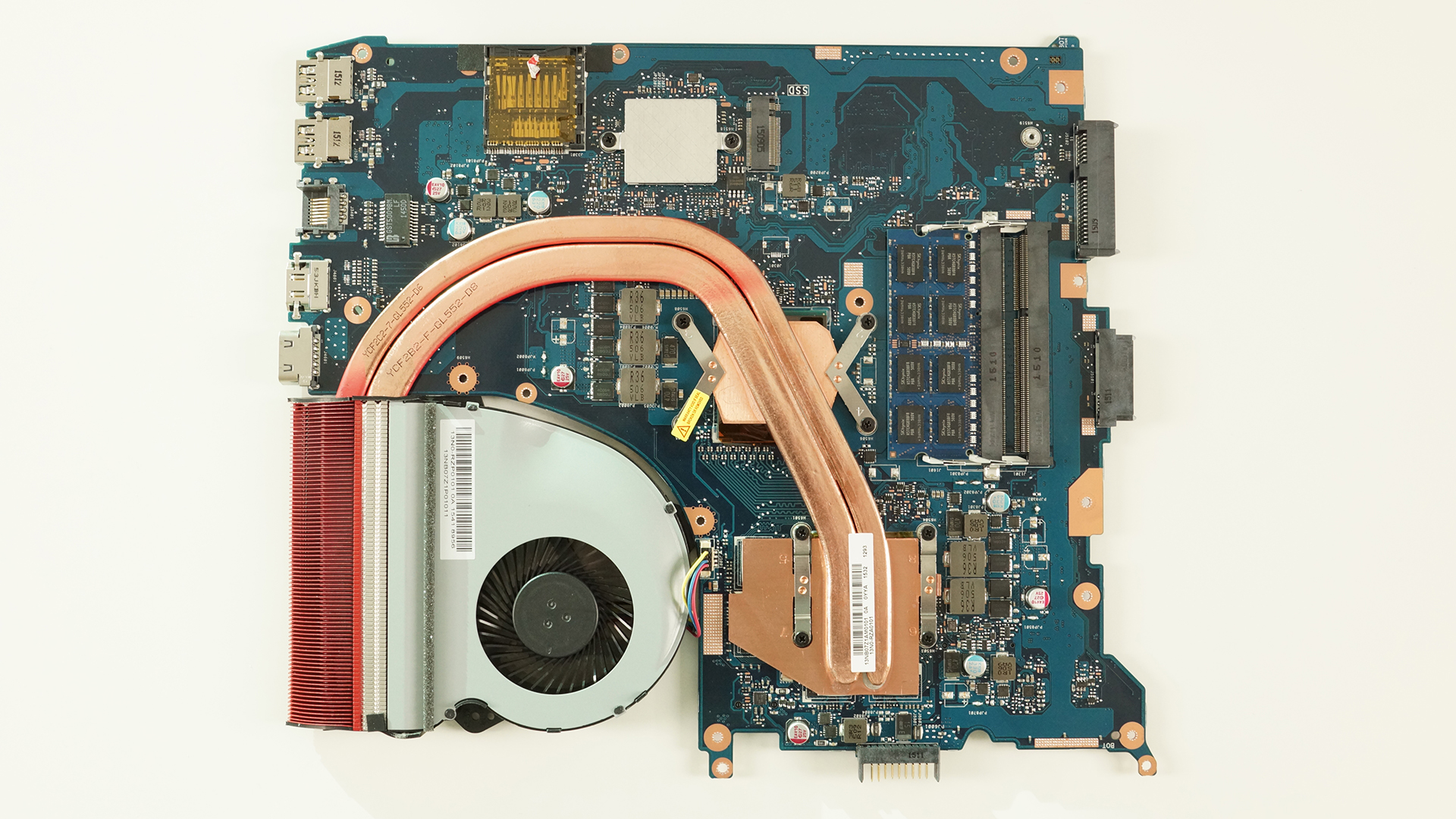
This one is also fairly easy. Just make sure you’ve removed all the cables attached and the screws holding the motherboard and then you can perform your CPU and GPU fan spring cleaning.

 Author: Rossen Pandev

![[Αύγουστος 2026] Amazon Global: Οι 10 φορητοί υπολογιστές με τις μεγαλύτερες πωλήσεις – Το Apple MacBook Neo κυριαρχεί στις λίστες, ενώ οι οικονομικοί και μεσαίας κατηγορίας φορητοί υπολογιστές με Windows ανταγωνίζονται για τον όγκο πωλήσεων](https://laptopmedia.com/wp-content/uploads/2026/09/Best-Selling-Laptops-GLOBAL-Top-10-400x225.jpg)
![[Αύγουστος 2026] Οι μάρκες φορητών υπολογιστών με τις μεγαλύτερες πωλήσεις στο Amazon Global – Η Apple κυριαρχεί σε έσοδα, ενώ η HP πρωτοστατεί στην ποικιλία μοντέλων](https://laptopmedia.com/wp-content/uploads/2026/09/GLOBAL-Best-Brands-400x225.jpg)
![[Αύγουστος 2026] Amazon Global: Οι 10 πιο δημοφιλείς φορητοί υπολογιστές για παιχνίδια – Ο HP Victus 15 κατακτά την πρώτη θέση, ενώ τα οικονομικά μοντέλα κυριαρχούν στις λίστες](https://laptopmedia.com/wp-content/uploads/2026/09/Best-Selling-Gaming-Laptops-GLOBAL-Top-10-400x225.jpg)
![[August 2026] Best-Selling Laptop Brands on Amazon Japan – Apple Dominates Market Share and Revenue Led by Strong Unit Sales](https://laptopmedia.com/wp-content/uploads/2026/09/CO.JP-Best-Brands-1-400x225.jpg)
![[August 2026] Best-Selling Laptop Brands on Amazon USA – Apple Dominates Market Revenue and Volume Despite Lower Model Diversity](https://laptopmedia.com/wp-content/uploads/2026/09/COM-Best-Brands-1-400x225.jpg)

Can I take the BIOS battery or it is sealed? My laptop won’t turn on, some suggestions are to take out the bios battery…
I believe so, I just had my 15 and 17 apart last night but wasn’t looking for it, but do remember seeing it.
Just take the 2 screws out and take a look.
Just had to send my 15 to ASUS , it had a bad battery and wasn’t charging.
But it will boot with the battery removed if you have the charger plugged in
Did you void your warranty, since you have tear it down ? And what kind of plastic that rub the upper side of the motherboard below the keyboard,i am curious since there look like some kind of plastic on it?
Can you upgrade the GPU in the GL552VW? Awesome tutorial, thanks.
Did anyone tried GL552VX / VW with NVMe SSD like Samsung 950/960 series
Asus Global site says “PCIE x 4 128G / 256G”
but their is a sticker on my laptop says “M.2 2280 Slot Support SATA SSD only”
it is confusing
This is the earliest model of the GL552, the newer models like the GL552VW had a slightly upgraded GPU, so maybe they updated the SSD slot too. Trust what the sticker says
It only allows for SATA for most of them…NOT PCIe/NVMe.
my notebook gl552vx-dm272t have connector M key with one gap so my ntb compatible with nvme? or sata ?because i have sticker M.2 2280 Slot Support SATA SSD only too ?
There are some units in particular that support M.2 SATA only. Yours appears to be one of them, unfortunately…
why my fan sounds so loudly?? I just bought this laptop rog GL552V last week…is that the sound of the fan or another else??…Someone please helps me.
How can I replace the keyboard? It seems riveted to plastic cover, like it wasn’t supposed to be replaced. On the other hand, there are replacement keyboards available. Am I missing something?
Hi,
Did u fix your pb ? Because i bought the keyboard and i don’t think the plastic cover is sell with it.
Forgive my english
Thanks
What screws are used in HDD compartment?