HP ZBook Fury 16 G10 review – near-silent powerful workstation that is built like a tank
Performance: CPU, GPU, Gaming Tests
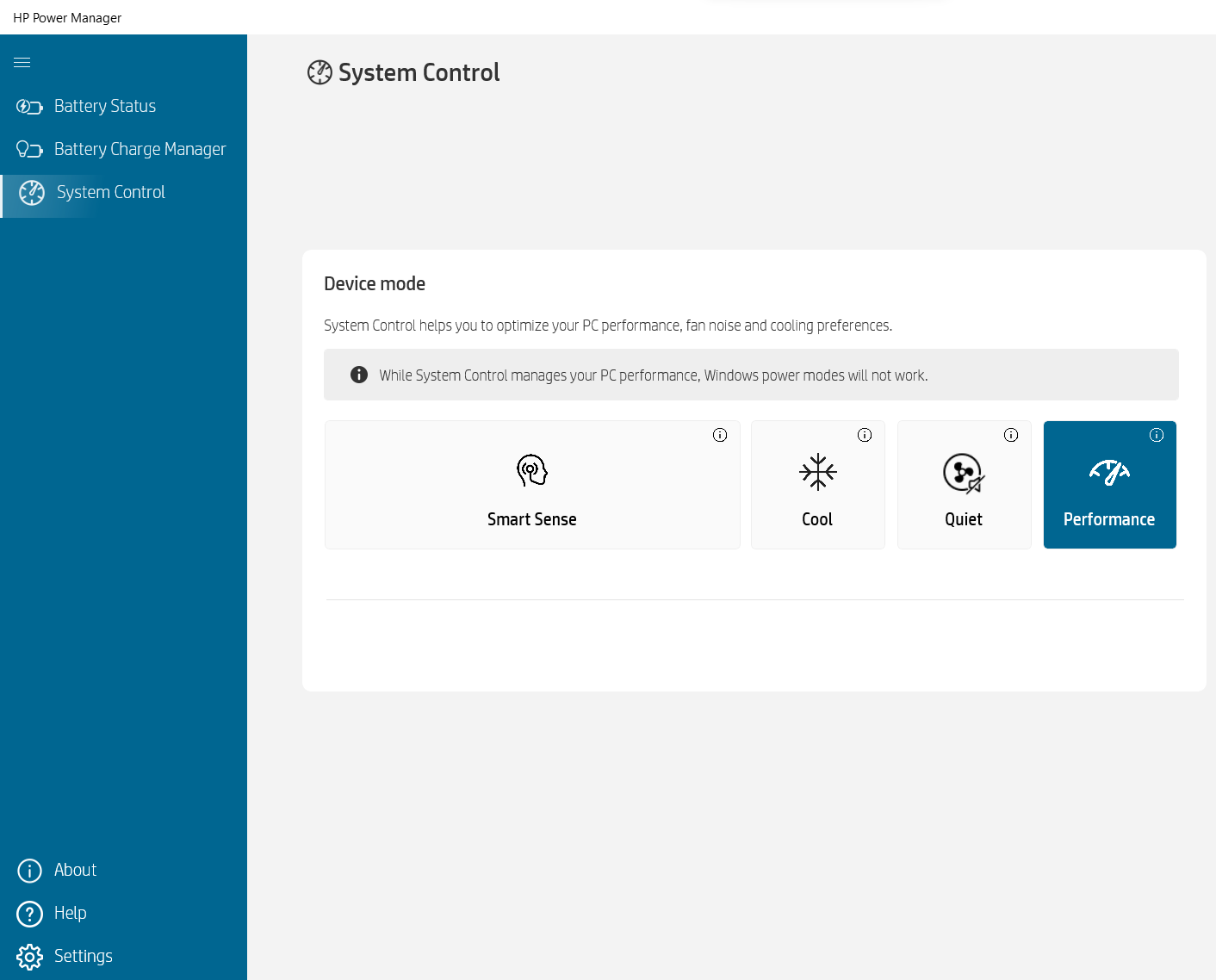
All benchmarks and tests were conducted with the “Performance” profile activated in the HP Power Manager app. Also, the “Discrete Graphics Mode” (dGPU-only) is turned on in the BIOS as well as the “Fan Always on while on AC Power” function.


CPU options
This device can be found with Intel Core i5-13600HX, Core i7-13700HX, Core i7-13850HX, or Core i9-13950HX.
Εδώ, αξιολογούμε την απόδοση της CPU χρησιμοποιώντας μια πραγματική εργασία 3D rendering, αξιολογώντας την ικανότητά της να διαχειρίζεται αποτελεσματικά πολύπλοκους υπολογισμούς και φόρτους εργασίας rendering.
Τα αποτελέσματα είναι από το τεστ Cinebench 2024 Multi-Core (το υψηλότερο είναι καλύτερο)
GPU options
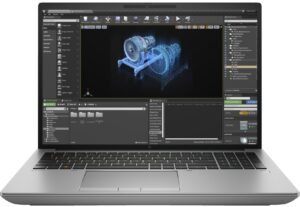
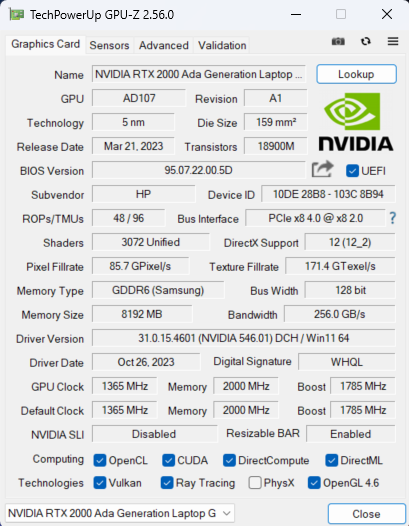
Interestingly, there are iGPU-only configurations. You can also choose among five dGPU options – NVIDIA RTX A1000 (Laptop), RTX 2000 Ada Generation (65W), RTX 3500 Ada Generation, RTX 4000 Ada Generation, and RTX 5000 Ada Generation.
Τα αποτελέσματα προέρχονται από το 3DMark Time Spy (Graphics). Το υψηλότερο είναι καλύτερο.
Τα αποτελέσματα είναι από το benchmark 3DMark Fire Strike (Graphics) (όσο υψηλότερη η βαθμολογία, τόσο καλύτερα)
Τα αποτελέσματα προέρχονται από το 3DMark Wild Life Extreme Unlimited. Το υψηλότερο είναι καλύτερο.
Τα αποτελέσματα προέρχονται από το benchmark Unigine Superposition (όσο υψηλότερη η βαθμολογία, τόσο καλύτερα)
HP ZBook Fury 16 G10 Παραλλαγές GPU
Εδώ μπορείτε να δείτε μια κατά προσέγγιση σύγκριση μεταξύ των GPU που μπορούν να βρεθούν στα μοντέλα HP ZBook Fury 16 G10 στην αγορά. Με αυτόν τον τρόπο μπορείτε να αποφασίσετε ποιο μοντέλο HP ZBook Fury 16 G10 προσφέρει την καλύτερη αξία για τα χρήματά σας.
Σημείωση: Το διάγραμμα δείχνει τις φθηνότερες διαφορετικές διαμορφώσεις GPU, οπότε θα πρέπει να ελέγξετε ποιες είναι οι άλλες προδιαγραφές αυτών των φορητών υπολογιστών κάνοντας κλικ στο όνομα του φορητού υπολογιστή / GPU.
Τα αποτελέσματα προέρχονται από το 3DMark Time Spy (Graphics). Το υψηλότερο είναι καλύτερο.
Τα αποτελέσματα προέρχονται από το benchmark 3DMark: Fire Strike (Graphics) (όσο υψηλότερη η βαθμολογία, τόσο καλύτερα)
Τα αποτελέσματα προέρχονται από το benchmark 3DMark: Wild Life (Γραφικά) (όσο υψηλότερη η βαθμολογία, τόσο καλύτερα)
Τα αποτελέσματα προέρχονται από το benchmark Unigine Superposition (όσο υψηλότερη η βαθμολογία, τόσο καλύτερα)
Gaming tests


| Assassin’s Creed Valhalla | Full HD, Low (Check settings) | Full HD, Medium (Check settings) | Full HD, High (Check settings) | Full HD, Ultra (Check settings) |
|---|---|---|---|---|
| Average FPS | 158 fps | 131 fps | 108 fps | 92 fps |

| Borderlands 3 | Full HD, V.Low (Check settings) | Full HD, Medium (Check settings) | Full HD, High (Check settings) | Full HD, Badass (Check settings) |
|---|---|---|---|---|
| Average FPS | 188 fps | 146 fps | 101 fps | 77 fps |

| Far Cry 6 | Full HD, Low (Check settings) | Full HD, High (Check settings) | Full HD, Ultra (Check settings) |
|---|---|---|---|
| Average FPS | 143 fps | 115 fps | 101 fps |

| Gears 5 | Full HD, Low (Check settings) | Full HD, Medium (Check settings) | Full HD, High (Check settings) | Full HD, Ultra (Check settings) |
|---|---|---|---|---|
| Average FPS | 218 fps | 159 fps | 137 fps | 110 fps |
The 65W RTX 2000 Ada Generation GPU performs very well in the four tested titles. If we don’t count Borderlands 3 on Badass quality, the other scores are better compared to the ones of the 60W NVIDIA RTX 3000 Ada Generation GPU in the HP ZBook Studio 16 G10. This shows how capable the HP ZBook Fury 16 G10 is and that it’s a well-tuned machine.
 Author: Nikolay Palaozov
 Author: eng. Kroum NikolovHead of Engineering at LaptopMedia.com, inventor and innovator with 40+ years of experience in electronics and high technology.

![[Αύγουστος 2026] Παγκόσμια κατάταξη των πιο δημοφιλών GPU για φορητούς υπολογιστές στο Amazon – Η Apple κυριαρχεί, ενώ η RTX 5060 της NVIDIA βρίσκεται στην κορυφή της κατάταξης των ειδικών καρτών](https://laptopmedia.com/wp-content/uploads/2026/09/Best-Selling-GPUs-GLOBAL-Top-10-400x225.jpg)
![[Αύγουστος 2026] Παγκόσμια κατάταξη των πιο δημοφιλών επεξεργαστών φορητών υπολογιστών στο Amazon – Η Apple κυριαρχεί τόσο στην κατηγορία των οικονομικών όσο και στην κατηγορία των premium μοντέλων: Οι A18 Pro και M5 συντρίβουν την Intel και την AMD τον Αύγουστο του 2026](https://laptopmedia.com/wp-content/uploads/2026/09/Best-Selling-CPUs-GLOBAL-Top-10-400x225.jpg)
![[Αύγουστος 2026] Amazon Global: Οι 10 φορητοί υπολογιστές με τις μεγαλύτερες πωλήσεις – Το Apple MacBook Neo κυριαρχεί στις λίστες, ενώ οι οικονομικοί και μεσαίας κατηγορίας φορητοί υπολογιστές με Windows ανταγωνίζονται για τον όγκο πωλήσεων](https://laptopmedia.com/wp-content/uploads/2026/09/Best-Selling-Laptops-GLOBAL-Top-10-400x225.jpg)
![[Αύγουστος 2026] Οι μάρκες φορητών υπολογιστών με τις μεγαλύτερες πωλήσεις στο Amazon Global – Η Apple κυριαρχεί σε έσοδα, ενώ η HP πρωτοστατεί στην ποικιλία μοντέλων](https://laptopmedia.com/wp-content/uploads/2026/09/GLOBAL-Best-Brands-400x225.jpg)
![[Αύγουστος 2026] Amazon Global: Οι 10 πιο δημοφιλείς φορητοί υπολογιστές για παιχνίδια – Ο HP Victus 15 κατακτά την πρώτη θέση, ενώ τα οικονομικά μοντέλα κυριαρχούν στις λίστες](https://laptopmedia.com/wp-content/uploads/2026/09/Best-Selling-Gaming-Laptops-GLOBAL-Top-10-400x225.jpg)

Thanks for the comprehensive review, it’s one of the few quality reviews out there. I’m glad HP kept the physical touchpad buttons. I suppose the laptop designers have no idea how IMPORTANT these physical buttons can be to the design & engineering industries (e.g. architectural and urban design, and perhaps the entire creative industry). We need the middle button to quickly pan/rotate views in 3D modelling / simulation software, and the physical left/right keys for fast, precise clicking without any sluggishness / accidental clicking and dragging. Not everyone wants to carry around a mouse and separate keyboard. After all, this is… Διαβάστε περισσότερα »
I don´t think people are doing 3d modeling at a café or in a plane, and need full control of the camera all the time. They have a standard usb mouse or a 3d connexion if they need that feature. I get it, I’use middle mouse drag and even more complex gestures in SideFX Houdini, but when you’re on your laptop on the go, you do with what you have.