Lenovo Legion Pro 5 (16″, 2023) review – could not be compromised as hard as they tried
Temperatures and comfort, Battery Life
Max CPU load
In this test we use 100% on the CPU cores, monitoring their frequencies and chip temperature. The first column shows a computer’s reaction to a short load (2-10 seconds), the second column simulates a serious task (between 15 and 30 seconds), and the third column is a good indicator of how good the laptop is for long loads such as video rendering.
Average P-core frequency; Average E-core frequency; CPU temp.; Package Power
| Intel Core i5-13500HX (55W TDP) | 0:02 – 0:10 sec | 0:15 – 0:30 sec | 10:00 – 15:00 min |
|---|---|---|---|
| Lenovo Legion Pro 5 (16″, 2023) | 3.90 GHz @ 3.15 GHz @ 78°C @ 157W | 3.65 GHz @ 2.92 GHz @ 80°C @ 129W | 3.39 GHz @ 2.70 GHz @ 76°C @ 110W |
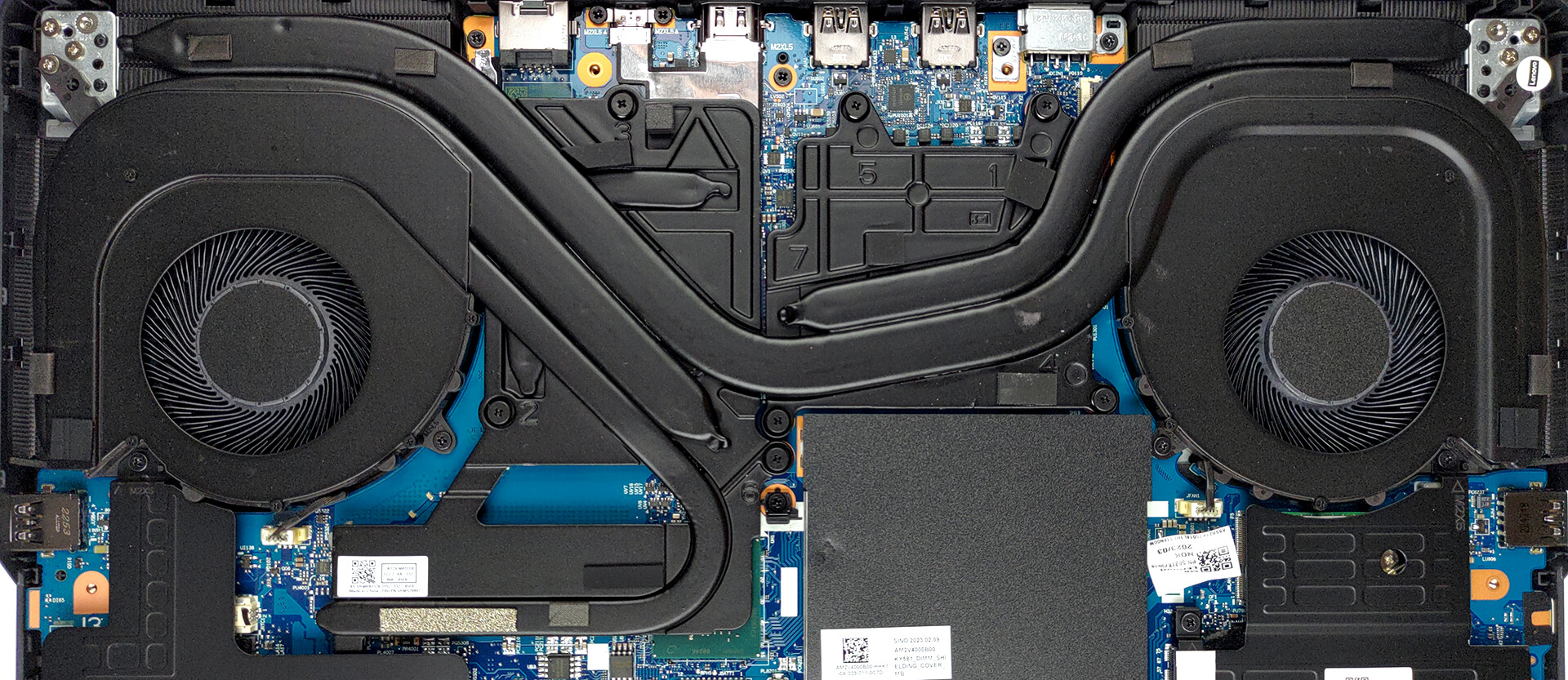
Wow. Even though this is “only” a Core i5, this particular processor is extremely powerful. As you can see, the cooling can effortlessly sustain a 110W power target with a temperature of 76°C. Interestingly, one of the cores goes quite high at more than 90°C, which could have a couple of reasons – firmware settings, that strain one of the cores more than anything, or a cooling issue (poor thermal paste application, or design problem). Regardless of how scary this sounds, it is not an important issue, because the CPU still can perform as a top dog.
Real-life gaming
| NVIDIA GeForce RTX 4060 | GPU frequency/ Core temp (after 2 min) | GPU frequency/ Core temp (after 30 min) |
|---|---|---|
| Lenovo Legion Pro 5 (16″, 2023) | 2625 MHz @ 70°C @ 100W | 2625 MHz @ 74°C @ 99W |
Despite the 140W alleged TGP (confirmed by the drivers), the laptop could “only” run its RTX 4060 at 100W of power. Nevertheless, the clock speed is really high, which means we are getting adequate behavior from the graphics card.
Comfort during full load
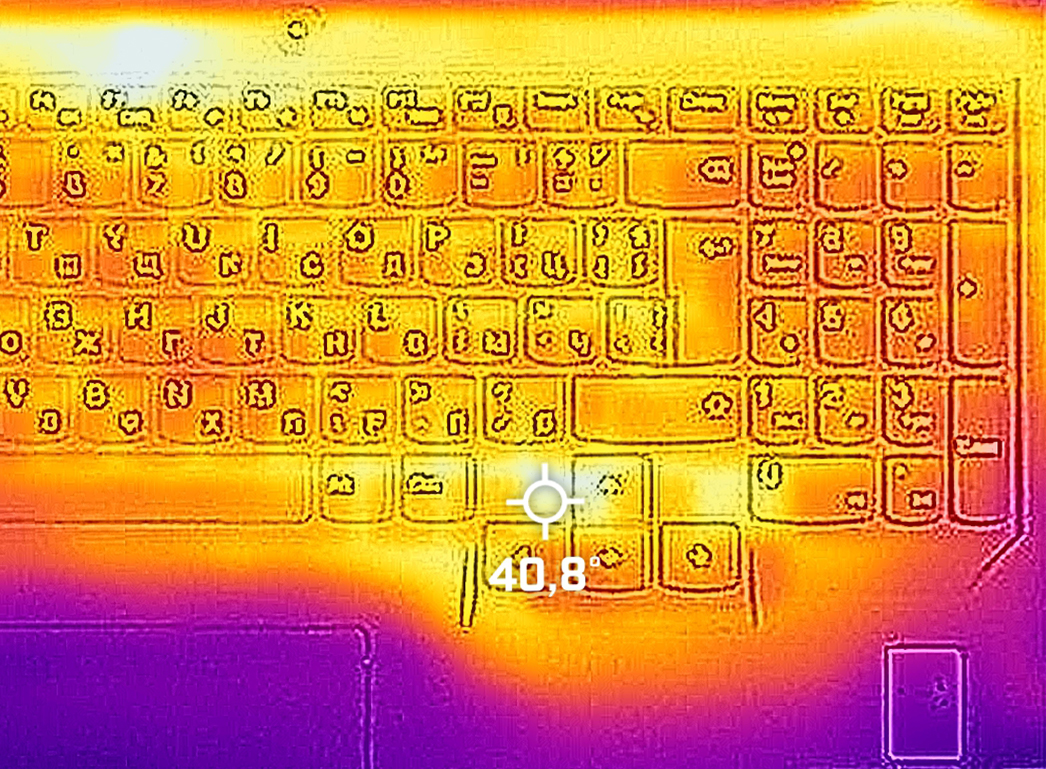
Well, the laptop can become a bit loud. Especially when it’s in an “Extreme Performance” mode. However, the maximum temperature on the keyboard is around 40°C, right around the Arrow keys.
Battery
Now, we conduct the battery tests with the Windows Better performance setting turned on, screen brightness adjusted to 120 nits and all other programs turned off except for the one we are testing the notebook with.
Φωτεινότητα: 180 nits; Λειτουργία οθόνης: SDR
Χρόνος μέχρι την πλήρη εκφόρτιση: Υψηλότερο είναι καλύτερο

Για την προσομοίωση πραγματικών συνθηκών, χρησιμοποιήσαμε το δικό μας σενάριο για αυτόματη περιήγηση στο διαδίκτυο σε πάνω από 70 ιστότοπους.
 Author: Alex Iliev
 Author: eng. Kroum NikolovHead of Engineering at LaptopMedia.com, inventor and innovator with 40+ years of experience in electronics and high technology.

![[Αύγουστος 2026] Παγκόσμια κατάταξη των πιο δημοφιλών GPU για φορητούς υπολογιστές στο Amazon – Η Apple κυριαρχεί, ενώ η RTX 5060 της NVIDIA βρίσκεται στην κορυφή της κατάταξης των ειδικών καρτών](https://laptopmedia.com/wp-content/uploads/2026/09/Best-Selling-GPUs-GLOBAL-Top-10-400x225.jpg)
![[Αύγουστος 2026] Παγκόσμια κατάταξη των πιο δημοφιλών επεξεργαστών φορητών υπολογιστών στο Amazon – Η Apple κυριαρχεί τόσο στην κατηγορία των οικονομικών όσο και στην κατηγορία των premium μοντέλων: Οι A18 Pro και M5 συντρίβουν την Intel και την AMD τον Αύγουστο του 2026](https://laptopmedia.com/wp-content/uploads/2026/09/Best-Selling-CPUs-GLOBAL-Top-10-400x225.jpg)
![[Αύγουστος 2026] Amazon Global: Οι 10 φορητοί υπολογιστές με τις μεγαλύτερες πωλήσεις – Το Apple MacBook Neo κυριαρχεί στις λίστες, ενώ οι οικονομικοί και μεσαίας κατηγορίας φορητοί υπολογιστές με Windows ανταγωνίζονται για τον όγκο πωλήσεων](https://laptopmedia.com/wp-content/uploads/2026/09/Best-Selling-Laptops-GLOBAL-Top-10-400x225.jpg)
![[Αύγουστος 2026] Οι μάρκες φορητών υπολογιστών με τις μεγαλύτερες πωλήσεις στο Amazon Global – Η Apple κυριαρχεί σε έσοδα, ενώ η HP πρωτοστατεί στην ποικιλία μοντέλων](https://laptopmedia.com/wp-content/uploads/2026/09/GLOBAL-Best-Brands-400x225.jpg)
![[Αύγουστος 2026] Amazon Global: Οι 10 πιο δημοφιλείς φορητοί υπολογιστές για παιχνίδια – Ο HP Victus 15 κατακτά την πρώτη θέση, ενώ τα οικονομικά μοντέλα κυριαρχούν στις λίστες](https://laptopmedia.com/wp-content/uploads/2026/09/Best-Selling-Gaming-Laptops-GLOBAL-Top-10-400x225.jpg)

Some of the Asus laptops with HX Ryzen 7000 and it’s 15W 610M iGPU, only support external monitor when dedicated Nvidia GPU is enabled. This is major flaw when you are on the go and run laptop on battery as HX CPU can’t even go below 8W. I assume running dedicated GPU for external monitor is gonna be 1.5 hour battery life and you can’t use it to give presentation in meeting or conference.
I’ve done hundreds of presentations and never needed or used a gaming laptop. Nor have I been in a situation where there was not a power outlet nearby.
You should really edit this review and change all “Pro 5” with “Pro 5i” since what you reviewed was the Intel version…
Anyway, thanks for the review and I’ll wait for the comparison between the Pro 5i (Gen 8, Intel) and the Pro 5 (Gen 8 AMD), in the regards of the CPU.
The USB-C in the back can be used to charge the laptop? I mean, not for heavy 3D workload, but when used as standard laptop to work with mail and internet?
i think yes , as it supports 140ws charger in the back……its meant so u can use it somewhere where you cant carry a 300w charger