How to open ASUS Vivobook Go 15 (E1504F) – disassembly and upgrade options
The Vivobook Go 15 (E1504F) is quite a decent device. Unfortunately, its memory is soldered to the motherboard.
Check out all ASUS Vivobook Go 15 (E1504F) prices and configurations in our Specs System, or read more in our In-Depth review.

1. Remove the bottom plate
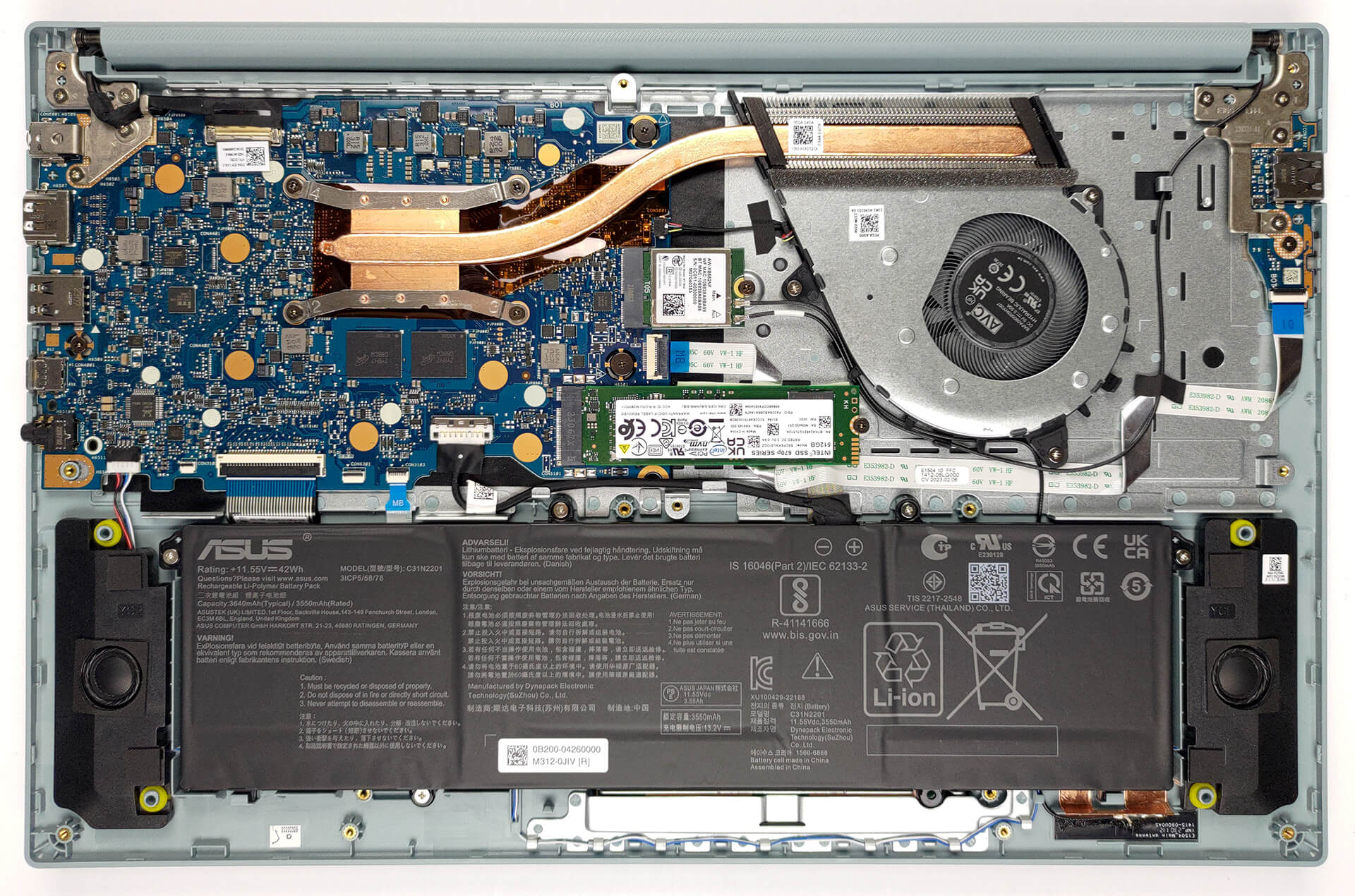
To get inside this notebook, you need to undo a total of 10 Phillips-head screws. Then, pry the bottom panel with a plastic tool, starting from one of the front corners.
2. Remove the battery
Inside, we find a 42Wh battery pack. It lasts for 8 hours and 30 minutes of Web browsing, or 9 hours of video playback. To take it out, unplug the battery connector, and undo the 5 Phillips-head screws that keep the battery attached to the chassis.

3. Upgrade memory and storage
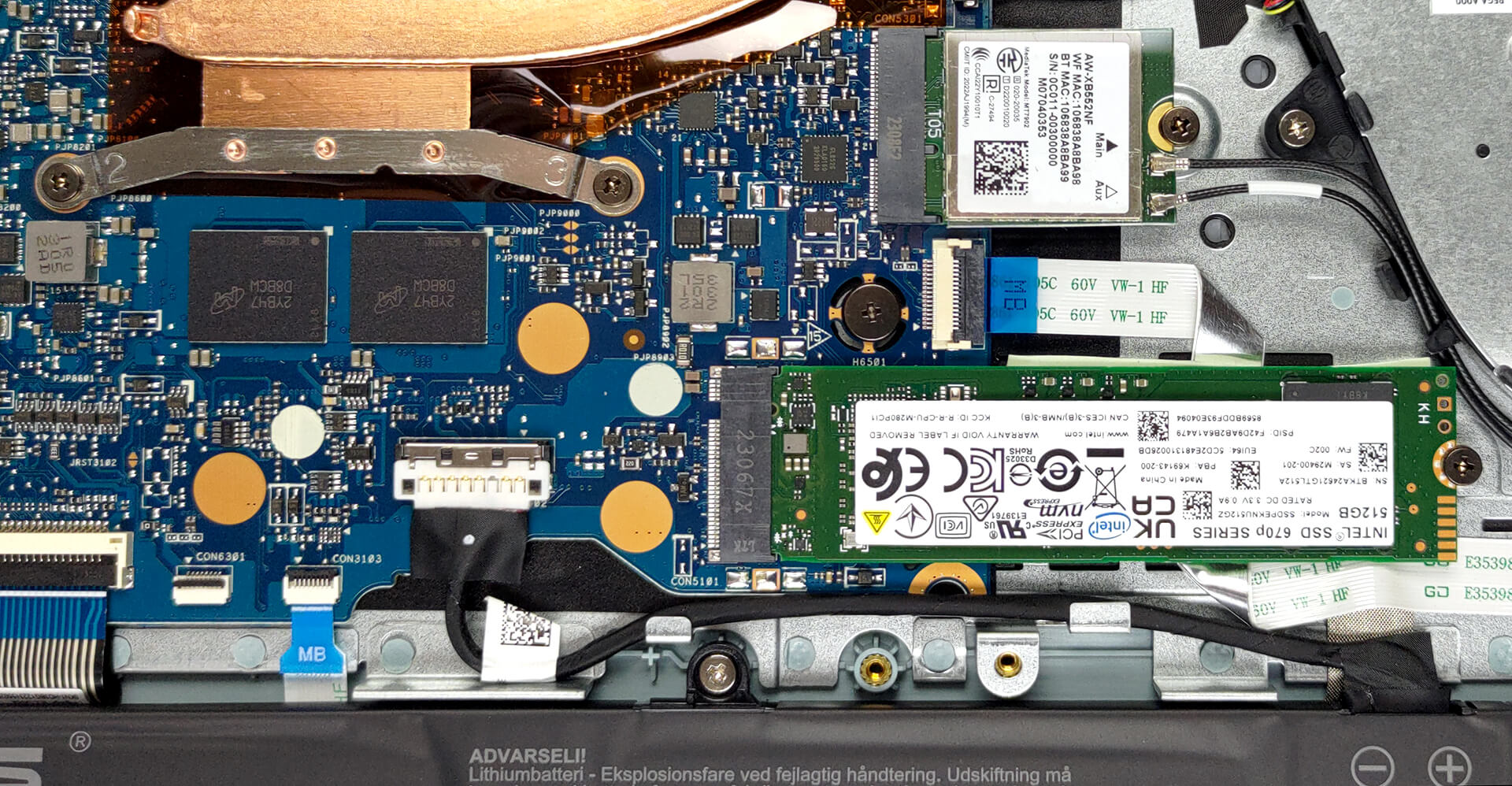
This notebook’s memory is soldered to the motherboard. You can find it in configurations with 4, 8, or 16GB of LPDDR5 RAM, working at 5500MHz. In terms of storage, you get one M.2 PCIe x2 slot, which works with Gen 3 SSDs.
4. Cooling system
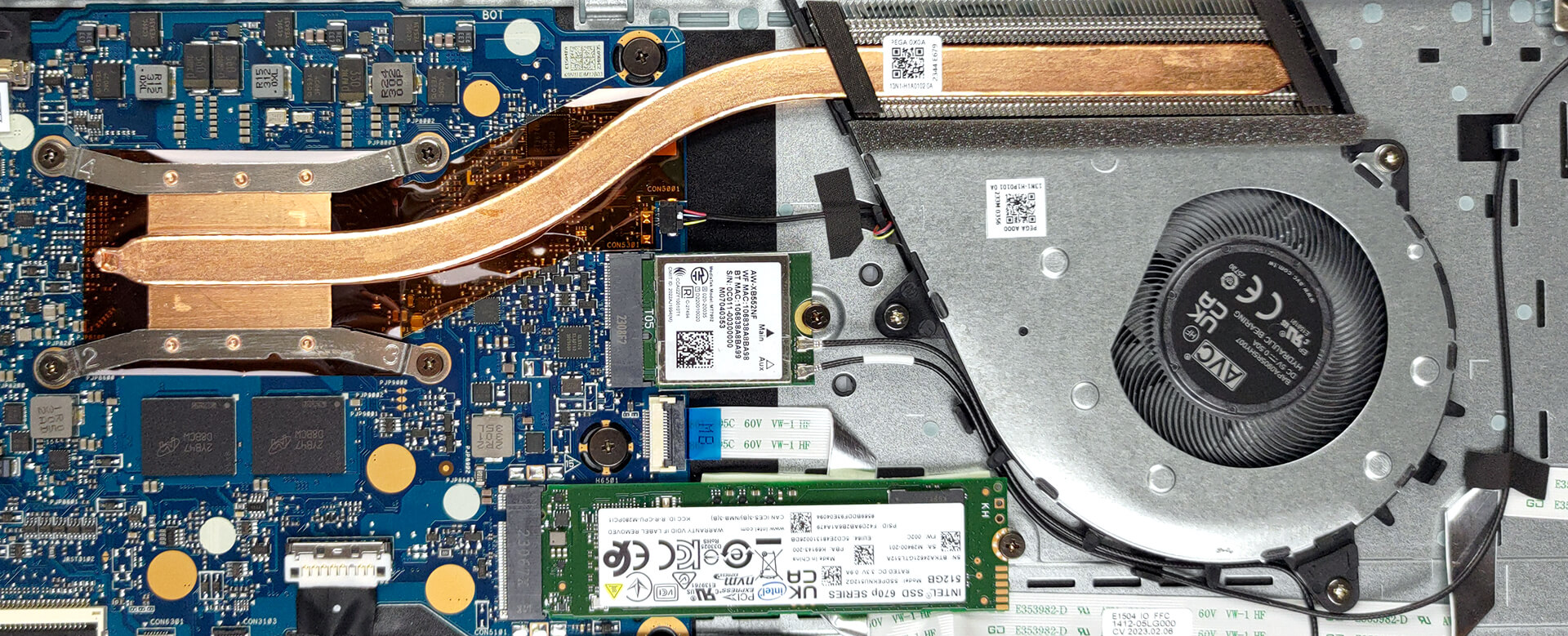
The cooling here is pretty simple. It has one heat pipe, one heat sink, and a fan.
Check out all MSI Bravo 15 C7V prices and configurations in our Specs System, or read more in our In-Depth review.
MSI Bravo 15 (B7Ex / C7Vx / C7Ux) részletes értékelés
Laptop manufacturers, above anything else, are known for their tendency to use one and the same chassis and structure design among a large number of devices out there. Such is the case with MSI and its Katana, Pulse, Bravo, and other notebooks.In this case, we have the MSI Bravo 15 C7V. It is a budget gaming notebook, equipped with AMD's 7000HS lineup of processors. They are very lenient on the cooling solution, which might become a reason for a better gaming performance from the GPU.So, the C7V version of the machine actually comes with either the RTX 4050 or the RTX 4060. They have [...]

Előnyök
- Pretty good gaming performance
- 2x M.2 PCIe x4 Gen 4 slots (kind of), 2x DDR5 RAM SODIMM slots in dual channel
- 144Hz refresh rate (Innolux N156HRA-EA1 (CMN1521))
- No PWM (Innolux N156HRA-EA1 (CMN1521))
- MUX Switch
- Great keyboard
- Not bad battery life
Hátrányok
- No SD card
- No Thunderbolt 4
- Covers only 56% of sRGB (Innolux N156HRA-EA1 (CMN1521))
- All-plastic build
- Keyboard gets pretty warm during gaming
 Author: Alex Iliev

![[2026. június] Az Amazon Global legkelendőbb laptopmárkái – az Apple páratlan dominanciája az eladott darabszám és a bevétel tekintetében](https://laptopmedia.com/wp-content/uploads/2026/07/GLOBAL-Best-Brands-400x225.jpg)
![[2026. június] Amazon Global: A 10 legkelendőbb laptop – Az Apple új MacBook Neo-ja az első helyre tör, és megfizethető árával újjáformálja a piacot](https://laptopmedia.com/wp-content/uploads/2026/07/Best-Selling-Laptops-GLOBAL-Top-10-400x225.jpg)
![[2026. június] Amazon Global: A 10 legkelendőbb játékos laptop – az Acer Nitro V 16S AI vezeti az eladási listát, míg az ASUS az összbevétel tekintetében áll az élen](https://laptopmedia.com/wp-content/uploads/2026/07/Best-Selling-Gaming-Laptops-GLOBAL-Top-10-400x225.jpg)
![[2026. június] Az Amazonon legkelendőbb laptop-grafikus kártyák globális ranglistája – az NVIDIA RTX 5060 a legkelendőbb dedikált grafikus kártya](https://laptopmedia.com/wp-content/uploads/2026/07/Best-Selling-GPUs-GLOBAL-Top-10-400x225.jpg)
![[2026. június] Az Amazonon legkelendőbb laptop-processzorok globális rangsora – az Apple M5 vezet, az AMD Ryzen 7 260 pedig jelentős részesedést szerez a prémium szegmensben](https://laptopmedia.com/wp-content/uploads/2026/07/Best-Selling-CPUs-GLOBAL-Top-10-400x225.jpg)
