How to open Dell Latitude 15 3530 – disassembly and upgrade options
Dell has really cut corners with the build quality of the Latitude 15 3530. However, they didn’t cheap out on upgradeability.
Check out all Dell Latitude 15 3530 prices and configurations in our Specs System, or read more in our In-Depth review.

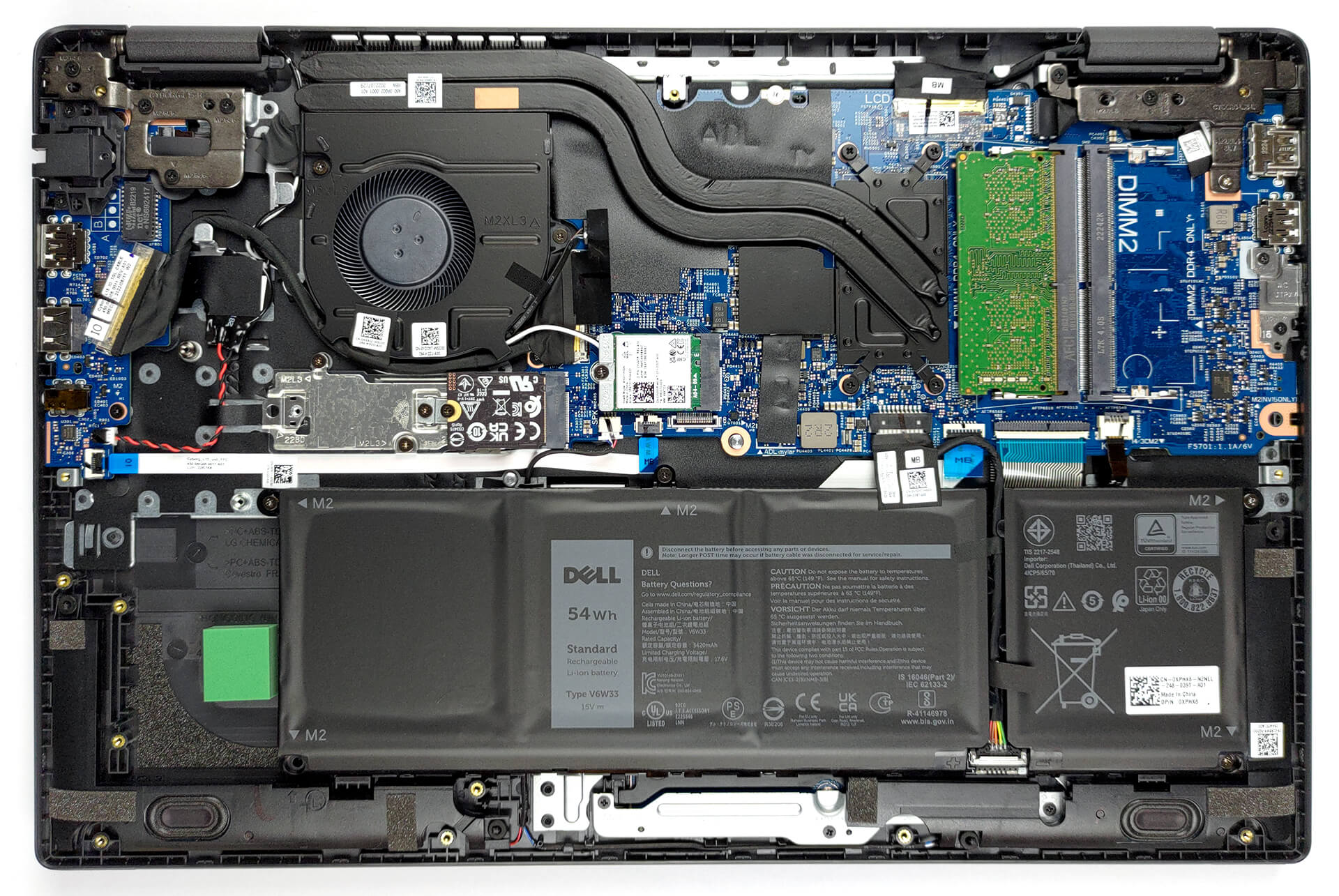
1. Remove the bottom plate
There are 9 captive Phillips-head screws, you need to undo, to access this notebook’s internals. Then, pry the bottom panel with a plastic tool, and remove it from the device.
2. Remove the battery
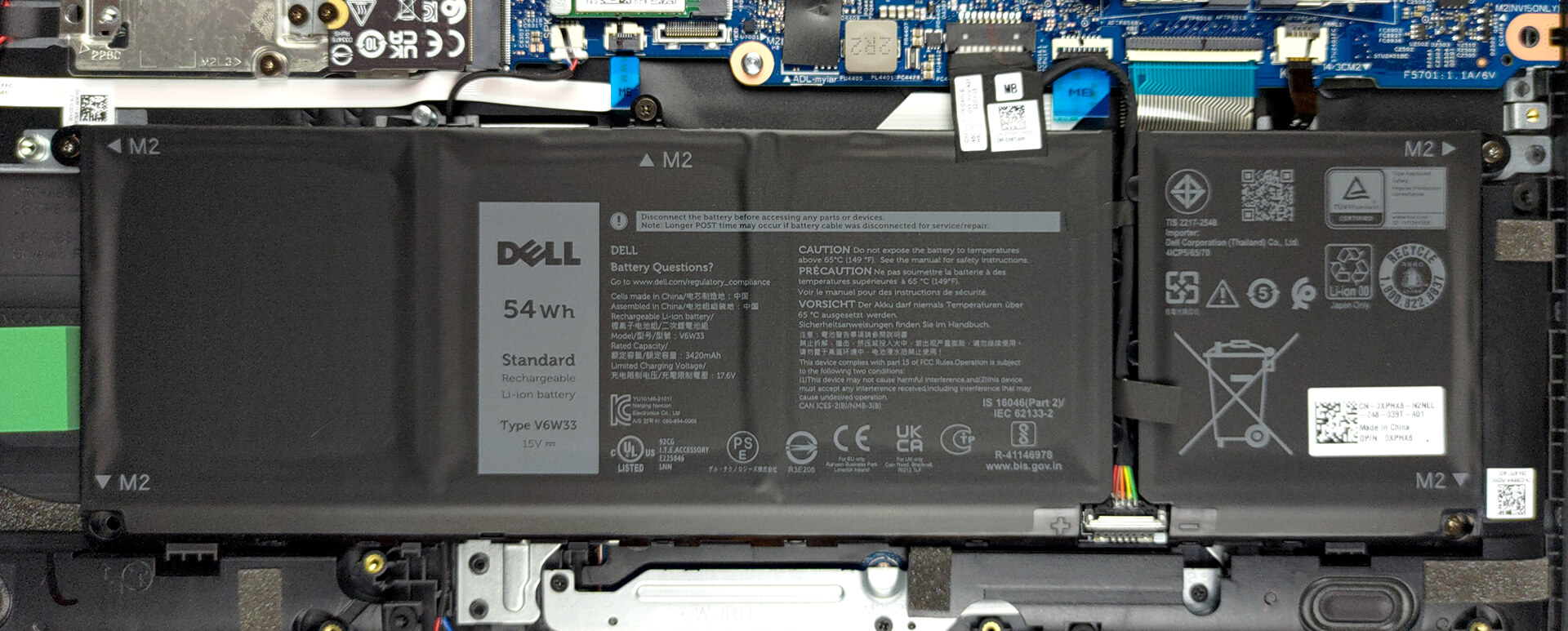
Inside, we see a 54Wh battery pack. It lasts for 12 hours of Web browsing, or 9 hours of video playback. To remove it, unplug the connector from the motherboard, and undo all four Phillips-head screws keeping it attached to the chassis.
3. Upgrade memory and storage
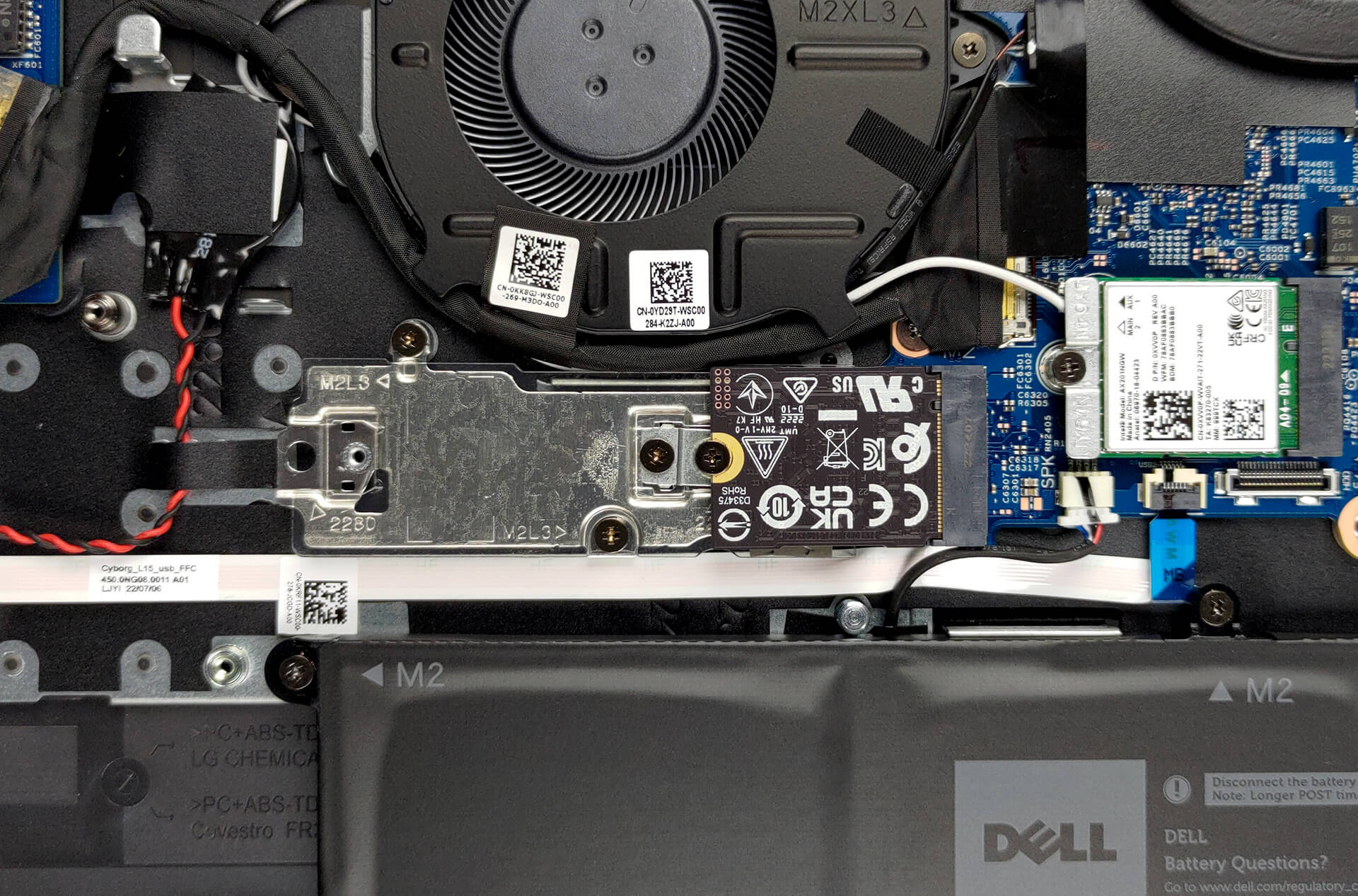
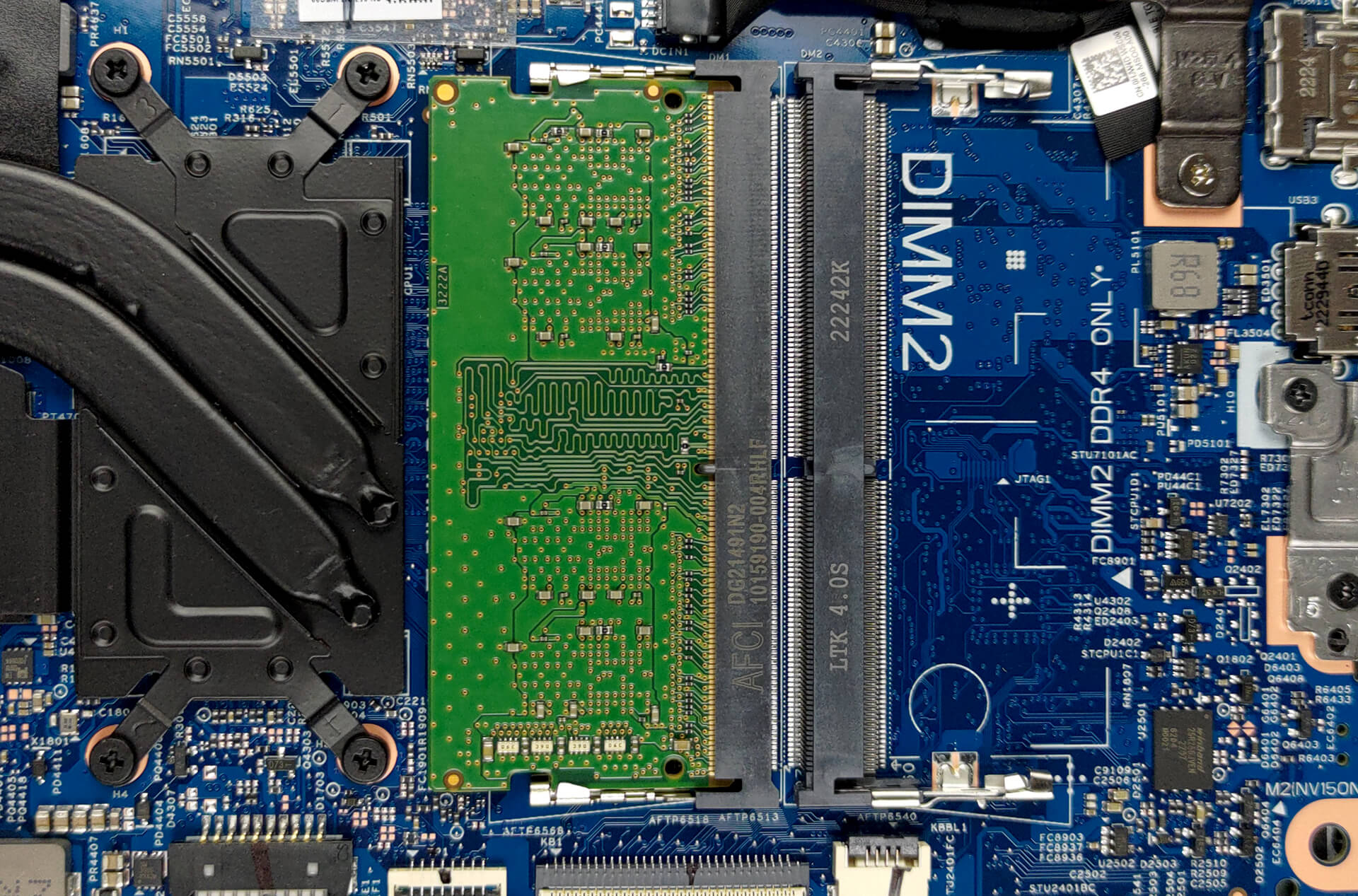
Memory-wise, there are two SODIMM slots, which fit DDR4 RAM, working at 3200 MHz. According to the manufacturer, the maximum available capacity is 32GB in dual-channel mode. As for the storage, there is one M.2 PCIe x4 slot with support for Gen 4 SSDs.
4. Cooling system
Memory-wise, there are two SODIMM slots, which fit DDR4 RAM, working at 3200 MHz. According to the manufacturer, the maximum available capacity is 32GB in dual-channel mode. As for the storage, there is one M.2 PCIe x4 slot with support for Gen 4 SSDs.
Check out all Dell Latitude 15 3530 prices and configurations in our Specs System, or read more in our In-Depth review.
Dell Latitude 15 3530 részletes értékelés
Dell's Latitude series is the answer for Lenovo's (and previously IBM's ) ThinkPad devices. In this case, we have the Latitude 15 3530. It is a brand new machine, which sits in the more affordable spectrum of the business notebook branch.For another year running, the keyword is "compromise". We don't expect to see stellar build quality, but there is no reason to think that Dell would cheap out on the user experience.Here, we get to choose from a pool of Alder Lake U-series processors. They have a 15W TDP, which would make the pretty efficient. It will be interesting to compare this la[...]
Előnyök
- Great upgradeability
- Good battery life
- MicroSD card slot and a USB Type-C 3.2 (Gen. 2) with DisplayPort and Power Delivery
- Optional fingerprint reader and IR face recognition
- No PWM (BOE 000TN-NE156FH (BOE0A89))
- Quiet under extreme load
- Optional LTE support
Hátrányok
- Not a very rigid structure
- Covers only half of the colors in the sRGB gamut (BOE 000TN-NE156FH (BOE0A89))
- No Thunderbolt 4 connector
 Author: Alex Iliev

![[2026. június] Az Amazon Global legkelendőbb laptopmárkái – az Apple páratlan dominanciája az eladott darabszám és a bevétel tekintetében](https://laptopmedia.com/wp-content/uploads/2026/07/GLOBAL-Best-Brands-400x225.jpg)
![[2026. június] Amazon Global: A 10 legkelendőbb laptop – Az Apple új MacBook Neo-ja az első helyre tör, és megfizethető árával újjáformálja a piacot](https://laptopmedia.com/wp-content/uploads/2026/07/Best-Selling-Laptops-GLOBAL-Top-10-400x225.jpg)
![[2026. június] Amazon Global: A 10 legkelendőbb játékos laptop – az Acer Nitro V 16S AI vezeti az eladási listát, míg az ASUS az összbevétel tekintetében áll az élen](https://laptopmedia.com/wp-content/uploads/2026/07/Best-Selling-Gaming-Laptops-GLOBAL-Top-10-400x225.jpg)
![[2026. június] Az Amazonon legkelendőbb laptop-grafikus kártyák globális ranglistája – az NVIDIA RTX 5060 a legkelendőbb dedikált grafikus kártya](https://laptopmedia.com/wp-content/uploads/2026/07/Best-Selling-GPUs-GLOBAL-Top-10-400x225.jpg)
![[2026. június] Az Amazonon legkelendőbb laptop-processzorok globális rangsora – az Apple M5 vezet, az AMD Ryzen 7 260 pedig jelentős részesedést szerez a prémium szegmensben](https://laptopmedia.com/wp-content/uploads/2026/07/Best-Selling-CPUs-GLOBAL-Top-10-400x225.jpg)
