How to open Lenovo Yoga 9i (14″, 2022) – disassembly and upgrade options
There are some surprises on the inside of the Lenovo Yoga 9i (14″, 2022). However, memory upgradeability is not among them.
Check out all Lenovo Yoga 9i (14″, 2022) prices and configurations in our Specs System, or read more in our In-Depth review.

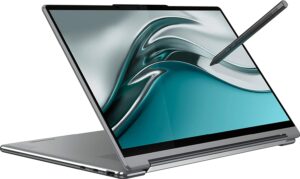
1. Remove the bottom plate
To take this notebook apart, you first need to remove the back rubber foot. Then, undo the three Phillips-head screws it hides, as well as the six visible Torx-head screws. After that, pry the bottom panel with a plastic tool, and remove it from the chassis.

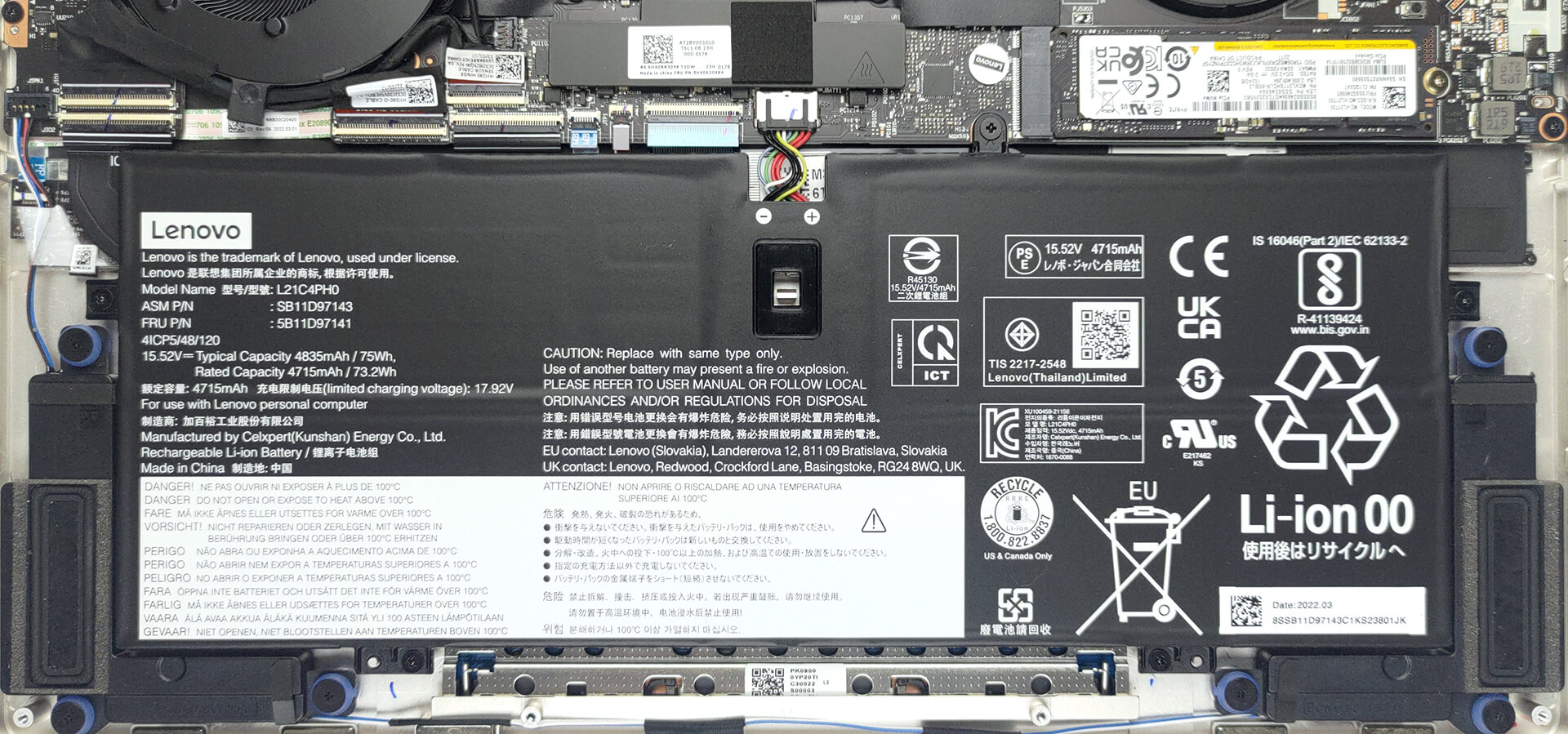
2. Remove the battery
Inside, we find a 75Wh battery pack. It got us through about 7 hours of either Web browsing or video playback. To take it out, you need to undo 5 Phillips-head screws and unplug the battery connector from the motherboard.
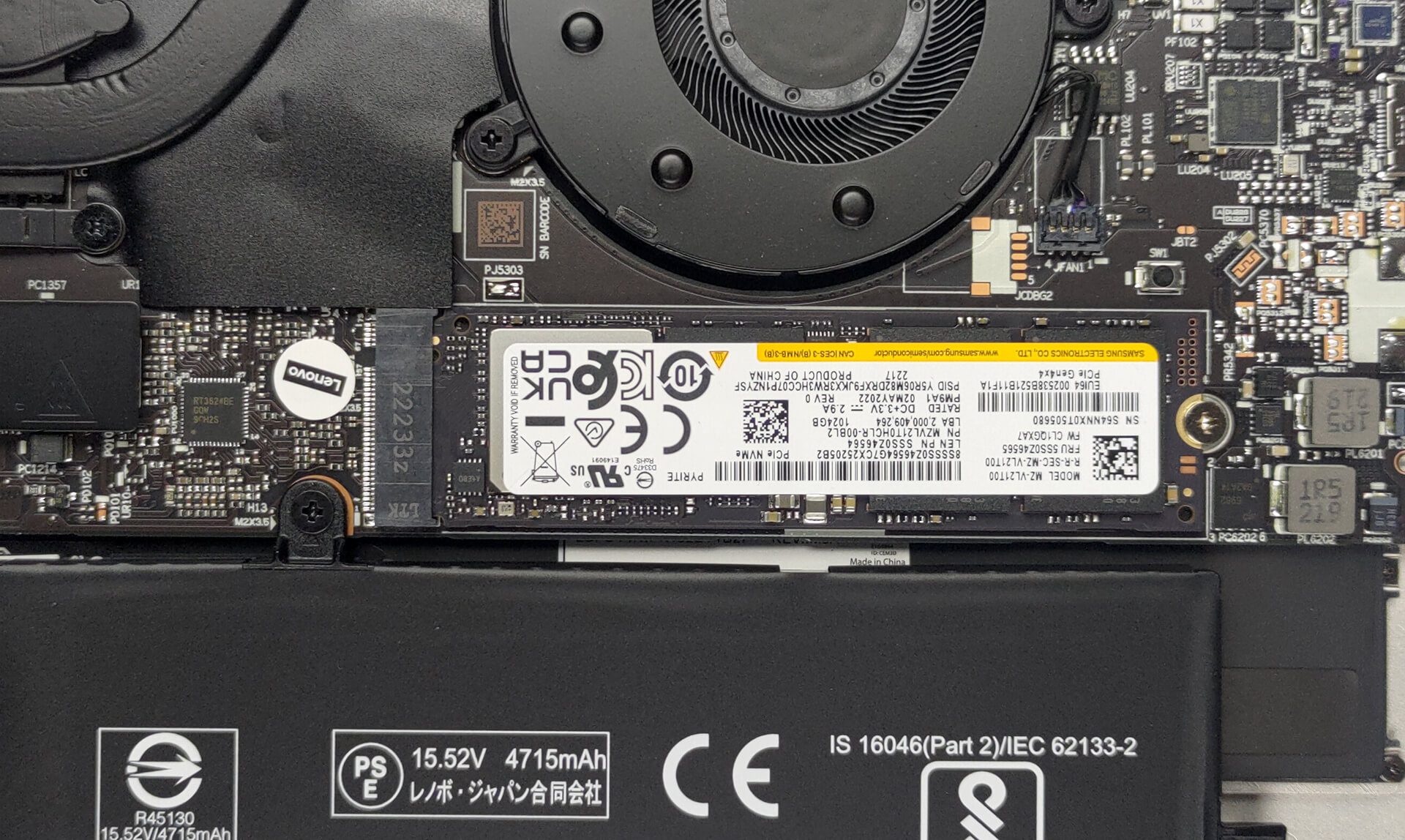
3. Upgrade memory and storage
Here, the memory can’t be upgraded, as it is soldered to the motherboard. You can find it in configurations with 8 or 16GB of LPDDR5 RAM, working at 5200 MHz. Storage-wise, there is one M.2 PCIe x4 slot for Gen 4 SSDs.
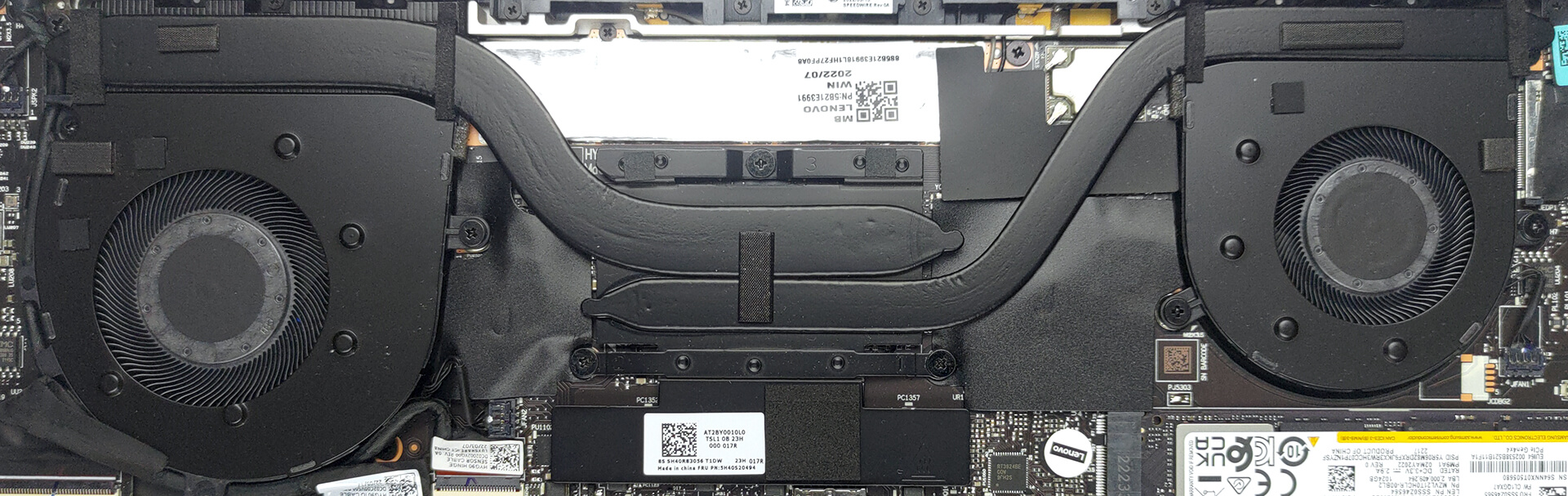
4. Cooling system
You can see that the cooling looks pretty capable with two heat pipes, two fans, and two heat sinks. Even the VRMs are being cooled.
Check out all Lenovo Yoga 9i (14″, 2022) prices and configurations in our Specs System, or read more in our In-Depth review.
Lenovo Yoga 9i (14", 2022) részletes értékelés
After the unsuccessful attempt to completely change the touchpad for good, Lenovo has diverted to a more orthodox approach with the new Yoga 9i (14"). However, this doesn't mean that it has lost its bling.Instead, this machine is now more exquisite than it has ever been. But before we go there, you should know what to expect. For starters, there is the hardware that powers the notebook. Lenovo went for Intel in this case.The 12th Gen processors offer three (major) groups, regarding the TDP - a 15W, 28W, and a 45W. The last one is usually reserved for gaming notebooks or ones that have[...]
Előnyök
- Strong and stylish aluminum chassis
- Decent cooling
- Full sRGB and DCI-P3 coverage
- Super-fast pixel response time
- Infinite contrast ratio
- High resolution and 16:10 aspect ratio
- IR camera + fingerprint reader
- 2x Thunderbolt 4 + USB Type-A 3.2 (Gen. 2)
- A protective sleeve and a stylus inside the box
Hátrányok
- Soldered memory
- Average battery life
 Author: Alex Iliev

![[2026. június] Az Amazon Global legkelendőbb laptopmárkái – az Apple páratlan dominanciája az eladott darabszám és a bevétel tekintetében](https://laptopmedia.com/wp-content/uploads/2026/07/GLOBAL-Best-Brands-400x225.jpg)
![[2026. június] Amazon Global: A 10 legkelendőbb laptop – Az Apple új MacBook Neo-ja az első helyre tör, és megfizethető árával újjáformálja a piacot](https://laptopmedia.com/wp-content/uploads/2026/07/Best-Selling-Laptops-GLOBAL-Top-10-400x225.jpg)
![[2026. június] Amazon Global: A 10 legkelendőbb játékos laptop – az Acer Nitro V 16S AI vezeti az eladási listát, míg az ASUS az összbevétel tekintetében áll az élen](https://laptopmedia.com/wp-content/uploads/2026/07/Best-Selling-Gaming-Laptops-GLOBAL-Top-10-400x225.jpg)
![[2026. június] Az Amazonon legkelendőbb laptop-grafikus kártyák globális ranglistája – az NVIDIA RTX 5060 a legkelendőbb dedikált grafikus kártya](https://laptopmedia.com/wp-content/uploads/2026/07/Best-Selling-GPUs-GLOBAL-Top-10-400x225.jpg)
![[2026. június] Az Amazonon legkelendőbb laptop-processzorok globális rangsora – az Apple M5 vezet, az AMD Ryzen 7 260 pedig jelentős részesedést szerez a prémium szegmensben](https://laptopmedia.com/wp-content/uploads/2026/07/Best-Selling-CPUs-GLOBAL-Top-10-400x225.jpg)
