Inside Dell Vostro 15 7500 – disassembly and upgrade options
Although Dell did a decent job with the upgrade options of this notebook, we weren’t impressed by the thermal management. Take a look at what’s inside.
Check out all Dell Vostro 15 7500 prices and configurations in our Specs System or read more in our In-Depth review.
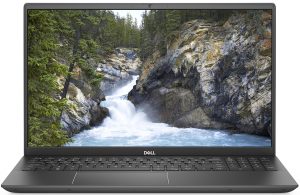
1. Remove the bottom plate and battery
There are 9 Phillips-head screws you need to undo if you want to get inside of this notebook. After that, just pry the bottom panel with a plastic tool, and remove it from the chassis.
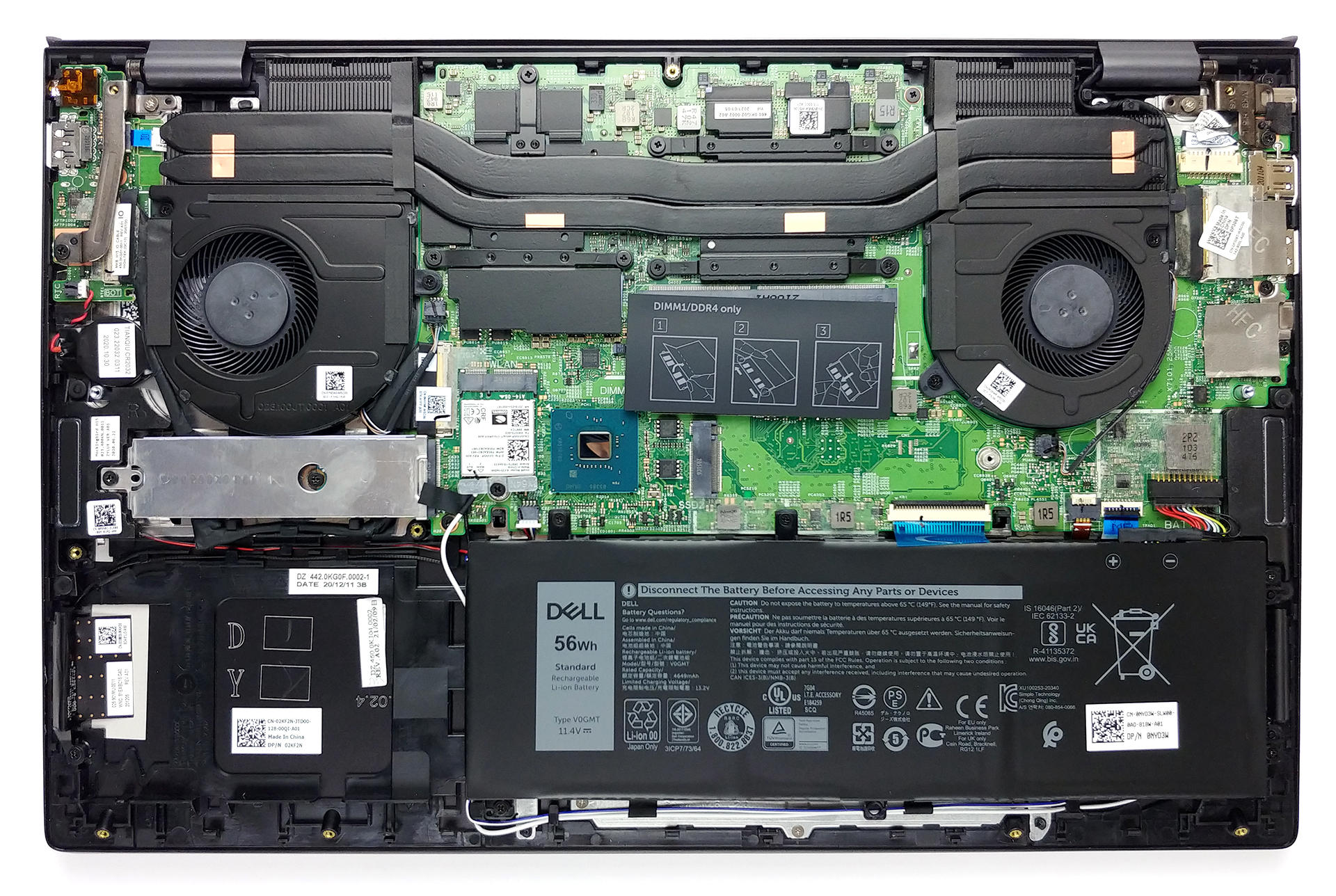
2. Battery
This notebook comes with one of two batteries. You get either a 56Wh 3-cell unit or a 97Wh 6-cell one.

3. Мemory and storage
When it comes to the memory, there are 8GB of soldered DDR4 RAM, with one SODIMM slot for further expansion. As for the storage, there are two M.2 PCIe x4 slots.

4. Cooling system
Since this is a pretty powerful notebook, we are pretty interested in the cooling solution. Ultimately, it looks decent, with two heat pipes cooling both the CPU and the GPU and going to two heat spreaders with a step shape.

Check out all Dell Vostro 15 7500 prices and configurations in our Specs System or read more in our In-Depth review.
Dell Vostro 15 7500 részletes értékelés
Gone are the days, when you needed bulky laptops to get good enough performance for your heavy-duty work. Nowadays, gaming notebooks are becoming more portable, and manufacturers make iterations, that are branded and marketed towards content creators.Well, the Vostro 15 7500 is not a gaming laptop, but it surely has the power to be such. It is aided by a 45W CPU in the form of the Core i7-10750H, and a dedicated graphics card from NVIDIA - the GTX 1650 (or the GTX 1650 Ti). More interesting is the fact, that neither of them is Max-Q versions, which will put even more strain on the cooling[...]
Előnyök
- Stylish premium build
- Thunderbolt 3, MicroSD card reader, and an optional fingerprint reader
- Decent upgrade options
- 96% of sRGB coverage and very accurate color representation with our Gaming and Web design profile (BOE 7VKTY-NV156N67)
Hátrányok
- Performance is limited by a poor cooling solution
- Uses aggressive PWM for all brightness levels, except the maximum - fixed by our Health-Guard profile (BOE 7VKTY-NV156N67)
- A bit pricey
 Author: Alex Iliev

![[2026. június] Az Amazon Global legkelendőbb laptopmárkái – az Apple páratlan dominanciája az eladott darabszám és a bevétel tekintetében](https://laptopmedia.com/wp-content/uploads/2026/07/GLOBAL-Best-Brands-400x225.jpg)
![[2026. június] Amazon Global: A 10 legkelendőbb laptop – Az Apple új MacBook Neo-ja az első helyre tör, és megfizethető árával újjáformálja a piacot](https://laptopmedia.com/wp-content/uploads/2026/07/Best-Selling-Laptops-GLOBAL-Top-10-400x225.jpg)
![[2026. június] Amazon Global: A 10 legkelendőbb játékos laptop – az Acer Nitro V 16S AI vezeti az eladási listát, míg az ASUS az összbevétel tekintetében áll az élen](https://laptopmedia.com/wp-content/uploads/2026/07/Best-Selling-Gaming-Laptops-GLOBAL-Top-10-400x225.jpg)
![[2026. június] Az Amazonon legkelendőbb laptop-grafikus kártyák globális ranglistája – az NVIDIA RTX 5060 a legkelendőbb dedikált grafikus kártya](https://laptopmedia.com/wp-content/uploads/2026/07/Best-Selling-GPUs-GLOBAL-Top-10-400x225.jpg)
![[2026. június] Az Amazonon legkelendőbb laptop-processzorok globális rangsora – az Apple M5 vezet, az AMD Ryzen 7 260 pedig jelentős részesedést szerez a prémium szegmensben](https://laptopmedia.com/wp-content/uploads/2026/07/Best-Selling-CPUs-GLOBAL-Top-10-400x225.jpg)